
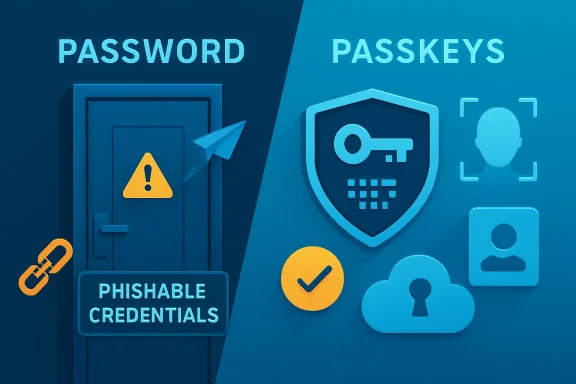
 Microsoft Is No Longer Selling Passwordless as a Convenience Feature
For most of the last decade, passwordless authentication was marketed as a user-experience story. Passwords were annoying, users reused them, help desks burned time resetting them, and biometrics made sign-in feel modern. That framing was useful, but it understated the security reality: passwords are not merely inconvenient; they are the credential format attackers understand best.
Microsoft’s World Passkey Day message is sharper. The company is arguing that progress now depends not just on adding passkeys, but on removing phishable credentials from account lifecycles altogether. That includes passwords, weaker forms of MFA, and the recovery mechanisms that quietly reintroduce password-era risk after the front door has been hardened.
This distinction matters because many organizations believe they have already “done MFA.” In practice, plenty of environments still depend on passwords plus push notifications, SMS codes, email recovery, security questions, or help-desk resets. Those controls may be better than a password alone, but they are still vulnerable to phishing, fatigue attacks, social engineering, SIM swaps, and account recovery hijacking.
Passkeys change the security model because they are bound to a legitimate site or app and depend on a private key that stays on the user’s device or within a managed credential provider. A fake login page can collect a password. It cannot collect a reusable passkey secret in the same way, because the authentication exchange is cryptographic and origin-bound.
That is why Microsoft’s announcement reads less like product marketing and more like identity policy. The company is not merely saying users can sign in with passkeys. It is saying the ecosystem has reached the point where the old methods should start disappearing.
The Weakest Credential Is Now the Whole Account
The most important sentence in Microsoft’s post is not about Windows Hello, Entra ID, or Copilot. It is the observation that each account is only as secure as its weakest credential. That is the uncomfortable truth behind many modern breaches.
A company can require strong authentication for everyday sign-in and still leave a recovery flow that depends on a phone number, a help-desk script, or personal information that was already exposed in a breach. Attackers do not care whether the official front door is elegant. They care whether there is a side door with a bored support agent and a reset button.
That is why account recovery appears so prominently in Microsoft’s announcement. Microsoft Entra ID account recovery is now generally available, allowing users who have lost all authentication methods to regain access through identity verification involving government-issued ID and biometric face checks. Microsoft is also expanding its identity verification partner ecosystem with 1Kosmos and CLEAR1 joining Au10tix, IDEMIA, and TrueCredential.
This is a striking admission from a platform company: passwordless authentication is incomplete if recovery remains password-shaped. If an attacker can bypass a passkey by persuading a recovery system to issue a new credential, then the passkey becomes a strong lock attached to a weak frame.
For enterprises, this is where the migration gets politically and operationally difficult. Recovery flows involve privacy, HR, legal, compliance, regional identity documents, accessibility, and user support. The technology problem is solvable. The governance problem is messier.
Still, Microsoft is right to push the issue. The industry has spent years strengthening primary authentication while leaving recovery as a compromise between security and support burden. AI-assisted phishing and impersonation make that compromise more dangerous. If convincing fake messages and synthetic social-engineering scripts become cheaper to generate, identity recovery becomes a prime target.
Five Billion Passkeys Means the Excuse Has Changed
The FIDO Alliance now estimates that roughly 5 billion passkeys are in active use worldwide. That number should not be treated as proof that the password is dead, because it plainly is not. But it does mean the standard has crossed from experimental security technology into mainstream infrastructure.
This changes the burden of proof. A few years ago, IT teams could reasonably ask whether passkeys were too immature, too fragmented, or too confusing for broad deployment. In 2026, the more relevant question is why so many high-value accounts are still protected by credentials that can be typed into a phishing page.
Microsoft says hundreds of millions of users sign in with passkeys every day across consumer services including OneDrive, Xbox, and Copilot. Internally, the company says it has rolled out phishing-resistant authentication across 99.6 percent of users and devices. Those figures are partly corporate chest-thumping, but they also point to a practical reality: this is no longer a lab architecture for security purists.
The momentum is industry-wide. Apple, Google, Microsoft, password-manager vendors, banks, commerce platforms, and SaaS providers have all spent the last several years adding passkey support. The user experience is still inconsistent, but the basic expectation has shifted. Users now encounter passkeys not as exotic security keys, but as the thing their phone, browser, or password manager asks them to create after signing in.
That does not mean administrators can relax. Scale often hides fragmentation. Device-bound passkeys, synced passkeys, hardware security keys, platform authenticators, browser-integrated credential stores, enterprise-managed profiles, and consumer password managers all sit under the same umbrella term. “Passkey support” can mean several operationally different things.
Microsoft’s job, then, is not just to support the standard. It is to make passkeys manageable across the messy Windows reality of domain-joined PCs, BYOD laptops, unmanaged home devices, mobile apps, contractors, shared workstations, and external identities. The announcement is significant because it tries to close some of those gaps.
Entra Passkeys on Windows Bring the Fight to BYOD
One of Microsoft’s most important changes is Entra passkeys on Windows, which the company says will be generally available in late May 2026. The feature allows users to create and use device-bound passkeys directly on personal or unmanaged Windows devices using Windows Hello.
That sounds like a small convenience improvement. It is not. It addresses a persistent problem in enterprise identity: the users who need secure access are not always sitting at fully managed corporate endpoints.
BYOD has always been a compromise between access and control. Administrators want strong assurance that the person signing in is legitimate. Users and contractors often resist enrolling personal hardware into full device management. Passkeys stored through Windows Hello offer a middle path: phishing-resistant authentication on a device the user controls, without necessarily converting that device into a corporate asset.
There are still trade-offs. Device-bound credentials create questions about lost devices, replacement laptops, shared machines, and users who work across several endpoints. Synced passkeys reduce friction but raise different questions about credential provider trust and policy enforcement. Enterprises will need to decide which passkey types are acceptable for which resources, roles, and risk levels.
That is where Microsoft Entra’s passkey profiles matter. Microsoft says it is moving tenants toward a unified passkey profile model and expanding cloud passkey management for larger and more complex policies. In plain English, this is Microsoft trying to give admins something they can govern rather than a thousand unmanaged authentication exceptions.
The security win is obvious. The administrative challenge is equally obvious. If Microsoft wants passkeys to become the default, it must make them boring enough for enterprise deployment. That means predictable policy, inventory, lifecycle management, reporting, and recovery.
External ID Is Where Passkeys Meet the Customer Experience Problem
Microsoft also says passkeys for Microsoft Entra External ID will become generally available in late May 2026. This is aimed at customer-facing applications, and it may be the most commercially important part of the announcement.
Consumer authentication has always been a balancing act between fraud prevention and abandonment. Add too much friction, and users leave. Add too little, and attackers walk in. Passkeys offer a rare possibility: stronger authentication that may also be easier for users than remembering yet another password.
That is why the External ID move matters. Enterprise passkeys protect employees and contractors. External ID passkeys potentially protect customers, patients, citizens, students, subscribers, and anyone else signing into an app built on Microsoft’s identity stack.
The customer-facing world is also where passkeys can fail most visibly. Users switch phones. They forget which browser stored a credential. They expect sign-in to work across iOS, Android, Windows, macOS, and whatever device they happen to borrow at the airport. If the experience becomes confusing, companies will quietly leave passwords in place as a fallback.
Microsoft’s consumer-side work with Microsoft Password Manager is part of the same story. The company says users can now save and sync passkeys across devices signed in with a Microsoft account, with iOS and Android support rolling out through Microsoft Edge. This pushes Microsoft deeper into territory already contested by Apple iCloud Keychain, Google Password Manager, 1Password, Bitwarden, Dashlane, and others.
That competition is healthy, but it creates another layer of complexity. A passkey future will not be a single-vendor future. Users will expect credentials to move across ecosystems, while enterprises will want assurance that the credential provider meets policy. The standard reduces phishing risk, but the platform politics are just beginning.
The Password Is Dying First in Policy, Then in Practice
Microsoft’s plan to remove security questions as a password reset option in Microsoft Entra ID is the clearest sign that the company is moving from encouragement to enforcement. Microsoft’s security blog says the removal begins in January 2027, while current Microsoft Learn guidance points to retirement for self-service password reset in March 2027. Either way, the direction is unmistakable: security questions are on the way out.
Good riddance. Security questions have always been a strange ritual: asking users to protect an account with answers that are either publicly discoverable, socially guessable, or so fictional that the user forgets them. They are not secrets in the meaningful security sense. They are nostalgia with a reset button.
Their removal will irritate some organizations because weak recovery methods are convenient. They reduce support tickets in the short term and make old workflows feel familiar. But the same convenience is exactly why attackers like them.
The broader issue is that passwordless adoption cannot succeed while every account keeps a password as an emergency escape hatch. If the fallback credential is phishable, the account remains phishable. If recovery can mint a new password through weak proofing, the account remains vulnerable to recovery abuse.
This is the hard edge of Microsoft’s announcement. The future it describes is not “use passkeys when you like.” It is “remove the methods that make passkeys optional.” That will be unpopular in some corners of IT, but it is the only coherent version of passwordless security.
AI Makes the Old Authentication Compromises Look Worse
Microsoft frames the urgency partly around AI-powered attacks, including phishing campaigns with high click-through rates. The exact numbers will vary by study and scenario, but the trend is hard to dismiss. Automation makes social engineering cheaper, faster, and more personalized.
Generative AI is particularly relevant because authentication attacks are often language attacks. A phishing email, a fake Teams message, a convincing help-desk request, or a polished recovery scam all depend on persuasion. Better text generation lowers the skill required to produce plausible bait.
Passkeys do not solve every AI-enabled threat. They do not stop malware on an already-compromised endpoint. They do not eliminate session hijacking. They do not prevent a user from approving a malicious OAuth consent grant or handing over data after signing in legitimately. Security teams should resist any vendor narrative that treats one control as a magic spell.
But passkeys do remove one of the attacker’s favorite primitives: stealing a reusable secret and replaying it elsewhere. That is a meaningful reduction in risk. If an attacker cannot harvest a password from a fake page, credential stuffing and classic phishing become less effective.
The next battleground will be what happens after authentication. Token theft, device compromise, malicious inbox rules, OAuth abuse, and agentic workflows all become more attractive when primary credentials get harder to steal. Microsoft hints at this when it warns that compromised identities could allow attackers to leverage AI agents operating with existing permissions. That is not science fiction; it is the logical consequence of giving software agents more authority while identity remains the control plane.
Windows Hello Becomes More Than a Local Convenience
Windows Hello has long occupied a slightly odd place in Microsoft’s security story. Consumers experience it as face unlock, fingerprint unlock, or a PIN. Administrators understand that the PIN is device-bound and not equivalent to a password typed into a remote server. But the branding sometimes made it feel like a usability feature rather than a core identity primitive.
Passkeys elevate Windows Hello’s importance. If a Windows device can store a device-bound passkey and use local biometric or PIN unlock to perform phishing-resistant authentication, then Hello becomes part of the enterprise credential architecture. It is no longer just how a user unlocks a laptop; it is how the device proves possession of a private key.
That creates a subtle but important shift in endpoint strategy. The local device state matters more. TPM availability, biometric configuration, PIN policy, device health, jailbreak or root detection on mobile platforms, and credential lifecycle management all become part of identity assurance.
For WindowsForum readers, this is where the announcement becomes practical. Passkeys are often discussed as a web standard, but deployment depends on endpoint plumbing. If the Windows implementation is clumsy, admins will hesitate. If it is reliable and policy-driven, passkeys become much easier to justify.
Microsoft’s challenge is to make the secure path the default path without creating support chaos. A failed password reset is annoying. A failed passkey enrollment can lock a user out of multiple modern workflows. The company’s recovery and policy improvements are therefore not side features; they are prerequisites.
The Enterprise Migration Will Be Won or Lost in the Exceptions
Every identity modernization project looks clean in diagrams and messy in production. Passkeys will be no different. The difficult cases will define the real security posture.
Shared accounts remain a problem, even if everyone agrees they should not exist. Service accounts and legacy applications will not magically understand passkeys. Remote workers will lose phones. Executives will demand immediate access from unmanaged devices. Contractors will rotate on and off projects. Some users will refuse to install an authenticator app on a personal device. Some regions will have stricter rules around biometric proofing and identity verification.
None of these exceptions invalidate the move to passkeys. They do, however, mean that enterprises need a migration plan rather than a slogan. The wrong approach is to enable passkeys, declare victory, and leave every fallback untouched.
The better approach is staged and explicit. Start with high-risk roles, privileged access, and phishing-resistant authentication requirements. Expand to broader employee populations once enrollment, recovery, and help-desk procedures are stable. Then remove weaker methods methodically, with telemetry showing which users and applications still depend on them.
This is where Microsoft’s passkey-preferred authentication preview is interesting. By detecting registered methods and prompting the strongest one first, Entra ID can nudge users toward passkeys without immediately breaking fallback paths. That kind of behavioral steering is often more effective than a sudden mandate.
But nudges have limits. If the weak method remains available indefinitely, attackers will target it indefinitely. At some point, policy has to do what preference cannot.
The Consumer Story Is Simpler, Until It Is Not
For individuals, Microsoft’s pitch is straightforward: create passkeys for personal accounts and enjoy a sign-in flow that is both easier and harder to phish. That is mostly true. When passkeys work well, they feel almost anticlimactic. Unlock the device, approve the prompt, and move on.
The trouble begins when users do not understand where the passkey lives. Is it in the browser? The operating system? The Microsoft account? The phone’s cloud keychain? A third-party password manager? A hardware security key in a desk drawer? The answer depends on the setup, and most normal people do not want to think about credential storage taxonomy.
This is not a reason to cling to passwords. It is a reminder that the industry has to make passkeys legible. Users need clear recovery options, understandable device transfer flows, and warnings that do not sound like cryptographic weather reports.
Microsoft Password Manager syncing passkeys across devices may help, particularly for users already living inside Edge and Microsoft accounts. But cross-platform trust remains delicate. A Windows user with an iPhone, an Android tablet, Chrome at work, Edge at home, and a third-party password manager may not experience the seamless future shown in vendor demos.
The password was terrible, but it was portable in the most primitive way: a string could be typed anywhere. Passkeys replace that with safer portability, but only when ecosystems cooperate. The next phase of adoption will depend as much on interoperability and user education as on cryptography.
The Passkey Era Forces IT to Rethink Recovery, Not Just Login
The most mature reading of Microsoft’s announcement is that authentication and recovery are merging into one security discipline. You cannot evaluate one without the other. A phishing-resistant login paired with weak recovery is a contradiction.
This will require many organizations to revisit processes they have not touched in years. Help-desk identity verification scripts, password reset portals, HR onboarding, device replacement procedures, break-glass accounts, and privileged access recovery all need scrutiny. If a workflow can create or reset a credential, it is part of the authentication system.
Government-issued ID and biometric face checks may be appropriate for some recovery scenarios, but they also introduce privacy and inclusion concerns. Not every user has the same documents. Not every jurisdiction treats biometric processing the same way. Not every employee will be comfortable with the same recovery path.
That means administrators should avoid treating Microsoft’s defaults as a complete policy. Entra ID can provide the machinery, but the organization still owns the risk decision. Which users require high-assurance recovery? Which applications justify stricter proofing? How are exceptions approved and logged? How long are recovery events monitored after access is restored?
The irony of passwordless authentication is that it may make identity governance more important, not less. Removing passwords simplifies one part of the user experience. It complicates the surrounding policy environment because the remaining paths become more important.
Microsoft’s Passwordless Bet Is Also a Platform Bet
There is another layer here: Microsoft is using passwordless security to reinforce the gravity of its identity platform. Entra ID, Windows Hello, Microsoft Password Manager, Edge, External ID, Verified ID-style proofing, and partner identity verification all sit inside a broader Microsoft security ecosystem.
That is not inherently bad. Identity benefits from integration. Admins generally prefer fewer consoles, consistent policy language, and telemetry that flows into the rest of their security stack. Microsoft can make passkeys easier to deploy precisely because it controls so many layers of the enterprise experience.
But platform gravity has consequences. Organizations that go all-in on Microsoft’s passwordless stack will need to ensure they do not accidentally reduce flexibility. Passkeys are standards-based, but management implementations are not all identical. Credential portability, third-party password-manager support, hardware key policy, and non-Windows device experiences should be tested rather than assumed.
The best version of this future is standards-based and vendor-diverse. Microsoft should win deployments by making passkeys manageable, not by making alternatives awkward. Admins should welcome integration while preserving enough architectural independence to avoid being trapped by a single credential ecosystem.
For now, Microsoft’s direction is broadly aligned with where the industry needs to go. The password has survived because it is universal, cheap, and deeply embedded. Killing it requires platform vendors to make the replacement easier than the habit. Microsoft is one of the few companies with enough reach across consumer and enterprise computing to move that habit at scale.
The Real Deadline Is the Day Attackers Stop Asking for Passwords
The uncomfortable part of the passwordless transition is that attackers adapt quickly. As passwords become less useful, adversaries will move toward token theft, adversary-in-the-middle kits, malicious consent grants, compromised endpoints, recovery abuse, and social engineering aimed at support channels. Passkeys raise the floor; they do not end the contest.
That is why Microsoft’s focus on removing weak credentials is more important than the celebratory tone of World Passkey Day. The industry does not need another awareness campaign telling users passwords are bad. It needs fewer systems that still accept them as the ultimate fallback.
The most concrete near-term implications are already visible:
- Organizations using Microsoft Entra ID should inventory password reset methods now, because security questions are headed for retirement and weak recovery paths will become harder to justify.
- Admins planning passkey rollouts should distinguish between device-bound passkeys, synced passkeys, hardware security keys, and password-manager-based passkeys before writing policy.
- BYOD and unmanaged Windows access will become more viable for phishing-resistant sign-in as Entra passkeys on Windows reach general availability in late May 2026.
- Customer-facing applications built on Microsoft Entra External ID will soon have a stronger path to passkey-based sign-in without forcing enterprise-style friction onto consumers.
- Passkey adoption should be paired with monitoring for token theft, suspicious recovery events, OAuth abuse, and post-authentication attacker behavior.
- The help desk is now part of the identity perimeter, because attackers will increasingly target recovery and support workflows when primary sign-in becomes harder to phish.
The password will not vanish in 2026, and anyone promising a clean cutover is selling fantasy. But Microsoft’s World Passkey Day announcement shows that the center of gravity has moved: passkeys are no longer the interesting add-on, passwords are increasingly the legacy exception, and recovery is becoming the place where serious identity programs prove whether they mean it. The next year will test whether enterprises can turn that architectural truth into daily practice before attackers turn the remaining fallbacks into the next breach headline.
