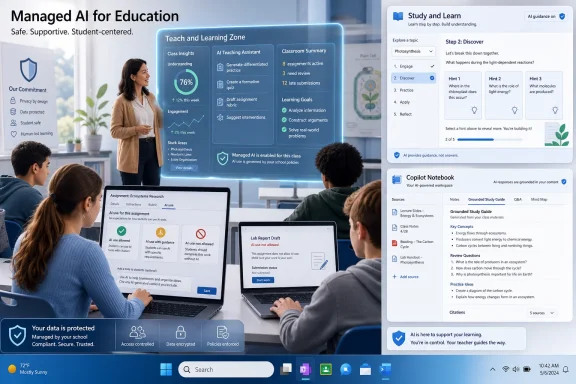
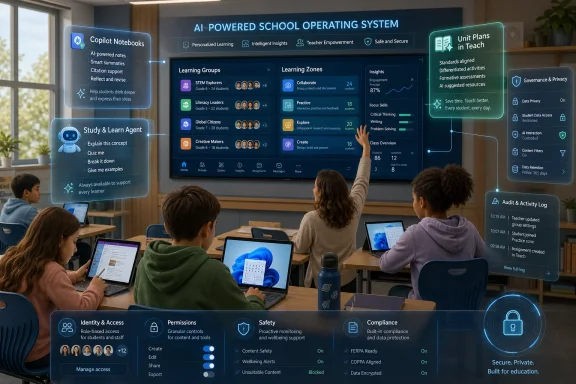
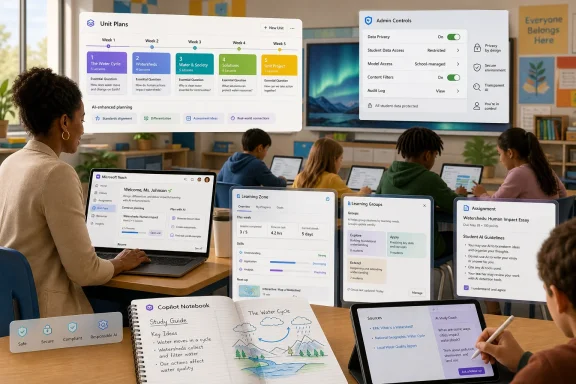
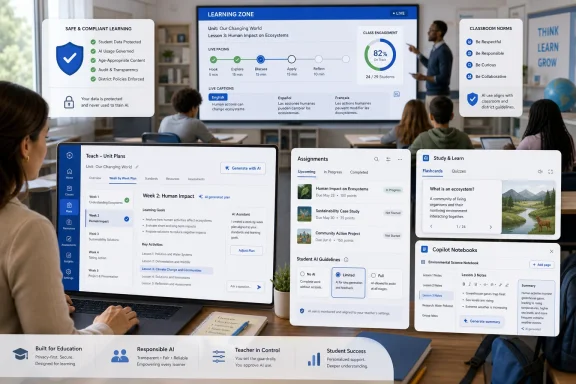
On June 24, 2026, Microsoft released its third annual AI in Education Report from Redmond and announced new no-additional-cost AI tools for Microsoft 365 Education, aimed at helping schools turn widespread classroom experimentation into structured, responsible use before ISTELive 26 in Orlando. The message is not subtle: AI has already entered schools faster than policy, training, and classroom practice can comfortably absorb it. Microsoft is now trying to make the next phase look less like a student-led improvisation and more like an institutionally managed platform shift.
The most important thing in Microsoft’s announcement is not that students and teachers are using AI. That part is already obvious to anyone who has watched a homework assignment, essay draft, lesson plan, or help-desk ticket pass through a school system in the last two years. The more consequential claim is that Microsoft believes education has moved from the whether stage to the operating model stage.
The company’s reported numbers are designed to make that case. Microsoft says 92 percent of students and education leaders, and 88 percent of educators, have used AI for school-related purposes. It also says 58 percent of education leaders report that their schools are already implementing or scaling AI, while majorities of leaders, educators, and students say their school-related AI use has increased over the past year.
Those figures are vendor-sponsored survey data, not a neutral census of global schooling. Still, they match the reality many IT departments already face: the question is no longer whether generative AI is present on campus, but whether it is being routed through approved systems, audited expectations, and teacher-controlled workflows. That distinction matters because unmanaged AI adoption is not innovation; it is shadow IT with a better chatbot interface.
Microsoft’s pitch is therefore less about novelty than domestication. It wants Copilot, Microsoft 365 Education, Assignments, Teach, and Windows 11 to become the approved plumbing through which AI flows in schools. That is a classic Microsoft move: when a behavior becomes unavoidable, fold it into the productivity stack, wrap it in admin-friendly language, and make the platform feel like the safe option.
Microsoft is trying to impose a more enterprise-shaped vocabulary on that mess. Its three areas of focus are adoption, training, and guardrails. That triad is revealing because it treats AI less as a pedagogical add-on and more as an infrastructure layer that requires rollout planning, user enablement, and governance.
For WindowsForum readers, this is familiar terrain. The school may be the setting, but the pattern looks like every major IT transition: cloud email, identity management, Teams, one-to-one devices, remote learning, endpoint security, and now AI. The users arrive first, the policy follows, and the administrators are left trying to reconcile aspiration with risk.
Education, however, is not a generic enterprise vertical. A badly governed AI deployment in a corporate office may create compliance headaches or bad documents. A badly governed AI deployment in a school can reshape assessment, student privacy, teacher workload, and the basic meaning of independent work. That is why Microsoft’s report leans so heavily on the phrase “responsible implementation.” It is selling capability, but it is also selling reassurance.
That is the real fault line. Schools have not waited for professional development schedules to catch up before AI entered classrooms. Students found the tools because they were useful, teachers found them because they were overwhelmed, and leaders found them because every strategic plan now needs an AI paragraph. But using AI and understanding AI are not the same thing.
Microsoft’s answer is recurring, role-based training. The company says 66 percent of educators and 52 percent of students want their institution to provide AI training monthly or quarterly. That cadence is ambitious in education, where professional development time is often scarce, unevenly distributed, and vulnerable to budget cycles.
This is where Microsoft Elevate for Educators and the AI Literacy for Educators credential pathway fit into the larger strategy. The company is not merely adding features; it is building a certification and community layer around the platform. That makes sense commercially and operationally. A tool that teachers distrust becomes shelfware, but a tool attached to credentials, training, and peer recognition has a better chance of becoming routine.
The unresolved issue is whether training becomes genuine professional learning or another compliance ritual. Schools have seen plenty of technology initiatives reduced to webinar attendance, badge collection, and optimistic slide decks. AI literacy will need to be more demanding than prompt tips if it is going to help teachers decide when AI supports learning and when it quietly replaces it.
By putting AI guidance closer to Assignments, Microsoft is acknowledging that AI governance has to live where learning work actually happens. That is a subtle but significant product move. The classroom-level rule is more actionable than the district-level slogan.
Academic integrity is the obvious pressure point. Microsoft says 41 percent of students and 42 percent of educators identify it as a leading worry. Those numbers are notable not because they are surprising, but because they show both sides of the classroom recognize the same problem from opposite angles. Teachers worry that AI can launder work into something that looks polished but does not reflect understanding. Students worry that unclear rules can turn ordinary tool use into an accusation.
The worst version of AI policy is a guessing game. If one teacher treats AI brainstorming as responsible preparation and another treats it as cheating, students learn that the real skill is navigating ambiguity rather than mastering content. Practical guardrails do not eliminate integrity problems, but they can at least make expectations explicit.
For IT administrators, this also creates a governance opportunity. If AI use is embedded inside Microsoft 365 Education workflows, schools may gain more consistent settings, logging, and policy communication than they would get from a scattered ecosystem of consumer chatbots. The trade-off is dependency. The more schools rely on Microsoft’s interface to define acceptable AI behavior, the more Microsoft’s product choices shape classroom norms.
The phrase “their own materials” matters. One of the biggest problems with general-purpose AI in education is that it can detach students from the actual course. A model can explain almost anything, but that does not mean it is aligned with the teacher’s lesson, textbook, rubric, lab, lecture, or local curriculum. By centering student-provided class content, Microsoft is trying to make AI feel more bounded and less like a universal answer machine.
That does not solve everything. Students can still over-rely on generated summaries. They can still confuse fluency with mastery. They can still use AI-generated practice as a substitute for the harder work of recall, synthesis, and argument. But the design direction is sensible: keep AI near the learning materials rather than sending students into the open web of plausible explanations.
The Study and Learn Agent follows the same logic. Microsoft says it brings research-based learning into Copilot Chat with interactive practice and real-time feedback, while avoiding simply doing the work for students. That last clause is doing a lot of work. Every education AI vendor now knows it must promise assistance without substitution, coaching without ghostwriting, and feedback without answer laundering.
The difficulty is that the boundary is pedagogical, not merely technical. A hint can become an answer depending on the student, the task, and the timing. A scaffold can become a shortcut if the assessment rewards output more than process. Microsoft can design toward better behavior, but teachers will still have to decide what kind of struggle is productive and what kind is needless friction.
Teachers are not short of ideals. They are short of time. Lesson planning, differentiation, standards alignment, feedback, grading, parent communication, accommodation, and administrative documentation compete for the same limited hours. AI tools that reduce blank-page labor will be attractive even to skeptical educators if they produce usable drafts rather than generic filler.
The risk is that “standards-aligned” becomes a veneer. Anyone who has worked with curriculum tools knows that alignment can be superficial: a standard attached to an activity does not mean the activity meaningfully teaches or assesses it. AI-generated unit plans will need teacher judgment, local adaptation, and subject expertise. Microsoft knows this, which is why the announcement keeps emphasizing educator control.
Learning Groups in Assignments aims at another perennial challenge: differentiated instruction. In theory, AI can help teachers tailor materials and support to varied student needs. In practice, differentiation is hard because it requires timely data, thoughtful grouping, manageable workflows, and constant adjustment. If Microsoft can make grouping and tailored support easier inside the tools teachers already use, it could reduce friction in a place where schools actually feel pain.
But these features will also test trust. Teachers are wary of systems that claim to save time while adding new dashboards, settings, and expectations. A tool that generates a unit plan is helpful only if it integrates cleanly into the planning, teaching, assigning, and feedback cycle. If it creates another parallel workflow, it becomes one more tab in a profession already drowning in tabs.
This is a familiar Microsoft ambition. Windows in schools has long competed not just on device capability, but on manageability, identity, Office compatibility, accessibility, and integration with district infrastructure. Learning Zone adds another layer: the classroom orchestration experience.
Real-time visibility into student activity will appeal to teachers managing device-rich classrooms. Anyone who has watched a room of students drift between the assignment, a browser tab, a game, a group chat, and a “research” window understands the problem. Device access is powerful, but attention is fragile.
At the same time, visibility and control raise governance questions. Schools will need to be clear about what teachers can see, what is logged, how long activity data is retained, and how such data intersects with student privacy obligations. “Keeping students on task” is a legitimate instructional goal, but monitoring always carries institutional responsibility.
The one-year broad trial on Windows 11 devices is also a platform strategy. It lowers the barrier for schools already invested in Windows hardware and gives Microsoft time to turn classroom experimentation into habit. If the trial proves useful, districts may find that the AI-enabled classroom experience becomes another reason to stay inside the Microsoft ecosystem.
Training costs time. Governance costs administrative attention. Support costs help-desk capacity. Teacher adoption costs planning time, peer coaching, and tolerance for uneven early results. Privacy review costs legal and compliance effort. Even when the SKU price is zero, implementation is not.
There is also the cost of standardization. When Microsoft bundles AI into tools schools already license, it becomes easier for leaders to choose the path of least resistance. That may be rational. It may also narrow the space for competing pedagogical tools, open-source alternatives, or locally controlled AI systems that do not integrate as neatly with Microsoft 365.
For many districts, the trade-off will be worth it. Microsoft can offer identity integration, admin controls, familiar interfaces, and enterprise support in a way that many smaller AI vendors cannot. But schools should not confuse procurement convenience with educational strategy.
A responsible AI rollout should begin with learning goals, not feature availability. If Copilot Notebooks, Study and Learn Agent, Unit Plans, and Learning Zone serve those goals, they may be valuable. If they become a way to say “we have an AI plan” without changing assessment, training, and classroom practice, they will become another layer of institutional theater.
That positioning is necessary. Teachers are already navigating fears that AI will deskill students, flatten writing, weaken memory, distort research habits, and make cheating harder to detect. They are also navigating the opposite pressure: the fear that students who do not learn to use AI will be disadvantaged in higher education and the workplace. The resulting tension is not anti-technology; it is a demand for educational coherence.
Microsoft’s answer is to make AI a coach, planner, guide, and controlled classroom assistant. That is the safest possible framing. It aligns with how educators want technology to behave: supportive, bounded, transparent, and subordinate to human judgment.
The challenge is that the market incentives around AI often reward more automation, not less. A tool that does more work feels more impressive in a demo. A tool that withholds the answer in order to preserve student struggle may be educationally sound but commercially less dazzling. Microsoft’s education AI strategy will be judged not by how responsibly it describes that boundary, but by how consistently its products enforce it when users push.
This is where Windows and Microsoft 365 administrators should pay attention. The trust layer is not only a pedagogical question; it is also a systems question. Identity, permissions, content boundaries, data retention, auditing, accessibility, and policy controls will determine whether schools can operationalize Microsoft’s promises.
The first practical question is entitlement. Which users get which AI experiences, under what license, in which regions, and with which data protections? “No additional cost” does not remove the need to understand availability, defaults, controls, and support boundaries.
The second question is policy expression. If Student AI Guidelines can be set at the assignment level, administrators and academic leaders will need to decide how much standardization is appropriate. Too much central control can crush teacher judgment. Too little can leave students with contradictory rules across classes.
The third question is data. AI tools built around student materials, classroom activity, and learning feedback inevitably raise questions about what content is processed, where it is stored, how it is used, and whether it trains models. Microsoft’s enterprise posture may reassure some institutions, but schools still have to perform their own due diligence.
The fourth question is support. Teachers will not file tickets that say “please operationalize responsible AI.” They will report confusing outputs, missing features, blocked access, student misuse, assignment ambiguity, and parent concerns. IT teams will need scripts, escalation paths, and enough policy clarity to avoid becoming the de facto ethics office.
But inevitability is not strategy. Schools still have to decide which tasks should be AI-assisted, which should remain unaided, which assessments need redesign, and which student skills must be protected precisely because AI can simulate them. If every writing assignment becomes a prompt-management exercise, something is lost. If every AI tool is banned because assessment design cannot keep up, something is also lost.
The better path is harder. It requires schools to distinguish between product use and learning value. AI can help a student test understanding, but it can also conceal misunderstanding. It can help a teacher generate a first draft of a plan, but it cannot know the human texture of a classroom. It can help administrators scale support, but it cannot define the mission of education.
Microsoft’s announcement is valuable because it recognizes that adoption without support is unstable. Its weakness, naturally, is that it frames the answer through Microsoft’s own ecosystem. That does not make the tools bad. It does mean schools should treat them as instruments inside an educational strategy, not as the strategy itself.
 Microsoft Is No Longer Selling Curiosity
The most important thing in Microsoft’s announcement is not that students and teachers are using AI. That part is already obvious to anyone who has watched a homework assignment, essay draft, lesson plan, or help-desk ticket pass through a school system in the last two years. The more consequential claim is that Microsoft believes education has moved from the whether stage to the operating model stage.The company’s reported numbers are designed to make that case. Microsoft says 92 percent of students and education leaders, and 88 percent of educators, have used AI for school-related purposes. It also says 58 percent of education leaders report that their schools are already implementing or scaling AI, while majorities of leaders, educators, and students say their school-related AI use has increased over the past year.
Those figures are vendor-sponsored survey data, not a neutral census of global schooling. Still, they match the reality many IT departments already face: the question is no longer whether generative AI is present on campus, but whether it is being routed through approved systems, audited expectations, and teacher-controlled workflows. That distinction matters because unmanaged AI adoption is not innovation; it is shadow IT with a better chatbot interface.
Microsoft’s pitch is therefore less about novelty than domestication. It wants Copilot, Microsoft 365 Education, Assignments, Teach, and Windows 11 to become the approved plumbing through which AI flows in schools. That is a classic Microsoft move: when a behavior becomes unavoidable, fold it into the productivity stack, wrap it in admin-friendly language, and make the platform feel like the safe option.
The Report Frames AI as Infrastructure, Not a Classroom Gadget
The third edition of Microsoft’s AI in Education Report lands at a moment when schools are saturated with AI anecdotes but still short on durable practice. A principal may be enthusiastic, a few teachers may be experimenting, and students may be using AI daily, but that does not automatically create coherent institutional policy. In many districts, the “AI strategy” is still a patchwork of acceptable-use memos, blocked domains, informal teacher norms, and whatever parents happen to hear at back-to-school night.Microsoft is trying to impose a more enterprise-shaped vocabulary on that mess. Its three areas of focus are adoption, training, and guardrails. That triad is revealing because it treats AI less as a pedagogical add-on and more as an infrastructure layer that requires rollout planning, user enablement, and governance.
For WindowsForum readers, this is familiar terrain. The school may be the setting, but the pattern looks like every major IT transition: cloud email, identity management, Teams, one-to-one devices, remote learning, endpoint security, and now AI. The users arrive first, the policy follows, and the administrators are left trying to reconcile aspiration with risk.
Education, however, is not a generic enterprise vertical. A badly governed AI deployment in a corporate office may create compliance headaches or bad documents. A badly governed AI deployment in a school can reshape assessment, student privacy, teacher workload, and the basic meaning of independent work. That is why Microsoft’s report leans so heavily on the phrase “responsible implementation.” It is selling capability, but it is also selling reassurance.
Training Is the Product Microsoft Cannot Bundle Automatically
One of the sharper findings in Microsoft’s release is the gap between AI use and AI training. The company says 77 percent of students and 53 percent of educators report that they have not received formal AI training, even as 87 percent of educators and education leaders and 79 percent of students agree that knowing how to use AI effectively and responsibly is important for students’ futures.That is the real fault line. Schools have not waited for professional development schedules to catch up before AI entered classrooms. Students found the tools because they were useful, teachers found them because they were overwhelmed, and leaders found them because every strategic plan now needs an AI paragraph. But using AI and understanding AI are not the same thing.
Microsoft’s answer is recurring, role-based training. The company says 66 percent of educators and 52 percent of students want their institution to provide AI training monthly or quarterly. That cadence is ambitious in education, where professional development time is often scarce, unevenly distributed, and vulnerable to budget cycles.
This is where Microsoft Elevate for Educators and the AI Literacy for Educators credential pathway fit into the larger strategy. The company is not merely adding features; it is building a certification and community layer around the platform. That makes sense commercially and operationally. A tool that teachers distrust becomes shelfware, but a tool attached to credentials, training, and peer recognition has a better chance of becoming routine.
The unresolved issue is whether training becomes genuine professional learning or another compliance ritual. Schools have seen plenty of technology initiatives reduced to webinar attendance, badge collection, and optimistic slide decks. AI literacy will need to be more demanding than prompt tips if it is going to help teachers decide when AI supports learning and when it quietly replaces it.
Guardrails Are Moving From Policy Documents Into Assignments
Microsoft’s new Student AI Guidelines in Assignments may prove more important than the flashier AI features. Schools can write broad acceptable-use policies, but classroom behavior is shaped by the assignment in front of the student. If a teacher cannot specify whether AI may be used for brainstorming, outlining, feedback, translation, code explanation, or final composition, the policy remains abstract.By putting AI guidance closer to Assignments, Microsoft is acknowledging that AI governance has to live where learning work actually happens. That is a subtle but significant product move. The classroom-level rule is more actionable than the district-level slogan.
Academic integrity is the obvious pressure point. Microsoft says 41 percent of students and 42 percent of educators identify it as a leading worry. Those numbers are notable not because they are surprising, but because they show both sides of the classroom recognize the same problem from opposite angles. Teachers worry that AI can launder work into something that looks polished but does not reflect understanding. Students worry that unclear rules can turn ordinary tool use into an accusation.
The worst version of AI policy is a guessing game. If one teacher treats AI brainstorming as responsible preparation and another treats it as cheating, students learn that the real skill is navigating ambiguity rather than mastering content. Practical guardrails do not eliminate integrity problems, but they can at least make expectations explicit.
For IT administrators, this also creates a governance opportunity. If AI use is embedded inside Microsoft 365 Education workflows, schools may gain more consistent settings, logging, and policy communication than they would get from a scattered ecosystem of consumer chatbots. The trade-off is dependency. The more schools rely on Microsoft’s interface to define acceptable AI behavior, the more Microsoft’s product choices shape classroom norms.
Copilot Becomes the Student Workspace Microsoft Always Wanted
Copilot Notebooks is another revealing piece of the announcement. Microsoft describes it as an AI-powered workspace inside the Microsoft 365 Copilot app, available at no additional cost with Microsoft 365 Education, where students can use their own materials to generate structured study guides, review flows, and self-testing experiences. That is a direct bid to make Copilot feel less like a chatbot and more like a learning environment.The phrase “their own materials” matters. One of the biggest problems with general-purpose AI in education is that it can detach students from the actual course. A model can explain almost anything, but that does not mean it is aligned with the teacher’s lesson, textbook, rubric, lab, lecture, or local curriculum. By centering student-provided class content, Microsoft is trying to make AI feel more bounded and less like a universal answer machine.
That does not solve everything. Students can still over-rely on generated summaries. They can still confuse fluency with mastery. They can still use AI-generated practice as a substitute for the harder work of recall, synthesis, and argument. But the design direction is sensible: keep AI near the learning materials rather than sending students into the open web of plausible explanations.
The Study and Learn Agent follows the same logic. Microsoft says it brings research-based learning into Copilot Chat with interactive practice and real-time feedback, while avoiding simply doing the work for students. That last clause is doing a lot of work. Every education AI vendor now knows it must promise assistance without substitution, coaching without ghostwriting, and feedback without answer laundering.
The difficulty is that the boundary is pedagogical, not merely technical. A hint can become an answer depending on the student, the task, and the timing. A scaffold can become a shortcut if the assessment rewards output more than process. Microsoft can design toward better behavior, but teachers will still have to decide what kind of struggle is productive and what kind is needless friction.
The Teacher Tools Are a Workload Argument in Disguise
Unit Plans in Teach is perhaps the most straightforward appeal to educators’ daily reality. Microsoft says the feature helps educators move from an idea to a standards-aligned plan in minutes, with global standards coverage, built-in structure, and AI-powered refinement through the Microsoft 365 Copilot app. That is not just an AI feature; it is a workload pitch.Teachers are not short of ideals. They are short of time. Lesson planning, differentiation, standards alignment, feedback, grading, parent communication, accommodation, and administrative documentation compete for the same limited hours. AI tools that reduce blank-page labor will be attractive even to skeptical educators if they produce usable drafts rather than generic filler.
The risk is that “standards-aligned” becomes a veneer. Anyone who has worked with curriculum tools knows that alignment can be superficial: a standard attached to an activity does not mean the activity meaningfully teaches or assesses it. AI-generated unit plans will need teacher judgment, local adaptation, and subject expertise. Microsoft knows this, which is why the announcement keeps emphasizing educator control.
Learning Groups in Assignments aims at another perennial challenge: differentiated instruction. In theory, AI can help teachers tailor materials and support to varied student needs. In practice, differentiation is hard because it requires timely data, thoughtful grouping, manageable workflows, and constant adjustment. If Microsoft can make grouping and tailored support easier inside the tools teachers already use, it could reduce friction in a place where schools actually feel pain.
But these features will also test trust. Teachers are wary of systems that claim to save time while adding new dashboards, settings, and expectations. A tool that generates a unit plan is helpful only if it integrates cleanly into the planning, teaching, assigning, and feedback cycle. If it creates another parallel workflow, it becomes one more tab in a profession already drowning in tabs.
Windows 11 Gets a Classroom Role Beyond Device Management
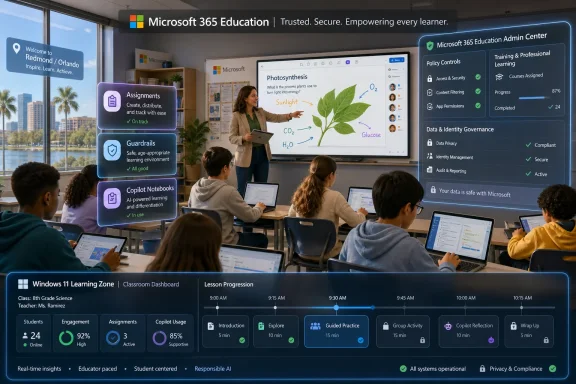
Learning Zone is the piece of the announcement most directly tied to Windows hardware. Microsoft says it introduces educator-paced, live classroom experiences with real-time visibility into student activity and full control over lesson progression, and that it is broadly accessible for trial on all Windows 11 devices for the next year. That puts Windows 11 not merely in the background as an operating system, but in the foreground as a managed learning surface.This is a familiar Microsoft ambition. Windows in schools has long competed not just on device capability, but on manageability, identity, Office compatibility, accessibility, and integration with district infrastructure. Learning Zone adds another layer: the classroom orchestration experience.
Real-time visibility into student activity will appeal to teachers managing device-rich classrooms. Anyone who has watched a room of students drift between the assignment, a browser tab, a game, a group chat, and a “research” window understands the problem. Device access is powerful, but attention is fragile.
At the same time, visibility and control raise governance questions. Schools will need to be clear about what teachers can see, what is logged, how long activity data is retained, and how such data intersects with student privacy obligations. “Keeping students on task” is a legitimate instructional goal, but monitoring always carries institutional responsibility.
The one-year broad trial on Windows 11 devices is also a platform strategy. It lowers the barrier for schools already invested in Windows hardware and gives Microsoft time to turn classroom experimentation into habit. If the trial proves useful, districts may find that the AI-enabled classroom experience becomes another reason to stay inside the Microsoft ecosystem.
“No Additional Cost” Does Not Mean No Cost
Microsoft repeatedly emphasizes that the new experiences are available at no additional cost in the relevant education context. That phrase is powerful in schools, where procurement cycles are slow and budgets are constrained. But no-additional-cost software can still carry real operational cost.Training costs time. Governance costs administrative attention. Support costs help-desk capacity. Teacher adoption costs planning time, peer coaching, and tolerance for uneven early results. Privacy review costs legal and compliance effort. Even when the SKU price is zero, implementation is not.
There is also the cost of standardization. When Microsoft bundles AI into tools schools already license, it becomes easier for leaders to choose the path of least resistance. That may be rational. It may also narrow the space for competing pedagogical tools, open-source alternatives, or locally controlled AI systems that do not integrate as neatly with Microsoft 365.
For many districts, the trade-off will be worth it. Microsoft can offer identity integration, admin controls, familiar interfaces, and enterprise support in a way that many smaller AI vendors cannot. But schools should not confuse procurement convenience with educational strategy.
A responsible AI rollout should begin with learning goals, not feature availability. If Copilot Notebooks, Study and Learn Agent, Unit Plans, and Learning Zone serve those goals, they may be valuable. If they become a way to say “we have an AI plan” without changing assessment, training, and classroom practice, they will become another layer of institutional theater.
Microsoft Is Trying to Win the Trust Layer
The strongest through-line in the announcement is trust. Microsoft uses the language of educator feedback, learning science, privacy protections, critical thinking, and teacher control because it knows the education market will not accept AI framed as automation alone. The company is selling a partnership model, not a replacement model.That positioning is necessary. Teachers are already navigating fears that AI will deskill students, flatten writing, weaken memory, distort research habits, and make cheating harder to detect. They are also navigating the opposite pressure: the fear that students who do not learn to use AI will be disadvantaged in higher education and the workplace. The resulting tension is not anti-technology; it is a demand for educational coherence.
Microsoft’s answer is to make AI a coach, planner, guide, and controlled classroom assistant. That is the safest possible framing. It aligns with how educators want technology to behave: supportive, bounded, transparent, and subordinate to human judgment.
The challenge is that the market incentives around AI often reward more automation, not less. A tool that does more work feels more impressive in a demo. A tool that withholds the answer in order to preserve student struggle may be educationally sound but commercially less dazzling. Microsoft’s education AI strategy will be judged not by how responsibly it describes that boundary, but by how consistently its products enforce it when users push.
This is where Windows and Microsoft 365 administrators should pay attention. The trust layer is not only a pedagogical question; it is also a systems question. Identity, permissions, content boundaries, data retention, auditing, accessibility, and policy controls will determine whether schools can operationalize Microsoft’s promises.
The Classroom AI Fight Has Moved Into the Admin Console
For school IT teams, Microsoft’s announcement is a reminder that AI adoption will not remain a curriculum office issue. The tools are entering the same ecosystem that administrators already manage: Microsoft 365, Copilot, Teams-style workflows, Assignments, Windows 11 devices, and likely existing identity and security policies. That means AI governance will increasingly look like normal IT governance, only with higher emotional stakes.The first practical question is entitlement. Which users get which AI experiences, under what license, in which regions, and with which data protections? “No additional cost” does not remove the need to understand availability, defaults, controls, and support boundaries.
The second question is policy expression. If Student AI Guidelines can be set at the assignment level, administrators and academic leaders will need to decide how much standardization is appropriate. Too much central control can crush teacher judgment. Too little can leave students with contradictory rules across classes.
The third question is data. AI tools built around student materials, classroom activity, and learning feedback inevitably raise questions about what content is processed, where it is stored, how it is used, and whether it trains models. Microsoft’s enterprise posture may reassure some institutions, but schools still have to perform their own due diligence.
The fourth question is support. Teachers will not file tickets that say “please operationalize responsible AI.” They will report confusing outputs, missing features, blocked access, student misuse, assignment ambiguity, and parent concerns. IT teams will need scripts, escalation paths, and enough policy clarity to avoid becoming the de facto ethics office.
The Numbers Say Adoption Won; The Schools Still Have to Decide What Learning Means
The most tempting reading of Microsoft’s report is that AI adoption in education is now inevitable. In a narrow sense, that is true. The tools are available, the usage is widespread, and the pressure to prepare students for AI-mediated work is real.But inevitability is not strategy. Schools still have to decide which tasks should be AI-assisted, which should remain unaided, which assessments need redesign, and which student skills must be protected precisely because AI can simulate them. If every writing assignment becomes a prompt-management exercise, something is lost. If every AI tool is banned because assessment design cannot keep up, something is also lost.
The better path is harder. It requires schools to distinguish between product use and learning value. AI can help a student test understanding, but it can also conceal misunderstanding. It can help a teacher generate a first draft of a plan, but it cannot know the human texture of a classroom. It can help administrators scale support, but it cannot define the mission of education.
Microsoft’s announcement is valuable because it recognizes that adoption without support is unstable. Its weakness, naturally, is that it frames the answer through Microsoft’s own ecosystem. That does not make the tools bad. It does mean schools should treat them as instruments inside an educational strategy, not as the strategy itself.
The New Homework Is Governance
Microsoft’s 2026 education AI push gives schools plenty to test, but the real work is institutional. The districts and universities that benefit most will be the ones that pair tool adoption with explicit norms, recurring training, and honest assessment redesign.- Schools should assume that AI is already in use and focus on making expectations visible at the assignment level.
- Educators need recurring, role-specific training that goes beyond prompt writing and addresses assessment, integrity, privacy, and student agency.
- IT teams should evaluate Copilot and Learning Zone as governed platform services, not as isolated classroom experiments.
- Leaders should treat “no additional cost” as a licensing phrase, not an implementation plan.
- Students need AI literacy that teaches when to use AI, when not to use it, and how to remain accountable for their own work.
References
- Primary source: Microsoft Source
Published: 2026-06-24T13:03:07.024159