

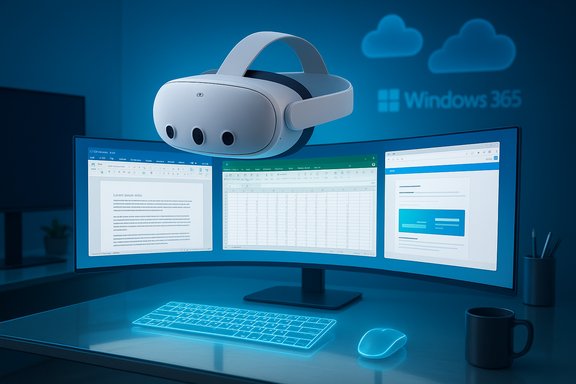
Microsoft and Meta’s coordinated rollout of Mixed Reality Link on October 30, 2025, moves the idea of a headset as a real productivity display from demonstration to deployable option: Quest 3 and Quest 3S owners can now stream a full Windows 11 desktop (local or Windows 365 Cloud PC), place multiple virtual monitors in mixed reality, use an ultrawide curved workspace, and — in later Horizon OS builds — open up to 12 app windows concurrently, all inside a single headset session.
Microsoft’s Mixed Reality Link is a Windows 11 app that pairs a PC (or Windows 365 Cloud PC) with supported Meta Quest headsets and streams the desktop into the headset’s compositor. The company ran public previews starting in late 2024 and promoted the feature to general availability in a coordinated push tied to Meta’s Horizon OS v81 family of updates. The Windows Experience Blog frames the release as a move to “bring the full power of Windows 11 and Windows 365 to mixed reality headsets.” Meta’s Horizon OS updates supply the headset-side plumbing: a refined Immersive Home, passthrough-aware anchoring, display rescaling, and a streamlined pairing flow that can detect a keyboard or surface to surface a quick “Pair” prompt. Those OS changes are what let Microsoft deliver a practical virtual multi-monitor environment rather than a one-off demo. Community reporting and hands‑on reviews show the combined release as the practical instantiation of that cross-company work.
Why this matters now: the rollout closes a key friction point for enterprises and prosumers evaluating XR for work. Rather than asking developers to rebuild interfaces for spatial platforms, Mixed Reality Link streams unmodified Windows apps into a mixed-reality display — a pragmatic route to immediate productivity benefits while the broader spatial app ecosystem matures.
That matters because it removes a primary excuse against trying XR at work: lack of application compatibility. It does not, however, erase the practical constraints of ergonomics, battery, and enterprise security. For now, the most sensible approach is measured experimentation: targeted pilots, Cloud PC first for sensitive data, and a careful tally of comfort and support costs.
Mixed Reality Link is not the final vision of spatial computing — but it is the clearest, most practical bridge yet between everyday Windows workflows and a new generation of spatial displays.
Source: Glass Almanac Mixed Reality Link Reveals Up To 12 Apps In 2025 - Why It Matters Now
 Background / Overview
Microsoft’s Mixed Reality Link is a Windows 11 app that pairs a PC (or Windows 365 Cloud PC) with supported Meta Quest headsets and streams the desktop into the headset’s compositor. The company ran public previews starting in late 2024 and promoted the feature to general availability in a coordinated push tied to Meta’s Horizon OS v81 family of updates. The Windows Experience Blog frames the release as a move to “bring the full power of Windows 11 and Windows 365 to mixed reality headsets.” Meta’s Horizon OS updates supply the headset-side plumbing: a refined Immersive Home, passthrough-aware anchoring, display rescaling, and a streamlined pairing flow that can detect a keyboard or surface to surface a quick “Pair” prompt. Those OS changes are what let Microsoft deliver a practical virtual multi-monitor environment rather than a one-off demo. Community reporting and hands‑on reviews show the combined release as the practical instantiation of that cross-company work.Why this matters now: the rollout closes a key friction point for enterprises and prosumers evaluating XR for work. Rather than asking developers to rebuild interfaces for spatial platforms, Mixed Reality Link streams unmodified Windows apps into a mixed-reality display — a pragmatic route to immediate productivity benefits while the broader spatial app ecosystem matures.
What Mixed Reality Link delivers at launch
The feature set delivered in the October 30, 2025 general‑availability wave is pragmatic and focused on productivity-first scenarios:- Seamless pairing between a Windows 11 PC and Meta Quest 3 / Quest 3S via the Mixed Reality Link Windows client and the Windows App on Quest.
- Support for streaming from a local Windows 11 PC or a Windows 365 Cloud PC (and compatible Azure-hosted endpoints), giving organizations a choice between local low-latency compute and cloud mobility.
- Multi‑monitor virtual desktops and an immersive ultrawide (curved) display mode that wraps a single desktop across the user’s field of view. Several outlets noted the ultrawide mode as a practical productivity trick.
- Increased multitasking capacity in Horizon OS v81 variants — users and some builds report being able to open up to 12 apps simultaneously, giving genuine multi‑window workflows inside a headset. Note that staged feature flags and regional rollouts mean reported app limits can differ between users.
- Passthrough-aware input and a Full Passthrough quick‑check (gesture/button) to see the real world without disrupting the virtual workspace. This preserves the ability to use a physical keyboard and desk while working in mixed reality.
Verified technical requirements and what IT needs to know
Microsoft published concrete baseline requirements and recommended conditions that IT teams should validate before piloting the feature:- Host OS: Windows 11 (version 22H2 or newer) is the baseline requirement for the Mixed Reality Link client.
- Supported headsets at launch: Meta Quest 3 and Quest 3S (older Quest models are not supported for Microsoft’s Windows App experience).
- Network: local‑network pairing is required. Wi‑Fi 5 (802.11ac) is the practical minimum; Wi‑Fi 6 / 6E (5–6 GHz) is recommended for the best latency and throughput. Enterprises should consider segregated SSIDs, QoS, and wired backhaul for host PCs.
- Ports and discovery: some deployments require specific ports (commonly TCP 8264 and 8265, UDP 8266) to be open for streaming and discovery. Validate firewall rules on managed networks.
- GPU/compute guidance: Microsoft lists minimum/recommended GPU families — Intel UHD 620–class iGPUs, NVIDIA GTX 900 series and newer, AMD RX 5000 series and newer, and Snapdragon X series for Windows on Arm. The official support article enumerates these families.
- Windows on Arm parity: Microsoft has signaled support for Snapdragon X–class Windows on Arm devices in links and community posts, but enterprise validation is necessary for specific SKUs and drivers. Treat Arm claims as provisionally true until you test required agents, DLP, and endpoint protection on your chosen devices.
- Network sensitivity: mixed‑reality desktop streaming is bandwidth and latency sensitive. Performance will vary with local Wi‑Fi conditions, router configuration, and the host PC’s hardware/drivers. Enterprises should run RTT, packet‑loss, and jitter tests as part of any pilot.
The productivity case: when a headset becomes a practical monitor
Three converging design choices make Mixed Reality Link more than a novelty:- It streams full Windows, preserving app compatibility and enterprise tooling (Office, Teams, developer IDEs). That removes the need for immediate app rewrites.
- The ultrawide curved display mode recreates the effect of very large monitors and gives users a single enveloping canvas that’s useful for editing, layout work, or having many reference windows open simultaneously. Reviewers noted this as a practical advantage for creators and multitaskers.
- Windows 365 support enables IT to pin the compute in the cloud for security-sensitive users, reducing local data exposure while retaining the immersive display. For many enterprises, Cloud PC sessions are the preferred path for pilot deployments.
Real-world limits: ergonomics, battery, and long‑session viability
The same features that make headsets powerful also expose practical constraints that will shape adoption:- Ergonomics and comfort: Quest 3 / Quest 3S remain head‑worn devices with nontrivial weight. Early hands‑on reporting and community pilots consistently flag neck strain, thermal comfort, and eye fatigue as limiting factors for all‑day headset use. Organizations should plan for realistic session durations, structured breaks, and accessory investments (comfort straps, counterweights).
- Battery life: untethered use will be constrained by battery technology; portable sessions are feasible, but full‑day untethered workflows are unlikely without hot‑swap battery solutions or tethered power. Enterprises planning headset-first desks must include charging workflows and spare batteries in their hardware plans.
- Visual fidelity and legibility: Quest 3 displays are strong for consumer VR but do not match the per‑pixel clarity of high‑end monitors or premium spatial devices. Fine text, dense spreadsheets, and color‑critical work can expose the limits of headset resolution and rendering. Independent reviews emphasize this caveat — the headset is transformational for certain workflows, but it is not a universal replacement for every monitor type.
- App behavior and scaling: not all desktop apps adapt immediately to virtual displays and different pixel densities. Some apps exhibit scaling issues or visual anomalies; accessibility support should also be validated. Pilot testing with your actual workload is essential.
Security and privacy: practical risks and mitigations
Mixed Reality Link changes the attack surface in ways IT must evaluate carefully:- Passthrough camera exposure: passthrough modes and camera sensors can inadvertently reveal physical room contents. Policies must define when passthrough is allowed and what constitutes acceptable exposure in mixed sessions. Administrators should treat headset cameras as potential data sources to be controlled and monitored.
- Pairing and device trust: the convenience pairing flow (QR, look‑and‑tap) is powerful but requires endpoint attestation and audit trails in enterprise contexts. Long‑term device trust policies and logging of pairing events should be included in deployment plans.
- Network and discovery controls: the streaming model requires open local network discovery and specific ports. On corporate networks, that may conflict with segmentation and firewall posture; IT must map these requirements into secure exceptions or dedicate pilot subnets for MR traffic.
- Data control and Windows 365: the Cloud PC option mitigates many data‑at‑rest concerns, but conditional access, DLP, and session logging must be validated for the headset session path. Integrate headset sessions into existing logging and SIEM pipelines where feasible.
Who should pilot this now — and how to run a useful test
The rollout unlocks practical pilots that can yield rapid, actionable insight. Recommended pilot audiences and a repeatable test plan:- Ideal pilot groups: traveling consultants, designers and layout specialists who benefit from large virtual canvases, knowledge workers who rely on many reference windows, and small developer teams exploring new spatial workflows.
- Short pilot checklist (recommended steps):
- Confirm host PC meets Windows 11 22H2+ and GPU recommendations; collect SKU and driver versions.
- Update Quest devices to the Horizon OS v81 family and install the Windows App / Mixed Reality Link client.
- Run network readiness tests: verify 5–6 GHz Wi‑Fi coverage, measure RTT/jitter, and test wired PC + Wi‑Fi headset scenarios.
- Execute workload scenarios: document editing, multi‑tab browsing, Teams calls, and short GPU tasks; measure subjective comfort and capture latency telemetry for text entry and pointer interactions.
- Harden security: test conditional access, DLP, and Cloud PC sessions; ensure pairing and discovery behavior matches policy.
Ecosystem and developer implications
Mixed Reality Link’s pragmatic approach — stream unchanged Windows apps into spatial displays — creates short‑term incentives and longer‑term tensions:- Short‑term wins for ISVs: productivity apps can reach new workflows without needing a full spatial rewrite. Developers can ship companion plugins, window managers, or layout tools that optimize existing apps for virtual monitor ergonomics.
- Longer‑term push toward spatial UX: over 12–24 months, expect three classes of developer response: quick adaptations that make desktop apps headset-aware; platform builders creating fully spatial native apps for Meta and other XR platforms; and tooling vendors optimizing streaming, compression, and remote input for VDI and Windows 365 scenarios. This means Mixed Reality Link both democratizes spatial productivity and preserves space for native spatial innovation.
- Competitive landscape: third‑party streaming apps (Virtual Desktop, Immersed) remain relevant for users who need broader headset compatibility or specific streaming features. Apple’s Vision Pro continues to target premium, tightly integrated spatial experiences; Microsoft+Meta’s route prioritizes affordability and scale. The result is a more plural XR market where different form factors and platform philosophies coexist.
The numbers that matter — a short data snapshot
- General availability date: October 30, 2025 — Microsoft announced GA in its Windows Experience Blog.
- Headsets supported at launch: Meta Quest 3 and Quest 3S.
- Concurrent apps reported in some builds: up to 12 apps (subject to staged flags/OS build variation).
- Windows host baseline: Windows 11, version 22H2 or later.
- Networking guidance: Wi‑Fi 6 / 6E recommended; 5 GHz minimum; TCP 8264/8265 and UDP 8266 often required.
Strengths, risks, and the pragmatic verdict
Strengths- Low friction for adoption: Uses existing Windows apps and Windows 365, minimizing the need for app rewrites and immediate developer buy‑in.
- Affordable reach: Quest 3 / 3S price points mean many users can experiment without the premium cost of alternative spatial hardware.
- Genuine multi‑window productivity: Ultrawide and expanded app concurrency move headsets into “useful tool” territory for certain workflows.
- Ergonomics and session length: Not proven for full‑day use; expect accessory and break policies.
- Network and deployment complexity: Requires tuned Wi‑Fi and potentially firewall exceptions that increase IT overhead.
- Feature variance across builds and regions: Staged flags and Horizon OS distribution create inconsistent experiences until updates settle. Treat headline claims like “12 apps” as a feature to validate on your fleet.
What to watch next (30–180 day signals)
- Stability of Horizon OS v81 rollouts and whether Meta expands the Windows App to other Quest SKUs or broader device families. Early PTC and regional rollouts showed some store and pairing quirks; expect iterative fixes.
- Microsoft documentation updates clarifying per‑monitor pixel density, explicit Windows on Arm certification notes, and enterprise guidance for conditional access and DLP in headset sessions.
- Third‑party tooling and window managers that tailor Windows apps for virtual monitor ergonomics — look for rapid ecosystem responses from ISVs and vendors optimizing for streaming fidelity and input latency.
- Published pilot results from enterprises that run two‑ to four‑week longitudinal studies measuring productivity changes, support burden, and ergonomic outcomes. Those will be the most important data points for procurement teams evaluating scale.
Final practical guidance for readers and IT teams
- If you own a Quest 3 / 3S and have a Windows 11 PC (22H2+), try a controlled personal test: install Mixed Reality Link, update Horizon OS, and evaluate a focused two‑hour workflow session with your real apps. Measure legibility, latency, and comfort.
- For IT teams: run a structured pilot with a small cohort, include both x86 and Snapdragon X devices if you plan Arm support, test Windows 365 first for sensitive use cases, and instrument network telemetry and ergonomics surveys as part of acceptance criteria.
- Security: assume passthrough cameras and pairing flows introduce new exposure vectors; require conditional access, DLP checks for Cloud PC sessions, and an attestation policy for pairing events.
- Procurement: don’t replace primary monitors with headsets wholesale yet. Instead, budget for accessory kits (comfort straps, battery solutions), spare headsets for rotation, and a conservative support plan that includes driver and Wi‑Fi troubleshooting.
Conclusion
Mixed Reality Link’s move to general availability is less a dramatic leap into science fiction and more an important practical milestone: Microsoft and Meta have taken the Windows desktop — intact and familiar — and made it a supported mixed‑reality display option for a mainstream headset. The result is a credible, low‑friction path for organizations and creators to experiment with headset‑driven productivity without rewriting their toolchains.That matters because it removes a primary excuse against trying XR at work: lack of application compatibility. It does not, however, erase the practical constraints of ergonomics, battery, and enterprise security. For now, the most sensible approach is measured experimentation: targeted pilots, Cloud PC first for sensitive data, and a careful tally of comfort and support costs.
Mixed Reality Link is not the final vision of spatial computing — but it is the clearest, most practical bridge yet between everyday Windows workflows and a new generation of spatial displays.
Source: Glass Almanac Mixed Reality Link Reveals Up To 12 Apps In 2025 - Why It Matters Now
