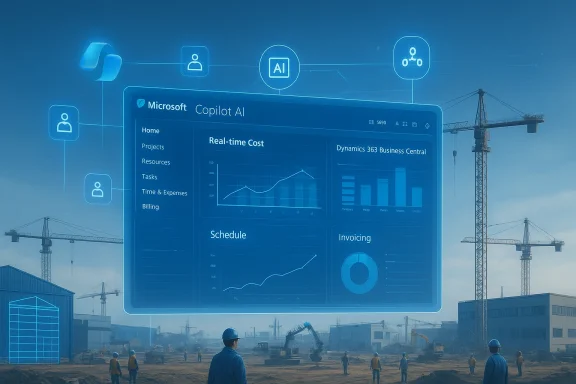
Dynamics Square’s upcoming webinar on February 12, 2026 promises a practical playbook for industrial, project-driven businesses to replace spreadsheets and paper trails with a single, connected Microsoft stack—centered on Dynamics 365 Business Central and Dynamics 365 Project Operations—and to demonstrate how the platform can tighten project control, speed invoicing, and improve compliance.
Industrial project companies face an increasingly harsh operational landscape: compressed schedules, labour shortages, fractured material flows, and rising compliance requirements. Many still rely on spreadsheets, siloed ERPs, and manual approvals that create financial blind spots and schedule slippage. The webinar from Dynamics Square holds up Business Central paired with Project Operations as a replacement architecture that offers real-time costing, material traceability, resource optimisation, and tighter finance integration. Dynamics Square positions the event as a live, hands-on walkthrough with a demo of a typical industrial project lifecycle inside the product suite.
Why this matters: consolidating project, inventory, and finance data into a single platform reduces reconciliation cycles, shortens billing lead times, and gives managers a single pane of glass for decisions that affect margins. Dynamics 365 Business Central is designed for that consolidation purpose, and Microsoft’s documentation shows active development to ntral with AI agents and Copilot tooling—capabilities the webinar highlights.
Why that matters: a partner who has repeatedly delivered implementations will bring practical migration scripts, test plans, and cutover playbooks that reduce risk. However, implementation outcomes still depend heavily on project scope, customisation levels, data quality, and governance—factors any organisation shoales and during discovery.
That said, implementation success will hinge on three realities every buyer must verify: the split between out-of-the-box vs partner customisations, a defensible governance model for agent-driven changes, and a practical migration plan for legacy data and processes. Dynamics Square’s claimed experience (500+ projects) signals familiarity with ERP implementations, but organisations should still validate references and demand a pilot that uses their own data and KPIs.
If you run industrial projects and you’re serious about tightening margins, shortening billing cycles, and making compliance auditable, this webinar is worth attending—come prepared with concrete examples and a checklist of technical and governance questions so you can separate marketing polish from practical, repeatable outcomes.
Conclusion
Digital transformation in industrial projects isn’t about replacing software; it’s about replacing inefficient decisions with timely, trusted information. The combination of Business Central, Project Operations, and AI-powered agents offers a credible path to that outcome. Attend the February 12, 2026 demonstration to see those linkages in action, but return from the webinar ready to test the platform on your own projects, demand clarity on customisations and governance, and plan a pilot that proves ROI before you commit to a full rollout.
Source: Weekly Voice Exclusive Webinar: Modernize Industrial Projects with Dynamics 365 Business Central | Weekly Voice
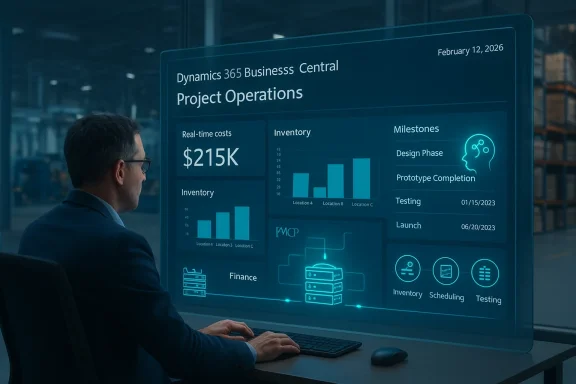 Background / Overview
Industrial project companies face an increasingly harsh operational landscape: compressed schedules, labour shortages, fractured material flows, and rising compliance requirements. Many still rely on spreadsheets, siloed ERPs, and manual approvals that create financial blind spots and schedule slippage. The webinar from Dynamics Square holds up Business Central paired with Project Operations as a replacement architecture that offers real-time costing, material traceability, resource optimisation, and tighter finance integration. Dynamics Square positions the event as a live, hands-on walkthrough with a demo of a typical industrial project lifecycle inside the product suite. Why this matters: consolidating project, inventory, and finance data into a single platform reduces reconciliation cycles, shortens billing lead times, and gives managers a single pane of glass for decisions that affect margins. Dynamics 365 Business Central is designed for that consolidation purpose, and Microsoft’s documentation shows active development to ntral with AI agents and Copilot tooling—capabilities the webinar highlights.
What Dynamics Square is promising in the webinar
Dynamics Square emphasises several tangible outcomes for attendees and customers that are aligned with common pain points in industrial project execution:- Real-time project costing and job tracking to detect overruns earlier.
- Material visibility across multiple locations, from warehouse through to site consumption.
- Resource and capacity planning that maps craft availability and equipment to project schedules.
- Structured compliance and audit documentation—kept in-line with projects rather than scattered in folders.
- Faster, more accurate invoicing through integrated finance and automated approvals.
- Automation and AI through Microsoft Copilot—presented as a path to reducing routine admin and surfacing predictive insights.
Why Business Central + Project Operations fits industrial projects
A unified data model reduces friction
Business Central is an integrated ERP designed to unify finance, inventory, procurement, and project accounting for small and mid-market organisations. Consolidating these functions removes the need to reconcile multiple datasets and significantly reduces the time between work performed and invoice posted—an often-overlooked driver of cash-flow stress in project businesses.Purpose-built project operations
Dynamics 365 Project Operations (and the scheduling/resource-mgmt modules it integrates with) holds the project timeline, costing structure, resource bookings, and variation handling in the same ecosystem as general ledger and accounts receivable. That integration matters because it allows:- Immediate visibility of cost-to-complete and margin forecasts.
- Automated creation of billing events as milestones are achieved.
- Single-record handling of variations and change orders so financials remain consistent.
Inventory & materials: from warehouse to site
Industrial projects lose time and margin when materials are misallocated, duplicated, or unrecorded. Business Central’s inventory and warehouse capabilities track serial/lot items, locations, and movements. When Project Operations consumes inventory data for a job—combined with mobile or site capture—the result is the kind of material visibility that helps prevent project stoppages and costly expediting. Microsoft documentation and partner case studies repeatedly position the ERP as the central inventory ledger; Dynamics Square’s webinar aims to show this practical linkage.The practical edge: Copilot, MCP, and AI-driven automation
What Copilot + MCP enables—according to Microsoft
Microsoft’s Copilot Studio now supports connecting agents to Business Central through two primary paths: the Business Central Connector (a Power Platform connector) and the Business Central MCP Server (Model Context Protocol). The connector is low-code and appropriate for straightforward CRUD operations tied to a user’s permissions; the MCP Server is designed for agent orchestration, higher customization, and scenarios where agents must coordinate multiple actions and call custom APIs. Agents published through Copilot Studio can be surfaced into Teams, Microsoft 365 Copilot, and other channels. These capabilities underpin the AI promise Dynamics Square mentions.Practical examples likely to appear in the webinar demo
- An agent that reads project progress and creates a billing draft when a milestone is reached, applying server-side pricing rules.
- Automated approvals in the flow: when an agent suggests an invoice, a finance approvard to approve or request changes—reducing billing latency.
- Material shortage detection: Copilot alerts project managers when consumption trends diverge from forecasts and can create replenishment requests.
Who’s presenting and what their credentials mean
The session is led by Jitender Kumar (Business Head) and Balaji R (Senior Solution Architect) from Dynamics Square, a Microsoft partner with a multi-office presence in Australia and India. Dynamics Square states it has completed 500+ project deliveries—a company-reported metric that appears on the partner’s website and promotional materials. While the figurl of scale and experience, it should be treated as a declared company metric rather than an independently audited count.Why that matters: a partner who has repeatedly delivered implementations will bring practical migration scripts, test plans, and cutover playbooks that reduce risk. However, implementation outcomes still depend heavily on project scope, customisation levels, data quality, and governance—factors any organisation shoales and during discovery.
What the webinar shows (and what it cannot promise)
Attendee-visible demonstrations
According to the webinar brief, attendees will see a full demo covering:- Project creation and scheduling
- Material allocation to jobs
- Capturing progress updates from site
- Instant invoicing driven by progress/milestones
- AI-assisted insights and automation examples
Important caveats — what to verify post-demo
- Customisations vs out-of-the-box behaviour. Many demonstrations rely on a mix of native functionality and partner-built extensions. Attendees should ask presenters which steps used standard Business Central / Project Operations functionality and which required custom AL extensions or integrations. This distinction affects upgrade risk and future maintenance.
- Licensing and platform boundaries. Some project scenarios require separate or additional licenses (e.g., Project Operations, Copilot credits, or premium connectors). Confirm licensing with a partner contact to understand per-user and per-agent costs.
- Data migration complexity. Replacing spreadsheets and legacy ERPs means migrating historical cost, inventory, and timesheet data. The webinar may show idealised flows; attendees should test a migration proof-of-concept for their own datasets.
- Governance and MCP configurations. Allowing AI agents to write into ERP systems raises governance questions. Microsoft’s MCP configuration default permissions must be explicitly enabled and scoped. Organisations must verify how the MCP server is configured in any demo.
Implementation realities: a checklist for decision-makers
If the webinar convinces you to evaluate a Business Central + Project Operations implementation, start with a structured, risk-aware intake:- Discovery: map current project accounting, material flows, approvals, and timesheet proce sample invoices, bills of materials, and historical timesheets for migration feasibility.
- Integration plan: identify required integrations (PLCs, inventory scanners, field service mobile apps, scheduling tools).
- Security & governance: define MCP/agent permissions, approvals, and logging requirements.
- Licensing & total cost: estimate upfront and recurring license costs, Copilot usage, and i.
- Pilot & measure: run a short pilot on one project track and define success metrics—cycle time for billing, days sales outstanding (DSO), and variance-to-budget.
Benefits likely to accrue (if executed correctly)
- Faster billing and improved cash flow. Integrated project triggers can auto-generate invoices or billing drafts as milestones complete. Reduced manual invoicing is a direct cash-flow win.
- Reduced material waste and fewer expedited deliveries. Better inventory visibility reduces emergency procurement and associated premium costs.
- Cleaner audit trails and easier compliance. Storing compliance documents and safety checklists in the project rs.
- Operational predictability. Real-time cost-to-complete and AI-powered trend detection can highlight margin erosion earlier.
Risks and limitations you should plan for
- Custom code and upgrade risk. Heavy customisation increases the effort needed for future platform updates. Microsoft’s push to clean obsolete schema elements in recent releases highlights the need for partners to keep custom code aligned with platform evolution. Ask about upgrade pathways and the partner’s track record for maintaining extensions.
- Governance for AI actions. Allowing agents to create or modify records requires deliberately scoped permissions, approvals, and audit logs. Microsoft provides MCP configuration controls, but they must be properly set up and enforced.
- **Data quality and historical ringle platform is only useful if the data fed into it is accurate. Investing time to clean master data (items, customers, price lists) is essential before cutover.
- Underestimating change management. ERP success relies on user adoption. Plan role-based training, shadowing periods, and incentives to move away from old workarounds. Dynamics Square emphasises support and training, but organisations must budget for it.
How to get the most from the webinar on February 12, 2026
- Bring real examples: shortlists of recurring project change orders, a sample bill of materials, and a recent project invoice cycle—these make demonstrations actionable.
- Ask for a split between standard capability and partner customisations: clble across customers and what was built for a specific case.
- Probe governance for AI: request a walkthrough of MCP configuration and the approval workflow for agent-driven writes.
- Ask about upgrade strategy: how will custom code and integrations be handled during major Business Central platform releases?
Bottom line
The Dynamics Square webinar on February 12, 2026 is a timely demonstration for industrial project organisations wrestling with manual processes, fragmented data, and billing friction. The showcased combination—Dynamics 365 Business Central, Dynamics 365 Project Operations, and Copilot-driven automation—maps to well-established Microsoft patterns for ERP-centric digital transformation, and Microsoft’s documentation confirms the technical building blocks (Business Central connectors, MCP Server, and Copilot Studio agents) that make the advertised automations feasible.That said, implementation success will hinge on three realities every buyer must verify: the split between out-of-the-box vs partner customisations, a defensible governance model for agent-driven changes, and a practical migration plan for legacy data and processes. Dynamics Square’s claimed experience (500+ projects) signals familiarity with ERP implementations, but organisations should still validate references and demand a pilot that uses their own data and KPIs.
If you run industrial projects and you’re serious about tightening margins, shortening billing cycles, and making compliance auditable, this webinar is worth attending—come prepared with concrete examples and a checklist of technical and governance questions so you can separate marketing polish from practical, repeatable outcomes.
Conclusion
Digital transformation in industrial projects isn’t about replacing software; it’s about replacing inefficient decisions with timely, trusted information. The combination of Business Central, Project Operations, and AI-powered agents offers a credible path to that outcome. Attend the February 12, 2026 demonstration to see those linkages in action, but return from the webinar ready to test the platform on your own projects, demand clarity on customisations and governance, and plan a pilot that proves ROI before you commit to a full rollout.
Source: Weekly Voice Exclusive Webinar: Modernize Industrial Projects with Dynamics 365 Business Central | Weekly Voice