

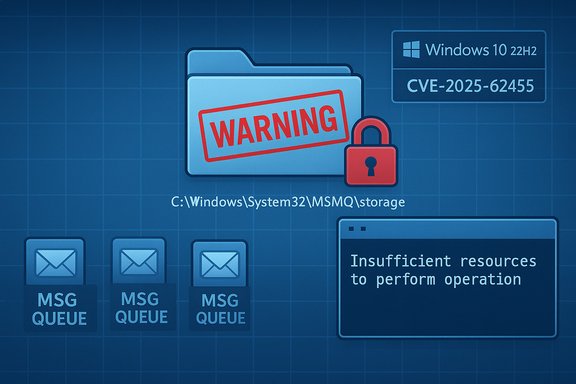
Microsoft has acknowledged that the December 9–12, 2025 cumulative update for Windows 10 (notably KB5071546 for 22H2 ESU builds) introduced a regression that breaks Microsoft Message Queuing (MSMQ) by changing the component’s filesystem security semantics, causing queues to go inactive and leading to “Insufficient resources to perform operation” errors in IIS‑hosted apps and other MSMQ‑dependent services.
MSMQ (Microsoft Message Queuing) is a long‑standing Windows component that provides reliable, durable asynchronous messaging for on‑premises and legacy applications. It is commonly used in enterprise middleware, IIS‑hosted integration code, and other background processing pipelines that depend on durable, on‑disk message persistence. When MSMQ is unable to persist messages, producers and consumers block or fail, and dependent applications may surface generic resource errors instead of explicit access‑denied diagnostics.
In mid‑December 2025, administrators worldwide began reporting a consistent failure mode after applying the December cumulative updates: MSMQ queues become inactive, attempts to write to queues fail with System.Messaging exceptions (commonly reported as “Insufficient resources to perform operation”), and event logs show failures creating message files such as C:\Windows\System32\MSMQ\storage*.mq. Microsoft’s official update pages were revised to list this as a known issue and state the vendor is investigating.
Recommended approach:
The immediate imperative for operations teams is to triage, restore service continuity for critical apps, and document any temporary mitigations with rigorous controls and reversion plans. Over the medium term, organizations should audit MSMQ dependence, increase staging and patch testing coverage for low‑level OS changes, and plan migration strategies off legacy OS‑tied middleware where economically and technically feasible. The vendor’s forthcoming remediation and guidance will determine whether enterprises can safely restore the hardened state or must accept a revised default that preserves backward compatibility.
Microsoft’s support documentation and independent trackers provide the authoritative retention of the problem and the packages implicated; IT teams should monitor Microsoft’s KB updates and the Windows release health dashboard for a final hotfix or an official, sanctioned workaround.
Source: Windows Latest Microsoft admits Windows 10's extended updates are causing issues, MSMQ won't work
 Overview
MSMQ (Microsoft Message Queuing) is a long‑standing Windows component that provides reliable, durable asynchronous messaging for on‑premises and legacy applications. It is commonly used in enterprise middleware, IIS‑hosted integration code, and other background processing pipelines that depend on durable, on‑disk message persistence. When MSMQ is unable to persist messages, producers and consumers block or fail, and dependent applications may surface generic resource errors instead of explicit access‑denied diagnostics.In mid‑December 2025, administrators worldwide began reporting a consistent failure mode after applying the December cumulative updates: MSMQ queues become inactive, attempts to write to queues fail with System.Messaging exceptions (commonly reported as “Insufficient resources to perform operation”), and event logs show failures creating message files such as C:\Windows\System32\MSMQ\storage*.mq. Microsoft’s official update pages were revised to list this as a known issue and state the vendor is investigating.
Background: what changed and why it matters
What Microsoft changed
Microsoft’s support notes and community triage indicate the December updates modified the MSMQ security model and the NTFS permissions on the MSMQ storage folder (C:\Windows\System32\MSMQ\storage). Historically, MSMQ storage file creation and write operations succeeded for the typical service and app pool identities used in production (IIS app pool identities, LocalService/NetworkService, or named service accounts). After the update, those identities often no longer have the write permission they need, causing file create/append operations to fail. The operating system surfaces those failures internally as resource‑style exceptions (for example, “insufficient resources”), which obscures the true cause during triage.Platforms and scope
The regression is documented in the December 9, 2025 cumulative updates for a range of Windows SKUs. Microsoft’s KB mapping and vulnerability trackers associate the MSMQ fixes (and the related regression) with the KB rollups for Windows 10 22H2/21H2 (KB5071546) and server branches including Windows Server 2016 and 2019 (KB5071543 / KB5071544). The CVE linked to the MSMQ fixes is tracked as CVE‑2025‑62455 in public vulnerability databases. Community reports show the problem primarily on Windows 10 22H2 (ESU) and Server 2016/2019; there are far fewer or no confirmed reports for Server 2022 at the time of writing.Why the impact is outsized for enterprises
MSMQ often underpins mission‑critical workflows—order processing, payment queues, integration brokers, archival pipelines—so failure is not a cosmetic bug. When message persistence stops, queues fill or become inactive, and processing pipelines halt. For IIS‑hosted apps that synchronously rely on MSMQ, failures escalate into 500 errors, timeouts, and customer‑facing outages. Clustered MSMQ deployments under load can fail simultaneously, complicating recovery. Community and vendor notes underline the potential for cross‑service cascading outages that justify urgent triage.Symptoms: how the regression presents in the wild
- Queues appear in an inactive state and refuse to accept messages.
- .NET applications and IIS sites throw System.Messaging.MessageQueueException errors: Insufficient resources to perform operation.
- Event log entries report that the message file 'C:\Windows\System32\MSMQ\storage*.mq' cannot be created.
- Some logs misleadingly report “There is insufficient disk space or memory,” despite adequate disk and RAM—because the failure is permission‑related, not capacity‑related.
- Restarting the MSMQ service, reinstalling the feature, or rebooting does not resolve the issue while the problematic update is present.
- Uninstalling the December LCU restores prior behavior on affected machines in reported cases.
Verified root cause and cross‑validation
- Microsoft’s official KB article for KB5071546 was updated to list Message Queuing (MSMQ) as a known issue and describes the root cause as changes to the MSMQ security model and NTFS permissions on C:\Windows\System32\MSMQ\storage.
- Independent vulnerability trackers (Rapid7) map CVE‑2025‑62455 to the same December KBs, confirming that MSMQ was intentionally modified in those updates as part of a security hardening or bug fix.
- Community triage logs and enterprise troubleshooting threads corroborate the permissions change, note the altered NTFS security descriptor, and describe successful temporary remediation by restoring write access to the storage folder for specific service identities. These community findings align with the vendor’s admitted cause and the error symptoms observed in the field.
Immediate mitigations — pros, cons and step‑by‑step runbook
Two practical approaches are in use across enterprise estates: (A) uninstall the problematic LCU (rollback), or (B) apply a narrowly scoped NTFS ACL workaround. Each has trade‑offs—rollback removes the security fixes in the LCU, while the ACL workaround reintroduces broader write access into a System32 folder and temporarily increases attack surface.Option A — Roll back the December LCU (preferred for strict security posture when feasible)
- Identify the installed package name:
- Run DISM to list packages:
DISM /Online /Get-Packages - Find the LCU package for the December rollup (package name will correspond to the cumulative KB).
- Remove the package (example):
DISM /Online /Remove-Package /PackageName ackage_for_KB5071546~31bf3856ad364e35~amd64~~19045.6691.1
 - Reboot and validate MSMQ functionality (test writes, check queue status).
- Note important caveats:
- If the update was installed as a combined SSU+LCU bundle, wusa /uninstall will not remove the SSU; use DISM removal guidance exactly as documented by Microsoft. Microsoft’s KB page explicitly explains those removal complexities.
- Restores the previous permission model and avoids increasing write access to a System32 folder.
Cons: - Re‑exposes the host to the security fixes in the cumulative update; therefore treat rollback as a short‑term stopgap until a vendor hotfix or safer recommended workaround is available.
Option B — Apply a narrowly scoped NTFS permission workaround (fastest operational fix, higher security risk)
If rollback is impractical because the LCU also contains other critical security fixes or the update was widely deployed, a targeted ACL change on the MSMQ storage folder can restore functionality quickly.Recommended approach:
- Inventory which identity needs write access:
- For IIS apps: determine the application pool identity (ApplicationPoolIdentity or a named service account). For built‑in identities, that is typically IIS APPPOOL\<appPoolName> or NT AUTHORITY\NETWORK SERVICE / NT AUTHORITY\LOCAL SERVICE.
- For Windows services: find the service “Log On As” identity.
- Apply minimal ACL granting only the required identity Write/Modify permissions to the MSMQ storage folder:
- Example icacls command (adjust identity as required):
icacls "C:\Windows\System32\MSMQ\storage" /grant "NT AUTHORITY\NETWORK SERVICE OI)(CI)(M)"
 - Or for an IIS app pool:
icacls "C:\Windows\System32\MSMQ\storage" /grant "IIS APPPOOL\MyAppPoolOI)(CI)(M)" - Restart MSMQ and dependent services (Net.MsmqActivator, IIS App Pools) and validate queueing resumes.
- Immediately document the change, limit scope with inheritance flags, and enable auditing. Plan to revert the ACL once Microsoft publishes a sanctioned fix.
- Restores message flow quickly and avoids unpatching other security fixes.
Cons: - Granting write access under System32 increases the attack surface; an attacker who obtains code execution as the identity granted permissions could tamper with MSMQ storage. Treat this as a temporary mitigation only and harden compensating controls.
Practical commands, checks and triage checklist
- Check whether MSMQ is installed:
- Windows client: Get‑WindowsOptionalFeature -Online | Where‑Object { $_.FeatureName -like "MSMQ*" }
- Windows Server: Get‑WindowsFeature MSMQ
- Verify MSMQ service status: sc query MSMQ
- Inspect queue state: use PowerShell or SCOM/third‑party monitoring to watch for queue inactivity and System.Messaging exceptions.
- Check installed updates: Settings → Update history, or use: wusa /query and DISM /Online /Get-Packages.
- Examine event logs for MSMQ and Application/System errors; look for messages about failing to create *.mq files or the System.Messaging exception strings.
- Example icacls to grant write to NetworkService (replace with exact identity as needed):
icacls "C:\Windows\System32\MSMQ\storage" /grant "NT AUTHORITY\NETWORK SERVICEOI)(CI)(M)" /T - To enable file auditing for the folder (compensating control while ACL is relaxed):
auditpol /set /subcategory:"File System" /success:enable /failure:enable
-- then add a SACL entry to the folder to audit writes and creations. - To remove the LCU safely: use DISM /Online /Get-Packages and then DISM /Online /Remove-Package /PackageName:<exact package name>. Reboot and validate. Follow Microsoft KB instructions before removal as the presence of an SSU may prevent wusa uninstallation.
Operational guidance for clustered and high‑availability MSMQ setups
Clustered MSMQ environments under load are specifically called out as affected. Clustered nodes that simultaneously lose write access can leave distributed state in disarray. Recommended immediate actions:- Quiesce producers where possible to avoid message backlog.
- If a cluster node is affected, remove it from rotation and fail over queues to a healthy node if available.
- Apply ACL workaround or rollback on one test node first, validate behavior, then proceed in controlled fashion.
- Keep strict change control and a rollback plan for any ACL change in a clustered environment.
- Enable robust monitoring for queue depth and message drops across cluster nodes.
Security trade‑offs and long‑term considerations
This incident is a classic security vs. compatibility trade‑off: the December updates appear to have addressed an MSMQ security issue (CVE‑2025‑62455), but the resultant permission model change broke legitimate, long‑standing behaviours relied upon by enterprise apps. The correct enterprise response depends on risk tolerance:- High‑security environments should prefer rollback while awaiting an official, safer remediation from Microsoft.
- High‑availability or throughput‑sensitive production environments may accept a tightly scoped ACL workaround with strict auditing, temporary lifetime, and compensating controls.
- Longer term, organizations should inventory MSMQ dependencies and consider migration off legacy MSMQ to modern message platforms (Azure Service Bus, RabbitMQ, Kafka) where feasible; these systems decouple application message durability from OS‑level filesystem semantics.
What Microsoft has said (vendor timeline and status)
Microsoft updated the December 9, 2025 support articles for the affected KBs to list an MSMQ known issue and explain the symptomatology (queues inactive, IIS apps failing with resource errors, and file creation failures). The vendor states it is investigating and will share additional information as available. At the time of this article, Microsoft had not yet published a prescriptive, widely recommended workaround beyond the advisory note and investigation status; therefore community workarounds and rollbacks remain the dominant field responses.Critical analysis: strengths, weaknesses and risks
Notable strengths
- The December rollups address real and relevant security issues (including CVE‑class fixes) in MSMQ and other subsystems; hardening MSMQ can be necessary to close elevation‑of‑privilege and other exploitation vectors. Vulnerability trackers and the security community map the CVE to the December patches, validating the security intent.
Implementation weaknesses
- Changing filesystem ACLs for an OS subsystem that many legacy apps implicitly relied on – without an explicit, documented compatibility shim or a prescriptive mitigation – produced immediate operational impact.
- The vendor’s initial KB text for some packages initially omitted the MSMQ known issue until community reports and internal support threads pushed an update; this documentation lag increased confusion and triage time for administrators.
Operational risk
- Community workarounds that grant write access under C:\Windows\System32 increase attack surface. If the workaround is applied broadly or permanently, an adversary who gains limited privilege could exploit the expanded write capabilities. Any temporary ACL change must therefore be narrowly scoped, audited, and scheduled for reversal once a vendor fix is available.
A recommended short checklist for IT teams right now
- Identify hosts with MSMQ installed across inventory (Windows Features, DISM, SCCM/Intune/CMDB).
- Confirm whether KB5071546 (or the corresponding December LCU for your SKU) is installed on affected machines.
- Reproduce the symptom in a lab before changing production ACLs.
- If severe outages are occurring and rollback is feasible, uninstall the December LCU following Microsoft’s DISM guidance, then validate MSMQ functionality.
- If rollback is not feasible, apply a minimal ACL granting write to only the precise identity that needs it, enable file access auditing, and document the change with an expiration date.
- Monitor queues, application logs, and event logs closely; escalate to vendor support if anomalies persist.
- Prepare to reapply the LCU once Microsoft issues a proper fix or an endorsed mitigation that restores compatibility without enlarging attack surface.
Closing analysis and outlook
This regression is a clear reminder that OS hardening at the filesystem and permission layer can produce broad compatibility failures when legacy middleware is still in play. Microsoft has acknowledged the MSMQ regression in the December 9, 2025 updates and is investigating; meanwhile, administrators face a binary, risk‑laden choice between rollback and a temporary ACL workaround. Both paths carry costs: rollback removes security fixes; the ACL workaround temporarily weakens the system security posture.The immediate imperative for operations teams is to triage, restore service continuity for critical apps, and document any temporary mitigations with rigorous controls and reversion plans. Over the medium term, organizations should audit MSMQ dependence, increase staging and patch testing coverage for low‑level OS changes, and plan migration strategies off legacy OS‑tied middleware where economically and technically feasible. The vendor’s forthcoming remediation and guidance will determine whether enterprises can safely restore the hardened state or must accept a revised default that preserves backward compatibility.
Microsoft’s support documentation and independent trackers provide the authoritative retention of the problem and the packages implicated; IT teams should monitor Microsoft’s KB updates and the Windows release health dashboard for a final hotfix or an official, sanctioned workaround.
Source: Windows Latest Microsoft admits Windows 10's extended updates are causing issues, MSMQ won't work
