NexPhone: A Tri-OS Pocket Device with Android, Debian Desktop, and Windows 11 on Arm

  • Thread Author
NexPhone arrives promising a familiar-sounding but technically ambitious idea: a single pocketable handset that runs Android, offers an instant Debian Linux desktop, and can reboot into a native Windows 11 on Arm installation, turning itself into a full desktop PC when docked.

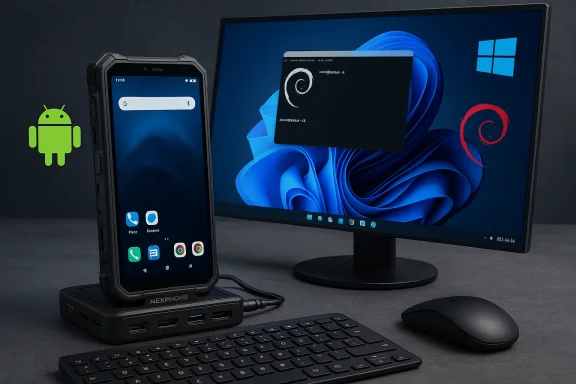
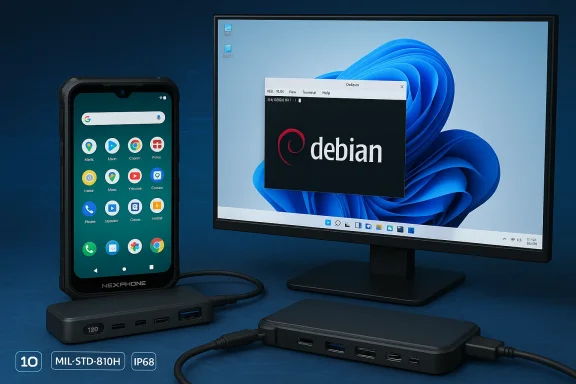
Rugged NexPhone connected to a multi-port USB-C hub beside a Debian desktop on a monitor.Background / Overview​

Nex Computer, the small company behind the NexDock laptop shells, has long pitched the “phone-as-PC” concept: let a smartphone act as the compute engine for external displays, keyboards and trackpads. The NexPhone is that thesis given a purpose-built chassis and a deliberate software architecture: Android as the everyday mobile OS, a containerized Debian desktop accessible without reboot, and a separately installed Windows 11 image entered via reboot. Early coverage and Nex’s materials present this tri‑OS architecture consistently.
This is not merely a UI layer like Samsung DeX or Microsoft’s long-defunct Continuum; the NexPhone’s selling point is three native environments rather than a single Android-based desktop shell. That differentiation raises obvious technical questions about drivers, updates and real-world usability, but it also creates a compelling use case for power users who want a single device that can be a phone, a Linux workstation, and a Windows PC.

What NexPhone claims to deliver​

The tri‑OS model (how it’s supposed to work)​

  • Android 16 with NexOS shell — the phone’s default mobile environment, handling telephony, notifications and Android apps. When connected to an external display, Android offers a desktop-style mode for quick productivity sessions without rebooting.
  • Debian (containerized) — a full Debian desktop runs as a container inside Android. Nex presents this as an instant desktop: no reboot required, hardware-accelerated where possible, and integrated with Android storage and file access for developers and power users.
  • Windows 11 on Arm (reboot to enter) — the headline feature: Windows 11 is installed to a separate partition and the device reboots into a native Windows 11 environment. Once in Windows, the phone behaves like a conventional desktop: full multitasking, native Windows apps and peripheral support. This is not emulation or cloud streaming.
These three modes reflect a pragmatic separation of concerns: fast-switch Android + Linux for daily and developer workflows, and a reboot-based Windows path for compatibility with legacy Windows applications.

Headline hardware (vendor-stated)​

Nex’s published spec sheet and repeated press summaries place the NexPhone as a rugged, midrange—but dock-first—device:
  • System on Chip: Qualcomm QCM6490 (Dragonwing family).
  • Memory / Storage: 12 GB RAM, 256 GB storage, microSD expansion.
  • Display: 6.58‑inch FHD+ (2403 × 1080), up to 120 Hz.
  • Battery: vendor materials list 5,000 mAh (note: some prelaunch documents show inconsistent battery figures; treat as provisional).
  • Cameras: 64 MP + 13 MP rear, 10 MP front.
  • Connectivity: USB‑C with DisplayPort out, 5G, Wi‑Fi 6E, Bluetooth 5.2, NFC.
  • Durability: vendor claims include MIL‑STD‑810H and IP68/IP69K ratings.
Nex also bundles a multi‑port USB‑C hub and offers compatibility with its NexDock docking shell to make desktop use straightforward out of the box.

Why the QCM6490 matters (and what it implies)​

The choice of the Qualcomm QCM6490 is the technical linchpin for Nex’s Windows claim. The chip is a Dragonwing‑family module that appears in long‑life and industrial device lineups, chosen for stability and extended vendor support rather than peak flagship performance. Qualcomm’s module-family support and Microsoft’s device enablement efforts make QCM/QCS 6490-class silicon a feasible platform for Windows 11 on Arm—provided the vendor integrates and ships signed drivers and a validated boot chain.
Two implications follow:
  • Performance expectations should be realistic. The QCM6490 is suitable for web-first productivity, terminal work, light native applications and remote desktop clients, but not for prolonged native heavy workloads like sustained 3D rendering or large local compiles. Battery and thermal constraints inside a phone chassis will further limit sustained desktop throughput.
  • Ecosystem work matters. Microsoft’s processor enablement is a necessary but not sufficient condition for a polished Windows experience. Nex must deliver board-level drivers, signed firmware, Windows Update integration and a secure boot policy that satisfies both Microsoft and end users. That engineering work is the difference between a demo and a practical Windows phone.

Real-world use cases and workflows​

The NexPhone’s feature set targets a narrow but meaningful band of users:
  • Road warriors and consultants who want to travel light and use a single device for email, Android apps, SSH/terminal, light Linux development, and occasional Windows‑only business apps.
  • Developers and sysadmins who need an on-device Unix toolchain (Debian) for quick edits, builds and remote sessions without the friction of carrying a separate laptop.
  • Field and industrial users who value durability and long-life platform support, where the QCM6490’s enterprise orientation and Nex’s docking accessories have clear utility.
  • Power users who prefer local Windows app compatibility for certain tasks but want to keep most workflows in Android/Linux or via remote desktop to cloud-hosted Windows instances.
In practical terms, the NexPhone’s sweet spot is hybrid workflows: edit locally in Linux, run Android apps when untethered, and reboot to Windows when you sit down at a desk and need native Windows compatibility for a few hours.

Strengths: what makes the NexPhone compelling​

  • True multi‑OS ambition — Unlike desktop shells that merely rewrite the UI, Nex promises three native environments. That technical separation makes each environment closer to the native experience you’d expect on its platform.
  • Dock-first design and accessories — Shipping a USB‑C hub and leveraging NexDock heritage reduces friction for turning the phone into a usable desktop or laptop shell. That accessory ecosystem is a practical advantage.
  • Platform realism via chipset choice — Choosing QCM6490 trades top-end benchmarks for longer life and broader OS enablement, which is the correct strategic choice for a device that must host multiple operating systems.
  • Developer-friendly Debian container — Making a full Linux desktop available without rebooting is an immediate productivity win for developers and sysadmins who need native tools on the go.
  • Price-to-ambition ratio — An early‑bird price in the mid‑hundreds positions the device as a plausible experiment for enthusiasts and professionals willing to accept tradeoffs for consolidation.

Risks, limitations and unanswered questions​

No product that attempts to host three full OSes can avoid technical and commercial friction. The most important caveats:
  • Driver completeness and Windows Update integration — The single largest risk to the Windows experience is lack of fully signed drivers and a robust update path. Without this, Windows will feel incomplete even if it boots. Nex must publish a clear driver and update policy.
  • Thermal and battery constraints under Windows — Desktop workloads are typically sustained; a phone chassis limits cooling and sustained power draw. Expect throttling and limited runtime for heavy Windows tasks. Independent reviews will be decisive here.
  • Spec variance and marketing polish — Prelaunch documents already show small inconsistencies (battery figures, minor spec variants). Buyers should treat some numbers as provisional until independent retail units are measured.
  • Carrier and telephony behavior in Windows mode — Windows mode is intended for docked desktop use and may not preserve cellular telephony the way Android does; how voice and SMS integrate across partitions is an important practical detail that Nex must clarify.
  • Long-term support across three ecosystems — Android, Debian and Windows each have different patch cadences and security models. Coordinated updates, secure-boot policy and clear end-of-life commitments are essential for enterprise or production use. Nex’s marketing mentions lifecycle goals, but independent confirmation is required.
  • Performance expectations for native Windows apps — Some native Windows applications are not yet well-optimized for Arm or for the modest GPU power in a phone class SoC; compatibility or performance gaps could necessitate continued reliance on remote desktop solutions.

Pricing, reservations and availability — what Nex says​

Nex Computer is taking refundable reservations: a $199 deposit locks an early price (reported as $549) with the remainder (about $350) due later. Nex targets Q3 2026 for global shipments and says the phone will ship with a USB‑C cable and included hub. That preorder/reservation model mirrors Nex’s prior product rollouts but also places risk on backers if schedules slip.
Important caveats to the commercial model:
  • A refundable reservation does not eliminate supply or timeline risk; the company has publicly discussed long development timelines for the NexPhone concept. Expect communication and shipping updates before committing a balance payment.
  • Early pricing is attractive for tinkerers, but enterprise buyers should demand formal lifecycle and support commitments before adopting the device for production scenarios.

Short technical FAQ (what readers usually ask)​

Will Windows 11 run well on a phone?​

Windows will likely run functionally, but how well depends on driver readiness, thermal headroom and workload. Light desktop tasks, Office, browsers and remote desktop clients are plausible; heavy native workloads will be constrained by silicon and chassis thermals.

Is switching between OSes instant?​

No. Android and the Debian container are available without reboot, but Windows is installed to a separate partition and requires a reboot to enter. This design prioritizes system integrity but introduces switching friction.

Is this a replacement for a laptop?​

It can be for specific, web-first or remote‑desktop‑driven workflows. It is not a blanket replacement for heavy native workstation use. Treat it as a pocketable workstation and a Windows-capable fallback rather than a full-fledged laptop substitute.

Will all Windows apps run?​

Many will, especially those with Arm builds or that run well under Windows on Arm translation layers; some legacy or performance-sensitive x64 apps may be limited. Compatibility needs to be evaluated on a case-by-case basis.

10 things to ask Nex (or your reseller) before preordering​

  • Provide a driver and firmware support schedule for Windows and confirm Windows Update compatibility.
  • Confirm the exact battery capacity and publish independent battery-life test plans.
  • Publish the signed driver list and secure-boot policy so enterprises can vet security.
  • Confirm carrier compatibility and how telephony behaves when booted into Windows.
  • Provide an explicit warranty and refund policy for preorders and delayed shipments.
  • Release retail review units to independent outlets and allow full stress/thermal testing.
  • Publish the max microSD capacity and storage configuration details.
  • Confirm audio and camera driver parity between Android and Windows modes.
  • Detail update cadence and end-of-life expectations for each OS.
  • Provide performance guidance and use-case scenarios tested with Windows workloads.

How this fits into the longer history of phone-as-PC experiments​

NexPhone’s approach echoes earlier experiments—Microsoft Continuum, Samsung DeX, Motorola Ready For—each of which tried to blur the line between handheld and desktop. Those efforts mostly used a single OS with a different presentation layer; Nex’s difference is genuine multi‑OS support, which raises complexity but also raises potential utility for multi-platform workers. Whether this attempt becomes a durable product category depends less on the demo and more on sustained driver support and update discipline.

What reviewers and enterprise buyers should test first​

  • Driver completeness and Windows Update behavior (the single most important practical test).
  • Thermal throttling under sustained Windows workloads (video encode, compile, browser tabs).
  • Seamless file sharing and clipboard behavior between Android, Debian container and Windows.
  • Peripheral compatibility with common USB‑C hubs, external displays and docking accessories.
  • Battery life across OS modes including real‑world mixed usage.
Independent review units and methodical benchmarks will be the decisive evidence for whether NexPhone’s promise becomes practical reality.

Final assessment: promise with conditions​

The NexPhone is one of the most ambitious handset experiments in years: it combines a smartphone, a containerized Linux workstation and a rebootable Windows 11 desktop in a single device. The device’s strengths are strategic: a dock‑first accessory bundle, a pragmatic chipset choice in the QCM6490, and a developer‑friendly Debian container that avoids reboot friction. Those strengths make NexPhone a legitimately interesting device for a defined set of users—developers, consultants, field professionals and enthusiasts who value consolidation.
But the success of this experiment rests on the unglamorous, essential work of integration: delivering complete, signed drivers for Windows; a predictable update cadence across three operating systems; validated thermal and battery behavior under desktop loads; and clear telephony and carrier behavior. Until independent retail reviews and vendor commitments address those points, the NexPhone should be seen as a promising but conditional step toward a real “phone-as-PC” future. Early reservations let enthusiasts support a compelling vision, but production users and enterprises should wait for third‑party validation and written lifecycle commitments.
The NexPhone could mark the next evolution in pocket computing if Nex follows through on drivers, firmware and long-term support—and if independent testing confirms that multi‑OS convenience does not come at the cost of fragile, half-baked Windows behavior. Watch for hands‑on reviews, driver documentation and Microsoft/Qualcomm confirmations in the months leading to the Q3 2026 shipment window.


Source: hi-Tech.ua NexPhone runs on Android, Linux and Windows 11 at once
 

The NexPhone’s arrival is more than a curious headline — it’s a deliberate attempt to collapse the space between smartphone and PC by shipping a single, pocketable device that claims to run three full operating systems: Android 16, a Debian Linux desktop, and full Windows 11 on Arm. Announced by Nex Computer with a Q3 2026 shipping target, a $549 retail price and refundable reservation deposits, the device promises to act as both a daily phone and a dockable, monitor‑ready desktop replacement — all on a midrange Qualcomm Dragonwing platform with 12 GB of RAM and 256 GB storage.

Rugged Android phone docks on a NexPhone hub beside a Windows monitor, with keyboard and mouse.Background and overview​

The company behind NexPhone is Nex Computer, known for NexDock lapdock accessories that turn phones into pseudo‑laptops. The NexPhone takes that lineage and flips it: instead of selling a laptop shell, Nex is selling a phone that can behave like a laptop or desktop when needed. The pitch is simple: one device, multiple trusted environments — Android for daily life, Debian for development and Linux workflows, and Windows 11 for legacy desktop apps and Office‑centric work.
From early hands‑on writeups and company materials, the NexPhone’s hardware reads like a pragmatic, durability‑first midranger — a 6.58‑6.6‑inch 120 Hz display, a 5,000 mAh battery, IP68/IP69K and MIL‑STD‑810H ruggedization, and a 64 MP primary camera. The choice of SoC is unusual: Qualcomm’s QCM6490 “Dragonwing” family, a part pitched for long‑life support and cross‑platform compatibility rather than flagship raw throughput. The company lists a $549 MSRP and a $199 refundable reservation to lock that price.

What the hardware actually is​

Core components and what they mean​

  • SoC: Qualcomm QCM6490 (Dragonwing family), an IoT/edge‑oriented platform selected for long‑term availability rather than peak flagship performance. This chip sits performance‑wise in an upper‑midrange class comparable to older Snapdragon 7xx/778G designs and has been used by modular and long‑life devices such as the Fairphone 5.
  • Memory & storage: 12 GB RAM with 256 GB onboard storage; microSD expansion is reportedly supported. This is modest for a device promised to behave like a desktop but reasonable for light Windows and Linux workloads.
  • Display & battery: ~6.58‑inch LCD at 1080×2403 with 120 Hz refresh, and a 5,000 mAh battery for long field life. The display choice favors durability and wide‑viewing compatibility with docks.
  • Durability & extras: MIL‑STD‑810H, IP68/IP69K ingress ratings, USB‑C with DisplayPort capability, bundled USB‑C hub for docking, and a ruggedized chassis aimed at field workers and travelers.

The practical implication of those specs​

In short, NexPhone is not chasing flagship camera or CPU benchmarks; it’s engineered for longevity and compatibility. The QCM6490’s industrial roots make driver provisioning and cross‑OS builds easier in theory, but that long‑life positioning trades off single‑threaded CPU headroom and GPU muscle that modern heavy workloads demand. For typical Office, email, and browser tasks in a docked Windows or Linux session, the hardware is plausibly sufficient. For sustained heavy tasks like large video exports, complex development builds, or heavy 3D work, it will fall short.

Software and triple‑boot architecture​

Android 16 (NexOS) — the always‑on home​

Android remains the phone’s default environment. Nex ships a custom Android 16 build — marketed as NexOS — to handle telephony, cameras, and daily apps. Android is also used as the primary anchor for files, contacts, and mobile connectivity, and it supports a desktop mode when you plug the phone into a monitor. This preserves the “phone first” experience while acting as the hub for other OS modes.

Debian Linux — containerized or native?​

Nex’s Linux offering is presented as a full Debian desktop environment that can be launched from within Android. Early descriptions suggest the Linux desktop runs with hardware acceleration and shared storage access to Android files — effectively a developer‑friendly environment for SSH, compilers, and native Linux tooling without rebooting the device. That makes the NexPhone attractive to sysadmins, developers, and power users who want a pocketable Linux workstation.

Windows 11 on Arm — reboot to boot​

The headline feature is Windows 11 on Arm — not a cloud remote desktop or a streamed instance, but a locally bootable Windows 11 partition. Nex’s demonstration videos and hands‑ons show the phone rebooting into a Windows image and surface a custom “mobile‑friendly” shell for quick navigation on smaller displays, while offering a full Windows desktop experience when docked. This is the most technically ambitious piece, because Windows on Arm requires a compatible SoC, drivers, and legal/licensing alignment. Early coverage shows Windows 11 running acceptably for office tasks and web browsing, but it’s not a substitute for a high‑end laptop or desktop for sustained workloads.

Performance expectations: what it can and cannot do​

Realistic workloads​

  • Email, Office apps, web browsing, video conferencing at modest resolutions, terminal sessions, light development (editors, small builds), and remote desktop connections to beefier machines — all of these are the NexPhone’s sweet spot.
  • The 12 GB RAM figure is helpful; it’s enough to keep a docked Windows session and background Android apps active, but it’s not an invitation to run multiple heavy local VMs or large compiles.

Where it will struggle​

  • Native heavy compute tasks (large video transpiles, native codebases with long build pipelines, 3D modeling and rendering, and high‑end gaming) will be throttled by both CPU and GPU ceilings.
  • The Windows piece may show occasional hiccups stemming from drivers or missing vendor optimizations; early footage suggests a usable baseline but not buttery flagship‑class performance. Expect compromises for continuity and portability.

Cost, value, and the "PC in your pocket" argument​

At $549, NexPhone is squarely positioned as a midrange phone that doubles as a desktop when paired with a monitor and peripherals. The company’s argument is compelling in tight economic scenarios: with RAM and SSD prices surging and PC replacement costs rising, a combined phone + desktop for the price of a single midrange device creates a strong value proposition for:
  • Students and budget professionals who primarily need Office, browsers, and light dev tools.
  • Field technicians, first responders, and remote workers who need a ruggedized single device that morphs into a workstation on site.
  • Buyers who already own portable displays, lapdocks, or Bluetooth keyboards and want to avoid buying a separate laptop.
But the value depends on your workflow. If you need a full‑sized laptop for heavy work, the NexPhone is a supplement, not a replacement. For the specific niche of "phone that can be a PC for light work," it could be transformative economically.

Support, longevity, and the 2036 claim — read this closely​

Nex emphasizes long‑term availability by choosing Qualcomm’s Dragonwing QCM6490, and it promotes an extended support window (commonly cited in press as support “through 2036”). The QCM/QCS Dragonwing family is indeed marketed as a long‑life, module/edge platform used in industrial and modular devices, and third‑party projects and OEMs have used it to promise extended support windows. That industrial pedigree is why Nex picked it: the parts are available for longer and driver support is more stable in theory.
However, important caveats apply:
  • The specific calendarized claim — “Qualcomm support through 2036” — is a vendor‑level statement that is difficult to independently verify without a formal Qualcomm lifecycle document or contract disclosure. Treat the year‑specific claim as marketing until Qualcomm publishes an explicit lifecycle notice tied to the part. Nex’s use of the wording is credible given the Dragonwing positioning, but it shouldn’t be read as a legally binding promise covering all update types.
  • Long‑term availability of a chip family does not automatically guarantee ongoing consumer OS updates (security patches, Android feature updates, or Windows servicing) — those depend on Nex’s update cadence, licensing agreements, and cooperation from driver vendors. Buyers should press for a clear update SLO (service level objective) from Nex before committing.

Licensing, Microsoft, and Windows on Arm realities​

Shipping a device that runs Windows 11 natively involves legal and technical complexities. Microsoft controls Windows licensing tightly, and Windows for Arm requires not only a compatible SoC but also driver stacks and a distribution pathway. The NexPhone’s approach appears to be an OEM‑installed Windows image (or separately downloadable partition image), with a custom mobile tidy shell for phone use and full desktop behavior when docked. Early press suggests Nex has built a workable prototype and demonstrated docked Windows 11.
Two pragmatic points to keep in mind:
  • Microsoft’s official channeling of Windows 11 onto non‑traditional phones remains selective — expect certification and driver requirements that could delay or constrain some features.
  • Even with a licensed Windows image, not every Windows peripheral or driver will behave perfectly on the QCM6490 without vendor attention — printing, GPU‑heavy apps, and specialized drivers may need bespoke work.

Security and privacy considerations​

A multi‑OS device raises both opportunity and risk. On the positive side, a Linux partition gives power users a clean, auditable environment for secure tools and development; Windows provides controlled compatibility for enterprise software; Android handles telephony and app ecosystems. But risks are real:
  • Attack surface: More OSes mean more potential update vectors and more components that need patching. If Nex fails to deliver timely security updates across all three stacks, users could face exposure.
  • Isolation guarantees: File sharing between Android and Linux is a convenience, but it requires robust sandboxing so that a compromised Android app cannot trivially infect the Linux partition or the Windows image.
  • Supply chain trust: Hardware‑level firmware and bootloader integrity are crucial. Buyers should demand audited boot and update mechanisms and clarity on whether bootloaders are unlockable for power users.

Use cases and practical deployment​

Who should consider buying a NexPhone? The device is tailored to a set of clearly definable users:
  • Field workers and rugged‑device users who need a single device for mobile voice/data and on‑site computing.
  • Developers and sysadmins who want a pocketable Linux workstation for SSH, small builds, and testing.
  • Budget buyers who need a cheap entry into a desktop ecosystem without paying for a separate PC.
  • Organizations that want to standardize on a compact, dockable endpoint for kiosk or point‑of‑sale style uses.
What it’s not ideal for:
  • High‑end content creators who need sustained high performance.
  • Gamers who require top‑tier GPU performance and driver maturity.
  • Buyers who want a long warranty and enterprise‑grade OS lifecycle until Nex publicly commits to those guarantees.

What to watch before you buy​

If you’re considering pre‑ordering or reserving a NexPhone, do these things:
  • Ask Nex for a detailed update policy: timelines for Android security patches, Linux kernel updates, and Windows servicing.
  • Confirm Windows licensing and feature set: will Arm‑native apps be supported? Is x86 emulation performance acceptable for your workloads?
  • Check peripheral support: confirm which docks, monitors, printers, and GPUs are tested and supported.
  • Validate refund/reservation terms: understand the $199 refundable deposit conditions and final MSRP obligations.
  • Consider spare workflows: for heavy tasks, plan to rely on cloud or remote hardware rather than local computation.

Market implications and competition​

NexPhone is not the first attempt at converged computing — projects from Microsoft, Samsung (DeX), and others have pursued phone‑to‑desktop continuity for years. What makes NexPhone noteworthy is the explicit inclusion of a native Windows partition on a phone and the long‑life Dragonwing chipset choice that signals a shift toward longevity and repairability. If the product ships as promised and gains market traction, expect:
  • Competitors to explore more dock‑first phones with native desktop partitions.
  • Enterprise interest in rugged, single‑device deployments for field services and kiosks.
  • Potential pushback or partnership opportunities from larger players (including Microsoft) who may see strategic value in a portable, dockable Windows endpoint.
But adoption is conditional: the product must deliver stable updates, clear licensing, and dependable Windows/driver support. If any of those falter, the concept will remain niche.

Strengths, risks, and final assessment​

Strengths​

  • Ambitious convergence: NexPhone makes a bold, tangible step toward an integrated mobile‑desktop future that many enthusiasts have long imagined.
  • Practical hardware choices: Ruggedization, a large battery, and long‑life SoC selection position the device for real‑world, long‑service use.
  • Value proposition: At $549 with a bundled hub and a triple‑OS story, the device undercuts the combined cost of a decent phone plus an entry desktop for many buyers.

Risks​

  • Performance ceilings: The QCM6490’s midrange heritage limits heavy work and must be accepted as part of the tradeoff.
  • Support uncertainty: The “through 2036” phrasing is a marketing claim until Qualcomm or Nex publicly detail precise lifecycle agreements and update guarantees. Buyers should treat it as hopeful, not contractual.
  • Windows complexity: Driver, licensing, and certification issues could constrain features or delay availability of full Windows functionality.

Final assessment​

NexPhone is an exciting prototype‑turned‑product that crystallizes a credible path to truly portable convergence. For users and organizations that value ruggedness, multi‑OS flexibility, and a compact footprint for light desktop tasks, it could be a game‑changer. For power users who demand flagship performance or rock‑solid update guarantees, it’s an intriguing option but not yet a replacement for traditional laptops and desktops.
If Nex executes the software, update commitments, and Windows partnerships it claims to be pursuing, the NexPhone could be an influential early mover that forces the rest of the industry to reckon with portable, dockable desktops in new ways. If it stumbles on updates, drivers, or legalities, it will still be an important experiment and a signpost for the next wave of hybrid devices. Either way, the NexPhone is worth watching closely: it suggests that the “PC in your pocket” idea is not only technically possible, but commercially plausible — provided the supporting ecosystem holds up.

Conclusion
The NexPhone is less a finished revolution than a credible early proof that the smartphone and PC can occupy a single, practical device without surrendering too much to either side. Its ultimate significance will depend on execution: timely security and OS updates, reliable Windows/driver support, and transparent lifecycle promises. For buyers who prioritize portability, ruggedness, and a single‑device workflow for light computing tasks, the NexPhone is one of the most interesting options to appear in years. For everyone else, it sets a valuable test case that could push larger manufacturers toward similar, better‑supported implementations in the future.

Source: whopam.com Inside Story | NewsRadio 1230 AM/99.3 FM | Hopkinsville's News Leader | Hopkinsville, Kentucky
 

The NexPhone is not just another smartphone announcement — it is a deliberate rethinking of what a pocket device can be: a single handset that runs Android as your daily driver, launches a containerized Debian Linux desktop when you need a full Unix environment, and can reboot into full Windows 11 on Arm to act as a genuine desktop PC when you plug it into a monitor. Nex Computer bills the device as a rugged, dock-first productivity phone slated to ship in Q3 2026 at an introductory price of $549 with a refundable reservation deposit of $199, and the industry response so far treats the NexPhone as one of the most consequential attempts yet to blur the line between phone and PC.

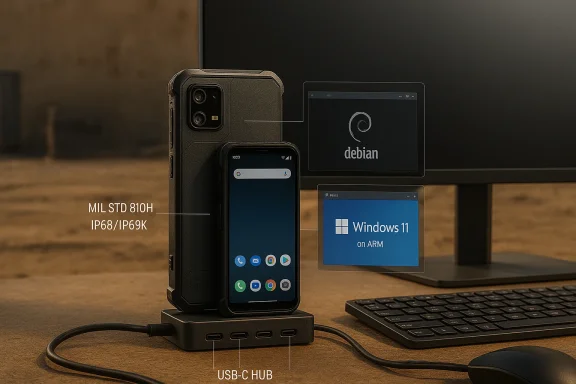
Rugged MIL-STD 810H phone docked to a USB-C hub, with Debian on the monitor and Windows 11 on ARM.Background​

The long history of “phone as PC”​

The idea that a phone should sometimes act like a computer is older than many readers remember. Manufacturers and platform makers have repeatedly tried to bridge mobile and desktop workflows: Motorola and Asus experimented with laptop docks more than a decade ago, Microsoft pushed Continuum and later attempted other phone-desktop integrations, and Samsung popularized a practical variant with DeX. Those efforts proved useful in specific contexts, but none produced a broadly adopted, one-device-for-everything standard.
NexPhone enters that lineage with three deliberate differences: (1) it intentionally supports three separate operating systems — Android, Linux (Debian), and a native Windows 11 image on Arm; (2) it targets durability and long‑life support rather than chasing flagship performance; and (3) it ships as a dock-first product complete with a bundled USB‑C hub to minimize friction for desktop use. Those choices make NexPhone as much an engineering statement about deliverable multi‑OS hardware as they are a commercial product.

Why the timing matters​

Multiple things have changed that make this moment more plausible than similar efforts in the past. Android’s evolving desktop capabilities, improved Windows-on-Arm support, and a market that increasingly values utility over raw flagship benchmarks have all lowered the barrier. At the same time, rising PC component costs — especially RAM and SSD prices — and the persistence of remote or hybrid work make a reasonably priced device that doubles as a PC attractive to some buyers. NexPhone is built to exploit those market and technical inflection points.

Overview: What NexPhone promises​

  • Three OS modes: Android 16 (NexOS) as the primary daily OS; a containerized Debian Linux desktop launched from Android; and a separately bootable Windows 11 partition that requires a reboot to switch into a Windows environment.
  • Key hardware: Qualcomm QCM6490 SoC (Dragonwing family), 12 GB RAM, 256 GB UFS storage (microSD expansion), a 6.58‑inch FHD+ 60–120 Hz display, a 64 MP main camera, and a 5,000 mAh battery (some prelaunch materials show variation on battery numbers).
  • Rugged design: MIL‑STD‑810H rating and IP68/IP69K ingress protection.
  • Docking focus: Bundled 5‑port USB‑C hub for HDMI/DisplayPort, USB peripherals, and power passthrough, plus compatibility with existing lapdock-style accessories.
  • Commercial model: $549 MSRP with a $199 refundable reservation deposit; target ship window Q3 2026.
These are the vendor’s headlining claims; they shape what makes the device compelling and also where the engineering risks accumulate.

Hardware deep dive​

The QCM6490: why Nex picked midrange silicon​

NexPhone’s CPU choice is the Qualcomm QCM6490, a Dragonwing-family part positioned between consumer flagships and industrial modules. That matters for three reasons:
  • Long-life support: QCM-class parts are often offered with longer firmware and driver maintenance windows because they’re marketed to IoT and industrial customers. Nex frames that as a reliability advantage for a device intended to serve as a PC for several years.
  • Cross-OS compatibility: The QCM6490 is among Qualcomm models that platform vendors have used as a practical target for Android, Linux, and Arm builds of Windows. Using this SoC gives Nex an engineering path to produce drivers and OS images across three stacks.
  • Performance tradeoff: The QCM6490 sits in an upper‑midrange bracket (comparable in practical terms to chips in that performance tier), which is adequate for web productivity, Office apps, and light desktop tasks, but it is not a flagship-level chip for sustained heavy CPU or GPU workloads.
Put simply: Nex traded peak performance for long-term stability and multi‑OS friendliness. For many productivity scenarios — email, browsing, Office/Docs, terminal work in Linux — the chip’s performance and the 12 GB of RAM should be more than sufficient. For prolonged video rendering, major compilation tasks, or native heavy x64 workloads running via emulation, the platform will show limits.

Memory, storage and expansion​

12 GB RAM is a sensible baseline for multitasking Windows plus Linux and Android workflows. It won’t beat many laptops at heavy multitasking but it is enough for day-to-day desktop use: multiple browser tabs, Office suites, and terminal sessions. 256 GB UFS internal storage with microSD expansion covers most users’ needs; Nex claims higher expansion limits in some materials, highlighting vendor-level variance in prelaunch specs.
One practical point to watch: storage speed matters for the snappiness of virtualized or containerized environments and for Windows paging behavior. UFS is fast, but the real-world experience will depend on firmware and how Windows is configured on the partitioned storage.

Battery, thermals and durability​

Nex markets a 5,000 mAh battery and rugged chassis meeting MIL‑STD‑810H and IP68/IP69K. Rugged hardware is a natural choice for a device that is expected to become a portable workstation, used on job sites, field work, or travel-heavy roles. But phones are thermally constrained: sustained Windows workloads will draw power and raise temperature; the device will throttle under sustained load, reducing performance compared with a laptop with a larger cooling envelope.
There are minor spec inconsistencies across early press materials on battery capacity — some demos early in previews cited a slightly lower number — which is typical for preproduction launches. That inconsistency should be treated as provisional until retail units are tested.

Display, cameras and I/O​

A 6.58‑inch FHD+ 60–120 Hz display gives reasonable space for Android use and a responsive feel for mobile UI. For desktop workflows Nex expects users to connect an external monitor; a small phone screen is not an ideal Windows workspace without curvature or specialized UI.
The inclusion of a 5‑port USB‑C hub in the box is a pragmatic engineering decision meant to lower the setup friction for desktop use — plug phone into hub, hub into monitor, add keyboard and mouse. Early demos used DisplayLink for external display output in press previews, while Nex promises a native USB‑C display driver before shipping. Native video output will be an important milestone for the project’s credibility as a PC replacement.

Software architecture and user experience​

Three modes, one device​

Nex’s architectural choices are clear:
  • NexOS (Android 16 variant): a de‑Googled, clean Android that acts as the always‑on mobile environment. This is the phone people will use for calls, messages, and day-to-day mobile apps.
  • Containerized Debian (Linux): accessible from within Android and sharing Android filesystems in a way that makes development, server admin, and desktop-class web browsing practical on the go.
  • Windows 11 (dual‑boot): a separate partition that requires a reboot into Windows mode. Nex claims this is full Windows 11 on Arm, not a cut‑down shell.
That architecture gives users choices: quick Linux tools without leaving Android, or a full Windows desktop for legacy apps and workflows that still rely on Windows binaries.

Windows on Arm: what it actually means​

Running Windows 11 on Arm today is a different experience than running Windows on an x86 laptop. Windows-on-Arm supports Arm64-native applications and uses emulation layers for x86/x64 binaries. Emulation has improved over time and is perfectly adequate for many productivity apps and Office suites, but specialized applications that rely on legacy kernel drivers or heavy native x86 optimizations may not perform well.
Nex’s demos show Windows usable for everyday tasks — email, web, and document editing — when paired with external peripherals. However, the reality for a user will depend on app mixes, drivers (particularly GPU and display drivers), and sustained thermal performance. The prospect of having full Windows accessible from a pocket device is exciting; the limits will be pragmatic rather than conceptual.

Filesystem and continuity​

Nex’s design allows Linux and Android to share files and folders, making it frictionless to switch between mobile apps and desktop Linux tools. The Windows partition, however, runs separately — vendor materials note that Windows does not have direct access to Android files in the same seamless manner. That has obvious implications for workflows: the easiest cross‑OS sharing will likely be through cloud storage or explicit export/import operations between Android and Windows modes.

UX customizations: Mobile UI, PWA strategy​

Because Windows 11 was not designed for a handheld screen, Nex has built a Mobile UI layer for smaller displays, emphasizing progressive web apps (PWAs) to deliver quick-launch, low-overhead app experiences. The strategy reduces the cognitive friction of using full Windows on a phone and hedges against binary compatibility issues by leaning on web apps where practical. It is a pragmatic workaround for the inherent UI mismatch.

Practical user scenarios: who benefits most​

  • Field technicians and first responders who need a rugged device that can act as a pocket workstation.
  • Remote workers and digital nomads who prefer carrying one small device and a portable monitor or NexDock rather than a full laptop.
  • Small businesses or price‑sensitive buyers who need both a phone and an occasional Windows PC but cannot afford a separate laptop.
  • Developers and sysadmins who value a containerized Linux environment and occasional access to Windows apps without two separate devices.
  • Enterprises exploring unified endpoint scenarios where device consolidation reduces the number of assets to manage.
For those profiles NexPhone could be a very practical tool. For users who rely constantly on full laptop performance, high‑end creative workflows, or intensive local compute, a traditional laptop will remain superior.

Money matters: pricing, reservation and market fit​

Nex positions the NexPhone at $549 with a $199 refundable reservation, leaving a balance due at shipping. That pricing is intentionally lower than many midrange laptops and sets up a value proposition: a rugged phone that doubles as a Windows PC and Linux workstation for the price of a single midrange device.
The economics matter in a market where RAM and SSD price pressure can make laptop upgrades expensive. If buyers already plan to refresh their phone and need a basic PC, NexPhone could be perceived as a cost-effective way to consolidate purchases. That said, buyers should weigh the convenience against the risk of pre‑order and shipping delays that smaller hardware startups sometimes face.

Risks, unknowns and vendor caveats​

Driver and firmware complexity​

Running three operating systems on one hardware platform requires coordinated driver stacks, secure boot/UEFI support, and careful firmware management. The most significant long‑term risk is driver rot: if Nex or its partners don’t maintain drivers and firmware for each OS, Windows or Linux functionality could degrade over time.

The “2036 support” claim​

Nex highlights long‑life support for the QCM6490 platform and references extended vendor support windows. That is a powerful marketing point for longevity, but the exact contractual terms and scope of “support through 2036” are vendor-level assertions that require independent verification from the chipset vendor or documentation of a formal support agreement. Treat that date as a vendor promise until it is corroborated by the platform supplier.

Windows licensing and certification​

A retail Windows 11 experience implies Microsoft’s platform requirements (Secure Boot, TPM or equivalent platform attestation) and compliance with the Windows Hardware Compatibility Program for certified devices. The public materials do not yet clarify which Windows SKU will ship (consumer Windows 11 vs IoT/Enterprise variants), how Windows Update will be handled, or the device’s attestation for features such as BitLocker. Buyers should demand clarity on certificates, update processes, and whether Nex will deliver a supported Microsoft-certified Windows experience.

Telephony and continuity tradeoffs​

Early materials note that calls are not available while in Linux or Windows modes — telephony remains an Android function. That means true one‑device continuity (i.e., receiving SMS/calls while booted into Windows) is not guaranteed. Users who want a literal single-device replacement for both mobile and desktop continuity should be explicit about how Nex handles telephony routing, notifications, and modem isolation.

Preorder and supply-chain risk​

Nex is a small hardware company moving into a complex multi‑OS hardware space. Preorders always carry the risk of schedule slips, component substitutions, and international logistics headaches. The refundable deposit model reduces financial risk for buyers, but it does not remove the timeline and fulfillment risk inherent in small-volume hardware manufacturing.

Security, management and enterprise implications​

Managing a device with three distinct update cadences (Android security patches, Debian package updates, Windows cumulative updates) is nontrivial for IT teams. Enterprises will need clear SLAs from Nex for security patches, rollback procedures for failed firmware updates, and documented update channels.
From a security perspective, Windows 11’s expectations for platform security (TPM, Secure Boot) mean that Nex will need to demonstrate equivalently secure attestation. The device’s rugged credentials and industrial-class SoC position it for some enterprise use cases, but the management story — mobile device management (MDM) support for each OS, centralized update telemetry, and incident response procedures — must be explicit before IT shops adopt it as a primary endpoint.

Competition and ecosystem effects​

NexPhone revives a category that bigger players have flirted with. Samsung DeX remains the closest mainstream competitor in the Android‑to‑desktop space, and previously Microsoft’s Continuum showed similar ambitions. But Nex’s distinct contribution is the formal, dual‑boot Windows partition plus a containerized Linux desktop.
If Nex proves the model, larger OEMs or Microsoft itself could be incentivized to invest in higher‑end, better‑cooled “phone-as-PC” devices. Alternatively, this could remain a niche that serves specific enterprise and prosumer communities. Either way, the existence of a practical tri‑OS pocket device will likely accelerate ecosystem work: better drivers, native display drivers for USB‑C, improved Windows-on-Arm optimizations, and more robust emulation support for critical x64 workloads.

What to test when retail units arrive​

When the NexPhone ships, these are the critical tests that will determine whether it is a practical PC replacement for a broad audience:
  • Boot to Windows 11: does the retail image include secure-boot/attestation and Windows Update compatibility?
  • Native display output: is the promised native USB‑C display driver present and stable, or is DisplayLink still required for reliable external screens?
  • Filesystem sharing: how seamless is file exchange between Android, Debian, and Windows partitions in real-world workflows?
  • Thermal behavior: how does sustained desktop use affect CPU/GPU throttling, and what does that mean for typical office workloads?
  • Battery life under mixed use: mobile Android use vs docked Windows sessions — how long does the phone last in each mode?
  • Update cadence: what is Nex’s documented policy for security updates across Android, Linux, and Windows?
  • Telephony handling: what things work while in Windows mode — notifications, calls, SMS, and modem passthrough?
  • App compatibility: how many of your critical Windows apps behave acceptably in Arm-native builds or emulation?
Those tests will reveal whether NexPhone is a polished, reliable converged device or an ambitious engineering demo with meaningful caveats.

The journalist’s verdict — measured optimism​

NexPhone is one of the clearest, most serious attempts yet to make the phone a practical, pocketable PC. Its three‑OS architecture is ambitious and usefully conceived: containerized Linux for dev and admin workflows, Android as the mobile anchor, and native Windows 11 for legacy app access. The price and rugged design widen the potential market to include field workers, price-sensitive buyers, and those who already use lapdock accessories.
That said, the important caveats are real. The QCM6490-based approach trades peak performance for stability and longevity, which fits the target market but limits heavy workloads. The security, update and driver ecosystem challenges are not trivial — multi‑OS devices require sustained vendor discipline. Vendor claims about long-term chipset support are compelling if true, but they require independent confirmation. And the real-world Windows experience will depend on driver completeness, Windows SKU and certification, and how the company resolves file‑sharing and continuity friction.
For a buyer who values portability, ruggedness, and consolidated hardware for basic PC tasks, NexPhone could be a transformative purchase. For anyone who needs consistent laptop-class performance or absolute platform certainty for enterprise deployments, NexPhone is promising but not yet a universal replacement.

Looking forward: what NexPhone could unlock​

If NexPhone succeeds in the market and in execution, it could accelerate several trends:
  • Better Windows-on-Arm momentum and a larger ecosystem of Arm-native desktop apps.
  • More vendors offering long‑life, multi‑OS devices geared for enterprise and fieldwork.
  • Improved, standardized docking interfaces and native USB‑C display drivers across phones.
  • Broader enterprise interest in consolidated endpoint strategies for specialized roles.
In short, NexPhone could be the lever that nudges the industry toward more pragmatic, flexible device models — not by replacing high-performance laptops, but by filling a long-standing gap between phones and PCs for a broad set of users.

Practical advice for interested buyers​

  • If you’re intrigued, consider the refundable reservation to secure early access — but treat the ship date as a vendor target rather than an immovable guarantee.
  • Evaluate your workflow: if you rely on legacy Windows apps or heavy native workloads, wait for retail unit reviews; if your daily work is web‑centred, office‑centred, or requires occasional Linux tools, NexPhone could be immediately useful.
  • Ask Nex explicitly about Windows SKU, update SLAs, and telephony behavior in Windows mode. These are critical operational details for anyone using the device as a primary endpoint.
  • If you plan to use the Windows mode as your main desktop, budget for a portable monitor or a NexDock-style solution and test peripherals for compatibility.

The NexPhone is not a futuristic fantasy — it is a pragmatic engineering attempt to deliver a phone that can transform into a usable PC. Its success will hinge not on a single spec or demo video, but on the steady work of driver deliverables, update policies, and the small but crucial details that make a device reliable in daily life. For now, NexPhone is an idea finally realized in hardware: exciting, imperfect, and important. If it delivers on the parts that matter — stable Windows with native display output, clear update guarantees, and solid thermal and battery behavior — it could mark a turning point in how we think about the role of the phone in the modern computing stack.

Source: Mix93.3 Inside Story | Mix93.3 | Kansas City's #1 Hit Music Station | Kansas City, MO
 

NexPhone arrives as the latest—and perhaps boldest—attempt to make the "phone that becomes a PC" idea practical: a rugged, dock‑first handset that ships with Android 16, can launch a full Debian GNU/Linux desktop as a containerized app, and can reboot into a native Windows 11 on Arm installation, effectively turning a 6.58‑inch phone into a mini ARM PC when docked.

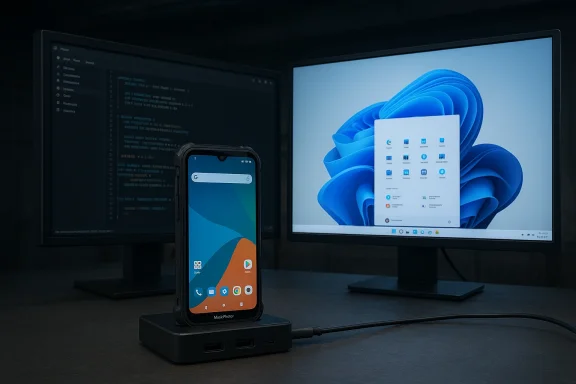
Phone on a charging dock between two monitors, left showing code and right Windows desktop.Background​

The dream of a single pocket device that doubles as a full desktop has been pursued repeatedly—Microsoft’s Continuum, Samsung DeX, Motorola Ready For and countless OEM experiments—but none have delivered a mainstream, truly native Windows experience on a phone. Nex Computer, the small company behind the long‑running NexDock lapdock accessories, has taken a different tack: instead of asking whether an Android shell can imitate a PC, it has built a handset intended to host three native environments. The company frames the NexPhone as the logical continuation of a 14‑year pursuit to collapse mobile and desktop workflows into one durable device.
That history matters. Nex’s credibility in the “phone-as-PC” space comes from years of iterating lapdock hardware and learning how users actually use phones as workstation engines. The NexPhone positions itself not as a camera or gaming flagship, but as a practical, long‑life productivity tool for developers, field engineers, sysadmins and traveling knowledge workers who value flexibility, durability and the ability to run native Windows apps on demand.

Overview: what NexPhone promises​

Nex Computer advertises three distinct operating environments on one device:
  • Android 16 — The phone’s default mobile OS, delivered with a clean, bloat‑free configuration for daily telephony, apps and Android desktop mode when connected to external displays.
  • Debian GNU/Linux (containerized) — A full Debian desktop that runs as an application inside Android, launching without a reboot and presented as a GPU‑accelerated environment for development and Unix tooling.
  • Windows 11 on Arm (reboot required) — A separately installed Windows 11 image that the phone can boot into; Nex calls this its full desktop mode for legacy Windows apps and conventional desktop workflows.
Headline hardware and market positioning:
  • System on Chip: Qualcomm QCM6490 (Dragonwing family), chosen for extended lifecycle and a vendor pathway to Windows on Arm.
  • Memory & storage: 12 GB RAM / 256 GB internal (microSD expansion supported).
  • Display: 6.58‑inch, 1080 × 2403 LCD, 60–120 Hz.
  • Battery: vendor lists 5,000 mAh, though some early materials show inconsistent values; treat battery numbers as provisional until retail units are measured.
  • Durability: IP68, IP69K and MIL‑STD‑810H ratings; rugged polycarbonate with non‑slip rubber finish.
  • Pricing and reservation: $549 MSRP with a $199 refundable reservation deposit; shipments targeted for Q3 2026.
These are the central claims Nex has made in early product materials and press briefings; multiple independent outlets have repeated the same core facts, which makes the public story internally consistent.

Hardware deep dive: choices, trade‑offs and longevity​

The QCM6490: a pragmatic silicon choice​

Picking the Qualcomm QCM6490 is the single most consequential engineering decision behind NexPhone. This chipset is part of Qualcomm’s Dragonwing/enterprise‑class family: it is not a top‑end flagship aimed at peak benchmark scores, but a modular, long‑life platform positioned for industrial and embedded deployments. For Nex’s tri‑OS ambitions the reasons are clear:
  • The QCM6490 provides a credible path to run Windows 11 on Arm because Qualcomm’s enterprise/embedded product families are the ones Microsoft and OEMs have used to validate Windows on Arm devices. That processor selection is therefore a necessary technical foothold for a native Windows installation.
  • Dragonwing variants typically come with multi‑year supply and extended firmware support, which fits Nex’s emphasis on longevity and field use. Nex markets the QCM/QCS family as having long‑term support commitments—claims which should be treated as vendor statements until independently confirmed by Qualcomm.
  • The trade‑off is performance: QCM6490 trades some single‑thread and GPU peak power for long lifecycle and thermal efficiency. Expect good day‑to‑day responsiveness for web, office and terminal work, but limited sustained throughput for prolonged compiler runs, large local video encodes, or intensive native gaming.

Memory, storage and thermal headroom​

12 GB of RAM and 256 GB of storage is a sensible midrange configuration for the device’s intended use cases. The RAM figure is adequate for light multitasking across Android and a containerized Debian instance, and for light Windows workloads once docked—but it will likely reach practical limits with many heavyweight native Windows apps running simultaneously. The phone form factor imposes thermal constraints, so Nex’s design choices hint at practical laptop replacement for web‑first productivity rather than raw workstation throughput.

Ruggedness and real‑world use​

Unlike glass‑centric consumer flagships, NexPhone is built as a tool: polycarbonate body, non‑slip rubber finish, and multiple ingress and shock certifications (IP68/IP69K, MIL‑STD‑810H). These are meaningful differentiators for field teams, industrial deployments and travelers who routinely place devices under mechanical stress. The inclusion of a bundled 5‑port USB‑C hub is an acknowledgement that Nex expects customers to use the device as a docked primary computer, not as a thin‑client experiment.

Software architecture: three modes, three engineering stacks​

Android 16: the daily driver​

Android 16 is the always‑on base OS. Nex ships a clean Android experience that handles telephony, notifications and the device’s container host for Debian. When connected to an external monitor, Android offers a desktop‑style mode for short productivity sessions—conceptually similar to Samsung DeX but shipped on a purpose‑built device. This preserves the phone’s primary function while enabling quick desktop tasks without rebooting.

Debian: “Linux as an app”​

Perhaps the most pragmatic element of NexPhone is the containerized Debian environment. Rather than forcing users to reboot to a separate Linux partition, Nex runs a GPU‑accelerated Debian desktop inside Android as an app. That design delivers near‑instant access to a native Unix toolchain, GUI editors, browsers and development tools while keeping Android telephony and app integration available.
This approach has real advantages:
  • Fast context switching for developers and sysadmins who need a local terminal, git, compilers and Linux‑native tooling.
  • Easier file sharing between Android apps and Linux workflows.
  • Reduced friction compared to rebooting into another OS.
However, being a guest environment inside Android means resource contention and driver surface differences compared with a bare‑metal Linux installation. For many users this will be more than "good enough"; for others, particularly those who need specific kernel modules or hardware passthrough, it will be limiting.

Windows 11 on Arm: reboot-to-native Windows​

The headline feature—and the one that will generate the most scrutiny—is the claim that NexPhone can reboot into a native Windows 11 on Arm image. This is not an Android desktop shell or cloud streaming solution: Nex says Windows is installed to a separate partition and boots natively on the QCM6490, offering full Windows apps and drivers when docked. Multiple early reports and Nex’s materials present this architecture consistently.
Nex has also built a small mobile UI layer for Windows to improve small‑screen usability while users are on the phone itself, recognizing that a standard Windows desktop is impractical in portrait mode. That mobile UI leans on progressive web apps to approximate mobile experiences inside Windows.

What is verified and what remains provisional​

Several of Nex’s core claims are corroborated across vendor materials and independent coverage:
  • The tri‑OS architecture and the QCM6490 SoC are repeated across multiple outlets.
  • Pricing and the reservation model ($549 with $199 refundable deposit) and the Q3 2026 target ship window are part of Nex’s public launch information and are echoed by independent reports.
But several important items require buyer caution and further verification:
  • Claims of Qualcomm “support through 2036” for the QCM/QCS family appear in Nex’s marketing; this is a vendor‑level lifecycle claim and should be confirmed directly with Qualcomm or independent lifecycle documentation. Treat long‑term support timelines as vendor marketing until substantiated.
  • Driver completeness and Windows update behavior: shipping a native Windows 11 image on phone hardware is a high‑barrier task that requires signed drivers, a validated boot chain, and a clear Windows Update strategy; Nex’s announcements describe the architecture but prelaunch materials cannot prove ongoing update guarantees. Ask for explicit Windows driver and update policies before relying on the device in production.
  • Battery spec inconsistencies: early leak/press materials show mixed battery figures (5,000 mAh vs other numbers). Real battery life in docked Windows mode is unknown until independent reviews measure it.

Practical considerations and likely real‑world workflows​

Who will the NexPhone actually serve well?
  • IT professionals and DevOps engineers who need a pocketable Unix toolkit for SSH, quick code edits, and remote work will find the Debian container compelling. The container model minimizes switching friction and keeps the mobile network stack available.
  • Traveling knowledge workers who use web apps, Office suites and remote desktop clients can plausibly use NexPhone plus a monitor and keyboard as their primary workstation. The included USB‑C hub makes docking quick and practical.
  • Field teams and industrial users who value durability, long part lifecycles and a single inventory item to carry—phone + PC in one—will appreciate the MIL‑STD and IP ratings coupled with Qualcomm’s long‑life positioning.
What it is not:
  • A replacement for high‑end laptops that perform heavy local computation (e.g., large native compiles, video production, gaming). The QCM6490 and phone thermal package will limit sustained heavy workloads.
  • A guaranteed, fully supported Windows workstation out of the box until drivers, Windows Update policies, and long‑term support are verified by Nex and validated by third‑party reviews.

Risks, unknowns and due diligence checklist​

If you’re considering preordering or deploying NexPhone in production, here’s a short due diligence checklist and the risks each item addresses:
  • Confirm Windows driver support and update cadence.
  • Ask Nex for a published Windows driver list, driver signing policy, and how Windows Update will be handled for the Windows partition. Driver maturity is the single biggest risk to reliable Windows operation.
  • Verify carrier and telephony behavior in your target markets.
  • Multi‑SIM/5G band coverage is claimed, but carrier certification and VoLTE/VoWiFi behavior should be tested with your operators.
  • Validate the long‑term supply/support claims for QCM6490.
  • Nex’s marketing mentions extended Qualcomm support; confirm with Qualcomm or official product lifecycle notices. Vendor marketing and chipset roadmaps are not substitutes for an official support SLA.
  • Check battery life expectations in real Windows/docked workloads.
  • Independent reviews will be needed to measure battery life when running Windows 11, especially while driving external displays. Early materials show inconsistent battery numbers.
  • Consider data protection and update policies across three OS stacks.
  • Ask about secure boot, partition isolation between Android/Linux/Windows, and how updates are tested and rolled out to avoid accidental bricking on multi‑boot transitions.

How NexPhone compares to past efforts (Continuum, DeX, Ready For)​

NexPhone’s core claim differentiator is native Windows on Arm bootability, not merely an Android desktop shell. Samsung DeX and Motorola Ready For provide desktop‑style Android environments without leaving Android. Microsoft’s Continuum attempted a similar idea but depended on Windows Mobile ecosystem momentum that never arrived.
Nex’s pragmatic mixture of:
  • an Android base,
  • a containerized Linux desktop for immediate developer workflows, and
  • a rebootable Windows partition for legacy compatibility
is a hybrid approach that addresses the main limitations of earlier attempts: the inability to run native desktop apps when needed, and the friction of carrying two devices. Whether it succeeds hinges on execution of drivers, firmware and update guarantees—areas where past projects most visibly faltered.

Buying guidance: who should preorder (and who should wait)​

Preorder (risk‑tolerant early adopters, specialists):
  • You’re a developer, sysadmin or IT pro who values a portable Unix environment, occasional native Windows compatibility, and rugged hardware. You accept some early‑firmware risk in exchange for a unique single‑device workflow.
  • You manage field teams where device consolidation and durability reduce logistics and total cost of ownership. A long‑life chipset and MIL‑STD credentials are attractive here.
Wait (risk‑averse, mainstream productivity users):
  • You expect a seamless laptop replacement for heavy local workloads, or you depend on guaranteed, enterprise‑grade Windows Update and driver support. Wait for independent reviews and clearer OEM support contracts.
  • You require carrier certification or specific telephony/calling features that must be verified in your major markets—hold until full certification and hands‑on tests are available.

The verdict: an ambitious, pragmatic experiment that hinges on execution​

NexPhone is one of the most interesting hardware experiments of the last few years: it combines a credible hardware pathway to Windows 11 on Arm with pragmatic developer ergonomics via a containerized Debian desktop and a clean Android daily experience. The device’s rugged design and emphasis on long lifecycle support make it a sensible tool for specialists and field teams rather than a mass consumer play.
Strengths:
  • Clear rational engineering choices oriented toward longevity and real‑world use.
  • A pragmatic three‑mode software architecture that gives developers and IT pros meaningful capabilities without forcing a single‑OS compromise.
  • An attractive price point for early adopters and a bundled hub that reduces friction for docking use cases.
Key risks:
  • Windows driver completeness, Windows Update policy and long‑term support remain the central unknowns. A native Windows experience requires thorough validation of drivers, signed firmware and update processes.
  • Real battery life and sustained performance in docked Windows workloads are unproven until independent testing.
  • Some marketing claims—most notably chipset support timelines—are vendor statements that need external confirmation.
If Nex can deliver stable drivers, a predictable update pathway and reasonable performance in docked Windows mode, the NexPhone will be a commercially meaningful realization of the phone‑as‑PC thesis. If not, it will remain an admirable and instructive engineering experiment that highlights how difficult cross‑OS integration and long‑term support really are. For IT professionals and developers intrigued by the promise of a single pocketable workstation, the NexPhone is worth watching closely—and for cautious buyers, waiting for third‑party reviews and verified Windows support is the sensible play.

Conclusion: NexPhone is a practical, well‑scoped attempt to make a real pocket workstation. Its combination of a long‑life Qualcomm platform, a containerized Debian desktop and a rebootable Windows 11 partition is the clearest multi‑OS strategy we’ve seen yet—but the device’s ultimate usefulness will be decided in the months after shipments begin, when driver maturity, update policies and honest hands‑on measurements either confirm the promise or expose the gaps.

Source: Desde Linux NexPhone: The smartphone that combines Android, Debian and Windows 11
 

The idea of a single pocketable device that becomes a full desktop when you need it has been promised, prototyped, and cheered for more than a decade. NexPhone is the clearest, most deliberate attempt yet to make that promise practical: a rugged midrange handset built around the Qualcomm QCM6490 that ships as an Android smartphone, offers a containerized Debian Linux desktop on demand, and can reboot into a native Windows 11 on Arm installation for a full PC experience when docked. For Windows enthusiasts nostalgic for a tiled mobile UI but, more importantly, for power users who just want to carry one machine, NexPhone is a bold experiment that deserves careful parsing.

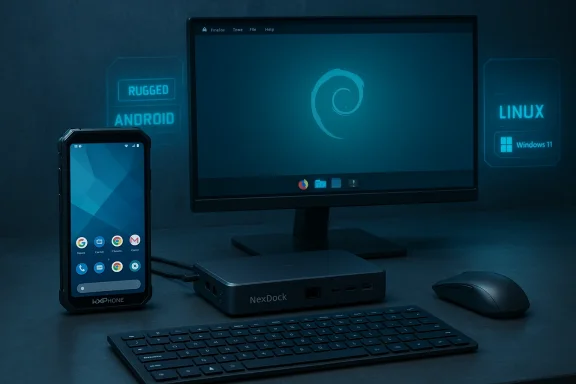
Blue-toned desk setup featuring a rugged Android phone, NexDock mini PC, monitor, keyboard and mouse.Background and overview​

Nex Computer is known for NexDock — laptop-style shells that turn a phone into a laptop-like workstation — and the NexPhone is the company’s natural extension of that dock-first philosophy. The vendor positions the device as “your PC in your pocket”: a daily Android phone plus an immediately available Linux workstation and an optional, rebootable Windows 11 partition for legacy desktop applications and full Windows workflows. That multi-OS thesis is the product’s selling point and the source of most technical and support challenges.
At a glance, NexPhone’s headline specifications put it squarely in the upper midrange category rather than the flagship class. The device uses Qualcomm’s QCM6490 (a member of the Dragonwing/extended-life family), pairs that SoC with 12 GB of RAM and 256 GB of storage, and offers a 6.58-inch 1080 × 2403 LCD capable of 60–120 Hz refresh rates. Nex advertises a 5,000 mAh battery, rugged IP68/IP69K ingress protection, and MIL‑STD‑810H durability claims. The company has opened refundable reservations for a $199 deposit to lock an early $549 price, with a targeted ship window in Q3 2026.
Why does any of this matter? Because prior attempts at the “phone-as-PC” idea — Microsoft’s Continuum, Samsung DeX, Motorola Ready For, and various OEM experiments — mostly stopped at providing a desktop-like shell on top of Android. NexPhone’s radical difference is that it treats Linux and Windows as native environments: Linux runs containerized inside Android for near-instant access; Windows 11 is a separate boot target intended for docked, full-desktop use. That architecture presents both opportunity and friction.

Hardware: what’s under the case​

The core platform​

  • SoC: Qualcomm QCM6490 (Dragonwing family), chosen explicitly for multi-platform compatibility and a long vendor lifecycle. Microsoft’s Windows 11 processor support lists include QCM6490, which is a meaningful technical foothold for Nex’s Windows-on-Arm claim.
  • Memory & storage: 12 GB RAM and 256 GB internal storage, with microSD expansion reported up to 512 GB.
  • Display: 6.58-inch LCD, 1080 × 2403 resolution, 60–120 Hz refresh.
  • Battery and charging: Vendor materials list a 5,000 mAh battery, 18 W wired charging, and wireless charging support; note that some early coverage showed inconsistent battery figures, so buyers should verify final retail documentation.
  • Durability & weight: MIL‑STD‑810H claims and IP68/IP69K dust/water ratings; dimensions and weight reflect a robust, utilitarian build.

Cameras and extras​

NexPhone’s camera hardware is adequate for a productivity-first device rather than a photography flagship: a 64 MP main sensor (Sony IMX787), a 13 MP ultrawide, and a 10 MP front camera. The box includes a 5‑port USB‑C hub intended to simplify docking and peripheral connectivity. These choices underline Nex’s intent: this is a work tool that must behave well when connected to external monitors, keyboards, and mice.

What the hardware choices mean​

The QCM6490 is the pivotal decision. It’s an “extended-life” Qualcomm module designed for long-term support in enterprise and IoT devices. From Nex’s perspective, that makes it easier to target Windows 11 on Arm and to provide consistent driver and firmware support across multiple OSes. From a performance standpoint, the QCM6490 is midrange: it’s capable of desktop-style tasks when paired with efficient software, but it isn’t equivalent to current laptop-class Arm chips (for example, Qualcomm’s high-end Snapdragon X-class variants or Apple’s silicon). Expect pragmatic Windows performance — good for office and web workflows, less ideal for heavy native compilation or complex multicore workstation loads.

Software architecture: three operating environments​

Android: the daily driver​

Android remains the phone’s default environment: telephony, messaging, notifications, and mobile apps are handled there. Nex ships a near-stock Android experience (advertised as Android 16 in official materials) and layers a container runtime that hosts the Debian desktop when you want it. Android also provides the base runtime for drivers, power management, and the phone’s always-on services.

Debian Linux container: instant workstation​

One of NexPhone’s most practical features is a containerized Debian desktop that launches as an app inside Android. That approach gives developers, sysadmins, and technical users fast access to native Unix tools (SSH, compilers, editors, CLI utilities) without rebooting. Because Linux operates as a contained environment, switching to a Linux desktop is near‑instant and preserves Android telephony/notifications. For many professional users, this is the most valuable element: near-laptop CLI power without a separate device.

Windows 11 on Arm: reboot for the full PC​

The headline-grabber is Windows 11: Nex offers a separately installed Windows 11 on Arm partition that requires a reboot to enter. The company’s pitch is pragmatic — Windows mode is intended for docked, monitor‑based use where legacy Windows applications and the wider Windows ecosystem are necessary. Nex has also developed a small-screen-friendly Windows UI layer that evokes the old tiled look of Windows Phone via progressive web apps, but this is cosmetic and not a resurrection of Microsoft’s historic mobile OS.
Crucially, the QCM6490’s inclusion on Microsoft’s supported processor list for Windows 11 gives Nex an explicit pathway to run Windows on that hardware. But supported processors are only one part of the equation: device drivers, secure boot and TPM emulation or support, Windows Update behavior, and long-term driver distribution are the harder problems. Nex’s public materials answer some questions but leave critical details about driver signing, Microsoft update integration, and the scope of supported peripherals partially open. That matters a lot for enterprise users and anyone relying on Windows Update for security patches.

Docking and Continuum realized — with caveats​

NexPhone’s whole raison d’être is the dock-first user: carry a pocketable phone and, when you arrive at a desk, connect to a monitor, keyboard, and mouse for a full desktop experience. The included USB‑C hub and compatibility with NexDock-style accessories make the physical transition straightforward; the software transition is where nuance appears.
  • Android desktop mode and the Linux container provide near-instant desktop-style sessions with retained telephony and notification continuity.
  • Windows mode requires a reboot and therefore interrupts telephony and Android services during use; it’s intended for extended, docked sessions rather than on-the-fly switching.
This split design is a pragmatic compromise: running three full operating systems concurrently on a phone is infeasible in terms of power, thermals, and complexity. By running Linux as a container and Windows as a separate bootable partition, Nex balances convenience and system integrity. The downside is friction: rebooting to Windows interrupts calls, background sync, and Android apps, which could be unacceptable for some workflows. For people who need uninterrupted telephony while using Windows apps, this is an important constraint to recognize.

Verification and cross-checks — what we confirmed​

A responsible assessment requires confirming load-bearing claims from multiple independent sources. Here are the claims we verified and the corroborating evidence:
  • Processor compatibility with Windows 11: Microsoft lists QCM6490 among Windows 11 supported Qualcomm processors, which provides the formal compatibility link Nex needs to run Windows 11 on Arm. This is not a guarantee of turnkey experience, but it is a crucial prerequisite.
  • Hardware specifications (RAM, storage, display, battery): Nex’s tech-specs page lists 12 GB RAM, 256 GB internal storage, a 6.58-inch 1080 × 2403 LCD with 60–120 Hz, and a 5,000 mAh battery; independent previews and coverage repeat these numbers. Spec variance was noted in prelaunch coverage for battery figures, so final retail documentation should be confirmed.
  • Multi-OS architecture and reservation model: Nex’s founder posted an announcement describing Android + Debian container + reboot-to-Windows model, the $199 refundable reservation, $549 early price, and target ship window of Q3 2026. Independent outlets (The Verge, Tom’s Hardware) reproduced the same core facts in hands-on previews and reporting.
Where coverage diverged — primarily battery capacity references and some camera sensor details — we flagged those differences and treated battery numbers as provisional pending third-party testing of retail units. That’s an important consumer-protection step: prelaunch specs can change, and independent testing matters for claims about battery life, thermals, and real-world Windows desktop performance.

Strengths: why NexPhone is exciting​

  • Native Windows on Arm promise: Running a native Windows 11 partition is a capability enthusiasts have asked for for years. The QCM6490’s inclusion on Microsoft’s supported processors list makes this plausible in ways previous hobbyist projects were not. For users who need occasional full Windows app compatibility without carrying a laptop, that’s a meaningful value proposition.
  • Instant Linux workstation: The containerized Debian desktop is arguably the most pragmatic feature for technical users. It provides near-instant access to development and sysadmin tooling while preserving phone functionality. This is the “pocket workstation” most developers would actually use.
  • Dock-first ecosystem experience: NexPhone pairs naturally with NexDock and similar lapdock/monitor accessories, delivering a polished docked UX without relying solely on Android desktop shell mimicry. The included USB‑C hub lowers the friction of connecting multiple peripherals.
  • Ruggedness and battery capacity: For field engineers, travelers, and enterprise users who need durability and long battery life in workstation scenarios, the device’s MIL‑STD and IP ratings and large battery size (vendor-claimed) are practical advantages.

Risks and unknowns: what to watch closely​

  • Driver and update management for Windows partition: The biggest open question is how Windows Update and driver distribution will work long-term. Will Nex supply signed drivers through the Windows Hardware Compatibility Program? Will Microsoft treat NexPhone’s Windows image as a first-class device with standard Windows Update delivery? The vendor’s public materials do not fully answer these operational questions; they are decisive for security, stability, and longevity. Buyers should ask Nex for a clear, written update and driver policy before preordering.
  • Thermals and sustained Windows performance: Running desktop workloads under Windows on continuity-mode laptop hardware is thermally demanding. The QCM6490 is midrange silicon; it may throttle under sustained CPU/GPU load. Independent third-party thermal and battery tests on retail units are required to validate Nex’s desktop claims. Early hands-on videos show basic Windows productivity apps working, but those are not comprehensive stress tests.
  • Windows experience while docked — limitations: Rebooting into Windows interrupts Android services. For users who want to take calls or get notifications while in Windows, the reboot model imposes a workflow compromise. This will be an important practical limitation for a subset of users.
  • Security features and enterprise readiness: Questions about TPM support, BitLocker-equivalent disk encryption, secure boot policy, and enterprise management (MDM) remain. Enterprises considering this device will need concrete answers about hardware-backed security and how Windows partition integrity is preserved.
  • Support model and longevity: Nex’s reservation model and the company’s small size mean buyers should assess the company’s capacity to deliver long-term updates and support, especially for a device that straddles three operating ecosystems. The QCM6490’s long vendor support window is encouraging, but corporate-level updates (Windows driver certification, Android patch cadence, container runtime security fixes) require an operational commitment from Nex.

Who should consider buying NexPhone​

  • Developers and sysadmins who travel frequently and need CLI tooling in their pocket and occasional full-Windows desktop capabilities when docked.
  • IT professionals and field engineers who benefit from rugged hardware and the ability to run specialized Windows applications on site without a separate laptop.
  • Enthusiasts who want to experiment with a tri-OS device and are comfortable with early-access hardware semantics (reservations, possible spec changes, and evolving software support).
If you need flagship camera quality, top-tier native Windows performance for heavy content creation, or guaranteed carrier-level telephony while running Windows, this device is unlikely to replace a dedicated laptop or high-end smartphone. For many professionals, however, the convenience and consolidation may outweigh the trade-offs.

Practical pre-order checklist (what to confirm before placing a deposit)​

  • Ask Nex for the final retail technical specification sheet (battery capacity, camera sensors, charging speed).
  • Request written details about the Windows partition’s update policy: signed drivers, Windows Update integration, and firmware/driver distribution cadence.
  • Confirm what enterprise security features are supported on the Windows partition (TPM, secure boot behavior, disk encryption).
  • Ask whether Windows will support external GPU or advanced display protocols (DisplayPort Alt Mode vs. DisplayLink) and what driver dependencies exist for each.
  • Verify the refund terms and expected shipping window; preorders carry risk if manufacturing or certification delays occur.

Verdict: a cautious thumbs-up for what matters most​

NexPhone is one of the most thoughtfully engineered attempts to revive the “phone-as-PC” idea with modern constraints in mind. By combining Android as the always-on mobile layer, a containerized Debian desktop for instant productivity, and an optional reboot-to-Windows partition for legacy compatibility, Nex has delivered a coherent architecture that acknowledges trade-offs rather than pretending they don’t exist. The inclusion of Qualcomm’s QCM6490 — and Microsoft’s public compatibility list that includes it — turns the Windows-on-Arm claim from hopeful tinkering into a technically plausible product strategy.
That said, the device’s ultimate value depends squarely on execution: how Nex manages drivers and updates for the Windows partition, how the hardware behaves thermally under sustained desktop workloads, and whether Nex can sustain an update cadence across Android, the Linux container runtime, and Windows. Independent battery and thermal testing of retail units — and clear vendor commitments on Windows Update and driver policy — will be the deciding factors for cautious buyers and enterprise customers. Until then, NexPhone is an exciting frontier device: promising and practical in specific workflows, but not a universal laptop-killer on day one.

Final takeaways​

  • NexPhone is real, not vaporware. The company has published specs, founder statements, and reservation details, and major outlets have reported hands-on previews.
  • The tri-OS architecture is pragmatic. Running Linux inside Android and Windows as a reboot partition balances convenience with system integrity — but introduces workflow friction for some users.
  • Windows on Arm is plausible but not turnkey. QCM6490’s presence on Microsoft’s supported-processor list is a necessary enabler, but driver distribution, Windows Update integration, and long-term support are the open questions you must verify.
  • Buyers should verify details before committing. Confirm final retail specs, Windows update/driver policy, and refund/shipping terms before placing a reservation.
NexPhone is an important product to watch because it reframes an old dream with modern engineering trade-offs. If Nex nails the software support and driver story, it could change how many professionals think about portable computing. If not, it will still be a fascinating milestone on the long road toward a single device that genuinely behaves like both phone and PC.

Source: Windows Central Windows 11 in your pocket? Take a closer look at the NewPhone
 

Back
Top