

The latest NTLite releases are a reminder that Windows customization is moving from a niche hobby into a more serious, architecture-aware discipline. What looks at first like a simple speed bump — faster update extraction — is actually part of a larger shift: Windows 11 is becoming more modular, more AI-aware, and more dependent on component-level servicing, and image tools have to keep up. In practice, that means NTLite is not just shaving minutes off workflows; it is helping users decide what belongs in a modern Windows build and what should be left out. Its new support for AI Component Management in Windows 11 25H2 images, plus better driver handling and faster file operations, makes the tool more relevant than ever for admins, enthusiasts, and lab builders alike.
NTLite has long occupied a strange but important corner of the Windows ecosystem. It is not a consumer-facing Microsoft utility, and it is not meant to replace the ordinary Windows installer. Instead, it gives power users and IT teams the ability to reshape installation media, integrate updates, remove components, automate setup, and even modify live systems after deployment. The result is a tool that sits somewhere between an image editor, a deployment assistant, and a blunt instrument for system curators.
That niche has grown more relevant as Windows itself has become harder to describe as a single, static operating system. Microsoft has been splitting features into more granular parts, especially in Windows 11 24H2 and 25H2, where some capabilities are delivered through enablement packages or independently serviced components. NTLite’s latest updates matter because they respond directly to that change. The tool is no longer just trimming bloat; it is interpreting a more complicated OS.
The latest changelog shows a few headline improvements. Update extraction now uses more threads, which should materially speed up image work on modern multi-core processors. File deletion is faster too, especially when clearing large directories. Driver import and matching logic were refined, and the tool can now remember scroll position in hardware lists, which sounds small but makes repetitive driver work less annoying.
The most interesting addition, though, is support for AI Component Management in 25H2 images. That signals that Microsoft’s new AI-related operating system pieces are becoming visible enough for third-party tools to detect and manage them separately. For users trying to build leaner machines, that creates both opportunity and risk. It can shrink the footprint of custom images, but it can also remove dependencies that later turn out to matter more than expected.
There is also a deeper signal in the AI component addition. Microsoft is formalizing Windows AI features as discrete serviced components, and that makes image tools more than just cleanup utilities. They become interpreters of Microsoft’s component model. That shift is strategically important because it gives admins a clearer way to decide whether AI features belong in a baseline image, but it also means Microsoft’s architecture is now influencing third-party workflow design.
For image builders, componentization is both a gift and a headache. It is a gift because it makes selective management possible. If the AI layer is separated cleanly enough, users can decide whether it belongs in a trimmed image. It is a headache because every extra layer adds more dependency risk. Removing one feature may disable another feature downstream, and the margin for error gets thinner as the OS becomes more segmented.
But “smaller” is not the same as “better.” A custom image that looks elegant on day one may become harder to maintain once Windows updates start layering new assumptions onto it. That is the central tradeoff in debloating: every removal decision has an operational cost that may appear only after a future patch, driver change, or application dependency shows up.
The updated logic now picks the latest version of the same driver during host import, avoids duplication, and improves detection of compatible drivers that were previously missed. It also differentiates ARM and AMD64 architectures more accurately when importing from INFs. Those are the kinds of details that save time in the field because they cut down on mismatches, accidental duplication, and confusion during large-scale prep work.
For consumers and enthusiasts, the appeal is more personal. The idea of shaving bloat from Windows 11 25H2, especially when AI features are becoming more visible in the operating system, has obvious emotional pull. Users who dislike background services, unwanted features, or opaque defaults may see the new NTLite release as another chance to make Windows feel like their machine again.
The real competition also includes other deployment tools, scripts, enterprise suites, and ad hoc admin workflows. NTLite’s edge is that it combines breadth and immediacy. It can handle ISO, WIM, ESD, and SWM formats, support conversions, create bootable media, and edit already deployed systems, all in one place. That combination is hard to replicate in a single polished package.
This matters because AI features are becoming woven into the fabric of Windows more quickly than many users expected. If those components are separated cleanly, they can be managed cleanly. If not, they become another layer of ambiguity in an already complex platform. NTLite’s support for them suggests the tool is trying to stay ahead of that complexity rather than merely react to it.
It will also be worth watching how users actually respond to the new AI component controls. The phrase “save you lots of disk space” is powerful marketing, but the real question is whether people treat AI removal as a default optimization or as an informed, case-by-case decision. That distinction will determine whether lean Windows images become better managed or simply more aggressively stripped.
Source: Neowin Unofficial Windows 11 install tool gets faster, can now save you lots of disk space too
 Overview
NTLite has long occupied a strange but important corner of the Windows ecosystem. It is not a consumer-facing Microsoft utility, and it is not meant to replace the ordinary Windows installer. Instead, it gives power users and IT teams the ability to reshape installation media, integrate updates, remove components, automate setup, and even modify live systems after deployment. The result is a tool that sits somewhere between an image editor, a deployment assistant, and a blunt instrument for system curators.That niche has grown more relevant as Windows itself has become harder to describe as a single, static operating system. Microsoft has been splitting features into more granular parts, especially in Windows 11 24H2 and 25H2, where some capabilities are delivered through enablement packages or independently serviced components. NTLite’s latest updates matter because they respond directly to that change. The tool is no longer just trimming bloat; it is interpreting a more complicated OS.
The latest changelog shows a few headline improvements. Update extraction now uses more threads, which should materially speed up image work on modern multi-core processors. File deletion is faster too, especially when clearing large directories. Driver import and matching logic were refined, and the tool can now remember scroll position in hardware lists, which sounds small but makes repetitive driver work less annoying.
The most interesting addition, though, is support for AI Component Management in 25H2 images. That signals that Microsoft’s new AI-related operating system pieces are becoming visible enough for third-party tools to detect and manage them separately. For users trying to build leaner machines, that creates both opportunity and risk. It can shrink the footprint of custom images, but it can also remove dependencies that later turn out to matter more than expected.
Why This Update Matters
At face value, “faster extraction” sounds like a productivity tweak. In reality, it is the sort of change that matters most to people who iterate constantly. If you build images repeatedly — for lab hardware, refurbs, testing, or fleet deployment — every reduction in wait time compounds. NTLite’s move to use more threads should reduce the pain of working with large update payloads, especially when multiple images are being processed back to back.There is also a deeper signal in the AI component addition. Microsoft is formalizing Windows AI features as discrete serviced components, and that makes image tools more than just cleanup utilities. They become interpreters of Microsoft’s component model. That shift is strategically important because it gives admins a clearer way to decide whether AI features belong in a baseline image, but it also means Microsoft’s architecture is now influencing third-party workflow design.
What changed in practice
The practical gains from the update are straightforward. Faster extraction means less time waiting on image surgery. Better driver handling means fewer deployment mistakes. AI component visibility means more informed decisions about what to keep or strip. Taken together, these changes suggest a more mature tool rather than a flashier one.- More threads reduce time spent unpacking updates.
- Faster file deletion helps when cleaning large working folders.
- Improved driver matching lowers the risk of bad imports.
- AI component support gives users visibility into 25H2’s newer parts.
- Cleanup improvements make exit behavior less disruptive.
- Translation updates show the tool remains actively maintained.
Windows 11 25H2 and the Rise of Componentized Servicing
Microsoft’s shift toward componentized Windows is one of the reasons NTLite’s new AI support is so noteworthy. Windows 11 25H2 is increasingly treated as an enablement-based evolution of the platform, where capabilities may already exist on a device and be activated or updated through smaller servicing changes. That model makes Windows more flexible for Microsoft, but it also makes the OS more dependent on hidden dependencies and feature granularity.For image builders, componentization is both a gift and a headache. It is a gift because it makes selective management possible. If the AI layer is separated cleanly enough, users can decide whether it belongs in a trimmed image. It is a headache because every extra layer adds more dependency risk. Removing one feature may disable another feature downstream, and the margin for error gets thinner as the OS becomes more segmented.
Why modular Windows changes the rulebook
A traditional debloating mindset assumes that unused pieces are safe to remove. That assumption is weaker now. Microsoft’s newer servicing approach means some components are not just apps or optional add-ons; they may be runtimes, execution layers, or model-backed support infrastructure that other experiences quietly depend on. NTLite’s ability to surface those components helps, but it does not make them automatically disposable.- Selective removal is easier when components are visible.
- Recovery becomes harder when removed pieces are deeply integrated.
- Testing matters more because hidden dependencies are less obvious.
- Rollback planning becomes essential for enterprise builds.
- Documentation from Microsoft may lag behind implementation changes.
Disk Space Savings: Real, But Not Free
The disk-space story is the most immediately appealing part of the update. If you are building a lean image for a small SSD, a VM, or a low-cost lab machine, removing AI-related components and other unnecessary parts can shave meaningful space off the install footprint. That is especially useful when dozens or hundreds of endpoints are involved, because even modest per-device savings compound quickly.But “smaller” is not the same as “better.” A custom image that looks elegant on day one may become harder to maintain once Windows updates start layering new assumptions onto it. That is the central tradeoff in debloating: every removal decision has an operational cost that may appear only after a future patch, driver change, or application dependency shows up.
The hidden cost of aggressive stripping
The danger is not that NTLite makes harmful choices by default. The danger is that users can become overconfident. Disk space savings are easy to measure, but long-term supportability is much harder to quantify. When a component is removed from a reference image, undoing that decision later is often more painful than just leaving it alone in the first place.- Virtual machines benefit most from smaller images.
- Thin-client and lab environments gain storage headroom.
- Golden images become easier to distribute when they are slimmer.
- Future servicing can become more fragile after removals.
- Feature rollback may require more work than expected.
- Support teams can struggle when images are heavily customized.
Driver Management Gets Better Too
Driver work is one of the most underappreciated parts of Windows deployment. It does not make for glamorous marketing copy, but it decides whether a deployment lands cleanly or turns into a support call. NTLite’s latest refinements to host import behavior and hardware-list matching suggest the developer is paying close attention to real deployment friction, not just image aesthetics.The updated logic now picks the latest version of the same driver during host import, avoids duplication, and improves detection of compatible drivers that were previously missed. It also differentiates ARM and AMD64 architectures more accurately when importing from INFs. Those are the kinds of details that save time in the field because they cut down on mismatches, accidental duplication, and confusion during large-scale prep work.
Why small driver fixes matter
Driver selection is one of those tasks where tiny errors can cascade. If the wrong package is imported, a machine may still boot but later misbehave in ways that are hard to diagnose. Improved matching reduces that risk, and remembering the scroll position in the hardware list sounds minor until you realize how often admins compare similar devices over and over.- Fewer duplicates mean cleaner driver stores.
- Better matching means fewer missed compatible drivers.
- Architecture awareness reduces cross-platform mistakes.
- Scrolling memory speeds up repetitive comparison work.
- Cleaner imports simplify troubleshooting later.
- More accurate hardware lists help avoid bad deployment choices.
Enterprise vs Consumer Impact
The same feature can look very different depending on who is using it. In enterprise environments, NTLite’s newest capabilities are mostly about control, standardization, and supportability. IT teams want cleaner base images, predictable driver sets, and the ability to omit AI-related components when those features do not align with the deployment plan. That can reduce storage overhead, simplify compliance, and cut down on avoidable helpdesk work.For consumers and enthusiasts, the appeal is more personal. The idea of shaving bloat from Windows 11 25H2, especially when AI features are becoming more visible in the operating system, has obvious emotional pull. Users who dislike background services, unwanted features, or opaque defaults may see the new NTLite release as another chance to make Windows feel like their machine again.
Different goals, same tool
The divergence matters because enterprises care most about repeatability, while enthusiasts care most about freedom. A stripped image that is ideal for a lab box may be a liability on a managed fleet device. NTLite serves both groups, but it cannot remove the fact that the two groups are optimizing for different outcomes.- Enterprises want consistency across devices.
- Consumers want a system that feels lighter and more personal.
- Admins care about supportability and rollback.
- Hobbyists care about footprint and control.
- Both benefit from faster extraction and better cleanup.
- Both need clearer visibility into AI-related components.
NTLite’s Place in the Broader Windows Tooling Market
NTLite does not compete directly with Microsoft, but it does compete with inertia. The default Windows installer is enough for most people, and Microsoft prefers users to stay on supported, guided paths. Yet the continued interest in image customization tools proves that a meaningful segment of the Windows community still wants more control than the standard installer provides.The real competition also includes other deployment tools, scripts, enterprise suites, and ad hoc admin workflows. NTLite’s edge is that it combines breadth and immediacy. It can handle ISO, WIM, ESD, and SWM formats, support conversions, create bootable media, and edit already deployed systems, all in one place. That combination is hard to replicate in a single polished package.
Why the market still needs tools like this
The broader implication is that Windows is becoming more layered, not less. As Microsoft adds AI components, changes update mechanics, and refines servicing models, users need tools that can help them understand the platform as it actually exists, not as it is described in marketing material. NTLite’s continued relevance is evidence that the market for serious Windows editing is not shrinking. If anything, it is becoming more specialized.- More modular Windows increases the value of selective management.
- More AI integration creates more questions about what should stay installed.
- More servicing complexity rewards tools that surface dependencies.
- More device diversity increases demand for driver intelligence.
- More enterprise scrutiny favors repeatable build workflows.
- More enthusiast demand sustains the customization ecosystem.
What the New AI Component Support Really Means
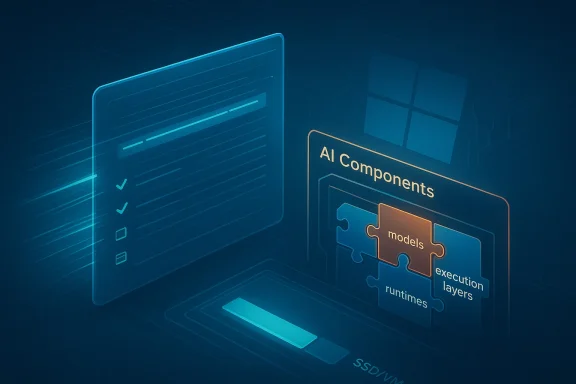
The most revealing part of the release is not the speed improvement but the AI component work. Microsoft’s newer Windows AI components are increasingly presented as discrete parts of the operating system, including models, runtimes, and execution layers that are serviced independently. That gives tools like NTLite a concrete target and users a clearer way to inspect what is installed in a Windows 11 25H2 image.This matters because AI features are becoming woven into the fabric of Windows more quickly than many users expected. If those components are separated cleanly, they can be managed cleanly. If not, they become another layer of ambiguity in an already complex platform. NTLite’s support for them suggests the tool is trying to stay ahead of that complexity rather than merely react to it.
Why visibility is better than guesswork
Users often treat “debloat” as a one-way act of subtraction. But on a modern Windows build, subtraction without visibility is risky. Knowing what the AI component layer contains gives administrators a better basis for policy decisions, and it gives enthusiasts a more defensible reason to remove or retain specific parts.- Policy teams can make clearer baseline decisions.
- Privacy-minded users can reduce exposed features they do not want.
- Lab builders can create smaller, more predictable images.
- Support teams can identify what was removed more easily.
- Advanced users can test changes more systematically.
- Long-term maintainers can avoid accidental breakage.
Strengths and Opportunities
NTLite’s latest release lands in a sweet spot for users who want more speed, more visibility, and more control over Windows 11 25H2 images. The tool is evolving in step with Microsoft’s own platform changes, which gives it a rare kind of relevance: it is not merely stripping Windows down, but helping users navigate the way Windows is being built now. That is a meaningful advantage in a market where many older debloating workflows are starting to look outdated.- Faster update extraction improves productivity for repeated image work.
- AI component management helps users make informed removal choices.
- Driver matching improvements reduce the chance of deployment errors.
- Smaller custom images can save space in VMs and lab environments.
- Better cleanup behavior makes iterative builds less frustrating.
- Broader 25H2 support keeps the tool aligned with current Windows servicing.
- Unattended setup options remain useful for standardized deployments.
Risks and Concerns
The biggest risk is simple: users may overestimate how safe it is to remove components just because a tool makes removal easy. AI-related parts of Windows 11 are increasingly intertwined with broader OS functionality, and a leaner image is not automatically a more stable one. In other words, the promise of disk-space savings can conceal future support costs if the wrong pieces are stripped out.- Over-removal can break dependent features later.
- Servicing regressions may appear after future cumulative updates.
- Driver mismatches can still happen on unusual hardware.
- Rollback complexity rises when custom images are heavily modified.
- Hidden dependencies are harder to diagnose in modular Windows.
- User expectations may outpace what the tool can safely guarantee.
- Testing discipline becomes more important, not less.
Looking Ahead
The key thing to watch next is whether NTLite continues to track Microsoft’s component model closely as Windows 11 25H2 matures. If Microsoft keeps exposing AI, feature, and servicing pieces as distinct objects, tools like NTLite will become even more valuable. If Microsoft blurs those boundaries again, image editors will have to work harder to keep their internal maps current.It will also be worth watching how users actually respond to the new AI component controls. The phrase “save you lots of disk space” is powerful marketing, but the real question is whether people treat AI removal as a default optimization or as an informed, case-by-case decision. That distinction will determine whether lean Windows images become better managed or simply more aggressively stripped.
- Future NTLite releases may need even finer-grained component visibility.
- Microsoft’s AI servicing model could expand further in later builds.
- Enterprise adopters may standardize on leaner 25H2 baselines.
- Enthusiast communities will likely test how much space is truly saved.
- Driver tooling may need more refinements for mixed hardware fleets.
- Rollback and repair behavior will become a bigger concern after customization.
- Windows 11’s modularity will likely keep raising the value of precise image tools.
Source: Neowin Unofficial Windows 11 install tool gets faster, can now save you lots of disk space too
Last edited:
