

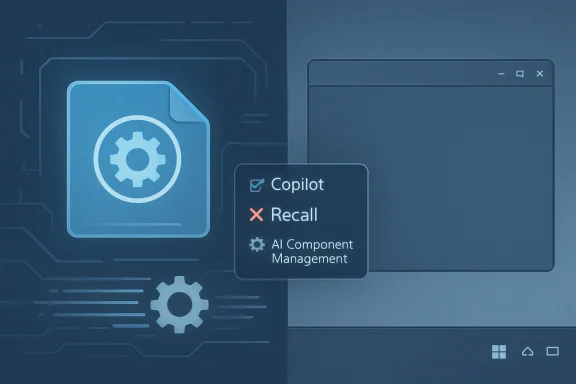
NTLite’s v2026.04.10936 release adds controls for removing Microsoft’s Copilot, Recall, and related Windows AI components from Windows 11 25H2 installation images before deployment, giving administrators and enthusiasts a cleaner operating system image rather than a post-installation cleanup script. The change is small in the way a bootloader flag is small: technically narrow, culturally loud. It turns Microsoft’s AI-first Windows strategy into something users can now treat as an optional payload at image-build time. That is the real story here, not merely that one utility gained another checkbox.
For the last two years, Microsoft has tried to frame Windows AI as ambient infrastructure: Copilot in the shell, Recall on Copilot+ PCs, AI actions in inbox apps, semantic search, image tools, writing helpers, and a growing number of cloud-connected prompts scattered through familiar surfaces. The company’s pitch is that this is the next natural layer of personal computing, no more exotic than Start menu search or notifications.
The response from a visible slice of the Windows community has been less romantic. For enthusiasts, privacy-conscious users, and administrators who prize predictability, Windows AI is not a feature layer so much as an expanding dependency graph. It adds services, packages, scheduled behaviors, policy questions, account prompts, storage use, and future update risk to machines that may never use it.
NTLite’s new release lands exactly in that tension. It does not argue with Microsoft in a blog post. It lets users rebuild Windows images so that the argument is decided before setup ever runs.
That distinction matters. Turning off a feature after installation is an administrative preference. Removing it from the installation image is a deployment philosophy.
The tool’s basic proposition is simple: load a Windows image, integrate updates and drivers, remove components, set defaults, and export a customized installation image. For home users, that can mean stripping out apps they never use. For IT pros, it can mean building repeatable install media that starts closer to the organization’s desired baseline.
The v2026.04.10936 update adds “AI Component Management” for Windows 11 25H2 cumulative-update-era images, according to NTLite’s own changelog and reporting around the release. In practical terms, that means the tool can target components associated with Microsoft’s newest AI push, including Copilot and Recall, while working at the image level rather than the live-system level.
That is more consequential than another debloat toggle. A live removal tool always has to negotiate with a running OS, user profiles, provisioned packages, protected components, and whatever Windows Update may decide to reinstall later. An offline image editor changes the starting state.
Microsoft may still decide what Windows is by default. NTLite is letting users decide what Windows is when it first boots.
That conviction is not irrational. Microsoft sees the operating system as the most valuable distribution surface it owns, and AI features need habit formation. If Copilot is always nearby, if Recall promises to make personal history searchable, if Paint and Notepad and File Explorer acquire generative affordances, Windows becomes a daily reminder that Microsoft’s AI stack is available.
But the same ubiquity that helps adoption also sharpens resistance. Windows users are used to Microsoft adding things they did not ask for. They are less patient when those things involve local activity history, cloud identities, subscription upsell, or assistant-style interfaces that appear inside workflows built over decades.
Recall in particular turned into a trust test. Even after Microsoft revised the feature’s security model, delayed its rollout, tied it to Copilot+ PC hardware, and made enrollment more explicit, the brand damage lingered. The original idea — a system that can remember what you saw and help you retrieve it — is powerful. The user reaction showed that power and comfort are not the same thing.
So when NTLite adds a way to remove these components from install media, it is not simply shrinking a Windows image. It is giving form to a sentiment: some users do not want a quieter Copilot. They want a Windows build that never had one.
The NTLite approach is different. It says that if a component is unwanted, unsupported by organizational policy, or seen as future risk, the cleanest option is not suppression but absence. That is why image-level customization has always appealed to a certain kind of Windows administrator: the less cruft that enters the machine, the less cruft must be explained, monitored, patched, or defended later.
There is an old-school quality to this. Before modern device management took over the conversation, a well-built Windows image was a point of pride. It contained the drivers you needed, the services you allowed, the applications you approved, and as little else as possible. It booted consistently because someone had decided, ahead of time, what belonged there.
Modern Windows complicates that model. Feature updates, cumulative updates, Store-delivered components, experience packs, and cloud-controlled rollouts blur the boundary between the OS image and the operating environment. A clean image is no longer the final word. It is the opening bid.
Still, opening bids matter. If NTLite can remove AI packages before first boot, it gives users a firmer baseline than chasing toggles after setup. For lab builders, privacy-first home users, kiosk deployments, offline systems, and test benches, that is valuable.
That sounds mundane only if you have never serviced a Windows image repeatedly. Anyone who has spent an afternoon mounting, modifying, committing, exporting, and testing install media knows that iteration time changes behavior. Slow tools encourage one-off hacks. Faster tools encourage disciplined rebuilds.
A custom image is rarely right the first time. Remove too much and setup fails, Windows Update complains, an app dependency breaks, or a hardware driver behaves strangely. Remove too little and the machine arrives with the exact unwanted behaviors the image was meant to avoid. The process rewards patience, but only if the toolchain does not punish every experiment.
Multi-threaded extraction makes NTLite less like a ritual and more like a workflow. That matters because image customization is entering a period where more people may try it, not fewer. As Microsoft moves more functionality into bundled OS experiences, the audience for “I want Windows, but not that Windows” grows.
But size is the least interesting dimension. The deeper appeal is control over what code is present, what features can activate later, what background tasks might appear, and what update servicing has to maintain. Even if an AI component is dormant, its presence invites questions administrators must answer.
Does it create new policy obligations? Does it surface in audit scans? Does it depend on account state? Does a future cumulative update re-enable part of it? Does it expose UI that confuses users or triggers help desk tickets? Does it require documentation for a feature the organization has not approved?
For a home enthusiast, those questions may sound overwrought. For an IT department, they are ordinary. Every visible feature creates a support surface. Every support surface has a cost.
That is why “debloat” is an imprecise word here. Some users really are chasing a lighter Windows for performance or aesthetics. Others are doing governance by subtraction. They are deciding that the safest way to manage certain features is to keep them out of the baseline.
Windows occupies a uniquely intimate role. It sees files, windows, input methods, accounts, notifications, devices, network state, and application history. When AI features enter that layer, the threshold for trust is higher than it is for a chatbot tab in a browser.
Microsoft has responded to criticism by adding controls, changing defaults, improving security posture, and publishing more administrative guidance. Those moves matter. They show the company understands that the first Recall rollout attempt damaged confidence.
But trust is cumulative and fragile. Users remember forced upgrades, Start menu ads, Edge prompts, account pressure during setup, shifting privacy settings, and consumer experiences that bleed into professional editions. Against that history, even well-secured AI features can feel like another wedge.
NTLite’s popularity in this context is a symptom of a trust deficit. People are not merely asking, “Can I turn this off?” They are asking, “Will it stay off?”
Enterprise IT should therefore view NTLite’s new AI-removal options with interest, not blind adoption. A custom image that works beautifully on a test laptop may fail under Autopilot, break line-of-business software, interfere with in-place upgrades, or complicate Microsoft support. The more aggressively an organization removes Windows components, the more it owns the resulting compatibility story.
That does not make the tool irrelevant to professionals. It makes testing non-negotiable. If a shop wants an AI-free Windows baseline, it should compare NTLite-made images against Microsoft-supported policy controls, document precisely what is removed, validate Windows Update behavior over time, and test the build across representative hardware and user roles.
The best use of a tool like NTLite is deliberate minimalism, not recreational surgery. Remove what you can justify. Leave what you cannot explain. Keep a path back to supported media when the next servicing surprise arrives.
Microsoft’s own tooling still has the advantage in environments where supportability is the dominant requirement. But NTLite has the advantage where the default Windows experience is considered the problem to be solved.
NTLite fits that culture perfectly. It does not ask users to abandon Windows for Linux, macOS, ChromeOS, or a thin-client future. It assumes Windows is still useful enough to preserve, but not sacred enough to accept unchanged.
That attitude has become more visible as Microsoft’s product priorities diverge from what many desktop traditionalists want. Microsoft wants a cloud-connected, account-bound, AI-augmented, services-friendly Windows. Many enthusiasts want a fast, local-first, quiet, durable operating system that runs applications and otherwise gets out of the way.
Those are not entirely incompatible visions. But Microsoft keeps adding features in ways that make users feel like the burden of refusal is on them. Every new prompt, bundled app, AI affordance, or background capability adds another small chore to the post-install ritual.
Image customization reverses the ritual. Instead of cleaning up after Microsoft, users prepare an installation that expresses their preferences from the start. That is why this release resonates. It makes refusal feel proactive.
That makes tools capable of removing AI features more politically significant. They are no longer reacting to a single controversial preview. They are responding to a platform direction.
The timing also matters because Windows 10’s mainstream consumer era has effectively ended, pushing more holdouts toward Windows 11 whether they like its design philosophy or not. A user who could avoid Windows 11 in 2022 by staying on Windows 10 has fewer comfortable options now. As the migration pressure increases, so does the desire to tame the destination.
For many users, the choice is not “Windows 11 with AI” versus “some perfect alternative.” It is Windows 11 with Microsoft’s defaults versus Windows 11 with local edits, policies, scripts, and customized install media. NTLite is one of the more polished expressions of the second path.
That path will not be mainstream. Most people will run the Windows that came on the machine. But Windows has always been shaped by its minority power users. They are the ones who find the edges first.
Microsoft’s challenge is that Windows is both a consumer product and institutional infrastructure. A Copilot button that looks harmless on a family laptop may be a governance concern on a regulated workstation. A Recall feature that delights one user may alarm another. A cloud prompt that helps a novice may irritate an administrator who spent years reducing account sprawl.
The company does not have to choose one audience entirely over the other. It can make AI features easy to install, easy to discover, and genuinely useful without making them feel like sediment in the OS. It can publish cleaner removal mechanisms, honor policies consistently, and stop treating every surface as an adoption funnel.
In that world, NTLite still has a place, but it becomes less of a protest tool. It becomes what it originally was: a way to build purpose-specific Windows images. The fact that AI removal is now a headline feature suggests Microsoft has not reached that equilibrium yet.
NTLite’s new release is a reminder that Windows is still contested territory: part Microsoft platform, part user workspace, part enterprise substrate, and part enthusiast project. Microsoft will keep building AI deeper into the operating system because that is where it believes the next computing interface will live. But if the company wants users to accept that future, it will need to make opting out feel less like a jailbreak and more like a respected configuration choice.
Source: Let's Data Science NTLite Removes Copilot and AI Features from Windows 11
 The AI Backlash Has Moved From Settings Pages to Install Media
For the last two years, Microsoft has tried to frame Windows AI as ambient infrastructure: Copilot in the shell, Recall on Copilot+ PCs, AI actions in inbox apps, semantic search, image tools, writing helpers, and a growing number of cloud-connected prompts scattered through familiar surfaces. The company’s pitch is that this is the next natural layer of personal computing, no more exotic than Start menu search or notifications.The response from a visible slice of the Windows community has been less romantic. For enthusiasts, privacy-conscious users, and administrators who prize predictability, Windows AI is not a feature layer so much as an expanding dependency graph. It adds services, packages, scheduled behaviors, policy questions, account prompts, storage use, and future update risk to machines that may never use it.
NTLite’s new release lands exactly in that tension. It does not argue with Microsoft in a blog post. It lets users rebuild Windows images so that the argument is decided before setup ever runs.
That distinction matters. Turning off a feature after installation is an administrative preference. Removing it from the installation image is a deployment philosophy.
NTLite Makes the Quiet Part of Windows Customization Explicit
NTLite has long occupied a peculiar place in the Windows ecosystem. It is not a pirate tool, not a theme pack, and not quite an enterprise deployment suite. It sits in the workshop between Microsoft’s official image servicing tools and the enthusiast’s instinct to make Windows behave like a product they purchased rather than a product they are renting by telemetry consent.The tool’s basic proposition is simple: load a Windows image, integrate updates and drivers, remove components, set defaults, and export a customized installation image. For home users, that can mean stripping out apps they never use. For IT pros, it can mean building repeatable install media that starts closer to the organization’s desired baseline.
The v2026.04.10936 update adds “AI Component Management” for Windows 11 25H2 cumulative-update-era images, according to NTLite’s own changelog and reporting around the release. In practical terms, that means the tool can target components associated with Microsoft’s newest AI push, including Copilot and Recall, while working at the image level rather than the live-system level.
That is more consequential than another debloat toggle. A live removal tool always has to negotiate with a running OS, user profiles, provisioned packages, protected components, and whatever Windows Update may decide to reinstall later. An offline image editor changes the starting state.
Microsoft may still decide what Windows is by default. NTLite is letting users decide what Windows is when it first boots.
Copilot and Recall Became Symbols Bigger Than Their Code
It would be easy to exaggerate the technical footprint of Copilot and Recall and miss the more important political footprint. Copilot is not merely an app icon, and Recall is not merely a snapshot index. They have become shorthand for Microsoft’s broader conviction that Windows should be a front end for AI-mediated computing.That conviction is not irrational. Microsoft sees the operating system as the most valuable distribution surface it owns, and AI features need habit formation. If Copilot is always nearby, if Recall promises to make personal history searchable, if Paint and Notepad and File Explorer acquire generative affordances, Windows becomes a daily reminder that Microsoft’s AI stack is available.
But the same ubiquity that helps adoption also sharpens resistance. Windows users are used to Microsoft adding things they did not ask for. They are less patient when those things involve local activity history, cloud identities, subscription upsell, or assistant-style interfaces that appear inside workflows built over decades.
Recall in particular turned into a trust test. Even after Microsoft revised the feature’s security model, delayed its rollout, tied it to Copilot+ PC hardware, and made enrollment more explicit, the brand damage lingered. The original idea — a system that can remember what you saw and help you retrieve it — is powerful. The user reaction showed that power and comfort are not the same thing.
So when NTLite adds a way to remove these components from install media, it is not simply shrinking a Windows image. It is giving form to a sentiment: some users do not want a quieter Copilot. They want a Windows build that never had one.
The Image Is the New Battleground
Microsoft’s official Windows management story is still policy-first. Use Group Policy, Settings Catalog, Intune, provisioning packages, PowerShell, Windows Update for Business, and configuration baselines. In a managed environment, that is the supported way to shape behavior without sawing off parts of the operating system.The NTLite approach is different. It says that if a component is unwanted, unsupported by organizational policy, or seen as future risk, the cleanest option is not suppression but absence. That is why image-level customization has always appealed to a certain kind of Windows administrator: the less cruft that enters the machine, the less cruft must be explained, monitored, patched, or defended later.
There is an old-school quality to this. Before modern device management took over the conversation, a well-built Windows image was a point of pride. It contained the drivers you needed, the services you allowed, the applications you approved, and as little else as possible. It booted consistently because someone had decided, ahead of time, what belonged there.
Modern Windows complicates that model. Feature updates, cumulative updates, Store-delivered components, experience packs, and cloud-controlled rollouts blur the boundary between the OS image and the operating environment. A clean image is no longer the final word. It is the opening bid.
Still, opening bids matter. If NTLite can remove AI packages before first boot, it gives users a firmer baseline than chasing toggles after setup. For lab builders, privacy-first home users, kiosk deployments, offline systems, and test benches, that is valuable.
Faster Extraction Is the Boring Feature That Makes the Flashy One Usable
The coverage of NTLite’s release understandably focused on Copilot and Recall removal, but the performance work may be the change users feel first. Reports note that the update adds faster, multi-threaded extraction, reducing the time needed to process and rebuild Windows installation images.That sounds mundane only if you have never serviced a Windows image repeatedly. Anyone who has spent an afternoon mounting, modifying, committing, exporting, and testing install media knows that iteration time changes behavior. Slow tools encourage one-off hacks. Faster tools encourage disciplined rebuilds.
A custom image is rarely right the first time. Remove too much and setup fails, Windows Update complains, an app dependency breaks, or a hardware driver behaves strangely. Remove too little and the machine arrives with the exact unwanted behaviors the image was meant to avoid. The process rewards patience, but only if the toolchain does not punish every experiment.
Multi-threaded extraction makes NTLite less like a ritual and more like a workflow. That matters because image customization is entering a period where more people may try it, not fewer. As Microsoft moves more functionality into bundled OS experiences, the audience for “I want Windows, but not that Windows” grows.
Smaller Images Are Nice; Smaller Attack Surfaces Are the Real Pitch
Both Ghacks and Windows Central report that removing AI components can shrink the resulting installation size. That is an easy benefit to understand: fewer packages, fewer files, less disk use, and potentially leaner install media. On systems with constrained storage, virtual machines, test images, or recovery environments, that can be genuinely useful.But size is the least interesting dimension. The deeper appeal is control over what code is present, what features can activate later, what background tasks might appear, and what update servicing has to maintain. Even if an AI component is dormant, its presence invites questions administrators must answer.
Does it create new policy obligations? Does it surface in audit scans? Does it depend on account state? Does a future cumulative update re-enable part of it? Does it expose UI that confuses users or triggers help desk tickets? Does it require documentation for a feature the organization has not approved?
For a home enthusiast, those questions may sound overwrought. For an IT department, they are ordinary. Every visible feature creates a support surface. Every support surface has a cost.
That is why “debloat” is an imprecise word here. Some users really are chasing a lighter Windows for performance or aesthetics. Others are doing governance by subtraction. They are deciding that the safest way to manage certain features is to keep them out of the baseline.
Microsoft’s AI Strategy Assumes Trust It Has Not Fully Earned
Microsoft’s problem is not that users reject AI categorically. Many Windows users are already using AI tools in browsers, editors, search engines, IDEs, and office suites. The backlash is more specific: people are wary of AI that appears inside the operating system with ambiguous boundaries and uneven consent signals.Windows occupies a uniquely intimate role. It sees files, windows, input methods, accounts, notifications, devices, network state, and application history. When AI features enter that layer, the threshold for trust is higher than it is for a chatbot tab in a browser.
Microsoft has responded to criticism by adding controls, changing defaults, improving security posture, and publishing more administrative guidance. Those moves matter. They show the company understands that the first Recall rollout attempt damaged confidence.
But trust is cumulative and fragile. Users remember forced upgrades, Start menu ads, Edge prompts, account pressure during setup, shifting privacy settings, and consumer experiences that bleed into professional editions. Against that history, even well-secured AI features can feel like another wedge.
NTLite’s popularity in this context is a symptom of a trust deficit. People are not merely asking, “Can I turn this off?” They are asking, “Will it stay off?”
The Enterprise Lesson Is Not to Start Hacking Production Images Tomorrow
There is a temptation, especially in enthusiast circles, to treat any successful component removal as proof that the component never mattered. That is a dangerous conclusion. Windows is a web of dependencies, and unsupported removals can create subtle failures that appear months later during updates, upgrades, app installs, or security remediation.Enterprise IT should therefore view NTLite’s new AI-removal options with interest, not blind adoption. A custom image that works beautifully on a test laptop may fail under Autopilot, break line-of-business software, interfere with in-place upgrades, or complicate Microsoft support. The more aggressively an organization removes Windows components, the more it owns the resulting compatibility story.
That does not make the tool irrelevant to professionals. It makes testing non-negotiable. If a shop wants an AI-free Windows baseline, it should compare NTLite-made images against Microsoft-supported policy controls, document precisely what is removed, validate Windows Update behavior over time, and test the build across representative hardware and user roles.
The best use of a tool like NTLite is deliberate minimalism, not recreational surgery. Remove what you can justify. Leave what you cannot explain. Keep a path back to supported media when the next servicing surprise arrives.
Microsoft’s own tooling still has the advantage in environments where supportability is the dominant requirement. But NTLite has the advantage where the default Windows experience is considered the problem to be solved.
Enthusiasts Are Rebuilding the Windows Contract One ISO at a Time
The Windows enthusiast community has always had a contradictory relationship with Microsoft. It loves the platform enough to dissect it, optimize it, theme it, script it, and complain about it with forensic intensity. The anger often comes from attachment, not indifference.NTLite fits that culture perfectly. It does not ask users to abandon Windows for Linux, macOS, ChromeOS, or a thin-client future. It assumes Windows is still useful enough to preserve, but not sacred enough to accept unchanged.
That attitude has become more visible as Microsoft’s product priorities diverge from what many desktop traditionalists want. Microsoft wants a cloud-connected, account-bound, AI-augmented, services-friendly Windows. Many enthusiasts want a fast, local-first, quiet, durable operating system that runs applications and otherwise gets out of the way.
Those are not entirely incompatible visions. But Microsoft keeps adding features in ways that make users feel like the burden of refusal is on them. Every new prompt, bundled app, AI affordance, or background capability adds another small chore to the post-install ritual.
Image customization reverses the ritual. Instead of cleaning up after Microsoft, users prepare an installation that expresses their preferences from the start. That is why this release resonates. It makes refusal feel proactive.
The 25H2 Timing Makes This More Than a Niche Utility Update
Windows 11 25H2 is important because it arrives after Microsoft has had time to absorb the first wave of AI backlash. This is no longer the surprise era of Recall. It is the normalization era, where AI components become part of the expected Windows feature set and Microsoft refines rather than retreats.That makes tools capable of removing AI features more politically significant. They are no longer reacting to a single controversial preview. They are responding to a platform direction.
The timing also matters because Windows 10’s mainstream consumer era has effectively ended, pushing more holdouts toward Windows 11 whether they like its design philosophy or not. A user who could avoid Windows 11 in 2022 by staying on Windows 10 has fewer comfortable options now. As the migration pressure increases, so does the desire to tame the destination.
For many users, the choice is not “Windows 11 with AI” versus “some perfect alternative.” It is Windows 11 with Microsoft’s defaults versus Windows 11 with local edits, policies, scripts, and customized install media. NTLite is one of the more polished expressions of the second path.
That path will not be mainstream. Most people will run the Windows that came on the machine. But Windows has always been shaped by its minority power users. They are the ones who find the edges first.
Microsoft Can Win the AI Desktop Without Forcing the Desktop to Submit
The existence of an AI-removal workflow should not be read as proof that Microsoft’s AI strategy is doomed. It may instead be a signal that the strategy needs sharper boundaries. Users tolerate ambitious features better when they can understand them, delay them, remove them, and trust that those choices will persist.Microsoft’s challenge is that Windows is both a consumer product and institutional infrastructure. A Copilot button that looks harmless on a family laptop may be a governance concern on a regulated workstation. A Recall feature that delights one user may alarm another. A cloud prompt that helps a novice may irritate an administrator who spent years reducing account sprawl.
The company does not have to choose one audience entirely over the other. It can make AI features easy to install, easy to discover, and genuinely useful without making them feel like sediment in the OS. It can publish cleaner removal mechanisms, honor policies consistently, and stop treating every surface as an adoption funnel.
In that world, NTLite still has a place, but it becomes less of a protest tool. It becomes what it originally was: a way to build purpose-specific Windows images. The fact that AI removal is now a headline feature suggests Microsoft has not reached that equilibrium yet.
The New Windows Minimalism Has a Very Specific Enemy
The practical lessons from this NTLite release are narrower than the debate around it, but they are still worth stating plainly. The tool is not magic, and an AI-free image is not automatically a better image. It is a choice with trade-offs.- NTLite v2026.04.10936 adds image-level controls for removing Windows AI components from Windows 11 25H2 installation media.
- The removal applies to new installations built from the modified image, not to already-running Windows systems.
- The update also improves image processing with faster, multi-threaded extraction, which should make rebuild-and-test cycles less painful.
- Removing AI components can reduce installation size, but the larger appeal is reducing unwanted features and future administrative surface area.
- Custom Windows images should be tested carefully because removing built-in components can affect servicing, compatibility, and supportability.
- Microsoft’s official management controls remain the safer default for many enterprises, while NTLite is better suited to controlled, deliberate image customization.
NTLite’s new release is a reminder that Windows is still contested territory: part Microsoft platform, part user workspace, part enterprise substrate, and part enthusiast project. Microsoft will keep building AI deeper into the operating system because that is where it believes the next computing interface will live. But if the company wants users to accept that future, it will need to make opting out feel less like a jailbreak and more like a respected configuration choice.
Source: Let's Data Science NTLite Removes Copilot and AI Features from Windows 11
