

NVIDIA’s blunt advice — uninstall the April 2021 Windows 10 update (KB5001330 / KB5000842) if you see lower gaming performance — put a spotlight on a recurring tension in the modern PC ecosystem: when a security or quality update destabilizes real‑world workloads, what do vendors tell users to do first — roll back the OS patch or adjust drivers and settings?
Windows 10 updates KB5000842 (a March 2021 non‑security preview) and KB5001330 (the April 2021 cumulative) were linked by users to widespread gaming troubles: sudden frame‑rate drops, stutters with V‑Sync enabled, inconsistent frame pacing in full‑screen and borderless modes, and, in a small number of cases, blue screens and boot problems. Reports surfaced across Reddit, forums and mainstream press within days of rollout. NVIDIA’s support staff pointed affected players at a blunt diagnostic: if your games are running worse since installing the update, try uninstalling KB5000842/KB5001330 and see whether performance returns to normal. That public guidance was short and practical — but carried an obvious caveat: one of those updates, KB5001330, contained security fixes; uninstalling it trades protection for performance. Microsoft responded by acknowledging the reports and using the platform’s newer Known Issue Rollback (KIR) mechanism to reverse the problematic change server‑side for affected devices — an approach that attempted to preserve the security work while removing the compatibility regression. The company’s public messaging described the symptom set, who appeared most likely to be affected (multi‑monitor setups, games in full‑screen/borderless modes), and recommended that users wait up to 24 hours or restart to receive the KIR fix.
Benefits of hotfixes:
Source: BetaNews [UPDATED] NVIDIA has a simple, possibly inadvisable, solution for poor game performance caused by problematic Windows 10 updates
 Background
Windows 10 updates KB5000842 (a March 2021 non‑security preview) and KB5001330 (the April 2021 cumulative) were linked by users to widespread gaming troubles: sudden frame‑rate drops, stutters with V‑Sync enabled, inconsistent frame pacing in full‑screen and borderless modes, and, in a small number of cases, blue screens and boot problems. Reports surfaced across Reddit, forums and mainstream press within days of rollout. NVIDIA’s support staff pointed affected players at a blunt diagnostic: if your games are running worse since installing the update, try uninstalling KB5000842/KB5001330 and see whether performance returns to normal. That public guidance was short and practical — but carried an obvious caveat: one of those updates, KB5001330, contained security fixes; uninstalling it trades protection for performance. Microsoft responded by acknowledging the reports and using the platform’s newer Known Issue Rollback (KIR) mechanism to reverse the problematic change server‑side for affected devices — an approach that attempted to preserve the security work while removing the compatibility regression. The company’s public messaging described the symptom set, who appeared most likely to be affected (multi‑monitor setups, games in full‑screen/borderless modes), and recommended that users wait up to 24 hours or restart to receive the KIR fix. What happened technically (what we know)
Symptoms reported by users
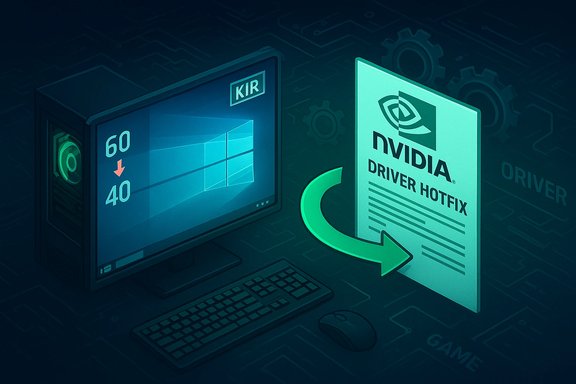
- Drop in sustained frame rates with V‑Sync enabled: systems that previously held steady 60 FPS reported sliding into the mid‑40s or worse.
- Micro‑stutter and worse 1% / 0.1% lows: some players observed jagged frametime graphs even where average FPS didn’t fall dramatically.
- Boot loops, failed installs and, in a minority of cases, blue screens — indicating that the update’s impact extended outside strictly rendering timing regressions.
Probable mechanics (plausible engineering explanation)
Microsoft’s cumulative touches low‑level OS code and system libraries; even small timing or surface‑presentation changes can change how a GPU driver and a game’s rendering pipeline interoperate. When those subtle assumptions break — for example, changes in the scheduler, desktop compositor, or presentation path semantics — the result can be lower GPU utilization, frame‑submission delays, or interrupted V‑Sync handling that shows up as stutters or lower averaged FPS. Public post‑mortems with line‑by‑line root cause analysis were not published at the time; the working hypothesis from vendor statements and independent benches was that a system‑level change introduced altered timing semantics that drivers (and games) did not expect.NVIDIA’s response: practical, fast — and controversial
NVIDIA’s suggested first step — uninstall the Windows update if you see degraded gaming performance — was pragmatic and simple. For an individual gamer with immediate playability needs, rolling back an update can be the quickest way to restore normal behavior. NVIDIA’s forum reply was explicit and short: “If you are seeing lower performance in games, check if rolling back Windows 10 Update KB5000842/KB5001330 solves the issue.”Why the guidance raised eyebrows
- Security vs. usability trade‑off: KB5001330 included security fixes. Removing it removes those protections. Advising rollback without an equally clear warning about risk pushed many security‑minded readers to criticize the recommendation.
- Incomplete root cause: NVIDIA’s post didn’t publish the exact internal mechanics or which hardware/drivers were in scope; it was a triage step rather than a technical explanation. That left enterprise admins and cautious users uncertain about whether a rollback was the right option for them.
- Broader ecosystem behavior: Uninstalling an update is easy for a single consumer, but it’s a blunt instrument for IT environments and for users who value being patched. Microsoft’s KIR mechanism exists precisely so vendors can roll back a problematic change without fully removing security fixes; the vendor‑level rollback is the safer long‑term response.
How Microsoft mitigated the issue
Microsoft’s public guidance confirmed the problem and announced a remediation using Known Issue Rollback (KIR), a tool administrators and Microsoft itself can use to selectively undo the problematic code paths from a shipped update while leaving security fixes intact. The fix was propagated server‑side and Microsoft advised that it could take up to 24 hours to automatically reach consumer devices, with restarting the device possibly accelerating the application. For managed environments, Microsoft provided Group Policy guidance to control or expedite rollbacks. KIR is an important tactical option because it avoids the binary choice many consumers faced: either live with degraded performance or remove all updates (including security patches). In this incident KIR let Microsoft reverse the specific regression while preserving the update’s security content.What users should have done — practical steps and safer alternatives
For players who noticed immediate degradation after installing KB5000842/KB5001330, a measured, reversible plan is best:- Confirm the symptom objectively. Record baseline metrics (average FPS, 1%/0.1% lows, frametime histograms) using tools like in‑game benchmarks, CapFrameX, RTSS/PresentMon or the GPU vendor overlay. This allows for reliable before/after comparisons.
- Try simple mitigations first:
- Disable overlays and background capture (Discord, Steam overlay, GeForce Experience, Rivatuner). Overlays often inject code or hooks that can magnify regressions.
- Test a clean driver installation (or a known‑good older driver) and reboot. Driver changes sometimes restore expected behavior without touching OS patches.
- If problems persist and you must play now, consider one of two reversible options: use Microsoft’s KIR rollout (wait up to 24 hours/restart, or ask your admin to apply the KIR), or perform a rollback locally for diagnostics — but only after backing up and understanding the security trade‑offs.
- Create system restore points and full image backups before uninstalling cumulative updates or applying experimental drivers. That preserves a safe rollback plan.
- When in doubt, report telemetry and logs to vendors. Structured diagnostic reports (DxDiag, event traces, frametime captures) help vendors prioritize fixes and understand which hardware/software combinations are affected.
Corporate and vendor lessons: why this matters for long‑term stability
This incident exposes recurring engineering and process friction points in the PC ecosystem:- Tight coupling of OS and drivers: Modern drivers make implicit assumptions about OS behavior. Changes at the OS level can ripple into third‑party drivers in ways that are time‑sensitive and hard to reproduce across the huge diversity of consumer configurations. The result is that a safe, well‑tested OS change in lab conditions can still produce field regressions at scale.
- Testing coverage limits: No single vendor can test every combination of GPU, game engine, anti‑cheat middleware, overlays, and multi‑monitor/unique hardware setups. Triaging therefore needs rapid cooperative channels between OS vendors, GPU vendors, publishers and middleware authors.
- Mitigation tools matter: The KIR mechanism is a mature example of shipping updates that are reversible at a fine granularity; it allows security fixes to remain while isolating compatibility regressions. Vendors should design more of their updates and deployment systems with similar surgical rollback capabilities.
Why vendor hotfixes are often the preferred pattern (and how NVIDIA has used them)
Rather than asking users to uninstall security updates, hardware vendors increasingly prefer to ship driver hotfixes or targeted driver revisions that restore previous behavior while keeping the OS fully patched. NVIDIA’s later pattern — shipping a narrowly scoped GeForce Hotfix driver to address Windows update‑related regressions — demonstrates this approach: a quick driver mitigation can often re‑align driver behavior with updated OS semantics without forcing consumers to remove security updates. That pattern was widely used in later incidents where OS updates caused performance regressions; vendor hotfixes are faster for users to adopt and preserve security posture when they work.Benefits of hotfixes:
- Restores playability without removing security patches.
- Can be deployed quickly through vendor channels.
- Hotfix drivers undergo an abbreviated QA matrix, so they carry a small risk of side effects on rare configurations. Vendors typically advise pilot testing or waiting for the next full WHQL/Game Ready release if you’re not affected.
Risk analysis: when uninstalling a security update is justified — and when it isn’t
Uninstalling a security update should generally be a last resort. The security fixes exist to close vulnerabilities that can be exploited remotely or locally to compromise integrity, confidentiality or availability. However, there are narrow scenarios where an immediate rollback may make operational sense:- The update breaks mission‑critical workloads and no safe mitigations exist, and the system cannot afford the downtime or degraded behavior.
- The user understands the exposure, has a temporary compensating control (air‑gapped system, restricted network), and applies a rollback only as a stopgap while waiting for vendor patches.
- Use vendor hotfix drivers where available, and
- Rely on Microsoft’s KIR or managed controls for enterprises rather than locally uninstalling a cumulative security update.
Concrete checklist: recover from KB5001330 / KB5000842 regression (safe order of operations)
- Step 1: Confirm the problem with reproducible benchmarks and collect logs (DxDiag, PresentMon output, Event Viewer).
- Step 2: Reboot and ensure Windows Update has had time to propagate any KIR server‑side rollbacks (24 hours), or manually check Microsoft’s Release Health notes for KIR status.
- Step 3: Try disabling overlays/recording software and re‑test.
- Step 4: Install the latest official driver or a vendor‑issued hotfix (preferred over rolling back the OS). Use Clean Install where available and create a restore point first.
- Step 5: If none of the above works and you must play now: back up, then remove the specific update as a temporary diagnostic step. Re‑apply security fixes as soon as a vendor mitigation is available.
Final analysis and takeaway
NVIDIA’s initial advice — roll back KB5000842/KB5001330 if you see degraded gaming performance — was effective as triage and reflected a user‑first impulse: get players back to an acceptable experience as quickly as possible. But it also exposed the messy interplay between security, usability, and operational risk when the only immediate local cure is to remove a cumulative patch that contains security content. The right pattern for the industry is a layered response: quick driver mitigations or hotfixes from GPU vendors, and surgical KIR rollbacks from OS vendors so the security benefits of an update are preserved while compatibility regressions are removed. That combination both minimizes the user pain and protects the machine against real security risks. Observers and sysadmins should treat immediate rollbacks as a last resort, favor vendor hotfixes where possible, and deploy test/staging practices that prevent a single bad update from affecting large fleets in production. This episode remains an instructive case study in modern software supply‑chain complexity: even well‑intentioned and necessary updates can ripple into dependent stacks, and the fastest route back to performance is not always the safest route for system security. The pragmatic middle path—vendor hotfixes combined with KIR—gives users and administrators the best balance of speed and protection when things go wrong.Source: BetaNews [UPDATED] NVIDIA has a simple, possibly inadvisable, solution for poor game performance caused by problematic Windows 10 updates
