

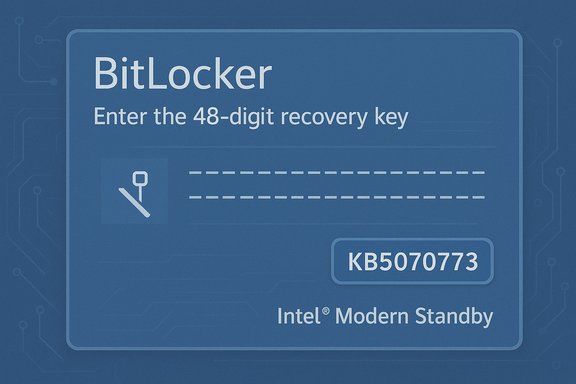
Microsoft has confirmed that a subset of October 2025 security updates can unexpectedly push some Windows PCs into the BitLocker recovery screen, forcing administrators and home users to supply a 48‑digit recovery key before the system will continue booting — a failure that disproportionately affected Intel-based devices that implement Modern Standby and exposed fragility in how pre‑boot recovery tooling is serviced and rolled out.
Modern Windows devices rely on a layered servicing model: security fixes, cumulative updates (LCUs), and servicing stack updates (SSUs) are packaged and shipped on a monthly cadence. When updates touch the Safe OS (the compact environment used for recovery — commonly embodied as winre.wim), they change the minimal driver and runtime surface that WinRE depends on. That minimalism makes WinRE reliable in normal times, but it also makes WinRE brittle when a servicing package inadvertently alters the driver set or runtime expectations.
BitLocker, Microsoft’s full‑disk encryption, is designed to trigger recovery when it detects a change to the boot measurements, TPM state, or pre‑boot environment. Recovery triggers are essential security checks, but they depend on continuity in the pre‑boot stack. If an update changes that stack in subtle ways, BitLocker can interpret the change as a security event and require a recovery key. The October incident shows how a servicing regression can turn an intentional protective behavior into an operational blocker.
Similarly, the higher incidence on Intel Modern Standby platforms is well reported by vendors and communities, but the exact mechanical linkage between Modern Standby power state transitions and BitLocker’s recovery triggers was not documented in vendor engineering detail at the time of the fix. That nuance matters — assume correlation has higher confidence than a precise causal chain until more forensic disclosure is published.
Microsoft’s operational response — public acknowledgements, Release Health advisories, KIR for managed environments, and a rapid out‑of‑band cumulative update (KB5070773) — was the correct and necessary sequence to limit damage. At the same time, the incident highlights persistent gaps in test coverage and rollback tooling for pre‑boot components. Organizations and users can reduce exposure by validating BitLocker recovery key escrow, maintaining external recovery media, preserving golden winre.wim images, and adding WinRE validation to update acceptance criteria.
The immediate operational imperative is clear: ensure affected devices have KB5070773 or later updates installed; verify BitLocker keys are accessible; and test WinRE on representative hardware. Beyond that, the episode should prompt both vendor and customer changes that treat recovery tooling as frontline infrastructure rather than an afterthought.
Microsoft’s advisory and the subsequent emergency update restored WinRE USB functionality for the majority of affected machines, but the incident remains a compelling reminder: security and recoverability are inseparable operational responsibilities — plan, pilot, and preserve recovery paths before the next servicing wave rolls out.
Source: Windows Report Microsoft Confirms New BitLocker Recovery Issue Windows 10 & 11 Post October 2025 Patch
 Background
Modern Windows devices rely on a layered servicing model: security fixes, cumulative updates (LCUs), and servicing stack updates (SSUs) are packaged and shipped on a monthly cadence. When updates touch the Safe OS (the compact environment used for recovery — commonly embodied as winre.wim), they change the minimal driver and runtime surface that WinRE depends on. That minimalism makes WinRE reliable in normal times, but it also makes WinRE brittle when a servicing package inadvertently alters the driver set or runtime expectations.BitLocker, Microsoft’s full‑disk encryption, is designed to trigger recovery when it detects a change to the boot measurements, TPM state, or pre‑boot environment. Recovery triggers are essential security checks, but they depend on continuity in the pre‑boot stack. If an update changes that stack in subtle ways, BitLocker can interpret the change as a security event and require a recovery key. The October incident shows how a servicing regression can turn an intentional protective behavior into an operational blocker.
What happened — concise timeline
- October 14, 2025 — Microsoft shipped its October cumulative security updates (the originating KBs associated with the wave included KB5066835 for Windows 11 builds distributed that month).
- Mid‑October 2025 — Field telemetry and community reports surfaced cases where affected machines either booted straight into BitLocker recovery or showed WinRE with dead USB input, preventing normal recovery actions. The failures were reported across multiple OEMs and hardware models but were concentrated on Intel platforms that implement Modern Standby.
- October 17–20, 2025 — Microsoft acknowledged problems on its Release Health pages and began rolling mitigations. Where WinRE input was dead, Microsoft released an out‑of‑band cumulative update, KB5070773, on October 20 that included a WinRE USB fix and broader Safe OS corrections. Known Issue Rollback (KIR) options and OOB fixes were made available for managed environments and broader audiences.
Scope and affected platforms
- Affected Windows channels: Microsoft’s advisory and follow‑up updates listed Windows 11 versions 24H2 and 25H2 as primary targets, with some server SKUs (Windows Server 2025) sharing the same servicing chain also impacted. Some reports extended to Windows 10 22H2 in particular servicing paths.
- Hardware trends: Field reporting and vendor advisories singled out Intel‑based systems that support Modern Standby (Connected Standby / S0) as having a higher incidence rate. The vendor messaging was deliberately high‑level and stopped short of a detailed engineering root cause linking Modern Standby semantics to the BitLocker trigger; community analyses suggest plausible interactions but flag the precise chain as not fully verified.
- Symptom variability: Two related but distinct symptoms were widely reported: (a) systems booting directly into BitLocker recovery and demanding the 48‑digit key; and (b) WinRE being non‑interactive because USB keyboards and mice did not function inside the recovery environment even though they worked normally in the full desktop. The latter symptom was explicitly addressed by KB5070773.
Technical anatomy — why pre‑boot servicing is high risk
WinRE runs a Safe OS image with a deliberately reduced driver set. That design reduces complexity and failure surface when attempting recovery from an unbootable system, but it also means Safe OS relies on a narrower matrix of drivers and firmware compatibility. When servicing replaces or refreshes winre.wim or related Safe OS artefacts, the following failure modes can appear:- Missing or mismatched USB host controller drivers inside WinRE can prevent the OS from enumerating standard HID devices inside the compact environment even though the same devices function under the full Windows runtime. Community testing that restored a known‑good winre.wim often returned WinRE input, implicating driver set mismatches as a proximate cause.
- Combined packaging (SSU + LCU bundled paths) accelerates deployment but complicates rollback semantics. When pre‑boot components are altered by such a package, administrators can't always simply "uninstall the KB" to return to a prior, working Safe OS image. That reduces operational options during an incident.
- Modern Standby platforms implement different suspend/resume sequences and may handle persistent boot‑state changes differently; if a servicing path interacts with those sequences in an unexpected way, BitLocker may interpret an update path as a change in platform measurements and require recovery. Microsoft’s public comments were high‑level; a precise file‑level or driver‑level chain of failure was not published at the time of the remedial KB, so specific attributions remain provisional. Treat any narrow, file‑level claims as investigative inferences unless Microsoft or an OEM publishes a formal root‑cause.
Official response and remediation
Microsoft used a multi‑track remediation strategy:- Known Issue Rollback (KIR): For managed environments, Microsoft made KIR options and guidance available so administrators could neutralize the problematic change without fully uninstalling security fixes. This is an enterprise‑grade mitigation for fleets where rapid rollback is needed.
- Out‑of‑band cumulative update (KB5070773): Published October 20, 2025, this OOB cumulative contains targeted repairs to the Safe OS/WinRE image and re‑packages the October security fixes alongside those repairs. Microsoft’s KB entries explicitly list the WinRE USB regression as fixed by KB5070773. Administrators and consumers were urged to install the OOB update and verify WinRE behavior in pilot groups before broad deployment.
- Operational guidance: Microsoft’s Release Health pages and public advisories recommended installing the latest updates (including the OOB package), restarting devices, and for enterprises to contact Microsoft support for KIR or tailored OTA remediation options. Where devices could not boot, Microsoft documented workarounds (touchscreen input, PS/2 keyboards, booting from precreated recovery media, or PXE/WinPE recovery flows) to regain access.
Practical impact — what this means for users and IT
For home users and small businesses- If the PC boots into BitLocker recovery and the 48‑digit key is not accessible, data on the encrypted volume remains inaccessible. Users should verify and retrieve their BitLocker recovery keys now (Microsoft account for consumer devices, or organization’s Azure AD/Entra/AD for managed devices). HP, Dell, Microsoft community posts, and OEM guidance reiterate the importance of safe key escrow.
- If WinRE input is dead and the device won’t install the OOB fix, possible workarounds include using touchscreen input if available, plugging in a PS/2 keyboard/mouse if the system supports it, or booting from precreated recovery media (WinPE / Windows installer USB) prepared on another machine.
- Inventory and prioritize devices that installed the October 14, 2025 updates (KB5066835 / KB5066791). Classify endpoints by Modern Standby support, input topology (USB‑only vs. PS/2), and recovery‑critical roles.
- Escrow and validate BitLocker keys for all endpoints: Confirm keys stored in Microsoft accounts for consumer devices, and verify keys are recoverable from Azure AD/Entra ID or on‑prem AD for domain‑joined assets. Intune and other MDMs should be checked for correct key escrow.
- Deploy KB5070773 in a staged pilot and validate WinRE behavior (use reagentc /info to confirm WinRE location and status, and test Advanced Startup flows using shutdown /r /o). Preserve validated golden winre.wim images per hardware baseline so that imagery can be restored quickly if required.
- Verify which devices applied KB5066835/K5066791.
- Escrow and confirm BitLocker recovery keys for all affected devices.
- Stage and deploy KB5070773 to pilot devices representing diverse OEMs and driver matrices.
- After applying KB5070773, validate WinRE USB input and BitLocker behavior on each hardware baseline.
- Update imaging pipelines to include a validated winre.wim and add reagentc checks to automated runbooks.
Why this incident matters — risk analysis
Strengths of Microsoft’s response- Rapid triage and remediation: Microsoft publicly acknowledged the problem, documented workarounds, issued a Release Health advisory, and shipped an out‑of‑band cumulative update within days. The vendor leveraged KIR for managed customers, an appropriate multi‑track approach for high‑impact regressions.
- WinRE fragility: The event underscores how pre‑boot images are a critical part of system recoverability yet are often treated as secondary in testing matrices. When packaging decisions change Safe OS images, a small driver set omission can make the primary recovery path unusable.
- Rollback friction: Combined SSU+LCU packaging and limited uninstallation semantics for Safe OS changes complicate administrator options — sometimes the path of least resistance is an emergency OOB patch rather than a clean uninstall and rollback.
- Transparency gap: Microsoft did not publish a line‑by‑line engineering post‑mortem at the time of the fix. That leaves precise root‑cause attributions (driver file names, winre.wim diffs, or firmware behavior) in the realm of informed community forensics rather than vendor‑verified explanation. Readers should treat file‑level claims as provisional until Microsoft or OEMs publish formal analyses.
Step‑by‑step remediation guide (concise)
- Confirm affected updates: Identify endpoints that installed KB5066835 / KB5066791 (October 14, 2025 cumulative).
- Retrieve recovery keys: For consumer devices, check account.microsoft.com/devices/recoverykey; for managed devices, validate keys in Azure AD / Entra ID or on‑prem AD.
- Apply KB5070773: Install the October 20, 2025 out‑of‑band update via Windows Update, WSUS, or the Microsoft Update Catalog. If devices cannot boot, use precreated recovery media or PS/2/touch input workarounds to recover and install updates.
- Validate WinRE: After installing the OOB patch, reboot into Advanced Startup and confirm keyboard/mouse functionality inside WinRE. Use reagentc /info to confirm WinRE is enabled and points to a validated winre.wim.
- Update imaging assets: Replace golden images with updated winre.wim artifacts and add automated checks to deployment pipelines to prevent regression reintroduction.
Lessons learned and long‑term mitigations
- Treat WinRE and Safe OS updates as first‑class citizens in testing: Include recovery flows, USB/HID enumeration, and Modern Standby resume scenarios in pilot rings.
- Preserve golden recovery artefacts: Keep hardware‑specific copies of winre.wim and validate them periodically. These are the fastest rollback artifacts when Safe OS injections misbehave.
- Strengthen key escrow practices: Mandate verification that BitLocker recovery keys are escrowed in enterprise directories or user Microsoft accounts during onboarding. Audit and report missing keys.
- Improve rollback tools and transparency: Vendors and platform maintainers should provide clearer rollback semantics for pre‑boot component changes and publish detailed post‑mortems to restore trust and guide test coverage improvements.
Caveats and unverifiable claims
A number of community analyses have pointed to specific driver files (for example, USBHUB3.SYS or related USB host drivers) as proximate culprits. While these community forensics are useful investigative pointers, they remain unverified until Microsoft or affected OEMs publish a formal engineering root‑cause. Readers and administrators should treat such file‑level attributions as provisional and avoid operational changes predicated solely on community speculation.Similarly, the higher incidence on Intel Modern Standby platforms is well reported by vendors and communities, but the exact mechanical linkage between Modern Standby power state transitions and BitLocker’s recovery triggers was not documented in vendor engineering detail at the time of the fix. That nuance matters — assume correlation has higher confidence than a precise causal chain until more forensic disclosure is published.
Final analysis — balancing security and recoverability
Security updates are non‑negotiable; they protect running systems from active threats and should be deployed. But platform maintenance must not sacrifice the ability to recover devices when things go wrong. The October 2025 servicing incident is a practical illustration of that tradeoff: an update that improves security inadvertently impaired recovery tooling on a meaningful number of systems, elevating business‑continuity risk.Microsoft’s operational response — public acknowledgements, Release Health advisories, KIR for managed environments, and a rapid out‑of‑band cumulative update (KB5070773) — was the correct and necessary sequence to limit damage. At the same time, the incident highlights persistent gaps in test coverage and rollback tooling for pre‑boot components. Organizations and users can reduce exposure by validating BitLocker recovery key escrow, maintaining external recovery media, preserving golden winre.wim images, and adding WinRE validation to update acceptance criteria.
The immediate operational imperative is clear: ensure affected devices have KB5070773 or later updates installed; verify BitLocker keys are accessible; and test WinRE on representative hardware. Beyond that, the episode should prompt both vendor and customer changes that treat recovery tooling as frontline infrastructure rather than an afterthought.
Microsoft’s advisory and the subsequent emergency update restored WinRE USB functionality for the majority of affected machines, but the incident remains a compelling reminder: security and recoverability are inseparable operational responsibilities — plan, pilot, and preserve recovery paths before the next servicing wave rolls out.
Source: Windows Report Microsoft Confirms New BitLocker Recovery Issue Windows 10 & 11 Post October 2025 Patch
