

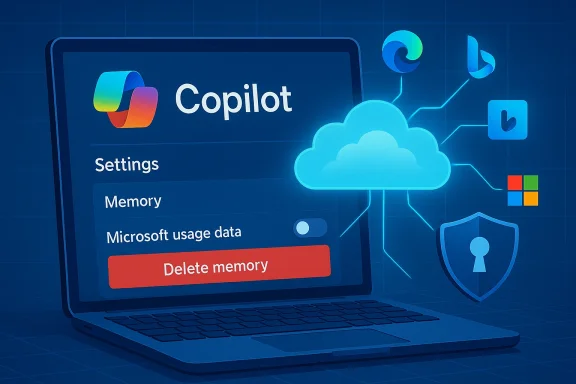
Microsoft’s Copilot is now quietly drawing on your activity across other Microsoft services — Edge, Bing, MSN and more — to “seed” its memory and personalize conversations, and that collection is controlled by a new, buried toggle you should know how to find and turn off. ([windowslatest.com]test.com/2026/02/19/copilot-quietly-pulls-your-data-from-other-microsoft-products-including-edge-and-msn-but-you-can-opt-out/)
Microsoft built Copilot to be more than a one‑off chat window: the assistant uses memory and personalization to remember preferences, facts you’ve explicitly shared, and contextual signals so subsequent conversations feel coherent and tailored. That memory feature has long been configurable, but recent hands‑on reporting and product checks found a new setting — commonly presented as “Microsoft usage data” — under Copilot’s Memory or Personalization controls that lets Copilot reference usage signals from other Microsoft properties such as Edge, Bing and MSN. Multiple outlets doing independent checks reported the control and found it enabled by default for many accounts.
Why this matters: assistants that stitch together signals from search, browsing and other products can dramatically reduce friction — remembering your preferred coding language, the way you like output formatted, or topics you return to — but that same cross‑product stitching raises real privacy, compliance and security questions when it happens without a clearly visible, affirmative choice.
Reality check: vendor claims about "not used for model training" are important assurances, especially for enterprise customers, but they are also assertions you should verify contractually. For regulated environments, legal and privacy teams should request written DPA language, segregation attestations, and evidence that training pipelines are isolated from personalization telemetry. Several community and industry writeups urge precisely this: treat product documentation as the starting point and ask for contractual controls and audit evidence where it matters.
Separately, the Gaming Copilot rollout triggered community backlash when hands‑on testers and packet captures showed the assistant could take screenshots, run OCR, and — depending on training toggles — send captures back to Microsoft for model improvements. That case shows how a focused use case (game help and HUD analysis) exposes the same capture → telemetry → training choices found in the broader Copilot memory story. For gamers, streamers and regulated environments the immediate guidance is identical: check capture, training and personalization toggles before streaming or running Copilot in public sessions.
Short‑term, do these three things:
Conclusion: Copilot’s cross‑product memory can make the assistant noticeably smarter, but that intelligence comes from stitching your signals together. You don’t have to accept that trade‑off by default — find the Memory settings in Copilot, flip off Microsoft usage data, and delete stored memories if you want to retain privacy without sacrificing access to the assistant entirely.
Source: ZDNET Copilot quietly grabs your data from other Microsoft products now - here's how to opt out
 Background / Overview
Microsoft built Copilot to be more than a one‑off chat window: the assistant uses memory and personalization to remember preferences, facts you’ve explicitly shared, and contextual signals so subsequent conversations feel coherent and tailored. That memory feature has long been configurable, but recent hands‑on reporting and product checks found a new setting — commonly presented as “Microsoft usage data” — under Copilot’s Memory or Personalization controls that lets Copilot reference usage signals from other Microsoft properties such as Edge, Bing and MSN. Multiple outlets doing independent checks reported the control and found it enabled by default for many accounts.Why this matters: assistants that stitch together signals from search, browsing and other products can dramatically reduce friction — remembering your preferred coding language, the way you like output formatted, or topics you return to — but that same cross‑product stitching raises real privacy, compliance and security questions when it happens without a clearly visible, affirmative choice.
What changed — a practical summary
- A new toggle labelled along the lines of “Microsoft usage data” appears inside Copilot’s Settings → Memory (or Manage personalization and memory) and says something like “Let Copilot use data from Bing, MSN, Edge, and other Microsoft products you’ve used.” Reporters found the toggle in the Copilot web UI, Edge Copilot settings, and mobile clients.
- The toggle is reported to be on by default for many users. That default‑on state means a large number of users who never inspect deep privacy menus may already have product usage signals seeding their Copilot memory.
- Disabling the toggle stops future product usage signals from being used to personalize Copilot, but turning it off does not always erase what Copilot already learned — for that you must also use the Delete all memory or equivalent control. In other words, opt‑out is typically a two‑step process: stop new ingestion, then purge existing memory if you want a clean slate.
How Copilot’s memory and cross‑product signals work (what’s public)
Memory basics
Copilot’s memory aims to reduce repetition and make conversations contextual over time. The memory surface includes:- Facts you’ve explicitly shared (for example, “I prefer concise bullets”).
- Conversation history and relevant context pulled from past chats.
- Inferred signals that Copilot derives from your behavior and usage across products when the Microsoft usage data toggle is enabled.
Sources named in the UI
The product wording shown to reporters explicitly calls out: Bing, MSN, Edge and “other Microsoft products you’ve used.” That phrasing is explicit on the surface but deliberately broad underneath — reporters and community analysts have noted there is no published, field‑level telemetry catalog that maps the exact items Copilot will draw from (for example: search query text, clicked URLs, Edge history titles, timestamps, or aggregated topic signals). That lack of a granular public mapping is a transparency shortfall.What Microsoft says (and the limits of those assurances)
Microsoft’s public position — reiterated in reporting — draws a distinction between personalization/service delivery and model training. The company states that conversation content, Graph‑accessed data and tenant data are not used to train public/foundation models, and provides controls to opt out of model training for text and voice where applicable. At the same time, Microsoft retains diagnostic and telemetry signals for service quality, troubleshooting and product improvement under its privacy rules.Reality check: vendor claims about "not used for model training" are important assurances, especially for enterprise customers, but they are also assertions you should verify contractually. For regulated environments, legal and privacy teams should request written DPA language, segregation attestations, and evidence that training pipelines are isolated from personalization telemetry. Several community and industry writeups urge precisely this: treat product documentation as the starting point and ask for contractual controls and audit evidence where it matters.
Step‑by‑step: how to opt out (consumer and edge clients)
If you prefer Copilot not to draw on your activity across Microsoft services, follow these steps. Exact wording and menu placement vary slightly by client, but the logic is consistent.- Open Copilot in your browser at copilot.microsoft.com (or open the Copilot app on Windows or the Copilot panel in Edge). Sign in with your Microsoft account if you aren’t already.
- Click your account avatar (bottom of the left pane on web or the hamburger/profile menu on mobile), then choose Settings → Memory (or Manage personalization and memory in Edge).
- Under Personalization and memory, toggle Microsoft usage data to Off to stop Copilot ingesting future signals from Bing, MSN, Edge and other Microsoft products.
- If you want to stop Copilot from saving new memories entirely, toggle Personalization and memory to Off. Note: turning off personalization will reduce Copilot’s ability to remember preferences and context across sessions.
- To remove previously collected memories, select Delete all memory (or Delete memory) and confirm. If you prefer surgical removal, choose Edit next to Facts you've shared and delete individual items. Turning the Microsoft usage data toggle off alone does not erase what has already been stored.
Why this isn’t just a cosmetic toggle — risks and tradeoffs
Turning personalization on is valuable: personalized assistants reduce repetition, surface relevant shortcuts, and can speed routine tasks. But the new cross‑product ingestion raises several categories of risk and governance friction:1) Default‑on consent friction
Research into privacy UX shows that defaults matter. A default‑on toggle buried under Memory or Privacy pushes responsibility onto the user to find and opt out, and many users never do. That pattern materially increases the number of people whose cross‑product usage signals are included without a recent, explicinews checks found the Microsoft usage data toggle on by default.2) Ambiguity about what “usage data” includes
“Microsoft usage data” is a broad bucket. Does it include full search queries? Clicked URLs? Edge browsing history titles? Aggregated topic signals? The public UI lists product names but does not publish a field‑level telemetry map. That opacity complicates privacy assessments, DPIAs (Data Protection Impact Assessments) and regulator inquiries.3) Sensitive categories and connectors
Reporting and product experiments suggest Copilot may be tested with health app integrations and other more sensitive connectors. If product usage sharing surfaces health, finance, or medical signals — even in inferred form — the legal and ethical stakes change dramatically. Those integrations should default to explicit opt‑in and must be accompanied by clear retention and access rules.4) Enterprise discoverability and compliance paradox
For tenant‑managed accounts, Copilot memory items may be stored in tenant resources (for instance, hidden mailbox items accessible via eDiscovery). That design supports compliance and administrator oversight but also means that memories users assume are “private” are discoverable by IT and legal teams, creating a mismatch between user expectations and enterprise reality. Organizations must update policies and communications to reflect this.5) Security and attack surface
Any assistant that can recall account context and accept prefilled prompts or deep links becomes a potential exfiltration vector. Researchers have shown that small convenience features can be chained into practical dates against authenticated assistant sessions; these incidents highlight how memory + deep‑linking + product context can be exploited. Treat personalization plus web deep‑links as a nontrivial attack surface and harden session protections accordingly.Case study: practical security incident patterns
Security researchers have demonstrated how UX conveniences can be weaponized. One proof‑of‑concept exploit showed how a prefilled prompt in a URL could be used to coax Copilot to leak profile details, file summaries and conversational memory from authenticated sessions — an exploitation chain given the lab name “Reprompt.” Microsoft and vendors moved quickly to mitigate the specific vector, but the episode underscores the systemic trade‑offs when assistants are allowed to accept external, prefilled inputs while also holding persistent memory. This is not theoretical; it has happened in the wild and should inform governance choices.Separately, the Gaming Copilot rollout triggered community backlash when hands‑on testers and packet captures showed the assistant could take screenshots, run OCR, and — depending on training toggles — send captures back to Microsoft for model improvements. That case shows how a focused use case (game help and HUD analysis) exposes the same capture → telemetry → training choices found in the broader Copilot memory story. For gamers, streamers and regulated environments the immediate guidance is identical: check capture, training and personalization toggles before streaming or running Copilot in public sessions.
Recommendations — for individual users, streamers, and IT teams
For individual users (quick privacy triage)
- Turn off Microsoft usage data if you don’t want cross‑product signals used.
- After turning the toggle off, use Delete all memory to remove previously collected facts and inferred signals if you want a clean slate.
- Verify the Model training toggles (text and voice) if you don’t want conversations used to improve Microsoft models; turn them off where offered.
- Avoid pasting or revealing sensitive personal data into Copilot chats regardless of settings — product controls reduce but don’t eliminate risk.
For streamers, content creators, and gamers
- Check Game Bar / Gaming Copilot privacy controls before streaming. Disable automated screenshot or OCR capture and turn off model training toggles to reduce the chance private overlays or chats are captured and sent.
For IT, security and privacy teams (enterprise)
- Decide a firm organizational posture: allow personalization, allow with constraints, or disable enhanced personalization tenant‑wide. Microsoft exposes tenant controls to block enhanced personalization for users; consider that for regulated or high‑risk environments.
- Map Copilot memory items into your existing data governance model: identify where memory is stored, update retention labels if needed, and ensure eDiscovery coverage includes memory items.
- Require contractual assurances: for regulated data, insist on DPA language, training‑pipeline segregation evidence, and audit logs showing opt‑outs were honored. Vendor statements are a start; contractual evidence is the baseline for compliance.
- Update acceptable use and training: inform employees that Copilot memory may be discoverable by admins and provide concrete steps on disabling personalization and deleting memory.
Strengths and the product case for personalization
It’s important to be balanced. Copilot’s memory and cross‑product signals can produce real user benefits:- Faster workflows: fewer repeated explanations; the assistant remembers context across tasks.
- Better relevance: Copilot can bias format and recommendations to match a user’s habits or prior instructions.
- Productivity boosts: users who rely on Copilot for repeated tasks (drafting emails, summarizing projects) see smoother interactions.
What we still don’t know (and what to watch)
- Exact telemetry schema: Microsoft names product sources but does not publish a field‑level list mapping precisely which telemetry attributes are included under “Microsoft usage data.” That lack of granularity complicates DPIAs and regulator reviews. Treat claims about scope as partially unverifiable until Microsoft publishes field‑level documentation.
- Windows signals: reporting explicitly listed Edge, Bing and MSN; whether other Windows OS telemetry is included was unclear in public reporting. If you rely on Windows‑level privacy isolation, don’t assume Windows itself is excluded until Microsoft documents the scope explicitly.
- Regional differences and contractual carve‑outs: Microsoft has historically applied different defaults in the European Economic Area and enterprise tenants. Expect differences by account type and region; verify per tenant.
Final assessment — a practical, risk‑aware stance
Microsoft’s new cross‑product memory toggle is an important inflection point in the Copilot experience: it promises convenience and continuity, but it also amplifies the usual assistant trade‑offs — convenience versus privacy and governance. The product already provides the required controls (toggles, memory deletion and training opt‑outs), and those are the correct building blocks. The problem today is more about discoverability, defaults and telemetry transparency than about raw capability.Short‑term, do these three things:
- Inspect your Copilot settings now: turn off Microsoft usage data if you’re uncomfortable, and then delete memory if you want nothing retained.
- For work accounts, coordinate with IT to confirm tenant posture and, where necessary, apply tenant‑wide controls or policy guidance.
- For high‑risk scenarios (health, finance, legal), avoid linking sensitive apps or data until Microsoft publishes more granular telemetry documentation and you secure contractual assurances.
Conclusion: Copilot’s cross‑product memory can make the assistant noticeably smarter, but that intelligence comes from stitching your signals together. You don’t have to accept that trade‑off by default — find the Memory settings in Copilot, flip off Microsoft usage data, and delete stored memories if you want to retain privacy without sacrificing access to the assistant entirely.
Source: ZDNET Copilot quietly grabs your data from other Microsoft products now - here's how to opt out
