

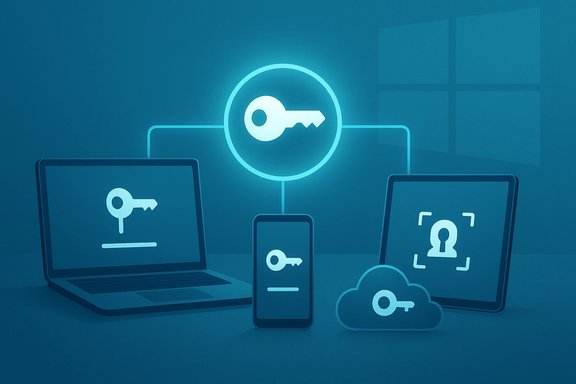
Microsoft’s Passkeys FAQ leaves no ambiguity: passkeys are designed to replace passwords, and Windows 11 already includes the building blocks — Windows Hello, a passkey management surface, and cross‑device sync options — to make that transition practical for millions of users. The company’s support pages explain the cryptographic model (public/private key pairs), the user experience (biometric or PIN unlock), and the cross‑device flows (QR pairing and cloud sync). These details align with industry standards from the FIDO Alliance and with independent coverage of browser-level passkey syncing, but they also expose operational tradeoffs that users and administrators must plan for before ripping passwords out of their lives.
Source: Microsoft Support Passkeys frequently asked questions (FAQ) - Microsoft Support
 Background
What a passkey is — and why it matters
A passkey is a passwordless credential built on public‑key cryptography and standardized by FIDO2/WebAuthn. When you register a passkey, your device creates a private key (kept on the device or in an encrypted vault) and a matching public key (registered with the website or app). To sign in, your device proves it holds the private key by signing a challenge from the server; the server verifies the signature with the public key. That flow removes reusable shared secrets from the attack surface and makes the credential bound to the site’s domain, preventing credential reuse on spoofed pages. This is the technical foundation Microsoft references in its passkeys FAQ.Standards and ecosystem context
Passkeys are not a proprietary Microsoft invention; they implement the FIDO2 / WebAuthn family of standards (WebAuthn API + CTAP protocols). Major platforms — Apple, Google, and Microsoft — have coordinated on passkey support so a passkey created on one platform can often be used across others (subject to provider sync choices). The FIDO Alliance defines the terminology, security properties, and ecosystem expectations for passkeys. Independent reporting and vendor documentation repeatedly emphasize the phishing resistance, device‑bound security model, and cross‑platform momentum behind passkeys.How passkeys work in Windows and Microsoft services
Device‑bound vs cloud‑synced passkeys
Microsoft describes two practical deployment models:- Device‑bound passkeys — private key material remains on the device (usually protected by a hardware root like TPM) and never leaves that hardware. This is the strongest model for non‑exportable credentials.
- Synced passkeys — passkeys are encrypted and stored in a vendor’s cloud vault (for example, tied to a Microsoft Account and protected by a vault PIN and Windows Hello). These are exportable in a controlled way to support cross‑device use and recovery. Microsoft’s support pages and product rollouts show both options available to users, with cloud sync designed to reduce lockout risk at the cost of adding a cloud‑recovery trust boundary.
Windows Hello: the local unlock mechanism
Windows ties passkeys to Windows Hello for user verification. When a passkey is used, Windows Hello verifies the local user via face, fingerprint, or a device PIN before allowing the private key to sign. Crucially, biometric templates never leave the device; only the cryptographic proof of possession is used for authentication. This local verification step implements the “something you have + something you are/know” model, which Microsoft and the FIDO standard recognize as multi‑factor in practical terms.Browser and password manager integration (Edge + Microsoft Password Manager)
Microsoft has integrated passkey saving and syncing into Edge and Microsoft Password Manager so users can create a passkey in the browser and have it available on other Windows devices signed into the same Microsoft Account. Edge offers prompts to create or use passkeys for supported websites; saved passkeys are protected by a Microsoft Password Manager PIN and unlocked via Windows Hello on each device. This approach creates a consumer‑friendly path from traditional saved passwords to passkeys inside an existing password‑management surface. Independent reporting and Microsoft’s own documentation cover this Edge integration and the rollout behavior.Step‑by‑step: setting up and using passkeys in Windows
- Ensure your device runs a supported Windows build (Windows 11 with recent updates) and an up‑to‑date browser (Edge 109+ recommended for best passkey UX). Microsoft’s support pages list platform and browser version requirements.
- Enable Windows Hello (Settings > Accounts > Sign‑in options) and register a biometric or PIN method. This is required to unlock passkeys stored locally or in a vault.
- When visiting a site that supports passkeys, choose “Sign in with a passkey” or create a passkey in the site’s account/security settings. Follow prompts to save it to this device or to your Microsoft Account vault (if available).
- For cross‑device scenarios, use the QR pairing or “use another device” flow described by the site or OS. That flow includes proximity checks and may require scanning a QR code with your phone to authenticate the new device.
- Create an encryption/recovery passkey or register a hardware FIDO2 security key during setup if you want a strong offline recovery option. Microsoft recommends generating recovery mechanisms to avoid permanent lockout.
Why passkeys are stronger — and faster — than passwords
- Phishing resistance: A passkey bound to example.com cannot be used to authenticate to evil.example‑spoof.com because the relying party ID (origin) is enforced by the browser and authenticator. This eliminates a primary vector for credential theft.
- No credential reuse: Because each site gets its own key pair, a compromise of one public key does not expose credentials for other sites. That kills credential stuffing and reduces blast radius from server breaches.
- Faster login UX: Unlocking a local TPM‑protected key with a fingerprint or face is measurably faster and less error‑prone than typing and retyping complex passwords. Industry coverage and Microsoft telemetry cited in product announcements document improved sign‑in success rates and speed.
Risks, limitations and operational tradeoffs
1) Cloud sync vs device isolation — a security tradeoff
Cloud‑synced passkeys offer convenience and recovery but move part of the trust boundary into the cloud provider and its account recovery controls. If an attacker fully compromises the cloud account (including recovery channels), synced passkeys may be at risk. Microsoft protects the vault with a PIN and logs vault access, but the shift from purely local keys to a hybrid model is an undeniable change in threat surface. Organizations and security‑conscious users should evaluate whether they prefer local, non‑exportable credentials (hardware FIDO2 keys or TPM‑non‑exportable keys) for high‑assurance accounts.2) Lockout risk and recovery complexity
The single biggest operational hazard reported during early passkey migrations is user lockout. If users disable their last available recovery method, lose all registered devices, or mismanage vault keys, they may face prolonged account recovery flows. Microsoft and industry analysts repeatedly recommend creating multiple sign‑in/recovery paths before retiring passwords. Practical steps include registering a hardware key, a second device, or the Microsoft Authenticator phone sign‑in method.3) Legacy compatibility and enterprise gaps
Not all apps and services support passkeys today. Legacy protocols (IMAP/POP email clients, older office apps, some remote‑access tools) may still require passwords or app‑specific credentials. Enterprises using policy‑driven, hardware‑backed attestation at the highest assurance levels (NIST AAL3 equivalents) should continue to provision hardware FIDO2 keys because cloud‑synced passkeys do not meet the non‑exportable hardware requirement many regulated environments demand. Microsoft’s consumer passkey sync is focused on Microsoft Accounts initially; enterprise Entra/Azure AD behavior can differ and needs policy validation.4) Device compromise and endpoint security
Passkeys reduce many remote attack vectors, but they do not eliminate endpoint risk. If an attacker achieves full control of a device (root/jailbreak, advanced malware), they may be able to hijack active sessions or extract credentials in memory. Endpoint protection and secure device configuration remain essential complements to passkey adoption.5) Centralization and recovery‑channel abuse
Centralized account recovery channels remain a frequent target for social engineering. Because cloud‑synced passkeys depend on account recovery and vault unlock flows, organizations should harden those channels (secondary email, phone, hardware MFA, and staff training) and monitor for suspicious recovery requests. Microsoft logs vault access and enforces PIN limits, but detection and response processes must be in place.Practical recommendations — consumer and admin playbooks
For individual users
- Do not remove passwords until you have at least two independent recovery methods configured (e.g., registered phone + hardware security key + secondary device).
- Register a hardware FIDO2 security key for your most important accounts (banking, primary email, work). This gives a recoverable, non‑exportable credential that’s immune to cloud‑vault attacks.
- Keep your device OS and browser up to date; passkey handling is implemented in both browser and OS layers. Use modern browsers (Edge, Chrome, Safari) and recent Windows builds for the full experience.
For IT administrators
- Inventory legacy dependencies first — list systems that will still require passwords (email relays, old clients, service accounts). Plan transitional accounts or continued passworded accounts for those services.
- Pilot passkey adoption with a small user cohort, include help‑desk playbooks for recovery, and script enrollment of hardware keys for privileged roles.
- For regulated or high‑assurance contexts, require hardware attestation (non‑exportable FIDO2 keys) rather than cloud‑synced vault passkeys. Document audit and revocation capabilities for the chosen model.
Adoption outlook: where the ecosystem stands today
Cross‑platform support is growing quickly. Apple, Google, Microsoft, major password managers (1Password, Bitwarden), and large services (some social and banking platforms) support FIDO2 passkeys or have announced timelines. Browsers have implemented the WebAuthn APIs necessary for passkeys, and browsers + OS vendors are building UX to make passkeys discoverable and user‑friendly. Industry reporting highlights both the momentum (rapid adoption by major platforms) and the remaining barriers (legacy services and enterprise policy constraints). Be cautious about single figures reported in press coverage. Some outlets have published usage statistics attributed to Microsoft (for example, claims about “nearly a million passkey registrations a day”); these numbers may come from press statements or interviews rather than always being replicable in public telemetry dashboards. When a precise metric is important for policy or procurement, rely on vendor published telemetry or third‑party audits rather than a single news article.What Microsoft’s FAQ confirms — and what still needs operational planning
Microsoft’s Passkeys FAQ states plainly that passkeys are intended as the replacement for passwords and that the user experience is designed to be device‑centric and phishing‑resistant. It also documents device & browser requirements, explains cross‑device flows (QR & proximity checks), and frames passkeys as a multi‑factor method in practice. For Windows users, the practical implications are clear: enable Windows Hello, understand the difference between device‑bound and synced passkeys, and prepare recovery options before eliminating passwords. At the same time, practical migration requires deliberate planning: inventory legacy dependencies, register hardware keys for high‑value accounts, and harden recovery channels. Enterprises should test integration with directory and device management stacks (Microsoft Entra / Azure AD, Intune) to ensure auditability, revocation, and compliance behaviors meet policy requirements.Conclusion
Passkeys are the most pragmatic, standards‑based path away from passwords: they eliminate reusable secrets, resist phishing, and streamline sign‑in via Windows Hello and modern browsers. Microsoft’s documentation and product updates make the promise concrete for Windows users, and browser‑level integrations (including Edge + Microsoft Password Manager) lower the adoption friction for everyday consumers. However, the shift is not merely technical — it’s operational: successful migrations require multiple recovery paths, inventory and mitigation of legacy dependencies, endpoint security, and careful policy choices for enterprise assurance. Plan the migration, pilot with a controlled cohort, equip privileged accounts with hardware tokens, and keep passwords available as a controlled fallback only until the organization proves reliable recovery and auditing at scale. The promise of a passwordless world is tangible today; the work now is to make that world reliable and safe for everyone.Source: Microsoft Support Passkeys frequently asked questions (FAQ) - Microsoft Support
