

Google Chrome before version 150.0.7871.47 contains CVE-2026-13793, a high-severity Chromium SVG policy-enforcement flaw disclosed on June 30, 2026, that can let a remote attacker leak cross-origin data through a crafted HTML page. That is the plain answer, but it is not the full story. The more important story for Windows users and administrators is that this is another browser bug where the word “leak” sounds modest until you remember how much modern work happens inside authenticated web sessions. As detailed by Google’s Chrome Releases blog, tracked by NIST’s National Vulnerability Database, and enriched by CISA’s ADP analysis, this is a patch-now issue even if it is not currently described as a known exploited zero-day.
CVE-2026-13793 sits in a familiar but uncomfortable category: the browser failed to enforce a policy boundary strongly enough. In this case, the component is SVG, the web’s XML-based vector graphics format, and the consequence is described as cross-origin data leakage. That means the problem is not that SVGs are suddenly malware by nature; it is that a crafted page could reportedly make Chrome reveal data it should have kept separated.
The browser security model depends heavily on the same-origin policy, which is supposed to keep one site from reading another site’s private content just because both happen to be open in the same browser. That model is old, battle-tested, and constantly under pressure. Any bug that chips away at it matters because browsers are now identity brokers, document viewers, password gateways, cloud workstations, and administrative consoles all at once.
NVD’s entry says the flaw affects Google Chrome prior to 150.0.7871.47 and that a remote attacker could leak cross-origin data through a crafted HTML page. CISA’s ADP scoring gives it a CVSS 3.1 base score of 6.5, with network attack vector, low attack complexity, no privileges required, and user interaction required. In other words, the attacker does not need an account on the victim’s machine or network, but the victim does need to land on the wrong page.
That “user interaction required” field should not reassure anyone too much. In browser-land, user interaction often means something as ordinary as clicking a link in email, opening a page from chat, visiting a compromised site, or being redirected through an ad chain. The hurdle is real, but it is not high.
That does not mean anyone is contradicting anyone else. CVSS is a generic scoring system, while browser vendors often grade bugs based on exploitability inside a very particular and unusually sensitive runtime. A browser flaw that leaks cross-origin data may not execute code, corrupt memory, or crash the system, but it can still undermine the isolation assumptions that keep webmail, SaaS dashboards, intranet tools, and cloud consoles from bleeding into one another.
The CISA ADP vector is telling: confidentiality impact is high, while integrity and availability are marked none. That makes this a data-exposure bug rather than a takeover bug, at least based on public information. For consumers, that may mean exposure of private page content or account-related data. For enterprises, the risk shifts toward authenticated business applications, internal portals, admin consoles, and browser-accessible data stores.
Google’s advisory links the issue to a restricted Chromium bug, which is normal for recent browser vulnerabilities. Details often remain locked down until a majority of users have received the fix. That practice frustrates defenders who want technical clarity, but it also reduces the chance that a public proof-of-concept appears before the patch has actually reached enough systems.
SVG is not a decorative corner of the platform. It is scriptable, styleable, embeddable, and deeply integrated into modern web rendering. It appears in icons, charts, diagrams, UI assets, advertisements, application shells, documentation, and dashboards. Because SVG interacts with layout, styling, linking, embedding, and document loading behavior, policy enforcement bugs in this area can become surprisingly consequential.
The important distinction is that CVE-2026-13793 is not being described as a remote code execution flaw. There is no public indication from the NVD entry or CISA’s enrichment that it lets an attacker run arbitrary code on the victim’s operating system. That matters, especially for patch prioritization teams juggling critical memory-safety flaws, VPN bugs, identity-provider advisories, and Windows cumulative updates.
But “not RCE” is not the same as “not serious.” A cross-origin leak can expose tokens, page contents, identifiers, application state, or sensitive responses depending on how the bug works and what the victim has open or recently authenticated. In a world of single sign-on and browser-based admin tools, the browser is often already holding the keys.
The exact headline number matters less than the pattern. Chrome has entered an era of very large security rollups, where a single stable release may contain dozens or hundreds of fixes across rendering, media, GPU, JavaScript, browser UI, extensions, and platform integration. That is partly a sign of intense auditing and automated discovery, not merely declining code quality. Still, for defenders, the result is the same: browser updates are no longer routine hygiene; they are a core security control.
The same Chrome 150 update included a cluster of critical vulnerabilities, many of them memory-safety issues, according to contemporaneous reporting by PCWorld. CVE-2026-13793 is not the scariest bug in that bundle if your only metric is code execution. It may, however, be one of the more conceptually important bugs because it reminds us that data isolation failures can be just as operationally painful as crashes or sandbox escapes.
For WindowsForum.com readers, the practical takeaway is simple: do not treat Chrome point releases as cosmetic. Whether you use Chrome directly, administer Chrome Enterprise, or run a Chromium-derived browser that tracks Google’s patches on a delay, the security boundary is moving under your feet every few weeks.
On Windows, Chrome’s update story is usually good but not perfect. Consumer installations tend to update automatically, but the update only fully lands after the browser restarts. Enterprise installations can be delayed by policy, packaging workflows, virtual desktop image maintenance, application-control testing, or simple user behavior. A machine that has downloaded the update but still has an old browser process running is not meaningfully protected.
The check is mundane but important: Chrome users can go to the browser’s About page and verify they are on 150.0.7871.47 or later. In managed environments, administrators should verify through Chrome Browser Cloud Management, endpoint inventory, vulnerability scanners, EDR software inventory, or whatever configuration management system actually reflects running versions rather than installer versions. The distinction matters because browser processes linger.
Microsoft Edge users should watch the parallel Chromium update track. CVE-2026-13793 is described against Google Chrome, but the vulnerable code lives in Chromium. Edge, Brave, Vivaldi, Opera, and other Chromium-based browsers typically need corresponding vendor updates once Chromium fixes land. Sometimes those updates arrive quickly; sometimes enterprise channels lag. The correct question is not “Do we use Chrome?” but “Do we run a Chromium browser with this code?”
That is especially true on Windows, where Edge may be present even in shops that standardize on Chrome, and Chrome may be installed even in shops that officially standardize on Edge. Browser monoculture has been replaced by Chromium monoculture with multiple logos.
Modern SaaS assumes the browser will enforce origin separation. Your HR portal, cloud storage, email inbox, ticketing queue, CRM, password vault interface, monitoring dashboard, Git repository, and admin console may all be one tab away from each other. If the browser lets one origin infer or read something from another origin, the application may never get a chance to defend itself.
Good web application design can reduce the blast radius. Proper SameSite cookie settings, CSRF defenses, content security policies, frame restrictions, opaque responses, token scoping, short session lifetimes, and careful separation of sensitive endpoints all help. But none of those controls fully replace the browser’s own origin model. If the user’s browser is vulnerable, the application is negotiating from a weaker position.
This is why browser patching belongs in the same operational category as identity hardening. A weak browser can become the place where otherwise well-configured identity, conditional access, and SaaS permissions are quietly undermined. The attacker may not need to steal a password if the browser can be tricked into revealing authenticated data through a policy failure.
For home users, the equivalent risk is less formal but still real. Webmail, banking portals, cloud photos, private documents, school accounts, and social media sessions all depend on the browser behaving correctly. The fact that CVE-2026-13793 requires a crafted page does not make it exotic; crafted pages are the native format of the web.
For defenders, the lack of technical detail should shape behavior, not delay it. If exploit details are restricted, administrators should not wait for a proof-of-concept before treating the patch as relevant. By the time a public write-up appears, the exploitability question may already have shifted from theoretical to practical.
The public data we do have is enough for prioritization. The attack is remote. It requires no privileges. It requires user interaction. It affects confidentiality. It is fixed in Chrome 150.0.7871.47. It is considered high severity by Chromium. That combination points toward rapid browser deployment, especially on endpoints used for privileged access.
The SSVC data added by CISA is also useful. CISA’s entry lists no known exploitation, says the issue is not automatable, and marks the technical impact as partial. That is a measured assessment, not a panic flag. It supports a pragmatic response: patch quickly, verify coverage, and reserve emergency incident-response machinery for signs of exploitation or for environments where browser-based data exposure would be especially damaging.
That reality creates an awkward gap between “patched” in an inventory report and “protected” in actual use. If a user’s Chrome window has been open since before the June 30 release, the process may still be running vulnerable code even if the update is staged. Administrators need policies that prompt or force relaunch after a reasonable grace period, especially after security releases.
Chrome Enterprise gives organizations policy controls for update behavior, relaunch notifications, and update deadlines. Those controls are sometimes left soft because forced restarts annoy users. But the alternative is a fleet where the riskiest users — the ones with dozens of tabs, persistent sessions, and privileged SaaS access — are also the ones least likely to restart.
There is a human factor here. Users understand Windows Update reboots, even if they resent them. Browser restarts feel optional because the browser presents itself as an application rather than a platform. That mental model is obsolete. If a browser hosts your company’s identity session, collaboration suite, and administrative plane, restarting it after a security update is not optional maintenance; it is exposure reduction.
Microsoft Edge is the most important derivative in Windows environments, but it is not the only one. Brave, Vivaldi, Opera, Arc, Electron-based apps, embedded Chromium runtimes, and vendor-bundled browser components can all complicate the picture. Some of these products expose their Chromium version clearly; others bury it, fork it, or patch selectively.
CVE applicability can also be messy. A CVE may name Chrome because Google assigned and disclosed it, while the underlying vulnerable code may exist in Chromium. Whether a specific derivative is exploitable can depend on build flags, feature exposure, sandboxing, disabled components, or vendor patches. That uncertainty is not a reason to ignore the issue; it is a reason to track vendor advisories closely.
For admins, the practical workflow is to inventory Chromium-family browsers, map them to vendor update channels, and confirm the fixed version or equivalent patch level. In high-security environments, it may be worth temporarily steering privileged workflows to browsers already confirmed fixed rather than assuming all Chromium builds are equal on release day.
The core affected product is Google Chrome. The operating system entries are not saying Windows, Linux, or macOS independently contain CVE-2026-13793. They are there to scope the vulnerable Chrome application across supported desktop operating systems. That distinction matters for vulnerability scanners, because poor CPE interpretation can turn a browser issue into a misleading operating-system finding.
There is also a small data-quality wrinkle in the CVE record’s affected-version structure. The change history text shown by the user includes an affected version object where the version field and lessThan field both reference 150.0.7871.47, while the English description correctly says Chrome prior to 150.0.7871.47. That looks like a common CVE-list representation artifact rather than a sign that version 150.0.7871.47 is vulnerable.
NVD enrichment is still in progress, so administrators should avoid over-reading the absence of a NIST score or the transitional state of CPE data. The stable operational fact is the one Google provided: update Chrome to 150.0.7871.47 or later on affected desktop systems.
A developer’s browser may have access to source repositories, CI/CD dashboards, cloud consoles, and internal documentation. A finance user’s browser may have access to payroll, banking, procurement, and invoice systems. A help desk technician’s browser may have access to identity management, remote support tools, and ticket histories. A senior executive’s browser may have access to everything attackers want to read first.
CVE-2026-13793 is a confidentiality bug, and confidentiality bugs are often underrated because they do not produce the drama of ransomware or shell access. But espionage, credential theft, session targeting, and business email compromise all begin with information. A leak that reveals the right token, page fragment, account identifier, internal URL, or document content can be the first domino.
This is why browser vulnerabilities deserve role-based prioritization. Patch everyone, yes. But verify privileged users first. Administrators, developers, finance staff, legal teams, executives, and anyone with broad SaaS access should be moved to the fixed build as quickly as possible. If a browser bug can leak cross-origin data, the most valuable origins are the ones those users can already reach.
On Windows, that proof may come from several layers. Software inventory can show installed Chrome versions. EDR telemetry can show running process versions. Browser management consoles can show channel and update status. Vulnerability scanners can flag stale builds. Network controls can sometimes detect outdated user agents, though user-agent reduction and spoofing make that less reliable than it once was.
The best evidence is layered. If inventory says Chrome is patched but EDR shows old chrome.exe processes still running, the job is not done. If Chrome is patched but Edge is not, the risk may remain. If the managed browser is patched but users have installed a second Chromium browser in their profile, policy has a blind spot.
This is where organizations with mature endpoint management will separate themselves. The goal is not merely to deploy 150.0.7871.47. The goal is to know which systems are still running vulnerable code after deployment, which users are deferring relaunch, and which applications embed Chromium components outside the normal browser update path.
But absence of known exploitation is not a warranty. Browser patches are studied aggressively after release. Attackers can diff code, infer bug mechanics, and build exploits or leak techniques after the fact. The window between patch release and broad patch adoption is valuable precisely because many users delay restarts or rely on passive updates.
This dynamic is why “we have not seen exploitation” should shorten, not lengthen, the patch discussion. If exploitation has not been observed, the best outcome is to close the window before it is. Waiting until exploitation is confirmed turns a manageable maintenance task into an incident-response problem.
For home users, that means checking the About page and restarting Chrome. For administrators, it means verifying fleet coverage, derivative-browser status, and relaunch compliance. For security teams, it means watching telemetry for suspicious browser-driven access patterns, especially around sensitive web apps, without pretending the public advisory gives enough detail to write precise detections.
The concrete lessons are narrow enough to act on:
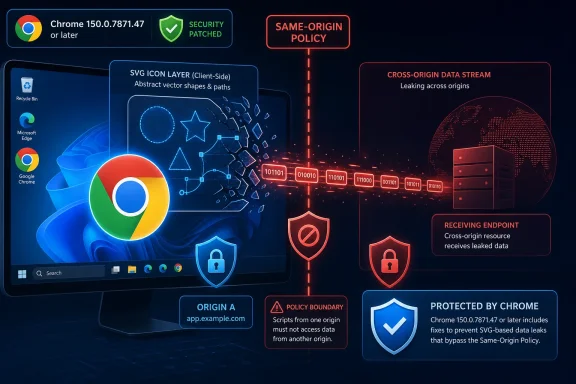 Chrome’s SVG Bug Is Really a Boundary Bug
CVE-2026-13793 sits in a familiar but uncomfortable category: the browser failed to enforce a policy boundary strongly enough. In this case, the component is SVG, the web’s XML-based vector graphics format, and the consequence is described as cross-origin data leakage. That means the problem is not that SVGs are suddenly malware by nature; it is that a crafted page could reportedly make Chrome reveal data it should have kept separated.The browser security model depends heavily on the same-origin policy, which is supposed to keep one site from reading another site’s private content just because both happen to be open in the same browser. That model is old, battle-tested, and constantly under pressure. Any bug that chips away at it matters because browsers are now identity brokers, document viewers, password gateways, cloud workstations, and administrative consoles all at once.
NVD’s entry says the flaw affects Google Chrome prior to 150.0.7871.47 and that a remote attacker could leak cross-origin data through a crafted HTML page. CISA’s ADP scoring gives it a CVSS 3.1 base score of 6.5, with network attack vector, low attack complexity, no privileges required, and user interaction required. In other words, the attacker does not need an account on the victim’s machine or network, but the victim does need to land on the wrong page.
That “user interaction required” field should not reassure anyone too much. In browser-land, user interaction often means something as ordinary as clicking a link in email, opening a page from chat, visiting a compromised site, or being redirected through an ad chain. The hurdle is real, but it is not high.
The Score Says Medium, the Browser Says High
There is an interesting mismatch in how this vulnerability is being framed. Chromium labels CVE-2026-13793 as high severity, while CISA’s ADP CVSS 3.1 score lands at 6.5, which is medium under the CVSS scale. NVD, as of its July 1 update, had not yet assigned its own CVSS score and marked the entry as undergoing reanalysis.That does not mean anyone is contradicting anyone else. CVSS is a generic scoring system, while browser vendors often grade bugs based on exploitability inside a very particular and unusually sensitive runtime. A browser flaw that leaks cross-origin data may not execute code, corrupt memory, or crash the system, but it can still undermine the isolation assumptions that keep webmail, SaaS dashboards, intranet tools, and cloud consoles from bleeding into one another.
The CISA ADP vector is telling: confidentiality impact is high, while integrity and availability are marked none. That makes this a data-exposure bug rather than a takeover bug, at least based on public information. For consumers, that may mean exposure of private page content or account-related data. For enterprises, the risk shifts toward authenticated business applications, internal portals, admin consoles, and browser-accessible data stores.
Google’s advisory links the issue to a restricted Chromium bug, which is normal for recent browser vulnerabilities. Details often remain locked down until a majority of users have received the fix. That practice frustrates defenders who want technical clarity, but it also reduces the chance that a public proof-of-concept appears before the patch has actually reached enough systems.
One Crafted Page Is Enough to Matter
The mechanics described publicly are brief: insufficient policy enforcement in SVG, exploitable through a crafted HTML page, leading to cross-origin data leakage. That sparse phrasing is common in Chrome advisories, but it still reveals the broad shape of the threat. The attacker’s delivery vehicle is the web itself.SVG is not a decorative corner of the platform. It is scriptable, styleable, embeddable, and deeply integrated into modern web rendering. It appears in icons, charts, diagrams, UI assets, advertisements, application shells, documentation, and dashboards. Because SVG interacts with layout, styling, linking, embedding, and document loading behavior, policy enforcement bugs in this area can become surprisingly consequential.
The important distinction is that CVE-2026-13793 is not being described as a remote code execution flaw. There is no public indication from the NVD entry or CISA’s enrichment that it lets an attacker run arbitrary code on the victim’s operating system. That matters, especially for patch prioritization teams juggling critical memory-safety flaws, VPN bugs, identity-provider advisories, and Windows cumulative updates.
But “not RCE” is not the same as “not serious.” A cross-origin leak can expose tokens, page contents, identifiers, application state, or sensitive responses depending on how the bug works and what the victim has open or recently authenticated. In a world of single sign-on and browser-based admin tools, the browser is often already holding the keys.
The Chrome 150 Update Is Bigger Than This One CVE
CVE-2026-13793 arrived as part of a much larger Chrome 150 stable-channel security update. Google’s Chrome Releases post for June 30 moved the desktop stable channel to 150.0.7871.46 and 150.0.7871.47 for Windows and macOS, with a corresponding Linux build in the same branch. PCWorld and Born’s IT and Windows Blog both reported that this release fixed hundreds of security issues, with PCWorld counting 382 flaws and Born noting an even larger total based on the release listing.The exact headline number matters less than the pattern. Chrome has entered an era of very large security rollups, where a single stable release may contain dozens or hundreds of fixes across rendering, media, GPU, JavaScript, browser UI, extensions, and platform integration. That is partly a sign of intense auditing and automated discovery, not merely declining code quality. Still, for defenders, the result is the same: browser updates are no longer routine hygiene; they are a core security control.
The same Chrome 150 update included a cluster of critical vulnerabilities, many of them memory-safety issues, according to contemporaneous reporting by PCWorld. CVE-2026-13793 is not the scariest bug in that bundle if your only metric is code execution. It may, however, be one of the more conceptually important bugs because it reminds us that data isolation failures can be just as operationally painful as crashes or sandbox escapes.
For WindowsForum.com readers, the practical takeaway is simple: do not treat Chrome point releases as cosmetic. Whether you use Chrome directly, administer Chrome Enterprise, or run a Chromium-derived browser that tracks Google’s patches on a delay, the security boundary is moving under your feet every few weeks.
Windows Users Are in the Blast Radius by Default
The NVD configuration history lists Chrome as the affected application and includes Windows, Linux, and macOS platform applicability. That is not because Windows itself has the SVG bug. It is because vulnerable Chrome builds run on Windows, and Windows remains the main desktop platform in many businesses, schools, home offices, and managed fleets.On Windows, Chrome’s update story is usually good but not perfect. Consumer installations tend to update automatically, but the update only fully lands after the browser restarts. Enterprise installations can be delayed by policy, packaging workflows, virtual desktop image maintenance, application-control testing, or simple user behavior. A machine that has downloaded the update but still has an old browser process running is not meaningfully protected.
The check is mundane but important: Chrome users can go to the browser’s About page and verify they are on 150.0.7871.47 or later. In managed environments, administrators should verify through Chrome Browser Cloud Management, endpoint inventory, vulnerability scanners, EDR software inventory, or whatever configuration management system actually reflects running versions rather than installer versions. The distinction matters because browser processes linger.
Microsoft Edge users should watch the parallel Chromium update track. CVE-2026-13793 is described against Google Chrome, but the vulnerable code lives in Chromium. Edge, Brave, Vivaldi, Opera, and other Chromium-based browsers typically need corresponding vendor updates once Chromium fixes land. Sometimes those updates arrive quickly; sometimes enterprise channels lag. The correct question is not “Do we use Chrome?” but “Do we run a Chromium browser with this code?”
That is especially true on Windows, where Edge may be present even in shops that standardize on Chrome, and Chrome may be installed even in shops that officially standardize on Edge. Browser monoculture has been replaced by Chromium monoculture with multiple logos.
Cross-Origin Leaks Are a SaaS Problem, Not Just a Browser Problem
It is tempting to describe CVE-2026-13793 as a Chrome issue and stop there. That would be too narrow. A cross-origin leak bug is a browser vulnerability, but the value of the stolen data depends on the web applications behind it.Modern SaaS assumes the browser will enforce origin separation. Your HR portal, cloud storage, email inbox, ticketing queue, CRM, password vault interface, monitoring dashboard, Git repository, and admin console may all be one tab away from each other. If the browser lets one origin infer or read something from another origin, the application may never get a chance to defend itself.
Good web application design can reduce the blast radius. Proper SameSite cookie settings, CSRF defenses, content security policies, frame restrictions, opaque responses, token scoping, short session lifetimes, and careful separation of sensitive endpoints all help. But none of those controls fully replace the browser’s own origin model. If the user’s browser is vulnerable, the application is negotiating from a weaker position.
This is why browser patching belongs in the same operational category as identity hardening. A weak browser can become the place where otherwise well-configured identity, conditional access, and SaaS permissions are quietly undermined. The attacker may not need to steal a password if the browser can be tricked into revealing authenticated data through a policy failure.
For home users, the equivalent risk is less formal but still real. Webmail, banking portals, cloud photos, private documents, school accounts, and social media sessions all depend on the browser behaving correctly. The fact that CVE-2026-13793 requires a crafted page does not make it exotic; crafted pages are the native format of the web.
The Restricted Bug Link Is Doing Its Job
The Chromium issue linked from the CVE is permission-restricted, which means most readers cannot inspect the technical discussion. That is common for fresh browser security bugs, and it often produces a predictable cycle: users ask for details, researchers wait, attackers diff patches, and vendors try to buy time for update adoption. It is an imperfect but rational compromise.For defenders, the lack of technical detail should shape behavior, not delay it. If exploit details are restricted, administrators should not wait for a proof-of-concept before treating the patch as relevant. By the time a public write-up appears, the exploitability question may already have shifted from theoretical to practical.
The public data we do have is enough for prioritization. The attack is remote. It requires no privileges. It requires user interaction. It affects confidentiality. It is fixed in Chrome 150.0.7871.47. It is considered high severity by Chromium. That combination points toward rapid browser deployment, especially on endpoints used for privileged access.
The SSVC data added by CISA is also useful. CISA’s entry lists no known exploitation, says the issue is not automatable, and marks the technical impact as partial. That is a measured assessment, not a panic flag. It supports a pragmatic response: patch quickly, verify coverage, and reserve emergency incident-response machinery for signs of exploitation or for environments where browser-based data exposure would be especially damaging.
Enterprise IT Should Stop Treating Browser Restarts as an Afterthought
The least glamorous part of this vulnerability may be the most important: restart enforcement. Chrome can download updates in the background, but the running browser must restart to move users onto the patched version. In many offices, browsers stay open for days or weeks because the browser has become the desktop.That reality creates an awkward gap between “patched” in an inventory report and “protected” in actual use. If a user’s Chrome window has been open since before the June 30 release, the process may still be running vulnerable code even if the update is staged. Administrators need policies that prompt or force relaunch after a reasonable grace period, especially after security releases.
Chrome Enterprise gives organizations policy controls for update behavior, relaunch notifications, and update deadlines. Those controls are sometimes left soft because forced restarts annoy users. But the alternative is a fleet where the riskiest users — the ones with dozens of tabs, persistent sessions, and privileged SaaS access — are also the ones least likely to restart.
There is a human factor here. Users understand Windows Update reboots, even if they resent them. Browser restarts feel optional because the browser presents itself as an application rather than a platform. That mental model is obsolete. If a browser hosts your company’s identity session, collaboration suite, and administrative plane, restarting it after a security update is not optional maintenance; it is exposure reduction.
Chromium Derivatives Need Their Own Clock
The Chrome fix does not automatically update every Chromium-based browser at the same instant. Google publishes the Chrome stable update; other vendors ingest Chromium changes, test their own builds, and ship through their own channels. On Windows, that means security teams need visibility into more than one executable name.Microsoft Edge is the most important derivative in Windows environments, but it is not the only one. Brave, Vivaldi, Opera, Arc, Electron-based apps, embedded Chromium runtimes, and vendor-bundled browser components can all complicate the picture. Some of these products expose their Chromium version clearly; others bury it, fork it, or patch selectively.
CVE applicability can also be messy. A CVE may name Chrome because Google assigned and disclosed it, while the underlying vulnerable code may exist in Chromium. Whether a specific derivative is exploitable can depend on build flags, feature exposure, sandboxing, disabled components, or vendor patches. That uncertainty is not a reason to ignore the issue; it is a reason to track vendor advisories closely.
For admins, the practical workflow is to inventory Chromium-family browsers, map them to vendor update channels, and confirm the fixed version or equivalent patch level. In high-security environments, it may be worth temporarily steering privileged workflows to browsers already confirmed fixed rather than assuming all Chromium builds are equal on release day.
NVD’s CPE Note Is Messy but Not Mysterious
The user-facing NVD entry includes a prompt asking whether a CPE is missing, and its change history shows a configuration involving Chrome versions before 150.0.7871.47 on Windows, Linux, and macOS. That can look odd if you expect a vulnerability entry to name only one neat product. But CPE applicability for client software often has to express both the vulnerable application and the platforms on which it runs.The core affected product is Google Chrome. The operating system entries are not saying Windows, Linux, or macOS independently contain CVE-2026-13793. They are there to scope the vulnerable Chrome application across supported desktop operating systems. That distinction matters for vulnerability scanners, because poor CPE interpretation can turn a browser issue into a misleading operating-system finding.
There is also a small data-quality wrinkle in the CVE record’s affected-version structure. The change history text shown by the user includes an affected version object where the version field and lessThan field both reference 150.0.7871.47, while the English description correctly says Chrome prior to 150.0.7871.47. That looks like a common CVE-list representation artifact rather than a sign that version 150.0.7871.47 is vulnerable.
NVD enrichment is still in progress, so administrators should avoid over-reading the absence of a NIST score or the transitional state of CPE data. The stable operational fact is the one Google provided: update Chrome to 150.0.7871.47 or later on affected desktop systems.
The Real Risk Is the Browser’s Privilege in Daily Work
Security teams often categorize browser vulnerabilities by exploit class: use-after-free, out-of-bounds read, type confusion, sandbox escape, policy bypass, data leak. That taxonomy is necessary, but it can obscure the business context. The browser is not just another endpoint app; it is where employees exercise their privileges.A developer’s browser may have access to source repositories, CI/CD dashboards, cloud consoles, and internal documentation. A finance user’s browser may have access to payroll, banking, procurement, and invoice systems. A help desk technician’s browser may have access to identity management, remote support tools, and ticket histories. A senior executive’s browser may have access to everything attackers want to read first.
CVE-2026-13793 is a confidentiality bug, and confidentiality bugs are often underrated because they do not produce the drama of ransomware or shell access. But espionage, credential theft, session targeting, and business email compromise all begin with information. A leak that reveals the right token, page fragment, account identifier, internal URL, or document content can be the first domino.
This is why browser vulnerabilities deserve role-based prioritization. Patch everyone, yes. But verify privileged users first. Administrators, developers, finance staff, legal teams, executives, and anyone with broad SaaS access should be moved to the fixed build as quickly as possible. If a browser bug can leak cross-origin data, the most valuable origins are the ones those users can already reach.
Patch Management Has to Include Proof, Not Hope
The hard part of browser security is not knowing that updates matter. Everyone knows that. The hard part is proving that updates happened, that browser processes restarted, and that unmanaged copies did not remain on the machine.On Windows, that proof may come from several layers. Software inventory can show installed Chrome versions. EDR telemetry can show running process versions. Browser management consoles can show channel and update status. Vulnerability scanners can flag stale builds. Network controls can sometimes detect outdated user agents, though user-agent reduction and spoofing make that less reliable than it once was.
The best evidence is layered. If inventory says Chrome is patched but EDR shows old chrome.exe processes still running, the job is not done. If Chrome is patched but Edge is not, the risk may remain. If the managed browser is patched but users have installed a second Chromium browser in their profile, policy has a blind spot.
This is where organizations with mature endpoint management will separate themselves. The goal is not merely to deploy 150.0.7871.47. The goal is to know which systems are still running vulnerable code after deployment, which users are deferring relaunch, and which applications embed Chromium components outside the normal browser update path.
The Absence of Known Exploitation Is Good News With an Expiration Date
CISA’s SSVC enrichment says there is no known exploitation for CVE-2026-13793. That is good news. It means defenders are not currently being told to assume active campaigns are underway, unlike the more urgent Chrome zero-day advisories that periodically appear with explicit “exploited in the wild” language.But absence of known exploitation is not a warranty. Browser patches are studied aggressively after release. Attackers can diff code, infer bug mechanics, and build exploits or leak techniques after the fact. The window between patch release and broad patch adoption is valuable precisely because many users delay restarts or rely on passive updates.
This dynamic is why “we have not seen exploitation” should shorten, not lengthen, the patch discussion. If exploitation has not been observed, the best outcome is to close the window before it is. Waiting until exploitation is confirmed turns a manageable maintenance task into an incident-response problem.
For home users, that means checking the About page and restarting Chrome. For administrators, it means verifying fleet coverage, derivative-browser status, and relaunch compliance. For security teams, it means watching telemetry for suspicious browser-driven access patterns, especially around sensitive web apps, without pretending the public advisory gives enough detail to write precise detections.
The Chrome 150 Lesson for Windows Shops
This release is a useful test of whether browser patching is actually operationalized or merely assumed. CVE-2026-13793 is not the loudest possible vulnerability, but it has enough seriousness to expose weak habits. It affects a ubiquitous desktop browser, crosses operating systems, involves web-origin isolation, and was fixed in a release that also carried a large security payload.The concrete lessons are narrow enough to act on:
- Chrome on affected desktop systems should be updated to version 150.0.7871.47 or later, and the browser should be restarted so the fixed code is actually running.
- The vulnerability is best understood as a confidentiality risk because public scoring identifies high confidentiality impact without integrity or availability impact.
- Windows is in scope because vulnerable Chrome builds run on Windows, not because the underlying flaw is a Windows operating-system bug.
- Chromium-based browsers other than Google Chrome should be checked against their own vendor advisories and update channels rather than assumed safe.
- Enterprise inventories should distinguish installed versions from running process versions, because staged browser updates do not protect users who never relaunch.
- Privileged users deserve first verification because cross-origin data leaks become more serious when the browser is authenticated to sensitive SaaS and administrative systems.
References
- Primary source: NVD / Chromium
Published: 2026-07-03T07:00:54-07:00
NVD - CVE-2026-13793
 nvd.nist.gov
- Security advisory: MSRC
Published: 2026-07-03T07:00:54-07:00
Original feed URL
Security Update Guide - Microsoft Security Response Center
 msrc.microsoft.com
- Related coverage: cvefeed.io
CVE-2026-13793 - Google Chrome SVG Cross-Origin Data Leak
Insufficient policy enforcement in SVG in Google Chrome prior to 150.0.7871.47 allowed a remote attacker to leak cross-origin data via a crafted HTML page. (Chromium security severity: High)cvefeed.io
