

Windows PowerShell 5.1 now halts and asks for confirmation when Invoke‑WebRequest would perform full HTML/DOM parsing that could run scripts embedded in the retrieved page — a deliberate hardening shipped in Microsoft’s December 9, 2025 updates to mitigate a command‑injection / remote code execution vector tracked as CVE‑2025‑54100. The change makes safe-by-default parsing the norm for automated and unattended scenarios, and forces interactive operators to consciously opt in if they want legacy DOM behavior.
PowerShell’s Invoke‑WebRequest has long been a convenient one‑liner for fetching web pages, scraping HTML, or pulling remote scripts. Historically, Windows PowerShell 5.1 used the system Internet Explorer (mshtml) engine to construct a DOM-like object (ParsedHtml), which made tasks like scraping forms and selecting nodes straightforward — but it also carried the risk that parsing could execute script elements or trigger browser-style behavior during the parse. That implicit execution path has been identified as an exploitable surface (CWE‑77 / command injection) and was assigned CVE‑2025‑54100. The official Microsoft KB documenting the behavioral hardening explains the new confirmation prompt and the recommended mitigations. Independent vulnerability trackers and security reporting confirm the severity and the vendor‑recommended mitigation: avoid implicit DOM parsing in unattended scripts and use safe parsing modes or modern PowerShell versions that do not rely on mshtml. The NVD entry for CVE‑2025‑54100 documents the command‑injection nature of the issue; industry coverage (security outlets and vendor posts) have reported similar details and severity scoring.
End of analysis and guidance.
Source: Microsoft Support PowerShell 5.1: Invoke-WebRequest: Preventing script execution from web content - Microsoft Support
 Background / Overview
PowerShell’s Invoke‑WebRequest has long been a convenient one‑liner for fetching web pages, scraping HTML, or pulling remote scripts. Historically, Windows PowerShell 5.1 used the system Internet Explorer (mshtml) engine to construct a DOM-like object (ParsedHtml), which made tasks like scraping forms and selecting nodes straightforward — but it also carried the risk that parsing could execute script elements or trigger browser-style behavior during the parse. That implicit execution path has been identified as an exploitable surface (CWE‑77 / command injection) and was assigned CVE‑2025‑54100. The official Microsoft KB documenting the behavioral hardening explains the new confirmation prompt and the recommended mitigations. Independent vulnerability trackers and security reporting confirm the severity and the vendor‑recommended mitigation: avoid implicit DOM parsing in unattended scripts and use safe parsing modes or modern PowerShell versions that do not rely on mshtml. The NVD entry for CVE‑2025‑54100 documents the command‑injection nature of the issue; industry coverage (security outlets and vendor posts) have reported similar details and severity scoring. What changed (concrete)
- Windows updates released on or after December 9, 2025 introduce a security confirmation prompt in Windows PowerShell 5.1 when Invoke‑WebRequest is called without explicit safe parameters and the operation would cause full DOM parsing.
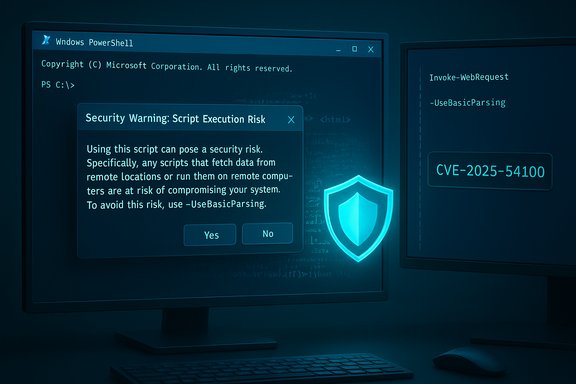
- The prompt text presented in the console warns of a Script Execution Risk and recommends using -UseBasicParsing to avoid script execution. The default action is to cancel (press Enter or choose No), while choosing Yes allows legacy parsing to proceed.
- The change is tied to CVE‑2025‑54100 as a mitigation: rather than silently changing the parsing semantics, Microsoft inserted a human‑in‑the‑loop for interactive contexts and promoted explicit, non‑script‑executing parsing for automation.
- PowerShell Core / PowerShell 7+ does not use Internet Explorer components for DOM parsing; its default behavior avoids the mshtml engine and therefore is not subject to the same prompt. Microsoft explicitly recommends PowerShell 7+ or alternate parsing libraries as a long‑term migration path.
Why Microsoft made the change — threat context
Attackers routinely weaponize “download and execute” patterns: a short PowerShell one‑liner that fetches remote content and immediately evaluates it (often via piping into Invoke‑Expression / iex) is a simple, high‑impact path to compromise. When Invoke‑WebRequest constructs a DOM via mshtml, parsing can lead to script execution or side effects before a file is written or inspected. The new prompt breaks the silent portion of that chain by inserting a conscious decision point for interactive users and requiring explicit safe parameters for automation. The mitigation reduces the success rate of low‑effort social‑engineering and commodity phishing attacks that rely on ad‑hoc remote script pulls.Immediate operational impact
Interactive sessions (admins, helpdesk, operators)
- When an operator runs Invoke‑WebRequest (or an alias such as curl in Windows PowerShell) without -UseBasicParsing and the call would perform DOM parsing, PowerShell will display a console prompt:
- "Security Warning: Script Execution Risk — Invoke‑WebRequest parses the content of the web page. Script code in the web page might be run when the page is parsed. RECOMMENDED ACTION: Use the -UseBasicParsing switch to avoid script code execution. Do you want to continue?"
- The prompt’s default/cancel behavior favors safety: pressing Enter or selecting No cancels the operation; selecting Yes proceeds with legacy parsing. This change is intentionally visible for interactive context.
Non‑interactive automation (scheduled tasks, CI/CD agents, headless scripts)
- Unattended scripts that rely on silent DOM parsing will hang or fail because the cmdlet will pause awaiting interactive confirmation. Administrators must proactively update automation to avoid interruptions. Microsoft’s recommended short fix is to explicitly add -UseBasicParsing to any non‑interactive Invoke‑WebRequest calls so the cmdlet does not trigger the prompt.
- If scripts need ParsedHtml or other DOM‑dependent properties, the long‑term solution is refactoring: fetch raw HTML with -UseBasicParsing and parse it with a non‑mshtml library (HtmlAgilityPack, AngleSharp, or similar), or migrate those scripts to PowerShell 7 where mshtml is not used.
Practical remediation — short and midterm steps
- Inventory and discovery
- Search repositories, CI pipelines, scheduled tasks, GPO scripts, configuration management scripts, and Service/Agent accounts for occurrences of:
- Invoke‑WebRequest, iwr, curl (PowerShell alias), wget (alias)
- Prioritize unattended, high‑availability, or agent‑run scripts (jobs that cannot accept interactive input). Industry guidance recommends an aggressive discovery sweep followed by triage.
- Quick fixes for non‑interactive runs
- Add -UseBasicParsing to every Invoke‑WebRequest call that does not require ParsedHtml or DOM operations:
- Example:
- Before (may prompt): $resp = Invoke‑WebRequest -Uri "https://example.com/data"
- After (safe/no prompt): $resp = Invoke‑WebRequest -Uri "https://example.com/data" -UseBasicParsing
- For repeated invocations in a script, declare a session default near the top to avoid repetitive edits:
- $PSDefaultParameterValues['Invoke‑WebRequest:UseBasicParsing'] = $true
- (Place it inside the script or in a service account profile if appropriate.
- Refactor DOM‑dependent scripts
- If scripts rely on .ParsedHtml, .Images, .Forms or other mshtml-derived properties, refactor to:
- Use -UseBasicParsing to fetch raw HTML.
- Parse the content with a standalone HTML parser (HtmlAgilityPack, AngleSharp, or a .NET/PowerShell library that does not execute JavaScript).
- Or migrate the script to PowerShell 7+ and use platform‑appropriate parsing tools under your control.
- Test and stage
- Pilot the patch and script changes in representative test rings (CI agents, imaging hosts, admin consoles). Do not push widely until you validate behavior across diverse endpoints and service accounts. Many organizations reported that scripting changes were straightforward, but unattended jobs must be thoroughly verified before production rollout.
- Longer‑term migration
- Move automation to PowerShell 7+ for consistency and to avoid mshtml dependency entirely.
- Adopt signed artifacts and internal package feeds (PowerShell Gallery or private artifact repository) for distribution rather than ad‑hoc internet pulls.
- Implement allow‑listing, constrained language, and enhanced telemetry (Script Block Logging) to detect anomalous behavior.
Technical deep dive — what exactly happens and why it matters
- Legacy 5.1 DOM parsing: When Invoke‑WebRequest performed full parsing, PowerShell attempted to populate a ParsedHtml property that used the Internet Explorer HTMLDocument interface (mshtml). That path can run inline scripts or cause IE‑style side effects during parse, creating a non‑obvious code execution surface for maliciously crafted pages.
- The prompt inserts a decision gate: rather than changing the semantics silently (which could break existing interactive workflows), Microsoft requires explicit human consent for any operation that would use the legacy parsing path. If the user consents, the behavior is unchanged; if not, the safer path (no DOM/script execution) is enforced.
- Impact on aliases: In Windows PowerShell 5.1, aliases such as curl, wget or iwr map to Invoke‑WebRequest. That means casual invocations typed as curl in a legacy PowerShell session may trigger the prompt unexpectedly; PowerShell Core and modern shells behave differently. Administrators should be aware of alias differences.
Detection and audit: find affected scripts quickly
- Search code repositories and file shares for these tokens:
- Invoke‑WebRequest
- iwr
- curl (watch for Get‑Command to determine whether curl resolves to the PowerShell alias or the system curl.exe)
- Inspect scheduled tasks, Task Scheduler XML, CI/CD agents, orchestration playbooks, and configuration management templates for unattended invocations.
- Add telemetry and logging around PowerShell invocations (Script Block Logging, Module logging) to track occurrences and failures that appear after patch deployment. Community playbooks emphasize a prioritized inventory for automation hosts as the first step.
Example fixes and patterns
- Minimal non‑interactive change:
- Old:
- $r = Invoke‑WebRequest -Uri "https://example.com/api/status"
- Safe:
- $r = Invoke‑WebRequest -Uri "https://example.com/api/status" -UseBasicParsing
- Session default (per‑script convenience):
- At top of script:
- $PSDefaultParameterValues['Invoke‑WebRequest:UseBasicParsing'] = $true
- For scripts launched with -NoProfile, include this line at the top of the script; for persistent behavior, add to the account’s $PROFILE (only where safe and permitted).
- Refactor for DOM needs:
- Fetch raw HTML safely:
- $resp = Invoke‑WebRequest -Uri "https://example.com/page" -UseBasicParsing
- Parse with HtmlAgilityPack (pseudo‑PowerShell):
- $doc = [HtmlAgilityPack.HtmlDocument]::new
- $doc.LoadHtml($resp.Content)
- $node = $doc.DocumentNode.SelectSingleNode("//div[@id='target']")
Strengths, limitations, and operational risks
Strengths- Immediate risk reduction: inserting a confirmation prompt breaks many automated “download‑and‑execute” attack chains and raises the chance an operator will detect and halt suspicious behavior.
- Encourages safer automation: by making -UseBasicParsing the recommended safe default for non‑interactive runs, administrators are nudged to adopt explicit parsing strategies and artifact pipelines.
- Aligns 5.1 with newer PowerShell posture: PowerShell 7+ already avoids mshtml; this change narrows the gap and makes the legacy engine an explicit opt‑in.
- Automation breakage: unattended scripts that weren’t updated will hang or fail, potentially affecting CI/CD, monitoring, build pipelines, or scheduled maintenance tasks. This is the primary operational risk and requires immediate remediation in large fleets.
- False sense of completeness: the prompt is a mitigation, not a full sandbox. Choosing Yes still allows legacy behavior; organizations must avoid broad bypasses or unsupported automation of the confirmation. Any attempt to globally suppress the prompt through unsupported hacks would reintroduce risk.
- KB/packaging differences: the small‑scope hotpatches and cumulative updates that carry the behavioral change may differ by SKU and servicing channel. Some community notes reference different KB numbers for hotpatch packages; administrators should verify the exact update relevant to their systems. Treat KB cross‑references cautiously and validate against official Microsoft update metadata.
Cross‑verification and sources used in this analysis
- Microsoft’s official advisory and KB (PowerShell 5.1: Preventing script execution from web content) documents the prompt behavior, the recommended use of -UseBasicParsing, and that the change ships with updates released on or after December 9, 2025.
- The NVD entry for CVE‑2025‑54100 captures the vulnerability classification (command injection) and NVD publication details.
- Independent security analysis and community reporting (industry outlets and security vendors) confirm the practical impact on automation, recommended mitigations (UseBasicParsing, migration to PowerShell 7, refactoring DOM‑dependent scripts), and provide tactical guidance for discovery and remediation. These independent writeups echo Microsoft’s guidance and provide pragmatic steps for environments of all sizes.
- Internal community/operations notes and step‑by‑step remediation playbooks emphasize the one‑line fixes ($PSDefaultParameterValues or -UseBasicParsing) and the need for staged rollouts and testing.
Recommended checklist for administrators (action plan)
- Immediately run targeted discovery for Invoke‑WebRequest usage across repos and scheduled tasks.
- Apply December 9, 2025 PowerShell/security updates to test ring hosts, confirm the prompt behavior, and capture failures.
- For non‑interactive uses, add -UseBasicParsing to Invoke‑WebRequest calls without DOM requirements.
- For scripts needing DOM features, refactor to fetch raw HTML safely and parse using a non‑mshtml HTML library, or migrate the script to PowerShell 7.
- Use $PSDefaultParameterValues in session/profile for controlled environments where many scripts need the same safe behavior (but avoid blindly adding to all user profiles without review).
- Update runbooks and automation runbook documentation to reflect the new behavior and any changes to expected outputs (ParsedHtml missing under basic parsing).
- Stage a broad roll‑out once test rings show stability; monitor and remediate any broken automation quickly.
- Add telemetry to detect hung scripts (prompts waiting for input) and surface incidents to SRE/ops teams for rapid fix.
Final assessment
Microsoft’s behavioral hardening in PowerShell 5.1 represents a pragmatic, low‑friction mitigation for a real and credible class of abuse — implicit DOM parsing with a legacy browser engine that can run embedded scripts. The tradeoff is operational: unattended scripts that rely on silent DOM parsing will break unless administrators act. The mitigation is defensible: insert a human decision point for interactive use, and require explicit safe parameters for automation. Organizations that adopt the recommended short fixes (-UseBasicParsing, session defaults) and plan a medium‑term migration strategy (refactor or move to PowerShell 7 and use dedicated parsing libraries) will both regain operational stability and reduce exposure to the underlying command‑injection vector tracked as CVE‑2025‑54100. This is a timely reminder that convenience features in administration tooling — when left as implicit defaults — can become high‑value targets for attackers. The correct operational response is decisive: inventory, patch, fix unattended automation quickly, and schedule refactoring work for code that still depends on legacy DOM semantics.End of analysis and guidance.
Source: Microsoft Support PowerShell 5.1: Invoke-WebRequest: Preventing script execution from web content - Microsoft Support
