

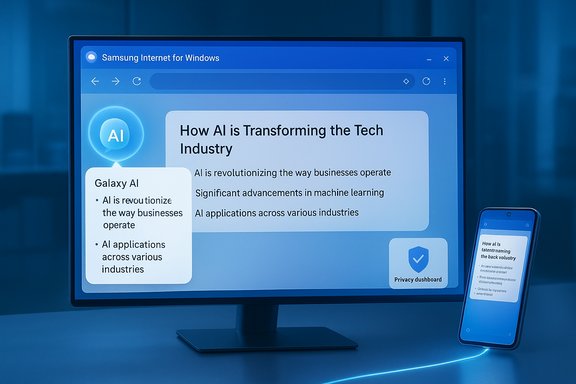
Samsung’s push to bring its mobile-first browser to Windows has arrived as a beta, promising Galaxy‑grade AI helpers and cross‑device continuity — but early builds show the app is still an unfinished slab of potential rather than a ready Chrome or Edge replacement. The company launched Samsung Internet for Windows in a limited beta (United States and South Korea) on October 30, 2025, shipping a Chromium‑based browser that advertises Galaxy AI summarization, Smart Anti‑Tracking and bookmark/tab sync via a Samsung Account. The technical foundations and ecosystem promise are real, yet the initial Windows client conspicuously omits several desktop expectations — Reader Mode, flexible toolbar layout controls, and vertical tabs — and leaves important questions about password parity, extension behavior and AI data flows unanswered.
Samsung Internet began life as the stock browser on Galaxy phones more than a decade ago and matured into a privacy‑focused Chromium variant on Android. Extending that product to Windows is both strategic and necessary: Galaxy owners routinely move between phone and laptop, and a native Windows browser that syncs bookmarks, tabs and passwords could — in principle — close a glaring continuity gap. Samsung frames the Windows beta as the first step toward an “ambient AI” future where the browser helps summarize, translate and nudge users without breaking their flow. The Windows beta is deliberately staged. Samsung’s official announcement and multiple industry outlets confirm the initial rollout is limited to Windows 11 and Windows 10 (version 1809 and later) and to two markets (U.S. and South Korea), with builds for x86/x64 and ARM devices. Enrollment is through Samsung’s beta channel rather than a global, unfettered Store launch; users typically need a Samsung Account to enable sync and Galaxy AI features. Under the hood, the Windows client uses the Chromium rendering engine. That choice provides immediate compatibility with modern web standards and the potential to run many Chrome extensions, but practical extension parity and polished desktop behavior are not guaranteed out of the gate — they must be validated in real‑world testing. The Samsung pitch leans on three pillars: continuity (sync and Samsung Pass), privacy (anti‑tracking and a visible Privacy Dashboard), and Galaxy AI (Browsing Assist for summarization and translation).
Samsung’s Windows browser launch is an important moment: it turns the mobile‑first, privacy‑minded Samsung Internet into a cross‑device product with practical AI helpers. That promise is real, and testers will benefit from early access to on‑page summarization and tighter phone‑to‑PC continuity. But the product is not yet a drop‑in upgrade for desktop power users. Until Samsung fills the ergonomics gaps, publishes clear security and AI governance, and demonstrates stable extension and password parity, the new browser will sit comfortably as a convenience for Galaxy owners — and remain a long way from unseating Chrome or Edge as the default choice for most Windows users.
Source: Zoom Bangla News Samsung's New Windows Browser Gains AI but Lacks Key Features
 Background and overview
Samsung Internet began life as the stock browser on Galaxy phones more than a decade ago and matured into a privacy‑focused Chromium variant on Android. Extending that product to Windows is both strategic and necessary: Galaxy owners routinely move between phone and laptop, and a native Windows browser that syncs bookmarks, tabs and passwords could — in principle — close a glaring continuity gap. Samsung frames the Windows beta as the first step toward an “ambient AI” future where the browser helps summarize, translate and nudge users without breaking their flow. The Windows beta is deliberately staged. Samsung’s official announcement and multiple industry outlets confirm the initial rollout is limited to Windows 11 and Windows 10 (version 1809 and later) and to two markets (U.S. and South Korea), with builds for x86/x64 and ARM devices. Enrollment is through Samsung’s beta channel rather than a global, unfettered Store launch; users typically need a Samsung Account to enable sync and Galaxy AI features. Under the hood, the Windows client uses the Chromium rendering engine. That choice provides immediate compatibility with modern web standards and the potential to run many Chrome extensions, but practical extension parity and polished desktop behavior are not guaranteed out of the gate — they must be validated in real‑world testing. The Samsung pitch leans on three pillars: continuity (sync and Samsung Pass), privacy (anti‑tracking and a visible Privacy Dashboard), and Galaxy AI (Browsing Assist for summarization and translation). What Samsung Internet for Windows actually ships with
Core features in the beta
- Galaxy AI – Browsing Assist: on‑page summarization, inline translation and contextual highlights when users sign in with a Samsung Account. This is the marquee AI capability Samsung is promoting for this launch.
- Cross‑device sync: bookmarks, history, open tabs and some autofill/login data synchronize across Galaxy phones and the Windows client via Samsung Account and Samsung Pass (subject to staged parity caveats).
- Privacy protections: Smart Anti‑Tracking, a Privacy Dashboard that reports blocked trackers, and Secret/Incognito modes inherited from the mobile browser. These are enabled by default or easily discoverable in the UI.
- Chromium foundation: the browser renders using Blink/Chromium, which helps with site compatibility and gives theoretical access to extensions.
What Samsung says about AI, data handling and prerequisites
Samsung’s marketing materials and product pages make two important points about Galaxy AI: 1) many Galaxy AI features require signing into a Samsung Account and 2) some AI processing may rely on cloud inference rather than local models. Samsung’s consumer pages also indicate Galaxy AI features are optimized for compatible Galaxy devices and may be subject to region or language restrictions. Those disclosures matter because summarization and translation — useful as they are — often involve sending page content to remote servers for analysis.Three pragmatic gaps reviewers and early users are flagging
Even with the built‑in AI and privacy toolkit, early hands‑on reports and community feedback highlight several conspicuous desktop absences that reduce the browser’s appeal beyond loyal Galaxy users.1) No dedicated Reader Mode in the Windows beta
Reader Mode (a distraction‑free reading view that strips ads, navigation and extraneous UI) is a staple for serious reading and a long‑standing feature of Samsung’s mobile browser. Multiple early reviews and user comments note the explicit lack of a desktop Reader Mode in the current beta, forcing users to rely on site‑specific “reader” approaches or to switch to a browser that supports it natively. For readers who skim long articles or research often, this omission is felt immediately.2) Layout and toolbar customisation are limited
On desktop, power users expect to rearrange controls, drag frequently used icons into reach, and fine‑tune the toolbar to reflect personal workflows. Several community posts and initial hands‑on coverage point out that Samsung Internet for Windows does not yet allow flexible drag‑and‑drop rearrangement of toolbar icons — a feature rival browsers have supported for years. Lack of this customization reduces efficiency for users who build keyboard/mouse work patterns around specific toolbar layouts.3) Vertical tabs are absent
Vertical tab layouts are a common productivity win for many power users who manage dozens of open tabs. Microsoft Edge already offers a mature vertical tab UI; Chromium‑based browsers and third‑party extensions provide similar alternatives. Early testers of Samsung’s Windows client reported the absence of vertical tabs, a limitation that particularly weakens the browser’s appeal for heavy tab managers and multitaskers. Taken together, these three omissions — Reader Mode, toolbar rearrangement, and vertical tabs — paint the Windows beta as a promising continuity and AI layer that still lacks core desktop ergonomics. In practical terms, a Galaxy owner who occasionally uses the mobile Samsung browser will enjoy the sync and AI tools, but a power desktop user will likely keep Chrome, Edge or a highly configurable alternative for day‑to‑day work.Strengths: where Samsung has an immediate edge
Samsung’s approach is not without merit. The company is shipping features that matter and that are not trivial to replicate for users who tightly integrate phones and PCs.- Ecosystem continuity: true cross‑device sync of tabs, bookmarks and session continuity is a huge convenience for Galaxy‑centric users and is the principal reason many will test Samsung Internet for Windows. This is the browser’s strongest competitive angle.
- Galaxy AI helper on larger displays: summarization and inline translation scale well on PCs; reading long articles and research pages benefits immediately when the browser can condense content into digestible bullets. For productivity workflows, that is a real gain.
- Privacy defaults: Smart Anti‑Tracking and a visible Privacy Dashboard give Samsung a consumer‑friendly privacy narrative that resonates with users who want protections without configuring dozens of options. Samsung brings the mobile privacy posture to the desktop in a way that’s accessible by default.
- Chromium compatibility: by using Chromium, Samsung reduces friction for standard web compatibility and lays the groundwork for extension support, even if that support must be tested and refined.
Risks, open questions and technical caveats
A promising feature list does not remove legitimate concerns. The Windows beta raises several practical and architectural questions that matter to both home users and enterprise administrators.Password parity and Samsung Pass
Samsung advertises Samsung Pass integration, but the mechanics of password storage and synchronization across arbitrary Windows hardware are unclear. Important technical questions remain: are credentials protected by TPM/Windows Hello keys, or are they handled via Samsung’s cloud and account layer? Without clear, published details about encryption and key management, enterprises and security‑minded consumers will be cautious about trusting a new password vault on their primary machines. Treat Samsung Pass parity claims as staged until Samsung documents the implementation.AI processing: cloud vs local and privacy implications
Galaxy AI features are convenient — but convenience often comes at the cost of cloud routing. Samsung’s docs and early coverage indicate Browsing Assist and related features may perform server‑side inference in Samsung’s cloud. That means page content — potentially including sensitive or regulated material — could be transmitted off‑device for analysis. For regulated environments, legal compliance or corporate confidentiality, that’s a non‑trivial concern. Administrators should require a public, machine‑readable AI processing and retention policy before enabling Browsing Assist at scale.Extension compatibility and performance
Chromium lineage helps with compatibility, but extension ecosystems are nuanced. Early testers reported inconsistent extension behavior, and some community feedback mentions rendering, scrolling and CPU usage that feel “beta” in places. Samsung must demonstrate a reliable update cadence for Chromium security patches and fixed extension behaviors before IT managers will consider broad deployments.Distribution and update model
Samsung is using a staged beta sign‑up model and may distribute builds through both the Microsoft Store and direct installers for registered testers. Where possible, prefer Microsoft Store installs for automatic updates and package integrity; using unofficial installers risks tampered binaries and missing update paths. The limited initial rollout (U.S. and Korea) also means many regions will wait, and some users may find unofficial channels tempting — a practice that increases risk.Practical guidance: how to evaluate the beta safely
- Install on a secondary machine or virtual machine for testing; do not migrate primary passwords or production credentials into the beta profile.
- Export bookmarks and back up existing password stores before enabling Samsung Pass sync.
- Enable multi‑factor authentication on your Samsung Account and test Samsung Pass behavior with non‑mission‑critical credentials first.
- Test all essential extensions and workflows: password managers, ad‑blockers, tab managers and enterprise SSO integrations.
- Monitor CPU, GPU and memory usage during your typical browsing sessions; note any scrolling, rendering or video playback issues.
- For enterprises: request Samsung’s whitepaper on telemetry, AI processing and credential management before approving pilot deployments.
Where Samsung must show progress to win real market share
Samsung faces a steep uphill climb. The Windows browser market is dominated by Chromium incumbents (Chrome and Edge) with mature extension ecosystems, enterprise controls and deep platform integration. To move beyond early adopters and Galaxy loyalists, Samsung must:- Deliver clear, auditable documentation on Samsung Pass encryption, key storage, and how credentials are protected on Windows hardware.
- Publish an AI processing whitepaper that explains what data is sent to servers, retention periods, redaction and opt‑out controls.
- Harden desktop polish: fix rendering and CPU issues, enable flexible UI customization (toolbar rearrangement), and add staple desktop features such as Reader Mode and vertical tabs.
- Demonstrate a fast, predictable security patch cadence to ensure Chromium security fixes are ingested and published promptly.
- Expand the beta to more regions while keeping distribution honest (prefer Microsoft Store) and produce enterprise deployment guides (GPO/MDM).
The competitive picture: where Samsung fits
Samsung’s advantage is identity and continuity. Users who already use Samsung Internet on their phones gain an immediate benefit from a Windows client that preserves bookmarks, tabs and summaries. That is a tangible friction reduction. Microsoft Edge and Google Chrome continue to compete on extension libraries, enterprise management and ubiquity; Microsoft has also integrated Copilot and AI features into Edge and Windows, intensifying the competition on AI assistance. Samsung’s differentiator is tighter device coupling with Galaxy services and a first‑party AI offering that’s consistent across phone and PC — but being unique is not the same as being decisive. Execution and transparency will determine whether Samsung’s effort is a curiosity or a market mover.Short verdict and what to watch next
Samsung Internet for Windows is a strategically smart but still nascent product: it brings meaningful Galaxy AI helpers and continuity to Windows and gives Samsung a foothold in desktop browsing. For Galaxy‑centric consumers the beta is worth testing on a secondary machine; for enterprises and privacy‑sensitive users it remains a pilot‑only candidate until Samsung publishes detailed technical documentation on AI processing and credential security. The lack of desktop staples — Reader Mode, toolbar customization and vertical tabs — weakens the initial offering for power users and shows how difficult it is to translate mobile wins into desktop dominance. Watch for three milestones that will determine whether Samsung’s browser becomes a mainstream contender:- Samsung’s published technical whitepapers on Samsung Pass encryption and Galaxy AI processing.
- Rapid iteration addressing performance and extension compatibility issues in the beta release notes.
- The addition of core desktop features (Reader Mode, flexible toolbars, vertical tabs) that make the browser attractive beyond the Galaxy ecosystem.
Samsung’s Windows browser launch is an important moment: it turns the mobile‑first, privacy‑minded Samsung Internet into a cross‑device product with practical AI helpers. That promise is real, and testers will benefit from early access to on‑page summarization and tighter phone‑to‑PC continuity. But the product is not yet a drop‑in upgrade for desktop power users. Until Samsung fills the ergonomics gaps, publishes clear security and AI governance, and demonstrates stable extension and password parity, the new browser will sit comfortably as a convenience for Galaxy owners — and remain a long way from unseating Chrome or Edge as the default choice for most Windows users.
Source: Zoom Bangla News Samsung's New Windows Browser Gains AI but Lacks Key Features
