

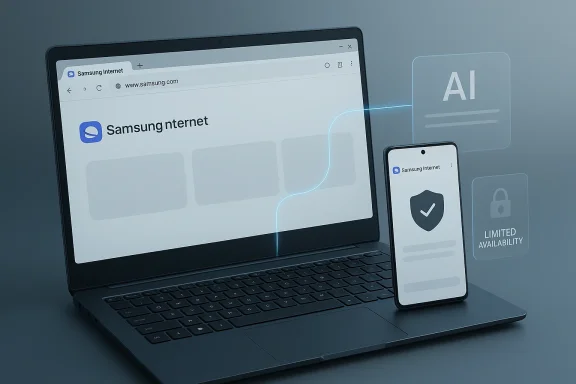
Samsung’s browser strategy just made a quiet but important leap from mobile companion app to serious Windows product. What started as a limited beta in late October 2025 is now a stable Windows release, with Samsung renaming the app and widening access while still keeping some of the most interesting AI capabilities region-limited for now sindows is no longer just about rendering speed or sync—it is increasingly about how tightly a vendor can bind the desktop experience to a broader AI and device ecosystem. Samsung is now trying to do exactly that, and the move puts pressure on both Microsoft and Google in a market that is already crowded, privacy-sensitive, and deeply entrenched.
Samsung Internet has long been a major part of the Galaxy software stack on phones and tablets, but its arrival on Windows is a different kind of ambition. Rather than simply porting a mobile browser to a desktop screen, Samsung is trying to extend the Galaxy ecosystem into the place where many users do their deepest work: the PC. The company first introduced Samsung Internet for PC as a beta in the United States and South Korea on October 30, 2025, positioning it as a cross-device experience with AI helpers and account continuity rather than just another Chromium build .
That launch was notable because Samsungduct’s ecosystem intent. The browser was framed around continuity, sync, and Galaxy AI assistance, including browsing summaries, anti-tracking features, and password continuity through Samsung Pass. In other words, Samsung was not chasing a generic browser identity; it was building a Galaxy-first desktop layer that could follow users from phone to PC .
The broader context is the modern browser war, which has bepere value is stored. Chrome still dominates usage, Edge tries to leverage Windows integration and Copilot, and Firefox fights for loyalty around privacy and standards. Samsung’s entry adds a fourth kind of pitch: a browser that becomes more useful the more Samsung hardware and services you already own. That is not a universal argument, but it is a powerful one for Galaxy users.
Historically, this is also part of a broader industry turn toward browser-based AI. We have seen browsers become research assistants, document summarizers, and account hubs. Samsung’s move fits that pattern neatly, but with a mobile-device-company twist. It wants the browser to feel like a continuation of the phone* rather than an isolated desktop utility.
The important caveat is that the AI story is still uneven. The browser is shipping with AI features, but not all of them are universally available yet. The launch story itself is that the most visible AI capabilities are limited for now, which suggests a phased rollout or a policy decision around where Samsung’s newer AI stack can be used first . That gives the release a polished surface while also revealing that Samsung is still managing feature availability carefullysa split personality. On one hand, the browser is stable enough to be treated as a real option for daily use. On the other hand, the most compelling differentiators—especially around AI—are not yet fully open to every user. That is exactly the kind of rollout that can build interest while frustrating enthusiasts.
This is also where Samsung has a strategic advantage over companies that do not sell phones and PCs together. The browser can become the place where Samsung Account, Samsung Pass, Galaxy AI, and cross-device handoff all meet. If that sounds ambitious, it is because it is. But it is also pragmatic: browsers are one of the few software categories where users already expect sign-in, sync, and personalized features.
The Windows opportunity is not just consumer-facing. In enterprise environments, browser choice can matter a great deal, especially when companies standardize on password managers, SSO, privacy policies, and workflow tools. Samsung does not need to replace Edge or Chrome across the board. It only needs enough adoption in Galaxy-heavy environments to prove that the browser is a serious extension of its hardware platform.
The competitive logic is obvious. Chrome has scale, Edge has Windows integration, and Arc and other challengers have design novelty. Samsung’s answer is to make the browser feel less like a browser and more like an assistant that sits where the user already is. That is a very 2026 idea: the browser as a productivity layer, not just a web renderer.
Still, the AI story cuts both ways. If the features feel shallow, they become a marketing garnish rather than a reason to switch. If they feel deep, users will immediately ask what data is being processed, where it is stored, and how much of the experience depends on online services or account sign-in. Samsung is entering a market where AI promises are abundant but trust is scarce.
That said, privacy claims are only as strong as their implementation. If the AI layer depends heavily on cloud processing, persistent account connections, or broad telemetry, Samsung will face the samry other AI-first vendor now faces. The browser space is unforgiving because users notice performance changes, permission prompts, and tracking behavior almost immediately.
Enterprise buyers will be especially sensitive here. A consumer might tolerate an AI feature that improves convenience, but a business wants predictable behavior, manageable settings, and policy controls. If Samsung wants the browser to go beyond enthusiast adoption, it will need a clear story for admins, not just for Galaxy fans.
Microsoft should care about this because Edge has become one of Windows’ main AI surfaces. Samsung is now offering an alternative desktop browser with its own AI layer, and that creates a subtle but real contest for the user’s daily workflow. If Samsung can make its browser the easiest way to move between Galaxy phone and Windows PC, it chips away at Edge’s default advantage.
Google also has reason to watch carefully. Chrome remains the world’s most important browser, but its power lies partly in being the generic default. Samsung’s browser is not generic. It is opinionated, account-connected, and ecosystem-aware. That means Samsung does not need to win the entire browser market to matter; it just needs to win its own install base.
This is especially relevant in a world where users move between devices constantly. A browser that can remember context, credentials, and recent activity across Samsung hardware has a practical advantage. Even a small convenience—like continuing a search or resuming a login flow—can create a habit loop that keeps users inside the ecosystem.
The flip side is obvious: the more useful the cross-device story becomes, the more Samsung’s browser depends on Samsung’s broader services stack. That can be great for loyalty, but it also raises the stakes for outages, account issues, and platform changes. A browser tied to a device ecosystem is more valuable and more fragile at the same time.
For enterprises, the calculus is different. Companies care about standardization, update policy, data handling, and support burden. A browser that brings in-account AI and device continuity may be attractive for some workforces, but only if it can be governed cleanly. IT teams will not embrace a browser because it is clever; they will embrace it because it is manageable.
There is also a subtle procurement angle. Samsung PCs and phones often coexist in the same organizations, and that can make a browser like this easier to justify. If Samsung can show that the browser improves workflows without complicating deployment, it could gain a foothold in fleets that already trust Samsung hardware.
This matters because browser adoption is heavily shaped by habit. People rarely switch browsers for one feature alone unless that feature is consistently excellent. Samsung’s best path forward is probably not to chase a mass-market “browser replacement” narrative. It should instead focus on being the best browser for Galaxy users on Windows, then broaden from there.
That approach is slower, but it is more believable. The browser market punishes overreach. Samsung can avoid that trap by shipping reliably, expanding AI gradually, and proving that its continuity story actually works in day-to-day use.
What to watch next is simple:
Samsung’s Windows browser story is therefore less about one release than about a long-term bet: that the future of browsing belongs to platforms that can connect identity, AI, and devices without making the user feel trapped. If Samsung can strike that balance, it will have more than a browser. It will have a strategic foothold on the PC that extends the Galaxy brand far beyond the phone in your pocket.
Source: Windows Report https://windowsreport.com/samsung-b...-availability-of-ai-features-limited-for-now/
Source: pc-tablet.com Samsung launches web browser for Windows with AI search features
 Background
Samsung Internet has long been a major part of the Galaxy software stack on phones and tablets, but its arrival on Windows is a different kind of ambition. Rather than simply porting a mobile browser to a desktop screen, Samsung is trying to extend the Galaxy ecosystem into the place where many users do their deepest work: the PC. The company first introduced Samsung Internet for PC as a beta in the United States and South Korea on October 30, 2025, positioning it as a cross-device experience with AI helpers and account continuity rather than just another Chromium build .That launch was notable because Samsungduct’s ecosystem intent. The browser was framed around continuity, sync, and Galaxy AI assistance, including browsing summaries, anti-tracking features, and password continuity through Samsung Pass. In other words, Samsung was not chasing a generic browser identity; it was building a Galaxy-first desktop layer that could follow users from phone to PC .
The broader context is the modern browser war, which has bepere value is stored. Chrome still dominates usage, Edge tries to leverage Windows integration and Copilot, and Firefox fights for loyalty around privacy and standards. Samsung’s entry adds a fourth kind of pitch: a browser that becomes more useful the more Samsung hardware and services you already own. That is not a universal argument, but it is a powerful one for Galaxy users.
Historically, this is also part of a broader industry turn toward browser-based AI. We have seen browsers become research assistants, document summarizers, and account hubs. Samsung’s move fits that pattern neatly, but with a mobile-device-company twist. It wants the browser to feel like a continuation of the phone* rather than an isolated desktop utility.
What Samsung Actually Shipped
The latest public signal is that Samsung Internet for Windows has moved beyond beta and into a more stable release, with Samsung’s release notes indicating both the renaming and the addition of AI features in markets such as Korea and the United States. The build cited in recent coverage is 30.0.0.95, dated March 25, 2026 . That matters because “stable” is not just a branding change; it tells users, enterprises, and OEM partneds this to be a supported product, not a short-lived experiment.The important caveat is that the AI story is still uneven. The browser is shipping with AI features, but not all of them are universally available yet. The launch story itself is that the most visible AI capabilities are limited for now, which suggests a phased rollout or a policy decision around where Samsung’s newer AI stack can be used first . That gives the release a polished surface while also revealing that Samsung is still managing feature availability carefullysa split personality. On one hand, the browser is stable enough to be treated as a real option for daily use. On the other hand, the most compelling differentiators—especially around AI—are not yet fully open to every user. That is exactly the kind of rollout that can build interest while frustrating enthusiasts.
Stable does not mean complete
A stable label in browser land usually means the basic engine, sync logic, and UI are ready for broader use. It does not necessarily mean every flagship feature is unlocked. Samsung’s release pattern suggests a familiar playbook: ship the core experience broadly, then expand AI and ecosystem features in stages. That lowers risk, but it also means the first impression is likely to be shaped by what is missing as much as by what is new.- Stable release signals confidence.
- AI limitations show controlled rollout.
- Region gating implies policy or backend constraints.
- Feature pacing suggests Samsung is still learning desktop usage patterns.
Why Windows Matters
Windows is the right battlefield for Samsung because it is where mobile ecosystems can either stay superficial or become genuinely sticky. Android already dominates on phones, and Samsung ships some of the most popular Android devices in the world. But unless the desktop experience feels connected, those phone wins can remain siloed. A browser is the perfect bridge because it is where people log in, resume work, read, shop, and move data between devices.This is also where Samsung has a strategic advantage over companies that do not sell phones and PCs together. The browser can become the place where Samsung Account, Samsung Pass, Galaxy AI, and cross-device handoff all meet. If that sounds ambitious, it is because it is. But it is also pragmatic: browsers are one of the few software categories where users already expect sign-in, sync, and personalized features.
The Windows opportunity is not just consumer-facing. In enterprise environments, browser choice can matter a great deal, especially when companies standardize on password managers, SSO, privacy policies, and workflow tools. Samsung does not need to replace Edge or Chrome across the board. It only needs enough adoption in Galaxy-heavy environments to prove that the browser is a serious extension of its hardware platform.
Desktop continuity as a product strategy
Samsung’s Windows browser effort makes the most sense when viewed as continuity infrastructure. The browser is a place to carry over saved passwords, synced bookmarks, browsing history, and potentially AI-assisted context from one device to another. That kind of continuity is valuable because it reduces friction in the highest-frequency software category people use.- Password continuity lowers sign-in friction.
- Sync increases retention across devices.
- Browsing handoff keeps sessions alive.
- Galaxy branding makes the experience feel coherent.
The AI Angle
Samsung is clearly betting that AI can make its browser harder to ignore. The company’s official framing emphasizes features such as AI-assisted browsing, and the surrounding reporting shows that those capabilities are a central part of the product story even when they are not yet fully enabled everywhere . That is smart positioning, because a browser without a unique value proposition has a hard time stealing mindshare from incumbents.The competitive logic is obvious. Chrome has scale, Edge has Windows integration, and Arc and other challengers have design novelty. Samsung’s answer is to make the browser feel less like a browser and more like an assistant that sits where the user already is. That is a very 2026 idea: the browser as a productivity layer, not just a web renderer.
Still, the AI story cuts both ways. If the features feel shallow, they become a marketing garnish rather than a reason to switch. If they feel deep, users will immediately ask what data is being processed, where it is stored, and how much of the experience depends on online services or account sign-in. Samsung is entering a market where AI promises are abundant but trust is scarce.
AI as utility, not decoration
The most successful browser AI features will be the ones that remove steps rather than add drama. Summarizing pages, helping with research, and preserving context across tabs are all useful. But the feature has to be immediate and reliable. Fancy AI that slows down the browser or obscures core actions will be rejected quickly by power users.- Summarization is the easiest value to understand.
- Cross-tab context is where productivity gains can emerge.
- Account-linked AI can deepen lock-in.
- Unclear limits may reduce trust.
Privacy and Trust
Samsung has also leaned on privacy-oriented messaging, including Smart Anti-Tracking, and that is no accident. A browser that ships with AI features needs a counterweight, because users will immediately wonder how much of their browsing behavior is being analyzed. By emphasizing privacy controls, Samsung is trying to reassure users that the browser is not simply a data siphon wrapped in AI branding .That said, privacy claims are only as strong as their implementation. If the AI layer depends heavily on cloud processing, persistent account connections, or broad telemetry, Samsung will face the samry other AI-first vendor now faces. The browser space is unforgiving because users notice performance changes, permission prompts, and tracking behavior almost immediately.
Enterprise buyers will be especially sensitive here. A consumer might tolerate an AI feature that improves convenience, but a business wants predictable behavior, manageable settings, and policy controls. If Samsung wants the browser to go beyond enthusiast adoption, it will need a clear story for admins, not just for Galaxy fans.
Trust is now a feature
In the browser market, trust is not abstract. It is a product feature with practical consequences. Users decide whether to make a browser their default based on confidence in its privacy posture, update cadence, and sync reliability.- Anti-tracking needs to be demonstrable.
- AI processing needs transparent boundaries.
- Account sync should be optional where possible.
- Enterprise controls will determine broader adoption.
Competitive Implications
Samsung’s Windows move puts it in a different category of competition. It is not really trying to out-Chrome Chrome on the open web. Instead, it is competing on the strength of ecosystem integration, which is the same strategic logic that powers Apple’s Continuity and Microsoft’s Windows-to-phone handoff ambitions. That makes the browser less of a standalone product and more of a platform extension.Microsoft should care about this because Edge has become one of Windows’ main AI surfaces. Samsung is now offering an alternative desktop browser with its own AI layer, and that creates a subtle but real contest for the user’s daily workflow. If Samsung can make its browser the easiest way to move between Galaxy phone and Windows PC, it chips away at Edge’s default advantage.
Google also has reason to watch carefully. Chrome remains the world’s most important browser, but its power lies partly in being the generic default. Samsung’s browser is not generic. It is opinionated, account-connected, and ecosystem-aware. That means Samsung does not need to win the entire browser market to matter; it just needs to win its own install base.
Who loses if Samsung wins a little?
The answer is not dramatic, but it is important. Every user who chooses Samsung’s browser over a default alternative is a user whose browsing becomes more tightly tied to Samsung services. That may not unseat Chrome, but it could reduce the natural gravity toward Google and Microsoft.- Microsoft risks losing some default-browser inertia.
- Google faces another ecosystem-locked alternative.
- Independent browsers must justify why they are different.
- Samsung gains a stronger software-to-hardware story.
The Cross-Device Story
The real long-term prize is not AI by itself; it is cross-device continuity. Samsung’s launch messaging around browser sync, handoff, and ecosystem coherence shows that the browser is meant to be a bridge between phone, tablet, and PC . That is strategically powerful because it changes the browser from a disposable download into a relationship layer.This is especially relevant in a world where users move between devices constantly. A browser that can remember context, credentials, and recent activity across Samsung hardware has a practical advantage. Even a small convenience—like continuing a search or resuming a login flow—can create a habit loop that keeps users inside the ecosystem.
The flip side is obvious: the more useful the cross-device story becomes, the more Samsung’s browser depends on Samsung’s broader services stack. That can be great for loyalty, but it also raises the stakes for outages, account issues, and platform changes. A browser tied to a device ecosystem is more valuable and more fragile at the same time.
Continuity is sticky when it is invisible
Users do not want to think about handoff. They want the handoff to simply happen. Samsung’s challenge is to make continuity feel like a natural consequence of using the browser, not like a feature they have to activate and manage.- Invisible handoff feels magical.
- Account friction kills momentum.
- Device pairing must stay simple.
- Session continuity can become a daily habit.
Enterprise vs Consumer Impact
For consumers, the most obvious value is convenience. If you own a Galaxy phone and use a Windows PC, Samsung’s browser can make the transition between devices feel more seamless. The browser also gives Samsung a place to surface AI features in a way that feels closer to everyday work than the typical chatbot side panel.For enterprises, the calculus is different. Companies care about standardization, update policy, data handling, and support burden. A browser that brings in-account AI and device continuity may be attractive for some workforces, but only if it can be governed cleanly. IT teams will not embrace a browser because it is clever; they will embrace it because it is manageable.
There is also a subtle procurement angle. Samsung PCs and phones often coexist in the same organizations, and that can make a browser like this easier to justify. If Samsung can show that the browser improves workflows without complicating deployment, it could gain a foothold in fleets that already trust Samsung hardware.
Different buyers, different objections
Consumers ask whether a browser is fun, fast, and convenient. Enterprises ask whether it is supportable, secure, and policy-friendly. Samsung has to answer both questions, and that is a higher bar than many browser launches face.- Consumers want simplicity.
- Enterprises want control.
- IT admins want predictable updates.
- Procurement teams want platform coherence.
Product Maturity
Even with the stable release, Samsung Internet for Windows still feels like a product in transition. The basic browser is now ready for public use, but the AI story is evolving, and the feature set still appears to be filling out rather than settling down . That is not a criticism so much as a recognition of where the product is in its lifecycle.This matters because browser adoption is heavily shaped by habit. People rarely switch browsers for one feature alone unless that feature is consistently excellent. Samsung’s best path forward is probably not to chase a mass-market “browser replacement” narrative. It should instead focus on being the best browser for Galaxy users on Windows, then broaden from there.
That approach is slower, but it is more believable. The browser market punishes overreach. Samsung can avoid that trap by shipping reliably, expanding AI gradually, and proving that its continuity story actually works in day-to-day use.
Maturity is about restraint
A browser does not need to do everything. It needs to do the right things consistently. Samsung seems to understand that, which is why the current release feels more like a platform foundation than a final destination.- Core browsing must stay fast.
- AI must remain useful and not intrusive.
- Sync must be reliable.
- Feature expansion should not destabilize the base app.
Strengths and Opportunities
Samsung’s biggest opportunity is that it already has the ingredients for a differentiated desktop browser. It owns a hardware ecosystem, it has a known browser brand on mobile, and it can combine AI, sync, and account continuity in ways that generic browsers cannot easily copy.- Galaxy ecosystem lock-in can turn convenience into loyalty.
- Cross-device sync creates genuine daily utility.
- AI-assisted browsing can save time on research and reading.
- Privacy messaging gives Samsung a way to address skepticism.
- Windows presence expands Samsung’s software relevance.
- Stable release cadence can build confidence over time.
- Regional rollout control lets Samsung refine features safely.
Risks and Concerns
The browser’s biggest risk is that it becomes interesting but not indispensable. If the AI features are limited, the sync story is incomplete, or the privacy posture is not convincing, users may try it once and then drift back to Chrome or Edge.- Feature fragmentation may confuse users across regions.
- AI limitations could blunt the launch message.
- Dependency on Samsung accounts may discourage casual users.
- Privacy skepticism could shadow every AI feature.
- Enterprise adoption may lag without admin controls.
- Competition from Chrome and Edge remains overwhelming.
- Any sync failure could damage trust quickly.
Looking Ahead
The next phase will be defined by whether Samsung can make the browser feel indispensable to Galaxy users on Windows. If it does, the product could become one of the most meaningful software extensions Samsung has shipped in years. If it cannot, it will remain a well-made but niche companion app with a strong idea and limited pull.What to watch next is simple:
- Feature expansion beyond the current AI-limited launch.
- Broader regional availability for AI functions.
- Enterprise policy support and admin tooling.
- Deeper integration with Samsung Pass and account services.
- User reception versus Chrome and Edge in real-world use.
Samsung’s Windows browser story is therefore less about one release than about a long-term bet: that the future of browsing belongs to platforms that can connect identity, AI, and devices without making the user feel trapped. If Samsung can strike that balance, it will have more than a browser. It will have a strategic foothold on the PC that extends the Galaxy brand far beyond the phone in your pocket.
Source: Windows Report https://windowsreport.com/samsung-b...-availability-of-ai-features-limited-for-now/
Source: pc-tablet.com Samsung launches web browser for Windows with AI search features
