

Sandboxie Plus 1.16.9 and Sandboxie Classic 5.71.9 are now available in a stability-first release that patches a number of long‑standing compatibility and reliability issues — from browser and portable app quirks to a critical driver-level crash under heavy GPU process loads — while keeping the project’s dual‑edition model (modern Plus UI and the MFC‑based Classic UI) intact for users who want either a contemporary interface or the traditional control surface.
Sandboxie began life as a lightweight sandboxing tool that isolates applications from the host operating system, limiting changes to disk and registry and enabling safe testing and browsing. The project changed hands several times and was open‑sourced in 2020; since then a community fork — commonly called Sandboxie Plus — has taken the lead in development and now publishes two editions: Plus (a modern Qt‑based UI with extra features) and Classic (the legacy MFC UI). The two editions share the same sandboxing core and driver, so security fixes and compatibility improvements propagate to both lines even when UI features differ. This January release — tagged v1.16.9 for Plus and v5.71.9 for Classic — is explicitly marketed as a robustness and compatibility update rather than a headline new‑feature drop. The maintainers emphasize fixes that matter in real‑world usage: Thunderbird and Firefox event‑viewer errors, Tor Browser stability at elevated security levels, tooltip and portable browser handling, OfficeClickToRun crashes affecting Word, and a previously reported blue‑screen scenario on Windows Server 2022 under exceptional GPU process creation load. These changes aim to make Sandboxie more dependable both for everyday desktop users and in higher‑load or professional testing environments.
This release restores and improves compatibility for specific, popular, and often sensitive applications — Thunderbird, Firefox, Tor Browser, and Office — which translates directly to fewer help‑desk tickets and less fiddling for power users and sysadmins.
In short: upgrade if Sandboxie is part of your daily security practice, but stage the update and verify interactions with other security tools before a broad deployment.
Source: Neowin https://www.neowin.net/amp/sandboxie-plus-1169--classic-5719/
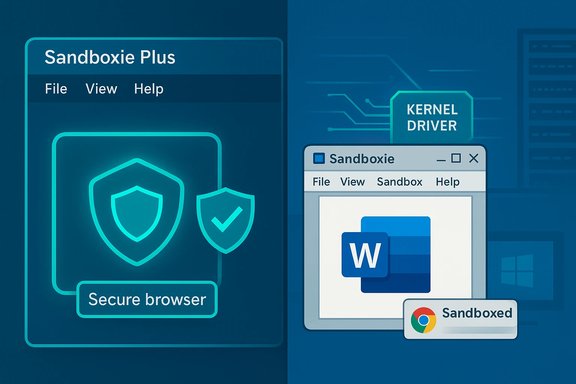 Background / Overview
Sandboxie began life as a lightweight sandboxing tool that isolates applications from the host operating system, limiting changes to disk and registry and enabling safe testing and browsing. The project changed hands several times and was open‑sourced in 2020; since then a community fork — commonly called Sandboxie Plus — has taken the lead in development and now publishes two editions: Plus (a modern Qt‑based UI with extra features) and Classic (the legacy MFC UI). The two editions share the same sandboxing core and driver, so security fixes and compatibility improvements propagate to both lines even when UI features differ. This January release — tagged v1.16.9 for Plus and v5.71.9 for Classic — is explicitly marketed as a robustness and compatibility update rather than a headline new‑feature drop. The maintainers emphasize fixes that matter in real‑world usage: Thunderbird and Firefox event‑viewer errors, Tor Browser stability at elevated security levels, tooltip and portable browser handling, OfficeClickToRun crashes affecting Word, and a previously reported blue‑screen scenario on Windows Server 2022 under exceptional GPU process creation load. These changes aim to make Sandboxie more dependable both for everyday desktop users and in higher‑load or professional testing environments. What’s new in v1.16.9 / 5.71.9
Headline fixes and focus
- Application compatibility: Resolved issues affecting Thunderbird and Firefox that caused log noise or AppModel‑Runtime errors; Tor Browser stability was improved to allow operating at the highest security level without crashes. These are user‑facing improvements that reduce friction for people who use sandboxed email and privacy‑focused browsers.
- Portable browser and UI quirks: Addressed an annoyance where tooltips for Chrome Portable could become stuck — a small but common usability complaint in portable/sandboxed workflows.
- Office and system stability: Fixed crashes tied to OfficeClickToRun.exe that could prevent Microsoft Word from working inside a sandbox. On the kernel side, a blue‑screen crash that manifested under heavy GPU process creation loads on Windows Server 2022 was resolved. That’s an important reliability fix for environments that run many GPU‑backed processes concurrently.
- Software lifecycle improvements: The update also improves handling of uninstalls and removal of applications that were installed only inside a sandbox, eliminating prolonged delays in those workflows.
Release metadata and distribution
- The official GitHub release entry for v1.16.9 / 5.71.9 was published by the project maintainer and includes the associated installer assets for both x64 and ARM64 where applicable. The Sandboxie project site and GitHub releases page remain the canonical distribution points for stable and preview builds.
Why this release matters (practical perspective)
1) Real‑world compatibility beats marketing features
A sandbox is only useful if the apps you rely on actually run correctly inside it. Recent years have shown browsers, email clients, virtualization layers and office suites evolving rapidly. When a sandbox driver or user‑mode hook breaks compatibility, the tool becomes an operational liability rather than an asset.This release restores and improves compatibility for specific, popular, and often sensitive applications — Thunderbird, Firefox, Tor Browser, and Office — which translates directly to fewer help‑desk tickets and less fiddling for power users and sysadmins.
2) Kernel/driver fixes reduce systemic risk
Sandboxie’s architecture includes a kernel‑mode driver that intercepts and virtualizes file and registry access among other things. While this is powerful for isolation, any driver bug can produce system‑level instability. A fix that eliminates an actual blue‑screen scenario under certain GPU‑heavy workloads is therefore a high‑value item: it reduces the chance that the sandbox itself becomes the source of system outages in demanding contexts such as labs, testing farms, or multi‑user servers.3) Cleaner lifecycle for sandbox‑only installs
The improvements around uninstall and removal of sandbox‑installed applications address a small but often time‑consuming pain point for users who try ephemeral installs inside a sandbox: if removing a sandboxed app stalls or leaves artifacts, it undercuts the “disposable” promise of sandboxing. This release reduces those edge cases.Technical analysis: internals and implications
Architecture recap
- Sandboxie relies on a combination of a kernel‑mode driver and user‑mode components (DLLs and a service) to virtualize filesystem and registry views for sandboxed processes.
- The Plus and Classic editions share the same core and driver; the difference is mostly UI and configuration ergonomics. The Plus edition adds a modern Qt UI, snapshot manager, per‑sandbox WFP firewall, encrypted sandboxes, and other user‑facing conveniences, while Classic retains the historical MFC control UI.
Security model and limitations
- Strengths: Sandboxie’s model is effective at containing many classes of threats that operate in user mode or that attempt to make persistent changes to disk and registry. For routine web browsing, document opening, and trialing unknown executables it greatly reduces the blast radius of mistakes or commodity malware.
- Limits: It has an inherent trust boundary: the kernel driver must be loaded with high privileges, and that driver becomes an essential component of the security model. Kernel exploits or sophisticated hypervisor‑level attacks can bypass or undermine user‑mode sandboxing. Projects that change kernel behavior are always at the intersection of benefit and systemic risk. Users should treat sandboxing as one layer in a defense‑in‑depth strategy, not as an absolute containment guarantee.
Compatibility posture
- The project migrated its build toolchain and UI frameworks over recent releases to modern compilers and Qt versions; that move increased performance and maintainability but also introduced compatibility decisions such as dropping 32‑bit and Windows 7 support in certain branches. The team maintains preview and stable streams and documents OS limits on the downloads page. Administrators should review the supported platforms before upgrading in production.
Installation and upgrade guidance
Upgrading Sandboxie is straightforward, but because the software installs a kernel driver and touches low‑level system hooks, adopt a cautious process on production or important machines.- Backup critical data and create a System Restore point.
- Check the current installed version and whether your configuration files (sandboxie.ini) contain custom settings you will want to preserve.
- Download the appropriate installer for your architecture (x64 or ARM64) from the project’s official downloads page or the GitHub release assets.
- Close active sandboxed sessions and exit Sandboxie services before running the installer to avoid file‑in‑use issues.
- Run the installer and verify the driver loads successfully (SandMan/SbieCtrl status), then test key applications inside a disposable sandbox before trusting the update for all workflows.
- If the installer fails or if an app breaks, you can uninstall and reinstall while keeping sandboxie.ini to retain your configurations. The release notes mention that preserving the INI during a reinstall is a supported recovery option.
Tip: portable testing and snapshotting
Use the Plus edition’s snapshot manager and portable mode to create a quick test sandbox and validate browser and Office behavior before rolling out the build widely. This reduces downtime and gives quick rollback options.Risk assessment and compatibility checklist
- Kernel driver interactions: Because Sandboxie inserts a kernel driver, it can conflict with other security software that hooks into similar OS subsystems (antivirus, endpoint protection, some VPN or network filtering drivers). Test interactions where multiple security products are present.
- Windows version caveats: Recent releases moved build tooling and UI frameworks forward; some builds have dropped legacy OS support. Confirm that the installer you download is targeted at your Windows build and architecture.
- Enterprise policy & deployment: The driver signing, update cadence, and the presence of a kernel component may trigger enterprise compliance scanners or change management processes. Validate with IT policy before automated deployment.
- Not a substitute for kernel patching: Sandboxie mitigates many classes of attacks but does not replace the need for OS security updates. If you are using unsupported Windows versions or delayed patching, treat sandboxing as risk reduction, not a full remedy.
Cross‑reference and verification
Key claims in this feature were verified against the project release notes and distribution pages: the GitHub release entry for v1.16.9 / 5.71.9 documents the fixes to Thunderbird, Firefox AppModel noise, Tor Browser stability, Chrome Portable tooltip issues, OfficeClickToRun‑linked crashes, and the blue‑screen scenario on Windows Server 2022. The official downloads page shows the recommended stable builds and the availability of x64/ARM64 installers. These two independent official project sources are the basis for the version and changelog claims used here. Community discussion fora and technical threads corroborate the kinds of problems this release addresses; user reports and forum threads frequently highlight tooltip problems, browser incompatibilities, and Office integration quirkiness that the release lists as fixed. Community mirrors and discussion posts also flagged the release tag v1.16.9 on the day it went out, which aligns with the project’s GitHub timestamp. Where community reports make claims the project does not document explicitly, those items are flagged as community observations rather than authoritative facts.Strengths, weaknesses, and who should upgrade
Strengths
- Focused stability improvements: The release addresses high‑impact compatibility and crash issues rather than minor cosmetic changes, delivering measurable reliability gains for common, high‑value applications.
- Shared core for Plus and Classic: Security and driver fixes apply to both UI editions, so organizations that standardize on Classic but want driver stability still benefit from the Plus team’s work.
- Active community development: The project continues to publish releases and address real‑world feedback, which matters for long‑term viability of an open‑source sandboxing tool.
Weaknesses and risks
- Kernel‑mode component: Any component running at kernel privilege increases the surface for potential system‑wide instability if a regression slips through. Administrators must retain rollback plans and staged rollouts.
- Not a silver bullet: Sandboxie reduces exposure to many attacks but does not replace OS security updates, hardware root‑of‑trust protections, or endpoint detection and response as part of a comprehensive security strategy.
- Edge‑case compatibility: Some specialized software (DRM clients, low‑level hardware utilities, and apps that require raw device access) may still not behave well inside a sandbox. That reality requires selective exemptions or alternate isolation approaches (virtual machines, Windows Sandbox, or Qubes for extremely high isolation needs).
Who should upgrade now
- Desktop users who regularly run portable browsers, mail clients, and Office inside sandboxes and who’ve experienced the bugs mentioned in the changelog.
- Administrators and test labs that run many GPU‑backed processes or reproduce large workloads on Server 2022 and previously saw the blue‑screen behavior.
- Power users who rely on the Plus UI features but want driver‑level stability.
Practical recommendations
- For single‑user desktops: install the build after a local backup; test your primary browser and Office inside a sandbox before making it your default workflow.
- For small office / departmental rollouts: perform a pilot on representative hardware (including any machines that use GPUs heavily or depend on particular OfficeClickToRun configurations), monitor event logs for new AppModel or DCOM noise, and validate the uninstall lifecycle for sandbox‑installed apps.
- For enterprise: treat this as a maintenance release. Integrate the installer into configuration management or imaging workflows after a test cycle; ensure driver signing policies accept the new driver and that endpoint protection vendors don’t flag the updated components.
- For security architects: continue to layer protections. Use Sandboxie for quick containment, but rely on secure OS baselines, timely vendor patches, endpoint detection, and network controls for holistic defense.
Final verdict
Sandboxie Plus 1.16.9 / Classic 5.71.9 is a pragmatic, stability‑oriented release that fixes several real‑world problems and reduces operational friction in common sandboxed workflows. The fixes for browsers, Office, and a server‑side blue‑screen scenario are meaningful and practically useful. Because Sandboxie runs a kernel driver, cautious rollout and compatibility testing remain essential; nonetheless, for users who depend on sandboxing for secure browsing, testing unknown apps, or maintaining disposable app environments, this update materially improves reliability.In short: upgrade if Sandboxie is part of your daily security practice, but stage the update and verify interactions with other security tools before a broad deployment.
Source: Neowin https://www.neowin.net/amp/sandboxie-plus-1169--classic-5719/
