

The SAPPHIRE NITRO+ Radeon RX 570 4GB remains a practical, budget-conscious choice for Windows 10 — and critical facts buyers and upgraders need to know are straightforward: the card’s hardware and vendor pages confirm Windows 10 compatibility, AMD’s Adrenalin driver line continues to provide Windows 10 packages (even after Microsoft’s Windows 10 lifecycle change), and the best path for stable operation is to prefer Microsoft‑signed or OEM drivers before attempting archived or third‑party packages.
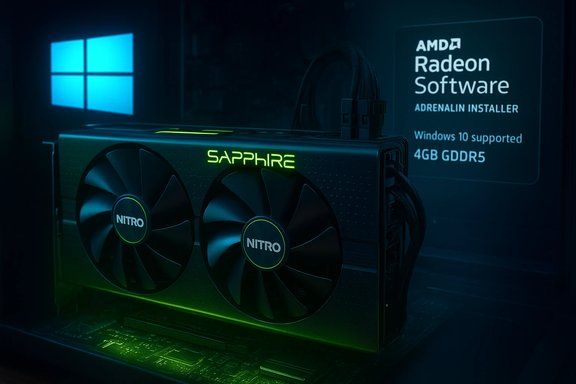
The Radeon RX 570 launched as a midrange Polaris‑based card and quickly established itself as one of the best value cards for 1080p and esports‑class gaming. SAPPHIRE’s NITRO+ and PULSE RX 570 4GB SKUs are factory‑tuned variants with improved cooling and modest factory boosts; their product pages list Windows 10 (64‑bit) and Windows 11 as supported operating systems and publish complete hardware specs including 2048 stream processors, 4GB GDDR5 on a 256‑bit bus, and typical board power in the 195–225W band. That hardware context matters because driver functionality and feature parity are functions both of the GPU silicon (Polaris RX 500 family) and the software stack that vendors publish. AMD distributes its driver stack as “AMD Software: Adrenalin Edition,” and the Adrenalin packages released through 2024–2025 continue to list Windows 10 64‑bit driver packages for RX 570 specifically. Recent Adrenalin builds such as Adrenalin 25.5.1 and 25.8.1 are listed for both Windows 10 and Windows 11 on AMD’s product pages for RX 570.
Source: Born2Invest https://born2invest.com/?b=style-236929012/
 Background / Overview
The Radeon RX 570 launched as a midrange Polaris‑based card and quickly established itself as one of the best value cards for 1080p and esports‑class gaming. SAPPHIRE’s NITRO+ and PULSE RX 570 4GB SKUs are factory‑tuned variants with improved cooling and modest factory boosts; their product pages list Windows 10 (64‑bit) and Windows 11 as supported operating systems and publish complete hardware specs including 2048 stream processors, 4GB GDDR5 on a 256‑bit bus, and typical board power in the 195–225W band. That hardware context matters because driver functionality and feature parity are functions both of the GPU silicon (Polaris RX 500 family) and the software stack that vendors publish. AMD distributes its driver stack as “AMD Software: Adrenalin Edition,” and the Adrenalin packages released through 2024–2025 continue to list Windows 10 64‑bit driver packages for RX 570 specifically. Recent Adrenalin builds such as Adrenalin 25.5.1 and 25.8.1 are listed for both Windows 10 and Windows 11 on AMD’s product pages for RX 570. What changed with Windows 10’s end of support — and what it means for RX 570 owners
The headline, clarified
Microsoft declared end of support for mainstream Windows 10 on October 14, 2025. That calendar milestone caused a documentation shift in some vendor release notes: certain Adrenalin release pages omitted the explicit “Windows 10” label in short compatibility copy, which led to alarmed headlines suggesting AMD had stopped supporting Windows 10 outright. AMD publicly clarified that omission was a documentation adjustment aligned to Microsoft’s lifecycle and that Adrenalin installer packages remain compatible with Windows 10 and will continue to be provided to Windows 10 users, with ongoing critical fixes and targeted updates as market needs dictate.Practical effect for users
- AMD continues to publish Adrenalin installers that include support for RX 570 on Windows 10; the packages are available on AMD’s support pages.
- The practical outcome is that RX 570 owners on Windows 10 will still be able to install current Adrenalin drivers and receive bug fixes and game‑compatibility updates for the time being. Independent coverage and AMD statements confirm this continuity.
- However, vendors are increasingly prioritizing Windows 11 as the baseline for new feature development; older GPU families may enter a maintenance branch for feature work while still getting critical fixes. Expect maintenance‑mode behavior for older product lines in time.
Technical verification: drivers, versions, and OS compatibility
AMD’s official driver listings
AMD’s official RX 570 support pages explicitly list the Adrenalin Edition driver for Windows 10 (64‑bit) and provide recent revision numbers and release dates (examples: Adrenalin 25.5.1 and Adrenalin 25.8.1 as WHQL‑recommended builds in 2025). These driver packages carry the runtime components that power Radeon Overlay, media encode/decode features, and GPU utilities. Installing the most recent Adrenalin package is the standard vendor recommendation for getting the latest compatibility and security fixes.SAPPHIRE hardware page confirmation
SAPPHIRE’s NITRO+ and PULSE product pages for the RX 570 4GB explicitly document Windows 10 support, list the required system power and connectors, and specify the GPU clocks, memory, and output options. These pages are the authoritative source for board‑level details (e.g., required power supply, required 6‑pin + 8‑pin connectors, form factor). If you’re buying a used/clearance RX 570, check the SAPPHIRE SKU to confirm the board revision and connector layout before purchase.Where to buy a SAPPHIRE NITRO+ Radeon RX 570 4GB (clearance and used markets)
SAPPHIRE’s RX 570 cards are widely available only as new old stock or used/refurbished units in 2024–2026. Major online marketplaces and refurb sellers are the most common sources for “clearance” RX 570 boards:- Retail and refurb listings: Newegg often lists open‑box or refurbished SAPPHIRE RX 570 cards under specific SKUs (11266‑14 etc., with product pages that repeat SAPPHIRE specs and OS compatibility.
- Auction and marketplace channels: eBay listings for SAPPHIRE NITRO RX 570 4GB are common at modest prices for used cards; listings vary by seller and condition.
- Local and specialty marketplaces: regional sites and refurb marketplaces (examples include Jawa and similar used hardware sellers) list tested or repasted cards in the $50–$120 band depending on condition and warranty.
- Prefer sellers that provide a short warranty or returns window. Used GPUs — especially cards that may have seen mining use — carry a higher risk of failure.
- Confirm the exact SKU and connector layout (some variants use different cooler trims or factory OC profiles).
- Check the seller’s stated shipping method and return policy before purchasing; many refurb sellers offer graded conditions (tested, refurbished, AS‑IS).
Driver strategy: stable, safe, and functional
Recommended hierarchy (by trust and safety)
- Windows Update (Microsoft‑signed driver): the least invasive and often the safest choice for stability and security. If Windows Update offers a Microsoft‑signed display driver that meets your needs, use it first. This is the recommended fallback for older systems and for users who prioritize system integrity.
- OEM / SAPPHIRE vendor drivers: when available for your exact SKU and system model (especially for notebooks or branded desktops), an OEM driver or SAPPHIRE‑supplied package is preferable because it is tuned for the specific board and thermal/power behavior.
- AMD Adrenalin Edition from AMD’s support page: use the vendor’s official Adrenalin package if you need full Radeon software features and the release notes explicitly list your GPU. AMD’s official pages provide the WHQL‑recommended builds for Windows 10 and Windows 11 for RX 570.
- Archived Catalyst/legacy packages and community repacks: use only as a last resort and only on a test machine. There are real risks with unsigned or modified packages. Community documentation shows manual INF installs can work when the INF explicitly contains your device’s hardware id — but this is an advanced path.
Safe installation workflow (step‑by‑step)
- Inventory and backup: record the GPU hardware ID in Device Manager (Details → Hardware Ids), create a System Restore point, and if possible create a full disk image. This preserves a rollback path in case of failure.
- Try Windows Update first: Settings → Windows Update → Check for updates → View optional updates → Drivers. If a Microsoft‑signed driver appears, test system functionality (resolution, multiple displays, video playback).
- If you need Adrenalin features, download the latest Adrenalin package for RX 570 from AMD’s support page and read the release notes. Prefer the WHQL recommended build.
- If moving between driver families or cleaning a driver footprint, use Display Driver Uninstaller (DDU) in Safe Mode to remove remnants before installing the new package. Community guides strongly recommend this to avoid conflicts.
- For advanced manual INF installs only: extract the archived package, open the Display.Driver.inf and confirm your VEN/DEV* hardware id is present. Use Device Manager → Update driver → Browse my computer → Let me pick → Have Disk… → point to the INF. Do this only if you understand driver signing and the security consequences.
Troubleshooting common failure modes
- Installer aborts with “device not supported”: usually the INF doesn’t list the hardware id. Do not edit INF files unless you can re‑sign drivers and test on a sacrificial machine.
- Catalyst/Adrenalin UI shows but Device Manager lists Microsoft Basic Display Adapter: residual driver remnants or a partial install — clean with DDU and reattempt.
- Windows Update keeps replacing your manual driver: temporarily pause/hide the driver update during testing then re‑enable updates once stability is validated.
Security and lifecycle risks: what to watch for
- Kernel‑level risk from unsigned drivers: graphics drivers run at kernel level. Installing unsigned or repackaged drivers undermines Windows driver signing protections and increases attack surface. Avoid unsigned packages on production machines.
- OS end‑of‑life impacts: Microsoft’s October 14, 2025 end of mainstream Windows 10 support changes the vendor QA and testing calculus. Even though AMD has confirmed continued driver compatibility for Windows 10 via Adrenalin packages, long‑term feature and QA attention will shift to Windows 11 — which may reduce the frequency of new feature updates for older OS baselines. Plan hardware or OS migration for production environments.
- Third‑party repackagers and “one‑click” updaters: these tools can be convenient but sometimes bundle unwanted software or choose incorrect drivers. Community guidance and vendor pages consistently recommend manual downloads from AMD or OEM pages, and using DDU to clean the driver state before a manual install when necessary.
Performance and expectations for RX 570 4GB on Windows 10
The RX 570 4GB remains capable for:- 1080p esports titles and older AAA games at medium settings
- Multi‑monitor desktop work and accelerated browser/video playback (the card supports UVD/VCE legacy codecs)
- General-purpose GPU compute and entry‑level streaming with modest encode workloads
- The 4GB VRAM cap constrains high‑resolution texture sets and some modern games at 1080p/ultra settings
- Modern codecs (AV1 hardware decode/encode) and some newer driver features are targeted at newer architectures — expect fewer future optimizations for Polaris as AMD focuses on RDNA 3/4 silicon.
Quick reference: concise checklist before you buy or re‑install
- Confirm the exact SKU (e.g., SAPPHIRE NITRO+ RX 570 4GB SKU 11266‑14) and ensure your PSU has an 8‑pin + 6‑pin power connector.
- If you’re running Windows 10, plan to: try Windows Update first; use OEM drivers if available; install AMD Adrenalin if you need the full feature set; avoid unsigned repackaged drivers.
- Before driver changes: create a System Restore point, take a disk image if possible, and record the GPU hardware id for INF checks.
- If buying used: prefer sellers with returns/warranty, ask about usage (mining history increases risk), and consider a moderate refurbishment budget (thermal paste, re‑pads) if you don’t get a warranty. Market prices for used SAPPHIRE RX 570 cards have ranged widely but commonly appear in the $50–$120 band depending on condition.
Born2Invest link and unverifiable claims — cautionary note
The prompt included a Born2Invest URL; independent verification of that particular article or page was not possible from the available archives at the time of reporting, and some summaries in community archives flagged that specific Born2Invest claim as unverified. Treat single‑site claims that assert driver numbers or exclusive facts (for example, “driver 30.0.x doesn’t exist anywhere yet”) with caution; cross‑check AMD’s official support pages and multiple independent publications before acting. If you can provide the Born2Invest article text or a working URL, the claims it contains can be validated line‑by‑line against vendor documentation.Final verdict and practical recommendation
- If you already own a SAPPHIRE NITRO+ Radeon RX 570 4GB and run Windows 10: there is no immediate, forced migration required for driver support. Install the latest WHQL Adrenalin package from AMD’s support pages or allow Windows Update to install the Microsoft‑signed driver if stability is your priority. Back up before making driver changes and use DDU for clean transitions.
- If you’re buying a used or clearance RX 570 4GB: it remains a strong value for 1080p and esports gaming, but buy from reputable sellers with returns or short warranties, check the SKU and connectors, and budget for possible refurbishment. Compare sellers on established marketplaces and prefer tested/refurbished units with seller guarantees.
- If you depend on long‑term security or need fast feature updates: plan a modest hardware refresh and/or upgrade to Windows 11 where vendor feature investment is now concentrated. RX 570 owners with stable needs can continue safely on Windows 10 for now, but production machines should consider migration planning given Microsoft’s OS lifecycle change.
Appendix — Quick install checklist (compact, printable)
- Record GPU hardware ID (Device Manager → Details → Hardware Ids).
- Create System Restore point and a full disk image if possible.
- Check Windows Update for a Microsoft‑signed driver first.
- If you need Adrenalin features, download AMD Adrenalin (WHQL recommended for RX 570).
- If switching drivers, boot to Safe Mode and run DDU, then install the chosen package.
- Validate resolution, multi‑monitor, and video playback. Pause Windows Update if it attempts to revert your manual install while testing.
Source: Born2Invest https://born2invest.com/?b=style-236929012/
