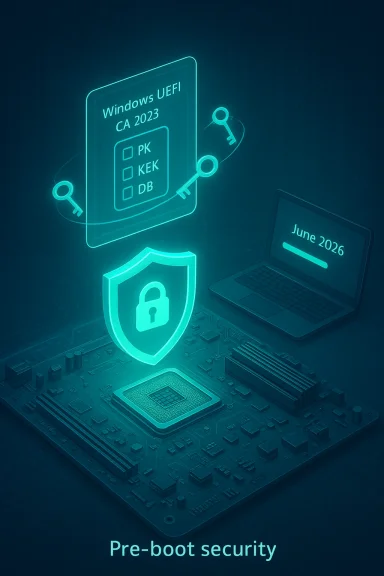
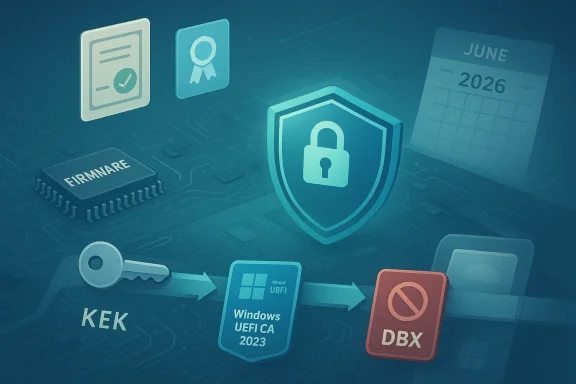
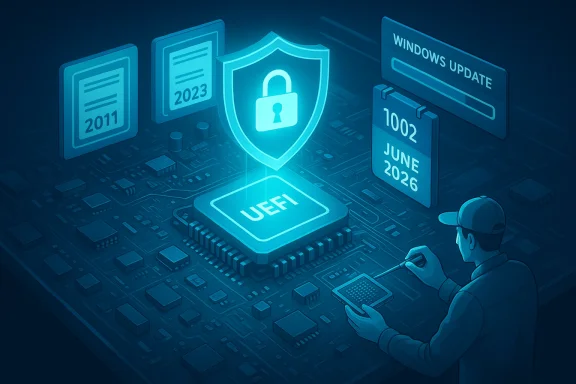
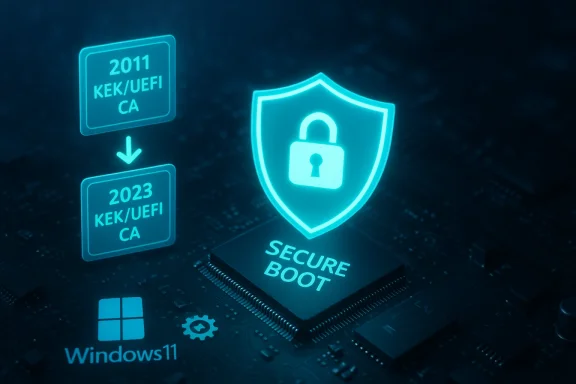
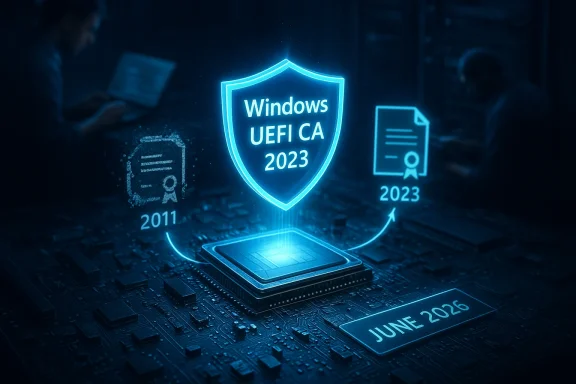
Microsoft has issued a platform-level warning: the Secure Boot certificates first issued around 2011 that underpin Windows’ pre-boot trust model begin expiring in June 2026, and although most updated systems will continue to boot, devices that do not receive the replacement certificate family will enter a degraded security state that limits future boot‑time protections, firmware updates, and the ability to validate newer boot components. ([support.microsoft.microsoft.com/en-us/help/5062713)
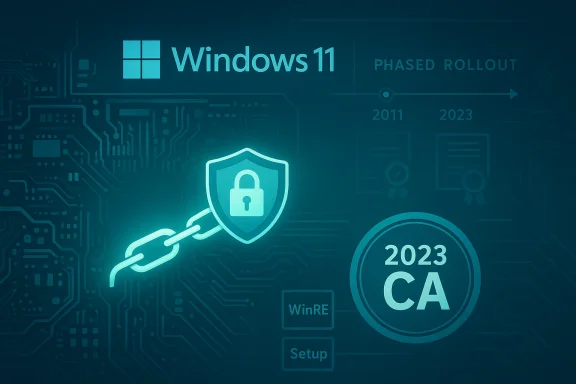
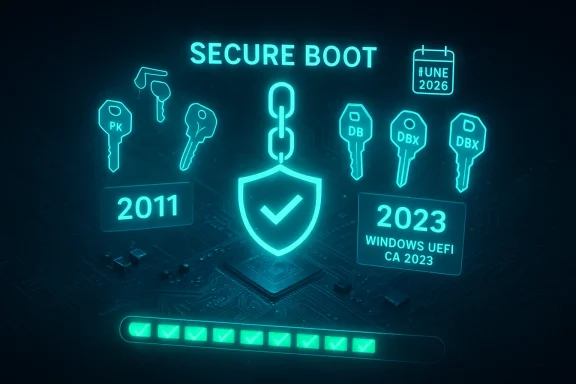
Secure Boot is a UEFI firmware feature that verifies digital signatures on the earliest pieces of code your PC runs—the boot manager, option ROMs, shim loaders used by Linux distributions, and WinRE (Windows Recovery Environment). This trust model depends on a small set of certificate authorities (CAs) and signing certificates stored in firmware (the UEFI DB/KEK/PK databases). Those Microsoft-supplied certificates, originally provisioned beginning in 2011, were always intended to be rotated when their cryptographic lifetime ended. Microsoft and OEM partners have prepared a 2023 certificate family to replace the 2011 anchors; the coordinated delivery and installation of that new CA family must complete before the 2011 roots begin expiring in mid‑2026.
This change is not a software bug or a sudden exploit; it’s a planned cryptographic lifecycle event with real operational consequences. If a system relies exclusively on the 2011 certificates when those certificates expire, the firmware and OS may refuse to accept new, properly signed pre‑boot components or later boot‑level mitigations—putting the machine into a state where it can still start but cannot be patched at the pre‑OS layer. Microsoft’s guidance and IT blogs make clear this is a calendar‑driven transition and that the most straightforward defense is to receive the new certificates via normal update channels.
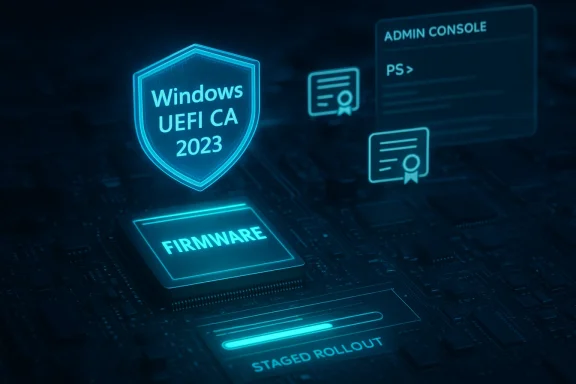
Microsoft and independent outlets have emphasized that the rollout is phased and telemetry‑gated—updates are delivered after Microsoft sees sufficient successful update signals on a hardware class—so device classes that historically show update failures may be slower to receive the 2023 CA via Windows Update. For Windows 10 devices that did not enroll in ESU and are no longer receiving cumulative updates, administrators must treat them as out of scope for automatic certificate injection.
End of article.
Source: mibolsillo.co https://www.mibolsillo.co/news/warn...-users-should-check-it-out-20260305-0016.html
 Background
Secure Boot is a UEFI firmware feature that verifies digital signatures on the earliest pieces of code your PC runs—the boot manager, option ROMs, shim loaders used by Linux distributions, and WinRE (Windows Recovery Environment). This trust model depends on a small set of certificate authorities (CAs) and signing certificates stored in firmware (the UEFI DB/KEK/PK databases). Those Microsoft-supplied certificates, originally provisioned beginning in 2011, were always intended to be rotated when their cryptographic lifetime ended. Microsoft and OEM partners have prepared a 2023 certificate family to replace the 2011 anchors; the coordinated delivery and installation of that new CA family must complete before the 2011 roots begin expiring in mid‑2026.This change is not a software bug or a sudden exploit; it’s a planned cryptographic lifecycle event with real operational consequences. If a system relies exclusively on the 2011 certificates when those certificates expire, the firmware and OS may refuse to accept new, properly signed pre‑boot components or later boot‑level mitigations—putting the machine into a state where it can still start but cannot be patched at the pre‑OS layer. Microsoft’s guidance and IT blogs make clear this is a calendar‑driven transition and that the most straightforward defense is to receive the new certificates via normal update channels.
Why this matters: the practical security and compatibility consequences
- Loss of future boot‑level updates: Once the 2011 certificate anchors are expired for a given platform, Microsoft cannot push future Secure Boot updates or revocations to that machine unless the 2023 certificates are present. That means newly discovered pre‑OS vulnerabilities could remain unpatched at the firmware/boot level.
- Compatibility problems for signed firmware and option ROMs: Some GPU GOP option ROMs, third‑party EFI drivers, or Linux shim components signed under the old CA may no longer validate unless the new CA is present or OEM firmware is updated. Systems that cannot accept the 2023 CA may refuse certain device firmware at POST or block OS upgrades that rely on the new signing chain.
- Operational risk to servers and air‑gapped devices: Servers, virtual machine images, and isolated or regulated environments that intentionally delay or block Windows Update are particularly vulnerable because the rollout requires coordinated firmware and OS-level changes; these systems may need manual intervention or a different update path.
- User confusion and recovery complexity: Although most PCs will continue to boot, systems that hit firmware corner cases, vendor‑specific UEFI behaviors, or non‑standard boot configurations may need recovery media, firmware reflashes, or professional support to restore a trusted boot state.
Which devices face the highest risk
Not every Windows PC is at equal risk. The highest‑risk categories include:- Older PCs with firmware that hasn’t been updated in years (BIOS/UEFI vendors that no longer release updates).
- Systems still running unsupported Windows releases that are not receiving Microsoft-managed updates (notably Windows 10 devices that are not enrolled in Extended Security Updates).
- Servers, industrial endpoints, and air‑gapped systems where updates are delayed by policy or operational constraints.
- Virtual machines and nested virtualization hosts where Secure Boot and WinRE updates require special handling; Hyper‑V or cloud images may need separate attention.
- Dual‑boot or Linux systems that rely on Microsoft-signed shim binaries: distributions that expected the old Microsoft key may require updated shims or vendor intervention.
Microsoft’s timeline and what actually changes
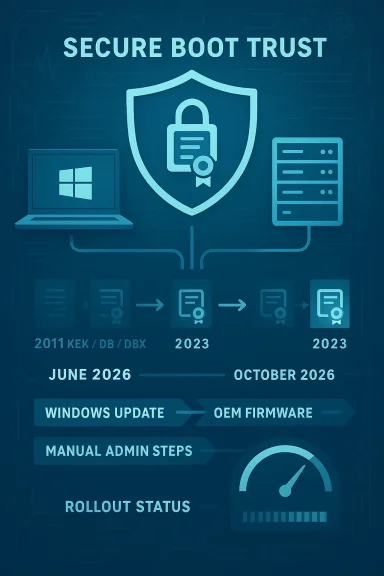
Microsoft’s public guidance (support articles and Windows IT Pro posts) lists the relevant certificates and the calendar for expiration. The key points verified against Microsoft’s guidance and Microsoft’s IT Pro documentation are:- The original Microsoft UEFI/KEK/DB certificates issued around 2011 begin expiring in June 2026, with a final set following through October 2026 for some boot‑signing production CAs.
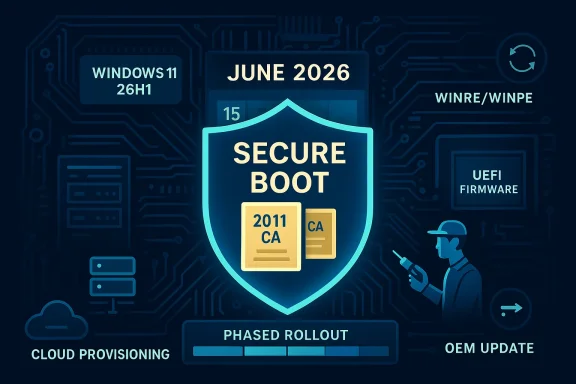
- Microsoft produced a replacement family labeled informally as the Windows UEFI/KEK/CA 2023 set; those certificates are being delivered via a combination of Windows cumulative updates (where the OS injects DB entries) and OEM firmware updates for devices that require firmware‑level changes.
- Microsoft has released targeted Dynamic Updates (Safe OS / Setup dynamic updates such as KB5079270 and KB5079271, and Safe OS updates like KB5078169) to enable the certificate transition during Windows feature upgrades or repair environments; administrators should review the update rollouts for their specific OS versions.
Clear, prioritized actions for home users (what to do today)
If you use a Windows PC for anything important—work, finances, health records—don’t wait for panic. Follow these steps in order; most are straightforward and safe.- Install all pending Windows updates now. Restart at least once after updates to ensure any scheduled Secure Boot update tasks can run. This is the single most effective step because Microsoft is delivering the replacement certificates through normal servicing for many devices.
- Check whether Secure Boot is enabled and whether the 2023 CA is present: open PowerShell as Administrator and run Confirm-SecureBootUEFI to confirm Secure Boot is enabled, and then run a quick verification to look for the 2023 certificate:
- Confirm-SecureBootUEFI (returns True/False).
- [System.Text.Encoding]::ASCII.GetString((Get-SecureBootUEFI DB).bytes) -match 'Windows UEFI CA 2023' — if this returns True, the new CA is present. These PowerShell commands are the supported way to confirm the DB contents on Windows systems.
- Check your PC manufacturer’s support site for firmware/BIOS/UEFI updates and apply them if available. Firmware updates are often necessary for the device to accept OS‑initiated DB injections or to persist new KEK/DB values across resets. If the vendor has posted a Secure Boot transition FAQ or an OEM tool to run the update task, follow their guidance.
- For older machines where firmware updates are unavailable, consider one of: upgrading the hardware, enrolling the device in a supported servicing program (see below for ESU), or planning a migration path off that machine for sensitive tasks.
- Create a full backup and a bootable Windows recovery USB now. If you later encounter unexpected boot or firmware behavior, a known good backup and recovery media will shorten downtime and reduce data‑loss risk. This is standard best practice before performing firmware or low‑level security changes.
For IT teams and administrators: an operational playbook
Large organizations need a short, auditable checklist. The consequences scale with fleet size; a single blocked firmware update can be multiplied across thousands of machines.- Inventory: Use Microsoft’s sample PowerShell scripts and MDM/Intune detection tools to inventory Secure Boot status and whether the Windows UEFI CA 2023 entries exist in each device’s DB. Microsoft published sample reporting outputs and commands specifically for this transition.
- Prioritize high‑risk assets: Servers, air‑gapped systems, test benches, imaging systems, and custom appliances should be highest on the remediation list. These systems are often excluded from normal Windows Update flows and require manual workflows.
- Firmware readiness testing: Validate OEM BIOS updates in lab images before mass deployment. For images used to provision VMs or Cloud PCs, ensure source images are updated to include the 2023 CA entries. Microsoft’s Windows 365 guidance specifically calls out Cloud PC images as needing updates ahead of the expiration.
- Controlled pilot rollout: Start with a pilot containing multiple hardware families. Validate WinRE and Setup behavior (use the Safe OS dynamic updates and test feature upgrade paths KB5079270 / KB5079271). Watch for Event IDs (1795/1808/1802 etc.) that Microsoft documents as indicators of update problems.
- Communication and fallback: Inform helpdesk and desktop support teams about expected user symptoms and recovery steps (how to verify Secure Boot DB, how to apply OEM firmware, how to use recovery USB). Pre‑generate vendor recovery images where possible.
How to verify certificate status (practical PowerShell checks)
Use an elevated PowerShell session (Run as Administrator) and these supported commands. These are the same checks Microsoft recommends and that OEMs reference in their transition guides:- Confirm if Secure Boot is enabled:
- Confirm-SecureBootUEFI — returns True or False.
- Inspect the DB for the new CA entry:
- [System.Text.Encoding]::ASCII.GetString((Get-SecureBootUEFI DB).bytes) -match 'Windows UEFI CA 2023'
- If the above returns True, the Windows UEFI CA 2023 certificate is present in the active DB. This is the simplest direct verification method.
- Use Get-SecureBootUEFI -Name DB or Get-SecureBootUEFI -Name PK to export individual database blobs if you need to capture evidence for support tickets. Microsoft’s support articles and many OEM pages include sample commands for inventorying and exporting DB contents.
Windows 10, Extended Security Updates, and the tricky edge cases
Windows 10 reached its mainstream end of support in October 2025; Microsoft has said that devices running unsupported Windows versions will not automatically receive the Secure Boot certificate refresh unless they are enrolled in the Extended Security Updates (ESU) program or otherwise managed to receive Microsoft-managed updates. That means many Windows 10 systems that stopped receiving updates after end‑of‑support will not get the 2023 certificates unless organizations or consumers have an ESU enrollment or other supported servicing arrangement. If you are a Windows 10 user, verify your update eligibility immediately.Microsoft and independent outlets have emphasized that the rollout is phased and telemetry‑gated—updates are delivered after Microsoft sees sufficient successful update signals on a hardware class—so device classes that historically show update failures may be slower to receive the 2023 CA via Windows Update. For Windows 10 devices that did not enroll in ESU and are no longer receiving cumulative updates, administrators must treat them as out of scope for automatic certificate injection.
Recovery and contingency planning — what to do if a system won’t start
Microsoft’s documentation and community experience show a range of recovery options that can help restore a machine to a workingthe Windows Recovery Environment (WinRE) and use Startup Repair or restore a previously created system restore point. Microsoft has pushed Safe OS/WinRE updates to ensure recovery images are aware of the new certificate family; keep recovery media updated after installing recent cumulative updates.- If the system can’t validate a signed boot component because the DB is out of date, a firmware update or a vendor utility that persists the 2023 CA may resolve the problem. That is why OEM firmware releases are critical.
- If a device becomes unbootable because of a vendor-specific UEFI quirk, vendor support and a reflashed firmware image are often the necessary path; maintain contact channels with your OEM for these scenarios.
- Use a bootable image (USB WinPE or recovery drive) that includes the updated WinRE/Boot Manager signed with the 2023 CA where possible; Microsoft’s dynamic updates include WinRE components to help with this.
Risks, unknowns, and where to be cautious
- OEM variability: Firmware implementations of UEFI vary. Some vendors will inject the 2023 DB entries themselves; others rely on Windows to apply DB updates. The availability and persistence of updates depends on firmware design. That means identical hardware families from different OEMs (or different firmware revisions from the same OEM) may behave differently. Treat vendor documentation as authoritative for a given model.
- Timing and telemetry gating: Microsoft is using a staged rollout that checks for healthy update signals; some hardware families may be slower to receive the update. Don’t assume “it will come later” if the device is a server, air‑gapped, or VDI/Cloud image. Plan to test and apply manual remediation where necessary.
- Linux and dual‑boot scenarios: Several Linux distributions and components (shim, signed kernels) rely on Microsoft’s signing infrastructure. Some distros already documented steps they will take, but users who run Linux on Secure Boot systems should verify shim and bootloader chain support for the 2023 CA and follow distro guidance. If your Linux installation depends on a shim signed with the old Microsoft key, it could require maintenance.
- Social engineering and fake updates: As this topic gains attention, expect phishing and scam pages offering “fix utilities” or “one-click updates.” Only use official Microsoft KBs, OEM support pages, and vendor firmware tools. Never run unsigned update utilities from untrusted sources.
Monitoring and information sources — what to watch and where to get help
- Microsoft support documentation is the primary authoritative source for the exact expiry dates, replacement certificate names, and supported remediation steps; check the Secure Boot certificate guidance and the “frequently asked questions” pages for updates.
- The Windows IT Pro blog and Tech Community posts contain operational playbooks and sample PowerShell scripts useful for device inventory and scale deployment planning.
- Major OEM support pages (Lenovo, ASUS, Dell) publish model‑specific guidance and tools; consult them before mass firmware deployments.
- Independent coverage from reputable outlets (Ars Technica, Windows Central, SecurityWeek) provides additional context on likely impacts for consumers and examples of corner cases reported by early adopters. Cross‑reference these stories with Microsoft OEM guidance before acting.
Final assessment: how worried should you be?
- For most home users who keep Windows updated and who buy mainstream branded hardware from major OEMs, the practical risk is manageable: follow the update steps, verify Secure Boot status, and keep firmware current. Most such systems will receive the 2023 certificate family automatically via Windows servicing.
- For organizations, administrators, and power users who manage diverse fleets—especially servers, air‑gapped machines, imaging stations, or specialized workstations—the risk is material and operational. Treat this as a scheduled maintenance event: inventory, pilot, deploy, monitor.
- For unsupported Windows 10 machines not enrolled in ESU, and for older hardware with no firmware updates, the risk is elevated: those devices may not receive the certificates and will lose the ability to receive future boot‑level fixes. Plan migration or ESU enrollment if continued use is essential.
Checklist — Immediate to‑do list (copy/paste and follow)
- Install all pending Windows updates and reboot.
- Run PowerShell (Admin): Confirm-SecureBootUEFI. If True, then run:
[System.Text.Encoding]::ASCII.GetString((Get-SecureBootUEFI DB).bytes) -match 'Windows UEFI CA 2023' — expect True once the update is applied. - Check OEM support page for your exact model; apply any firmware updates the vendor publishes.
- Create a full system backup and a bootable recovery USB (updated after recent cumulative updates).
- If you manage a fleet: inventory Secure Boot state via the Microsoft sample scripts or Intune detection scripts; pilot updates on representative models first.
Conclusion
This is a classic example of how long‑lived cryptographic artifacts create systemic operational deadlines: the certificates Microsoft issued a decade and a half ago are simply reaching the end of their intended lifespan. The good news is that Microsoft, major OEMs, and the broader ecosystem prepared a coordinated replacement plan—the Windows UEFI CA 2023 family—and many devices will be updated automatically. The bad news is that a nontrivial set of machines—older hardware, unmanaged endpoints, servers, and unsupported Windows 10 systems—require deliberate attention to avoid a degraded boot security posture after June 2026. Treat the coming months as a maintenance window: inventory, update, test, and back up. If you haven’t looked at your device’s Secure Boot and firmware state in the last 90 days, start now.End of article.
Source: mibolsillo.co https://www.mibolsillo.co/news/warn...-users-should-check-it-out-20260305-0016.html