

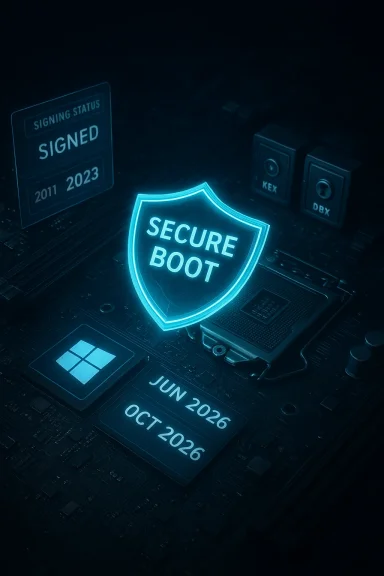
Your PC’s ability to boot tomorrow depends on digital trust decisions made years ago — and those cryptographic certificates are about to reach their end-of-life in mid‑2026 unless your machine has already been updated.
Background: why this matters now
Secure Boot is the pre‑OS gatekeeper that prevents unauthorized or tampered code from running before Windows starts. It does that by checking digital signatures against a small set of certificate authorities (CAs) stored in your firmware. Several of the Microsoft‑issued Secure Boot certificates installed broadly on Windows machines in 2011 are scheduled to expire beginning in June 2026 (with one key certificate expiring later in October 2026). If a device still relies solely on those older certificates after expiry, it will continue to boot today but will gradually lose the ability to accept future pre‑OS updates, security revocations, and mitigations — and in some update scenarios that can prevent a system from starting. Microsoft’s documentation explains the timeline and the replacement strategy in detail.The situation received broad consumer coverage and practical guidance when vendors and news outlets started reporting the staged rollout Microsoft began in early 2026. Those reports reiterate one practical point: most consumer systems that get current Windows updates should be updated automatically, but edge cases exist — alls, servers, air‑gapped machines, VMs that don’t accept firmware changes, and dual‑boot systems are the places to watch.
How Secure Boot’s certificate system actually works
The chain of trust in UEFI Secure Boot
Secure Boot uses a small set of firmware variables defined by the UEFI standard to implement a chain of trust:- PK (Platform Key) — establishes ownership and authorizes KEK changes.
- KEK (Key Exchange Key database) — controls who can update the DB/DBX entries.
- DB (Allowed Signature Database) — certificates and hashes that are allowed to run.
- DBX (Forbidden Signature Database) — revoked certificates/hashes that must be blocked.
Certificates are expiring by design
Certificates include expiry dates. This is intentional: cryptographic keys and signing certificates are rotated periodically to reduce long‑term exposure from compromised or antiquated signing material. The catch: when a root or intermediate certificate used as the trust anchor expires, firmware will stop treating the expired certificate as valid trust for making new trust decisions. Devices need a way to incorporate the replacement certificates before the old ones lapse. Microsoft shipped the replacement “2023” family of certificates and is rolling them into devices via a mix of Windows updates and OEM firmware cooperation.Which certificates and when — the timeline you should remember
Microsoft’s public guidance names three principal certificate families and their replacement regimen:- Microsoft Corporation KEK CA 2011 — expires June 2026 — replaced by Microsoft Corporation KEK 2K CA 2023. This certificate authorizes updates to the DB/DBX.
- Microsoft UEFI CA 2011 — expires June 2026 — replaced by Microsoft UEFI CA 2023 and Microsoft Option ROM UEFI CA 2023. These cover bootloaders, third‑party EFI applications, and option ROMs. The split into two certificates gives finer control over which classes of pre‑OS code are trusted.
- Microsoft Windows Production PCA 2011 — expires October 2026 — replaced by Windows UEFI CA 2023. This certificate is used to sign the Windows Boot Manager and core boot components; its expiry comes later but still within 2026.
Why systems might stop booting (or get “degraded”)
There are three practical failure modes to understand:- Passive degradation — if an old certificate expires but nothing in the firmware or Windows update chain requires validation against new certificates, your PC will likely continue to boot for a time. However, the device will be unable to receive future Secure Boot protections (DB/DBX changes, revoked bad bootloaders, updated signed boot managers), leaving the pre‑OS environment progred.
- Update‑triggered failure — an update (either OS or firmware) may install a new boot manager signed by the new 2023 PCA or apply a revocation to the DBX that assumes the presence of 2023 certificates. If the firmware doesn’t accept the new certificates, the new boot manager or DB/DBX change might be rejected by firmware, or the revocation could cause expected boot components to be treated as untrusted. That mismatch can render the device unable to boot. Microsoft’s BlackLotus remediation work demonstrated how revocations and tighter checks can have this effect in practice, and that’s why Microsoft’s deployment plan requires both Windows‑side updates and cooperation from firmware.
- Manual‑action edge cases — dual‑boot setups, custom firmware, or systems managed by enterprise policies (including air‑gapped fleets) may not receive the automatic Windows‑side certificate injection. Those machines require firmware updates from OEMs or manual key enrollment; failure to complete those steps can produce boot failures or a permanent inability to receive future boot‑level security updates.
What Microsoft has done — the staged rollout and the KBs you may see
Microsoft began a phased rollout of the 2023 certificate family in Windows updates starting in early 2026. The January 2026 quality updates (for example, KB5074109 for Windows 11 24H2/25H2 builds and KB5073455 for earlier builds) include logic and targeting telemetry that identify devices capable of accepting and applying the new certificates. Devices that present “high‑confidence” update telemetry and compatible firmware will be enrolled automatically; others will remain on the older CA until remediation. Those KBs also include the infrastructure used for the multi‑step mitigation process tied to CVE‑related hardening (the BlackLotus fixes).Microsoft’s support articles lay out a four‑step mitigation sequence used for the revocations and boot manager updWindows UEFI CA 2023” to DB,
- deploy a boot manager signed with the 2023 PCA,
- add the old PCA 2011 to DBX (revocation),
- and update the firmware Secure Version Number (SVN) to prevent rollback attacks.
Who is at genuine risk and who is likely safe
- Likely safe: Most consumer Windows 11 PCs that receive automatic Windows Updates and ship from OEMs released since 2024 already include the 2023 certificates and will transition without user action. Keeping Windows fully patched is the main consumer action.
- At‑risk groups:
- Older Windows 10 machines that are out of standard support (unless enrolled in Extended Security Updates — ESU).
- Servers or controlled enterprise fleets that are air‑gapped, use custom firmware policies, or have delayed update rings.
- Machines with custom or legacy bootchains (nonstandard bootloaders, dual‑boot configurations, unsigned option ROMs).
- Linux users dependent on shim signatures: distributions that rely on binaries signed only with the 2011 PCA will face compatibility headaches on machines that ship with only the 2023 CAs or that refuse the injected 2023 certs. The Linux firmware update tooling community specifically flagged the date because of shim signing implications.
Practical, prioritized checklist — what to do today (consumers and admins)
Below are clear, actionable steps. Follow them in order; each mitigates the most common and painful failure paths.- Minimum consumer checklist (2–10 minutes)
- Open System Information (msinfo32) and confirm Secure Boot shows On.
- Install all pending Windows Updates and reboot twice to ensure background scheduled tasks complete.
- If you use BitLocker, ensure you have your recovery key backed up (to your Microsoft account, AD, or printed/USB storage).
- If you rely on a non‑Windows OS (dual‑boot), consult the distribution’s guidance on bootloader signing.
- Deeper verification (PowerShell & registry checks)
- Check the boot manager’s signing certificate (run from an elevated PowerShell session):
- (Get-AuthenticodeSignature "C:\Windows\Boot\EFI\bootmgfw.efi").SignerCertificate | Format-List Subject,Issuer,NotAfter,Thumbprint
This lists the signer certificate for the boot manager and its expiration date. - Confirm Windows has marked the device eligible for Secure Boot updates:
- Get-ItemProperty -Path "HKLM:\SYSTEM\CurrentControlSet\Control\SecureBoot" | Format-List
Microsoft uses the AvailableUpdates registry flag together with a scheduled task (\Microsoft\Windows\PI\Secure-Boot-Update) to push the certificate change; a nonzero AvailableUpdates value indicates the system is eligible for update. - If your device still shows old certificates after installing updates
- Trigger the update manually (administrator command prompt / PowerShell):
- Set the registry flag (example values vary by step; Microsoft KB uses specific hex flags): reg add HKEY_LOCAL_MACHINE\SYSTEM\CurrentControlSet\Control\SecureBoot /v AvailableUpdates /t REG_DWORD /d 0x40 /f
- Start the scheduled task: Start-ScheduledTask -TaskName "\Microsoft\Windows\PI\Secure-Boot-Update"
- Validate DB/DBX updates using the Get‑SecureBootUEFI cmdlets (PowerShell) to look for the “Windows UEFI CA 2023” string.
- If manual steps fail
- Check for OEM firmware/UEFI updates — many vendors need to update KEK handling or expose manual key import tools.
- Contact the device OEM support with the device model and serial number and request Secure Boot certificate injection/firmware guidance.
- Create recovery media on a known good device after the 2023 certificates are present (Microsoft’s guidance for rewriting recovery media is explicit because older media might include boot files signed only by the old 2011 PCA).
- Enterprise/IT checklist (inventory & remediation)
- Inventory Secure Boot state and certificate presence across the fleet. Use management tools (WSUS, SCCM, Intune) to collect the firmware DB/DBX and KEK state.
- Identify air‑gapped or highly controlled rings and schedule firmware testing windows with OEMs.
- Back up BitLocker recovery keys for all devices before enabling any revocations or applying mitigations that change Secure Boot state — revocations can force BitLocker recovery prompts.
The Linux and virtualization angle — extra complications
Linux distributions that depend on the historical Microsoft PCA (the shim signing flow) can be impacted by this rotation. If a new device ships with only the 2023 CA and a distribution’s shim binary is signed only with the 2011 PCA, that shim will not be trusted on that device unless steps are taken to enroll the 2023 CA or dual‑sign the shim binaries. The Linux firmware update community flagged this as a real compatibility headache for installers and live USB media — something to watch if you regularly boot or install Linux on older hardware.Virtual machines are not exempt: VMs that use UEFI Secure Boot follow the same trust model, and hypervisor platforms (Hyper‑V, Azure, others) must accept the new certificates or enable the update path. Microsoft’s rollout includes VMs when their virtual firmware accepts the certificate injection, but VMs with locked or custom firmware images may require manual action.
The risk of “fixing” the problem badly — what to avoid
- Do not disable Secure Boot as a long‑term workaround. Disabling Secure Boot removes an important protection and can leave the pre‑OS environment vulnerable to persistent bootkits.
- Avoid arbitrarily resetting Secure Boot keys or clearing KEK/DB unless you have recovery media and valid BitLocker recovery keys. Changing Secure Boot defaults can trigger BitLocker recovery and potentially make systems non‑bootable until recovery keys are supplied.
- Don’t attempt to import or trust third‑party certificates from unverified sources; only use OEM‑approved firmware updates or Microsoft’s documented injection path.
What Microsoft’s real message is — and why it’s not a panic button
Microsoft’s approach is cautious: the company is pushing the new CA family via targeted updates and telemetry to re and avoid bricking systems. The staged model means the majority of consumer devices will be updated quietly and automatically if they are current and healthy. But the roll‑out also codifies a truth familiar to IT teams: cryptographic maintenance at the firmware level touches many moving parts — firmware vendors, OS updates, recovery media, and device management policies. Microsoft’s KBs and support pages are explicit about the risk and provide actionable steps, and the January 2026 servicing updates embedded the logic used to target devices for update.Independent reporting and community tooling commentary underscored additional angles — notably the compatibility issues for Linux shim signing and the need for OEM firmware participation — so the story is larger than “just a Microsoft update.” Plan, test, and patch.
Realistic timeline and recommended schedule
- Now through Spring 2026: verify Secure Boot is enabled, install all Windows Updates, and inventory devices that may be off the normal update pipeline (servers, virtualization hosts, air‑gapped endpoints).
- Immediately: back up BitLocker recovery keys and create recovery media on a device that has the 2023 certificates applied — Microsoft’s guidance recommends this before applying revocations or enforcing mitigations.
- By June 2026: expect the first set of 2011 certificates to begin expiring. Systems that avoided the injection will remain functional in many scenarios but will be unable to receive further Secure Boot protections and may fail if a later update requires a 2023 certificate.
- October 2026: the Windows Production PCA 2011 expiry tightens the window; organizations should have completed their transition workflows by then to avoid enforced revocation problems.
Final verdict — the sensible response
This is a significant but manageable moment in platform security: a planned, predictable certificate rotation that requires coordination across OS updates, firmware, and device management. It is not an immediate worldwide “brick everything” event — most updated Windows 11 systems will transition quietly. But the risk is real for specific classes of devices and for administrators who control large or bespoke fleets.Top actionable takeaways:
- Confirm Secure Boot is enabled and that Windows Updates are current.
- Back up BitLocker recovery keys and create updated recovery media.
- Run the PowerShell/registry checks and, if needed, trigger the Secure‑Boot‑Update task.
- Inventory and remediate servers, VMs, dual‑boot systems, and any devices with custom firmware or delayed update policies.
- Contact OEMs for firmware updates or manual key enrollment if the Windows‑side injection cannot complete.
Secure Boot is protection that runs before Windows, and its trust anchors have finite lifetimes. The calendar for renewal is set — if you care about a secure, recoverable boot environment, act now rather than later.
Source: MakeUseOf Your Windows PC might stop booting in June 2026 — here’s why and how to fix it
