

Microsoft has opened the conversation: an Ask Microsoft Anything (AMA) session on December 10 will walk IT teams through the new Secure Boot playbook and the practical steps required to update expiring Secure Boot certificates before they begin to lapse in June 2026. The conversation matters because these certificates are the cryptographic trust anchors that let UEFI Secure Boot validate boot components and accept security fixes — and Microsoft warns that failing to update them will stop devices from receiving Secure Boot fixes and could break trust for newly signed boot components. The company has published an initial playbook, shipped OS updates that include the replacement 2023 certificates, and released management tools (registry keys, Group Policy, and a new WinCS CLI for domain environments) to help IT teams inventory, pilot, deploy, and troubleshoot changes at scale. Microsoft’s Secure Boot panel for the AMA will include Arden White, Scott Shell, Richard Powell, and Kevin Sullivan; participation requires only signing into the Tech Community and selecting Attend, and questions may be posted before or during the live broadcast.
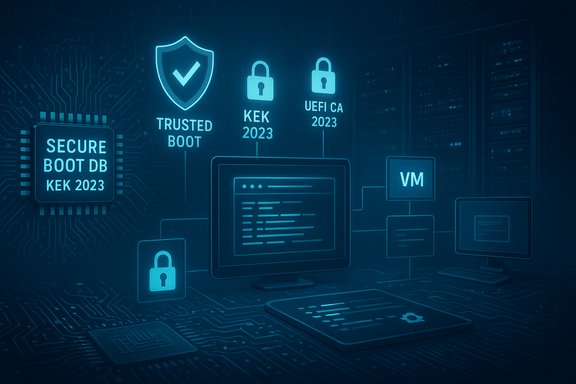
Secure Boot is a UEFI firmware feature that prevents untrusted or tampered boot components from starting early in the boot process. It relies on a small set of certificate authorities (CAs) stored in the firmware’s signature databases (the DB and KEK — Key Exchange Key) and the revocation list (DBX). Those certificates have finite lifetimes. The original Microsoft-supplied CAs created circa 2011 are scheduled to start expiring in June 2026 (with a related Windows production CA following in October 2026). Microsoft and OEM partners have produced replacement 2023 CAs to preserve Secure Boot continuity, and those are being shipped to devices via Windows monthly updates and firmware updates from OEMs.
Why the dates matter: once these legacy 2011 certificates expire, devices that still rely on them will lose the ability to apply Secure Boot security updates and may stop trusting new third‑party boot components and option ROMs that are signed under the updated chains. That has real-world implications for boot-level security and software compatibility across physical machines, virtual machines, and dual‑boot systems.
However, the model depends on two critical external variables: OEM firmware availability and device management parity. Where OEMs are slow or unable to ship firmware, IT teams will face manual or device-replacement decisions. Where MDMs lack immediate support, centralized control will be harder for modern cloud-managed fleets until a CSP for Intune ships and is validated.
The practical takeaway for organizations: treat this as a standard security lifecycle task with a fixed deadline. Inventory now, pilot early, coordinate with OEMs and cloud image owners, and stage deployments at least several months before the June 2026 expiry window begins. The playbook and Microsoft’s new tooling make a smooth rollout achievable — but only if you start now, prioritize the high‑risk device families, and document the work for compliance and auditing.
Microsoft’s AMA on December 10 is the next immediate opportunity to get live clarification directly from the product team about edge cases, MDM timelines, and troubleshooting guidance — mark the event, prepare hardware-specific questions (model and firmware versions), and bring your Event Log and registry observations so you can get targeted advice for your environment. The technical work is not trivial, but with the playbook, the WinCS tooling, and a disciplined pilot-and-rollout plan, organizations can avoid the operational and security risk of expired Secure Boot trust anchors.
Source: Microsoft - Message Center Ask Microsoft Anything: Secure Boot
 Background / Overview
Secure Boot is a UEFI firmware feature that prevents untrusted or tampered boot components from starting early in the boot process. It relies on a small set of certificate authorities (CAs) stored in the firmware’s signature databases (the DB and KEK — Key Exchange Key) and the revocation list (DBX). Those certificates have finite lifetimes. The original Microsoft-supplied CAs created circa 2011 are scheduled to start expiring in June 2026 (with a related Windows production CA following in October 2026). Microsoft and OEM partners have produced replacement 2023 CAs to preserve Secure Boot continuity, and those are being shipped to devices via Windows monthly updates and firmware updates from OEMs.Why the dates matter: once these legacy 2011 certificates expire, devices that still rely on them will lose the ability to apply Secure Boot security updates and may stop trusting new third‑party boot components and option ROMs that are signed under the updated chains. That has real-world implications for boot-level security and software compatibility across physical machines, virtual machines, and dual‑boot systems.
Why this is urgent for IT teams
- Secure Boot is the first line of defense that can stop bootkits and pre-OS malware. Without current CA anchors, Microsoft cannot deliver new Secure Boot updates or revocations that would address future boot-level vulnerabilities.
- Unpatched boot components or a mismatched trust chain can lead to devices failing security scans, losing compliance posture, or encountering boot-time failures for newly signed components.
- The update work spans firmware (OEM/UEFI) and OS-side operations; both need to be coordinated to avoid compatibility issues.
- Virtual machines and cloud images can also be affected — any platform or image that relies on the same Secure Boot database model must be accounted for.
What Microsoft published: the Secure Boot playbook and new management tools
Microsoft’s initial Secure Boot playbook lays out five pragmatic steps for IT teams:- Inventory and prepare your environment.
- Monitor and check device Secure Boot status.
- Apply OEM firmware updates before Microsoft OS updates where recommended.
- Plan and pilot certificate deployments.
- Troubleshoot and remediate common issues.
- Windows Update / Microsoft-managed rollout: for devices Microsoft classifies as “high confidence,” the OS-side certificate updates are delivered automatically unless IT opts out.
- Registry keys and Group Policy: immediate controls IT admins can use today to force, opt out, or opt in to Microsoft‑managed updates. The playbook documents specific registry paths and values used to control deployment and diagnostics.
- Windows Configuration System (WinCS) CLI: a new domain‑friendly tool and key (Feature_AllKeysAndBootMgrByWinCS / value F33E0C8E002) that lets domain admins query and apply the Secure Boot deployment configuration centrally.
- Event logging and registry diagnostics: new registry values and System Event Log IDs (for example, Event ID 1808 denotes success) provide a way to audit progress and diagnose failures.
- MDM (Intune) support: a Configuration Service Provider (CSP) for MDM (Microsoft Intune) is coming soon to provide more scalable management for mobile device management scenarios.
Key technical facts IT teams should have at hand
- Which 2011 certificates are expiring:
- Microsoft Corporation KEK CA 2011 (KEK updates required) — begins expiring June 2026.
- Microsoft Corporation UEFI CA 2011 (and related UEFI/Option ROM CA) — begins expiring June 2026.
- Microsoft Windows Production PCA 2011 (used for Windows bootloader signing) — expires later, around October 2026.
- Replacement set: Microsoft KEK 2023, Windows UEFI CA 2023, Microsoft UEFI CA 2023, and Microsoft Option ROM UEFI CA 2023.
- How the OS helps deliver updates:
- Replacement certificates were included in cumulative updates earlier in 2025 and are being applied selectively by Microsoft’s controlled update mechanisms; additional tools are provided for IT to push the changes proactively.
- Management knobs and indicators (used by IT and tools):
- Registry paths under HKEY_LOCAL_MACHINE\SYSTEM\CurrentControlSet\Control\SecureBoot govern behavior.
- A device’s UEFICA2023Status registry value changes from “Not started” to “In progress” to “Updated” as the process runs.
- Event Log IDs: Event ID 1808 indicates successful application; Event ID 1801 is an error event for certificate application failures; Event ID 1795 can indicate a failure when handing off to firmware.
- The WinCS feature key for domain deployments: F33E0C8E002 (Feature_AllKeysAndBootMgrByWinCS).
- Registry key to trigger full deployment: AvailableUpdates = 0x5944 (this bitmask or Group Policy equivalent tells the update task to apply the full set, including replacing KEK and DB certificates).
Inventorying your estate: concrete steps to find affected devices
Inventory is the first and most critical step. The playbook provides actionable checks to identify which devices already have the 2023 certificates and which do not.- Confirm Secure Boot is enabled for each device (most devices manufactured since 2012 have it enabled by default).
- Use the new registry and event indicators to categorize readiness:
- Check the UEFICA2023Status registry value; a final state of “Updated” means the device has the 2023 certificates.
- Look for Event ID 1808 in the System log to confirm success.
- If Event ID 1801 appears, the update to firmware has not been applied; the record contains the device-specific error context.
- For local verification (examples IT can script into inventory tools):
- Query the UEFI DB contents and search for the string “Windows UEFI CA 2023” to confirm the DB includes the replacement certificate.
- The WinCS CLI (WinCsFlags.exe) can be used in domain environments to query and apply the key state (Feature_AllKeysAndBootMgrByWinCS / F33E0C8E002).
Deployment options: pros, cons, and recommended use cases
Microsoft provides multiple deployment methods so IT can pick what best fits their environment:- Microsoft-managed Windows Update (high-confidence): Microsoft will apply the replacement certificates for devices that qualify, helping lighten the admin load. This option requires diagnostic data and diagnostic consent settings — Microsoft’s controlled feature rollout (CFR) is used to stage deployments. Pros: low lift; Cons: relies on Microsoft’s device classification and diagnostic telemetry opt‑in.
- Registry keys / Group Policy (immediate, granular control): Administrators can set the AvailableUpdates bitmask (for example, 0x5944) or enable the Group Policy that maps to that registry key to force deployment. Pros: immediate control and visibility; Cons: manual craft and coordination required across a large fleet.
- Windows Configuration System (WinCS) CLI (domain-friendly): Use the WinCS key F33E0C8E002 to stage and apply the configuration to domain-joined clients via scripts or domain tools. Pros: suited to domain environments and automation; Cons: WinCS rollout dates and supported OS versions must be verified for your Windows builds.
- Intune / MDM CSP (coming soon): Planned for a future release; this will give MDM-managed fleets a first-class method to deploy Secure Boot updates. Pros: integrates with modern device management; Cons: timing and feature parity must be validated once it’s released.
OEM firmware updates: the other half of the work
Firmware compatibility is the single most important external dependency in this rollout.- OEMs may supply UEFI firmware (BIOS) updates that include compatibility fixes or updated certificate stores. In many cases Microsoft recommends or expects that you apply OEM firmware updates before applying OS-side Secure Boot certificate updates.
- If a device’s firmware does not accept the new KEK/DB changes (for example, if the KEK bit update fails), the OS update can trigger a handoff to firmware that fails, producing error events. The playbook explicitly calls out working with OEM vendors to obtain firmware that accepts the new keys and resolves compatibility issues.
- For older or niche hardware, OEM firmware updates may not be available — those devices will need special attention, replacement planning, or controlled exceptions in your rollout plan.
Virtual machines, cloud images, and dual‑boot systems
This is not only a hardware firmware problem — virtual platforms, hypervisors, and pre-built cloud images are in scope.- Virtual machines that present UEFI Secure Boot will need the same trust anchors available in their virtual firmware (the hypervisor’s virtual UEFI DB/KEK). If the hypervisor or cloud image owner has not updated those anchors, the VM may be unable to receive Secure Boot updates for its virtual firmware layer.
- Cloud providers and image publishers must be part of the plan for cloud-hosted workloads and golden images. Ensure images used by large-scale deployments (including Azure, AWS, and VMware image catalogs) include updated certificates.
- Dual‑boot systems and Linux distributions that use Microsoft-signed shim binaries were impacted earlier by signing key lifetimes. Some Linux distros rely on shims signed under Microsoft-provided chains; if the environment has not been updated, Secure Boot can prevent booting alternative OSes, or may require manual shim updates or disabling Secure Boot.
Common failure modes and troubleshooting checklist
Microsoft’s playbook and support articles list the frequent failure signals and remediation paths. Use this checklist in pilot and production stages:- Check UEFICA2023Status:
- “Updated” — success.
- Stuck in “In progress” — investigate system logs and scheduled task status.
- Event Log monitoring:
- Event ID 1808 — certificates applied successfully.
- Event ID 1801 — failure applying certificates to firmware. Correlate with OEM firmware version and whether the firmware supports new KEK/DB changes.
- Event ID 1795 — error handing off to firmware (possible firmware incompatibility).
- Registry key UEFICA2023Error:
- If present and non-zero, the key indicates an instrumented error code. Consult the playbook troubleshooting guidance to map the code to remediation actions.
- AvailableUpdates flags:
- If the 0x0004 bit remains set with value 0x4104, the device did not progress past the KEK update. This often signals a firmware-level block; check OEM guidance or firmware updates.
- Firmware acceptance issues:
- If firmware refuses a KEK change, request OEM guidance or a BIOS/UEFI update. Some devices will require manual OEM intervention to accept the new KEK.
Security, compliance, and operational risks
Microsoft’s approach gives organizations the tools to execute a large-scale certificate rotation, but several significant risks remain:- OEM update gaps: many organizations will encounter hardware for which OEM firmware updates are not forthcoming; those devices become long‑term exceptions unless replaced.
- Management heterogeneity: mixed estate environments (SCCM/ConfigMgr, Intune, Active Directory only, offline devices) complicate rollout and auditing.
- Telemetry opt-in dependency: Microsoft-managed updates require diagnostic data or opt-in to controlled feature rollouts for a subset of automations. That can clash with strict telemetry policies or privacy requirements in some organizations.
- Time and resource constraints: large fleets demand planning, testing, and cross-team coordination between security, firmware, and endpoint operations teams.
- Third‑party OS and dual‑boot problems: Linux distributions that rely on shims or third-party boot components may see breakage unless the Hypervisor/UEFI/vendor chains are updated in parallel.
- Cloud and virtualization dependencies: where cloud images or hypervisors present virtual UEFI states, the platform owner must update the virtual firmware or images — not all providers will push these updates automatically.
A practical, prioritized rollout plan (recommended)
- Inventory: Within the next 7–14 days, run automated queries for Secure Boot enabled status, UEFICA2023Status, and relevant Event Log entries across your estate.
- Triage and grouping: Classify devices into groups — high-confidence (likely updated by firmware already), firmware-update-needed (OEM fix required), and legacy/unsupported (no OEM fix).
- Pilots: Select one device from each major hardware family (consumer, corporate, VM image, specialized peripherals) and pilot both firmware and OS-side updates. Allow 7–14 days for monitoring.
- OEM firmware phase: For groups requiring firmware updates, coordinate with OEM partners. Apply firmware updates to pilot devices, validate, then scale.
- Deployment methods:
- Default: Let Microsoft-managed updates cover high-confidence devices.
- Coordinated push: Use WinCS or Group Policy to push to domain-joined devices in controlled waves.
- Forced remediation: Use registry-based forced flags for stubborn populations with careful restart scheduling.
- Monitoring and rollback: Watch Event IDs and registry error values. Have a clear rollback/exception process for devices that cannot be updated (hardware replacement timelines, temporary Secure Boot exceptions).
- Documentation and compliance: Record device states, update actions, and remediation for audit trails and compliance frameworks.
What to ask at the AMA and in vendor conversations
Good technical and procurement questions to raise during Microsoft’s AMA or with OEMs:- For Microsoft:
- Timelines and expected cadence for WinCS/Intune CSP features (exact availability for your Windows versions).
- The telemetry requirements for Microsoft-managed controlled feature rollout and how to verify devices opted in.
- Clarification on automated remediation for VMs and cloud-provided images.
- For OEMs and cloud vendors:
- Exact firmware versions that contain acceptance for the 2023 KEK/DB updates.
- Any prerequisites for firmware updates (e.g., BIOS settings, vendor-specific secure‑package approvals).
- Roadmaps for devices that will no longer receive firmware updates.
Final assessment: strengths, gaps, and the urgency to act
Microsoft’s playbook and tooling are a strong, pragmatic approach: they provide multiple paths for different IT topologies (automatic Microsoft-managed rollout, registry/Group Policy controls, and a domain-focused WinCS CLI). The introduction of event log instrumentation and registry status values makes fleet-wide telemetry and diagnostics feasible.However, the model depends on two critical external variables: OEM firmware availability and device management parity. Where OEMs are slow or unable to ship firmware, IT teams will face manual or device-replacement decisions. Where MDMs lack immediate support, centralized control will be harder for modern cloud-managed fleets until a CSP for Intune ships and is validated.
The practical takeaway for organizations: treat this as a standard security lifecycle task with a fixed deadline. Inventory now, pilot early, coordinate with OEMs and cloud image owners, and stage deployments at least several months before the June 2026 expiry window begins. The playbook and Microsoft’s new tooling make a smooth rollout achievable — but only if you start now, prioritize the high‑risk device families, and document the work for compliance and auditing.
Microsoft’s AMA on December 10 is the next immediate opportunity to get live clarification directly from the product team about edge cases, MDM timelines, and troubleshooting guidance — mark the event, prepare hardware-specific questions (model and firmware versions), and bring your Event Log and registry observations so you can get targeted advice for your environment. The technical work is not trivial, but with the playbook, the WinCS tooling, and a disciplined pilot-and-rollout plan, organizations can avoid the operational and security risk of expired Secure Boot trust anchors.
Source: Microsoft - Message Center Ask Microsoft Anything: Secure Boot
