Secure Boot Certificate Expiration 2026: Update to Windows UEFI CA 2023

  • Thread Author
Microsoft has issued a platform-level warning: the Secure Boot certificates first issued around 2011 that underpin Windows’ pre-boot trust model begin expiring in June 2026, and although most updated systems will continue to boot, devices that do not receive the replacement certificate family will enter a degraded security state that limits future boot‑time protections, firmware updates, and the ability to validate newer boot components. ([support.microsoft.microsoft.com/en-us/help/5062713)

Glowing shield reading “Windows UEFI CA 2023” hovers above a motherboard chip.Background​

Secure Boot is a UEFI firmware feature that verifies digital signatures on the earliest pieces of code your PC runs—the boot manager, option ROMs, shim loaders used by Linux distributions, and WinRE (Windows Recovery Environment). This trust model depends on a small set of certificate authorities (CAs) and signing certificates stored in firmware (the UEFI DB/KEK/PK databases). Those Microsoft-supplied certificates, originally provisioned beginning in 2011, were always intended to be rotated when their cryptographic lifetime ended. Microsoft and OEM partners have prepared a 2023 certificate family to replace the 2011 anchors; the coordinated delivery and installation of that new CA family must complete before the 2011 roots begin expiring in mid‑2026.
This change is not a software bug or a sudden exploit; it’s a planned cryptographic lifecycle event with real operational consequences. If a system relies exclusively on the 2011 certificates when those certificates expire, the firmware and OS may refuse to accept new, properly signed pre‑boot components or later boot‑level mitigations—putting the machine into a state where it can still start but cannot be patched at the pre‑OS layer. Microsoft’s guidance and IT blogs make clear this is a calendar‑driven transition and that the most straightforward defense is to receive the new certificates via normal update channels.

Why this matters: the practical security and compatibility consequences​

  • Loss of future boot‑level updates: Once the 2011 certificate anchors are expired for a given platform, Microsoft cannot push future Secure Boot updates or revocations to that machine unless the 2023 certificates are present. That means newly discovered pre‑OS vulnerabilities could remain unpatched at the firmware/boot level.
  • Compatibility problems for signed firmware and option ROMs: Some GPU GOP option ROMs, third‑party EFI drivers, or Linux shim components signed under the old CA may no longer validate unless the new CA is present or OEM firmware is updated. Systems that cannot accept the 2023 CA may refuse certain device firmware at POST or block OS upgrades that rely on the new signing chain.
  • Operational risk to servers and air‑gapped devices: Servers, virtual machine images, and isolated or regulated environments that intentionally delay or block Windows Update are particularly vulnerable because the rollout requires coordinated firmware and OS-level changes; these systems may need manual intervention or a different update path.
  • User confusion and recovery complexity: Although most PCs will continue to boot, systems that hit firmware corner cases, vendor‑specific UEFI behaviors, or non‑standard boot configurations may need recovery media, firmware reflashes, or professional support to restore a trusted boot state.

Which devices face the highest risk​

Not every Windows PC is at equal risk. The highest‑risk categories include:
  • Older PCs with firmware that hasn’t been updated in years (BIOS/UEFI vendors that no longer release updates).
  • Systems still running unsupported Windows releases that are not receiving Microsoft-managed updates (notably Windows 10 devices that are not enrolled in Extended Security Updates).
  • Servers, industrial endpoints, and air‑gapped systems where updates are delayed by policy or operational constraints.
  • Virtual machines and nested virtualization hosts where Secure Boot and WinRE updates require special handling; Hyper‑V or cloud images may need separate attention.
  • Dual‑boot or Linux systems that rely on Microsoft-signed shim binaries: distributions that expected the old Microsoft key may require updated shims or vendor intervention.
By contrast, most modern consumer laptops and desktops from major OEMs that have kept firmware reasonably current, and systems that receive automatic updates from Microsoft, are likely to get the new 2023 CA family through the standard servicing pipeline before the deadlines. OEMs such as ASUS and Lenovo have published guidance saying the rollout is phased and that many devices will be updated automatically via Windows servicing and coordinated firmware updates.

Microsoft’s timeline and what actually changes​

Microsoft’s public guidance (support articles and Windows IT Pro posts) lists the relevant certificates and the calendar for expiration. The key points verified against Microsoft’s guidance and Microsoft’s IT Pro documentation are:
  • The original Microsoft UEFI/KEK/DB certificates issued around 2011 begin expiring in June 2026, with a final set following through October 2026 for some boot‑signing production CAs.
  • Microsoft produced a replacement family labeled informally as the Windows UEFI/KEK/CA 2023 set; those certificates are being delivered via a combination of Windows cumulative updates (where the OS injects DB entries) and OEM firmware updates for devices that require firmware‑level changes.
  • Microsoft has released targeted Dynamic Updates (Safe OS / Setup dynamic updates such as KB5079270 and KB5079271, and Safe OS updates like KB5078169) to enable the certificate transition during Windows feature upgrades or repair environments; administrators should review the update rollouts for their specific OS versions.
These are not speculative dates; Microsoft’s support documentation is explicit about the timing and the replacement CA family. Treat the mid‑2026 window as an operational deadline rather than an abstract advisory.

Clear, prioritized actions for home users (what to do today)​

If you use a Windows PC for anything important—work, finances, health records—don’t wait for panic. Follow these steps in order; most are straightforward and safe.
  • Install all pending Windows updates now. Restart at least once after updates to ensure any scheduled Secure Boot update tasks can run. This is the single most effective step because Microsoft is delivering the replacement certificates through normal servicing for many devices.
  • Check whether Secure Boot is enabled and whether the 2023 CA is present: open PowerShell as Administrator and run Confirm-SecureBootUEFI to confirm Secure Boot is enabled, and then run a quick verification to look for the 2023 certificate:
  • Confirm-SecureBootUEFI (returns True/False).
  • [System.Text.Encoding]::ASCII.GetString((Get-SecureBootUEFI DB).bytes) -match 'Windows UEFI CA 2023' — if this returns True, the new CA is present. These PowerShell commands are the supported way to confirm the DB contents on Windows systems.
  • Check your PC manufacturer’s support site for firmware/BIOS/UEFI updates and apply them if available. Firmware updates are often necessary for the device to accept OS‑initiated DB injections or to persist new KEK/DB values across resets. If the vendor has posted a Secure Boot transition FAQ or an OEM tool to run the update task, follow their guidance.
  • For older machines where firmware updates are unavailable, consider one of: upgrading the hardware, enrolling the device in a supported servicing program (see below for ESU), or planning a migration path off that machine for sensitive tasks.
  • Create a full backup and a bootable Windows recovery USB now. If you later encounter unexpected boot or firmware behavior, a known good backup and recovery media will shorten downtime and reduce data‑loss risk. This is standard best practice before performing firmware or low‑level security changes.

For IT teams and administrators: an operational playbook​

Large organizations need a short, auditable checklist. The consequences scale with fleet size; a single blocked firmware update can be multiplied across thousands of machines.
  • Inventory: Use Microsoft’s sample PowerShell scripts and MDM/Intune detection tools to inventory Secure Boot status and whether the Windows UEFI CA 2023 entries exist in each device’s DB. Microsoft published sample reporting outputs and commands specifically for this transition.
  • Prioritize high‑risk assets: Servers, air‑gapped systems, test benches, imaging systems, and custom appliances should be highest on the remediation list. These systems are often excluded from normal Windows Update flows and require manual workflows.
  • Firmware readiness testing: Validate OEM BIOS updates in lab images before mass deployment. For images used to provision VMs or Cloud PCs, ensure source images are updated to include the 2023 CA entries. Microsoft’s Windows 365 guidance specifically calls out Cloud PC images as needing updates ahead of the expiration.
  • Controlled pilot rollout: Start with a pilot containing multiple hardware families. Validate WinRE and Setup behavior (use the Safe OS dynamic updates and test feature upgrade paths KB5079270 / KB5079271). Watch for Event IDs (1795/1808/1802 etc.) that Microsoft documents as indicators of update problems.
  • Communication and fallback: Inform helpdesk and desktop support teams about expected user symptoms and recovery steps (how to verify Secure Boot DB, how to apply OEM firmware, how to use recovery USB). Pre‑generate vendor recovery images where possible.

How to verify certificate status (practical PowerShell checks)​

Use an elevated PowerShell session (Run as Administrator) and these supported commands. These are the same checks Microsoft recommends and that OEMs reference in their transition guides:
  • Confirm if Secure Boot is enabled:
  • Confirm-SecureBootUEFI — returns True or False.
  • Inspect the DB for the new CA entry:
  • [System.Text.Encoding]::ASCII.GetString((Get-SecureBootUEFI DB).bytes) -match 'Windows UEFI CA 2023'
  • If the above returns True, the Windows UEFI CA 2023 certificate is present in the active DB. This is the simplest direct verification method.
  • Use Get-SecureBootUEFI -Name DB or Get-SecureBootUEFI -Name PK to export individual database blobs if you need to capture evidence for support tickets. Microsoft’s support articles and many OEM pages include sample commands for inventorying and exporting DB contents.
If a PowerShell cmdlet fails with an access error, the firmware may not support OS-initiated key management; in that case the OEM firmware interface (BIOS/UEFI setup) or vendor tools must be used to install the new certs. Lenovo, Dell, and ASUS have documented both the PowerShell checks and OEM‑specific tasks to trigger the update where firmware permits.

Windows 10, Extended Security Updates, and the tricky edge cases​

Windows 10 reached its mainstream end of support in October 2025; Microsoft has said that devices running unsupported Windows versions will not automatically receive the Secure Boot certificate refresh unless they are enrolled in the Extended Security Updates (ESU) program or otherwise managed to receive Microsoft-managed updates. That means many Windows 10 systems that stopped receiving updates after end‑of‑support will not get the 2023 certificates unless organizations or consumers have an ESU enrollment or other supported servicing arrangement. If you are a Windows 10 user, verify your update eligibility immediately.
Microsoft and independent outlets have emphasized that the rollout is phased and telemetry‑gated—updates are delivered after Microsoft sees sufficient successful update signals on a hardware class—so device classes that historically show update failures may be slower to receive the 2023 CA via Windows Update. For Windows 10 devices that did not enroll in ESU and are no longer receiving cumulative updates, administrators must treat them as out of scope for automatic certificate injection.

Recovery and contingency planning — what to do if a system won’t start​

Microsoft’s documentation and community experience show a range of recovery options that can help restore a machine to a workingthe Windows Recovery Environment (WinRE) and use Startup Repair or restore a previously created system restore point. Microsoft has pushed Safe OS/WinRE updates to ensure recovery images are aware of the new certificate family; keep recovery media updated after installing recent cumulative updates.
  • If the system can’t validate a signed boot component because the DB is out of date, a firmware update or a vendor utility that persists the 2023 CA may resolve the problem. That is why OEM firmware releases are critical.
  • If a device becomes unbootable because of a vendor-specific UEFI quirk, vendor support and a reflashed firmware image are often the necessary path; maintain contact channels with your OEM for these scenarios.
  • Use a bootable image (USB WinPE or recovery drive) that includes the updated WinRE/Boot Manager signed with the 2023 CA where possible; Microsoft’s dynamic updates include WinRE components to help with this.
Before attempting any firmware reflash, back up all data. If you are not comfortable with BIOS updates or recovery procedures, consult vendor support—improper firmware flashing can permanently brick devices.

Risks, unknowns, and where to be cautious​

  • OEM variability: Firmware implementations of UEFI vary. Some vendors will inject the 2023 DB entries themselves; others rely on Windows to apply DB updates. The availability and persistence of updates depends on firmware design. That means identical hardware families from different OEMs (or different firmware revisions from the same OEM) may behave differently. Treat vendor documentation as authoritative for a given model.
  • Timing and telemetry gating: Microsoft is using a staged rollout that checks for healthy update signals; some hardware families may be slower to receive the update. Don’t assume “it will come later” if the device is a server, air‑gapped, or VDI/Cloud image. Plan to test and apply manual remediation where necessary.
  • Linux and dual‑boot scenarios: Several Linux distributions and components (shim, signed kernels) rely on Microsoft’s signing infrastructure. Some distros already documented steps they will take, but users who run Linux on Secure Boot systems should verify shim and bootloader chain support for the 2023 CA and follow distro guidance. If your Linux installation depends on a shim signed with the old Microsoft key, it could require maintenance.
  • Social engineering and fake updates: As this topic gains attention, expect phishing and scam pages offering “fix utilities” or “one-click updates.” Only use official Microsoft KBs, OEM support pages, and vendor firmware tools. Never run unsigned update utilities from untrusted sources.

Monitoring and information sources — what to watch and where to get help​

  • Microsoft support documentation is the primary authoritative source for the exact expiry dates, replacement certificate names, and supported remediation steps; check the Secure Boot certificate guidance and the “frequently asked questions” pages for updates.
  • The Windows IT Pro blog and Tech Community posts contain operational playbooks and sample PowerShell scripts useful for device inventory and scale deployment planning.
  • Major OEM support pages (Lenovo, ASUS, Dell) publish model‑specific guidance and tools; consult them before mass firmware deployments.
  • Independent coverage from reputable outlets (Ars Technica, Windows Central, SecurityWeek) provides additional context on likely impacts for consumers and examples of corner cases reported by early adopters. Cross‑reference these stories with Microsoft OEM guidance before acting.

Final assessment: how worried should you be?​

  • For most home users who keep Windows updated and who buy mainstream branded hardware from major OEMs, the practical risk is manageable: follow the update steps, verify Secure Boot status, and keep firmware current. Most such systems will receive the 2023 certificate family automatically via Windows servicing.
  • For organizations, administrators, and power users who manage diverse fleets—especially servers, air‑gapped machines, imaging stations, or specialized workstations—the risk is material and operational. Treat this as a scheduled maintenance event: inventory, pilot, deploy, monitor.
  • For unsupported Windows 10 machines not enrolled in ESU, and for older hardware with no firmware updates, the risk is elevated: those devices may not receive the certificates and will lose the ability to receive future boot‑level fixes. Plan migration or ESU enrollment if continued use is essential.

Checklist — Immediate to‑do list (copy/paste and follow)​

  • Install all pending Windows updates and reboot.
  • Run PowerShell (Admin): Confirm-SecureBootUEFI. If True, then run:
    [System.Text.Encoding]::ASCII.GetString((Get-SecureBootUEFI DB).bytes) -match 'Windows UEFI CA 2023' — expect True once the update is applied.
  • Check OEM support page for your exact model; apply any firmware updates the vendor publishes.
  • Create a full system backup and a bootable recovery USB (updated after recent cumulative updates).
  • If you manage a fleet: inventory Secure Boot state via the Microsoft sample scripts or Intune detection scripts; pilot updates on representative models first.

Conclusion​

This is a classic example of how long‑lived cryptographic artifacts create systemic operational deadlines: the certificates Microsoft issued a decade and a half ago are simply reaching the end of their intended lifespan. The good news is that Microsoft, major OEMs, and the broader ecosystem prepared a coordinated replacement plan—the Windows UEFI CA 2023 family—and many devices will be updated automatically. The bad news is that a nontrivial set of machines—older hardware, unmanaged endpoints, servers, and unsupported Windows 10 systems—require deliberate attention to avoid a degraded boot security posture after June 2026. Treat the coming months as a maintenance window: inventory, update, test, and back up. If you haven’t looked at your device’s Secure Boot and firmware state in the last 90 days, start now.
End of article.

Source: mibolsillo.co https://www.mibolsillo.co/news/warn...-users-should-check-it-out-20260305-0016.html
 

Microsoft and major OEMs are executing a coordinated, time‑bound refresh of the Secure Boot certificate anchors that protect the Windows pre‑boot environment — a change every Windows administrator and power user must treat as an operational deadline, not optional housekeeping. ([support.microsoft.microsoft.com/en-us/topic/windows-secure-boot-certificate-expiration-and-ca-updates-7ff40d33-95dc-4c3c-8725-a9b95457578e)

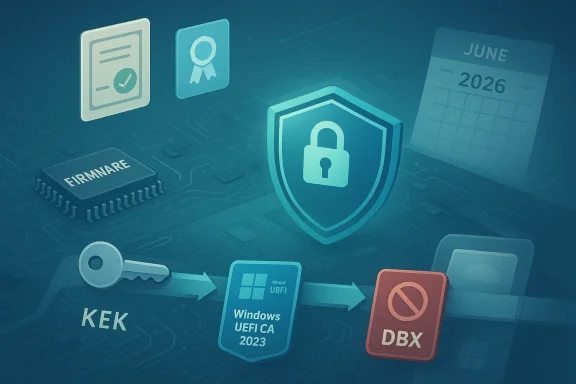
Pre-boot security: Windows UEFI CA 2023 keys and shield on a motherboard.Background​

UEFI Secure Boot enforces a small set of cryptographic authorities stored in firmware (PK, KEK, DB) to verify signatures for everything that runs before the operating system. Those Microsoft‑issued certificates provisioned around 2011 are scheduled to begin expiring in mid‑2026, and Microsoft has prepared a replacement familced as the Windows UEFI CA 2023 set) to preserve platform trust and updateability.
This is not an abstract advisory. Devices that still rely exclusively on the 2011 certificates after those certificates expire may keep booting, but they can enter a degraded security and update state: Windows and OEMs will not be able to deliver future pre‑boot security updates, WinRE/WinPE component CA may be rejected, and newly signed boot components could fail verification. The coordinated rollout therefore targets both OS‑delivered updates and OEM firmware updates to ensure persistence and broad coverage.

What exactly is changing — the technical summary​

  • The original Microsoft UEFI certificates (issued circa 2011) have finite cryptographic lifetimes; multiple expirations related to those keys begin in June 2026, with some signing production CAs following through later in 2026.
  • Microsoft produced a replacement certificate family — the Windows UEFI CA 2023 set — which is being delivered through a combination of Windows servicing (OS updates, dynamic updates) and coordinated OEM firmware updates for platforms that require firmware‑level key insertion.
  • Delivery mechanisms include normal cumulative updates, targeted Setup/Safe OS Dynamic Updates that run during OS upgrade and repair (Microsoft has published specific KBs used in the transition), and firmware updates from vendors where the platform does not support OS‑initiated key management.
  • Some device classes — older PCs, servers, air‑gapped systems, unsupported Windows 10 installs not covered by Extended Security Updates (ESU), and certain virtualization host images — are higher risk and may require manual intervention.

Why this matters: security, compatibility, and recoverability​

Secure Boot is a foundational platform control. Rotating root and signing certificates is standard industry practice to avoid long‑term cryptographic weaknesses, but the operational surface area is large: firmware implementations vary, enterprise update policies can block the normal delivery paths, and some recovery images or custom drivers may have been signed only against the older 2011 chain.
Key practical impacts:
  • Loss of future boot‑level updates: Devices that do not accept the new CA will not receive future Secure Boot updates and re‑OS vulnerabilities unpatchable at the firmware layer.
  • Compatibility issues: Boot managers, WinRE/WinPE images, third‑party option ROMs and some Linux shim chains may need re‑signing or updated shims to validate under the 2023 CA.
  • Operational risk for servers and air‑gapped devices: Systems that do not receive regular Windows Update telemetry are likely to need manual updates or support from OEMs — this includes many server and regulated endpoint scenarios.
  • Recovery complexity: If a firmware corner case prevents OS‑initiated DB updates, you may need vendor tools or a firmware reflash to recover. Keep updated WinRE/USB recovery media available.

Verify firmware and device readiness: practical checks​

Before you deploy anything fleet‑wide, test and verify. These are the supported checks recommended for Windows systems.

Quick locShell)​

Run an elevated PowerShell session (Run as Administrator) and use the built‑in Secure Boot cmdlets:
  • Confirm Secure Boot is enabled:
  • Confirm-SecureBootUEFI — returns True/False.
  • Check for the 2023 CA in the active DB:
  • [System.Text.Encoding]::ASCII.GetString((Get-SecureBootUEFI DB).bytes) -match 'Windows UEFI CA 2023'
If the script returns True, the 2023 certificate is present in the firmware DB. These checks are the simplest, evideneps Microsoft and OEMs document. If a cmdlet fails with access or permission errors, firmware may not support OS‑initiated key management and an OEM procedure will be required.

Task Scheduler and telemetry checks​

Windows includes a scheduled task that assists the OS in applying the update when firmware permits:
  • Task: Microsoft\Windows\PI\Secure-Boot-Update
  • Confirm its Last Result (0x0 indicates success). If the task hasn't run or shows an error, further investigation is warranted — a restart (or two) is recommended because the update often requires a reboot cycle to complete.

Event IDs and logs to watch​

Monitor the following Event IDs during pilot testing and deployment; Microsoft documents these as signals of success/failure:
  • Event 1801 / Event 1795 (Secure Boot DB/KEK updates) — informative on whether the DB was changed.
  • Event 1808 / Event 1802 — used to flag firmware acceptance failures or lack of support.
  • Additional Setup/WinRE event codes may appear when Safe OS dynamic updates run during feature upgrades.

Monitoring device readiness at scale​

Inventory and monitoring are the most important steps for large fleets. Plan for instrumentation and reporting before rolling anything out.
  • Use PowerShell scripts and the Get‑SecureBootUEFI cmdlets to produce per‑device evidence and exportable artifacts (the DB/PK blobs can be exported for ticketing). Microsoft published sample reporting scripts and outputs for this transition; OEMs have echoed those checks.
  • In Intune and other MDMs, create a detection policy that queries:
  • Confirm-SecureBootUEFI status
  • The presence of a DB entry matching 'Windows UEFI CA 2023'
  • Task Scheduler status for Mcure-Boot-Update
  • For SCCM/ConfigMgr, use the same PowerShell probes as compliance rules, collect results in hardware inventory, and build query-based collections to prioritize remediation.
  • Prioritize and tag high‑risk assets: servers, imaging stations, dedicated lab/test hardware, air‑gapped endpoints, and VM images used to provision Cloud PCs or virtualized services. Microsoft specifically calls out Cloud PC/Windows 365 and server images as requiring early attention.

Deployment options and recommended playbook​

Treat the rollout as a controlled maintenance operation. The broad strategy is: Inventory → Pilot → Firmware readiness testing → Phased deployment → Monitor & remediate.

1) Inventory and classification (Day 0–7)​

  • Build an inventory of Secure Boot‑enabled devices and record:
  • Firmware vendor/model/version
  • Secure Boot status (Enabled/Disabled)
  • Presence of Windows UEFI CA 2023
  • Update channel and last update date
  • Flag unsupported Windows 10 devices not on ESU and any systems that do not receive updates automatically.

2) Pilot (Day 7–21)​

  • Pick a representative pilot across firmware families (Dell, Lenovo, ASUS, vendor OEMs) and device classes (laptops, desktops, servers, Cloud PC images).
  • Validate:
  • PowerShell DB checks
  • Task Scheduler runs and results
  • WinRE / Setup dynamic update behavior (test the specific Setup Dynamic Update packages Microsoft published for staged transitions).

3) Firmware testing and OEM coordination​

  • Where firmware does not accept OS‑initiated DB injections, coordinate with OEMs to deploy firmware updates that inject the 2023 CA into firmware DB. OEMs are publishing model‑specific guidance; some vendors include tools or BIOS settings to persist DB changes.
  • Test updated WinPE/WinRE images signed under the 2023 CA and ensure recovery media used for imaging or recovery is rebuilt with updated components.

4) Phased rollout and automation​

  • Use Intune or SCCM to distribute steps that require no firmware change (Windows dynamic updates, Safe OS updates).
  • For devices requiring firmware intervention, schedule vendor BIOS/UEFI updates during maintenanc a rollback path.
  • Use compliance collections to iterate on remediation and move families through the gating telemetry.

5) Ongoing monitoring & fallbacks​

  • Continue to watch the scheduled task results and Event IDs.
  • Maintain updated recovery images and tooling for manual DB injection where necessary.
  • Communicate with helpdesk and frontline support; provide runbooks and checklists for common failure modes.

How to deploy updated certificates: specific tools and packages​

Microsoft is using a combination of servicing technologies. Know the key pieces:
  • Windows cDynamic Updates — Microsoft has targeted Safe OS and Setup Dynamic Updates (example KBs surfaced by Microsoft during the rollout) that update boot manager/WinRE during upgrade/repair flows. These are how many client devices get the new CA without firmware changes.
  • OEM firmware packages — where firmware restricts OS-initiated DB writes, vendors will ship BIOS/UEFI updates that inject the 2023 CA persistently. Check OEM support advisories for model‑specific instructions. ([lenovopress.lenovo.com](Updating Windows Boot Manager and WinPE with the Windows UEFI CA 2023 Certificate firmware key management — some enterprise platforms support vendor tools for persistent DB changes; others require manual entry via UEFI specific.
Note: For Windows Server, Microsoft published server‑specific guidance to help administrators prepare images and hosts; server servicing behaves differently and often requires manual orchestration.

Troubleshooting: common failure modes and recovery steps​

If a device fails to accept or persist the 2023 CA, or you see unexpected boot behaviour, follow a structured remediation approach:
  • Verify the issue with the supported PowerShell checks and examine Task Scheduler and Event Log entries. Use Confirm-SecureBootUEFI and export DB blobs for evidence.
  • Check the firmware vendor and current UEFI/BIOS version. If an OEM update is available that injects the 2023 CA, apply it in a controlled window.
  • If firmware refuses OS-initiated writes (cmdlets return access denied or a mismatch), use vendor tools or the firmware setup UI to add the certificate where supported.
  • If a device becomes unbootable or shows persistent boot errors after attempted updates:
  • Boot to updated WinRE/WinPE media signed (or rebuilt) with the 2023 CA when possible.
  • Use Startup Repair or known working system images.
  • If firmware corruption is suspected, coordinate with vendor support for a reflash — warn technicians that improper flashing can brick devices.
  • Maintain rollback images and documented recovery playbooks. Test recovery steps in your lab before attempting them on production endpoints.

Linux and dual‑boot considerations​

This transition affects non‑ely on Microsoft‑signed shims and keys (common in many Linux distributions). Distributions and the shim project are tracking the change; some distros will publish updated shims or guidance to preserve boot compatibA.
  • If you run dual‑boot or Linux images in your estate, validate that the shim and other EFI binaries used by your distro are compatible with the new CA and test the entire boot flow after the update.
  • For VMs and nested virtualization, check the hypervisor/OVMF images — these may need updates to include the 2023 CA to allo Boot without host-side modifications.

Special cases: servers, Cloud PC images, air‑gapped systems​

  • Servers: Microsoft’s Windows Server guidance emphasizes planning and manual orchestration; servers are not automatically guaranteed to receive the same telemetry‑gated rollouts as date boot images, pre‑boot recovery media, and test feature upgrade flows that exercise Safe OS dynamic updatetps://www.microsoft.com/en-us/windows-server/blog/2026/02/23/prepare-your-servers-for-secure-boot-certificate-updates/)
  • Cloud PC / Windows 365: Cloud PC images and provisioning flows must be updated ahead of expiration. Microsoft’s Cloud PC guidance calls out managed images and provisioning behaviors that need icrosoft.com]
  • Air‑gapped / regulated systems: These endpoints require a manual refresh path. Options include rebuilding recovery images signed for the new CA, working with OEM firmware teams to inject keys, or, in the worst case, platform replacement or ESU enrollment where available.

Communication, policy and staffing​

  • Update your change calendar and treat this like any major cryptographic or firmware maintenance event windows, staging, and verification gates.
  • Train helpdesk staff with short runbooks: how to run the PowerShell checks, how to interpret key Event IDs, and how to perform safe BIOS updates with vendor instructions.
  • Prepare customer‑facing communications that explain potential symptoms (e.g., repeated restart loops, WinRE prompting) and the actions being taken to avoid unnecessary escalations.
  • Beware of third‑party “one‑click” fixes and phins attention; use only Microsoft KBs and OEM support tools.

Step‑by‑step quick checklists​

For home users and single‑device admins​

  • Install all pending Windows updates and restart the mactechcommunity.microsoft.com]
  • Run PowerShell (Admin): Confirm-SecureBthe DB match for 'Windows UEFI CA 2023'.
  • Open Task Scheduler → Microsoft → Windows → PI → Secure-Boot-Update and confirm recent successful runs.
  • If the new CA is absent and no Windows update fixes it, check the OEM support site for firmware updates and follow vendor instructions.

For IT teams and enterprise​

  • Inventory Secure Boot status and certificate presence across the estate via Intune, ConfigMgr, or PowerShell reporting.
  • Pilot on representative hardware families — include servers and Cloud PCE and Setup flows with Microsoft’s Safe OS Dynamic Updates.
  • Coordinate OEM firmware updates for models‑level injections. Maintain vendor contacts and test recovery images before mass deployment.
  • Roll out in waves, monitor Event IDs and Task Scheduler outcomes, and prepare manual remediation teams for target families that remain non‑compliant.

Known unknowns and where to be cautious​

  • The rollout is telemetry‑gated for many hardware families: Microsoft stages updates based on signals of successful installs. Don’t assume a later arrival; proactively test high‑risk systems.
  • OEM firmware variability is real. The exact persistence model ffers by vendor and firmware version. Treat vendor documentation as authoritative for each model.
  • Some edge cases reported in community threads show older or non‑standard firmware rejecting updates; those machines may need vendor engagement or hardware replacement. Flag and track those units early.
  • If you run software signed only with the 2011 chain (rare but possible for custom boot components), re‑signing or vendor updates may be required. Test all imaging and provisioning artifacts used in your estate.

Final assessment and practical takeaways​

This certificate rotation is significant but manageable with the right discipline:
  • For most consumer devices from active OEM lines that receive Windows Update, the update path is automatic and low‑effort: apply updates, reboot, run the simple PowerShell checks, and you’re likely done.
  • For enterprises and administrators: treat this as a scheduled maintenance event. Inventory, pilot, test recovery media, coordinate firmware updates with OEMs, and prepare targeted remediation for servers, air‑gapped machines, unsupported Windows 10 devices, and custom imaging systems.
  • If you encounter devices that do not accept the 2023 CA, collect evidence (export DB blobs, Task Scheduler results, Event Log entries), escalate to vendor support, and follow vendor recovery steps.
Microsoft and OEMs have published detailed guidance and are actively assisting customers — follow the official update packages and vendor advisories rather than ad hoc fixes. This coordinated certificate refresh preserves Secure Boot’s value as a pre‑OS security control; act deliberately and early to keep your fleet secure and serviceable.
Conclusion
Secure Boot certificate rotation is a platform‑level maintenance item with real operational consequences if ignored. Prioritize inventory and pilot testing now, coordinate firmware readiness with OEMs, verify the presence of the Windows UEFI CA 2023 on representative hardware, and bake remediation and recovery runbooks into your maintenance plans. Doing this work ahead of the mid‑2026 expirations will keep pre‑boot protections intact and avoid last‑minute disruption.

Source: Microsoft - Message Center Secure Boot certificate updates explained - Microsoft Technical Takeoff
 

Windows Update is quietly delivering a “Secure Boot Allowed Key Exchange Key (KEK) Update” to more Windows 11 PCs this week — a small, low‑visibility package that installs new Secure Boot certificate material into firmware-managed variables, requires a reboot to finish, and is part of a coordinated, time‑sensitive migration away from Microsoft’s 2011 UEFI certificates that begin expiring in mid‑2026. ([support.microsoft.microsoft.com/en-us/topic/secure-boot-certificate-updates-guidance-for-it-professionals-and-organizations-e2b43f9f-b424-42df-bc6a-8476db65ab2f)

Cybersecurity concept: shielded lock amid keys and firmware on a circuit board.Background / Overview​

Secure Boot is a UEFI‑level integrity gate that prevents unsigned or tampered pre‑OS code from running during the earliest phase of system startup. At a high level, firmware maintains four classes of variables — PK (Platform Key), KEK (Key Exchange Key), DB (Allowed Signatures Database) and DBX (Revoked Signatures Database) — and those variables hold certificates or keys that firmware and the OS use to validate bootloaders, EFI binaries, option ROMs and other pre‑boot components. When those certificates are refreshed, Windows and OEMs must coordinate to ensure continuity of trust.
The urgency here is calendar‑driven: Microsoft’s Secure Boot certificates originally issued in 2011 are scheduled to begin expiring in June 2026 (with some PCA expirations continuing through October 2026). If systems do not receive replacement certificates before those expiration windows, they will enter what Microsoft calls a degraded security state — devices will likely continue to boot, but they may no longer be able to receive or validate future pre‑boot updates, signatures, or fixes for boot‑level threats. To avoid that outcome, Microsoft is replacing the 2011 CA set with a new 2023 certificate family and pushing those certificates to capable devices via Windows Update and coordinated OEM firmware updates.

What the KEK update actually is​

The role of the KEK update​

  • KEK (Key Exchange Key) entries are used to authenticate changes to the DB and DBX—in practice, KEK certificates are the gatekeepers that allow the signing authority (Microsoft, OEMs, or others) to issue future DB/DBX updates.
  • The “Secure Boot Allowed Key Exchange Key (KEK) Update” adds Microsoft’s newer KEK certificate (the 2023 KEK) into the firmware-managed variable so the OS can later apply DB/DBX updates signed by the new 2023 CA. Without the KEK, the OS may be unable to accept the new DB entries that install Windows’ own 2023 CA into DB, leaving a mismatch between signing and verification trust anchors.

What users will see​

  • The update appears in Windows Update on machines that Microsoft’s phased rollout targets; it downloads quickly and requires a single system reboot to complete installation. In hands‑on testing reported by Windows Latest, download and install took only a few minutes with no visible post‑install changes to OS build numbers or performance — but a reboot is mandatory. That silent nature is intentional: this is a cryptographic housekeeping operation not a feature change.

Why this matters to consumers, gamers, and enterprises​

Consumers and home users​

  • If you use a PC shipped in the last several years and you keep Windows Update enabled, Microsoft’s automatic phased delivery should apply the necessary KEK/DB updates without manual intervention. However, if you run an older machine, manufacturer firmware that isn’t being updated, or an unsupported OS (for example, Windows 10 builds no longer receiving updates), you may not receive the replacement certificates automatically and could be left in a degraded state after the 2011 keys expire. Microsoft explicitly warns that devices that don’t receive updates could lose the ability to accept future boot‑time protections.

Gamers and anti‑cheat​

  • Some anti‑cheat systems and driver stacks rely on Secure Boot and on signatures produced under existing certificate chains. Reports across the industry note potential compatibility impacts if boot‑signing trust changes — but Microsoft and OEMs have been working to avoid breaking well‑known anti‑cheat flows by ensuring updated certificates arrive in advance. Still, gaming rigs with older motherboards or with manual firmware tweaks could require OEM firmware updates. PC Gamer and other outlets have highlighted anti‑cheat as an area to watch.

Enterprises and managed fleets​

  • For enterprise fleets, this is operationally significant. Fleet managers must confirm devices have transitioned to the 2023 certificates or plan for firmware updates. Microsoft published guidance for IT pros outlining the migration steps, the certificate expirations (June–October 2026), and options for organizations that prefer to manage the certificate application themselves. The rollout is staged and Microsoft provides scheduled tasks and registry controls for managed deployment. Enterprises should treat this as a mandatory maintenance item on their 2026 patch calendars.

How to verify whether your PC already has the 2023 certificates​

Microsoft and major OEMs published verification methods that use PowerShell and the Get‑SecureBootUEFI cmdlet. The most common check you’ll see in guidance and community posts is:
  • Open PowerShell as Administrator.
  • Run:
    ([System.Text.Encoding]::ASCII.GetString((Get‑SecureBootUEFI db).bytes) -match 'Windows UEFI CA 2023')
If the command returns True, the Windows UEFI CA 2023 certificate has been applied to your machine’s DB. If it returns False, the certificate is not (yet) present — this can mean the update hasn’t arrived, the certificate is present but not in the active DB, or that the system’s PowerShell environment or OS edition does not support the Get‑SecureBootUEFI cmdlet. OEM guides (for example, ASUS and Lenovo) and Microsoft documentation repeat the same verification approacs for checking DB management within firmware settings as needed.
Important troubleshooting notes:
  • Some systems show False even when OEM firmware contains the new material because of the difference between the default and active DB entries; firmware vendor implementations vary. Community reports also note that running the command in the default Windows PowerShell vs PowerShell 7 can behave differently on some systems, and that the cmdlet may not exist on older OS versions. Use the vendor guidance if you see inconsistent results.

Recommended actions — what you should do now​

Follow this checklist to ensure your machine remains fully protected before June 2026:
  • Keep Windows Update enabled and check for pending updates. If you see a pending “Secure Boot Allowed Key Exchange Key (KEK) Update,” install it and reboot promptly. It’s small, quick, and safe for typical users.
  • Run the PowerShell verification above to confirm the Windows UEFI CA 2023 and Microsoft UEFI CA 2023 certificates are present. If you get ‘True,’ you’re in the clear from the OS‑side perspective.
  • Check your OEM support pages for firmware updates if your machine is older or custom‑built. Some vendors provide explicit build‑level guidance and GUI checks for DB/KEK entries. If you see a vendor advisory or a firmware update that references the 2023 CA keys, apply it per the vendor instructions.
  • For managed fleets, schedule pilot testing and include the certificate migration in WSUS/Intune patching plans. Review Microsoft’s guidance on registry/scheduled task controls that influence how Windows applies the 2023 certificates in managed environments.
  • If you run third‑party boot loaders, custom Linux kernels under Secure Boot, or use older option ROMs, test in a controlled environment. Some edge cases require vendor intervention or manual enrollment of keys. Red Hat and other distro vendors have published compatibility notes for servers and virtualization images.

What to expect during and after the rollout​

  • The initial KEK and DB updates are being rolled out gradually and silently. Most users will only notice a brief Windows Update entry and a reboot requirement; there should be no change to build numbers or visible UI differences after installation. Observers report installs taking a few minutes on consumer hardware, but timings will vary by system and update channel. Treat any reported install durations as anecdotal rather than guaranteed.
  • After the KEK is applied, Windows (or OEM tools) can install the 2023 DB and DBX entries signed by the new KEK. That two‑stage approach (KEK first, DB later) is deliberate: KEK authorizes future changes to DB/DBX and reduces the risk of partially applied trust chains leaving a device in an inconsistent state. Microsoft documents this exact flow in its Secure Boot certificate guidance.
  • Microsoft’s messaging is explicit that devices will likely continue to boot after the 2011 certificates expire, but they will be in a degraded security state and may not accept newer signed boot components or future pre‑boot fixes. That means the immediate user impact should be low if you update now — the risk is the long‑term erosion of boot‑time protection and inability to take future hardening measures.

Technical deep dive: certificates, variables, and what changes under the hood​

Certificates and expiration dates (high level)​

  • Microsoft’s 2011 certificates of record include items such as Microsoft Corporation KEK CA 2011, Microsoft UEFI CA 2011, and Microsoft Windows Production PCA 2011. These certificates have explicit expiration windows (June 2026 for many KEK/UEFI CAs, with some PCA expirations through October 2026). Microsoft’s replacement certificates (the 2023 CA family) include KEK, UEFI CA and Windows UEFI CA artifacts designed to split responsibilities (boot loader vs option ROM signing) and provide finer control over trust.

The KEK → DB → DBX sequence​

  • KEK entry: authorizes who can issue DB/DBX updates in future.
  • DB entry: stores allowed signers — for example, Windows UEFI CA 2023 is used to sign the Windows bootloader and other Microsoft pre‑boot binaries.
  • DBX entry: stores revoked or explicitly untrusted signatures. Microsoft periodically ships DBX updates to block compromised or vulnerable binaries.
  • The KEK update you may see in Windows Update is the first practical step to allow DB and DBX updates to be installed under the new 2023 root. Without the KEK, DB updates signed by the 2023 CA cannot be accepted by firmware.

Edge conditions and tricky firmware behavior​

  • Firmware implementations differ across OEMs. Some UEFI stacks maintain separate default and active DB stores; others expose differences in signing enforcement, resulting in PowerShell checks returning inconsistent results. Community troubleshooting threads show cases where the 2023 cert was present only in a non‑active store or in OEM‑supplied update payloads that require explicit firmware actions. If you see inconsistent results, consult your OEM’s Secure Boot guidance and consider opening a support ticket if you depend on special pre‑boot components.

Risks, caveats, and what can go wrong​

  • Unsupported systems: Devices that no longer receive Windows updates — especially older Windows 10 installs not covered by Extended Security Updates — may never receive Microsoft’s 2023 certificates via Windows Update and could be left in a degraded state. Those systems need OEM firmware or manual remediation.
  • Poorly updated OEM firmware: Some vendors will need to ship firmware updates for older motherboards to support the new trust chain properly. If an OEM doesn’t issue firmware updates for a particular board, owners of those boards may need to explore manual key enrollment or consider hardware replacement. Microsoft’s and OEMs’ guidance are explicit on coordinating firmware and OS changes.
  • False negatives from verification checks: The Powershell check using Get‑SecureBootUEFI inspects OS‑visible variables and can return False for reasons other than “not updated,” such as the cmdlet not existing on older OS builds, or the certificate being in a non‑active DB. Treat a False as a signal to dig deeper, not imn.microsoft.com]
  • Third‑party pre‑boot components: If you run custom bootloaders, custom signed hypervisor loaders, third‑party option ROMs, or niche drivers that depend on older signing practices, those components might require re‑signing under the new CA chain or vendor updates to be compatible. This is why system integrators and VM image maintainers (e.g., vendors of server virtualization stacks) have already published guidance for the refresh.

Practical enterprise checklist (short, actionable)​

  • Inventory: report Secure Boot status and run the PowerShell verification across a pilot group.
  • Pilot: allow the KEK update to apply and validate DB installs on a representative sample of hardware models.
  • Vendor coordination: check OEM advisories for firmware updates or instructions for specific models.
  • Communication: prepare end‑user messaging explaining a short reboot may be required and that this is maintenance for continued Secure Boot protection.
  • Escalation: for machines that cannot receive the 2023 CAs, prepare a remediation path (firmware update, hardware replacement, or controlled exception) and log exceptions for risk management.

Frequently asked questions (brief)​

  • Will my PC stop booting on the day the 2011 certificates expire?
  • No. Microsoft’s guidance and vendor testing show most devices will continue to boot, but they may be unable to receive future pre‑boot protections — a progressive loss of security rather than an immediate failure. That’s why the rollout is happening now, months before the expirations.
  • I ran the PowerShell check and got False — what now?
  • Confirm Secure Boot is enabled, update Windows fully, reboot, and re-run the check. If still False, check vendor firmware GUI for DB/DBX entries or consult OEM support. For managed fleets, use the Microsoft guidance for manual enrollment or scheduled task options.
  • Could this update cause performance issues or FPS drops?
  • No. The KEK/DB updates are cryptographic key exchanges stored in firmware variables and do not affect runtime performance. Observers report no change in FPS or performance after installation.

Final assessment and recommendations​

Microsoft’s coordinated refresh of Secure Boot certificates is a necessary, proactive operation to preserve the integrity of Windows pre‑boot protections beyond the 2011 certificate expirations. The approach — staged KEK → DB → DBX updates delivered via Windows Update and OEM firmware — is technically sound and reduces the risk of mass disruption by applying the new trust anchors well in advance of expiry. Microsoft’s published guidance is clear, and OEMs are publishing complementary instructions for any hardware that needs manual firmware action.
That said, the migration has three practical risks:
  • older or unsupported devices may be left behind if vendors or users don’t apply the necessary updates;
  • firmware heterogeneity can produce confusing verification results that require vendor support to resolve; and
  • niche pre‑boot components (custom bootloaders, legacy option ROMs) may need re‑signing or vendor intervention.
For typical home users and up‑to‑date devices: install the KEK update when it appears in Windows Update, reboot, run the PowerShell check to confirm, and move on. For enterprises, staged pilots, vendor coordination, and a documented remediation path for machines that cannot be updated are essential. If you depend on legacy firmware or maintain a fleet of older machines, treat this as a high‑priority maintenance task on your 2026 security calendar.
Secure Boot works silently in the background, but it protects one of the most important windows of trust on your PC — the instant before the operating system even starts. Replacing the 2011 certificates with the 2023 family is an operationally tidy step that preserves that protection for the next several years. Installing the KEK update and confirming the presence of the 2023 certificates is a small, quick action today that avoids a much larger headache later.

Source: Windows Latest Windows 11 gets Secure Boot Allowed Key Exchange Key (KEK) update on more PCs, requires a reboot to install
 

Microsoft quietly refreshed and republished detailed Secure Boot FAQ content this winter, restoring step‑by‑step guidance and timeline clarity as the industry races toward the mid‑2026 expiration of several long‑running UEFI signing certificates. The updated FAQ and related Microsoft posts make one point unmistakably clear: most Windows devices will receive replacement certificates automatically, but a meaningful minority will not — and for those systems the consequences are more than theoretical. IT teams, OEMs, server operators, and informed consumers need a practical, testable plan today to avoid a degraded Secure Boot posture and the boot‑time blind spots that could follow.

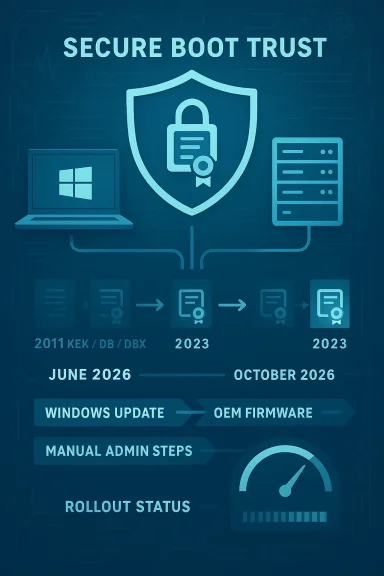
Infographic depicting Secure Boot Trust with a shield and a 2011–2026 device rollout timeline.Background​

Secure Boot is the UEFI mechanism that enforces trusted code execution before the operating system loads, using a small set of certificates embedded in firmware and maintained in the KEK/DB/DBX variables. Microsoft originally issued the core certificates in 2011; after more than a decade of use those certificates begin to expire in mid‑2026 and through late 2026. To preserve the integrity of boot‑time protections, Microsoft — working with OEM and firmware partners — has prepared replacement certificates (the “2023” series) and an update process that operates through Windows Update, firmware updates from OEMs, and documented manual methods for administrators.
In February 2026 Microsoft updated key support pages (including a Frequently Asked Questions doc and its main Secure Boot certificate guidance) to reinstate missing clarifications, to state explicit expiration months for the affected certificates, and to tighten guidance about which systems will be auto‑updated and which will not. The refresh responds to growing concern across enterprises, Linux communities, server operators, and gamers who rely on Secure Boot trust for BitLocker hardening, anti‑cheat systems, and trusted boot components.

What changed in Microsoft’s FAQ and guidance​

Restored detail and clearer timelines​

Microsoft’s updated FAQ enumerates which certificates expire and when, and it maps each expiring CA to its replacement. The critical dates and replacements called out in the restored guidance are:
  • June 2026 — Original KEK and several UEFI CA certificates issued in 2011 begin to expire and must be replaced by 2023‑series equivalents stored in KEK and DB variables.
  • October 2026 — The Microsoft Windows Production PCA 2011 certificate (used to sign the Windows bootloader) is scheduled to expire later in 2026 and is replaced by the Windows UEFI CA 2023.
This calendarized mapping lets administrators prioritize actions according to which certificates their fleet actually uses. Microsoft also re‑affirmed that the 2023 certificates were shipped in Windows cumulative updates starting in mid‑May 2025, but additional deployment steps are required for many systems to adopt those certificates into the active UEFI variables.

Clarified update mechanisms and opt‑in behavior​

The refreshed guidance explains the multi‑pronged update approach:
  • Windows Update (Controlled Feature Rollout / automated) — Microsoft will attempt to update the active Secure Boot variables on devices that are in supported OS versions and are managed by Microsoft through diagnostic data sharing and the company’s update mechanisms.
  • OEM firmware updates — Firmware (BIOS/UEFI) defaults must be updated by OEMs for the new certificates to be present after a firmware reset or if Secure Boot defaults are restored.
  • Manual/admin‑driven methods — Microsoft provides documented processes for IT administrators and server teams to apply the certificate updates directly where automatic mechanisms will not or cannot run.
Microsoft also re‑stated the practical meaning of “managed by Microsoft”: to receive the automated variable update path, devices must be running a supported in‑support Windows build and must be configured to allow diagnostic data flow so Microsoft can group devices and deploy updates safely.

New emphasis on diagnostics, firmware, and testing​

One of the most consequential clarifications in the restored FAQ is that the Windows diagnostic telemetry and OEM firmware status are not optional details — they materially influence whether an automatic update will land successfully. Microsoft repeatedly warns that firewall rules, disconnected environments, heavily restricted diagnostic settings, or firmware bugs can block updates, and it urges administrators to test and validate the update flow within their estate.

Why this matters: technical and security implications​

Secure Boot certificates are the root of trust for early boot; when certificates expire or cannot be updated, several critical protections are no longer maintainable through standard channels.
  • No further boot‑time security fixes — Devices that keep expired certificates will still boot and run, but they will not receive updates to Windows Boot Manager, DB/DBX revocation lists, or mitigations for newly discovered boot‑level vulnerabilities after the expiry dates. Over time, that counts as a degraded security state.
  • Third‑party boot components and gaming — Third‑party bootloaders, option ROMs, and even anti‑cheat modules that rely on Microsoft’s signing chain may become untrusted if systems do not receive the updated DB entries that acknowledge new signing certificates. This has practical consequences for Linux dual‑boot users and some gaming ecosystems.
  • Potential operational surprises — Firmware bugs and configuration quirks can cause updates to fail silently, or they may require OEM firmware patches. Servers and specialized hardware (air‑gapped or locked down) commonly lack the telemetry Microsoft uses to stage updates and therefore often need manual intervention.
  • Regulatory and compliance impact — Organizations that rely on Secure Boot for regulatory controls (e.g., device integrity attestation, mitigations for firmware‑level risks) must document and remediate any devices that will remain on expired certificates to avoid audit findings.
Microsoft’s own wording makes an important nuance explicit: devices will “continue to start and operate normally” even with expired certificates, but they will not be able to receive new protections for the early boot process. That’s not an immediate outage‑level failure — it is a slow erosion of trust and future fixability.

Cross‑checks and independent corroboration​

To ensure the key claims are credible and technically consistent, the restored Microsoft guidance aligns with several independent and vendor sources:
  • Microsoft’s official KB and Tech Community posts include the certificate names, replacement mapping, and the June/October 2026 target windows for the 2011 → 2023 CA updates.
  • OEM support pages and advisories from major PC vendors reiterate the need for firmware updates on some platforms and confirm that the 2023 certificates are being rolled out in phases.
  • Security and Linux communities — including large distributions and enterprise Linux vendors — have published guidance confirming the same June 26, 2026 milestone for certain 2011 CA expirations, while documenting the effect on cross‑platform boot scenarios.
  • Tech press coverage has flagged the same operational wrinkles: systems that are no longer supported, those without telemetry, or firmware with known flaws will need manual remediation.
Taken together, these independent confirmations validate Microsoft’s high‑level timeline and the core operational guidance: plan early, test widely, and expect some manual remediation work.

Notable strengths in Microsoft’s approach​

  • Predictable schedule and mappings. Microsoft supplied precise expiration windows and a clear mapping of which 2011 certificates are replaced by which 2023 certificates. That transparency lets IT teams prioritize.
  • Multiple deployment channels. Using both Windows Update (active variables) and OEM firmware updates (defaults) improves the probability of persistence across resets and reimaging scenarios.
  • Automated assistance for managed devices. For organizations that allow diagnostic data and let Microsoft manage updates, the rollout model reduces hands‑on effort for many endpoints.
  • Server‑focused guidance. Microsoft explicitly addressed server scenarios — including manual initiation steps and separate guidance — which is essential because servers are often treated differently from client PCs.
  • Industry coordination. Microsoft’s public messaging shows clear coordination with OEMs and firmware partners, which is the only practical way to update device firmware defaults across a fragmented hardware landscape.
These elements reduce systemic risk and, if executed well, will prevent a widespread operational failure at boot‑time when certificates actually expire.

Potential risks and unresolved questions​

While the plan is robust on paper, several practical concerns remain and deserve explicit attention.
  • Reliance on diagnostic telemetry. Microsoft’s automated method depends on telemetry data for device grouping and staged rollouts. Organizations unwilling or unable to enable required diagnostic levels — for privacy, policy, or regulatory reasons — may be excluded from the automated path and must manage updates manually.
  • Firmware reliability and vendor coverage. OEM firmware updates are uneven. Some older platforms will never receive firmware revisions that update default KEK/DB values, forcing administrators to rely solely on Windows‑driven active variable updates — and some devices have firmware bugs that disrupt even that process.
  • Edge cases and rollback behavior. Firmware resets, toggling Secure Boot, or some system imaging tools could inadvertently revert devices to defaults that lack the 2023 certificates. Robust guidance exists, but operators must validate every image and recovery process.
  • Third‑party and non‑Windows ecosystems. Linux distributions, virtual machine images, and other OSes may depend on Microsoft’s signing infrastructure. Even if Windows devices update, cross‑platform scenarios can be brittle if all parties don’t align.
  • Communication and timeline fatigue. Messaging continuity has been uneven in the early phases; some vendor pages and community posts caused confusion about which keys expire when. Microsoft’s recent restoration of the FAQ corrects that, but organizations that saw earlier mixed messaging may still be scrambling.
  • Potential security window. Devices that miss the update window will be unable to get new DBX revocations and bootloader mitigations; attackers focused on boot‑time compromise will prefer targets with expired certificates and no remediation plan.
For administrators this means the theoretical risks are less interesting than the operational realities: whether your devices are in the “auto‑updated” bucket or not will determine how much hands‑on remediation you need to budget.

Practical checklist — what IT teams should do now​

Below is a prioritized, practical playbook for administrators. Each step is sequentially ordered to reflect a sensible rollout plan.
  • Inventory and classification
  • Identify all devices with Secure Boot enabled and record firmware versions, OEMs, and Windows builds.
  • Flag unsupported OSes, especially Windows 10 systems that may have moved off mainstream support or are still on custom LTSC images.
  • Validate update path
  • For managed endpoints, confirm whether devices are enrolled in a Microsoft‑managed update flow and that required diagnostic data levels are allowed.
  • Check firewall rules and proxy configurations that could block telemetry and update staging.
  • Test in a representative lab
  • Build a test group with the oldest hardware platforms you manage and replicate typical firmware/BIOS configurations.
  • Simulate the Windows‑driven active variable update and any OEM firmware updates you plan to deploy. Verify the active variables after each step.
  • Set registry opt‑in for Microsoft managed updates (where appropriate)
  • For devices you want Microsoft to update automatically, set the MicrosoftUpdateManagedOptIn registry key in HKEY_LOCAL_MACHINE\SYSTEM\CurrentControlSet\Control\Secureboot to any non‑zero DWORD value (Microsoft recommends 0x5944). Test and monitor the rollout.
  • Document this change as an operational control and include rollback steps.
  • Coordinate with OEMs
  • Track OEM advisories for firmware updates; verify if your model shipped with 2023 certificates or requires a vendor firmware update.
  • For servers, prioritize OEM firmware updates and apply them during scheduled maintenance windows.
  • Prepare manual remediation for exceptions
  • Document the Microsoft‑published manual update procedures for Windows Server and for device classes that cannot be updated automatically.
  • Prepare signed bootloaders or alternate trust mechanisms for validated Linux or third‑party boot scenarios where necessary.
  • Update imaging and recovery processes
  • Ensure that deployment images, Windows recovery drives, and PXE images include updated boot manager components signed under the new certificate chain where required.
  • Verify that recovery steps do not accidentally reset firmware defaults to deprecated certificates.
  • Communicate to stakeholders and end users
  • Explain the practical effects: devices will boot and run but may lack future boot‑time mitigations if not updated. Provide timelines for action and schedule support windows for known problem models.
  • Monitor dashboards and the rollout landing page
  • Use Microsoft’s rollout status page and any OEM dashboards to track progress. Keep logs and ticketing for devices that failed updates.
  • Plan for contingency and audit
  • For devices that cannot be remediated in time, strengthen other controls (endpoint detection, network segmentation) and document risk acceptance with mitigation steps.

Guidance for home users and enthusiasts​

  • Check Secure Boot state: run System Information and confirm “Secure Boot State” shows On. If Off, investigate whether your device supports Secure Boot and whether enabling it breaks a needed dual‑boot or driver.
  • Keep Windows updated and, where comfortable, allow the Microsoft diagnostic setting recommended for automatic updates. If you decline telemetry, be prepared to follow manual update guidance or to consult your OEM.
  • For Linux dual‑booters: confirm how your distribution manages Secure Boot signing (shim, shim updates, and vendor signatures). If you rely on Microsoft’s signing chain, test boot behavior on a recent image.
  • Avoid toggling Secure Boot unnecessarily — toggling may revert firmware defaults and could require additional steps to reapply updated certificates.

Server and virtualized environments — special considerations​

Servers and virtual machines require a more cautious approach. Microsoft’s server guidance makes three distinct points:
  • Many servers shipped since 2024 and most 2025 hardware already include the 2023 certificates in firmware; prioritize older hardware.
  • Windows Server instances do not automatically receive the CFR path used for consumer PCs, so administrators must manually initiate updates on server OSes that are in scope.
  • Virtualized environments can be affected differently depending on hypervisor support for UEFI variable persistence and whether cloud providers have already applied firmware or host‑level updates.
For on‑prem, air‑gapped, and regulatory environments, the manual methods and guidance for server administrators are indispensable. Plan maintenance windows well in advance and verify variable persistence across snapshots and host migrations.

What to watch for in the coming months​

  • OEM firmware advisories — Watch vendor support pages for firmware packages; some will be model‑specific and temporally staggered.
  • Rollout telemetry and pause events — Microsoft has emphasized phased rollouts and will pause in response to issues. Keep an ear out for public status updates and recorded AMA sessions Microsoft publishes.
  • Community reports of failure modes — Early adopter reports (labs, Linux distributions, server admins) will illuminate problem platforms faster than vendor advisories in many cases.
  • Security advisories tied to boot‑time threats — If researchers discover new boot‑level vulnerabilities, devices without updated certificates will be unable to receive mitigations, increasing CVE exposure.

Bottom line and recommendations​

Microsoft’s decision to restore and clarify the Secure Boot FAQ was overdue and timely. The technical plan — issuing 2023 series certificates, providing multiple update channels, and publishing detailed guidance — is sound. Nevertheless, the execution risk resides in the complexity of modern device fleets: varied OEM firmware, legacy hardware, restricted telemetry policies, and server environments that do not follow the consumer update flow.
For IT leaders, the immediate actions are clear: inventory now, test in a lab, opt eligible devices into Microsoft’s managed update flow if your policy allows, coordinate firmware updates with OEMs, and prepare manual remediation playbooks for the exceptions. For consumers and enthusiasts, check Secure Boot, keep systems updated, and don’t assume “it will just happen” — verify your device has actually received the new certificates.
The imminent expiration window is not a precipitous cliff; rather, it is a long tail of risk that will grow if ignored. The restored FAQ reduces uncertainty and gives organizations the concrete information they need to plan. Use it — and use the next few months — to ensure your devices remain in a trusted, maintainable boot posture beyond 2026.

Source: Windows Report https://windowsreport.com/microsoft...details-ahead-of-2026-certificate-expiration/
 

Microsoft has quietly started delivering a critical Secure Boot certificate refresh to more Windows 11 PCs, a timed, multi-stage update designed to replace aging UEFI signing certificates issued around 2011 with a new 2023 certificate family so devices keep trusting boot components and continue to receive future pre‑boot updates. ([support.microsoft.icrosoft.com/en-us/topic/windows-secure-boot-certificate-expiration-and-ca-updates-7ff40d33-95dc-4c3c-8725-a9b95457578e)

Futuristic blue holographic UI showing Windows UEFI CA 2023 shield with firmware chip and staged rollout.Background / Overview​

Secure Boot is the UEFI‑level mechanism that enforces cryptographic trust during the earliest stages of system startup. It compares digital signatures on boot components against a small set of certificates and keys stored in firmware variables—commonly identified as PK (Platform Key), KEK (Key Exchange Key), DB (allowed signatures), and DBX (revoked signatures). If those anchors become stale or expire, the firmware can no longer validate newly signed boot code, threatening both security and updateability.
Microsoft and industry partners built a coordinated plan after identifying that several Microsoft‑issued UEFI certificates from 2011 will reach their expiration windows beginning in June 2026 (with related expirations continuing into late‑2026). To prevent a large population of devices from entering a degraded security state—unable to accept new Secure Boot updates and potentially unable to validate modern boot managers—Microsoft began pushing a replacement “Windows UEFI CA 2023” set of certificates and a supporting KEK update to capable devices.
This is a platform trust refresh, not a feature update. It is intentionally staged and telemetry‑aware: Microsoft will expand automatic delivery only after devices have received prerequisite quality updates and supplied the “successful update signals” the vendor uses to validate a safe, incremental rollout. Enterprises and consumers are being asked to cooperate—install certain quality updates and enable diagnostic data—to increase the chance their machines receive the replacement certificates automatically.

What Microsoft is rolling out now​

The packages and mechanism​

Microsoft’s delivery path uses several mechanisms:
  • Windows Update delivers a small package described as a Secure Boot Allowed Key Exchange Key (KEK) Update that appends new 2023 CA material into firmware‑managed variables on eligible systems. The package requires a reboot to complete the variable write.
  • Dynamic updates and cumulative quality updates (several January–February 2026 packages and specific Setup/Safe OS dynamic updates) include support code and enablement logic that mark devices as capable and ready to receive the KEK/DB changes. Admins may see those KB numbers in their update inventories.
  • For managed fleets, Microsoft documented guidance for alternative distribution using registry keys or Windows Configuration System (WinCS) tasks so organizations that cannot rely on the staged Windows Update model can push certificates intentionally.

Targeted devices and staged rollout​

The controlled rollout prioritizes devices that:
  • Are running supported Windows versions (initially Windows 11 servicing branches such as 24H2 and 25H2), and
  • Have Secure Boot enabled in firmware, and
  • Have installed required quality updates and are returning diagnostic/telemetry signals Microsoft uses to expand the rollout.
Devices manufactured since 2024 commonly shipped with the new 2023 certificate family already present in firmware; older systems—especially those built before 2024—are more likely to rely on the 2011 certificates and therefore need this update. Microsoft and OEM partners coordinated to ensure newer devices are already compliant, while older devices are handled by the staged Windows Update path or OEM firmware updates where required.

Who is affected — scope and risk profile​

Consumer devices​

Most modern retail PCs purchased in 2024 or later include the 2023 CA in their firmware and are unaffected by the staged rollout salvo beyond receiving a small Windows Update confirmation step. The risk falls primarily on devices built earlier and still running Windows 11 (and in many cases even Windows 10 systems or custom images) that rely on 2011 certificates. If those devices do not receive replacement certificates before the 2011 anchors expire, they can enter a degraded state that weakens pre‑boot protections and could block future Secure Boot updates.

Enterprise fleets and air‑gapped systems​

Large organizations face the highest operational risk. Air‑gapped systems, isolated build images, imaging servers, and specialized appliances often do not send the telemetry signals Microsoft needs to trigger the automated rollouts. Systems that cannot be updated via Windows Update must be assessed and remediated using the registry/WinCS methods Microsoft documented or by collecting the replacement certificate payloads from OEM firmware updates. Failure to act at scale could lead to service disruptions or prolonged vulnerability exposure for fleets.

Edge cases: custom Secure Boot configurations and dual‑boot systems​

Systems set to Custom Secure Boot mode, or those using manually curated certificate lists for dual‑boot setups (Linux shim loaders, custom signed boot managers, or embedded option ROMs), can encounter unexpected failures if the environment expects firmware to accept a Microsoft‑delivered KEK/DB change. In some cases, older firmware rejects programmatic updates to KEK/DB variables entirely, forcing a BIOS/UEFI update or manual certificate import—steps that require caution. Community reports and vendor posts show these failure modes exist and can cause boot failures if addressed incorrectly.

How to check your certificate status (step‑by‑step)​

Microsoft and multiple outlets documented effective ways to verify whether a device already trusts the Windows UEFI CA 2023 certificates. The following checks are low‑risk and reversible.
  • Open an elevated PowerShell (run as administrator) and run:
    ([System.Text.Encoding]::ASCII.GetString((Get-SecureBootUEFI db).bytes) -match 'Windows UEFI CA 2023')
  • True indicates the DB contains at least one 2023 CA entry; False means the DB lacks the new Windows UEFI CA 2023 certificate. Security apps and articles have used a related command to display full certificate text when needed.
  • To enumerate the DB in readable form (administrator PowerShell), run:
    [System.Text.Encoding]::ASCII.GetString((Get-SecureBootUEFI db).bytes)
  • You should see certificate names such as MicrosoftUEFICertificateAuthority_2023.cer or entries referencing “Windows UEFI CA 2023” if the 2023 family is present.
  • Registry check (if PowerShell is not convenient):
  • Open Registry Editor and navigate to:
    HKEY_LOCAL_MACHINE\SYSTEM\CurrentControlSet\Control\SecureBoot\Servicing
  • Confirm the value of WindowsUEFICA2023Capable is not 0. A value of 0 indicates the system does not (yet) have the update available via automated servicing. Microsoft documented these registry markers as part of the staged enablement framework.
  • Windows Security App & Event logs:
  • Microsoft plans to surface messages about certificate status in the Windows Security App; administrators can also search Event Viewer for Secure Boot related events (for example, Event ID 1801 can indicate firmware acceptance failures). Use these signals to triage non‑compliant devices.
If these checks show the DB and KEK already include 2023 entries, no immediate action is needed beyond maintaining Windows Update hygiene. If they show older certificates only, remediation steps are required before the mid‑2026 expiration windows.

A practical step‑by‑step plan (home users)​

Follow these numbered steps to minimize risk on a personal PC:
  • Back up important data. A recent system image or file backup reduces stress if anything goes wrong during updates.
  • Fully install Windows quality updates and the latest cumulative updates for your Windows branch (24H2/25H2 or equivalent). Microsoft’s staged rollout depends on prerequisite updates to mark devices as eligible.
  • Ensure Secure Boot is enabled (msinfo32 → Secure Boot State = On) if you intend to keep Secure Boot. If Secure Boot is off intentionally (legacy boot/older OS), you’re not subject to the certificate replacement but also won’t benefit from Secure Boot protections.
  • Enable diagnostic data temporarily (if comfortable): Microsoft uses diagnostic telemetry as a signal for controlled automatic deployment. If you prefer never to send telemetry, prepare to update the machine via manual methods or OEM tools instead.
  • Reboot after updates, then verify with the PowerShell / Registry checks above. If your device now contains the 2023 CA entries, you’re set.

IT administrators: remediation, tooling, and rollout best practices​

Enterprise environments should treat the Secure Boot certificate refresh as an operational deadline, not optional housekeeping. Microsoft published a set of remediation tools and scripts for inventorying device compliance and for targeted provisioning.
  • Inventory first. Run the Microsoft sample Secure Boot Inventory Data Collection script across your estate to get an authoritative list of which devices have the 2023 CA and which do not. The script supports automated collection for large fleets and is referenced in enterprise‑focused guidance.
  • Use Windows Update for Business / Windows Update / Intune where possible. Microsoft’s staged, telemetry‑aware deliveries are safest when endpoints are healthy and reporting. Prioritize patching policies that ensure prerequisite quality updates and dynamic setup updates are applied.
  • For air‑gapped or isolated devices, use Microsoft’s documented registry keys and WinCS tasks to append the 2023 certificates deliberately. This is slower but essential for segments that cannot or will not send telemetry. Test the process on a small group and maintain OEM firmware updates if the firmware refuses
  • Coordinate with OEMs. Some older firmware refuses to accept KEK/DB writes from the OS; in these cases, manufacturers issued BIOS/UEFI firmware updates or provided vendor tools to import new certificate blobs. Track OEM advisories and deploy any required firmware packages before the certificate expirations.

Known issues and potential failure modes — what to watch for​

The staged rollout reduces large‑scale crashes, but several operational caveats exist:
  • Firmware refusal to accept new keys: Older UEFI implementations sometimes block programmatic writes to KEK or DB variables, creating a need for a vendor BIOS update or a manual import that requires toggling Secure Boot to Custom mode. If incorrectly handled, such operations can render a device unbootable.
  • Reports of post‑update boot glitches: Community reports (and some support threads) described boot failures and other regressions in the wake of recent cumulative updates. While most of these problems are unrelated to the certificate refresh itself, administrators should pilot updates in controlled rings and maintain rollback plans. Tom’s Hardware and Microsoft Q&A threads have documented isolated post‑update boot issues.
  • Dual‑boot environments: Systems that depend on non‑Microsoft bootloaders or custom shim chains must be handled carefully. If you manage dual‑boot machines, validate that your grub/shim/signing stack remains valid after the KEK/DB changes. In complex cases, test on representative hardware before sweeping the fleet.
  • Manual intervention hazards: Manually editing firmware variable tools to import certificates without a tested procedure invites failure. Only perform manual interventions with full backups and a tested recovery plan.
Flag any unverifiable claim: some forum posts and social media threads describe specific BIOS versions or OEM models that will not accept the new KEK/DB entries; these reports are anecdotal until confirmed by the OEM or Microsoft for specific SKUs. Treat such reports as warning signals requiring verification rather than definitive evidence of brand‑wide failure.

Timeline — key dates and consequences of inaction​

  • June 2026: Several Microsoft UEFI certificates originally issued in 2011 begin expiring. Devices that still rely solely on those certificates and have not been updated risk entering a degraded security state and may be unable to accept future Secure Boot updates.
  • October 2026: Additional expirations related to the Microsoft Windows Production PCA 2011 and related signing certificates occur later in 2026, widening the scope of potential issues for machines that remain unpatched.
Consequences of doing nothing include losing the ability to trust newly signed boot managers, the inability to receive future pre‑OS security updates, and an increased attack surface for pre‑boot vulnerabilities discovered after the certificates expire. Microsoft characterizes the resulting state as “degraded” rather than immediately catastrophic, but degradation is cumulative and operationally costly.

Cross‑referenced evidence and corroboration​

This article’s key assertions are verifiable across multiple independent sources:
  • Microsoft’s official guidance and support pages lay out the certificate expirations, the need to update DB/KEK, and the staged rollout mechanics.
  • Industry reporting and technical outlets (PCWorld, BleepingComputer, Windows Central, Ars Technica, Windows Experience Blog) independently reported the rollout, the KEK/DB update names, and the push for diagnostic telemetry to support staged deployment.
  • Internal operational threads and community troubleshooting—collected in our local update and KB tracking—show the specific KBs and dynamic update packages that enable machines to receive the certificate refresh and provide playbooks for enterprise remediation.
Where community reports describe specific model failures or anecdotal boot problems, those items are flagged here for caution; they remain subject to confirmation by OEM-specific advisories or Microsoft knowledge base updates. Treat individual model reports as investigative leads rather than systemic determinations until vendor confirmation is available.

Recommended checklist (quick reference)​

  • For all devices:
  • Install all pending Windows quality and cumulative updates immediately.
  • Reboot and verify Secure Boot is On (msinfo32).
  • Run the PowerShell checks to confirm presence of Windows UEFI CA 2023 in DB and KEK.
  • If false, follow remediation steps below or contact OEM support.
  • For IT administrators:
  • Inventory fleet (use Microsoft inventory script).
  • Prioritize devices lacking 2023 CA entries for automated or manual remediation.
  • Use Windows Update for Business / Intune to target prerequisite updates.
  • Coordinate firmware updates with OEMs for devices that reject programmatic KEK/DB writes.
  • Test rollback and recovery procedures for imaging servers and build machines.
  • If you manage air‑gapped systems:
  • Use documented registry/WinCS tasks to import certificates or leverage OEM tools to update firmware directly. Test on representative hardware first.

Final analysis — strengths, risks, and the narrow window for action​

Microsoft’s approach balances operational safety and urgency: by staging the KEK/DB updates and gating expansion behind prerequisite quality updates and telemetry signals, the company reduces the odds of mass disruption while ensuring the largest number of devices can be updated automatically. This measured rollout is a strength—particularly when coordinated with OEM firmware efforts and enterprise tooling that allow targeted remediation.
However, the program also surfaces nontrivial risks:
  • A meaningful minority of systems—older machines, air‑gapped servers, custom Secure Boot configurations, and machines with antiquated UEFI firmware—require manual intervention or vendor firmware updates. Those interventions are operationally intensive and can break boot chains if performed incorrectly.
  • The dependence on telemetry and staged rollout signals creates a temporal pressure: administrators must coordinate update policies and enablement windows to ensure their devices become eligible long before the June 2026 expiration. Failure to plan now narrows remediation time and increases the chance of service impacts.
  • Community reports of isolated boot problems after recent cumulative updates serve as a reminder that robust pilot testing and rollback plans are necessary when you change low‑level system components. Do not apply mass remediation without a staged test and recovery strategy.
The practical reality is this: the window to avoid operational fallout is short but still actionable. With disciplined patching, validation checks, and vendor coordination, the majority of devices will transition seamlessly to the 2023 CA family. For the remainder—older firmware, isolated systems, and complex custom boot stacks—administrators must treat the certificate refresh as a project with timelines, owners, and recovery plans, not an optional maintenance task.

Secure Boot’s trust anchors are what keep many classes of pre‑OS attacks out of the chain-of-trust. Replacing expiring certificates is routine in cryptographic lifecycles, but doing so in a widely varied PC ecosystem is operationally complicated. The current rollout is Microsoft’s attempt to thread that needle—minimize disruption while preventing a mid‑2026 trust erosion that would be far harder to remediate at scale. Act now: inventory, patch, verify, and coordinate with your OEMs. Failure to do so will make a manageable update into a preventable operational emergency.

Source: PCWorld Windows 11's Secure Boot fix update finally rolls out to more PCs
 

A quiet but consequential deadline is coming for Windows machines: the long‑lived Secure Boot certificates that Microsoft provisioned beginning in 2011 are set to begin expiring in June 2026, and while Microsoft and many OEMs are pushing replacement certificates to devices automatically, a sizeable minority of systems — particularly unmanaged, out‑of‑support, or firmware‑stale machines — risk being left in a degraded security state unless owners or administrators act now. osoft.com](https://techcommunity.microsoft.com...expire-in-june-2026/4426856?utm_source=openai))

Technician examines a motherboard with a glowing UEFI security shield.Background​

Secure Boot is a low‑level UEFI firmware feature that runs before Windows itself and enforces a cryptographic chain of trust: firmware only hands control to bootloaders and early boot components that are signed by trusted certificate authorities stored in firmware. That pre‑OS check blocks rootkits, bootkits, and other threats that install persistence below the operating system. Because those cryptographic anchors were originally issued around 2011, Microsoft has prepared a generational refresh — a new Windows UEFI CA 2023 family — to replace slipping, end‑of‑life certificates so Secure Boot can continue to receive updates and signings beyond 2026.
This is not a hypothetical upgrade: the certificates themselves carry expiration dates. When a certificate used to validate future boot components expires, firmware and Windows can continue to boot existing, already‑signed components, but the device can no longer accept newly signed pre‑boot updates or mitigations tied to the expired certificate family. Microsoft warns devices that miss the replacement update will enter what it calls a degraded security state — still functional, but unable to receive future Secure Boot protections and at greater risk to novel pre‑OS attacks.

What exactly is expiring — and when​

  • The certificates commonly referenced are Microsoft’s UEFI signing and CA certificates issued circa 2011 (often called “Microsoft UEFI CA 2011” or similar). These certificates begin their expiration window in June 2026, with a final boot‑signing PCA set to follow later in 2026 in some notices.
  • Microsoft built a replacement certificate family (the Windows UEFI CA 2023 set) and has started delivering it via Windows servicing and coordinated OEM firmware updates. Many newer machines shipped with the 2023 CA already embedded in firmware, and Windows updates are delivering the new material to older devices where firmware supports it.
  • Important caveat: devices running unsupported Windows releases (notably Windows 10 installations that are no longer receiving regular updates) will not automatically receive the new certificates unless they are enrolled in paid Extended Security Updates (ESU). That leaves Windows 10 holdouts particularly exposed.
Because the certificate expiry is calendar‑driven, the technical consequence is sharp: missing the update doesn’t instantly brick a machine, but it does remove the ability to receive future pre‑boot protections and revocations — precisely the type of defense needed to stop contemporary UEFI bootkits. For many users the fix will be automatic and invisible; for a non‑trivial subset it will require action.

Who is at risk (and who is not)​

Most modern Windows 11 devices that keep Windows Update enabled are already in the lowest‑risk group: Microsoft began staged rollouts in early 2026 and many devices built in 2024–2026 were shipped with the new 2023 CA present. If your PC shipped in the last two years and you keep updates enabled, you’re likely covered.
But certain categories deserve immediate attention:
  • Windows 10 systems that aren’t on ESU — Microsoft stopped mainstream Windows 10 updates in October 2025; non‑ESU Windows 10 devices will not receive the replacement certificates through standard Windows Update and therefore face degradation.
  • Air‑gapped, offline, or tightly managed endpoints that do not regularly pull Windows Update or that block dynamic updates in firmware/managed images.
  • Older hardware whose OEM never issued a firmware update to accept and persist the new 2023 CA in UEFI variables. Some machines require both the Windows side update and a vendor BIOS/UEFI update to fully persist the new keys.
  • Servers and specialized fleet machines where Windows Update behavior differs (for example, servers in WSUS/SCCM environments). Microsoft has published guidance for administrators to inventory and plan certificate rollouts for server estates.
  • Dual‑boot and Linux users — changes to what certificates are trusted by firmware can impact booting non‑Windows OSes that depend on shim or vendor keys. Community reports and vendor notes show some Linux distributions or third‑party boot components can run into verification issues after certificate rotations.

Why this matters: real‑world attack risks​

Pre‑OS threats are the worst kind: they execute before the operating system and most endpoint defenses are active. A UEFI bootkit can persist across OS re‑installs and hide from antivirus by running earlier in the boot sequence.
  • The BlackLotus UEFI bootkit is a concrete example: ESET and other security vendors published research showing BlackLotus can bypass Secure Boot protections by abusing vulnerabilities (historically tied to CVE‑2022‑21894 and related weaknesses). That means if a platform can’t receive timely Secure Boot revocations and updated signing anchors, attackers have an easier time persisting below the OS.
  • Security vendors and advisories stress that without updated CA material, firmware cannot receive revocations or new protective signatures — making future boot‑level mitigations impossible for affected devices. That’s why Microsoft frames the outcome as a degraded security posture rather than an immediate outage: the machine keeps working but its ability to be defended proactively is curtailed.
  • There are also operational compatibility concerns: GPU option ROMs, old signed firmware blobs, anti‑cheat drivers, and some vendor recovery tools were signed under older certificate families. Some users report compatibility friction when new CA families are injected or older ones are removed. Those scenarios make testing and careful rollout important for gamers, developers, and IT managers alike.

Quick checks every user can do right now​

You can confirm whether your PC is in the likely‑to‑be‑updated group in under a minute.
  • Press Windows + R, type msinfo32 and press Enter.
  • Look for Secure Boot State:
  • If the entry reads On, your device is currently using Secure Boot and is eligible to receive the certificate updates via Windows Update (assuming other update paths aren’t blocked).
  • If it reads Off or Unsupported, the device won’t receive the new certificates via the automatic Windows Update flow, and additional firmware or settings changes will be needed.
Next, check Settings > Windows Update and make sure updates are not paused, deferred, or blocked by group policy or management tooling. If updates are paused or your device is on an unsupported Windows release, plan for remediation. Microsoft’s servicing packages that carry the certificate material include targeted dynamic updates and cumulative KBs for different Windows versions.
If you manage multiple machines, inventory the Secure Boot state across the fleet with your standard management tooling (Intune, SCCM, Group Policy queries, or remote msinfo32 collection). Microsoft has published guidance aimed at IT teams for performing a fleet‑wide readiness check.

Patches and KBs to look for (operational checkpoints)​

Microsoft has distributed the certificate refresh through Windows servicing and targeted dynamic updates. The most referenced packages and identifiers you may see are:
  • KB5073455 — January 2026 cumulative update for Windows 11, version 23H2, which forms part of the rollout path for updated Secure Boot materials.
  • KB5074109 / KB5074105 / KB5073722 series — various servicing and targeted packages for different Windows versions and channels that include the Secure Boot Allowed Key Exchange Key (KEK) update or related boot manager changes. Administrators will see different KB numbers depending on OS version and servicing channel.
  • Targeted Setup Dynamic Update KBs (e.g., KB5079271) — Microsoft has also published setup/dynamic update notices to ensure setup or upgrade flows inject the 2023 CA material where needed. Servers and image builds must be handled differently than consumer PCs.
Because KB numbers can vary by build and platform, treat the KB list above as examples and always validate the specific packages applied to your Windows build using Microsoft’s release health pages or your enterprise patching console.

Step‑by‑step remediation for consumers​

If your quick checks show potential exposure, follow these practical steps:
  • Confirm Secure Boot is enabled (msinfo32) and that Windows Update is active. If updates are paused, unpause and install outstanding updates.
  • Run Windows Update and reboot as required. The certificate injection update typically requires a restart to persist the new KEK/DB entries into firmware variables.
  • Check your firmware (UEFI/BIOS) release notes on the OEM support page. Some older machines require a vendor firmware update to accept and persist the 2023 CA. HP, Lenovo, and other manufacturers have acknowledged coordinating firmware rollouts.
  • If you’re running Windows 10 and are out of support, consider upgrading to a supported Windows 11 build or enrolling in ESU if that’s the only viable path for your environment. Unsupported Windows 10 devices will not receive the new certificates via automatic servicing unless covered by ESU.
  • If you dual‑boot with Linux or use custom bootloaders, test after updates. Some non‑Windows boot paths can be affected, and you may need to re‑enroll shim/MOK keys or consult your distribution’s guidance.

For IT teams and server admins: an operational playbook​

Large‑scale estates need a coordinated plan. Microsoft’s guidance and community write‑ups converge on the same operational steps:
  • Inventory: Identify devices with Secure Boot enabled, firmware versions, Windows build, and update channel. Use automated reporting from Intune, SCCM, or custom scripts to capture msinfo32 results at scale.
  • Pilot: Select representative machines (consumer laptops, older desktops, servers, and air‑gapped systems) and apply the Windows servicing updates plus any vendor firmware. Validate boot, recovery, BitLocker behavior, anti‑cheat, and VM images.
  • Deploy firmware updates: Coordinate with OEMs. If the firmware is required to persist 2023 CA material, don’t skip it — otherwise a Windows‑side update may not survive a firmware reset.
  • Monitor and remediate: Watch for BitLocker recovery prompts, dual‑boot failures, or driver/option ROM errors. Have recovery media and keys available; update documentation and runbooks.
  • Special handling for servers: Microsoft’s server guidance differs — don’t rely solely on client‑side dynamic updates for server images; plan for controlled rollouts with maintenance windows.

Compatibility gotchas and known side effects​

  • Some GPU GOP option ROigned components may fail Secure Boot verification if they rely on the expiring 2011 CA and are not re‑signed or updated for the 2023 CA. Community threads record instances of boot‑time POST stalls and driver issues tied to unsigned or old‑signed option ROMs. Test high‑risk systems (workstations used for gaming, rendering, or niche drivers).
  • Dual‑boot and Linux users may need to re‑enroll shim or MOK keys if they rely on signing behavior that the new CA changes affect. That’s not common for mainstream distros but has appeared in the field.
  • In rare cases where Windows Update fails to apply the KEK/DB changes (catalog installation errors, corrupted servicing stack), manual remediation via vendor tools or recovery flows may be required. Keep recovery keys and tested restore media at hand.

Threat landscape — why you shouldn’t postpone this​

UEFI bootkits like BlackLotus demonstrate the practical value of being able to revoke, re‑sign, and deliver new boot manager protections. If a device can’t accept new CA material or revocation updates after June 2026, defenders lose an important pre‑OS control point. Attackers who target high‑value systems — servers, critical workstations, or corporate laptops — benefit from any erosion of early‑boot defenses. Security researchers and vendors have repeatedly flagged the danger of leaving Secure Boot’s trust anchors stale.

What we verified and what remains conditional​

Verified:
  • Microsoft published guidance and Tech Community notices describing a certificate refresh and June 2026 expirations, and Microsoft is delivering a 2023 CA family via Windows servicing and OEM firmware coordination.
  • ESET and other security vendors have documented BlackLotus and related bootkits that bypass or severely weaken Secure Boot protections, underscoring why maintaining modern CA anchors is important.
  • The practical checks (msinfo32 Secure Boot State, Windows Update activity, and OEM firmware pages) are the appropriate first steps for consumers and admins.
Cautionary/conditional:
  • Exact KB numbers and package names vary by Windows build, servicing channel, and device; the KBs cited above are representative and must be validated against your device’s Windows build and Microsoft’s release health pages before automated deployment. If you see different KBs offered by Windows Update or your patching system, treat those as authoritative for your environment.
  • Some community reports of specific hardware breakages or post‑update incompatibilities exist; many are resolved by firmware updates or vendor re‑signing efforts, but the diversity of hardware means there will be exceptions. Test before mass deployment.

Bottom line and practical timeline​

  • If your PC is running a supported Windows release, has Secure Boot On, and receives regular updates, it is very likely to get the 2023 CA certificate material automatically and avoid any future degradation. Still: take five minutes to run msinfo32 and confirm your Windows Update state.
  • If you run Windows 10 without ESU, have devices that are offline or blocked from updates, or rely on older firmware from an OEM that hasn’t issued updates, you should plan remediation now — firmware rollouts and ESU enrollment (or migration to supported OS builds) are the primary fixes.
  • For fleets: inventory, pilot, deploy, and monitor. Treat June 2026 as an operational deadline and schedule testing windows well before that date to avoid surprises.
This is one of those low‑visibility infrastructure updates that buys long‑term protection against some of the most resilient classes of malware. Don’t wait for a catastrophe to check your Secure Boot state — five minutes now could avoid months of headaches or, worse, an undetectable persistence mechanism that survives OS reinstallation.

Quick checklist (copy/paste)​

  • Open Run → msinfo32 → verify Secure Boot State: On.
  • Settings → Windows Update → ensure updates are not paused and install pending restarts.
  • Check your OEM support page for the latest UEFI/BIOS firmware and release notes; apply firmware updates if required.
  • If running Windows 10, confirm ESU status or plan migration to a supported Windows 11 build.
  • For admins: inventory Secure Boot state, firmware versions, and patch compliance across the fleet; pilot updates before broad rollout.
Stay proactive: the update will be routine for most devices, but it’s the edge cases — unsupported OSes, firmware‑stale endpoints, and air‑gapped systems — that will create real problems if ignored. The fix is simple in many cases; the cost of postponing is asymmetric.

Source: MakeUseOf A major Windows security certificate expires in June — check if your PC is ready
 

Microsoft has quietly accelerated a platform-level Secure Boot certificate refresh for Windows 11 — one that replaces long‑lived Microsoft UEFI certificates issued around 2011 with a new 2023 certificate family so devices remain able to trust and receive pre‑boot security updates after those 2011 certificates begin expiring in mid‑2026. (support.microsoft.com)

A glowing Secure Boot shield sits above a microchip, with Windows 11 logo and KEK/UEFI CA updates.Background​

UEFI Secure Boot is the firmware‑level trust anchor that validates code before the operating system loads. It enforces a small set of cryptographic authorities stored in firmware variables (PK, KEK, DB, DBX) so that only digitally signed bootloaders, drivers, option ROMs and other early‑startup code are permitted to run. This model has been central to Windows platform security since Windows 8 and was built on Microsoft‑issued certificates deployed across OEM firmware ecosystems beginning around 2011. (support.microsoft.com)
Those original Microsoft certificates — commonly referred to in Microsoft documentation as Microsoft Corporation KEK CA 2011, Microsoft Windows Production PCA 2011, and Microsoft Corporation UEFI CA 2011 — are scheduled to begin expiring starting in June 2026, with at least one production PCA remaining scheduled to expire later in October 2026. Microsoft’s operational guidance makes this timeline explicit and calls for a coordinated rollout of replacement certificates (the “2023 CA family”) to avoid a calendar‑driven loss of boot‑level trust. (support.microsoft.com)
Industry observers and community reporting have tracked Microsoft’s phased push — delivered via Windows servicing (Safe OS dynamic updates, targeted cumulative updates and setup dynamic updates), OEM firmware updates, and coordinated vendor signing changes — designed to ensure continuity of Secure Boot verification across a very large and heterogeneous installed base of Windows devices.

What Microsoft is changing — the technical outline​

Microsoft’s guidance and deployment playbook explain both what is changing and how Microsoft will apply the updates:
  • The 2011 KEK and UEFI CA certificates will be replaced with new 2023 equivalents. In short:
  • Microsoft Corporation KEK CA 2011 → Microsoft Corporation KEK 2K CA 2023 (stored in KEK; signs DB/DBX updates). (support.microsoft.com)
  • Microsoft Corporation UEFI CA 2011 → Microsoft UEFI CA 2023 (stored in DB; used for signing third‑party boot loaders and EFI apps). (support.microsoft.com)
  • Microsoft Windows Production PCA 2011 → Windows UEFI CA 2023 (used to sign the Windows boot manager). (support.microsoft.com)
  • The update process on an endpoint is implemented as a scheduled, telemetry‑gated task that:
  • Adds the Windows UEFI CA 2023 into the DB;
  • Adds the Microsoft Option ROM UEFI CA 2023 and Microsoft UEFI CA 2023 to DB if the firmware already contained the 2011 UEFI CA;
  • Adds the new KEK 2K CA 2023 into KEK;
  • Replaces the Windows boot manager with a copy signed by the Windows UEFI CA 2023, if applicable. (support.microsoft.com)
  • Microsoft is using several update mechanisms:
  • Safe OS Dynamic Updates and Setup Dynamic Updates (delivered alongside Windows quality updates or during setup/repair operations) to stage certificates and boot manager replacements.
  • Windows Update targeting and telemetry checks to determine which devices are eligible and to gate the rollout, reducing risk by phasing across device classes and OEM models.
  • OEM firmware updates for devices whose UEFI cannot accept the new certificates purely from Windows‑side servicing. (support.microsoft.com)
These steps are not cosmetic: they change the cryptographic anchors the firmware uses to validate everything that runs before Windows itself. Without the replacements, devices will still boot, but they will gradually lose the ability to receive further boot‑level fixes, revocations, DBX (revoked signatures) updates and mitigations targeted at pre‑OS vulnerabilities. Microsoft warns this would create a degraded security state for affected devices. (support.microsoft.com)

Timeline and dates — verified facts and a caution​

Microsoft’s official documentation repeatedly states that the 2011 certificates begin expiring in June 2026 and will be fully succeeded by the 2023 certificates to preserve Secure Boot continuity. It lists June 2026 specifically for the KEK CA and UEFI CA expirations, and October 2026 for the Windows Production PCA 2011 expiration. (support.microsoft.com)
Independent vendors and Linux/enterprise maintainers have also published dates tied to the certificate lifecycle (for example, some enterprise references call out June 27, 2026 as an operational date used in coordination). That exact day appears in third‑party guidance (for example Red Hat’s customer portal), but Microsoft’s primary documentation frames the change as beginning in June 2026 and rolling through October 2026 without committing to a single calendar day in the public article. Treat specific day‑of‑month claims as operational details that may be used internally by partners; the safe reading for admins is to treat June 2026 as the operational start window and to have replacements applied well before then. (support.microsoft.com)

Why this matters — real world impacts​

The Secure Boot certificate refresh has practical consequences across several common scenarios:

Consumer PCs and laptops​

Most modern consumer PCs that are still receiving Windows updates will get the replacement certificates automatically through Microsoft’s phased Windows Update targeting, and many OEMs have committed firmware packages where necessary. For most consumers the update is intended to be low‑friction: Windows will schedule the change and apply it after reboots. However, devices that are out of servicing, air‑gapped, or running older firmware may require manual OEM firmware intervention. (support.microsoft.com)

Windows 10 and Extended Servicing / Unsupported devices​

The implications for Windows 10 devices — especially those no longer receiving routine updates — are more severe. Microsoft’s messaging makes clear that Windows 10 devices not on Extended Security Updates (ESU) or otherwise out of servicing may not receive the Windows‑side certificate refresh and could enter a degraded security state after the 2011 certificates expire. This effectively adds another operational reason to migrate off unsupported Windows 10 installations.

Gaming and anti‑cheat systems​

Modern anti‑cheat stacks increasingly rely on a healthy Secure Boot chain to assert the integrity of pre‑OS components. Community reporting and PC gaming outlets warned that anti‑cheat components that depend on Secure Boot could be affected if machines do not receive the 2023 certificates in time. Microsoft’s updates (such as KB5074109 and related dynamic updates) include logic to identify eligible devices and to pre‑stage replacements to avoid disruptions for these scenarios. Still, gaming rigs that block or delay updates could see compatibility or trust failures with anti‑cheat components if they fall behind. (support.microsoft.com)

Servers, cloud images and virtualized environments​

Servers — particularly those deployed from custom images in private clouds, on‑prem images and Windows‑based cloud offerings — require special handling. Microsoft’s guidance specifically calls out Windows 365 and cloud provisioning: images used for provisioning must be updated with the 2023 certificate material to remain compliant after the expiry window. Virtualized environments that emulate UEFI and carry firmware blobs may also need image or firmware updates to persist the new DB/KEK entries. Enterprise fleet owners must plan for image updates, recovery media replacement and validation before June 2026. (support.microsoft.com)

Linux and dual‑boot systems​

Third‑party boot managers and shims used by Linux distributions are typically signed by Microsoft’s UEFI CA entries. Red Hat and other Linux vendors have signaled coordination with Microsoft so new shims and bootloader artifacts will be signed with the 2023 CA where appropriate. However, dual‑boot machines or distributions that rely on vendor‑provided shims still need to confirm that their boot paths will be trusted after the roll‑over, especially on machines that rely on firmware‑persisted keys.

How Microsoft is delivering the updates — the practical mechanics​

Microsoft has implemented multiple technical mechanisms to deploy the refresh with as little disruption as possible:
  • Windows Update targeting and scheduled task logic. A scheduled task on target devices checks an AvailableUpdates key every 12 hours and progresses a series of bit flags that indicate which certificate/boot manager updates to apply. This sequence is carefully ordered so new DB entries are added before the KEK change, and the boot manager is swapped only after the signing chain is in place. (support.microsoft.com)
  • Safe OS Dynamic Update (DU) and Setup Dynamic Update packages. Microsoft has published Safe OS dynamic updates and setup DU packages (several KBs in early 2026) that include the certificate material and the new boot manager binary signed by the Windows UEFI CA 2023. These packages are being distributed as part of normal OS servicing and setup flows to ensure broad coverage. Administrators should be aware of KB identifiers associated with these updates (examples include KB5074109 in January 2026, KB5079271 and other DU packages in February 2026), which contain the logic and data used in the phased rollout.
  • OEM firmware updates. For devices whose UEFI cannot be updated solely through OS‑side variable writes (or where OEM policy requires a firmware package), OEMs are coordinating firmware updates to enroll the new KEK and DB entries so the new trust anchors persist across reboots and firmware resets. Manufacturers have published device‑specific guidance for these firmware paths.
  • Telemetry gating and phased rollout. Microsoft is using device telemetry to phase the rollout and reduce the risk of widespread failures. Updates are only applied after the system reports sufficient successful update signals and compatibility criteria. This telemetry‑guided approach aims to avoid the rapid universal push that can cause device‑class regressions.

How to check if your device is protected and remediation steps​

Administrators and power users should verify that their fleet or individual systems are ready. Microsoft’s guidance provides checks and remediation steps — condensed here for practical use.

Quick checks (consumer and admin)​

  • Confirm Secure Boot is enabled: Settings > Privacy & Security > Device Security > Secure boot (should say On), or run the PowerShell cmdlet Confirm‑SecureBootUEFI which returns True when Secure Boot is enabled. (support.microsoft.com)
  • Inspect the firmware variables if you are comfortable with low‑level tooling. Microsoft documentation and OEM firmware tools can show DB/KEK contents; look for the presence of the new 2023 certificates after updates. For large fleets, run an Intune compliance script or equivalent MDM check to detect certificate presence centrally. (support.microsoft.com)

If your device does not have the new certificates​

  • Ensure Windows Update and the latest cumulative and DU packages are installed (check for the January 2026 and February 2026 DU and setup DU KBs).
  • Reboot the device (the scheduled task completes certificate writes between reboots).
  • If the device remains unchanged, contact the OEM for firmware updates or follow OEM instructions for applying a firmware package that enrolls the new KEK/DB.
  • For servers or cloud images: rebuild or update the golden image so source images used for provisioning already carry the 2023 certificates. Microsoft explicit guidance applies to Windows 365 and other image‑based provisioning systems.

Enterprise deployment checklist​

  • Inventory Secure Boot status and current DB/KEK contents across your fleet.
  • Ensure management tooling (SCCM/Intune) can report and remediate UEFI variable state.
  • Coordinate with OEMs for firmware packages for legacy/hardened devices.
  • Update provisioning images and recovery media to include the Windows UEFI CA 2023 signing materials.
  • Test staged updates in a controlled ring; Microsoft’s telemetry gates are helpful but your validation should mirror real workloads. (support.microsoft.com)

Risks, pitfalls and things to watch​

No platform‑level change of this scale is risk‑free. The key risks to be aware of:
  • Incomplete coverage for legacy devices. Systems that no longer receive OS servicing, air‑gapped machines, or devices with firmware that disallows OS‑initiated enrollment may not receive the new certificates automatically. Those devices will eventually be unable to accept future DB/DBX revocations or boot‑manager updates. Microsoft and OEM guidance emphasize remediation for these devices. (support.microsoft.com)
  • Update regressions and side effects. The January 2026 cumulative/security update (KB5074109) and subsequent DU packages introduced the rollout logic and have been associated with a collection of issues on some hardware (reports of boot failures, driver regressions, or other side effects surfaced in community reporting). Microsoft is phasing changes to reduce impact, but admins must validate updates in test rings before widespread deployment.
  • Image drift / provisioning gaps. Cloud and imaging teams must update provisioning images, Windows PE and recovery media; failure to do so results in newly provisioned or recovery‑launched devices lacking the updated trust anchors. Microsoft explicitly called out Windows 365 and provisioning images in its guidance.
  • Third‑party signing transitions. Independent vendors (boot loaders, option ROM authors, shim maintainers) must ensure new signing workflows use the new 2023 certificates. While many vendors are coordinating with Microsoft, there is a potential for mismatches during the transition window that could affect OSes other than Windows.
  • False sense of safety. Devices will continue to boot after the 2011 certificates lapse, but the inability to receive future boot‑level mitigations and revocations is the real risk. Treat this as a security compliance deadline, not a cosmetic upgrade. (support.microsoft.com)

Practical recommendations (what to do right now)​

  • For home users: Install the latest Windows updates, allow the system to reboot and apply any Safe OS/Setup DU packages. If you see firmware updates in your OEM update tool (Lenovo/HP/Dell/ASUS, etc.), apply them. If in doubt, check Device Security > Secure Boot status and consult your vendor’s support site.
  • For enterprise admins:
  • Prioritize an inventory and compliance check of Secure Boot enablement and DB/KEK contents.
  • Add specific detection to your management tooling to report presence of the 2023 certificates.
  • Stage updates in pilot rings and validate recovery media/provisioning images.
  • Coordinate with OEMs on firmware updates for legacy hardware and air‑gapped assets.
  • Treat the mid‑2026 window as a hard operational deadline and plan to complete the rollover well ahead of June 2026. (support.microsoft.com)
  • For image and cloud teams: Update base images and golden images used for provisioning, confirm that Cloud PCs and custom images are updated to include the 2023 certificates before deployment. Microsoft has explicit advice for Windows 365 provisioning images.

Strengths of Microsoft’s approach — and remaining weaknesses​

Microsoft’s coordinated plan has several notable strengths:
  • Planned, phased rollout with telemetry gating reduces the probability of large‑scale regressions.
  • Multiple deployment vectors (Windows servicing + OEM firmware updates + setup DU) ensure broad reach across device types and deployment scenarios.
  • Detailed operational documentation and a dedicated IT playbook help administrators verify, monitor and remediate device state. (support.microsoft.com)
However, gaps remain:
  • Coverage for out‑of‑support devices is inherently weak; organizations with aging fleets face painful tradeoffs.
  • Complexity and risk are elevated where firmware limitations prevent OS‑side enrollment, increasing reliance on OEM timelines.
  • Potential for update regressions has already materialized in related KBs, meaning administrators must be conservative and test widely before enterprise rollout.

Final assessment — how to think about this change​

This Secure Boot certificate refresh is not a feature update; it is core maintenance of the cryptographic anchors that protect the very first code your device runs. Microsoft’s engineering and ecosystem teams have designed a pragmatic, multi‑vector approach to replace decade‑old certificates while minimizing disruption. For most supported Windows 11 devices, the transition should be automatic and uneventful if updates are applied.
That said, the real operational risk lives in the edges: unsupported Windows 10 devices, air‑gapped endpoints, specialized industrial or medical systems with locked or legacy firmware, and provisioning pipelines that produce images without the new trust anchors. Those environments require immediate inventory, prioritization, and hands‑on remediation.
Treat June 2026 as the start of the operational window and act now: verify Secure Boot status, deploy and validate the January/February 2026 update packages in your test rings, update images and recovery media, and coordinate with OEMs for firmware enrollment on legacy devices. Microsoft’s playbook gives you the steps; the clock is running. (support.microsoft.com)

Appendix — quick references for administrators (short checklist)​

  • Confirm Secure Boot is enabled (Settings or Confirm‑SecureBootUEFI).
  • Ensure January/February 2026 Windows updates and Setup/Safe OS DUs are applied.
  • Check for presence of the Windows UEFI CA 2023 and KEK 2K CA 2023 in DB/KEK variables on representative hardware.
  • Update provisioning/golden images and recovery media to include the new certificate material.
  • Coordinate with OEMs for firmware updates where OS‑side enrollment is insufficient.
  • Monitor Microsoft guidance and KB release notes for additional DU/KB identifiers and remediation guidance. (support.microsoft.com)
Microsoft has chosen a path that balances scale and safety; but the asymmetry of risk — where devices that look to boot normally may silently be losing future boot‑level protections — makes proactive checking and fleet management essential. The time to treat this as an operational priority is now.
Conclusion: the Secure Boot certificate rollover is a significant, technical, and time‑sensitive maintenance event. Most users and organizations can avoid disruption by applying Microsoft’s updates and following OEM guidance; those that delay or ignore the change risk entering a degraded security state where pre‑OS protections, revocations and mitigations are no longer available. Act deliberately, test thoroughly, and prioritize devices that are out of servicing or have firmware limitations. (support.microsoft.com)

Source: Mix Vale https://www.mixvale.com.br/2026/03/...eplace-certificates-expiring-in-june-2026-en/
 

Back
Top