

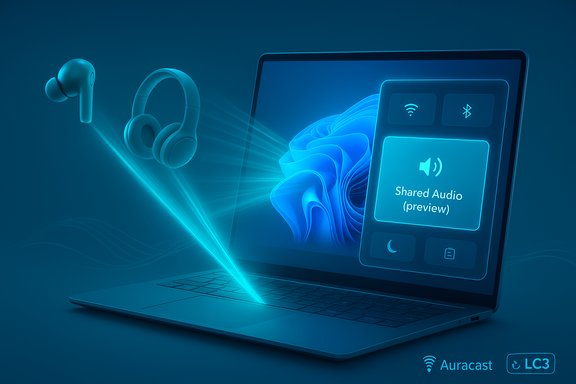
Microsoft is rolling out a long-awaited Shared Audio feature for Windows 11 that can stream the same audio stream simultaneously to two Bluetooth devices, using Bluetooth Low Energy (LE) Audio; the capability is available now as a preview to Windows Insiders in the Dev and Beta channels on select Copilot+ PCs and will expand to more hardware over time.
Bluetooth has historically supported only one primary audio sink per A2DP stream on most PCs, which made sharing a laptop's audio with two different pairs of headphones a fiddly, cable‑heavy, or third‑party-dongle task. That limitation is changing because of the modern Bluetooth LE Audio specification, which introduces the LC3 codec and broadcast-style modes (commonly referenced as Auracast) that let a single source transmit to multiple receivers in a much more efficient and latency‑friendly way. Microsoft’s Shared Audio leverages that LE Audio stack to broadcast a stream to two connected Bluetooth LE Audio devices simultaneously. The company is rolling the feature out behind an Insider preview and requires both operating system and driver updates on supported hardware. Microsoft documented the feature and the initial hardware list in a Windows Insider blog post accompanying the recent preview build release.
Source: fakti.bg Windows 11 will play music simultaneously on two pairs of Bluetooth headphones
 Background
Bluetooth has historically supported only one primary audio sink per A2DP stream on most PCs, which made sharing a laptop's audio with two different pairs of headphones a fiddly, cable‑heavy, or third‑party-dongle task. That limitation is changing because of the modern Bluetooth LE Audio specification, which introduces the LC3 codec and broadcast-style modes (commonly referenced as Auracast) that let a single source transmit to multiple receivers in a much more efficient and latency‑friendly way. Microsoft’s Shared Audio leverages that LE Audio stack to broadcast a stream to two connected Bluetooth LE Audio devices simultaneously. The company is rolling the feature out behind an Insider preview and requires both operating system and driver updates on supported hardware. Microsoft documented the feature and the initial hardware list in a Windows Insider blog post accompanying the recent preview build release. What Microsoft announced (brief summary)
- Microsoft added Shared Audio (preview) as part of Windows 11 Insider Preview Build 26220.7051 for the Dev and Beta channels. The feature is surfaced as a tile in Quick Settings that lets you select two paired and connected Bluetooth LE Audio accessories and press Share to begin a shared session, and Stop sharing to end it.
- The preview is initially limited to select Copilot+ PCs (Surface devices with Qualcomm Snapdragon X chips are among the first supported models) while Microsoft and OEM partners deliver driver updates; more Copilot+ models such as recent Samsung Galaxy Book devices are marked as “coming soon.”
- Microsoft and industry press note the leading compatible accessories in this rollout include Samsung Galaxy Buds2 Pro, Buds3/Buds3 Pro, Sony WH‑1000XM6, and several LE Audio‑capable hearing aids from GN brands such as ReSound and Beltone.
Why LE Audio matters: codecs, power and broadcast
Bluetooth LE Audio is an industry shift rather than a single-product innovation. Key technical improvements that make Shared Audio practical:- LC3 codec — a modern, low-complexity codec that provides better perceived audio quality at lower bitrates compared with legacy SBC/AAC streams. This reduces the bandwidth needed to drive multiple streams and helps reduce power consumption on earbuds.
- Broadcast/Auracast mode — a mechanism to transmit one stream to multiple listeners without creating multiple independent point-to-point links. Broadcast mode is what allows a PC to transmit to several LE Audio receivers concurrently (in this case, the Shared Audio implementation targets two endpoints).
- Lower latency and improved battery life — because LC3 is more efficient, manufacturers can achieve lower transmission latency or better battery life, depending on implementation choices. This is crucial for synchronised video watching or low‑lag gaming scenarios.
Supported PCs and the Copilot+ limitation
Microsoft’s blog lists specific Copilot+ PCs that already support Shared Audio (with driver updates) and others that are “coming soon.” The initial availability focuses on machines with the right combination of a modern Bluetooth controller, firmware and OEM driver support.- Available initially on Surface Laptop 13.8‑inch & 15‑inch (Snapdragon X), Surface Laptop for Business 13.8 & 15‑inch (Snapdragon X), and Surface Pro 13‑inch / Surface Pro for Business 13‑inch (Snapdragon X).
- Coming soon: a list that includes Samsung Galaxy Book5 360, Galaxy Book5 Pro, Galaxy Book5 Pro 360 (Intel Core Ultra Series 200), Galaxy Book4 Edge (Snapdragon X), and additional 12‑ and 13‑inch Surface models.
Which headphones, earbuds and hearing aids will work?
Microsoft’s guidance is straightforward: both Bluetooth accessories must support Bluetooth LE Audio (LC3 broadcast/CIS or Auracast functionality depending on the device). Microsoft explicitly cites a short illustrative list:- Samsung Galaxy Buds2 Pro, Buds3, Buds3 Pro (models that have shipping or firmware‑enabled LE Audio support in many regions).
- Sony WH‑1000XM6 (Sony’s spec sheets and retailers list LC3 among supported codecs for the XM6 family).
- Recent hearing aids from ReSound and Beltone, which have been marketed as LE Audio / Auracast‑ready.
- Vendor firmware matters: some headphones require a firmware update or vendor app setting to enable LE Audio or LC3 behavior, and user reports show that LE Audio behavior across devices and dongles can still be flaky until firmware and drivers settle.
- Not every device that advertises Bluetooth 5.x automatically supports LE Audio; the device must explicitly support LC3/Auracast. Cross‑checking a product’s spec sheet or the manufacturer’s site remains essential.
How Shared Audio works in Windows 11 (practical steps)
Microsoft’s preview surfaces Shared Audio as a Quick Settings tile. The high‑level workflow is deliberately short and designed for mainstream users:- Enroll your compatible Copilot+ PC in the Windows Insider Program (Dev or Beta channel) and update to the preview build that includes the feature.
- Ensure your PC has the latest Bluetooth driver and firmware updates—Windows Update and OEM apps will deliver the required drivers for supported machines.
- Pair two Bluetooth LE Audio accessories with the PC and confirm both are connected.
- Open Quick Settings and tap the Shared audio (preview) tile. Select the two connected accessories and press Share to start streaming. Press Stop sharing to end the session.
Real‑world examples and use cases
- On a plane or train — two travelers can watch a movie from the same laptop while keeping ambient noise levels down. The LE Audio broadcast mode aims to keep both playback devices synchronised and energy efficient.
- Classroom or study groups — students can pair their own earbuds to a central laptop during group work or multimedia lectures, each controlling their volume independently while consuming identical content.
- Accessibility — hearing aids that support LE Audio can receive the PC audio directly, and with Shared Audio a companion listener using earbuds can share the same stream; this widens inclusion possibilities for broadcast audio and private listening scenarios.
- Two‑player couch gaming — though synchronous audio for fast competitive games requires minimal latency, LE Audio’s efficiency and reduced lag make the scenario more feasible than classic Bluetooth multipoint hacks. Users should still test for lip‑sync with video games or streams.
Practical limitations, bugs and platform realities
The feature is promising but not without immediate limitations and risk vectors:- Hardware gating — Microsoft has limited the preview to certain Copilot+ PCs; capable non‑Copilot devices may need driver updates and OEM cooperation before the feature arrives. This creates a fragmented roll‑out that may feel like artificial limitation to some users.
- Driver and firmware volatility — community reports indicate LE Audio can be temperamental across different Bluetooth silicon, dongles and OS driver combinations. Early adopters should expect intermittent pairing quirks, device‑type mismatches, and occasional reboots or re‑pairing rituals.
- Not a mass broadcast yet — Shared Audio targets two receivers. True Auracast broadcast to dozens of listeners is a different use case and, while LE Audio supports it, Windows’ initial Shared Audio preview is focused on two‑device sharing for reliability.
- Latency and sync concerns — even with LC3, differences in device audio stacks can introduce slight timing mismatches; content with strict lip‑sync requirements (video conferences, some streaming services) should be checked for delays before relying on the feature.
- Privacy and security considerations — broadcast modes can be public or encrypted depending on implementation. Users should be mindful when joining Auracast streams in public places; the Shared Audio UI on Windows emphasizes paired/connected devices, not public broadcasts, but broader Auracast ecosystems will require clear privacy UX.
- Ecosystem dependence — successful broad adoption depends on vendor firmware updates (headphones, SoC makers), consistent driver packaging from OEMs, and Windows Update distribution. Until the ecosystem stabilizes, experiences will vary widely.
Why Microsoft may be staging this on Copilot+ PCs
There are practical reasons and strategic incentives behind the Copilot+ gating:- Modern Copilot+ devices tend to ship with newer Bluetooth controllers and platform drivers that Microsoft can standardize on for LE Audio support, reducing fragmentation for the preview. That makes early testing more predictable and reduces support friction for Insiders.
- From a marketing angle, new features rolling on Copilot+ machines highlight Microsoft’s push to certify and differentiate these devices. This creates a short‑term exclusivity window that will likely diminish as drivers proliferate to other systems, but it does accelerate the narrative of Copilot+ hardware being the platform for next‑gen Windows experiences. Independent reporting has flagged this dual dimension—technical and promotional—around the rollout.
Recommendations for users and IT admins
- If you want to try Shared Audio now:
- Enroll a supported Copilot+ device in the Windows Insider Dev or Beta channel and update to Build 26220.7051 (or later driver packages as they arrive).
- Verify your earbuds/headphones explicitly list LE Audio / LC3 / Auracast support in the manufacturer specifications. Firmware updates from vendors may be required.
- Use the vendor apps (Sony Headphones Connect, Samsung wearable app, hearing aid apps) to install the latest firmware before pairing with Windows. Microsoft recommends manufacturer firmware be up to date.
- For IT admins and OEMs:
- Prioritize packaging and testing Bluetooth controller drivers and LE Audio firmware updates via Windows Update channels.
- Publish explicit LE Audio compatibility matrices to reduce user confusion.
- Test shared audio scenarios for enterprise settings—especially for accessibility and assistive listening where hearing aids are involved—to ensure encryption and policy needs are met.
- If you rely on critical, low‑latency audio (pro audio, competitive esports), wait until Microsoft and vendors reach broader driver stability; don’t assume early preview performance equals final release quality.
The broader market and what comes next
Shared Audio on Windows 11 is a visible sign that LE Audio is moving from phone‑centric rollouts into mainstream PC ecosystems. Hardware vendors (headphone brands, SoC makers, hearing aid manufacturers) have been updating firmware and shipping LE Audio‑capable products for some time, and Windows support completes a long‑needed link for desktop and laptop scenarios. Expect three major trends:- Faster adoption of LC3 and Auracast across headphone and hearing aid lineups as consumers demand multi‑listener features without splitters.
- OEMs pushing driver and firmware updates through Windows Update to expand Shared Audio beyond the initial Copilot+ cohort. Microsoft explicitly states more devices will be supported “once available to general audiences.”
- Competition from hardware dongles and third‑party transmitters that support LE Audio may persist while platform support matures, particularly for users on older Windows laptops. Vendors such as Avantree and FlooGoo have already shipped LE Audio transmitters for legacy PCs; those products will remain relevant until native Windows support is universal.
Final analysis: strengths and risks
Shared Audio is an elegant and long‑overdue fix for a real pain point: sharing audio from a laptop without cables or optional splitters. The technical foundation (LE Audio + LC3) is sound and brings measurable benefits in power efficiency and potential latency gains. Microsoft’s rollout via the Windows Insider Program is the correct path for iterative testing with a manageable set of hardware partners. However, early adopters should be prepared for an inconsistent experience until the ecosystem — drivers, firmware and vendor apps — reaches parity. The feature’s initial restriction to Copilot+ PCs is practical from an engineering standpoint but presents a short‑term fragmentation risk that could frustrate users who own modern but non‑Copilot devices. Moreover, the user experience will hinge on firmware quality from headphone vendors; inconsistent implementations could mar the promise of smooth, synchronized sharing.Conclusion
Windows 11’s Shared Audio preview is an important milestone: it brings Bluetooth LE Audio’s broadcast and LC3 benefits to desktop Windows, enabling two‑person synchronous listening natively. The user experience looks intentionally simple—a Quick Settings tile that selects two paired LE Audio devices and hits Share—but the success of the feature depends on a coordinated hardware and firmware ecosystem. For people who frequently share laptop audio or rely on assistive hearing devices, this is a genuinely useful capability. For everyone else, patience will win out: Shared Audio will be compelling once drivers and vendor firmware reach broad parity across the Windows PC market.Source: fakti.bg Windows 11 will play music simultaneously on two pairs of Bluetooth headphones
