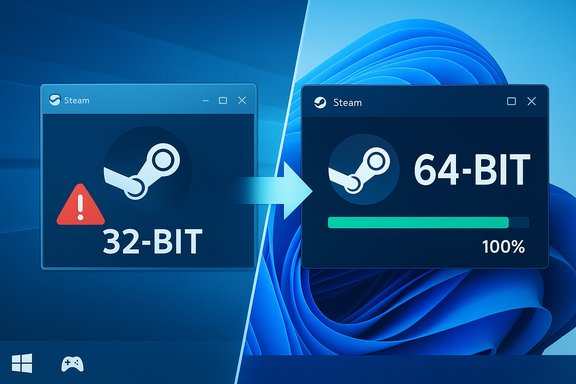
Valve has formally signaled the end of an era for legacy Windows desktops: beginning January 1, 2026, the Steam desktop client will no longer be supported on 32‑bit installations of Windows, and the launcher itself has been transitioned to a native 64‑bit build on modern Windows systems. The change is narrowly scoped — Valve’s own telemetry shows only a vanishingly small slice of users remain on 32‑bit Windows — but it represents a clear, operational shift: future Steam client builds and feature work will target 64‑bit platforms exclusively, while existing 32‑bit installs will be frozen in place and receive no further updates or technical support after the cutoff date.
The Steam desktop client has long balanced backward compatibility with modern features, running across diverse Windows releases and hardware generations. Historically, the main Steam executable ran as a 32‑bit process on Windows even while some helper processes and the embedded browser components used 64‑bit or hybrid builds. That duality is now ending: Valve has moved the client to a native 64‑bit binary on Windows 10 (64‑bit) and Windows 11, and has announced a firm support cutoff for 32‑bit Windows clients.
This is a launcher and client change, not a game‑binary mandate. Most games will continue to run as they always have: 32‑bit game binaries still run on modern 64‑bit Windows under the OS compatibility layers. The practical impact is on the Steam client’s updates, security patches, and official technical support for 32‑bit Windows installations — those will stop after the January 1, 2026 cutoff. Valve’s public communications make the timeline explicit and urge remaining 32‑bit users to migrate to a 64‑bit Windows build to maintain updates and support.
Reported benefits shipped alongside these beta moves include performance and stability improvements tied to the architecture change, and a set of targeted fixes and enhancements that accompany the new build in Beta (examples reported in beta notes include input device recognition improvements and recording fixes). Those feature items were bundled into the same beta timeframe and underscore Valve’s intention to modernize the client stack while dropping legacy architecture overhead.
Note: beta channel contents evolve rapidly; specific bug fixes and device support changes in beta releases should be confirmed in Valve’s official release notes before relying on them for production systems.
The transition highlights a broader platform trend: software vendors are consolidating around 64‑bit architectures to enable better security, richer features, and simpler engineering. While the decision is low impact for most, it is important and actionable for those still on legacy systems — validate your System type, back up your data, and plan a 64‑bit migration if you rely on Steam for gaming and want continued updates and official support.
Source: Neowin https://www.neowin.net/news/valve-ends-32-bit-steam-support-as-the-app-becomes-64-bit-only/
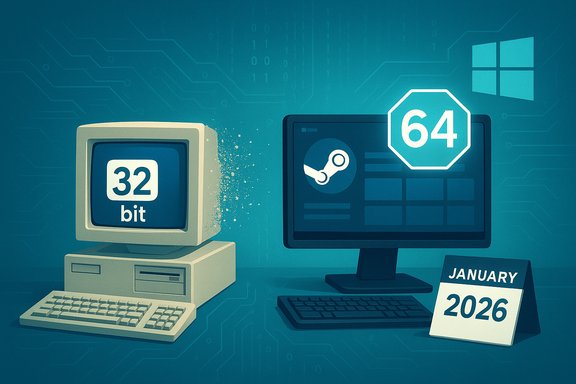 Background / Overview
The Steam desktop client has long balanced backward compatibility with modern features, running across diverse Windows releases and hardware generations. Historically, the main Steam executable ran as a 32‑bit process on Windows even while some helper processes and the embedded browser components used 64‑bit or hybrid builds. That duality is now ending: Valve has moved the client to a native 64‑bit binary on Windows 10 (64‑bit) and Windows 11, and has announced a firm support cutoff for 32‑bit Windows clients.This is a launcher and client change, not a game‑binary mandate. Most games will continue to run as they always have: 32‑bit game binaries still run on modern 64‑bit Windows under the OS compatibility layers. The practical impact is on the Steam client’s updates, security patches, and official technical support for 32‑bit Windows installations — those will stop after the January 1, 2026 cutoff. Valve’s public communications make the timeline explicit and urge remaining 32‑bit users to migrate to a 64‑bit Windows build to maintain updates and support.
Why Valve is making this move
Memory and technical limits of 32‑bit
A fundamental technical driver is simple: 32‑bit processes are constrained in address space. Modern Steam features — a Chromium‑based in‑client browser, heavy overlay features, library indexing with large metadata, workshop previews, and community content rendering — push memory, isolation, and process separation beyond what a 32‑bit address space handles comfortably. Moving the client to 64‑bit removes hard memory ceilings, reduces fragmentation, and simplifies process partitioning.Upstream dependencies and drivers
Maintaining parity with third‑party libraries, drivers, and middleware is increasingly costly on 32‑bit. Many vendors prioritize 64‑bit builds or deprecate 32‑bit maintenance entirely, and certain modern drivers or kernel integrations (including anti‑cheat or input drivers) are built and tested only for 64‑bit systems. Valve points to these dependency gaps — system drivers and other libraries not supported on 32‑bit Windows — as a major reason for the move.Engineering, QA and security
Supporting two parallel architectures doubles build complexity, QA surfaces, and release validation work. Consolidating on 64‑bit reduces the engineering and testing burden, lets Valve adopt more aggressive modern security mitigations, and speeds feature delivery. From a security perspective, freezing 32‑bit clients also reduces the attack surface Valve must defend moving forward.Platform reality: Windows is largely 64‑bit now
Microsoft’s platform direction accelerates the change: Windows 11 is distributed only as a 64‑bit OS, and Windows 10 64‑bit remains the dominant Windows SKU among gamers. Steam’s hardware and software telemetry shows the landscape has swung strongly toward 64‑bit systems, leaving only a tiny residual population running 32‑bit Windows — reports indicate the affected cohort is measured in hundredths of a percent. That population is small, but not zero, and Valve has chosen a clear cutoff rather than an indefinite extension.What Valve announced and the exact timeline
- Cutoff date: January 1, 2026 — after this date Valve will stop updating and supporting the Steam client on 32‑bit Windows installs.
- Scope: The announcement applies to 32‑bit versions of Windows. Currently, the only common SKU still officially supported in that category is Windows 10 (32‑bit); 64‑bit Windows 10 and Windows 11 are unaffected.
- Existing installations: Steam clients already installed on 32‑bit Windows may continue to function for a period, but Valve will no longer ship updates, security fixes, or provide technical support for those installations after the cutoff.
- Games: 32‑bit game binaries are not being removed. Titles that are 32‑bit will continue to run on 64‑bit Windows through standard compatibility layers; the change is about the Steam client and update pipeline rather than game architecture.
The Steam client beta and the move to native 64‑bit
In parallel with the support announcement Valve has been rolling out 64‑bit client builds in the Steam beta channel for modern Windows platforms. Early beta reports show the main executable operating as a native x64 process on Windows 10 (64‑bit) and Windows 11, which formalizes the transition away from the older 32‑bit client binary.Reported benefits shipped alongside these beta moves include performance and stability improvements tied to the architecture change, and a set of targeted fixes and enhancements that accompany the new build in Beta (examples reported in beta notes include input device recognition improvements and recording fixes). Those feature items were bundled into the same beta timeframe and underscore Valve’s intention to modernize the client stack while dropping legacy architecture overhead.
Note: beta channel contents evolve rapidly; specific bug fixes and device support changes in beta releases should be confirmed in Valve’s official release notes before relying on them for production systems.
Who is affected — and who is not
A tiny minority of users
The change is intentionally low‑disruption for the vast majority of Steam users. Valve’s usage statistics indicate the number of Steam users on 32‑bit Windows is extremely small — commonly reported as a fraction of a percent (often cited figures are around 0.01% for Windows 10 32‑bit specifically). For most gamers running modern hardware and mainstream OS builds, this is a non‑event.Real‑world affected audiences
- Owners of older or repurposed PCs running a 32‑bit Windows image.
- Embedded, kiosk, or industrial systems that still run 32‑bit Windows and rely on Steam for content delivery in constrained environments.
- Retro‑gaming setups or legacy lab machines where the OS has not been upgraded and the CPU lacks x64 capability.
- Some corporate or institutional devices where IT has not migrated from 32‑bit images.
Not impacted
- Users running Windows 10 (64‑bit) or Windows 11 — these remain fully supported.
- Players who run 32‑bit game binaries on 64‑bit Windows via OS compatibility layers — game playback continues.
- Steam Deck and SteamOS users — this change targets the Windows desktop client.
The risks and practical consequences
- No security updates after the cutoff. Once Valve stops shipping updates to 32‑bit clients, those installations will no longer receive security patches. That raises long‑term security risk for machines that continue to connect to Steam services.
- No official technical support. Valve will not provide troubleshooting or guarantee functionality for 32‑bit Windows installs after January 1, 2026.
- Potential feature breakage over time. As backend APIs, browser subsystems, and anti‑cheat integrations evolve, older clients may progressively lose functionality or fail to render newer content correctly.
- Driver and peripheral compatibility. Some modern input devices, anti‑cheat drivers, or auxiliary software may not provide 32‑bit driver builds — impacting playability or functionality on legacy machines.
- Preservation and archival challenges. For preservationists and retro gamers, the shift increases pressure to archive installers, binaries, and validated environments before support lags or dependencies disappear.
A practical migration checklist (if you’re affected)
If you discover you’re running a 32‑bit Windows install and you use Steam, plan to migrate. Most modern CPUs support 64‑bit Windows; migrating usually requires a fresh installation of a 64‑bit OS. Follow this step‑by‑step checklist:- Verify whether your PC is 32‑bit or 64‑bit capable:
- Open Settings → System → About and look for “System type.” If it reads “32‑bit operating system, x64‑based processor,” your CPU supports 64‑bit Windows and you can upgrade by reinstalling a 64‑bit OS. If the System type reads “x86‑based PC,” the CPU likely lacks 64‑bit support.
- Back up everything:
- Create a full backup image or at minimum copy personal files, documents, and saved game directories. Export BitLocker recovery keys if applicable and verify you have installer keys or license data for non‑Steam applications.
- Check Steam Cloud sync:
- Confirm which titles use Steam Cloud for saves. Manually back up local save files for games that do not use cloud sync.
- Prepare 64‑bit install media:
- Create a USB installer for Windows 10 (64‑bit) or Windows 11 (64‑bit). Review Windows 11 hardware requirements; some older PCs may only be able to run Windows 10 64‑bit.
- Clean install (in‑place 32→64 upgrade is not supported):
- Boot from your installer media, format the system partition, and install the 64‑bit OS. Reinstall device drivers with 64‑bit driver packages from vendors’ sites.
- Reinstall Steam and restore libraries:
- Install the Steam client (64‑bit build will be applied automatically on supported systems), sign in, and restore game libraries and saves from backup or Steam Cloud.
- Validate peripherals and anti‑cheat:
- Ensure GPU drivers, audio drivers, controllers, and anti‑cheat systems are correctly installed and functional. Some older peripherals may lack modern 64‑bit drivers; check vendor support before migrating production devices.
Alternatives and interim workarounds
- Use another machine: move Steam and gaming to a second PC or a small, inexpensive modern system.
- Remote play / cloud gaming: use Steam Remote Play to stream from a 64‑bit host in your home, or adopt cloud gaming services as a short‑term workaround.
- Community backports and forks: enthusiasts often produce unofficial backports for legacy OSes; these can be helpful but carry security and support risks and are not supported by Valve.
- Keep an archived installer: preserve your last 32‑bit Steam installer and any required runtime files offline as an archival snapshot — useful for preservation but not a security solution.
Developer, publisher, and preservation implications
For developers and publishers the change simplifies testing matrices: fewer client architectures to validate means shorter test cycles and clearer release criteria. However, developers publishing or maintaining legacy titles should keep these consequences in mind:- Verify Steam Cloud and platform integrations for older titles.
- Preserve installation assets and documentation for community archival.
- Expect a shrinking user base for 32‑bit systems, but account for small pockets of legacy users in support planning.
Security and long‑term support considerations
Running an unsupported client introduces real security risk. Unpatched code paths can accrue vulnerabilities that threat actors may exploit. Valve’s decision to cease updates and technical support after a firm date means the responsibility for any exposed systems lies with the user maintaining the 32‑bit installation. For environments where security is important — shared systems, institutional setups, or machines exposed to the internet — upgrading to a supported 64‑bit OS is strongly recommended.What to watch next
- Watch Valve’s official release notes and Steam Support pages for precise beta and release channel details as the January 1, 2026 cutoff approaches.
- Monitor the Steam Hardware & Software Survey if you’re tracking platform adoption trends; it’s the clearest public snapshot of OS distribution among Steam users.
- Keep an eye on driver and anti‑cheat vendors for announcements about 32‑bit driver support or discontinuation timelines — those third‑party timelines often drive practical breakage for legacy clients.
- Community projects may surface backports or unofficial workarounds; evaluate these carefully for security and reliability before deploying them.
Conclusion
Valve’s move to a native 64‑bit Steam client and the formal end of 32‑bit Windows support effective January 1, 2026, is a predictable, practical step that aligns the Steam client with modern OS realities. For the overwhelming majority of players — on Windows 10 (64‑bit) and Windows 11 — nothing changes except probably better performance and a simpler upgrade path from Valve’s engineering perspective. For the small pool of remaining 32‑bit Windows users, the change is a clear signal: upgrade or accept a frozen, unsupported client with the attendant security and compatibility risks.The transition highlights a broader platform trend: software vendors are consolidating around 64‑bit architectures to enable better security, richer features, and simpler engineering. While the decision is low impact for most, it is important and actionable for those still on legacy systems — validate your System type, back up your data, and plan a 64‑bit migration if you rely on Steam for gaming and want continued updates and official support.
Source: Neowin https://www.neowin.net/news/valve-ends-32-bit-steam-support-as-the-app-becomes-64-bit-only/