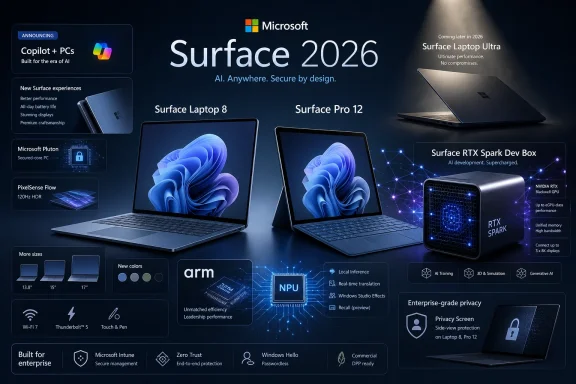
Microsoft is positioning Surface Laptop and Surface Pro in 2026 as the most complete Windows device experience by combining Microsoft-designed hardware, Windows 11, Copilot+ PC features, Snapdragon X processors, security defaults, and familiar Microsoft services into one tightly managed PC stack. That is the argument behind the company’s latest Surface pitch, and it is more than a spec-sheet claim. Surface is not simply another Windows brand competing on ports, price, or processor bins. It is Microsoft’s attempt to define what a modern Windows PC should feel like when the operating system vendor controls the whole experience.
The Windows PC market has always been both Microsoft’s greatest strength and its most persistent user-experience problem. Choice is everywhere: cheap laptops, gaming rigs, enterprise notebooks, detachable tablets, workstation-class machines, repairable business clamshells, and dozens of OEM experiments that live or die by channel pricing. That variety made Windows dominant, but it also made the “Windows experience” hard to describe.
Surface exists to solve that branding problem. It gives Microsoft a device family where Windows, silicon requirements, industrial design, input methods, firmware, security posture, and first-party services are all meant to point in the same direction. In that sense, Surface is less a conventional PC line than a reference implementation with a retail price tag.
Microsoft’s latest Surface messaging leans hard into this advantage. Surface Laptop is framed as the focused productivity machine: a refined clamshell for people who want a dependable all-day computer. Surface Pro is framed as the adaptable one: a 2-in-1 that moves between laptop, tablet, and creative canvas. The common promise is that the device will not make the user think too much about the device.
That sounds like marketing because it is marketing. But beneath it is a serious strategic bet: Microsoft believes the best Windows experience now depends on reducing friction across the whole stack, not merely shipping faster CPUs or thinner chassis.
That shift matters because it changes what “premium” means. A premium Windows device is no longer just a magnesium shell with a nice display. It is a system that can meet Microsoft’s current definition of a modern PC: enough memory, enough neural processing capability, enough battery life, and enough integration with Windows 11 to make the software feel less bolted on.
Surface has a built-in advantage here. Microsoft does not need to wait for another manufacturer to interpret its design priorities. If Copilot+ PCs require certain hardware thresholds, Surface can be configured around those thresholds. If Windows wants to emphasize passkeys, presence sensing, Hello sign-in, on-device AI, or pen-and-touch workflows, Surface can make those features feel native rather than optional.
The important word is feel. Windows has supported touch, pen, detachable keyboards, biometric sign-in, and power management for years. Surface’s job is to make those things feel like one coherent experience instead of a pile of supported features waiting for the user to discover them.
That is a subtle but important shift. The PC industry has long sold “good, better, best” configurations. Copilot+ makes that hierarchy more explicit by tying some experiences to hardware capabilities, including the neural processing unit. A laptop with less memory may still be a perfectly usable Windows PC, but it risks becoming a second-tier citizen in Microsoft’s own feature roadmap.
Surface benefits from making this boundary visible. If buyers are already choosing from Microsoft’s own lineup, the company can steer them toward the configuration it considers future-facing. That may be good for longevity, especially for users who keep machines for four or five years. It also makes the lower-end configurations feel more compromised than their spec sheets might suggest.
This is where Microsoft’s pitch is strongest and most uncomfortable. Strongest, because a clear baseline could spare buyers from underpowered machines that age badly. Uncomfortable, because Windows has traditionally prided itself on broad compatibility, and Copilot+ introduces a new kind of feature segmentation inside the Windows world.
Snapdragon X Series processors are Microsoft’s latest attempt to change that equation. The company is now presenting Surface Laptop and Surface Pro as fast, efficient machines with long battery life and on-device AI acceleration. The promise is familiar from the phone and tablet world: carry the machine all day, open it instantly, and stop treating the charger as a permanent accessory.
That matters more for Surface Pro than for any other device in the lineup. A 2-in-1 only works if the user trusts it in every mode. If it is too warm, too slow, too short-lived on battery, or too clumsy as a tablet, it becomes a laptop with a detachable keyboard rather than a genuine hybrid. Snapdragon gives Microsoft a better chance to make the Pro feel like the device Surface was always supposed to be.
There are still caveats. Windows on Arm has improved dramatically, but app compatibility, driver support, specialized peripherals, and niche professional workflows remain areas where IT departments and power users must test rather than assume. Microsoft’s pitch works best for mainstream productivity, collaboration, browsing, writing, note-taking, creative sketching, and AI-assisted workflows. It is less universal for organizations with legacy plug-ins, old VPN clients, unusual hardware dependencies, or x86-only line-of-business software.
That conservatism is precisely why it matters. Most people do not want their primary work machine to be an experiment. They want the keyboard to feel right, the trackpad to behave, the screen to be comfortable, the battery to last, and the machine to recover cleanly from sleep. Surface Laptop’s advantage is not that it is the most adventurous Surface; it is that it turns Microsoft’s newest platform bets into something that looks reassuringly normal.
The 13.8-inch and 15-inch models carry the premium Surface Laptop identity, while the 13-inch model broadens the line for users who want portability and simplicity. Microsoft’s pitch around these machines is not gaming or workstation muscle. It is flow: staying productive across spaces and schedules without managing the computer all day.
That is a persuasive argument for knowledge workers. A great office laptop is not the one that wins the most benchmarks in isolation. It is the one that disappears during meetings, resumes without drama, handles video calls cleanly, and survives the commute. Surface Laptop is Microsoft’s bid to make that mundane reliability feel like a premium feature.
The Pro’s value depends on whether a user genuinely changes modes during the day. For someone who mostly types in a browser, Surface Laptop will usually be the calmer choice. For someone who annotates documents, sketches ideas, walks between meetings, presents at a table, reads in portrait orientation, or wants a compact travel PC, Surface Pro can feel like a different class of tool.
Microsoft’s emphasis on voice, pen, touch, and keyboard is important because it positions input as a choice rather than a novelty. Windows tablets historically suffered when touch was treated as a demo feature and the keyboard remained the real interface. Surface Pro works best when all input methods feel legitimate.
The OLED display option on the larger Pro also fits that argument. A bright, spacious display is not just a luxury for streaming video. It affects reading, drawing, presenting, multitasking, and the sense that the tablet mode is not a compromise. The more immersive the screen, the easier it is to believe the device can be more than a laptop replacement.
That is valuable because PC security is often fragmented. One vendor supplies the device, another supplies endpoint protection, another manages identity, another handles patching, and another owns the productivity suite. Microsoft, for better and worse, can claim a more integrated path: Windows 11, Microsoft account or Entra identity, Defender, BitLocker, Hello, firmware updates, Intune, and Microsoft 365 all living in the same ecosystem.
The advantage is not that Surface is magically immune to compromise. No serious IT buyer should hear it that way. The advantage is that Microsoft can align defaults, documentation, update channels, and support expectations around its own hardware. That makes the security model easier to explain and, in many environments, easier to operationalize.
There is also a consumer dimension. Windows users have spent decades being told to install something extra, configure something obscure, or avoid doing something dangerous. Surface’s promise is that protection should be present before the user starts making choices. That is the right direction for the platform, even if the details still depend on configuration, account type, update hygiene, and user behavior.
This is the same kind of advantage Apple has long enjoyed, although Microsoft’s version is necessarily more open and messier. Apple controls the Mac, iPhone, iPad, watch, silicon, operating systems, and core services. Microsoft controls Windows and a vast productivity cloud, but it still depends on a broad hardware ecosystem. Surface is where Microsoft gets to behave most like an integrated platform company.
That integration is useful in small ways. Sign-in feels more immediate. Cloud files appear where expected. Device encryption and account recovery are tied into familiar systems. Teams and camera features are not afterthoughts. Copilot has a clearer hardware story when the machine includes the necessary NPU and memory baseline.
Small advantages compound. A laptop is not experienced as a processor, display, SSD, and chassis. It is experienced as hundreds of interactions per week. Surface’s claim to being the best Windows device experience rests on the idea that Microsoft can sand down more of those interactions than anyone else.
Gamers are better served elsewhere. Engineers and media professionals may need workstation GPUs or certified configurations. Budget buyers can find competent Windows laptops for far less. Some businesses prefer Dell, HP, or Lenovo because their deployment, warranty, docking, and field-service ecosystems are deeply embedded in procurement routines.
That does not weaken Microsoft’s central claim so much as clarify it. Surface is not the best Windows device for every workload. It is Microsoft’s best expression of what Windows is supposed to feel like for mainstream productivity, mobility, collaboration, and AI-era features.
The distinction matters. “Best Windows device experience” is an experiential claim, not a universal performance crown. It means Surface is optimized for coherence. Other PCs may beat it on price, gaming, port selection, repairability, or raw workstation power. Surface’s pitch is that those wins do not automatically add up to a better everyday Windows experience.
Surface gives Microsoft a clean stage for that transition. When Microsoft demonstrates AI features that summarize, enhance calls, generate images, assist workflows, or operate more privately on-device, Surface can be the machine in the demo. That symbolism matters because Windows needs a flagship identity in the AI PC era.
The privacy angle is especially important. Microsoft’s messaging around local AI emphasizes responsiveness, offline capability, and keeping some intelligent tasks on the device. After years of cloud-first computing, the idea that more work can happen locally is appealing to users who care about latency, confidentiality, or simply having features work when connectivity is poor.
But Copilot+ also raises expectations Microsoft must meet. If buyers are nudged toward 16GB-plus Surface configurations for exclusive AI features, those features need to become genuinely useful. The market will not reward an expensive hardware transition if the result feels like a collection of demos. Surface can showcase the future, but Windows has to make that future routine.
That tension is not new. Windows has spent its life balancing openness against consistency. Too much openness produces driver chaos, OEM bloat, uneven update quality, and unpredictable hardware behavior. Too much control risks turning Windows into something less flexible, less repairable, and less welcoming to the oddball use cases that made it indispensable.
Surface sits near the controlled end of that spectrum. It is not closed like an iPad, but it is curated by Windows standards. Microsoft chooses the industrial design, firmware path, supported accessories, security defaults, and the way new Windows experiences are presented. The result is polished, but it is also less anarchic than the broader PC market.
For WindowsForum readers, that trade-off is the whole story. Surface is attractive because it reduces friction. It is worth scrutinizing because friction sometimes represents freedom: ports, upgrades, alternative workflows, strange peripherals, and the ability to keep old software alive long after a platform vendor has moved on.
The safest Surface buyer is the one whose daily work is modern and Microsoft-aligned. That user lives in browser apps, Microsoft 365, Teams meetings, cloud storage, PDFs, notes, light creative work, and standard peripherals. For that person, Surface can deliver exactly what Microsoft promises: a Windows machine that feels fast, portable, secure, and cohesive.
The more specialized the workflow, the more testing matters. Arm compatibility has improved, but “improved” is not the same as “irrelevant.” Before standardizing on Snapdragon-based Surface devices, organizations should validate VPN clients, endpoint agents, printer drivers, accessibility tools, engineering software, plug-ins, and any line-of-business application that has not been modernized.
That is not a reason to dismiss Surface. It is a reason to buy it with eyes open. Microsoft’s best Windows experience is best when the user’s workload matches Microsoft’s assumptions about the future of Windows.
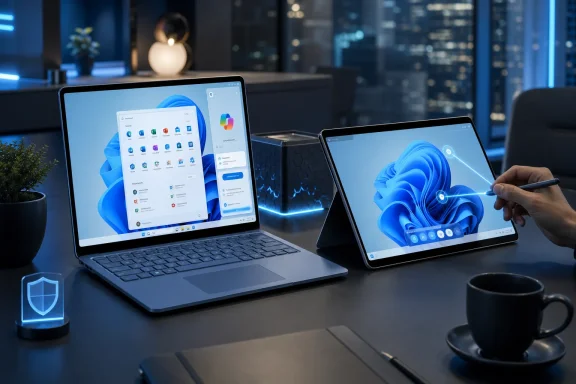 Surface Is Microsoft’s Answer to the Windows Fragmentation Problem
The Windows PC market has always been both Microsoft’s greatest strength and its most persistent user-experience problem. Choice is everywhere: cheap laptops, gaming rigs, enterprise notebooks, detachable tablets, workstation-class machines, repairable business clamshells, and dozens of OEM experiments that live or die by channel pricing. That variety made Windows dominant, but it also made the “Windows experience” hard to describe.Surface exists to solve that branding problem. It gives Microsoft a device family where Windows, silicon requirements, industrial design, input methods, firmware, security posture, and first-party services are all meant to point in the same direction. In that sense, Surface is less a conventional PC line than a reference implementation with a retail price tag.
Microsoft’s latest Surface messaging leans hard into this advantage. Surface Laptop is framed as the focused productivity machine: a refined clamshell for people who want a dependable all-day computer. Surface Pro is framed as the adaptable one: a 2-in-1 that moves between laptop, tablet, and creative canvas. The common promise is that the device will not make the user think too much about the device.
That sounds like marketing because it is marketing. But beneath it is a serious strategic bet: Microsoft believes the best Windows experience now depends on reducing friction across the whole stack, not merely shipping faster CPUs or thinner chassis.
The Best Windows PC Is No Longer Just the Fastest One
For years, PC buying advice could be reduced to a few familiar variables: processor generation, RAM, storage, screen quality, battery life, keyboard, and price. Those things still matter, but Microsoft is trying to move the conversation toward experience-level claims. The company wants buyers to care about whether the machine is ready for Copilot+ features, whether AI work can happen locally, whether Windows Hello feels instant, and whether security is present without a pile of third-party add-ons.That shift matters because it changes what “premium” means. A premium Windows device is no longer just a magnesium shell with a nice display. It is a system that can meet Microsoft’s current definition of a modern PC: enough memory, enough neural processing capability, enough battery life, and enough integration with Windows 11 to make the software feel less bolted on.
Surface has a built-in advantage here. Microsoft does not need to wait for another manufacturer to interpret its design priorities. If Copilot+ PCs require certain hardware thresholds, Surface can be configured around those thresholds. If Windows wants to emphasize passkeys, presence sensing, Hello sign-in, on-device AI, or pen-and-touch workflows, Surface can make those features feel native rather than optional.
The important word is feel. Windows has supported touch, pen, detachable keyboards, biometric sign-in, and power management for years. Surface’s job is to make those things feel like one coherent experience instead of a pile of supported features waiting for the user to discover them.
Copilot+ Turns RAM and NPUs Into Product Boundaries
The most revealing part of Microsoft’s Surface pitch is the emphasis on 16GB or more of RAM. In older PC marketing, 16GB was mostly a performance recommendation. In the Copilot+ era, it becomes a line of demarcation. Microsoft is telling buyers that certain Surface Laptop and Surface Pro configurations do not merely run Windows better; they qualify for a different class of Windows experiences.That is a subtle but important shift. The PC industry has long sold “good, better, best” configurations. Copilot+ makes that hierarchy more explicit by tying some experiences to hardware capabilities, including the neural processing unit. A laptop with less memory may still be a perfectly usable Windows PC, but it risks becoming a second-tier citizen in Microsoft’s own feature roadmap.
Surface benefits from making this boundary visible. If buyers are already choosing from Microsoft’s own lineup, the company can steer them toward the configuration it considers future-facing. That may be good for longevity, especially for users who keep machines for four or five years. It also makes the lower-end configurations feel more compromised than their spec sheets might suggest.
This is where Microsoft’s pitch is strongest and most uncomfortable. Strongest, because a clear baseline could spare buyers from underpowered machines that age badly. Uncomfortable, because Windows has traditionally prided itself on broad compatibility, and Copilot+ introduces a new kind of feature segmentation inside the Windows world.
Snapdragon Gives Surface a Second Chance at Mobility
The Surface story has always been haunted by mobility. The original Surface vision was not simply “a Microsoft laptop.” It was a Windows device that could be thin, light, touch-friendly, pen-friendly, and portable without collapsing into the compromises that plagued earlier Windows tablets. For much of Surface history, Intel chips made that dream possible but uneven: good performance, acceptable battery life, occasional heat, and a form factor that sometimes felt like it was fighting physics.Snapdragon X Series processors are Microsoft’s latest attempt to change that equation. The company is now presenting Surface Laptop and Surface Pro as fast, efficient machines with long battery life and on-device AI acceleration. The promise is familiar from the phone and tablet world: carry the machine all day, open it instantly, and stop treating the charger as a permanent accessory.
That matters more for Surface Pro than for any other device in the lineup. A 2-in-1 only works if the user trusts it in every mode. If it is too warm, too slow, too short-lived on battery, or too clumsy as a tablet, it becomes a laptop with a detachable keyboard rather than a genuine hybrid. Snapdragon gives Microsoft a better chance to make the Pro feel like the device Surface was always supposed to be.
There are still caveats. Windows on Arm has improved dramatically, but app compatibility, driver support, specialized peripherals, and niche professional workflows remain areas where IT departments and power users must test rather than assume. Microsoft’s pitch works best for mainstream productivity, collaboration, browsing, writing, note-taking, creative sketching, and AI-assisted workflows. It is less universal for organizations with legacy plug-ins, old VPN clients, unusual hardware dependencies, or x86-only line-of-business software.
Surface Laptop Is the Conservative Choice Microsoft Wants to Make Modern
Surface Laptop is the easy device to understand. It is a clamshell. It opens, it signs in, it runs Office, Teams, Edge, web apps, management tools, and the rest of the daily Windows workload. It does not ask the user to rethink how a computer works.That conservatism is precisely why it matters. Most people do not want their primary work machine to be an experiment. They want the keyboard to feel right, the trackpad to behave, the screen to be comfortable, the battery to last, and the machine to recover cleanly from sleep. Surface Laptop’s advantage is not that it is the most adventurous Surface; it is that it turns Microsoft’s newest platform bets into something that looks reassuringly normal.
The 13.8-inch and 15-inch models carry the premium Surface Laptop identity, while the 13-inch model broadens the line for users who want portability and simplicity. Microsoft’s pitch around these machines is not gaming or workstation muscle. It is flow: staying productive across spaces and schedules without managing the computer all day.
That is a persuasive argument for knowledge workers. A great office laptop is not the one that wins the most benchmarks in isolation. It is the one that disappears during meetings, resumes without drama, handles video calls cleanly, and survives the commute. Surface Laptop is Microsoft’s bid to make that mundane reliability feel like a premium feature.
Surface Pro Remains the More Interesting Bet
Surface Pro is still the more ambitious machine because it tries to collapse several device categories into one. Microsoft describes it as a laptop, tablet, and creative canvas, and the familiar 165-degree kickstand remains the physical symbol of that flexibility. The detachable keyboard is not an accessory in spirit, even if it may be sold like one; it is the hinge between Surface Pro’s identities.The Pro’s value depends on whether a user genuinely changes modes during the day. For someone who mostly types in a browser, Surface Laptop will usually be the calmer choice. For someone who annotates documents, sketches ideas, walks between meetings, presents at a table, reads in portrait orientation, or wants a compact travel PC, Surface Pro can feel like a different class of tool.
Microsoft’s emphasis on voice, pen, touch, and keyboard is important because it positions input as a choice rather than a novelty. Windows tablets historically suffered when touch was treated as a demo feature and the keyboard remained the real interface. Surface Pro works best when all input methods feel legitimate.
The OLED display option on the larger Pro also fits that argument. A bright, spacious display is not just a luxury for streaming video. It affects reading, drawing, presenting, multitasking, and the sense that the tablet mode is not a compromise. The more immersive the screen, the easier it is to believe the device can be more than a laptop replacement.
Security Is Part of the Surface Brand, Not an Add-On
Microsoft’s Surface pitch repeatedly returns to security, and that is not accidental. For consumers, “secure from day one” sounds like reassurance. For IT professionals, it is a procurement argument. Surface lets Microsoft present hardware, firmware, Windows security features, identity, and management as a single trust story.That is valuable because PC security is often fragmented. One vendor supplies the device, another supplies endpoint protection, another manages identity, another handles patching, and another owns the productivity suite. Microsoft, for better and worse, can claim a more integrated path: Windows 11, Microsoft account or Entra identity, Defender, BitLocker, Hello, firmware updates, Intune, and Microsoft 365 all living in the same ecosystem.
The advantage is not that Surface is magically immune to compromise. No serious IT buyer should hear it that way. The advantage is that Microsoft can align defaults, documentation, update channels, and support expectations around its own hardware. That makes the security model easier to explain and, in many environments, easier to operationalize.
There is also a consumer dimension. Windows users have spent decades being told to install something extra, configure something obscure, or avoid doing something dangerous. Surface’s promise is that protection should be present before the user starts making choices. That is the right direction for the platform, even if the details still depend on configuration, account type, update hygiene, and user behavior.
The Microsoft Ecosystem Is the Real Hardware Feature
The strongest reason to buy Surface is not any single component. It is the way the device fits into Microsoft’s services. If a user lives in Microsoft 365, OneDrive, Teams, Outlook, Edge, Phone Link, Copilot, and Windows Hello, Surface has fewer seams than many competing Windows machines.This is the same kind of advantage Apple has long enjoyed, although Microsoft’s version is necessarily more open and messier. Apple controls the Mac, iPhone, iPad, watch, silicon, operating systems, and core services. Microsoft controls Windows and a vast productivity cloud, but it still depends on a broad hardware ecosystem. Surface is where Microsoft gets to behave most like an integrated platform company.
That integration is useful in small ways. Sign-in feels more immediate. Cloud files appear where expected. Device encryption and account recovery are tied into familiar systems. Teams and camera features are not afterthoughts. Copilot has a clearer hardware story when the machine includes the necessary NPU and memory baseline.
Small advantages compound. A laptop is not experienced as a processor, display, SSD, and chassis. It is experienced as hundreds of interactions per week. Surface’s claim to being the best Windows device experience rests on the idea that Microsoft can sand down more of those interactions than anyone else.
The Catch Is That “Best” Depends on the Job
The case for Surface is strong, but it is not universal. Some Windows users need discrete graphics, more ports, cheaper repair options, ruggedized designs, user-replaceable components, Linux-friendly hardware, or enterprise fleets built around long-standing OEM relationships. Surface does not win every version of the Windows argument.Gamers are better served elsewhere. Engineers and media professionals may need workstation GPUs or certified configurations. Budget buyers can find competent Windows laptops for far less. Some businesses prefer Dell, HP, or Lenovo because their deployment, warranty, docking, and field-service ecosystems are deeply embedded in procurement routines.
That does not weaken Microsoft’s central claim so much as clarify it. Surface is not the best Windows device for every workload. It is Microsoft’s best expression of what Windows is supposed to feel like for mainstream productivity, mobility, collaboration, and AI-era features.
The distinction matters. “Best Windows device experience” is an experiential claim, not a universal performance crown. It means Surface is optimized for coherence. Other PCs may beat it on price, gaming, port selection, repairability, or raw workstation power. Surface’s pitch is that those wins do not automatically add up to a better everyday Windows experience.
Copilot+ Makes Surface a Preview of Windows’ Direction
Copilot+ PCs are not just a new hardware category; they are a preview of where Microsoft wants Windows to go. The company is increasingly treating local AI capability as a baseline platform feature, not a novelty. That makes the NPU a strategic component in the same way Wi-Fi, webcams, and TPMs became assumed parts of the modern PC.Surface gives Microsoft a clean stage for that transition. When Microsoft demonstrates AI features that summarize, enhance calls, generate images, assist workflows, or operate more privately on-device, Surface can be the machine in the demo. That symbolism matters because Windows needs a flagship identity in the AI PC era.
The privacy angle is especially important. Microsoft’s messaging around local AI emphasizes responsiveness, offline capability, and keeping some intelligent tasks on the device. After years of cloud-first computing, the idea that more work can happen locally is appealing to users who care about latency, confidentiality, or simply having features work when connectivity is poor.
But Copilot+ also raises expectations Microsoft must meet. If buyers are nudged toward 16GB-plus Surface configurations for exclusive AI features, those features need to become genuinely useful. The market will not reward an expensive hardware transition if the result feels like a collection of demos. Surface can showcase the future, but Windows has to make that future routine.
Surface’s Advantage Is Coherence, and Its Risk Is Control
There is a tension at the heart of Surface. The same integration that makes it appealing also makes it a more controlled version of the Windows experience. For many users, that is a benefit. For some enthusiasts, it may feel like Microsoft nudging Windows closer to an appliance model.That tension is not new. Windows has spent its life balancing openness against consistency. Too much openness produces driver chaos, OEM bloat, uneven update quality, and unpredictable hardware behavior. Too much control risks turning Windows into something less flexible, less repairable, and less welcoming to the oddball use cases that made it indispensable.
Surface sits near the controlled end of that spectrum. It is not closed like an iPad, but it is curated by Windows standards. Microsoft chooses the industrial design, firmware path, supported accessories, security defaults, and the way new Windows experiences are presented. The result is polished, but it is also less anarchic than the broader PC market.
For WindowsForum readers, that trade-off is the whole story. Surface is attractive because it reduces friction. It is worth scrutinizing because friction sometimes represents freedom: ports, upgrades, alternative workflows, strange peripherals, and the ability to keep old software alive long after a platform vendor has moved on.
The Buying Decision Comes Down to Trusting Microsoft’s Roadmap
A Surface purchase in 2026 is partly a vote of confidence in Microsoft’s Windows roadmap. Buyers are not just choosing a laptop or tablet; they are choosing into Copilot+ features, Arm momentum, Microsoft’s security model, and a services-first workflow. That is comfortable if your computing life already revolves around Microsoft. It is less obvious if your work depends on software and hardware that sit outside that orbit.The safest Surface buyer is the one whose daily work is modern and Microsoft-aligned. That user lives in browser apps, Microsoft 365, Teams meetings, cloud storage, PDFs, notes, light creative work, and standard peripherals. For that person, Surface can deliver exactly what Microsoft promises: a Windows machine that feels fast, portable, secure, and cohesive.
The more specialized the workflow, the more testing matters. Arm compatibility has improved, but “improved” is not the same as “irrelevant.” Before standardizing on Snapdragon-based Surface devices, organizations should validate VPN clients, endpoint agents, printer drivers, accessibility tools, engineering software, plug-ins, and any line-of-business application that has not been modernized.
That is not a reason to dismiss Surface. It is a reason to buy it with eyes open. Microsoft’s best Windows experience is best when the user’s workload matches Microsoft’s assumptions about the future of Windows.
The Surface Case Now Fits in Five Practical Claims
The Surface argument is most convincing when stripped of its showroom language. Microsoft is not merely saying these devices are pretty, thin, or fast. It is saying the PC experience improves when the same company shaping Windows also shapes the hardware that expresses it.- Surface Laptop is the straightforward choice for users who want a premium Windows clamshell built around productivity, battery life, quick sign-in, and Microsoft 365 workflows.
- Surface Pro is the better fit for users who actually benefit from switching between keyboard, pen, touch, voice, tablet use, and laptop-style work throughout the day.
- Configurations with 16GB or more of RAM matter because they align Surface with Microsoft’s Copilot+ PC feature roadmap rather than merely improving multitasking.
- Snapdragon X Series processors give Surface a stronger mobility story, especially around battery life, responsiveness, and local AI acceleration.
- Surface is most compelling for users and organizations already invested in Microsoft services, Windows security defaults, and modern cloud-managed workflows.
- Surface is not automatically the best choice for gaming, workstation-class performance, maximum repairability, lowest upfront cost, or legacy-heavy enterprise environments.
References
- Primary source: Microsoft
Published: 2026-06-16T16:22:07.906126
Surface: The Best Windows Device Experience | Microsoft Surface
Explore the advantages of Microsoft Surface. Discover how Surface Laptops and Surface Pro 2–in-1s differ from other computers.www.microsoft.com
- Official source: learn.microsoft.com
Surface for Business Laptops and Computers | Microsoft Surface
Choose from business laptops, tablets, and computers from Microsoft Surface. Empower your employees with AI-powered Surface work laptops built for performance, collaboration, and productivity.learn.microsoft.com
- Official source: support.microsoft.com
Learn more about Copilot+ PCs and Windows 11 PCs from Surface | Microsoft Support
Learn more about Copilot + PCs with powerful neural processing units and AI experiences like Recall and Cocreator, as well as Windows 11 PCs from Surface.support.microsoft.com - Official source: blogs.windows.com
Introducing all-new Surface Copilot+ PCs: The Surface Pro, 12-inch and Surface Laptop, 13-inch
Copilot+ PCs continue to define the next wave of personal computing — fast, long lasting, secure PCs that are purpose-built to unlock AI experiences that empower us to get more done. Today, Microsoft and Surface expand the Copilot+ PC family with tblogs.windows.com - Related coverage: tomshardware.com
Hands-on with Microsoft's new Surface and Surface Pro Copilot+ PCs | Tom's Hardware
Microsoft's new Surface devices are up to 90 percent faster than their predecessors. The Surface Pro also gains an OLED option.www.tomshardware.com - Related coverage: windowscentral.com
Microsoft unveils Surface Laptop 8 and Surface Pro 12 for 2026 with Intel Core Ultra Series 3 chips, display upgrades, and new haptics: Launching first for business customers today | Windows Central
Microsoft is refreshing its Surface for Business portfolio today with new Intel chips, with consumer models expected in the coming months along with Snapdragon X2 variants over the summer.www.windowscentral.com