

Organizations that have not completed a governance review should plan to keep Teams AI archive generation disabled when the tenant control becomes available, or defer enabling it if Microsoft’s rollout turns it on by default. Microsoft has not yet published the final Teams Admin Center navigation path or click sequence for this setting. Administrators should not rely on unofficial screenshots or inferred policy locations; instead, they should monitor Microsoft’s final rollout and administration documentation, then record the exact tenant-level setting, scope, effective time, and change owner before making a production decision.
Microsoft 365 Roadmap ID 558933 lists Teams AI archives as in development, with rollout beginning in August 2026 for Worldwide Standard Multi-Tenant tenants in General Availability and Targeted Release. The roadmap and currently available feature information establish the broad direction, but final administrative controls, licensing requirements, storage behavior, and compliance details still need confirmation when Microsoft publishes implementation guidance and the setting appears in a tenant.
The key planning constraint is that AI archive generation is a tenant-wide decision rather than a conventional department pilot. Microsoft does not provide a way to enable archive generation only for a selected group of users or a pilot business unit. Organizations can conduct readiness work now, prepare representative meeting scenarios, and build a validation plan. They should not imply that they can run a meaningful production feature test before the feature, tenant control, and final documentation are available.
Teams creates an AI archive only when all three prerequisites are met:
Do not infer additional licensing behavior from this requirement. The verified condition is that a Copilot-licensed participant was invited; final licensing requirements, assignment rules, and any administrator prerequisites should be confirmed in Microsoft’s published documentation before approval.
Microsoft also lists meeting categories that do not generate an AI archive:
Existing transcript, recording, recap, and SharePoint policies should not be assumed to apply automatically to AI archives. The practical next step is to obtain Microsoft’s final documentation on archive storage, retention, deletion, access, and eDiscovery, then map each documented behavior to the organization’s records, privacy, legal-hold, security, and information-lifecycle controls.
The worksheet should be retained with the approval decision. It gives the organization an auditable answer to basic questions: who reviewed the feature, what evidence was examined, what was considered acceptable, and what happened when an item failed.
This approach avoids treating AI archives as a feature that can be casually turned on and evaluated later. Because the setting is tenant-wide, the decision should be explicit: either the organization has completed the necessary review and accepts the operating model, or it has not.
Guidance should not promise specific retention, deletion, discovery, or access outcomes until those outcomes are confirmed in Microsoft’s final documentation and mapped to the organization’s configuration. Employees need a clear escalation route for privacy concerns, sensitive-meeting questions, and policy exceptions. Organizers need to know which meeting configurations are required for protected discussions and when to involve legal, security, privacy, or records-management teams.
References to possible July 2026 Meeting AI controls should be treated cautiously. Microsoft’s final documentation must establish what controls are available, who can use them, what they affect, and how they interact with archive eligibility. Until then, organizations should not build their control model around unverified descriptions of in-meeting toggles.
Teams AI archives should be treated as a meeting-governance decision with productivity implications, not as a routine Copilot setting. The practical path is straightforward: prepare the owners and evidence requirements now, validate the final tenant behavior when Microsoft delivers the control, and enable only after the organization can document how archive creation and related meeting protections fit its own policies.
Microsoft 365 Roadmap ID 558933 lists Teams AI archives as in development, with rollout beginning in August 2026 for Worldwide Standard Multi-Tenant tenants in General Availability and Targeted Release. The roadmap and currently available feature information establish the broad direction, but final administrative controls, licensing requirements, storage behavior, and compliance details still need confirmation when Microsoft publishes implementation guidance and the setting appears in a tenant.
The key planning constraint is that AI archive generation is a tenant-wide decision rather than a conventional department pilot. Microsoft does not provide a way to enable archive generation only for a selected group of users or a pilot business unit. Organizations can conduct readiness work now, prepare representative meeting scenarios, and build a validation plan. They should not imply that they can run a meaningful production feature test before the feature, tenant control, and final documentation are available.
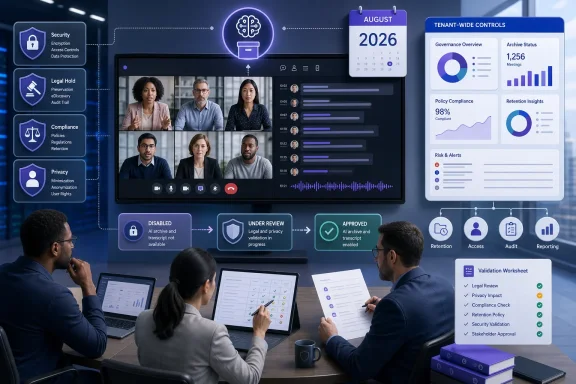 What must be true before Teams creates an AI archive
Teams creates an AI archive only when all three prerequisites are met:- A meeting transcript is saved.
- A Copilot-licensed participant was invited to the meeting.
- The meeting option for Copilot and Facilitator allows use during and after the meeting.
Do not infer additional licensing behavior from this requirement. The verified condition is that a Copilot-licensed participant was invited; final licensing requirements, assignment rules, and any administrator prerequisites should be confirmed in Microsoft’s published documentation before approval.
Microsoft also lists meeting categories that do not generate an AI archive:
- Encrypted meetings
- End-to-end encrypted meetings
- Meetings that restrict copying and forwarding
Existing transcript, recording, recap, and SharePoint policies should not be assumed to apply automatically to AI archives. The practical next step is to obtain Microsoft’s final documentation on archive storage, retention, deletion, access, and eDiscovery, then map each documented behavior to the organization’s records, privacy, legal-hold, security, and information-lifecycle controls.
The administrative action to take now
Because the final Teams Admin Center UI path has not been published, there is no verified sequence of clicks an administrator can use today to disable AI archive generation tenant-wide. The correct readiness action is to assign ownership and prepare the change process now:- Teams service owner: Monitor the Microsoft 365 Message Center, Teams Admin Center notifications, and final product documentation for the archive-generation policy.
- Microsoft 365 administrator: Capture the final policy name, UI path, default state, scope, effective time, and rollback behavior when it becomes available.
- Security, privacy, legal, and records management: Review the final storage, access, retention, deletion, and eDiscovery documentation before approving enablement.
- Help desk and communications teams: Prepare employee guidance that explains the meeting conditions, exclusions, and escalation path for sensitive meetings.
Decision worksheet for tenant validation
The following worksheet is for readiness now and tenant validation once the feature and final setting are available. It replaces a generic checklist with evidence, decision criteria, and a defined response.| Test or decision area | Owner | Evidence to collect | Pass/fail criterion | Resulting action |
|---|---|---|---|---|
| Final tenant control | Teams administrator | Microsoft documentation, Teams Admin Center policy name and path, default state, scope, effective-time behavior | Pass only if the organization can identify and document the final tenant-wide control and its effect | If pass, submit the setting for governance approval. If fail, keep generation disabled if possible or defer enablement pending clarification |
| Saved transcript | Teams administrator and meeting-governance owner | A representative meeting with a saved transcript and a record of the meeting configuration | Pass only if observed behavior matches Microsoft’s final documentation for a meeting with a saved transcript | If behavior differs or cannot be verified, escalate to Microsoft support or delay approval |
| No saved transcript | Teams administrator and meeting-governance owner | A representative meeting in which no transcript is saved | Pass only if observed behavior matches the documented prerequisite that a saved transcript is required | If an archive appears contrary to documentation, halt enablement review and investigate |
| Invited Copilot-licensed participant | Licensing owner and Teams administrator | Invitation records showing a Copilot-licensed participant was invited, plus the final Microsoft licensing guidance | Pass only if behavior matches the documented invitation prerequisite and final licensing documentation | If unclear, do not make licensing assumptions; obtain written confirmation before approval |
| No invited Copilot-licensed participant | Licensing owner and Teams administrator | A comparable meeting without an invited Copilot-licensed participant | Pass only if observed behavior matches Microsoft’s documented conditions | If results are unclear or inconsistent, delay tenant approval |
| Copilot and Facilitator meeting option | Meeting-governance owner | Screenshots or exported meeting-option evidence showing the relevant setting allows use during and after the meeting | Pass only if behavior matches the final documented meeting-option requirement | If organizers cannot reliably identify or apply the option, revise guidance and training before enablement |
| Excluded meeting configurations | Security owner and Teams administrator | Test records for encrypted meetings, end-to-end encrypted meetings, and meetings that restrict copying and forwarding | Pass only if each configuration behaves consistently with Microsoft’s documented exclusions | If an exclusion cannot be validated, treat protected-meeting guidance as incomplete and delay approval |
| Compliance mapping | Records management, privacy, legal, and security | Microsoft documentation on storage, retention, deletion, access, and eDiscovery mapped to internal controls | Pass only if each documented behavior has an accountable internal control or an approved exception | If any material gap remains, disable pending review or do not approve enablement |
| User guidance and support | Change-management and help desk owners | Published employee guidance, escalation workflow, and support scripts | Pass only if users and support staff have clear instructions for sensitive meetings and policy questions | If guidance is not ready, defer enablement |
A concise go/no-go decision
| Decision | When it applies | Required action |
|---|---|---|
| Disable pending review | Final administrative documentation is incomplete; the tenant control is not understood; compliance mapping is unfinished; or required validation fails | Keep generation disabled when the control is available, or do not approve enablement until the gap is resolved |
| Enable after approval | Final Microsoft documentation is available, the decision worksheet passes, stakeholders approve, and employee guidance is published | Enable tenant-wide through the documented final control and retain the change record |
| Protected-meeting operational guidance | A meeting involves sensitive, privileged, regulated, executive, personnel, security, or otherwise restricted content | Use the organization’s required protected-meeting configuration before the meeting begins; do not rely on a future or unverified in-meeting control as the primary safeguard |
Preparing employees and meeting organizers
Employee guidance should be short and operational. It should explain that archive creation depends on a saved transcript, an invited Copilot-licensed participant, and the meeting option for Copilot and Facilitator. It should also identify the meeting configurations that do not generate an archive.Guidance should not promise specific retention, deletion, discovery, or access outcomes until those outcomes are confirmed in Microsoft’s final documentation and mapped to the organization’s configuration. Employees need a clear escalation route for privacy concerns, sensitive-meeting questions, and policy exceptions. Organizers need to know which meeting configurations are required for protected discussions and when to involve legal, security, privacy, or records-management teams.
References to possible July 2026 Meeting AI controls should be treated cautiously. Microsoft’s final documentation must establish what controls are available, who can use them, what they affect, and how they interact with archive eligibility. Until then, organizations should not build their control model around unverified descriptions of in-meeting toggles.
Frequently Asked Questions
Can IT enable AI archives for only a pilot department?
No. Microsoft says AI archive generation cannot be enabled for only a subset of users. Treat it as a tenant-wide decision.What is the Teams Admin Center path to disable AI archive generation?
Microsoft has not yet published the final Teams Admin Center navigation and click path. Administrators should wait for final Microsoft documentation rather than using an unofficial path.When is rollout expected to begin?
Roadmap ID 558933 lists rollout beginning in August 2026 for Worldwide Standard Multi-Tenant tenants in General Availability and Targeted Release. Confirm actual availability in your tenant.What conditions are required for an AI archive?
A transcript must be saved, a Copilot-licensed participant must be invited, and the Copilot and Facilitator meeting option must allow use during and after the meeting.Which meetings do not generate an archive?
Microsoft lists encrypted meetings, end-to-end encrypted meetings, and meetings that restrict copying and forwarding.Should an organization enable the feature immediately?
Only after Microsoft’s final documentation is available, the tenant setting is understood, the validation worksheet passes, and legal, privacy, records-management, security, and operational stakeholders approve the decision.Teams AI archives should be treated as a meeting-governance decision with productivity implications, not as a routine Copilot setting. The practical path is straightforward: prepare the owners and evidence requirements now, validate the final tenant behavior when Microsoft delivers the control, and enable only after the organization can document how archive creation and related meeting protections fit its own policies.
References
- Primary source: learn.microsoft.com
Learn about retention for Teams | Microsoft Learn
Learn about Microsoft 365 retention policies that apply to Microsoft Teams so you can manage automatic retention or deletion of Teams messages and call logs for your organization.learn.microsoft.com - Independent coverage: microsoft.com
Microsoft 365 Roadmap | Microsoft 365
The Microsoft 365 Roadmap lists updates that are currently planned for applicable subscribers. Check here for more information on the status of new features and updates.www.microsoft.com
- Primary source: WindowsForum
Microsoft Teams to Make AI Meeting Archives Default in August 2026 | Windows Forum
Microsoft Teams is preparing to create AI-generated .meeting archives for eligible meetings by default in August 2026, giving Copilot and Facilitator a...windowsforum.com
