

The top AI email assistant tools in 2026 are Gmail’s Help me write, Microsoft Copilot in Outlook, Shortwave, Superhuman, Mailbutler, Grammarly, Mailchimp, Snov.io, ZoomInfo MarketingOS, and Jasper, ranked by adoption, integration depth, security posture, and fit for personal, enterprise, or marketing workflows. That ranking says less about which bot writes the prettiest sentence and more about where email actually lives. The winner in AI email is not the cleverest standalone assistant; it is the tool already sitting inside the inbox, identity system, compliance boundary, and daily muscle memory of the user. In 2026, the inbox has become another front in the platform war.
Email is the least glamorous productivity application and one of the hardest to replace. It is also where generative AI finds an unusually obvious job: summarize the thread, draft the response, soften the tone, find the action item, and stop the user from spending another hour excavating context from a conversation that should have ended three replies ago.
That is why the 2026 AI email market looks different from the early wave of AI writing tools. The first phase was about producing text. The current phase is about handling context, identity, security, retention, and workflow continuity. A polished paragraph is table stakes; the real question is whether the assistant knows what meeting you are referring to, which file was attached last week, whether your organization allows that data to be processed, and whether the suggestion appears before you have already lost patience.
This is also why Gmail and Outlook sit at the top. They are not necessarily the most adventurous AI email experiences, and power users can fairly argue that tools like Shortwave and Superhuman move faster. But the default inbox has a distribution advantage that most startups cannot buy. If an assistant ships directly into Gmail or Outlook, it begins with a captive audience and a privileged view of the user’s communications graph.
That does not make the ranking boring. It makes it revealing. AI email assistants are dividing into three camps: native platform assistants for the masses, speed-focused inbox clients for professionals, and marketing or sales systems where “email assistant” really means “campaign machine.”
The strongest version of Gmail’s case is not merely user count. Google has spent years conditioning users to accept small machine-written interventions in email through Smart Reply and Smart Compose. Help me write is the generative successor to that earlier behavior. Users who once tapped a short suggested reply are now being nudged toward longer drafts, rewritten tone, and eventually richer context pulled from the surrounding Google Workspace environment.
That integration matters. The email assistant that can see Calendar, Drive, Docs, Sheets, and prior conversation context has a different job from a browser extension that sees only the compose box. It can draft the follow-up after a meeting, reference a project file, and suggest language that fits the calendar reality rather than the user’s hazy memory. For consumers, that is convenience. For businesses, it is a governance problem wrapped in a productivity pitch.
Google’s enterprise argument is that Workspace controls, admin policies, and data-handling commitments make this manageable. That is the right argument to make, because enterprises do not buy AI email assistance as a toy. They buy it only if admins can decide who gets it, where data flows, what is retained, and whether the feature can survive procurement, legal review, and security questionnaires.
Still, Gmail’s greatest strength is also its risk. When AI appears inside a personal inbox by default, some users experience it less as help than as intrusion. The annoyance around persistent AI prompts is not a small UX footnote; it is the predictable consequence of putting a writing agent into one of the most private-feeling interfaces people use every day. Google can win the category and still face resistance from users who do not want every blank compose window to become an invitation to outsource their voice.
The most important Copilot in Outlook features are not the flashy ones. Drafting a reply is useful, but summarizing a sprawling thread, extracting action items, and turning meeting context into a follow-up email are closer to the daily pain point. In many offices, email is not a communication tool so much as an archive of unresolved obligations. Copilot’s promise is to turn that archive into something more navigable.
Microsoft also has a more natural sales motion for regulated organizations. The company can frame Copilot as an extension of existing Microsoft 365 compliance, identity, eDiscovery, retention, and admin frameworks. That does not eliminate risk, but it gives CIOs a familiar box to put the risk in. For organizations already standardized on Microsoft 365, Outlook AI is not evaluated like a random SaaS tool; it is evaluated as another feature inside an existing strategic platform.
The caveat is adoption depth. Microsoft’s reach across paid Microsoft 365 seats is enormous, but paid Copilot usage has not always matched the scale implied by the branding. Many organizations are still piloting, rationing licenses, or trying to work out which roles justify the spend. Outlook may be one of Copilot’s clearest use cases, but “available in the suite” and “habitually used by employees” are different milestones.
That distinction matters for the ranking. Copilot in Outlook is powerful because it is embedded, governable, and context-rich. But it must still prove that users will treat it as a daily assistant rather than an occasional button they press when a thread becomes unbearable.
Its pitch is pointed: email is not just writing, it is triage. Users do not merely need a better sentence; they need to know what deserves attention, what can be batched, and what can be ignored until later. Shortwave’s AI summaries, digests, conversational queries, and natural-language filtering lean into that reality. The assistant is not just sitting in the compose window waiting for instructions; it is helping reshape the inbox into something closer to a task surface.
That is why Shortwave resonates with users who feel that Gmail’s native AI is useful but conservative. Google has to move carefully because Gmail serves everyone from casual consumers to multinational enterprises. Shortwave can optimize for users who actively want a more opinionated inbox. It can expose sharper workflows, more aggressive summarization, and faster iteration without needing to satisfy every Gmail user on Earth.
The startup’s heritage matters, too. Built by former Google engineers, Shortwave feels like a critique of Gmail from people who understand why Gmail became dominant and where it stopped evolving. It does not replace the Google account; it reframes the Gmail experience for people willing to adopt a new client.
The limitation is obvious. Shortwave’s dependence on Gmail is both its growth channel and its ceiling. It is excellent for users already committed to Google’s mail ecosystem, but it is not the universal enterprise layer that Microsoft wants Copilot to be or the native default that Google controls. Its role in the top ten is as a specialist that proves how much better AI email can feel when the product is built around the assistant rather than retrofitted with one.
The AI features fit naturally into that philosophy. Drafting in a user’s tone, summarizing threads, speeding up replies, and reducing inbox backlog are not side quests for Superhuman; they are the product’s central promise. If Gmail and Outlook win by being where users already are, Superhuman wins when users are willing to change behavior in exchange for speed.
That premium positioning is also why Superhuman is not higher. It is not trying to be the world’s default email assistant. It is trying to be the best-paid inbox experience for users who feel the pain acutely enough to pay for relief. That makes it powerful in its niche and less universal in global ranking terms.
The broader 2026 context makes Superhuman more interesting. Grammarly’s acquisition of Superhuman and Coda created a larger AI productivity platform around writing, email, documents, and collaboration. That could give Superhuman more distribution, more cross-app intelligence, and a clearer story against Google and Microsoft. It also creates a branding puzzle: when a company known for grammar becomes the owner of a premium email client, users will want to see whether the combined platform improves the inbox or simply bundles more AI under a bigger logo.
Superhuman remains one of the few tools in the category that can plausibly claim an emotional bond with its users. People do not usually love enterprise email clients. Some Superhuman users do love Superhuman. In a market increasingly dominated by platform giants, that matters.
That cross-client strategy is underrated. A large number of professionals do not live neatly inside one vendor’s intended experience. Some use Apple Mail on macOS, Outlook at work, Gmail personally, and a browser extension everywhere else. Mailbutler’s appeal is that it follows the user across these surfaces rather than demanding a total migration.
Its AI feature set is more practical than revolutionary. Smart Assist can generate drafts, improve tone, summarize, and pull tasks from messages. Those are exactly the things many users expect from an AI email assistant in 2026, and that predictability is part of the value. Not every tool needs to reinvent email; some need to make the existing client less tedious.
The trade-off is that extensions rarely enjoy the same depth of context as native platform assistants. They may see the message, the thread, or the compose surface, but they do not always have the same privileged relationship with calendar, files, identity, and admin controls. That limits how far they can go in heavily governed organizations.
For small businesses, consultants, and individuals who want AI help without changing their email client, Mailbutler’s proposition is strong. For global enterprises standardizing around Microsoft or Google, it will often be an add-on rather than the strategic center.
The distinction matters. Grammarly does not solve triage the way Shortwave does, and it does not have the same enterprise email context as Copilot in Outlook. What it does offer is consistency of tone, grammar, clarity, rewrite suggestions, and generative drafting across surfaces. For many users, that is the part of “AI email assistant” they actually use most often.
In business settings, brand voice and governance are Grammarly’s strongest cards. A sales team, support organization, or communications department may care less about summarizing inboxes and more about making sure every outbound message sounds clear, compliant, and on-brand. Grammarly’s enterprise positioning speaks to that use case directly.
Its broad daily user base also gives it a distribution advantage that independent email startups envy. Because Grammarly already lives in the browser and desktop writing flow, email becomes one more surface rather than a separate market to conquer. Users may not think, “I need an AI email assistant.” They think, “Grammarly is already correcting this message.”
The limitation is structural. Grammarly can improve what you write, but it does not own the inbox. In 2026, that keeps it below the native platform assistants and the most advanced AI-first email clients. But as a horizontal writing layer, it remains one of the most important tools in the category.
That does not make them less valuable. It makes their use case narrower. A personal email assistant helps an individual survive the inbox. A marketing email assistant helps an organization create, target, optimize, and measure outbound messaging at scale. The overlap is writing, but the job is different.
Mailchimp is the clearest example. Its AI features are aimed at campaign generation, content optimization, send-time suggestions, audience segmentation, and creative assistance. That is not about replying to a colleague or summarizing a long thread. It is about turning customer data and marketing goals into email campaigns that perform better.
For small businesses and marketers, that is a major productivity gain. Many teams do not have dedicated copywriters, designers, analysts, and lifecycle marketers. AI-assisted campaign tools can compress that work into a more accessible workflow. The assistant becomes less like a secretary and more like a junior marketing operations team.
The risk is that marketing email has always been vulnerable to sameness. If every campaign tool optimizes toward similar subject lines, similar calls to action, and similar segmentation logic, inboxes fill with competent but indistinguishable messages. AI can improve execution while also accelerating the fatigue that makes users ignore promotional email in the first place.
Snov.io’s value is in tying lead databases, email verification, CRM workflows, and AI-generated cold sequences together. For sales teams, the hard part is not just writing a message; it is finding the right contact, validating the address, personalizing the approach, tracking engagement, and following up without losing the thread. AI helps generate the copy, but the workflow value comes from orchestration.
ZoomInfo MarketingOS operates at a more enterprise B2B level. Its contact graph, firmographic data, intent signals, segmentation, and account-based marketing workflows make AI useful for deciding whom to target and when. In that world, a better email draft matters, but better targeting may matter more.
These tools also sit closer to the line where productivity gains become recipient burden. The same automation that helps a sales team scale outreach can flood buyers with messages that feel personalized enough to be uncanny but not useful enough to be welcome. AI-generated personalization is not the same as relevance. A model can mention a recipient’s company, role, or recent activity and still fail to say anything worth reading.
That is the ethical and operational tension for AI sales email in 2026. The best systems will help teams send fewer, better messages. The worst will make mediocre outbound campaigns cheaper to produce and harder to escape.
The product’s appeal is consistency. A marketing team can upload style guidance, define tone, and generate emails that fit a broader content program. That is useful in organizations where the problem is not “I have too many unread messages” but “we need to ship more campaigns without diluting the brand.”
Jasper’s limitation is that it is not deeply native to the everyday email client. It can help create the words, but it is not the place where most users live, triage, respond, archive, and search. That keeps it lower on a list focused on email assistants rather than AI writing platforms generally.
Still, Jasper’s inclusion is a reminder that email is not one market. A support manager, a founder, a sales development representative, a lifecycle marketer, and a Gmail consumer all say they want AI help with email. They mean very different things. Any ranking that treats those needs as identical will mislead more than it clarifies.
That trust boundary is the deciding factor for IT departments. Email contains contracts, legal disputes, HR issues, credentials, customer records, strategy, medical information, financial details, and a thousand casual disclosures that nobody would intentionally upload to a random AI app. An email assistant therefore inherits a burden heavier than most productivity tools.
Enterprise buyers will ask familiar questions. Where is the data processed? Is it used for model training? Can admins disable the feature? Does it respect retention policies? Can outputs be audited? Does it work with existing identity and access controls? What happens when the assistant summarizes a thread containing confidential information and sends the summary to the wrong audience?
Consumers ask those questions less formally, but they feel the same unease. A suggested sentence can be convenient. A persistent AI prompt in a personal inbox can feel like surveillance wearing a friendly icon. The adoption curve will depend not only on model quality but on whether vendors make AI assistance feel optional, controllable, and legible.
This is where Microsoft and Google have both advantage and responsibility. Their scale makes them the safest choices for many organizations, but it also makes their design decisions consequential. If they normalize aggressive AI defaults, the entire category inherits the backlash. If they build clear controls and restrained interfaces, they can make AI email feel like infrastructure rather than spam in the compose box.
That is why summarization and triage may prove more durable than generative reply writing. A summary saves time without pretending to be the user. A priority view reduces cognitive load without inserting synthetic personality into a relationship. An extracted action item helps the user do the work instead of merely producing more words.
The strongest AI email tools in 2026 understand this. Gmail and Outlook are moving toward context-aware assistance. Shortwave treats the inbox as a system to organize, not just a page to decorate with generated text. Superhuman focuses on speed and throughput. Mailbutler adds utility across clients. Grammarly improves the quality of outbound language. Marketing tools automate creation and targeting at scale.
The weakest implementations will be those that assume every email problem is solved by more text. That is a dangerous assumption. Email overload exists partly because sending became too easy. If AI makes sending dramatically easier without improving judgment, it will worsen the disease it claims to treat.
The next phase should therefore reward assistants that reduce unnecessary email, not merely accelerate it. The truly useful agent will know when to draft, when to summarize, when to schedule, when to archive, when to suggest a meeting, and when to advise the user not to send anything at all.
The concrete lessons are sharper than the ranking itself:
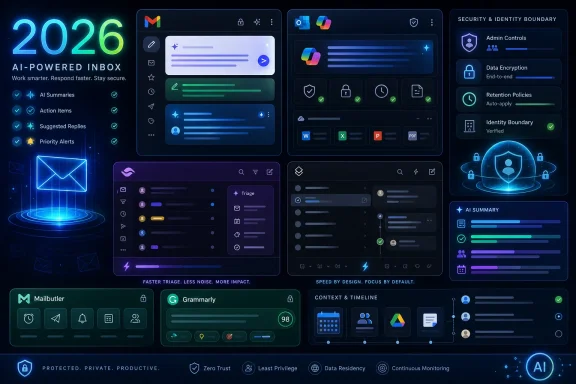 The Inbox Is Where AI Stops Being a Demo
Email is the least glamorous productivity application and one of the hardest to replace. It is also where generative AI finds an unusually obvious job: summarize the thread, draft the response, soften the tone, find the action item, and stop the user from spending another hour excavating context from a conversation that should have ended three replies ago.That is why the 2026 AI email market looks different from the early wave of AI writing tools. The first phase was about producing text. The current phase is about handling context, identity, security, retention, and workflow continuity. A polished paragraph is table stakes; the real question is whether the assistant knows what meeting you are referring to, which file was attached last week, whether your organization allows that data to be processed, and whether the suggestion appears before you have already lost patience.
This is also why Gmail and Outlook sit at the top. They are not necessarily the most adventurous AI email experiences, and power users can fairly argue that tools like Shortwave and Superhuman move faster. But the default inbox has a distribution advantage that most startups cannot buy. If an assistant ships directly into Gmail or Outlook, it begins with a captive audience and a privileged view of the user’s communications graph.
That does not make the ranking boring. It makes it revealing. AI email assistants are dividing into three camps: native platform assistants for the masses, speed-focused inbox clients for professionals, and marketing or sales systems where “email assistant” really means “campaign machine.”
Gmail Wins by Turning Scale Into Gravity
Gmail’s Help me write is the obvious first-place pick because Google can bring AI email assistance to a population that dwarfs most software markets. Gmail is not just an app; it is a global communications layer. When Google adds generative drafting, reply suggestions, thread summaries, and contextual assistance, the feature becomes part of the default experience for millions of users before many of them have gone looking for an AI tool at all.The strongest version of Gmail’s case is not merely user count. Google has spent years conditioning users to accept small machine-written interventions in email through Smart Reply and Smart Compose. Help me write is the generative successor to that earlier behavior. Users who once tapped a short suggested reply are now being nudged toward longer drafts, rewritten tone, and eventually richer context pulled from the surrounding Google Workspace environment.
That integration matters. The email assistant that can see Calendar, Drive, Docs, Sheets, and prior conversation context has a different job from a browser extension that sees only the compose box. It can draft the follow-up after a meeting, reference a project file, and suggest language that fits the calendar reality rather than the user’s hazy memory. For consumers, that is convenience. For businesses, it is a governance problem wrapped in a productivity pitch.
Google’s enterprise argument is that Workspace controls, admin policies, and data-handling commitments make this manageable. That is the right argument to make, because enterprises do not buy AI email assistance as a toy. They buy it only if admins can decide who gets it, where data flows, what is retained, and whether the feature can survive procurement, legal review, and security questionnaires.
Still, Gmail’s greatest strength is also its risk. When AI appears inside a personal inbox by default, some users experience it less as help than as intrusion. The annoyance around persistent AI prompts is not a small UX footnote; it is the predictable consequence of putting a writing agent into one of the most private-feeling interfaces people use every day. Google can win the category and still face resistance from users who do not want every blank compose window to become an invitation to outsource their voice.
Outlook Turns Copilot Into an Enterprise Control Plane
Microsoft Copilot in Outlook belongs near the top because Outlook remains the professional inbox for large parts of the corporate world. If Gmail’s advantage is consumer and Workspace scale, Outlook’s advantage is the Microsoft 365 tenant. Copilot can sit inside the same environment as Teams, SharePoint, OneDrive, Word, Excel, and Microsoft Graph, which gives it the context that business users actually need.The most important Copilot in Outlook features are not the flashy ones. Drafting a reply is useful, but summarizing a sprawling thread, extracting action items, and turning meeting context into a follow-up email are closer to the daily pain point. In many offices, email is not a communication tool so much as an archive of unresolved obligations. Copilot’s promise is to turn that archive into something more navigable.
Microsoft also has a more natural sales motion for regulated organizations. The company can frame Copilot as an extension of existing Microsoft 365 compliance, identity, eDiscovery, retention, and admin frameworks. That does not eliminate risk, but it gives CIOs a familiar box to put the risk in. For organizations already standardized on Microsoft 365, Outlook AI is not evaluated like a random SaaS tool; it is evaluated as another feature inside an existing strategic platform.
The caveat is adoption depth. Microsoft’s reach across paid Microsoft 365 seats is enormous, but paid Copilot usage has not always matched the scale implied by the branding. Many organizations are still piloting, rationing licenses, or trying to work out which roles justify the spend. Outlook may be one of Copilot’s clearest use cases, but “available in the suite” and “habitually used by employees” are different milestones.
That distinction matters for the ranking. Copilot in Outlook is powerful because it is embedded, governable, and context-rich. But it must still prove that users will treat it as a daily assistant rather than an occasional button they press when a thread becomes unbearable.
Shortwave Shows What Gmail Could Become If It Moved Like a Startup
Shortwave earns its place because it attacks email from the other direction. Instead of owning the world’s largest inbox platform, it builds a smarter layer on top of Gmail. That gives it less control over the underlying ecosystem but more freedom to rethink how the inbox should behave.Its pitch is pointed: email is not just writing, it is triage. Users do not merely need a better sentence; they need to know what deserves attention, what can be batched, and what can be ignored until later. Shortwave’s AI summaries, digests, conversational queries, and natural-language filtering lean into that reality. The assistant is not just sitting in the compose window waiting for instructions; it is helping reshape the inbox into something closer to a task surface.
That is why Shortwave resonates with users who feel that Gmail’s native AI is useful but conservative. Google has to move carefully because Gmail serves everyone from casual consumers to multinational enterprises. Shortwave can optimize for users who actively want a more opinionated inbox. It can expose sharper workflows, more aggressive summarization, and faster iteration without needing to satisfy every Gmail user on Earth.
The startup’s heritage matters, too. Built by former Google engineers, Shortwave feels like a critique of Gmail from people who understand why Gmail became dominant and where it stopped evolving. It does not replace the Google account; it reframes the Gmail experience for people willing to adopt a new client.
The limitation is obvious. Shortwave’s dependence on Gmail is both its growth channel and its ceiling. It is excellent for users already committed to Google’s mail ecosystem, but it is not the universal enterprise layer that Microsoft wants Copilot to be or the native default that Google controls. Its role in the top ten is as a specialist that proves how much better AI email can feel when the product is built around the assistant rather than retrofitted with one.
Superhuman Sells Time Back to People Who Already Know Its Price
Superhuman has always marketed email as a speed problem, and AI gives that argument new force. Its users are typically not casual inbox sufferers. They are executives, founders, investors, sales leaders, operators, and other professionals for whom email volume is a measurable tax on the day. For them, seconds matter, keyboard shortcuts matter, and the difference between “reply later” and “reply now” can become a meaningful workflow advantage.The AI features fit naturally into that philosophy. Drafting in a user’s tone, summarizing threads, speeding up replies, and reducing inbox backlog are not side quests for Superhuman; they are the product’s central promise. If Gmail and Outlook win by being where users already are, Superhuman wins when users are willing to change behavior in exchange for speed.
That premium positioning is also why Superhuman is not higher. It is not trying to be the world’s default email assistant. It is trying to be the best-paid inbox experience for users who feel the pain acutely enough to pay for relief. That makes it powerful in its niche and less universal in global ranking terms.
The broader 2026 context makes Superhuman more interesting. Grammarly’s acquisition of Superhuman and Coda created a larger AI productivity platform around writing, email, documents, and collaboration. That could give Superhuman more distribution, more cross-app intelligence, and a clearer story against Google and Microsoft. It also creates a branding puzzle: when a company known for grammar becomes the owner of a premium email client, users will want to see whether the combined platform improves the inbox or simply bundles more AI under a bigger logo.
Superhuman remains one of the few tools in the category that can plausibly claim an emotional bond with its users. People do not usually love enterprise email clients. Some Superhuman users do love Superhuman. In a market increasingly dominated by platform giants, that matters.
Mailbutler Wins the Pragmatist Vote by Refusing to Pick One Inbox
Mailbutler occupies a useful middle ground. It is not trying to replace Gmail or Outlook outright, and it is not focused only on high-end speed obsessives. Instead, it works as an extension across Apple Mail, Gmail, and Outlook, adding AI drafting, tone adjustment, task extraction, snooze, templates, and tracking features to clients people may already prefer.That cross-client strategy is underrated. A large number of professionals do not live neatly inside one vendor’s intended experience. Some use Apple Mail on macOS, Outlook at work, Gmail personally, and a browser extension everywhere else. Mailbutler’s appeal is that it follows the user across these surfaces rather than demanding a total migration.
Its AI feature set is more practical than revolutionary. Smart Assist can generate drafts, improve tone, summarize, and pull tasks from messages. Those are exactly the things many users expect from an AI email assistant in 2026, and that predictability is part of the value. Not every tool needs to reinvent email; some need to make the existing client less tedious.
The trade-off is that extensions rarely enjoy the same depth of context as native platform assistants. They may see the message, the thread, or the compose surface, but they do not always have the same privileged relationship with calendar, files, identity, and admin controls. That limits how far they can go in heavily governed organizations.
For small businesses, consultants, and individuals who want AI help without changing their email client, Mailbutler’s proposition is strong. For global enterprises standardizing around Microsoft or Google, it will often be an add-on rather than the strategic center.
Grammarly Is the Writing Layer That Email Could Not Keep Out
Grammarly’s place on this list is slightly different because it is not primarily an email client. It is a writing assistant that follows users into Gmail, Outlook, browsers, desktops, documents, and web apps. That makes it less powerful as an inbox manager but extremely relevant as an email-writing tool.The distinction matters. Grammarly does not solve triage the way Shortwave does, and it does not have the same enterprise email context as Copilot in Outlook. What it does offer is consistency of tone, grammar, clarity, rewrite suggestions, and generative drafting across surfaces. For many users, that is the part of “AI email assistant” they actually use most often.
In business settings, brand voice and governance are Grammarly’s strongest cards. A sales team, support organization, or communications department may care less about summarizing inboxes and more about making sure every outbound message sounds clear, compliant, and on-brand. Grammarly’s enterprise positioning speaks to that use case directly.
Its broad daily user base also gives it a distribution advantage that independent email startups envy. Because Grammarly already lives in the browser and desktop writing flow, email becomes one more surface rather than a separate market to conquer. Users may not think, “I need an AI email assistant.” They think, “Grammarly is already correcting this message.”
The limitation is structural. Grammarly can improve what you write, but it does not own the inbox. In 2026, that keeps it below the native platform assistants and the most advanced AI-first email clients. But as a horizontal writing layer, it remains one of the most important tools in the category.
Marketing Platforms Stretch the Meaning of Email Assistant
The lower half of the ranking reveals a semantic problem. Mailchimp, Snov.io, ZoomInfo MarketingOS, and Jasper are all legitimate AI email tools, but they are not email assistants in the same sense as Gmail, Outlook, Shortwave, or Superhuman. They are campaign, outreach, and content systems that use email as a delivery channel.That does not make them less valuable. It makes their use case narrower. A personal email assistant helps an individual survive the inbox. A marketing email assistant helps an organization create, target, optimize, and measure outbound messaging at scale. The overlap is writing, but the job is different.
Mailchimp is the clearest example. Its AI features are aimed at campaign generation, content optimization, send-time suggestions, audience segmentation, and creative assistance. That is not about replying to a colleague or summarizing a long thread. It is about turning customer data and marketing goals into email campaigns that perform better.
For small businesses and marketers, that is a major productivity gain. Many teams do not have dedicated copywriters, designers, analysts, and lifecycle marketers. AI-assisted campaign tools can compress that work into a more accessible workflow. The assistant becomes less like a secretary and more like a junior marketing operations team.
The risk is that marketing email has always been vulnerable to sameness. If every campaign tool optimizes toward similar subject lines, similar calls to action, and similar segmentation logic, inboxes fill with competent but indistinguishable messages. AI can improve execution while also accelerating the fatigue that makes users ignore promotional email in the first place.
Sales Outreach Tools Turn Personalization Into an Industrial Process
Snov.io and ZoomInfo MarketingOS sit in the sales and B2B marketing lane, where AI email assistance is less about composing one thoughtful message and more about producing targeted sequences. These platforms combine contact data, verification, enrichment, intent signals, personalization, and campaign automation. The email itself is only one output of a larger prospecting system.Snov.io’s value is in tying lead databases, email verification, CRM workflows, and AI-generated cold sequences together. For sales teams, the hard part is not just writing a message; it is finding the right contact, validating the address, personalizing the approach, tracking engagement, and following up without losing the thread. AI helps generate the copy, but the workflow value comes from orchestration.
ZoomInfo MarketingOS operates at a more enterprise B2B level. Its contact graph, firmographic data, intent signals, segmentation, and account-based marketing workflows make AI useful for deciding whom to target and when. In that world, a better email draft matters, but better targeting may matter more.
These tools also sit closer to the line where productivity gains become recipient burden. The same automation that helps a sales team scale outreach can flood buyers with messages that feel personalized enough to be uncanny but not useful enough to be welcome. AI-generated personalization is not the same as relevance. A model can mention a recipient’s company, role, or recent activity and still fail to say anything worth reading.
That is the ethical and operational tension for AI sales email in 2026. The best systems will help teams send fewer, better messages. The worst will make mediocre outbound campaigns cheaper to produce and harder to escape.
Jasper Remains a Brand Voice Machine, Not an Inbox Brain
Jasper rounds out the list because it is strongest where email overlaps with marketing content. Its brand-voice features, campaign copy generation, subject line drafting, newsletter support, and content workflows make sense for teams that think in campaigns rather than inboxes.The product’s appeal is consistency. A marketing team can upload style guidance, define tone, and generate emails that fit a broader content program. That is useful in organizations where the problem is not “I have too many unread messages” but “we need to ship more campaigns without diluting the brand.”
Jasper’s limitation is that it is not deeply native to the everyday email client. It can help create the words, but it is not the place where most users live, triage, respond, archive, and search. That keeps it lower on a list focused on email assistants rather than AI writing platforms generally.
Still, Jasper’s inclusion is a reminder that email is not one market. A support manager, a founder, a sales development representative, a lifecycle marketer, and a Gmail consumer all say they want AI help with email. They mean very different things. Any ranking that treats those needs as identical will mislead more than it clarifies.
The Real Ranking Is Between Embedded Power and User Trust
The 2026 AI email market is not simply sorting tools by feature count. It is sorting them by trust boundary. The assistant inside Gmail or Outlook has privileged access and institutional legitimacy, but it must overcome user suspicion about data use, default prompts, and the creeping feeling that the inbox is no longer fully personal. The independent assistant may feel more innovative, but it must persuade users and administrators to grant access to sensitive communications.That trust boundary is the deciding factor for IT departments. Email contains contracts, legal disputes, HR issues, credentials, customer records, strategy, medical information, financial details, and a thousand casual disclosures that nobody would intentionally upload to a random AI app. An email assistant therefore inherits a burden heavier than most productivity tools.
Enterprise buyers will ask familiar questions. Where is the data processed? Is it used for model training? Can admins disable the feature? Does it respect retention policies? Can outputs be audited? Does it work with existing identity and access controls? What happens when the assistant summarizes a thread containing confidential information and sends the summary to the wrong audience?
Consumers ask those questions less formally, but they feel the same unease. A suggested sentence can be convenient. A persistent AI prompt in a personal inbox can feel like surveillance wearing a friendly icon. The adoption curve will depend not only on model quality but on whether vendors make AI assistance feel optional, controllable, and legible.
This is where Microsoft and Google have both advantage and responsibility. Their scale makes them the safest choices for many organizations, but it also makes their design decisions consequential. If they normalize aggressive AI defaults, the entire category inherits the backlash. If they build clear controls and restrained interfaces, they can make AI email feel like infrastructure rather than spam in the compose box.
The Best Assistant Is the One That Knows When Not to Write
The feature race has made drafting the most visible capability, but drafting may not be the most valuable one. In many professional inboxes, the bottleneck is not sentence generation. It is prioritization, context recovery, decision fatigue, and the emotional drag of reopening conversations that never seem finished.That is why summarization and triage may prove more durable than generative reply writing. A summary saves time without pretending to be the user. A priority view reduces cognitive load without inserting synthetic personality into a relationship. An extracted action item helps the user do the work instead of merely producing more words.
The strongest AI email tools in 2026 understand this. Gmail and Outlook are moving toward context-aware assistance. Shortwave treats the inbox as a system to organize, not just a page to decorate with generated text. Superhuman focuses on speed and throughput. Mailbutler adds utility across clients. Grammarly improves the quality of outbound language. Marketing tools automate creation and targeting at scale.
The weakest implementations will be those that assume every email problem is solved by more text. That is a dangerous assumption. Email overload exists partly because sending became too easy. If AI makes sending dramatically easier without improving judgment, it will worsen the disease it claims to treat.
The next phase should therefore reward assistants that reduce unnecessary email, not merely accelerate it. The truly useful agent will know when to draft, when to summarize, when to schedule, when to archive, when to suggest a meeting, and when to advise the user not to send anything at all.
The 2026 Inbox Belongs to the Tools Already Inside the Workflow
The ranking is useful because it separates broad adoption from specialized excellence. Gmail and Outlook lead because they combine reach, native context, and enterprise controls. Shortwave and Superhuman prove that independent clients can still out-innovate the giants for users willing to change habits. Mailbutler and Grammarly succeed by layering assistance across existing workflows. Mailchimp, Snov.io, ZoomInfo, and Jasper show that “AI email” has become inseparable from marketing and sales automation.The concrete lessons are sharper than the ranking itself:
- Gmail’s Help me write is the default leader because its AI features sit inside one of the world’s largest communication platforms.
- Microsoft Copilot in Outlook is the strongest enterprise challenger because it connects email assistance to Microsoft Graph, Teams, documents, identity, and compliance tooling.
- Shortwave and Superhuman are better indicators of where inbox design may go next than of where mass adoption currently sits.
- Mailbutler and Grammarly are best understood as workflow layers that improve existing email habits rather than replace the inbox.
- Mailchimp, Snov.io, ZoomInfo MarketingOS, and Jasper serve campaign and outreach teams more than ordinary inbox users.
- The decisive questions for buyers are not only writing quality and price, but data governance, admin control, context access, and whether the tool reduces email volume or simply generates more of it.
References
- Primary source: Nubia Magazine!
Published: 2026-06-05T08:50:31.346867
Top 10 Best AI Email Assistant Tools In The World 2026 | Nubia Magazine
Our analysis of the top 10 best AI email assistant tools in the world 2026 examined global adoption rates, native platform integration depth, enterprise...nubiapage.com - Related coverage: blog.superhuman.com
Best AI email assistant in 2026: The 6 top tools compared
Discover the best AI email assistant tools in 2026. Compare Superhuman Mail, Shortwave, Grammarly, and more to find the right fit for your inbox. blog.superhuman.com
- Related coverage: aitoolsbreakdown.com
Best AI Email Assistant in 2026: 5 Tools We Actually Tested
We tested 5 AI email assistants for 4 weeks in 2026. Here's what actually cuts inbox time — and what wastes it.aitoolsbreakdown.com - Related coverage: toolpilot.tools
Best AI Email Tools (2026) — Compared & Ranked | ToolPilot
Compare AI email tools for writing, outreach, and inbox management. Superhuman, Instantly, and more.toolpilot.tools
- Related coverage: get-alfred.ai
Best AI Email Assistant 2026: 7 Tested on Inbox Triage | alfred_
We tested 7 AI email assistants on real inbox triage: alfred_, Superhuman, SaneBox, Shortwave, and Spark. See which actually drafts and triages for you. get-alfred.ai
- Related coverage: bestautomationtools.ai
Best AI Email Assistants 2026: Superhuman, Shortwave, Spark & More | AI Agents Guide
The AI email client race in 2026: Superhuman's AI rewrite, Shortwave's Gemini-powered inbox, Spark's multi-platform approach. Tested and ranked for speed, AI quality, and price. bestautomationtools.ai
- Related coverage: nextautomation.ai
Best AI Tools for Email Management (2026): Reviews & Pricing
Best AI email tools for 2026 — Superhuman, Shortwave, Spark & SaneBox compared for inbox triage, AI replies and follow-ups. Pros, cons and our top pick.nextautomation.ai - Related coverage: techradar.com
Gmail is adding new AI tools to make your work emails sound even more like you | TechRadar
Gemini in Gmail will try and copy your own writing stylewww.techradar.com - Related coverage: ashgabattimes.com
