Curious
Excellent Member
- Joined
- Mar 2, 2010
- Messages
- 150
- Thread Author
- #1
Hello,
I have a Microsoft 365 subscription until September 2021.
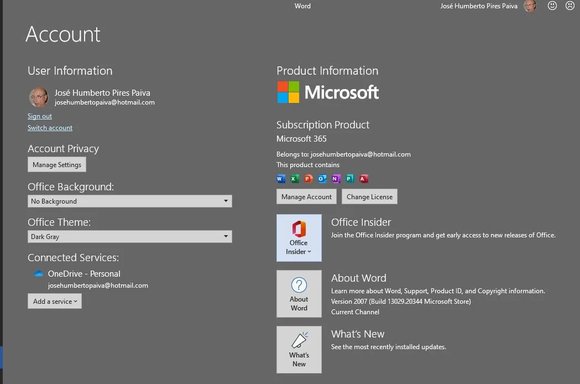
Although this Office is licensed as you can see by the image "Error in Word 3", something is going on.
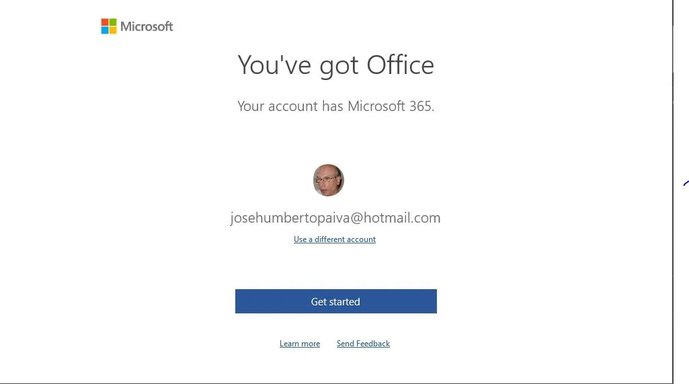
When I start with Word and open a blank document, the following screen appears on the image "Error in Word 1", and then opens the document but with the indication "Product not activated", "Error in Word 2".
I do not know what's happening.
I think the best thing would be to reinstall Microsoft 365.
How can I do this?
I await a technical suggestion.
best regards
José Paiva
I have a Microsoft 365 subscription until September 2021.
Although this Office is licensed as you can see by the image "Error in Word 3", something is going on.
When I start with Word and open a blank document, the following screen appears on the image "Error in Word 1", and then opens the document but with the indication "Product not activated", "Error in Word 2".
I do not know what's happening.
I think the best thing would be to reinstall Microsoft 365.
How can I do this?
I await a technical suggestion.
best regards
José Paiva