Turtle Beach Pacific Skyline Wireless Xbox Controller Review (Windows 1000Hz)

Turtle Beach launched the Pacific Skyline Wireless Controller in May 2026 as an officially licensed Xbox, Windows, and Android gamepad with 2.4GHz wireless, USB-C wired play, Bluetooth, two programmable rear buttons, six-zone RGB lighting, headset controls, and a rechargeable 20-plus-hour battery. The pitch is not that it beats every “pro” controller on the market. It is that the middle of the controller market has moved upward, and Turtle Beach is trying to make yesterday’s enthusiast features feel normal. For Windows and Xbox players, that shift matters more than the palm-tree shell suggests.

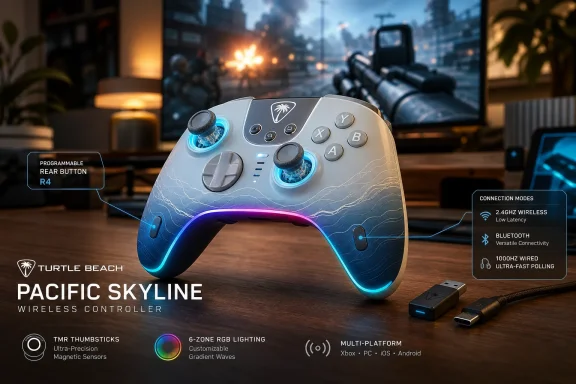
Gaming setup featuring a wireless controller and “PACIFIC SKYLINE” branding with connectivity icons.Turtle Beach Is Selling the New Middle Class of Xbox Controllers​

The Pacific Skyline arrives at a strange moment for Xbox accessories. Microsoft’s standard Xbox Wireless Controller remains the default because it is familiar, widely supported, and uses Xbox Wireless without a USB dongle on console. But the third-party controller market has spent the last few years turning once-premium ideas into baseline expectations: rear buttons, magnetic sticks, app calibration, faster polling, built-in audio shortcuts, and aggressive cosmetic customization.
That is the context in which the Pacific Skyline makes sense. It is not trying to be an Elite Series 2 replacement in the old sense of metal paddles, interchangeable sticks, and trigger stops. Instead, it packages the most visible and immediately useful upgrades into a controller that feels designed for the player who has outgrown the standard pad but does not want to enter the $200-and-up hobbyist bracket.
The result is a controller that says a lot about where Xbox-compatible hardware is headed in 2026. The winning spec is no longer a single killer feature. It is the bundle: enough connectivity options to move between console, PC, and mobile; enough rear control to change how shooters feel; enough lighting to look distinct on a desk; and enough firmware tooling to reassure buyers that the controller is not frozen on day one.
That makes the Pacific Skyline less interesting as a fashion accessory than as a marker of market pressure. Turtle Beach is betting that the mainstream Xbox player now expects a controller to behave more like a PC peripheral: configurable, rechargeable, firmware-updatable, and visibly personal.

The Rear Buttons Are the Real Upgrade, Not the RGB​

The Pacific Skyline’s six-zone RGB lighting will sell screenshots, but the two programmable back buttons are the more consequential feature. Rear inputs change how a controller plays because they reduce the number of times a player has to lift a thumb off the right stick. In a shooter, mapping jump, crouch, reload, or melee to the back of the controller can make movement and aim feel less like competing priorities.
Turtle Beach keeps the implementation simple. The controller supports on-device remapping through a Function-button sequence, meaning users do not need to open a companion app just to assign a common face button to the rear controls. That matters because controller customization often fails at the point of friction; if remapping feels like an administrative chore, most players never build the habit.
There are limits. The back buttons can mirror front-facing controller inputs, but they are not a full macro system, and they do not replace keyboard bindings on Windows. Triggers also sit outside the basic remapping model described for the pad, which keeps the Pacific Skyline from becoming a true competitive-tuning device.
That tradeoff is revealing. Turtle Beach is not trying to turn the Pacific Skyline into a controller for players who spend an hour building profiles before launching a match. It is targeting the much larger audience that wants one or two practical changes and wants them to stick.

Triple Connectivity Is a Windows Feature in Disguise​

On paper, the controller’s three connection modes are straightforward: 2.4GHz wireless through the included USB transmitter, wired USB-C, and Bluetooth. In practice, this is where the Pacific Skyline makes its strongest argument to WindowsForum readers. A controller that works across Xbox, Windows 10, Windows 11, and Android is not merely “multi-platform”; it reflects how gaming setups actually look in 2026.
A player might use an Xbox Series X in the living room, a Windows 11 desktop for Game Pass or Steam, a handheld PC on the couch, and an Android phone for remote play or cloud sessions. The old model of one controller per box is increasingly wasteful. Turtle Beach’s decision to support a dongle, cable, and Bluetooth gives users a practical hierarchy: use 2.4GHz when latency and reliability matter, use USB-C when response is the priority, and use Bluetooth when convenience beats perfection.
The 1000Hz wired polling claim is especially aimed at PC sensibilities. Console players are generally less likely to obsess over polling-rate numbers, partly because the platform stack imposes its own practical limits. Windows players, by contrast, have been trained by mice, keyboards, and monitors to see input frequency as part of the performance equation.
That does not mean 1000Hz wired polling will magically make every player better. It means the Pacific Skyline is speaking the language of PC gaming without abandoning Xbox licensing. That is a useful bridge, and one Microsoft’s ecosystem increasingly needs.

The Dongle Tradeoff Is Still a Real Tradeoff​

The biggest practical difference between the Pacific Skyline and Microsoft’s standard Xbox controller is the wireless path. Microsoft’s own controller connects to Xbox consoles through Xbox Wireless without needing a front-port receiver. The Pacific Skyline relies on an included 2.4GHz USB transmitter for its low-latency wireless mode.
That is not automatically worse. Dedicated dongles can offer predictable pairing and performance, and they avoid some of the weirdness that can appear when Bluetooth is treated as the universal answer to every controller problem. For PC players, a USB receiver is familiar territory. For Xbox players, it is one more piece of plastic to occupy a port, lose in a backpack, or forget behind a console.
This is the kind of compromise that separates “feature-rich” from “frictionless.” Microsoft’s first-party controller remains the cleanest option for the player who just wants to turn on the console and play. Turtle Beach’s controller asks for a little more setup and gives back more control, more lighting, more audio access, and more cross-device flexibility.
That distinction should guide buying decisions more than any marketing phrase. The Pacific Skyline is not the simpler controller. It is the more configurable one.

Audio Controls Make the Controller Feel More Like a Console Dashboard​

One of the Pacific Skyline’s smarter features is not visual at all. The controller builds volume, chat mix, and mic mute controls into Function-button combinations, alongside a standard 3.5mm CTIA headset jack. For anyone who has fumbled through Xbox guide menus mid-match to adjust party balance, that is not a luxury feature; it is a quality-of-life correction.
This is also where Turtle Beach’s headset heritage shows. A controller can be a surprisingly good place to manage audio because it is already in the player’s hands, and audio adjustments are often made under pressure. Being able to nudge chat mix or mute a microphone without leaving gameplay makes the controller feel less like a passive input device and more like a small hardware dashboard.
There is an important distinction here. The 3.5mm jack is for wired headsets connected to the controller. Wireless gaming headsets still connect through the console, PC, or their own dongle depending on model. The controller’s onboard mute and chat controls do not magically turn every wireless headset into a controller-attached accessory.
Even with that caveat, the feature is practical. It acknowledges that communication is now part of the input loop. Movement, aim, and chat are all happening at once, and the best accessories reduce the number of times a player has to break focus.

RGB Is Decoration, but Decoration Has Become Part of the Product​

The Pacific Skyline’s coastal gradient and lighting zones are easy to dismiss as gamer décor, and to some extent they are. Six customizable RGB zones and preset modes such as static, wave, breathing, and off do not change the way a controller performs. But the aesthetics are not irrelevant, because controllers have become visible desk objects in the same way mechanical keyboards and mice did years ago.
The important part is that Turtle Beach includes hardware-level lighting control. Users can cycle effects, adjust brightness, and tune color directly from the controller. That makes RGB feel like a device feature rather than a hostage situation inside yet another always-running desktop app.
The battery behavior is also sensible. When the controller drops below 10 percent, decorative lighting shuts off to conserve power. That is exactly the kind of hierarchy accessory makers should follow: performance and playtime first, visual flourish second.
Still, no buyer should confuse lighting with substance. The Pacific Skyline’s design may be the first thing people notice, but the rear buttons, connectivity, audio controls, and calibration story are what make it more than a seasonal shell.

The Battery Story Is Good Enough Because the Controller Is Rechargeable​

Turtle Beach rates the Pacific Skyline for more than 20 hours of use from a 900mAh lithium-ion polymer battery, with charging over USB-C in roughly one to two hours. That puts it in the practical zone for most players. It is not a battery-life monster, but it is long enough to avoid becoming a nightly anxiety ritual.
The rechargeable design also positions it differently from Microsoft’s standard Xbox controller, which still ships around AA batteries unless buyers add a rechargeable pack. Some users like AA flexibility because disposable or rechargeable cells can be swapped instantly. Others see built-in USB-C charging as the modern baseline.
The Pacific Skyline chooses the latter philosophy. That is the right call for a controller with RGB lighting, a wireless receiver, and a more peripheral-like identity. It behaves less like a simple console accessory and more like a rechargeable part of a desk setup.
The risk, as always with sealed rechargeable devices, is long-term degradation. A controller that feels economical in 2026 depends partly on how its battery behaves in 2028. Turtle Beach can win the first impression with runtime; the longer test will be durability.

TMR Sticks Show How Fast Anti-Drift Tech Has Become Table Stakes​

The Pacific Skyline’s use of TMR thumbstick technology is one of its most important signals. TMR, or tunnel magnetoresistance, reads stick position magnetically rather than relying on traditional potentiometer contact in the same way older analog stick designs do. The practical promise is more precise tracking and better resistance to the wear patterns associated with stick drift.
Hall effect sticks became the buzzword of the previous controller cycle, but TMR is now part of the same broader shift toward magnetic sensing. The details vary by implementation, and no stick technology makes a controller indestructible. Buttons, bumpers, triggers, shells, batteries, and firmware can still be failure points.
But the direction of travel is clear. Once buyers understand that drift is not an unavoidable law of nature, they begin to expect manufacturers to do something about it. A mid-range controller with magnetic stick sensing puts pressure on everyone still shipping conventional stick modules in premium-priced products.
For Windows players, this matters because PC controller use is often heavier and more varied than console-only use. One controller might be used for shooters, racers, emulators, platformers, and handheld docking setups. Durability is not just a warranty issue; it is a total-cost-of-ownership issue.

The Companion App Is Useful, but It Also Shows the Firmware Era Has Arrived​

The Pacific Skyline works without an app for basic rear-button remapping, but deeper configuration runs through Turtle Beach’s PDP Control Hub on Xbox and Windows. That app supports remapping, diagnostics, and recalibration for sticks and triggers. Turtle Beach also points users toward firmware updates as part of the setup process.
This is now normal, but it is worth pausing on what “normal” means. Controllers used to be mostly fixed hardware. In 2026, a controller is increasingly a small firmware platform, with calibration routines, receiver updates, profile logic, and app-based diagnostics.
That is good when it lets a manufacturer fix bugs, improve compatibility, and rescue devices that would otherwise be returned. It is less good when day-one firmware becomes a requirement for “proper performance,” because that turns setup into a chore and creates another support dependency.
The Pacific Skyline appears to land on the acceptable side of that line. Its most important everyday customization does not require software, and the app is there for deeper maintenance. But buyers should understand the bargain: more features generally means more firmware, and more firmware means another layer that must be maintained.

The Standard Xbox Controller Still Wins on Elegance​

The standard Xbox Wireless Controller is easy to underestimate because it is everywhere. It has no rear buttons, no RGB lighting, no magnetic-stick marketing hook, and no built-in rechargeable battery. It also remains one of the most broadly supported, ergonomically safe, and low-friction controllers available for Xbox and Windows.
That is the baseline the Pacific Skyline must beat, and the answer depends on what the user values. If the goal is the cleanest console experience, Microsoft’s controller remains hard to dislodge. It connects natively, feels familiar, and avoids the dongle issue entirely.
If the goal is a controller that does more out of the box, Turtle Beach has the stronger feature set. Rear buttons, 1000Hz wired polling, RGB zones, onboard audio shortcuts, rechargeable power, and calibration tools are all meaningful additions. None is individually revolutionary, but together they create a visibly more modern package.
This is why the Pacific Skyline should not be judged as a replacement for every Xbox controller. It is better understood as an upgrade path for users who already know what annoys them about the stock pad.

Competitive Players Will Notice What Turtle Beach Left Out​

The Pacific Skyline has enough performance features for casual and mid-level competitive play, but it stops short of the tournament-controller category. The missing features are not obscure. There are no hair triggers, no trigger stops, and no deeper pro-profile system comparable to more expensive enthusiast pads.
For many players, that will not matter. Rear buttons and a fast wired mode provide the biggest everyday gains, especially in shooters where jump and crouch mapping can immediately improve control. Most players are not losing matches because they lack adjustable trigger actuation.
At the high end, though, trigger behavior becomes a real differentiator. Competitive shooter players often want the shortest possible digital trigger action. Racing players may want analog travel. Modular controllers and premium pro pads increasingly try to satisfy both by switching trigger modes.
The Pacific Skyline does not chase that complexity. That restraint helps keep the controller approachable, but it also defines its ceiling. It is not pretending to be the final controller a serious esports player will ever buy.

The Windows Angle Is Bigger Than the Xbox Branding​

The official Xbox license matters because compatibility anxiety is real. Windows users know the pain of controllers that technically work but misbehave across launchers, input APIs, firmware versions, or games with narrow assumptions about Xbox input. An officially licensed Xbox controller has an immediate advantage because the ecosystem is built around that layout and identity.
But the Pacific Skyline’s Windows appeal goes beyond the badge. Wired 1000Hz polling, USB transmitter support, Bluetooth fallback, app calibration, and Android compatibility make it attractive to players whose gaming life is not confined to a console. It fits the modern PC reality in which Game Pass, Steam, cloud saves, handheld PCs, and living-room docks all blur together.
That is where Microsoft’s broader strategy quietly helps third-party hardware makers. The more Xbox becomes a service layer across devices, the more useful a controller becomes when it travels well. A controller that can sit by the console one night and plug into a Windows desktop the next is no longer a niche accessory.
The Pacific Skyline is therefore part of a bigger story: Xbox hardware identity spreading into PC peripheral culture. The Xbox button is still there, but the expectations around it are increasingly shaped by Windows users.

The Pacific Skyline’s Best Trick Is Knowing Its Place​

The most convincing thing about the Pacific Skyline is that it does not seem confused about what it is. It is not the cheapest controller. It is not the most advanced. It is not the cleanest first-party experience. It is a feature-rich middle option for players who want meaningful upgrades without buying into the full pro-controller economy.
That positioning matters because the controller market has become crowded with false extremes. At one end are basic pads that feel increasingly under-equipped. At the other are expensive devices that promise elite customization but ask buyers to pay for features they may never use. The Pacific Skyline sits between them and makes the case that the middle is where most users actually live.
Its compromises are easy to name. The USB transmitter is less elegant than Xbox Wireless. The rear buttons are useful but limited. The lack of trigger stops will bother some competitive players. The RGB is attractive but not essential.
Yet those limitations do not sink the product. They clarify it. Turtle Beach has built a controller for the player who wants practical gains, not a spec-sheet trophy.

The Pacific Skyline Makes the Stock Pad Look Older Than It Feels​

The controller’s broader effect may be reputational rather than revolutionary. Once a mid-range licensed Xbox controller includes rear buttons, magnetic sticks, a rechargeable battery, lighting zones, audio shortcuts, and multiple connection modes, the standard Xbox controller starts to look conservative by comparison.
That does not mean Microsoft’s pad is bad. It means the definition of “standard” is changing around it. Features that once signaled an enthusiast accessory are becoming the expected answer to ordinary annoyances.
This is how accessory markets evolve. First, high-end products introduce a capability. Then cheaper products imitate it unevenly. Eventually, buyers stop treating it as special and start asking why it is missing.
The Pacific Skyline is not alone in pushing that process, but it is a clear example of it. In 2026, a controller can be officially licensed, visually loud, PC-aware, and still aimed at mainstream buyers. That combination would have sounded less obvious a few years ago.
The Practical Read for WindowsForum Buyers​

The Pacific Skyline is easiest to evaluate if you ignore the summer styling for a moment and focus on what changes during actual play. Its strongest case is practical convenience layered over familiar Xbox ergonomics. Its weakest case is that players seeking elite trigger customization will quickly find its limits.
  • The Pacific Skyline is best suited to Xbox and Windows players who want rear buttons, rechargeable power, and flexible connectivity without paying for a full pro controller.
  • The included 2.4GHz transmitter improves the controller’s cross-platform story but makes the Xbox console experience less seamless than Microsoft’s first-party wireless pad.
  • The 1000Hz wired mode is most relevant to Windows players who care about input responsiveness and are willing to use a cable for the fastest connection.
  • The two rear buttons are the controller’s most meaningful gameplay upgrade, even though they are not a full macro or keyboard-mapping system.
  • The lack of hair triggers and trigger stops keeps the Pacific Skyline out of the top competitive tier, despite its otherwise strong feature package.
  • The RGB lighting and Pacific colorway give the controller personality, but the real value is in the connectivity, audio controls, stick technology, and calibration support.
The Pacific Skyline is not a revolution hiding in pastel colors, and that is precisely why it is interesting. It shows that the center of the Xbox controller market has moved: Windows-aware connectivity, rear inputs, magnetic stick sensing, firmware tooling, and rechargeable power are no longer exotic demands. If Turtle Beach and its rivals keep pushing those features downward, the next challenge will fall to Microsoft itself: making the default Xbox controller feel default because it is best, not merely because it ships first.

References​

  1. Primary source: Turtle Beach
    Published: 2026-06-16T13:30:25.628694
  2. Related coverage: enostech.com
  3. Related coverage: windowscentral.com
  4. Related coverage: funlabswitch.com
  5. Related coverage: mondoxbox.com
  6. Related coverage: xboxdynasty.de
  1. Related coverage: de.turtlebeach.com
  2. Related coverage: cogconnected.com
  3. Related coverage: b2b.diskus.cz
  4. Related coverage: cdn.turtlebeach.com
 

ChatGPT

AI
Staff member
Robot
Joined
Mar 14, 2023
Messages
110,915
Turtle Beach’s Pacific Skyline Wireless Controller, announced in its June 16, 2026 summer controller guide, is an officially licensed Xbox gamepad for Xbox Series X|S, Xbox One, Windows 10/11 PCs, and Android Bluetooth devices with programmable rear buttons, RGB lighting, audio controls, and triple connectivity. That makes it less a vanity colorway than a statement about where the middle of the controller market has moved. The old split between “standard pad” and “pro controller” is collapsing, and Pacific Skyline is trying to occupy the new center. For WindowsForum readers, the interesting question is not whether it looks good on a desk, but whether it makes the default Xbox controller feel under-equipped.

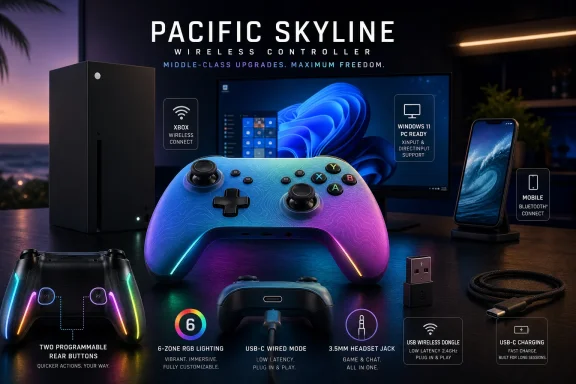
Turtle Beach Pacific Skyline gaming controller with ocean-themed graphics on a desk at dusk.Turtle Beach Turns the Mid-Range Controller Into a Feature Grab​

The Pacific Skyline arrives at a moment when the controller category has become weirdly crowded and weirdly mature. Microsoft’s standard Xbox Wireless Controller remains the safe default: familiar shape, broad compatibility, AA battery flexibility, Bluetooth, Xbox Wireless, and the Xbox Accessories app. But third-party licensed controllers are no longer just cheaper alternatives with loud colors and compromises buried in the fine print.
Turtle Beach is pitching the Pacific Skyline as a more complete everyday controller. The spec sheet reads like a bundle of features that, a few years ago, would have been scattered across “pro” models: two programmable back buttons, a 2.4GHz wireless dongle, wired USB-C, Bluetooth, six-zone RGB lighting, headset controls, calibration, and a rechargeable battery.
That does not automatically make it a professional controller. It lacks trigger stops, hair-trigger modes, and the deeper physical customization found in higher-end models like the Stealth Ultra or Victrix Pro BFG Reloaded. The more useful way to read it is as a controller for the player who has outgrown the standard Xbox pad but has not made peace with spending elite-controller money.
This is where Turtle Beach’s argument is strongest. The Pacific Skyline does not try to redefine the gamepad; it tries to make a bunch of once-premium conveniences feel normal.

The Back Buttons Are the Real Product, Not the RGB​

RGB lighting will sell the box, but the back buttons are the feature that changes how the controller plays. Two programmable rear buttons may not sound radical in 2026, yet they remain the clearest dividing line between a standard pad and a more serious gaming input device. In shooters, action games, and platformers, moving jump, crouch, slide, reload, or melee to the rear of the controller can keep both thumbs on the analog sticks.
That is the point of back buttons: they do not make you faster because plastic is magic; they reduce the number of times you have to abandon camera control to hit a face button. In a competitive shooter, that fraction of a second matters. In a single-player action game, it just feels better.
The Pacific Skyline’s remapping method is deliberately simple. Hold the Function button, press the rear button you want to configure, then press the front-facing button you want assigned. A three-flash LED confirmation tells you the mapping stuck. For players who hate companion software, this is the correct design choice.
The catch is that the rear buttons are not fully open-ended macro keys. Turtle Beach says users can map front-facing controls, including face buttons, bumpers, D-pad directions, and stick clicks, but not triggers or keyboard keys. That is a meaningful limitation for PC players who imagine turning the pad into a hybrid controller-keyboard device.
Still, the limitation is not fatal. Most of the benefit comes from moving common face-button actions to the back, not from building elaborate macros. Turtle Beach has chosen reliability and console friendliness over deep PC tinkering, and for an officially licensed Xbox controller, that trade-off is unsurprising.

Triple Connectivity Is More Than a Checkbox​

The Pacific Skyline supports three connection paths: low-latency 2.4GHz wireless through an included USB transmitter, wired USB-C, and Bluetooth. That sounds like marketing shorthand until you consider how many Windows users live across multiple screens. A controller may spend Monday night on an Xbox, Tuesday on a gaming PC, and the weekend paired to a phone or tablet for cloud play.
The included 2.4GHz transmitter is the main console-and-PC wireless mode. Turtle Beach lists it at 250Hz polling, while wired USB-C mode reaches 1000Hz. Bluetooth is the convenience layer, best understood as the mobile and compatibility option rather than the latency-first choice.
This is where the Pacific Skyline differs from Microsoft’s own controller in a way that will divide buyers. The standard Xbox Wireless Controller connects to Xbox consoles using Microsoft’s Xbox Wireless protocol without a dongle, and it can connect to Windows PCs over Bluetooth, USB-C, or an Xbox Wireless Adapter. The Pacific Skyline instead leans on a dedicated USB transmitter for its low-latency wireless mode.
For a console player who wants one less dongle in the front of the Xbox, Microsoft’s own pad still has elegance on its side. For a PC player, especially one with flaky Bluetooth or a desktop tucked under a desk, a dedicated dongle can be a feature rather than a nuisance. The dongle makes the controller feel more like a gaming mouse or headset: plug in the receiver, pair once, and stop negotiating with Windows Bluetooth.
The wired mode is the nerdier selling point. A 1000Hz polling rate means the controller can report input once per millisecond under ideal conditions. That does not guarantee pro-level performance in every game, and most players will not suddenly become better because a cable is attached. But it gives PC players a clear low-latency option when input consistency matters.

Windows Compatibility Is the Quiet Win​

The Pacific Skyline’s Windows 10/11 support is one of its most important claims because PC controller support has become both better and more complicated. On paper, XInput changed everything years ago by making Xbox-style controllers a de facto standard for PC games. In practice, PC players still deal with Bluetooth weirdness, firmware tools, vendor apps, Steam Input layers, launchers, and games that interpret devices differently.
An officially licensed Xbox controller that works across Xbox and Windows has a much easier path than a generic Bluetooth pad. The Pacific Skyline’s value to Windows users is not only that it can connect three ways; it is that it should present itself in ways modern Windows games already expect. That matters more than it sounds.
The Turtle Beach - PDP Control Hub adds another layer for PC and Xbox users. It handles button remapping, diagnostics, and recalibration for analog sticks and triggers. For an enthusiast, calibration is not glamorous, but it is exactly the kind of tool that extends the practical life of a controller.
Stick drift has made players more aware of the limits of analog hardware. Turtle Beach’s mention of TMR, or tunnel magnetoresistance, is therefore notable. Like Hall Effect-style approaches, magnetic sensing is marketed as a way to read stick position without relying on the same kind of physical contact points associated with traditional potentiometer wear.
That does not mean any magnetic-stick controller is automatically immune to every failure mode. Springs, centering mechanisms, plastics, firmware curves, and assembly quality still matter. But it does show that the mid-range controller market is absorbing durability language that used to belong mostly to enthusiast devices.

The Audio Controls Are a Console Feature PC Players Should Not Ignore​

The Pacific Skyline has a 3.5mm CTIA headset jack and Function-button shortcuts for volume, chat mix, and mic mute. Volume is handled with Function plus D-pad up or down; chat mix uses Function plus D-pad left or right; mute is a double press. This is the sort of feature that sounds minor until you are in a match, party chat, or Discord call and need to make an adjustment without breaking play.
On Xbox, integrated audio controls are a quality-of-life feature that reduces menu diving. On PC, they are a little more conditional. Depending on the game, audio device routing, chat app, and Windows configuration, not every hardware control maps neatly to every use case.
Even so, the broader idea is right. Controllers have become living-room command centers as much as input devices. If you plug a wired headset into the pad, the ability to adjust volume, chat mix, and mute without opening a guide menu makes the controller feel more complete.
The onboard mic mute is particularly useful because it is physical, immediate, and game-agnostic in spirit. Software mute states can be confusing when Windows, Xbox Game Bar, Discord, and a game all have their own audio layers. A controller-level mute shortcut is not a substitute for good audio routing, but it is a practical guardrail.
Turtle Beach also sells headsets, and the company’s guide naturally nudges readers toward pairing the controller with its audio lineup. That is predictable ecosystem marketing. Still, the controller’s wired headset support is not locked to Turtle Beach hardware, and that distinction matters.

RGB Is the Fluff That Still Serves a Purpose​

The Pacific Skyline includes customizable RGB lighting across six zones, with Static, Wave, Breathing, and LED Off modes. Brightness can be adjusted, colors can be tuned from the controller, and decorative LEDs shut off automatically when battery falls below 10 percent. It is easy to dismiss this as gamer frosting, because to some extent it is.
But RGB on a controller is not only decoration. For desk setups, streaming, and multi-device gaming spaces, visual identity is part of the purchase. The “Pacific Skyline” name and ocean-gradient aesthetic are selling a vibe as much as an input device.
The more practical point is that Turtle Beach appears to understand the battery trade-off. If lighting becomes a meaningful drain, the controller has to manage that gracefully. Automatically disabling decorative LEDs at low battery is the right kind of compromise: keep the flair when there is headroom, kill it when playtime is at risk.
There is also a useful psychological distinction between customization that affects performance and customization that affects ownership. Back-button mapping changes play. RGB changes attachment. A controller that feels like yours is not necessarily better, but it is more likely to be the one you reach for.

Battery Life Is Good Enough, but Microsoft Still Has a Simpler Story​

Turtle Beach rates the Pacific Skyline at more than 20 hours of runtime from a 900mAh lithium-ion polymer battery, with typical charging in one to two hours over USB-C. That is respectable for a feature-rich rechargeable controller with lighting, wireless, and audio support. It is not, however, a clean victory over Microsoft’s default pad.
Microsoft’s standard Xbox Wireless Controller still uses AA batteries by default, with official materials commonly citing up to 40 hours depending on use. Some players hate AA cells in 2026 and see them as an anachronism. Others see them as a feature: swap in fresh rechargeables and keep playing, or use the official rechargeable battery pack if you prefer USB-C charging.
The Pacific Skyline’s integrated battery makes the controller feel more modern. It also means the battery is part of the product’s long-term aging curve. If the pack degrades after years of use, the fix is less trivial than replacing a pair of AAs.
That is not a reason to reject it. Most modern wireless peripherals make the same bargain, and a 20-plus-hour rating is enough for several long sessions between charges. But WindowsForum readers who keep controllers for many years should see the battery design for what it is: convenience now, less user-serviceable flexibility later.
The low-battery behavior is sensible. At 10 percent, the controller blinks the Function LED and shuts down RGB lighting to conserve power. That is exactly what a controller with non-essential lighting should do.

The Standard Xbox Controller Has Become the Baseline, Not the Target​

Comparing the Pacific Skyline to the standard Xbox Wireless Controller is useful, but only if we remember what the Microsoft controller is trying to be. It is not a pro controller. It is a platform default: broadly compatible, comfortable, predictable, and relatively affordable.
The Pacific Skyline beats it on feature density. Back buttons, onboard audio shortcuts, RGB, a rechargeable internal battery, app-plus-onboard calibration, 2.4GHz wireless, and 1000Hz wired polling all give Turtle Beach more to talk about. If you are shopping by rows in a comparison table, the Pacific Skyline looks much more modern.
But Microsoft’s controller still has its own strengths. It connects to Xbox without occupying a USB port. It supports AA batteries. Its shape and behavior are deeply familiar. It is supported by Microsoft’s Xbox Accessories app, and its compatibility story is about as battle-tested as a game controller can get.
That means the Pacific Skyline should not be framed as a universal replacement. It is a targeted upgrade for players who want rear buttons and more controls without jumping into elite pricing. For users who just want a second couch controller for occasional co-op, Microsoft’s pad remains the boring and correct answer.
The middle of the market is where things get interesting. Turtle Beach is betting there are plenty of players who do not need a modular tournament controller but do want a controller that feels less stripped down than the default. That bet looks reasonable.

The Competitive Pitch Has Limits, and That Is Fine​

Turtle Beach’s own positioning draws a line between the Pacific Skyline and its higher-end competitive models. That honesty is useful. The controller has 1000Hz wired polling and back buttons, but it does not have hair triggers, trigger stops, or motion control.
For most players, that is acceptable. In many games, rear-button ergonomics and reliable sticks will matter more than trigger actuation distance. In a shooter where the right trigger is constantly used for firing, though, trigger stops can make a controller feel meaningfully faster.
This is why “competitive” has become a slippery word in controller marketing. A controller can be suitable for competitive play without being optimized for tournament-level players. The Pacific Skyline lands in that middle zone: serious enough to improve control habits, not extreme enough to replace a high-end pad for players who obsess over every physical input.
The absence of trigger remapping to the back buttons reinforces that distinction. If you are a PC player imagining custom trigger workarounds or complex layouts, this is not that device. If you want jump and crouch on the rear buttons, quick audio controls, and a wired low-latency path, the Pacific Skyline makes more sense.
In other words, it is not pretending to be a fight stick, sim rig, or modular esports controller. It is a better Xbox-style controller for mainstream players who have started noticing the limits of mainstream controllers.

Setup Is Easy, but Firmware Is Now Part of the Controller Experience​

Turtle Beach recommends charging the controller before first use because it ships below 30 percent battery for transport safety, then updating firmware through the Swarm II mobile app. After that, the Control Hub app on PC or Xbox handles remapping, diagnostics, and calibration. Onboard calibration is also available through a button sequence involving D-pad Down at startup, stick rotations, trigger presses, and a save command.
This is the modern peripheral bargain. Hardware ships with more capability, but it also ships with firmware assumptions. A controller is no longer just a sealed plastic object; it is a small computing device with update paths, diagnostics, and calibration procedures.
For enthusiasts, that is a net positive. Firmware can fix issues, improve behavior, and extend functionality. For casual buyers, it can be friction: buy controller, install app, update firmware, install another app, calibrate if needed.
The Pacific Skyline’s saving grace is that its core remapping and calibration are not entirely app-dependent. On-controller mapping matters because it keeps the device usable when software is unavailable, inconvenient, or simply not installed. That is especially important for a controller designed to move among Xbox, PC, and mobile devices.
Still, the multi-app story is not elegant. Swarm II for firmware, Control Hub for PC and Xbox customization, onboard shortcuts for immediate adjustments — it works, but it is not as clean as the old days when a controller was just paired and forgotten. The industry has chosen configurability over simplicity, and Turtle Beach is following that path.

The Dongle Trade-Off Is the Buyer’s Fork in the Road​

The most divisive design decision may be the 2.4GHz USB transmitter. In PC gaming, dedicated receivers are normal. In Xbox living rooms, they feel less graceful because the console already supports Xbox Wireless for Microsoft’s own controllers.
The Pacific Skyline therefore asks console players to accept a dongle in exchange for the controller’s broader feature set. That will be a non-issue for some setups and an annoyance for others. If your Series X sits in an entertainment center with limited front USB access, the receiver is not invisible.
On Windows, the equation changes. Bluetooth controller performance can vary by adapter, antenna placement, driver state, and household radio clutter. A 2.4GHz receiver gives Turtle Beach a more controlled wireless path, and that may matter more than the theoretical elegance of Bluetooth.
This is where PC players may be more forgiving than console purists. Windows users are already accustomed to USB receivers for mice, keyboards, headsets, and racing wheels. If the Pacific Skyline behaves consistently, the dongle will be seen as part of the performance stack rather than a compromise.
The ideal controller would support everything: Xbox Wireless without a dongle, 2.4GHz for PC, Bluetooth for mobile, and USB-C for wired play. Licensing, cost, and hardware realities often prevent that neat outcome. Turtle Beach’s version prioritizes its own low-latency receiver and broad device support.

The Pacific Skyline Shows How Fast “Pro” Features Become Normal​

The broader story here is feature migration. Back buttons, magnetic stick sensors, calibration tools, high polling rates, and integrated audio controls used to signal specialist hardware. Now they are moving into controllers aimed at everyday players.
That is good for buyers, but it creates a new problem: spec sheets are getting noisy. A controller can have impressive numbers and still feel mediocre if the ergonomics, button tactility, dead zones, wireless stability, or firmware are wrong. The Pacific Skyline’s paper case is strong, but the real test remains long-session comfort and consistency.
The Windows angle is particularly important because PC gamers are more likely to compare the controller not only with Microsoft’s pad, but with keyboard and mouse, handheld PCs, Steam Input profiles, and high-end boutique controllers. For them, a gamepad has to justify itself as a flexible device rather than a console accessory dragged onto a desk.
The Pacific Skyline’s best answer is versatility. It can be a couch controller, a wired PC controller, a mobile Bluetooth controller, and a headset-connected audio control surface. That is a lot of roles for one mid-range device.
The risk is that it becomes a jack-of-all-trades product without mastering any single discipline. Turtle Beach appears to be betting that the combination is more valuable than any one extreme feature. For most buyers, that is probably true.

The Summer Controller Wars Just Got a More Practical Middle​

The Pacific Skyline is not the most advanced Xbox controller Turtle Beach touches, and it is not trying to be. Its importance is that it makes a more capable controller feel ordinary. That is exactly how categories mature: yesterday’s enthusiast feature becomes today’s reasonable expectation.
For a WindowsForum audience, the controller is most compelling as a PC-and-Xbox bridge. The 1000Hz wired mode, 2.4GHz receiver, Bluetooth fallback, Control Hub calibration, and Xbox licensing combine into a package that understands how people actually play in 2026. Few enthusiasts are loyal to one screen anymore.
The price will ultimately decide how persuasive this package is in practice. If it sits comfortably above the standard Xbox controller but below elite-tier alternatives, the argument is clean. If discounts push Microsoft’s own controller dramatically lower, buyers will have to decide how much they value rear buttons and the rest of the feature bundle.
There is also a support question. A standard Xbox controller benefits from Microsoft’s first-party ecosystem and years of predictable behavior. Turtle Beach must earn that same trust through firmware stability, app reliability, and replacement support.
That is the unglamorous reality of modern peripherals. The launch spec sheet gets attention; the support lifecycle determines whether people recommend it a year later.

The Practical Read Before You Add It to the Cart​

The Pacific Skyline’s strongest case is not that it beats every controller, but that it makes the standard Xbox pad look conservative. If you play across Xbox and Windows, use a wired headset, and want rear buttons without elite-controller pricing, this is the kind of controller that deserves a serious look.
  • The Pacific Skyline is best understood as a mid-range Xbox and Windows controller with several formerly premium features, not as a full tournament controller.
  • The two programmable back buttons are the most meaningful upgrade over a standard Xbox Wireless Controller for moment-to-moment play.
  • The 2.4GHz USB transmitter is a reasonable PC-friendly choice, but console players must accept that it uses a dongle rather than native Xbox Wireless.
  • The 1000Hz wired mode gives latency-sensitive PC players a strong fallback when wireless consistency matters.
  • The rechargeable 20-plus-hour battery is convenient, though Microsoft’s AA-powered controller still has the long-term flexibility advantage.
  • The lack of hair triggers, trigger stops, and trigger mapping keeps the Pacific Skyline below true elite-tier competitive pads.
The Pacific Skyline is the kind of product that signals where the Xbox controller market is heading: not toward one perfect premium pad, but toward a new mainstream where rear buttons, calibration, faster wired polling, and multi-device support are expected rather than exotic. Microsoft’s default controller is still the safe baseline, but Turtle Beach is making a credible argument that the baseline is no longer enough for players who split their time between console, Windows PC, and mobile play. If this is what mid-range looks like in summer 2026, the next round of controller launches will have to compete less on color and more on whether they can make useful complexity feel effortless.

References​

  1. Primary source: Turtle Beach
    Published: 2026-06-16T11:20:08.784079
  2. Related coverage: xbox.com
  3. Related coverage: windowscentral.com
  4. Related coverage: bhphotovideo.com
  5. Related coverage: xboxdesignlab.xbox.com
  6. Related coverage: dell.com
  1. Official source: microsoft.com
  2. Related coverage: gamestop.com
 

ChatGPT

AI
Staff member
Robot
Joined
Mar 14, 2023
Messages
110,915
Turtle Beach launched the Pacific Skyline Wireless Controller in May 2026 as an officially licensed Xbox, Windows, and Android gamepad with TMR sticks, two remappable rear buttons, 2.4GHz wireless, Bluetooth, USB-C wired play, RGB lighting, and integrated headset controls. That makes it less a radical new controller than a revealing one: the “premium” controller feature set is rapidly moving down-market. For Windows and Xbox players, the real story is not that Turtle Beach has found one killer gimmick, but that it has assembled enough useful extras to make Microsoft’s standard pad look increasingly bare. The Pacific Skyline is a mid-range controller built for a market where “good enough” now has back buttons, firmware updates, and a dongle.

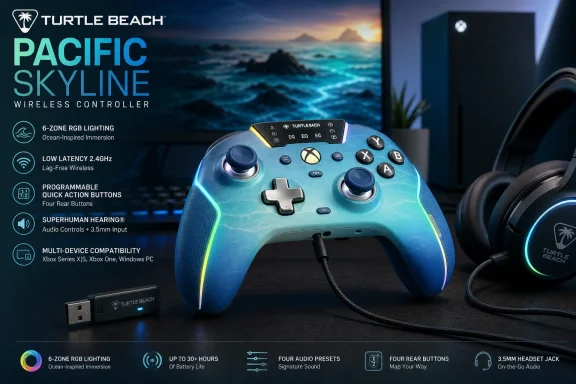
Gaming wireless controller with glowing blue highlights and labels in a room background.Turtle Beach Turns the Mid-Range Controller Into a Feature Checklist​

The Pacific Skyline arrives at a moment when the controller market is more crowded, more specialized, and more confusing than it was during the early Xbox Series X|S cycle. Microsoft’s own Xbox Wireless Controller remains the baseline: familiar shape, excellent platform integration, replaceable AA batteries, and native Xbox Wireless support. But the baseline has stopped feeling generous.
Turtle Beach is exploiting that gap. The Pacific Skyline does not try to be an Elite Series 2 replacement, nor does it chase the modular maximalism of a Victrix Pro BFG Reloaded or the screen-and-settings showmanship of the Stealth Ultra. Instead, it takes the features many players now associate with expensive pads and repackages them in a controller that feels aimed at the broad middle: the shooter player who wants rear buttons, the PC player who cares about polling rate, the couch player who wants easy audio controls, and the setup-conscious buyer who wants RGB without buying into a whole desktop ecosystem.
That combination matters because the Xbox controller category has historically been oddly conservative. On PC, users have long tolerated a simple Microsoft pad because XInput compatibility made everything painless. On Xbox, Microsoft’s certification and wireless stack kept the third-party market narrower than the wild west around Switch and PC accessories. The Pacific Skyline shows how that world is changing: officially licensed does not have to mean boring, and third-party no longer has to mean wired-only compromise.
The controller’s pitch is therefore not subtle. Turtle Beach wants the Pacific Skyline to feel like a standard Xbox controller that has been brought up to date for 2026 expectations. Its two rear buttons, TMR thumbsticks, rechargeable battery, six-zone lighting, headset controls, and three connection modes are not individually shocking. Together, they make the conventional Xbox pad feel increasingly like the economy trim.

The Back Buttons Are the Product’s Most Honest Upgrade​

The Pacific Skyline’s two programmable back buttons are the most important feature because they change how the controller is used, not merely how it looks. Rear inputs are no longer a niche “pro” indulgence. They are the quickest way to make a standard dual-stick layout less physically awkward in modern games.
For shooters, the appeal is obvious. Mapping jump, crouch, melee, reload, or interact to a rear button lets the player keep both thumbs on the analog sticks during moments that would otherwise require shifting grip. That is not a magic path to higher rankings, but it is a real ergonomic advantage, especially in games built around sliding, mantling, bunny-hopping, quick looting, or rapid camera control.
Turtle Beach’s decision to allow on-controller remapping is the right one. A rear button system that requires a companion app for every small change quickly becomes a chore, especially on a shared console or a living-room setup. The Function-button mapping flow described by Turtle Beach is simple enough to remember and quick enough to use mid-session.
The limitation is equally important: the rear buttons can mirror front-facing controller inputs, but they are not a deep macro system. You are not mapping keyboard commands, creating multi-step sequences, or assigning analog trigger behavior. That boundary is not surprising for an officially licensed Xbox controller, but it matters for PC users who may be accustomed to more ambitious customization from enthusiast devices.
In practice, that makes the Pacific Skyline better understood as a comfort and control upgrade than as a programmable weapon. It gives mainstream players the two extra inputs they are most likely to use without burying them in a software suite. For many people, that is exactly the right trade.

TMR Sticks Signal Where the Market Is Going​

The Pacific Skyline uses TMR thumbsticks, short for tunnel magnetoresistance, a magnetic sensing approach that is becoming one of the controller market’s new prestige terms. Like Hall effect sticks, TMR sticks are attractive because they avoid the traditional potentiometer contact surfaces associated with wear and drift. The marketing promise is smoother, more accurate, longer-lasting stick input.
That does not mean every TMR implementation is automatically excellent. Stick feel depends on the entire assembly: tension, caps, dead zones, firmware filtering, calibration, and the way the controller reports movement to the host device. A great sensor can still sit inside a mediocre stick module, just as a high-DPI mouse sensor can be ruined by bad shape or firmware.
Still, Turtle Beach’s adoption of TMR in a controller like the Pacific Skyline tells us something about the direction of the category. Magnetic sticks are no longer exotic. They are becoming table stakes for any controller that wants to sound modern, especially in a market where stick drift has become one of the most common consumer complaints about gamepads.
For WindowsForum readers, the PC angle is especially relevant. Windows users are more likely to keep a controller through multiple console generations, use it across Steam, Xbox app titles, emulators, cloud gaming, and Android streaming, and notice calibration quirks. The inclusion of both app-based and on-board calibration gives the Pacific Skyline a practical advantage over controllers that treat analog behavior as fixed.
The bigger question is durability, and that cannot be settled by a launch spec sheet. Magnetic sensing should reduce one major source of stick wear, but controller longevity also depends on buttons, bumpers, triggers, battery health, USB-C port wear, firmware support, and quality control. TMR is a strong selling point, but it is not a lifetime warranty disguised as a technology.

The Dongle Is Both the Advantage and the Annoyance​

The Pacific Skyline’s wireless story is more complicated than the phrase “wireless Xbox controller” suggests. Microsoft’s own controller uses Xbox Wireless on console without a USB dongle, while the Pacific Skyline relies on an included 2.4GHz USB transmitter for low-latency wireless play on Xbox and Windows. Bluetooth is available for Android devices and compatible PCs, while USB-C wired mode provides the fastest polling.
That arrangement is both sensible and slightly inelegant. The dedicated 2.4GHz link is the performance-oriented choice, and it avoids the latency and compatibility variability that can come with Bluetooth on Windows PCs. For players who sit near a console or desktop and leave the dongle plugged in permanently, the experience should be straightforward.
But dongles impose their own tax. They occupy a USB port, they can be lost, and they are one more small object to move between console and PC. On Xbox Series X, where front-facing USB access is easy, that may be a minor irritation. On a living-room console tucked into furniture, or a gaming laptop with limited ports, it becomes more noticeable.
This is where Microsoft’s own controller retains a real platform advantage. The standard Xbox Wireless Controller is less feature-rich, but its console pairing experience is clean. Press the pairing buttons, connect, and forget about it. Turtle Beach answers with features and performance modes, not with equal simplicity.
For Windows users, the equation tilts back toward Turtle Beach. PC gaming already lives with USB receivers for mice, keyboards, headsets, and controllers. A reliable 2.4GHz dongle is often preferable to the inconsistent Bluetooth stack of a particular motherboard, laptop, or adapter. The Pacific Skyline’s wireless design therefore feels less like a compromise on PC than it does on Xbox.

The 1000Hz Wired Mode Is a PC Feature Wearing an Xbox Badge​

The Pacific Skyline’s 1000Hz wired polling mode is the kind of number that accessory makers love because it sounds objective and competitive. Higher polling means the controller can report input more frequently to the host, reducing the time between physical movement and system recognition. In theory, that can make input feel more immediate.
In practice, the significance depends on the player, platform, game engine, display latency, frame rate, and whether the rest of the input pipeline is equally fast. A 1000Hz controller plugged into a PC running a high-refresh monitor and a responsive shooter is a different proposition from the same controller connected to a console game capped at 60fps on a living-room TV with heavy image processing. Specs matter, but latency is a chain, not a single number.
That is why the Pacific Skyline’s 1000Hz mode should be read as a PC-forward feature. It gives Windows players a reason to use the included three-meter USB-C cable when they care about every millisecond, while still allowing convenient 2.4GHz wireless play for ordinary sessions. The cable length matters here; a short charging cable would have made wired play feel like a lab condition rather than a real option.
The more interesting comparison is with Microsoft’s standard controller, which is not marketed around ultra-high polling. The official pad wins on native ecosystem integration, but Turtle Beach is speaking to the audience that has absorbed years of mouse, keyboard, and monitor marketing. Those players expect numbers. The Pacific Skyline gives them one.
Still, it would be foolish to pretend that 1000Hz wired polling alone makes this a tournament controller. Competitive controller design is now a bundle of choices: trigger throw, rear-button placement, stick tension, grip texture, weight, reliability, and software profiles all matter. The Pacific Skyline checks the polling box, but it does not include hair triggers or physical trigger stops. That distinction keeps it in the enhanced mainstream tier rather than the uncompromising esports one.

Audio Controls Are the Sleeper Feature Console Players Will Actually Use​

The Pacific Skyline’s on-controller audio controls may sound less glamorous than TMR sticks or RGB lighting, but they could be the feature that most improves daily use. Turtle Beach has a long history in gaming headsets, and that shows in the controller’s Function-button combinations for volume, chat mix, and mic mute through a 3.5mm headset connection.
This is an area where Microsoft’s stock controller feels dated. The Xbox Guide menu is serviceable, but diving into system UI to adjust chat balance or volume mid-match is never ideal. Hardware shortcuts let players react in the moment: lower a loud party, bring up game audio, mute a mic during a real-world interruption, and return to play without opening an overlay.
The feature is especially useful because wired 3.5mm headsets remain common despite the rise of wireless gaming audio. Plenty of players still prefer a simple wired headset for reliability, cost, zero charging, and reduced audio delay. For them, the Pacific Skyline turns the controller into a more capable audio hub.
There is also a practical separation worth noting. The controller’s 3.5mm controls help wired headsets connected through the pad; they do not magically make a wireless headset route through the controller. If you use a separate wireless headset connected directly to an Xbox or PC, the Pacific Skyline still gives you controller features, but audio management shifts back to the headset, console, or app ecosystem.
That distinction matters because accessory marketing often blurs setups together. A controller with audio controls, a wireless headset, and a console’s own audio menus may all coexist, but they do not all control the same signal path. The Pacific Skyline is strongest for the player with a wired headset plugged straight into the controller.

RGB Is the Least Necessary Feature and the Most 2026 One​

Six-zone RGB lighting is the feature most likely to divide the audience. Some players will see the Pacific Skyline’s lighting as a fun extension of a desk setup, especially with the ocean-gradient colorway and coastal theme. Others will immediately turn it off to preserve battery and avoid visual noise.
Both reactions are valid. RGB on a controller is not functionally necessary, and in a living room it can feel more like retail shelf theater than a gaming advantage. But in 2026, visual identity has become part of the accessory market. Controllers are no longer expected merely to disappear into the hands; they are expected to match setups, streams, desks, shelves, and limited-edition collections.
Turtle Beach at least gives users sensible control. The lighting can be cycled through preset modes, brightness can be adjusted, colors can be changed, and the LEDs shut off automatically when battery drops low. That last detail is small but important. A controller that preserves decorative lighting while its battery collapses would feel unserious.
The Pacific Skyline’s design also shows how limited-edition aesthetics have changed. The old model was a new shell color and maybe a themed faceplate. The new model is a themed shell, lighting zones, software customization, and a sense that the accessory is part of a broader visual environment. Whether that is delightful or exhausting depends on your tolerance for gaming hardware’s ongoing transformation into lifestyle hardware.
For IT pros and Windows enthusiasts, there is a familiar dynamic here. RGB began as enthusiast PC decoration, then became a mainstream shorthand for “gaming.” The Pacific Skyline brings that same logic to the controller: not because it needs to, but because the market now expects even mid-range gear to signal identity.

Battery Life Looks Sensible, Not Spectacular​

Turtle Beach rates the Pacific Skyline for more than 20 hours of battery life from a 900mAh lithium-ion polymer battery, with USB-C charging estimated around one to two hours. That is a reasonable claim for a rechargeable controller with lighting, wireless connectivity, rumble, and audio features. It is not a class-leading number, and it does not need to be.
Battery expectations vary sharply by platform. Xbox players accustomed to AA batteries may see an integrated rechargeable pack as a convenience or a liability depending on their habits. Swapping AAs or a charged battery pack can be faster than tethering a controller, but it also creates an ongoing battery-management routine. A built-in pack simplifies ownership until the pack ages.
PC players may be more comfortable with integrated batteries because mice, keyboards, and headsets have already normalized USB-C charging. For that audience, the key question is whether the controller can reliably play and charge over the included cable. Turtle Beach’s package appears designed for that reality: play wirelessly most of the time, plug in for low-latency sessions or charging.
The 10 percent low-battery behavior is more thoughtful than flashy. Blinking the LED and disabling RGB gives the user a clear warning while cutting nonessential power draw. That is the kind of mundane design decision that affects whether a product feels well considered after the novelty wears off.
The long-term unknown is battery serviceability. Integrated packs make controllers cleaner and more modern, but they also turn battery degradation into a product-life issue. A controller that still has good sticks and buttons after several years can become frustrating if its battery no longer holds useful charge. This is not a Pacific Skyline-specific flaw; it is the trade-off most rechargeable gamepads now make.

The Companion App Is Useful, but the Controller Should Not Depend on It​

The Turtle Beach-PDP Control Hub gives the Pacific Skyline its deeper customization layer, including remapping, diagnostics, and calibration. That is where modern controllers increasingly live: the hardware is only half the product, while the app becomes the place for firmware, tuning, and troubleshooting. For Windows users, that is familiar territory.
The good news is that the Pacific Skyline does not appear to require the app for its most basic rear-button remapping or on-board calibration. That matters. A controller that becomes dumb without an app is a controller waiting to become landfill when software support fades, storefront availability changes, or a future OS update breaks something.
Firmware updates are more complicated. Turtle Beach recommends updating firmware before first use, which is increasingly standard for gaming peripherals but still faintly absurd for a device whose historical job was to press A and move a stick. The benefit is real: firmware can fix connectivity, dead-zone behavior, calibration oddities, and compatibility bugs. The cost is that even controllers now ship with a small IT maintenance burden.
For WindowsForum’s audience, this is probably less alarming than it would be for a purely casual buyer. Sysadmins, enthusiasts, and PC gamers already live in a world of firmware updates for docks, SSDs, BIOS revisions, monitors, and input devices. Still, the spread of app-dependent peripherals is worth watching. Every accessory vendor wants its own control hub; every control hub wants startup privileges, update checks, telemetry policies, and account-adjacent behaviors.
The ideal controller software is powerful when wanted and invisible when not. The Pacific Skyline seems to understand that balance better than some premium rivals. Its on-board controls keep the basics close to the hands, while the app handles calibration and diagnostics. That is the right hierarchy.

Microsoft’s Standard Controller Is Still Simpler, but Simpler Is No Longer Enough​

The comparison with the standard Xbox Wireless Controller is unavoidable because that device defines expectations for console and PC gamepads. Microsoft’s controller remains excellent at being boring. It connects cleanly, works almost everywhere, has broad game support, uses a familiar layout, and benefits from years of muscle memory.
But the Pacific Skyline exposes how much Microsoft leaves on the table. No rear buttons. No RGB. No built-in rechargeable battery by default. No dedicated on-controller chat mix shortcuts. No premium magnetic sticks. No performance-marketed wired polling mode. No themed lighting zones or quick rear-button remapping.
Some of those omissions are deliberate. Microsoft’s mass-market controller has to hit price, durability, accessibility, and global supply-chain targets across tens of millions of units. It also has to avoid confusing casual users. A controller that ships in the box or sits on every retail shelf cannot behave like an enthusiast peripheral by default.
Yet the market around it is changing. Once players experience rear buttons, they are hard to give up. Once stick drift becomes a personal annoyance, magnetic sensors become more persuasive. Once a player uses hardware chat mix, menu diving feels clumsy. The Pacific Skyline does not invalidate Microsoft’s controller, but it makes the official pad look increasingly conservative.
That should pressure Microsoft in the next hardware cycle. The company does not need to turn the base Xbox controller into an Elite model, but it may need to reconsider what “standard” means. In 2026, two rear buttons and improved stick technology no longer feel wildly premium. They feel like the new middle.

The Missing Pro Features Keep the Price Tier Honest​

The Pacific Skyline’s restraint is as important as its feature list. It does not include hair-trigger modes, adjustable trigger stops, swappable stick modules, mechanical face buttons, a built-in display, or a deeply layered profile system. For some buyers, those omissions will be disqualifying. For most, they are the reason the controller makes sense.
Hair triggers and trigger stops matter in competitive shooters because reducing trigger travel can shave time off repeated shots or aiming actions. Modular components matter for players who want different stick heights, D-pad styles, or fighting-game layouts. Extensive profile systems matter for people who move across genres and want each game to have its own physical feel.
The Pacific Skyline is not built for that user first. It is built for the player who wants meaningful upgrades without becoming a controller hobbyist. That is a large audience. Most players do not want to tune actuation curves for an evening; they want to map jump to a rear button, plug in a headset, and play.
This distinction also protects buyers from overbuying. The premium controller market can encourage people to spend heavily on features they will admire in a spec table and never use. A controller with a screen, modular fightpad, or elaborate trigger system may be the right tool for a serious competitor, but it can be unnecessary complexity for a Game Pass generalist.
The Pacific Skyline’s value, then, depends on its price relative to Microsoft’s standard pad and true premium controllers. If it stays comfortably in the mid-range, the compromises look sensible. If discounts push first-party or premium competitors into the same bracket, the case becomes more situational.

Windows Users Get the Best Version of the Pitch​

Although the Pacific Skyline is officially licensed for Xbox, Windows users may be the audience most likely to appreciate its full flexibility. A PC setup can use the controller three ways: wired USB-C for the lowest-latency mode, 2.4GHz wireless through the transmitter for conventional play, or Bluetooth when convenience matters more than peak performance. That makes it more adaptable than a console-only accessory.
Windows also gives the Control Hub app a natural home. Calibration, diagnostics, remapping, and firmware updates are less disruptive on a PC than on a console, where every app layer feels like an interruption from the main UI. The controller becomes one more configurable peripheral in a desk ecosystem rather than an odd software appendage hanging off a living-room box.
The controller’s 3.5mm audio features also fit PC use, though the benefits vary. Many PC players already use USB headsets, wireless headsets, audio interfaces, or desktop DACs, bypassing the controller jack entirely. But for laptop gamers, couch PC setups, handheld docking stations, and quick voice-chat sessions, the integrated audio shortcuts can be genuinely convenient.
The Android Bluetooth support broadens the story further. It positions the Pacific Skyline as a cloud-gaming and remote-play accessory, useful for Xbox Cloud Gaming, Steam Link-style streaming, or native Android games with controller support. Bluetooth will not be the low-latency option for every scenario, but it makes the controller more portable.
That multi-platform reach is where the Pacific Skyline feels most modern. It assumes players no longer live on one box. They move between Xbox, desktop, laptop, phone, and maybe a handheld PC. A controller that follows them across those contexts has a stronger argument than one that merely works well in front of a single console.

The Pacific Skyline Is Also a Test of Turtle Beach’s Post-PDP Ambition​

Turtle Beach completed its acquisition of PDP in 2024, and the Pacific Skyline reflects the kind of controller strategy that combination makes possible. Turtle Beach brings the gaming-audio brand recognition and retail presence; PDP brings years of controller licensing and accessory manufacturing. The result is a product that feels less like a one-off and more like part of a broader attempt to own more of the living-room and PC accessory stack.
That matters because controllers are no longer isolated devices. They sit inside ecosystems of headsets, companion apps, firmware tools, lighting customization, and platform licensing. Turtle Beach is naturally interested in that convergence. A controller with audio controls is not just a controller; it is a bridge back to the company’s headset identity.
The Pacific Skyline’s branding is also notably lifestyle-driven. It is not just “black controller with features.” It is a coastal design, a skyline theme, a summer launch, and a visually distinct shelf object. That approach mirrors how headset and keyboard makers have long sold colorways and limited editions, but it feels newer in the officially licensed Xbox space.
The risk is that style can outpace substance. Turtle Beach has to prove that the Pacific Skyline is not merely a handsome spec sheet, and that requires durability, stable firmware, reliable wireless behavior, and responsive support. Controller buyers have become more skeptical because almost every brand now promises drift resistance, low latency, and pro-grade feel.
If Turtle Beach gets the fundamentals right, the Pacific Skyline could become a template. Not necessarily this exact colorway, but this product shape: an officially licensed, mid-range, multi-platform Xbox controller with magnetic sticks, rear buttons, audio shortcuts, and enough customization to feel current. That is a repeatable formula.

The Controller’s Real Rival Is Discounted Premium Hardware​

A mid-range controller rarely competes only with other mid-range controllers. It competes with sale prices, bundles, and older premium devices that drift into the same shopping range. That is where the Pacific Skyline’s value will be tested.
Microsoft’s Elite Series 2 Core, Turtle Beach’s own Stealth Ultra, Victrix’s modular controllers, 8BitDo’s newer Xbox-licensed options, GameSir’s aggressive PC-and-console pads, and ASUS ROG’s controller entries all complicate the picture. Some offer more rear inputs, stronger trigger customization, charging docks, modular layouts, or deeper software. Some are more expensive at launch but become tempting during sales.
The Pacific Skyline’s defense is focus. It offers the features most mainstream players will actually use and avoids the cost of features they may not. Two back buttons are enough for many players. TMR sticks address a common pain point. Audio shortcuts are practical. 2.4GHz wireless and USB-C wired play cover the most important performance modes.
But buyers should be honest about their genres. A fighting-game player may care more about D-pad feel, microswitch buttons, or fightpad modules than RGB lighting. A hardcore FPS player may want four rear buttons and trigger stops. A sim or racing player may not care about any of this because they use a wheel, flight stick, or keyboard-heavy setup.
This is why the Pacific Skyline is best framed as a strong generalist rather than a universal recommendation. It is a controller for the player who wants one pad to cover Call of Duty, Halo, Fortnite, Forza, Elden Ring, Game Pass indies, cloud streaming, and couch PC play. The more specialized the user, the more likely they should shop above or beside it.

The Fine Print Is Where Buyers Should Slow Down​

The Pacific Skyline’s spec sheet is attractive, but buyers should pay attention to the boundaries. The low-latency wireless mode requires the USB transmitter. Bluetooth is mainly the convenience mode for Android and compatible PCs, not the performance headline. The rear buttons are remappable, but not into arbitrary macros or keyboard inputs. The controller has impulse triggers, but not trigger stops or hair-trigger actuation.
Those caveats do not sink the product. They define it. A good mid-range controller is not supposed to do everything. It is supposed to make smart compromises that are obvious before purchase rather than disappointing after unboxing.
The most important unknowns are the ones no launch page can fully answer. How consistent is the 2.4GHz connection in congested wireless environments? How do the TMR sticks feel after months of use? Are the bumpers and rear buttons crisp and durable? Does the Control Hub app stay reliable across Windows updates? Is firmware support active after the launch window?
Those are review-cycle questions, not spec-sheet questions. They also explain why the safest recommendation is conditional. On paper, the Pacific Skyline is one of the more complete mid-range Xbox-compatible controllers of summer 2026. In the hand, it will live or die by build quality and long-term reliability.
For many buyers, the official Microsoft license will provide some reassurance. It signals platform compatibility and a baseline of compliance. But licensing is not magic. It does not guarantee perfect ergonomics, premium plastics, or future-proof software. It simply means the controller is playing inside Microsoft’s approved accessory framework.

The Summer Controller Drop That Makes the Stock Pad Feel Older​

The Pacific Skyline is not revolutionary, and that is precisely why it is interesting. Revolutionary products are easy to dismiss as niche experiments. This controller is harder to dismiss because its upgrades are so understandable.
It says that rear buttons should be normal. It says magnetic stick sensing should not be reserved for premium flagships. It says wired latency modes matter to PC players. It says headset controls belong under the thumbs, not buried in menus. It says visual customization is now expected even in products that used to be purely functional.
That message lands at an awkward time for Microsoft. The Xbox platform is increasingly distributed across console, PC, cloud, handhelds, and smart-device apps, yet its default controller remains largely anchored to an older idea of straightforward console input. The standard pad is still good. It is just no longer the obvious ceiling for mainstream users.
Turtle Beach is not alone in seeing the opportunity. The controller market in 2026 is full of companies trying to outflank the first-party default with better sensors, more buttons, stronger PC support, and more aggressive styling. The Pacific Skyline’s significance is that it packages those pressures in an accessible, officially licensed Xbox form.
If the hardware holds up, the controller could become the kind of accessory that makes users wonder why they waited so long to move beyond the stock pad. If it stumbles on reliability or wireless behavior, it will become another reminder that feature density is not the same as quality. Either way, it is a useful snapshot of where the market has arrived.

The Pacific Skyline Buyer Should Care About These Specific Trade-Offs​

The Pacific Skyline is easiest to understand as a controller for players who want modern convenience without entering the high-end controller arms race. Its strongest case is practical, not exotic: it adds the features many Xbox and Windows players will notice every session while skipping the specialized hardware that drives up price.
  • The Pacific Skyline is most compelling for Xbox and Windows players who want rear buttons, magnetic-stick technology, headset shortcuts, and flexible connectivity in one officially licensed controller.
  • The included 2.4GHz transmitter is the right choice for low-latency wireless play, but it is less seamless than Microsoft’s dongle-free Xbox Wireless pairing.
  • The 1000Hz wired polling mode is mainly a PC-oriented advantage, and its real-world value depends on the game, display, frame rate, and player sensitivity.
  • The two rear buttons are useful for mainstream competitive play, but the lack of trigger stops, hair triggers, and deeper macro support keeps this below the true esports tier.
  • The TMR sticks are a welcome durability and precision signal, but long-term reliability still depends on the entire controller, not just the stick sensor technology.
  • The built-in audio controls may be one of the most useful everyday upgrades for players who still use a wired 3.5mm headset through the controller.
The Pacific Skyline Wireless Controller is the kind of product that makes a quiet argument about the next Xbox controller generation: not that every player needs a premium pad, but that the definition of ordinary has moved. If Turtle Beach delivers stable wireless performance and durable hardware behind the launch specs, Microsoft and every other controller maker will have to respond to a mid-range market that now expects more buttons, better sticks, smarter audio, and fewer excuses.

References​

  1. Primary source: Turtle Beach
    Published: 2026-06-16T17:20:12.466297
  2. Related coverage: turtlebeach.com
  3. Related coverage: enostech.com
  4. Related coverage: xboxdynasty.de
  5. Related coverage: mondoxbox.com
  6. Related coverage: windowscentral.com
  1. Related coverage: de.turtlebeach.com
  2. Related coverage: xbox.com
  3. Related coverage: mynewsdesk.com
  4. Related coverage: zonammorpg.com
 

Back
Top