

Microsoft has quietly begun rolling out a cluster of Windows 11 improvements that are already surfacing for UK users — small, practical tweaks to the Start menu and taskbar, expanded file‑sharing with Android phones, accessibility updates, and several behind‑the‑scenes security hardenings — delivered through recent cumulative previews and servicing updates rather than one big feature pack.
Microsoft’s servicing model for Windows 11 has shifted in recent years toward smaller, staged updates and server‑side feature gating. Rather than a single monolithic release, many user‑facing changes are introduced via cumulative updates (KB numbers) and are gradually enabled for devices by Microsoft. That gradual delivery model is how features like Start‑menu refinements, new taskbar options, and File Explorer integrations have been landing for subsets of users — including those in the UK and wider Europe — as part of preview and servicing rollouts.
This article summarizes what’s new, explains why some UK users are seeing changes "suddenly," examines the usability and security implications, and offers practical guidance for both home users and IT administrators who need to test, approve, or block these updates.
Why UK users see this quickly: Microsoft’s staged rollout can be influenced by telemetry signals and region‑specific server flags; European and UK market variants have historically received certain widget and personalization behavior updates sooner. In practical terms, that means a UK desktop may suddenly present a different Start layout after an update even if the underlying OS build number hasn’t changed substantially.
Other Explorer improvements include corrected context menus, fixups for small‑window UI cutoffs, and reliability tweaks to search and the address bar. These fixes address longstanding annoyances for power users and make everyday file operations more predictable.
However, the staged, server‑enabled delivery model means the change can feel sudden — and that suddenness can be disruptive for managed environments or users who prefer strict UI stability. Privacy‑minded users should examine widget and feed settings before accepting broader personalization. IT teams must pilot and validate images given the potential for UI and behavior regressions on some hardware.
Microsoft’s current cadence for Windows 11 emphasizes targeted fixes and small feature additions delivered quickly and iteratively — a model that benefits users by addressing real‑world annoyances but requires vigilance from administrators and privacy‑conscious users. For UK desktops and laptops, the net effect is a tidier, more connected Windows 11 that better integrates with Android phones and offers incremental security improvements; the trade‑off is occasional surprise behavior as Microsoft flips regional feature flags and pushes server‑side toggles.
If precise technical confirmation of telemetry practices, exact regional rollout timestamps, or binary‑level KB contents are required for compliance or audit purposes, those items are best validated directly against Microsoft’s official update bulletin and enterprise guidance before making definitive policy changes.
Source: MSN https://www.msn.com/en-gb/lifestyle...h-new-features-here-s-what-s-new/ar-AA1OBs4q]
 Background
Microsoft’s servicing model for Windows 11 has shifted in recent years toward smaller, staged updates and server‑side feature gating. Rather than a single monolithic release, many user‑facing changes are introduced via cumulative updates (KB numbers) and are gradually enabled for devices by Microsoft. That gradual delivery model is how features like Start‑menu refinements, new taskbar options, and File Explorer integrations have been landing for subsets of users — including those in the UK and wider Europe — as part of preview and servicing rollouts.This article summarizes what’s new, explains why some UK users are seeing changes "suddenly," examines the usability and security implications, and offers practical guidance for both home users and IT administrators who need to test, approve, or block these updates.
What Microsoft actually shipped (quick summary)
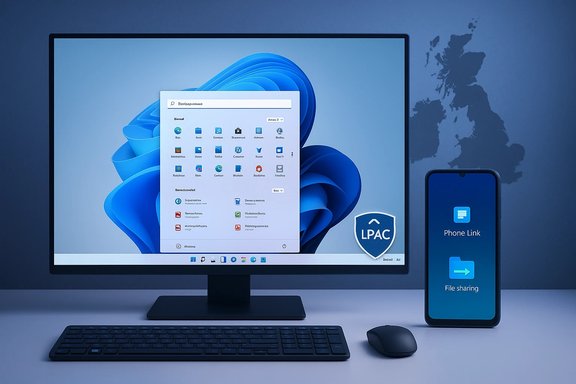
- A set of incremental but noticeable UI tweaks to the Start menu and taskbar — jump lists on pinned Start apps, a shortened clock/date option, and other tray refinements.
- New File Explorer capabilities, principally direct sharing to paired Android phones via Phone Link and improvements to context menus and search responsiveness.
- Accessibility and speech improvements (Narrator enhancements, better voice typing and Live Captions refinements), and UI consistency fixes including additional dark‑mode support in Task Manager dialogs.
- Security rework for search components using Less Privileged App Containers (LPAC) for certain search filters to reduce potential damage from compromised processes.
- Under‑the‑hood quality improvements (faster updates, smaller cumulative downloads in some channels, various File Explorer and clipboard bug fixes).
Deep dive: key user‑facing changes and what they mean
Start menu and taskbar updates
Microsoft has added more discoverability and utility to the Start menu by enabling jump lists when right‑clicking pinned apps, and it has altered how the All Apps content is presented for certain devices. The system tray now supports a shortened date/time display and options to hide notification icons more gracefully. These are small UI changes, but they reduce clutter and speed common interactions for users who juggle many open apps.Why UK users see this quickly: Microsoft’s staged rollout can be influenced by telemetry signals and region‑specific server flags; European and UK market variants have historically received certain widget and personalization behavior updates sooner. In practical terms, that means a UK desktop may suddenly present a different Start layout after an update even if the underlying OS build number hasn’t changed substantially.
File Explorer: share to Android, context improvements
One of the most practical additions is the ability to share files directly from File Explorer to a paired Android device using Phone Link (Link to Windows). This removes several friction points for people moving photos, documents, or links between phone and PC. The change integrates the Android pairing workflow more tightly into the native Share UI.Other Explorer improvements include corrected context menus, fixups for small‑window UI cutoffs, and reliability tweaks to search and the address bar. These fixes address longstanding annoyances for power users and make everyday file operations more predictable.
Accessibility and speech refinements
Microsoft continues to improve Narrator behavior (skipping links, jumping to lists), better management of IMEs for full‑screen apps, and more robust speech‑to‑text/text‑to‑speech flows. These updates are small wins for users who rely on assistive technologies and contribute to a more inclusive OS.Security and containment: Less Privileged App Containers for search
Windows Search now runs certain components within Less Privileged App Containers (LPAC) to reduce the attack surface if a third‑party search filter is compromised. This is a design pattern consistent with modern containment strategies: limit privileges for untrusted code, isolate its access to sensitive resources, and fail safely. Implementing LPAC for search demonstrates a pragmatic move to harden common OS services that historically ran with broad privileges.Why the rollout can feel "sudden" in the UK
- Server‑side feature gating: Microsoft often ships the binary with an update but enables the UI change later via feature flags targeted at specific telemetry cohorts or regions. That can produce a rapid, visible change on some machines and not others, giving the impression of a sudden regional improvement.
- Regional content and widget behavior: Widgets and lock‑screen content powered by MSN/Bing often have localized feeds and behavior differences across Europe vs. North America; tweaks for European audiences may reach the UK earlier.
- Preview vs. servicing channels: Many features were first visible in Insider Preview or Release Preview channels (KB preview builds) and later merged into mainstream servicing updates; users on Release Preview or those with delayed rollouts will see changes at different times.
What’s especially useful for UK users
- Localized Widgets & Lock Screen: Enhancements to the Widgets Board and lock‑screen widgets in Europe include region‑specific feeds, which make weather, transport and news more relevant to UK users. These improvements reduce the friction of having to open separate apps for quick updates.
- Phone Link file sharing: The direct share path to Android is particularly handy in the UK where Android remains widely used; it speeds daily workflows like sharing pictures taken on mobile to a desktop app or uploading receipts.
- Accessibility and local language fonts: Windows updates continue to add fonts and IME refinements that assist multilingual users and certain language communities — useful for UK households and offices that use multiple scripts.
Critical analysis: strengths
- Practical, iterative improvement model: Microsoft’s approach of releasing targeted updates that fix real pain points (File Explorer context menus, clipboard reliability, taskbar behavior) is efficient and user‑centric. Many changes focus on friction removal rather than flashy new features.
- Better cross‑device workflow: The direct share to Android via Phone Link addresses a gap that many Windows+Android households have felt for years. Integration at the OS level is materially better than ad‑hoc workarounds.
- Improved containment for search: Using LPAC for Windows Search lowers the blast radius of a compromised filter and aligns with modern least‑privilege practices — a measurable improvement from a security standpoint.
Critical analysis: risks and downsides
- Feature regressions and UI surprises: Some users report that the redesigned Start menu can feel oversized or intrusive on smaller laptop screens; because the changes are enabled progressively, administrators and users may be surprised by altered workflows or visual regressions when the toggle flips. IT teams should treat this as a legitimate behavior‑change risk.
- Regional data and third‑party content concerns: Enhancements that surface MSN/Bing content or regional news raise privacy considerations — what telemetry is used to personalize these feeds, and where is the content processed or stored? Users who are privacy‑conscious should verify widget and feed settings. (Where such specifics are not published, treat claims about exact telemetry use as unverified. — this claim about telemetry requires vendor confirmation if exact details are needed.
- Compatibility and enterprise management: Sudden UI permutations (Start menu layout, recommended apps) can disrupt enterprise images, scripts, or end‑user training. Administrators should pilot changes and use group policies or provisioning mitigations as necessary.
- Incomplete "off" options: While Microsoft has increased widget customization, some UI areas still lack a definitive "show none" option for lock‑screen widgets — meaning full removal may not be immediate for some users. That limitation has been called out in earlier rollout notes.
How to check for and manage these updates (practical steps for UK users)
- Open Settings > Windows Update and click Check for updates. Preview and servicing updates that contain these features are generally offered through Optional Updates or roll out via cumulative channels.
- Look under Optional updates for preview KBs (for example, KB5046732 or KB5046740 in recent rollouts); installing a preview may surface new UI options earlier on eligible devices.
- To pair an Android phone: open Phone Link on Windows and install Link to Windows on Android; once paired, File Explorer’s Share menu will show the phone as an endpoint for quick transfers.
- For enterprise admins: pilot these changes in a test ring, verify images on representative hardware, and use group policy or Windows Update for Business to control deployment. Consider using deployment blockers for features that alter the desktop experience until validated.
Recommendations for UK home users
- If you like trying new productivity tweaks early, join the Release Preview channel or install optional previews; you’ll get features sooner but accept a slightly higher risk of minor regressions.
- If your priority is stability, let Microsoft’s staged rollout complete and monitor community reports; the improvements will arrive automatically through the regular cumulative update cycle.
- Review privacy settings for Widgets and MSN/Bing‑powered feeds if you’re concerned about personalized content; toggle off what you don’t want surfaced on lock screens or the Widgets board.
Recommendations for IT and enterprise teams
- Treat recent Start menu and taskbar changes as a UX change that requires pilot testing — update training materials and remote‑support scripts accordingly.
- Validate all image provisioning and Group Policy objects on representative hardware before broad deployment. Microsoft’s servicing model means the binary may be present before the UI is enabled; gating tests should check both install behavior and server‑side toggles.
- For managed fleets that rely on specialized context‑menu workflows, confirm that File Explorer context actions still surface as expected after an update. Test Phone Link behavior if your users rely on mobile‑to‑PC transfers.
Verification and caveats
- The features described above have been reported across recent preview and servicing KBs (examples: KB5046732, KB5046740) and in hands‑on community reporting that matches Microsoft’s update notes. These reports are consistent across multiple servicing notes and community write‑ups.
- Some region‑specific claims (for instance, the exact timing of availability in the UK vs. other European countries) are inherently variable because Microsoft can vary feature‑enablement by telemetry, hardware capability checks, and server‑side flags. Any claim of instant UK‑only availability should be treated with caution without official Microsoft regional rollout documentation.
Verdict: incremental wins with sensible caution
The latest cluster of Windows 11 changes quietly delivered through Microsoft’s servicing pipeline are largely positive: useful taskbar and Start tweaks, better cross‑device sharing to Android phones, and meaningful containment for search components. For UK users these updates will feel immediately beneficial in day‑to‑day workflows (phone sharing, less cluttered taskbars, improved accessibility).However, the staged, server‑enabled delivery model means the change can feel sudden — and that suddenness can be disruptive for managed environments or users who prefer strict UI stability. Privacy‑minded users should examine widget and feed settings before accepting broader personalization. IT teams must pilot and validate images given the potential for UI and behavior regressions on some hardware.
Quick checklist (at‑a‑glance)
- Want features early? Consider Release Preview or Optional KB installs.
- Need stability? Wait for regular cumulative updates and monitor community feedback.
- Concerned about startup/Start changes? Pilot changes in a test ring, and prepare rollback or policy mitigations.
- Prefer less personalization? Review Widgets and lock‑screen options to remove unwanted content.
Microsoft’s current cadence for Windows 11 emphasizes targeted fixes and small feature additions delivered quickly and iteratively — a model that benefits users by addressing real‑world annoyances but requires vigilance from administrators and privacy‑conscious users. For UK desktops and laptops, the net effect is a tidier, more connected Windows 11 that better integrates with Android phones and offers incremental security improvements; the trade‑off is occasional surprise behavior as Microsoft flips regional feature flags and pushes server‑side toggles.
If precise technical confirmation of telemetry practices, exact regional rollout timestamps, or binary‑level KB contents are required for compliance or audit purposes, those items are best validated directly against Microsoft’s official update bulletin and enterprise guidance before making definitive policy changes.
Source: MSN https://www.msn.com/en-gb/lifestyle...h-new-features-here-s-what-s-new/ar-AA1OBs4q]
