

Devolutions has issued UniGetUI 2026.2.4, a hotfix that follows the performance-heavy 2026.2.3 release by a day and repairs regressions affecting WinGet, PowerShell module installs, and the application’s new NativeAOT builds.
UniGetUI is the open-source graphical front end for several package managers, including WinGet, Chocolatey, Scoop, Pip, npm, .NET Tool, and PowerShell Gallery. It gives Windows users a single interface for finding, installing, updating, and removing packages that would otherwise require separate command-line tools.
According to Neowin and the project’s release notes, version 2026.2.3 made NativeAOT the default for shipped builds. That compiles the app ahead of time to native code rather than relying as heavily on runtime compilation, with the stated goals of faster startup and lower runtime overhead. The release also reduced GPU activity by removing unnecessary indeterminate progress-bar animations, while revising package-icon loading, memory handling, and package-list scrolling.
The result should be most apparent on systems where UniGetUI is routinely left open, managing long installed-software or update lists, or running on older hardware. This is not a change to the package managers themselves: it is an effort to make the management console feel less heavy while it queries and presents their results.
The immediate 2026.2.4 update is the version existing users should install. It fixes an issue where WinGet sources could appear empty after moving to 2026.2.3, a serious regression for a tool whose main purpose is aggregating package catalogs and updates.
It also corrects PowerShell module installations that did not honor the installation scope selected in the interface. For administrators and power users who choose between current-user and broader installation contexts, that is more than cosmetic: an incorrect scope can produce unexpected availability, permissions, or maintenance behavior.
The hotfix further targets NativeAOT compatibility and startup reliability, including WinGet and COM initialization. Devolutions says it has added additional safeguards around the NativeAOT build, suggesting that the 2026.2.3 architectural change exposed edge cases not caught before release.
Several smaller Windows usability fixes landed as well:
UniGetUI is the open-source graphical front end for several package managers, including WinGet, Chocolatey, Scoop, Pip, npm, .NET Tool, and PowerShell Gallery. It gives Windows users a single interface for finding, installing, updating, and removing packages that would otherwise require separate command-line tools.
According to Neowin and the project’s release notes, version 2026.2.3 made NativeAOT the default for shipped builds. That compiles the app ahead of time to native code rather than relying as heavily on runtime compilation, with the stated goals of faster startup and lower runtime overhead. The release also reduced GPU activity by removing unnecessary indeterminate progress-bar animations, while revising package-icon loading, memory handling, and package-list scrolling.
The result should be most apparent on systems where UniGetUI is routinely left open, managing long installed-software or update lists, or running on older hardware. This is not a change to the package managers themselves: it is an effort to make the management console feel less heavy while it queries and presents their results.
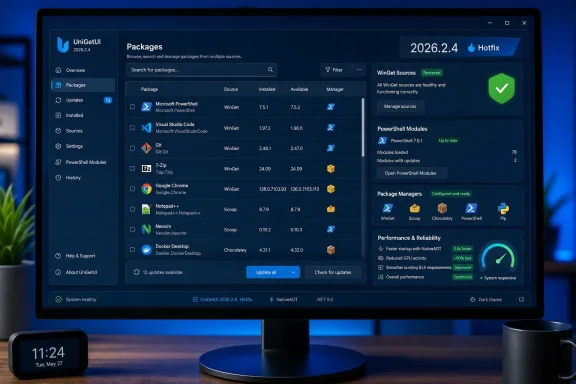 Hotfix addresses source and installation problems
The immediate 2026.2.4 update is the version existing users should install. It fixes an issue where WinGet sources could appear empty after moving to 2026.2.3, a serious regression for a tool whose main purpose is aggregating package catalogs and updates.It also corrects PowerShell module installations that did not honor the installation scope selected in the interface. For administrators and power users who choose between current-user and broader installation contexts, that is more than cosmetic: an incorrect scope can produce unexpected availability, permissions, or maintenance behavior.
The hotfix further targets NativeAOT compatibility and startup reliability, including WinGet and COM initialization. Devolutions says it has added additional safeguards around the NativeAOT build, suggesting that the 2026.2.3 architectural change exposed edge cases not caught before release.
Other changes in 2026.2.3
Alongside performance work, the prior release restored a dockable navigation pane with adaptive, docked, and overlay modes. It also added toast notifications, richer operation feedback, and a manual mode for install, update, and uninstall operations.Several smaller Windows usability fixes landed as well:
- Package-list sorting is remembered separately by page.
- Operation logs retain their scroll position while new output arrives.
- The main window no longer gradually grows after application restarts.
- Title-bar search clipping when maximized and several dark-theme readability issues were corrected.
References
- Primary source: Neowin
Published: 2026-07-15T17:54:01+00:00
This useful unofficial Windows 11 app gets a significant upgrade you should feel immediately - Neowin
This useful unofficial Windows 11 app has received a significant upgrade, delivering faster performance and smoother functionality that users should feel immediately. www.neowin.net
