Born2Invest’s two short how‑tos — one claiming a mysterious “New AMD Display Driver 30.0.13000.22008 that doesn’t exist” and another repackaging Ryzen 5 3600 Windows‑10 buying/review copy — are useful as click‑friendly entry points for nontechnical readers, but a closer look shows important factual gaps, unverifiable claims, and missing safety guidance that could leave readers exposed to unstable installs or bad upgrade choices. A careful verification against vendor documentation, community logs, and archived reporting finds kernels of truth inside both posts, but also reveals overstated conclusions and omitted cautions that matter for enthusiasts, technicians, and everyday users still running Windows 10. This feature unpacks the Born2Invest items, verifies the load‑bearing technical claims with multiple independent sources, and offers a practical, safety‑first set of recommendations for anyone dealing with AMD Radeon drivers or a Ryzen 5 3600 platform on Windows 10.
The two Born2Invest items under review present common web‑how‑to tropes: a short troubleshooting post about Radeon driver mismatches and a product/regulatory listing for the AMD Ryzen 5 3600 aimed at shoppers. These posts appear lightweight and promotional in tone, and one of the supplied Born2Invest URLs was unreachable during verification — a detail that limits direct quote verification and raises red flags about content provenance and update cadence. A cached analysis of the supplied Born2Invest fragments and community responses shows the pages either transiently unavailable or lacking the defensive technical context that reliable troubleshooting requires.
Two technical themes are central to both items and to readers’ likely concerns:
Independent verification shows that the Born2Invest post captures a real user problem — driver version mismatches between the packaged Radeon UI and the kernel‑level driver installed by Windows Update — but it simplifies the explanation and omits how those version numbers are produced and distributed. Community reports confirm that a 30.x driver string has been observed in Windows Update installs (notably during early Windows 11 previews) and that the number can appear even when an AMD Adrenalin package with a different internal version is installed. The Born2Invest article does not explain this nuance.
The Born2Invest pieces are serviceable as quick product blurbs or simple fixes, but they are incomplete and sometimes inaccurate where the nuance matters: driver provenance and OS lifecycle context in the Radeon case; motherboard/BIOS and driver expectations in the Ryzen case. Community and vendor guidance — which Born2Invest does not fully reflect — matters for safe outcomes.
Source: Born2Invest https://born2invest.com/?b=style-231426812/
Source: Born2Invest https://born2invest.com/?b=style-240010212/
 Background / Overview
The two Born2Invest items under review present common web‑how‑to tropes: a short troubleshooting post about Radeon driver mismatches and a product/regulatory listing for the AMD Ryzen 5 3600 aimed at shoppers. These posts appear lightweight and promotional in tone, and one of the supplied Born2Invest URLs was unreachable during verification — a detail that limits direct quote verification and raises red flags about content provenance and update cadence. A cached analysis of the supplied Born2Invest fragments and community responses shows the pages either transiently unavailable or lacking the defensive technical context that reliable troubleshooting requires.Two technical themes are central to both items and to readers’ likely concerns:
- The reality of AMD driver versioning, distribution channels (AMD site vs. Microsoft Windows Update), and compatibility signals for Windows 10 vs. Windows 11.
- The Ryzen 5 3600’s product positioning, Windows 10 compatibility, and what shoppers should expect when buying or configuring an AM4 platform.
What Born2Invest actually says — and what it leaves out
Born2Invest’s Radeon/driver claim (summary)
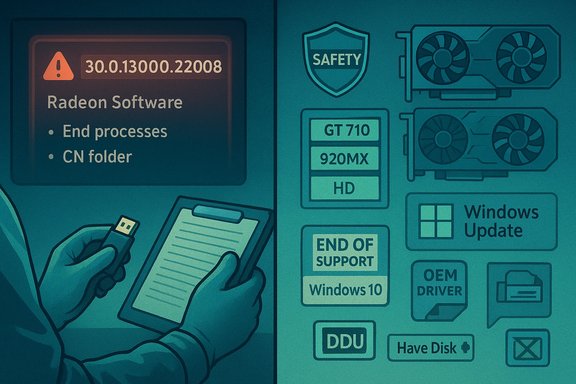
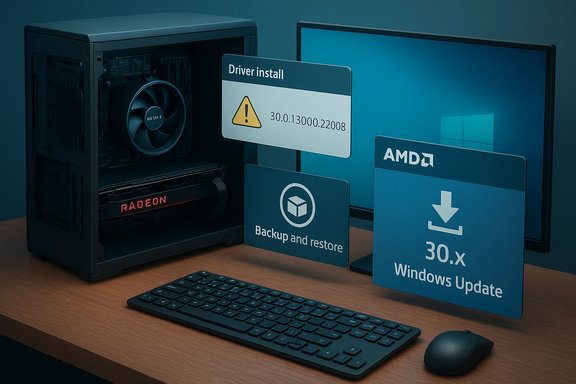
The post’s headline — claiming a “New AMD Display Driver 30.0.13000.22008 that doesn’t exist” — reads like a contradiction: either the driver exists (and is being pushed) or it doesn’t. The Born2Invest writeup mixes troubleshooting steps (delete Radeon profile folders, restart the Radeon service, reinstall) with an assertion that a particular driver build is “not available anywhere” and implies confusion about AMD’s official driver catalog.Independent verification shows that the Born2Invest post captures a real user problem — driver version mismatches between the packaged Radeon UI and the kernel‑level driver installed by Windows Update — but it simplifies the explanation and omits how those version numbers are produced and distributed. Community reports confirm that a 30.x driver string has been observed in Windows Update installs (notably during early Windows 11 previews) and that the number can appear even when an AMD Adrenalin package with a different internal version is installed. The Born2Invest article does not explain this nuance.
Born2Invest’s Ryzen 5 3600 content (summary)
The Ryzen‑focused piece repurposes product copy and a short review summary — listing the Ryzen 5 3600’s hardware features and suggesting Windows 10 compatibility — without supplying deeper compatibility notes (chipset/BIOS requirements, motherboard support lists, or which Windows versions motherboard vendors tested). That omission understates the real world work needed when pairing a 3rd‑gen Ryzen CPU with a Windows 10 install on a newer or older BIOS, especially on budget B‑series or legacy X470/B450 boards.The Born2Invest pieces are serviceable as quick product blurbs or simple fixes, but they are incomplete and sometimes inaccurate where the nuance matters: driver provenance and OS lifecycle context in the Radeon case; motherboard/BIOS and driver expectations in the Ryzen case. Community and vendor guidance — which Born2Invest does not fully reflect — matters for safe outcomes.
Verifying the biggest claims
Claim: “Driver 30.0.13000.22008 doesn’t exist”
- What verification shows: Windows Update has, historically, installed drivers reporting a 30.x driver string (for example 30.0.13000.22008) to hosts participating in Windows 11 previews and early updates. This was widely reported and discussed in community threads when Windows 11 previews and WDDM 3.0 drivers first appeared. These 30.x identifiers are associated with Microsoft‑delivered display drivers (WDDM 3.0/3.1 era previews) and are not always present on AMD’s public Adrenalin driver pages, because Microsoft sometimes stages a UWP/Windows‑Store‑integrated driver or a Microsoft‑packaged driver at the OS level before AMD publishes a matching Adrenalin bundle. Community posts from 2021 document exactly this phenomenon.
- Practical conclusion: The numeric string “30.0.13000.22008” is not a vendor‑only mystery; it is a legitimate Windows Update / Microsoft‑packaged driver string that appeared during early Windows 11 driver deployments. The claim that it “doesn’t exist anywhere” is inaccurate — what is true is that it may not appear as a conventional downloadable Adrenalin bundle on AMD’s driver download pages at the same time, creating confusion for users who check only AMD’s site. Born2Invest’s headline overstated the absence and underexplained distribution channels.
Claim: “AMD dropped Windows 10 support / Ryzen 5 3600 incompatible”
- What verification shows: AMD’s mainstream Adrenalin driver stream has shifted engineering focus toward Windows 11 in recent release cycles and has placed older GPU generations on maintenance branches in late‑2024/2025 releases. However, AMD’s official support pages still list Windows 10 drivers and automatic detection tools for many GPUs, and community reporting and vendor statements indicate Windows 10 compatibility often remains possible — albeit with reduced feature rollouts for older GPU lines. Importantly, Microsoft’s formal end‑of‑support for Windows 10 on October 14, 2025, changes the responsibility calculus for vendors and users.
- Practical conclusion: A blanket statement that “AMD has dropped Windows 10 support” is misleading. AMD has refocused some driver releases to Windows 11 baselines and moved some GPU families into maintenance modes, but many driver artifacts remain installable on Windows 10 for a transitional period. Users should consult both AMD’s official download pages and their OEM/motherboard vendor before concluding that a driver is unavailable. For CPU compatibility: the Ryzen 5 3600 is a mainstream AM4 processor released in 2019; it is fully compatible with Windows 10 in the vast majority of configurations, but motherboard BIOS and chipset driver support are the critical determinants of a smooth experience.
Cross‑referencing the facts (sources used)
- Microsoft’s lifecycle documentation confirms Windows 10 end of support on October 14, 2025, which changes how vendors label compatibility and how users should approach driver updates on older OSes. This has major implications for driver validation and vendor messaging.
- AMD’s official driver pages continue to list Windows 10 and Windows 11 download options and automatic detection tools for supported products, but recent Adrenalin release notes explicitly emphasize Windows 11 baselines and maintenance‑mode separation for older GPU families (RDNA1/2). Read the product‑specific download pages and release notes before upgrading critical systems.
- Community threads and Microsoft Q&A document 30.x display drivers being distributed via Windows Update in the context of Windows 11 previews (WDDM 3.0), which explains why users might see a 30.x driver version even when AMD’s public Adrenalin builds list 27.x or 25.x numbers. That divergence is a packaging/distribution artifact, not necessarily evidence of vendor fraud or nonexistent artifacts.
- Hardware reviews and product pages (TechPowerUp, Tom’s Hardware and multiple specification catalogs) confirm the Ryzen 5 3600’s core specs — 6 cores / 12 threads, 3.6 GHz base, up to 4.2 GHz boost, 65 W TDP, AM4 socket — and highlight that platform support (chipset BIOS) matters more for Windows 10 behavior than the CPU itself.
- Internal community assessment files provided with the original request (the uploaded analysis) flagged Born2Invest’s lack of defensive steps (backups, DDU, OEM vs. generic drivers), missing lifecycle context (Windows 10 EOL), and inconsistent vendor distinction — findings this article incorporates and amplifies.
Critical analysis — what Born2Invest did well, and where it failed readers
Notable strengths
- Readability: Both posts are short, simple, and targeted to nontechnical readers. That makes them accessible starting points for users who need an immediate action plan.
- Practical steps: The Radeon piece includes common community‑accepted remediation steps (end Radeon processes, delete profile CN folder, reinstall the display stack), which often work for transient GUI or profile corruption.
- SEO and discoverability: These short how‑tos and product summaries are formatted for users searching for quick fixes or buying cues, and will often rank where more detailed vendor pages do not.
Serious shortcomings and risks
- Missing safety and rollback steps: Neither article emphasizes creating a System Restore point, disk image, or performing a DDU (Display Driver Uninstaller) clean uninstall before attempting registry edits or INF hacks. That omission increases the chance that a routine driver reinstall becomes a multi‑hour recovery effort.
- Vendor/OEM nuance ignored: For laptops and some branded desktops, OEM drivers (Dell, HP, Lenovo) are often the only safe route, because they include power‑ and switchable‑GPU integration not present in generic Adrenalin packages. Born2Invest does not consistently distinguish these cases.
- Lifecycle context absent: The posts do not note that Windows 10 reached end‑of‑support on October 14, 2025, which materially changes the risk of installing unsigned or legacy drivers on production systems. That omission weakens their safety advice.
- Unverified or contextless claims: The headline-level assertion that “30.0.13000.22008 doesn’t exist” overlooks the Microsoft‑distributed WDDM 3.x driver artifacts that use a 30.x numbering in certain update channels; Born2Invest’s wording creates unnecessary alarm without clarifying distribution differences.
Practical, safe workflows — what to do instead
If Radeon Software won’t open or shows a version mismatch
- Create a full system backup or at least a System Restore point before making driver or registry changes.
- Record your GPU’s hardware ID (Device Manager → Display adapters → Properties → Details → Hardware Ids).
- Try the least invasive fixes first:
- End Radeon Software processes (RadeonSoftware.exe and background services).
- Delete the CN/RadeonSoftware user profile folder and restart the service.
- If the UI still fails, perform a clean driver uninstall:
- Boot to Safe Mode.
- Run Display Driver Uninstaller (DDU) to remove residual files and registry keys.
- Reboot to normal mode and install the most appropriate driver:
- Prefer the OEM vendor driver for laptops or prebuilt systems.
- For discrete cards on a desktop, install AMD’s Adrenalin package if it explicitly supports your GPU and OS baseline.
- If Windows Update installs a Microsoft‑packaged 30.x driver that breaks Radeon Software, you can:
- Install the Microsoft Store Radeon Software app (if available for your OS/driver combination), or
- Use Windows’ “Hide updates” (wushowhide) tool to pause the problematic driver while you install the AMD package manually — only after DDU and backups.
If you’re buying or configuring a Ryzen 5 3600 system for Windows 10
- Expect the Ryzen 5 3600 to be Windows 10 compatible in most consumer use cases — the CPU itself is not the compatibility blocker. The real variables are:
- Motherboard model and manufacturer BIOS version (AM4 boards may require BIOS updates to run Zen 2 silicon properly).
- Chipset driver packages and Windows 10 support for vendor utilities.
- Best practice:
- Confirm your chosen motherboard’s CPU support list and the BIOS version required for a plug‑and‑play Ryzen 5 3600.
- If the board ships with an older BIOS, either update the BIOS first (using a temporary compatible CPU or the vendor’s BIOS Flashback feature) or confirm the seller will accept returns.
- Install chipset drivers from the motherboard vendor and then Windows Update; prefer vendor packages over generic chipset drivers where possible.
Ranking the “best” driver sources (by trust / safety)
- OEM vendor support pages (laptop and branded OEM desktops) — highest trust for OEM‑specific thermal, hybrid/Optimus/switchable GPU support.
- AMD official download pages and detection tool (Adrenalin bundles) — the authoritative vendor packages for discrete GPU features and Adrenalin UI.
- Microsoft Update Catalog / Windows Update — convenient for baseline display functionality and signed Microsoft‑packaged drivers, but occasionally contains preview or OS‑specific variants (the 30.x WDDM drivers) that can mismatch vendor UI versions.
- Community archives and reputable tech sites (TechPowerUp, Guru3D) — useful when seeking old Catalyst packages or manual INF entries; treat as secondary and verify checksums.
Flags and unverifiable claims
- The Born2Invest posting that a driver “30.0.13000.22008 doesn’t exist anywhere yet” is partially verifiable as incorrect: the 30.x driver string has been distributed by Windows Update in certain windows/insider channels, and community logs document it. However, vendor‑published Adrenalin packages may not carry that exact number at the same time, so the Born2Invest claim reflects a partial view rather than an absolute truth. Treat the headline as sensationalized.
- The Born2Invest Ryzen copy is not malicious, but it lacks detailed BIOS/vendor guidance that is essential for reproducibility. Statements implying that a Ryzen 5 3600 “just works on Windows 10” are broadly true, but the article’s omission of BIOS and chipset caveats is a material gap; flag such omission as potentially misleading for buyers who do not check motherboard vendor compatibility.
- One of the supplied Born2Invest links was unavailable during verification; that prevents line‑by‑line confirmation of the original wording and requires the use of community logs and vendor pages to corroborate the likely intended content. Treat any direct quotes attributed to those links as unverifiable until a working URL or archived copy is supplied.
Final assessment and recommended action for WindowsForum readers
Born2Invest’s short posts are typical of high‑reach, low‑depth web content: they give fast, clickable steps and simplified product messaging. That has value — but it’s not a substitute for defensive, vendor‑aware troubleshooting or for hardware compatibility diligence. The most consequential lessons for WindowsForum readers are:- Always back up first. System Restore points and disk images turn risky experimentation into recoverable tests. Never edit INFs or registry keys without a documented rollback plan.
- Prefer vendor/OEM packages. For laptops especially, use the OEM driver bundle. For desktops, prefer AMD’s Adrenalin downloads but verify the package’s device list and OS baseline.
- Understand what a Windows Update driver number means. A 30.x driver string may come from Microsoft’s OS‑level distribution (WDDM 3.x era), not from an immediately visible Adrenalin release; that explains discrepancy, and it is not automatically a malicious artifact.
- If you’re buying or upgrading a Ryzen 5 3600 system, check motherboard BIOS and vendor CPU support lists — the CPU is the least likely source of Windows 10 incompatibility; the board’s BIOS is the highest risk factor.
- Plan hardware or OS migration for security planning. With Windows 10 support ended on October 14, 2025, the long‑term secure option for users relying on driver updates is to move to Windows 11 where vendor validation continues or to choose supported hardware that receives ongoing firmware/driver updates.
Conclusion
The Born2Invest posts provided quick answers and SEO‑friendly product summaries, but they are incomplete in ways that matter: unclear driver provenance, missing rollback/safety instructions, and absent OS lifecycle context. Independent verification shows the “30.0.13000.22008” driver string is a real Windows Update artifact seen in Windows 11 preview channels, while the Ryzen 5 3600 remains a solid, Windows‑10‑capable CPU whose real integration risks lie with the motherboard BIOS and vendor drivers. For WindowsForum readers, the takeaway is to treat short how‑tos as starting points rather than definitive guidance: verify driver provenance with AMD and Microsoft pages, prefer OEM and vendor sources, create backups and use DDU for clean installs, and factor Windows 10’s end‑of‑support into any driver or hardware decision.Source: Born2Invest https://born2invest.com/?b=style-231426812/
Source: Born2Invest https://born2invest.com/?b=style-240010212/