rmsalt
New Member
- Joined
- Dec 28, 2012
- Messages
- 1
- Thread Author
- #1
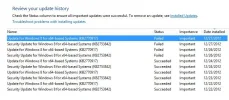
I have successfully installed Windows 8 64 updates KB2770917 and KB2753842 by following all the steps other successful posters have done(remove Sound card driver, Hide Microsoft Services and disable the rest). Now I am getting the same updates again trying to install and getting the same "reverting back" error as Windows 8 reboots. Are these KB2770917 and KB2753842 continuous updates?