Windows 7 Using Secondary HDD for Games and Movies: A Guide to Organization and Renaming

bluestillidie00

New Member
Joined
Dec 31, 2014
Messages
3
Hello!

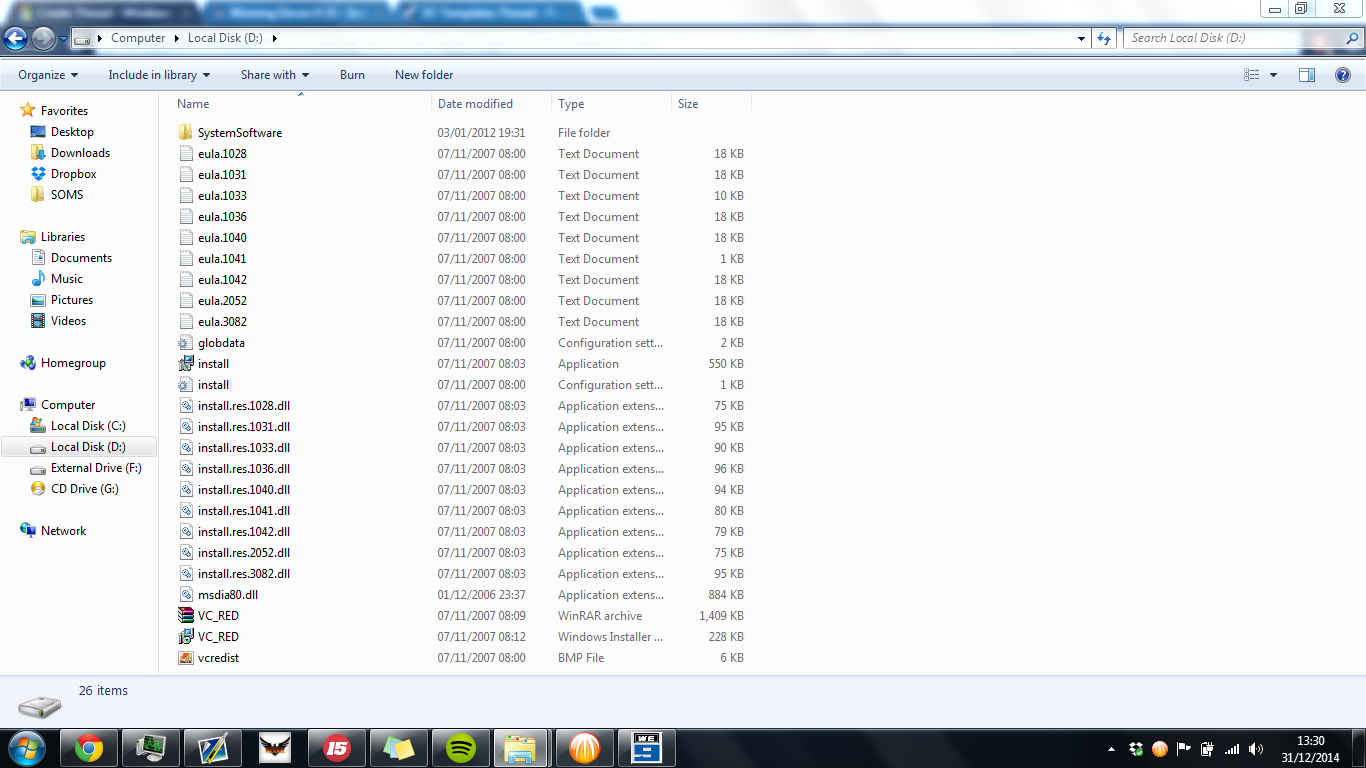
I recently recieved a hand-me-down laptop from my Uncle after it was restored to factory settings. Basically I have a 270gb main HDD, and a 400gb HDD. The second HDD is (presumably) used for restoration, and I'd like to use it for games and movies. This is what is currently on the drive.
09697b4c4a77ebd31d0fe2b2d433b268.png

I was wondering if I could move all the files into a folder and store all of my games and whatnot on there. Also would it be ok if I rename the drive? (GameandBackup)

I hope to receive an answer soon!

-Tom
 

Jimbo22

Essential Member
Joined
Aug 27, 2008
Messages
5,037
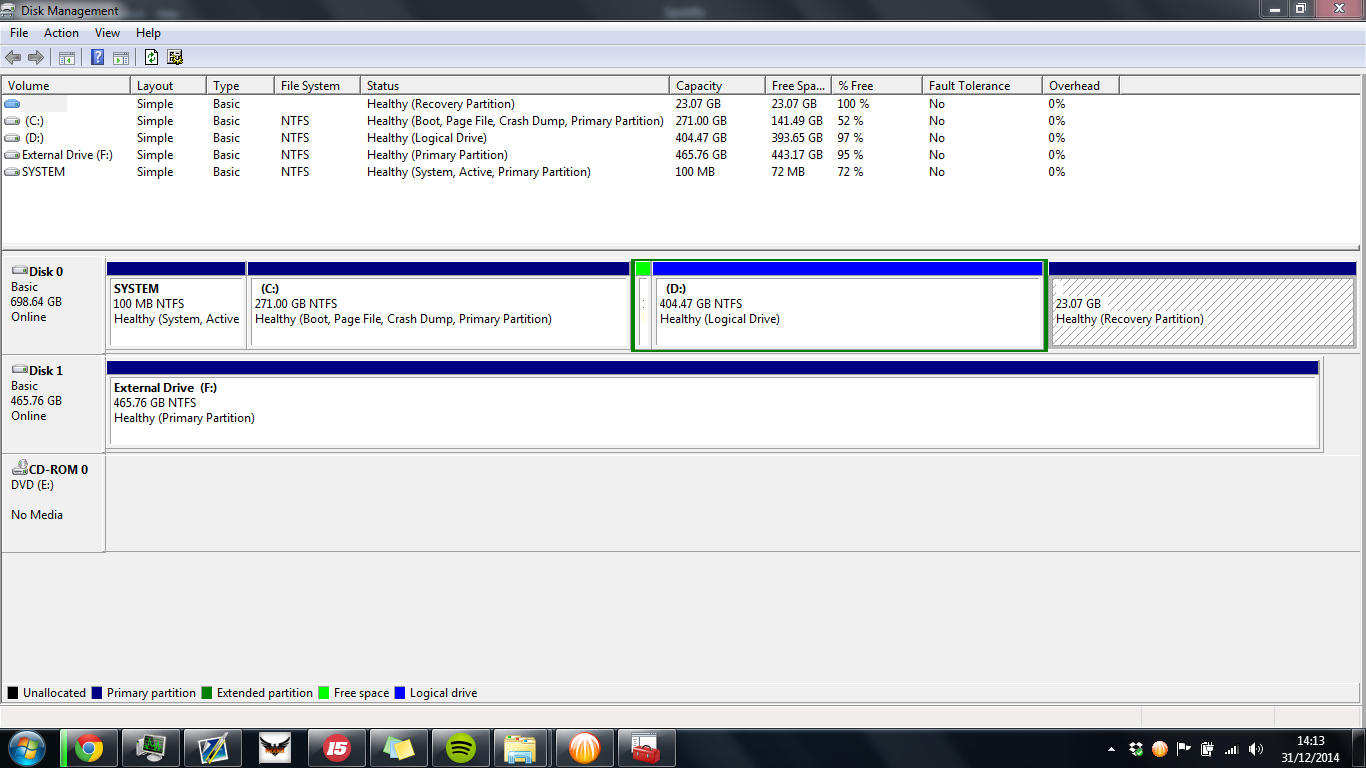
Can you take a snap shot of your disk management and post that please?
 

Jimbo22

Essential Member
Joined
Aug 27, 2008
Messages
5,037
Thank you. Yes you can...to answer your question. I just wanted to be sure that your hidden recovery partition was still there and it is. That's the 23.07 GB Heathly (Recovery Partition).

I would just to a quick formatt on the D drive and then move any/all data you want to that drive. I would just rename that drive to something you will recognize right off the bat, like (D: data) or Storage.
 

strollin

Honorable Member
Joined
Jul 21, 2013
Messages
285
It would also be possible to shrink the D: drive and grow the C: drive. Would you rather have a larger C: drive? If you wanted, you could eliminate the D: drive entirely.

In case you're not aware, you have 1 physical drive (shown as Disk 0 above) that is divided up into separate parts called partitions.
 

whs

Extraordinary Member
Joined
Sep 17, 2009
Messages
1,537
Why would anybody want a large C partition. For a normal user, 60GB is more than ample. With games maybe a bit more because the program files of some games are big.

But all the user data should go on a separate partition. Then you don't lose your stuff if the system goes down.
 

strollin

Honorable Member
Joined
Jul 21, 2013
Messages
285
It may not matter since if the disk goes bad you'll probably lose both partitions anyway. It's easy enough to put all of your data into the My Documents folder which keeps it separate enough for backup purposes.

It may sense if you have 2 physical drives but if it's 1 physical drive it doesn't buy you much.
 

whs

Extraordinary Member
Joined
Sep 17, 2009
Messages
1,537
You are right if the disk goes bad. But if the OS (C partition) goes south, the data is safe on a separate partition. Few people know how to retrieve their data with a live Linux system like this.
 

bluestillidie00

New Member
Joined
Dec 31, 2014
Messages
3
I'm sorry, I'm confused.. So shall I format the D: drive? (My Computer, right click on D:, format?) I just want to be sure before I delete anything I don't want.
 

Jimbo22

Essential Member
Joined
Aug 27, 2008
Messages
5,037
Yes....just remember to back up any data you want to keep before formatting the drive.
 

Solution
Back
Top