

Ventoy’s latest maintenance release may look modest on paper, but it lands in the exact places that matter for a bootable-USB utility: UEFI display behavior, WinPE resolution handling, and a pair of Linux installer edge cases. Version 1.1.12 arrives only a couple of weeks after the project’s 6th-anniversary 1.1.11 update, signaling that the developers are still actively tightening compatibility for a tool that sits at the center of many Windows and Linux deployment workflows. For anyone who relies on Ventoy to test, install, or rescue systems, these are the kinds of fixes that can mean the difference between a clean boot and a confusing black screen.
Ventoy has become one of the most recognizable names in bootable media creation because it takes a different approach from traditional imaging tools. Instead of writing a single ISO to a USB drive, it turns the drive into a multi-boot platform where users can copy multiple ISO files and choose what to boot at startup. That model has made it popular with technicians, homelab users, and power users who routinely juggle Windows installers, Linux live images, and recovery environments.
The project’s 6th-anniversary release, 1.1.11, was already notable for addressing a display issue when UEFI booting Windows/WinPE ISO and adding new AutoInstall plugin options. The new 1.1.12 release is smaller, but it continues that same theme of polishing UEFI behavior and fixing distribution-specific compatibility problems. In practical terms, it shows that Ventoy’s development cadence is still heavily shaped by the real-world quirks of firmware implementations, virtualization environments, and distro installers.
That matters because boot media tools do not exist in a vacuum. They are judged not by feature count alone, but by whether they can survive the messy combinations of firmware, storage controllers, VM consoles, and installer expectations that appear across enterprise labs and consumer PCs. A fix for VirtualBox UEFI display output may sound niche, yet for test environments and QA workflows it can be essential. Likewise, a repair for Ubuntu 24.04.4 or Oracle Linux 6.9 install failures signals that Ventoy remains attentive to Linux users as much as Windows admins.
Ventoy also occupies a useful middle ground in the boot tool ecosystem. Microsoft’s Media Creation Tool is simple and official, but it is narrow in scope. Rufus is powerful and highly respected, especially for Windows customization and debloating-oriented workflows, but it still typically serves a more single-image use case. Ventoy’s appeal is that it enables a library-style boot drive, and that flexibility remains its core advantage even when the updates are mostly bug fixes.
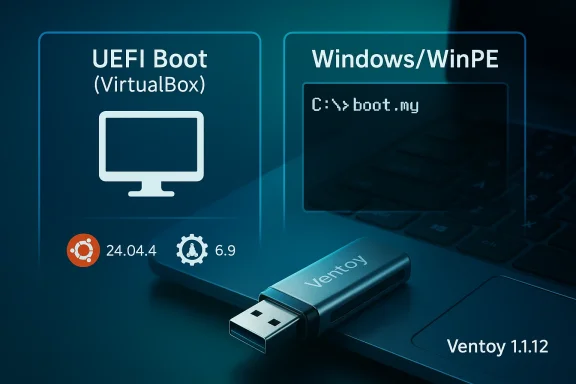
For Windows, the update addresses a VirtualBox UEFI display issue and improves the fix for a Windows/WinPE resolution problem. For Linux, it resolves Ubuntu 24.04.4 install failures and an Oracle Linux 6.9 install issue. These are not cosmetic corrections. They target the fragile edge cases where an otherwise working boot chain can break due to subtle interactions between firmware, video initialization, or installer assumptions.
The Windows-side changes are especially interesting because they follow directly on the heels of 1.1.11’s own Windows/WinPE display fix. That suggests the earlier patch solved part of the problem, but not all of it. The new update refines the behavior further, which is often what happens when a bootloader fix has to accommodate multiple firmware paths and multiple video environments.
Ventoy’s VirtualBox UEFI display issue is a good example of this problem. VirtualBox is widely used for testing installers and rescue media, so display glitches in that environment are more than an inconvenience. They can obscure whether a boot image is actually working, and they can make users assume a media problem is really a virtual firmware problem.
A few technical realities help explain the recurrence of these bugs:
The Oracle Linux 6.9 fix is a reminder that Ventoy’s audience is not just hobbyists. Oracle Linux often appears in enterprise, lab, and legacy-server environments, where installation media may need to work against older hardware, older BIOS settings, or specialized deployment processes. A boot failure in that context is not just annoying; it can waste time in environments where reinstall windows are tightly scheduled.
Ventoy’s ongoing Linux fixes suggest a few broader truths:
For many users, that means fewer USB sticks, less rewriting, and less time waiting for images to be recreated. Copying a file is faster and less destructive than rebuilding a boot drive each time a new installer arrives. It also makes Ventoy useful as a living toolkit that can be updated incrementally rather than recreated from scratch.
Ventoy, by contrast, is best understood as the tool for people who want a collection rather than a single image. That distinction matters because the tool is not trying to replace every other option. It is trying to reduce friction for users who work with multiple operating systems, multiple versions, or multiple rescue environments.
The latest release strengthens that positioning by proving that the project is still willing to sweat the weird details. In a market where boot tools can feel interchangeable at a glance, reliability at the edges is what keeps users loyal.
This matters because anniversary releases can sometimes be mostly symbolic. In Ventoy’s case, however, the 6th-anniversary tag marked a meaningful stabilization point. The follow-up release suggests the developers were not done tuning the experience after the celebration version shipped.
Key implications of the release pattern include:
Consumer users tend to care about whether an installer boots at all, whether the menu is readable, and whether the process is easier than recreating a drive every time. A fix for VirtualBox may matter if they test VMs, but for many home users the practical gain is simply fewer surprises when they plug in a drive and start a setup process.
This is why the new release matters beyond the headline fixes:
Open-source also helps explain why Ventoy can maintain such wide format support. When users encounter a boot issue with a specific distro or firmware path, they can report it directly, and the maintainers can respond with targeted fixes. The current release is a reminder that this feedback loop is still functioning.
The project’s current trajectory suggests a balancing act:
That is not a weakness so much as the reality of maintaining a universal boot environment. The project’s challenge is to keep broad support without turning every release into a regression hunt. So far, Ventoy has managed that balance better than most tools in its category, and the latest update suggests the maintainers are still paying close attention to the details that matter.
A few things are worth watching next:
Source: Neowin Windows media creation tool app Ventoy updated with display and UEFI fixes
 Overview
Ventoy has become one of the most recognizable names in bootable media creation because it takes a different approach from traditional imaging tools. Instead of writing a single ISO to a USB drive, it turns the drive into a multi-boot platform where users can copy multiple ISO files and choose what to boot at startup. That model has made it popular with technicians, homelab users, and power users who routinely juggle Windows installers, Linux live images, and recovery environments.The project’s 6th-anniversary release, 1.1.11, was already notable for addressing a display issue when UEFI booting Windows/WinPE ISO and adding new AutoInstall plugin options. The new 1.1.12 release is smaller, but it continues that same theme of polishing UEFI behavior and fixing distribution-specific compatibility problems. In practical terms, it shows that Ventoy’s development cadence is still heavily shaped by the real-world quirks of firmware implementations, virtualization environments, and distro installers.
That matters because boot media tools do not exist in a vacuum. They are judged not by feature count alone, but by whether they can survive the messy combinations of firmware, storage controllers, VM consoles, and installer expectations that appear across enterprise labs and consumer PCs. A fix for VirtualBox UEFI display output may sound niche, yet for test environments and QA workflows it can be essential. Likewise, a repair for Ubuntu 24.04.4 or Oracle Linux 6.9 install failures signals that Ventoy remains attentive to Linux users as much as Windows admins.
Ventoy also occupies a useful middle ground in the boot tool ecosystem. Microsoft’s Media Creation Tool is simple and official, but it is narrow in scope. Rufus is powerful and highly respected, especially for Windows customization and debloating-oriented workflows, but it still typically serves a more single-image use case. Ventoy’s appeal is that it enables a library-style boot drive, and that flexibility remains its core advantage even when the updates are mostly bug fixes.
What Changed in Version 1.1.12
Ventoy 1.1.12 is, at heart, a compatibility patch release. The changelog lists four fixes, split evenly between Windows and Linux, and all four target boot reliability rather than new functionality. That is exactly what users should expect from a mature tool that already does its main job well.For Windows, the update addresses a VirtualBox UEFI display issue and improves the fix for a Windows/WinPE resolution problem. For Linux, it resolves Ubuntu 24.04.4 install failures and an Oracle Linux 6.9 install issue. These are not cosmetic corrections. They target the fragile edge cases where an otherwise working boot chain can break due to subtle interactions between firmware, video initialization, or installer assumptions.
The changelog at a glance
The official release notes boil down to four specific items:- Bugfix for Ubuntu 24.04.4 install failure
- Fix the VirtualBox UEFI display issue when booting Windows
- Improve the UEFI boot Windows/WinPE resolution issue fix
- Fix Oracle Linux 6.9 install issue
The Windows-side changes are especially interesting because they follow directly on the heels of 1.1.11’s own Windows/WinPE display fix. That suggests the earlier patch solved part of the problem, but not all of it. The new update refines the behavior further, which is often what happens when a bootloader fix has to accommodate multiple firmware paths and multiple video environments.
Why UEFI Display Bugs Keep Happening
UEFI booting is often described as more modern and more reliable than legacy BIOS booting, but reality is more complicated. In practice, UEFI implementations vary widely between vendors, and virtualization layers add another layer of abstraction on top. A boot image that works perfectly on one machine may render poorly, resize oddly, or fail to display anything useful on another.Ventoy’s VirtualBox UEFI display issue is a good example of this problem. VirtualBox is widely used for testing installers and rescue media, so display glitches in that environment are more than an inconvenience. They can obscure whether a boot image is actually working, and they can make users assume a media problem is really a virtual firmware problem.
Why resolution handling is so fragile
Windows PE is especially sensitive to display initialization because it is often used in deployment and recovery scenarios where a predictable console experience matters. If the screen resolution is wrong, distorted, or not updated correctly, the image may still boot, but the operator experience can become unusable. That is why the 1.1.12 note about improving the UEFI boot Windows/WinPE resolution issue fix is important even though it sounds minor.A few technical realities help explain the recurrence of these bugs:
- UEFI firmware differs across hardware vendors
- Virtual machines emulate video hardware imperfectly
- Windows PE may initialize display differently from full Windows
- Bootloaders must bridge firmware, graphics, and installer expectations
- High-DPI and framebuffer quirks can surface late in the boot chain
Linux Compatibility Still Drives a Lot of the Value
Ventoy’s Linux support remains one of its strongest selling points, and the 1.1.12 release reinforces that point. The fix for Ubuntu 24.04.4 install failure is particularly relevant because Ubuntu releases are widely used in both desktop and server-adjacent workflows, and many users treat them as the default “test this on a USB stick” distribution. If Ventoy stumbles there, it gets noticed quickly.The Oracle Linux 6.9 fix is a reminder that Ventoy’s audience is not just hobbyists. Oracle Linux often appears in enterprise, lab, and legacy-server environments, where installation media may need to work against older hardware, older BIOS settings, or specialized deployment processes. A boot failure in that context is not just annoying; it can waste time in environments where reinstall windows are tightly scheduled.
Distribution-specific problems are the norm
The Linux boot ecosystem is unusually diverse, which is both a strength and a maintenance burden. ISO behaviors can vary significantly depending on whether a distro uses a traditional installer, a live environment, custom kernel parameters, or a specialized boot menu.Ventoy’s ongoing Linux fixes suggest a few broader truths:
- Installer compatibility must be validated release by release
- A boot tool can’t assume one distro’s success predicts another’s
- Older enterprise distributions often fail for different reasons than new ones
- UEFI paths and legacy paths still diverge in meaningful ways
- The more distros you support, the more regression risk you inherit
How Ventoy Differs from Rufus and Microsoft’s Tool
Ventoy’s value proposition remains easy to explain: it is designed for multi-ISO booting, while tools like Rufus and Microsoft’s Media Creation Tool are more single-purpose. That difference sounds simple, but it changes how people work. With Ventoy, the USB drive becomes a flexible repository of installers and recovery images rather than a one-off flashing target.For many users, that means fewer USB sticks, less rewriting, and less time waiting for images to be recreated. Copying a file is faster and less destructive than rebuilding a boot drive each time a new installer arrives. It also makes Ventoy useful as a living toolkit that can be updated incrementally rather than recreated from scratch.
Where the competition still wins
That said, the competition is strong for good reasons. Rufus remains a favorite because it is fast, highly configurable, and exceptionally effective at creating Windows installers with modern options. Microsoft’s Media Creation Tool offers the cleanest official path for standard Windows installation media and keeps the experience as simple as possible for mainstream users.Ventoy, by contrast, is best understood as the tool for people who want a collection rather than a single image. That distinction matters because the tool is not trying to replace every other option. It is trying to reduce friction for users who work with multiple operating systems, multiple versions, or multiple rescue environments.
The latest release strengthens that positioning by proving that the project is still willing to sweat the weird details. In a market where boot tools can feel interchangeable at a glance, reliability at the edges is what keeps users loyal.
What the 6th-Anniversary Release Set in Motion
The timing of 1.1.12 makes more sense when viewed against the 1.1.11 6th-anniversary release that came before it. That update already focused on fixing the Windows/WinPE display issue, adding AutoInstall plugin options, and improving several boot paths. In other words, the project had already entered a cleanup phase, and 1.1.12 looks like a continuation of that work rather than a pivot.This matters because anniversary releases can sometimes be mostly symbolic. In Ventoy’s case, however, the 6th-anniversary tag marked a meaningful stabilization point. The follow-up release suggests the developers were not done tuning the experience after the celebration version shipped.
Why incremental follow-ups are a good sign
A quick maintenance release after a larger update usually means one of two things: either a bug surfaced quickly in the field, or the maintainers had a backlog of platform-specific fixes ready to go. In either case, the result is positive for users because it shortens the window in which known issues remain unresolved.Key implications of the release pattern include:
- Active maintenance rather than feature stagnation
- Fast response to platform-specific regressions
- Ongoing validation against real hardware and VMs
- A willingness to revisit prior fixes
- Strong project health for a mature open-source utility
Enterprise and Consumer Impact Are Not the Same
Ventoy’s user base spans a surprisingly broad range, and the consequences of this release differ depending on who is using it. For consumers, the impact is mostly about convenience and peace of mind. For IT professionals, the significance is much more operational, because a bootable USB tool often sits in the critical path during imaging, troubleshooting, and recovery.Consumer users tend to care about whether an installer boots at all, whether the menu is readable, and whether the process is easier than recreating a drive every time. A fix for VirtualBox may matter if they test VMs, but for many home users the practical gain is simply fewer surprises when they plug in a drive and start a setup process.
Why enterprise users notice these bugs faster
Enterprises are more likely to encounter the awkward combinations that expose edge cases. They may deploy Windows PE for imaging, maintain older Linux images for specialized hardware, or test installers inside nested virtualization systems before rolling them out. That means a resolution bug or a distro-specific failure can interrupt a workflow instead of merely delaying a personal project.This is why the new release matters beyond the headline fixes:
- Deployment teams need consistent UEFI behavior
- Support desks rely on predictable recovery media
- VM-based QA pipelines surface display regressions quickly
- Legacy Linux installers still matter in mixed environments
- Multi-boot media can reduce operational sprawl
The Open-Source Model Still Shapes Ventoy’s Trajectory
Ventoy’s continued success is inseparable from its open-source model. The project is free to download, transparent about its changes, and distributed through GitHub, which makes it easy for users to track releases and community feedback. That matters because boot media tools benefit enormously from broad testing across diverse hardware and virtualization setups.Open-source also helps explain why Ventoy can maintain such wide format support. When users encounter a boot issue with a specific distro or firmware path, they can report it directly, and the maintainers can respond with targeted fixes. The current release is a reminder that this feedback loop is still functioning.
The upside of a large compatibility matrix
The upside of open-source breadth is that a tool like Ventoy can become a de facto standard without being the most aggressively marketed option. The downside is that every extra compatibility claim comes with more support burden and more opportunities for regressions.The project’s current trajectory suggests a balancing act:
- Broader compatibility attracts more users
- More users generate more edge-case reports
- More reports produce more incremental fixes
- Incremental fixes reinforce the tool’s reputation
- Reputation feeds further adoption
Strengths and Opportunities
Ventoy’s latest update highlights why the tool has stayed relevant for six years and counting. It remains one of the cleanest solutions for multi-boot USB creation, and the newest fixes strengthen its position in both Windows and Linux workflows. The opportunity now is not to reinvent the product, but to keep refining the parts that users notice most when they fail.- Multi-ISO convenience remains Ventoy’s biggest advantage.
- Boot-time flexibility reduces the need to rebuild media repeatedly.
- Windows PE compatibility is improving with each targeted fix.
- Linux distro coverage remains broad and practical.
- VirtualBox support is especially useful for test labs and QA.
- Open-source transparency makes the project easy to trust and monitor.
- Simple copy-and-boot workflows lower the barrier for new users.
- Incremental maintenance releases show healthy project momentum.
Risks and Concerns
The same breadth that makes Ventoy powerful also creates risk. The more installers, firmware implementations, and virtual environments a boot tool supports, the harder it becomes to guarantee that a fix in one area will not produce a regression in another. That is the price of flexibility, and users should expect the occasional compatibility hiccup as the project continues to evolve.- UEFI diversity makes bugs harder to eliminate permanently.
- Virtual machine quirks can mask or exaggerate boot issues.
- Distribution-specific installers may break differently from release to release.
- Legacy system support increases complexity and testing burden.
- Resolution and framebuffer bugs can make otherwise working boots look broken.
- Rapid Linux release cycles keep pressure on maintainers.
- Growing feature scope can stretch testing resources.
Looking Ahead
The next few Ventoy releases will probably tell us whether 1.1.12 is the end of this compatibility cluster or just another step in a longer cleanup cycle. If the UEFI display and WinPE resolution fixes hold up in the field, the project will have reinforced one of its most important trust signals: that even small patch releases are worth installing because they solve real problems. If not, users will likely see another round of refinements, especially around Windows boot presentation and Linux installer behavior.That is not a weakness so much as the reality of maintaining a universal boot environment. The project’s challenge is to keep broad support without turning every release into a regression hunt. So far, Ventoy has managed that balance better than most tools in its category, and the latest update suggests the maintainers are still paying close attention to the details that matter.
A few things are worth watching next:
- Whether more Windows/WinPE display fixes appear in future builds
- Whether Ubuntu 24.04.x compatibility remains stable
- Whether other Oracle Linux versions need similar patches
- Whether VirtualBox-specific behavior gets further refinement
- Whether new AutoInstall or boot-flow improvements accompany the next release
Source: Neowin Windows media creation tool app Ventoy updated with display and UEFI fixes
