

Oracle has released VirtualBox 7.2.10 as a maintenance update for its cross-platform virtualization stack, bringing fixes for CentOS 10 boot failures, ARM EFI memory handling, Apple Silicon USB passthrough, VIRTIO-SCSI detection, E1000 networking, Linux kernel compatibility, and guest additions across Linux and OS/2. The headline is not a flashy new feature; it is the steady removal of friction from the places where VirtualBox users actually bleed time. For WindowsForum readers, that matters because VirtualBox remains the lab bench where sysadmins test tomorrow’s operating systems on today’s hardware. Version 7.2.10 is a small release with a large subtext: virtualization is now being squeezed simultaneously by new CPU baselines, ARM machines, Wayland desktops, and fast-moving Linux kernels.
VirtualBox has always lived in a strange middle ground. It is familiar enough for hobbyists spinning up a Windows XP VM to recover an old application, but serious enough for IT pros building reproducible test environments, cross-platform labs, and disposable malware-analysis sandboxes. That dual role explains why a maintenance release like 7.2.10 deserves more attention than its version number suggests.
The project’s core pitch has not changed much: it runs on Windows, Linux, macOS, and Solaris hosts, supports a wide spread of guest operating systems, and keeps VM definitions portable through XML configuration. That portability is not glamorous, but it is why VirtualBox persists in organizations that do not want every test box tied to a single vendor’s hypervisor stack.
The 7.2 branch itself has been about modernization under pressure. VirtualBox 7.2 added ARM host and guest advances, continued moving functionality into the open source base package, and expanded support for newer Linux kernels. Version 7.2.10 does not rewrite that story; it cleans up the consequences of it.
That is the rhythm of virtualization software in 2026. The big release announces support for a new platform, a new host architecture, or a new guest class. The next few point releases discover exactly how many edge cases the real world can generate.
The x86-64-v3 baseline is not just a marketing label. It implies a newer set of processor capabilities, including instruction-set features that older x86-64 machines do not expose. Enterprise Linux families have been moving toward newer CPU baselines, which makes sense from a performance and maintenance standpoint, but it also breaks assumptions baked into years of VM templates.
VirtualBox sits directly in the blast radius of that transition. A guest operating system may require a CPU feature set that the physical processor supports, but the virtual machine monitor still has to expose those capabilities accurately and safely. If the guest sees too little, it refuses to boot. If the hypervisor exposes too much or exposes it inconsistently, the failure mode can be uglier.
The CentOS 10 fix therefore matters beyond CentOS. It signals that VirtualBox is still catching up with the new reality in which guest operating systems are less forgiving about old CPU abstractions. For homelab users, that may mean fewer mysterious installer crashes. For admins maintaining Linux validation labs, it means fewer hours lost deciding whether the problem is the ISO, the host CPU, the VM configuration, or the hypervisor.
This is also a reminder that “runs Linux” is no longer a complete compatibility claim. A VM that boots Debian, Ubuntu, or an older RHEL clone may still stumble on a newer enterprise guest with stricter assumptions. VirtualBox 7.2.10 does not eliminate that complexity, but it removes one very visible failure point.
For years, VirtualBox was mostly understood as an x86 virtualization tool. Apple Silicon changed the expectations for desktop virtualization, and Windows on Arm machines pushed the issue further. Users now expect serious VM software to operate across architectures, even when the guest and host combinations are more constrained than they were in the old Intel-only world.
An ARM VM failing to boot because it has less than 1 GB of RAM is exactly the kind of bug that shows up when a platform moves from demo-ready to daily-use-ready. Many lightweight guests are configured with small memory footprints by habit. A firmware path that fails under that threshold turns a sensible low-resource configuration into a diagnostic rabbit hole.
The fix does not make ARM virtualization simple. It does, however, make it less brittle. That is what VirtualBox needs if it wants to remain relevant on modern developer laptops, especially as more Windows and macOS users move between x86 and ARM machines.
The deeper issue is that ARM support is not merely another checkbox in the guest OS list. It changes expectations around saved states, device support, graphics, additions, and host integration. Version 7.2.10 is another step in turning ARM from an experimental destination into a normal part of the VirtualBox map.
Headless VMs are not just for servers. Developers and testers increasingly run virtual machines as background infrastructure, controlled through scripts, CI-like workflows, or remote consoles. When USB passthrough fails there, the impact can range from minor inconvenience to a broken test rig.
USB passthrough has always been one of the less elegant corners of desktop virtualization. It crosses trust boundaries, driver stacks, host permissions, and guest expectations. On Apple Silicon, the problem becomes sharper because macOS has steadily tightened how low-level software interacts with hardware.
For WindowsForum’s audience, the interesting part is not simply that a Mac bug was fixed. It is that cross-platform virtualization now has to track each host’s security model as closely as it tracks guest operating systems. A feature that works on a Windows x86 host, a Linux workstation, and an Intel Mac may still need special handling on Apple Silicon.
That is the hidden maintenance burden behind VirtualBox’s broad compatibility claim. Supporting many hosts is not a static achievement; it is an ongoing negotiation with each platform vendor’s latest changes.
Virtual storage has to be convincing enough that the guest makes the right decisions. If the guest sees a fast virtual disk as the wrong class of device, it may still work, but it may not behave optimally. These are the kinds of subtle mismatches that make a VM feel slower or stranger than it should.
The E1000 fixes tell a similar story on the networking side. One issue in the E1000 emulation code triggered debug log creation, while another prevented an OS/2 guest from booting. The pairing is almost comically VirtualBox: one foot in modern debug hygiene, the other in support for an operating system many users now encounter only in retrocomputing, industrial systems, or historical software labs.
That breadth is part of VirtualBox’s identity. VMware, Hyper-V, Parallels, KVM, and QEMU all have their own strengths, but VirtualBox’s appeal has long included its willingness to host old, odd, and awkward guests. If an E1000 regression prevents OS/2 from booting, that is not a mainstream enterprise outage — but it is exactly the sort of bug that can matter intensely to the small number of people affected by it.
Network card emulation is also one of those areas where old choices live forever. E1000 exists in countless VM configurations because it has been broadly compatible for years. When emulation changes, old guests become test cases for whether compatibility is truly being preserved.
This is the never-ending tax VirtualBox pays for its architecture. On Linux, VirtualBox relies on kernel modules, and those modules must keep building and loading as kernels evolve. Every new kernel family, distro patch set, and enterprise backport can break assumptions.
For desktop users, the result is usually experienced as a blunt failure: the VM simply will not start. For admins, it becomes a packaging and lifecycle question. Do you pin the kernel, wait for a VirtualBox update, rebuild modules manually, or move the workload to a different hypervisor?
That question becomes sharper on rolling or fast-moving distributions. A user running openSUSE, Fedora, Arch, or a development kernel is more likely to hit the edge before the average Windows host user does. But enterprise distros are not immune, because their heavily patched kernels can introduce their own compatibility wrinkles.
The addition of initial kernel 7.1 support is especially notable because it shows VirtualBox preparing for Linux’s next major numbering era rather than merely catching up after the fact. Whether most users need that immediately is beside the point. Kernel compatibility work has to arrive early, or VirtualBox risks becoming the thing users uninstall after a routine system update.
There is also a source-build angle in this release: VirtualBox can now be built using NASM instead of YASM as the assembler. That will matter primarily to packagers and source builders, but those people are part of the ecosystem that keeps VirtualBox available on distributions and niche platforms. A virtualization product lives or dies partly by whether it can be built cleanly where users need it.
Wayland has been the future of the Linux desktop for so long that it is now simply the present in many distributions. But virtualization tooling has not always kept pace with the shift away from X11 assumptions. Shared clipboard, drag-and-drop, display resizing, pointer integration, and session services all become harder when the desktop stack changes underneath them.
VirtualBox Guest Additions are supposed to make a VM feel less like a machine behind glass. When clipboard sharing breaks, the illusion collapses immediately. Developers copying commands, admins moving log snippets, and users transferring configuration text all notice the failure within minutes.
The Plasma-specific nature of the fix also matters. Linux desktop support is not one thing; it is a matrix of compositors, protocols, session managers, display servers, and distribution defaults. GNOME and KDE can expose different integration problems even when both are “Wayland desktops.”
This is where VirtualBox’s open-source base and broad community usage help. Edge cases get reported because users run it everywhere. The downside is that the project then has to keep up with everywhere.
That may sound quaint, but legacy guest support is one of the reasons VirtualBox still has a place in professional toolkits. Old applications do not disappear just because vendors prefer they would. Manufacturing systems, archival workflows, legal discovery, old development environments, and one-off business tools can all depend on operating systems that no one would choose for a greenfield deployment.
VirtualBox’s continued attention to OS/2 is therefore not nostalgia alone. It is preservation as a practical feature. The ability to boot an old guest is useful; the ability to integrate it enough to move files and text in and out is far more useful.
Shared folders and clipboard support are not glamorous integration layers, but they are the difference between a VM that can be operated and a VM that can only be observed. In a legacy environment, that distinction matters. A VM without usable host-guest integration can become a trap for data.
The E1000 OS/2 boot fix and the Guest Additions repair point in the same direction. VirtualBox is still trying to keep the long tail alive while chasing ARM, Wayland, and new Linux kernels. That is both its charm and its burden.
The important part is that VirtualBox remains accessible in a way many commercial virtualization products are not. A student, hobbyist, admin, or developer can install it without buying into a full enterprise platform. VM configurations can be moved between machines, controlled through the GUI or command line, and automated through an SDK.
That openness does not make VirtualBox immune from friction. The Extension Pack, host driver requirements, secure boot interactions, and platform-specific limitations can still complicate deployments. But the base project’s availability and portability keep it relevant, particularly for labs that span Windows, Linux, and macOS.
The 7.2 series has also continued moving some features into the open source base package. That matters because it narrows the gap between “VirtualBox as downloaded by most users” and “VirtualBox as a fully useful tool.” For a community publication like WindowsForum, that shift is worth watching.
VirtualBox’s challenge is that users compare it not only with other open-source tools, but with the hypervisors built into their operating systems. On Windows, that means Hyper-V and Windows Subsystem for Linux-related virtualization layers. On macOS, it means Parallels, VMware Fusion, Apple’s virtualization framework, and architecture-specific constraints. On Linux, it means KVM-based front ends. VirtualBox survives by being familiar, portable, and unusually broad.
The CentOS 10 fix is especially relevant here. Many admins and students use Windows laptops as their primary hardware while testing enterprise Linux guests. If those guests fail at boot with CPU-feature errors, the Windows user experiences it as a VirtualBox problem even when the root cause spans glibc requirements, hypervisor CPU exposure, and guest policy.
The same applies to storage and networking emulation. If a lab VM does not recognize virtual storage correctly, or an emulated network adapter behaves oddly, the host operating system is almost beside the point. The test environment loses credibility.
VirtualBox also remains attractive on Windows because it is not tied to a single Microsoft-centric workflow. Hyper-V is powerful, but enabling it can affect other virtualization stacks, and not every user wants to organize their lab around Microsoft’s assumptions. VirtualBox continues to offer a simpler mental model for many desktop users: create a VM, attach an ISO, install the OS, snapshot, break, revert.
That simplicity depends on boring maintenance. A release like 7.2.10 is the price of keeping the simple path simple.
Before updating, users should shut down critical VMs rather than relying on saved states. That is especially prudent across major branch changes, but it is a good habit even for maintenance releases. Saved state compatibility has historically been one of the places where virtualization upgrades can surprise users.
Admins should also separate host updates from guest updates when troubleshooting. If a Linux guest stops booting after a VirtualBox update and a kernel update landed at the same time, the diagnostic tree gets messy quickly. Snapshotting guests and recording VirtualBox build numbers is not bureaucracy; it is how you keep a lab reproducible.
Guest Additions deserve particular care. A host VirtualBox update without matching Guest Additions inside important guests can leave integration features half-fixed. Clipboard sharing, display resizing, shared folders, and graphics behavior often depend on that pairing.
For users affected by the listed bugs, 7.2.10 is more than routine. If you are testing CentOS 10, running headless VMs on Apple Silicon, building VirtualBox modules against newer Linux kernels, or maintaining OS/2 guests, this is a targeted fix release. If your environment is stable and none of those scenarios apply, the update is still worth planning, but it does not need to be a panic install.
That is the practical lesson of this release. Virtualization used to feel like a settled abstraction on desktop machines: emulate some hardware, pass through enough CPU features, and let the guest behave. In 2026, every layer is moving again.
The concrete takeaways are straightforward:
VirtualBox 7.2.10 is the kind of release that looks small until it fixes the one incompatibility blocking your lab, and that is precisely why it matters. The future of desktop virtualization will not be won only by benchmark numbers or glossy support for the newest host architecture; it will be won by the tools that keep old guests booting, new guests installing, and everyday integration features working after the next kernel, firmware, or desktop stack moves underneath them.
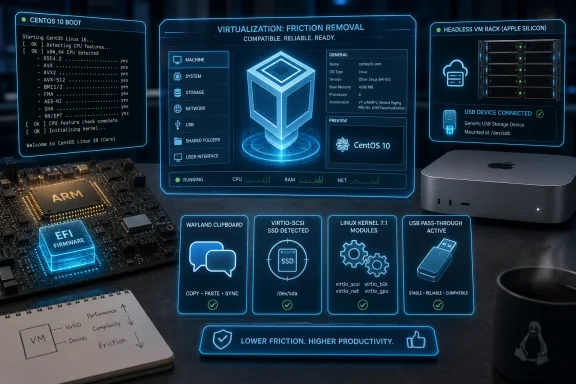 VirtualBox’s Maintenance Releases Are Where the Real Platform Work Happens
VirtualBox has always lived in a strange middle ground. It is familiar enough for hobbyists spinning up a Windows XP VM to recover an old application, but serious enough for IT pros building reproducible test environments, cross-platform labs, and disposable malware-analysis sandboxes. That dual role explains why a maintenance release like 7.2.10 deserves more attention than its version number suggests.The project’s core pitch has not changed much: it runs on Windows, Linux, macOS, and Solaris hosts, supports a wide spread of guest operating systems, and keeps VM definitions portable through XML configuration. That portability is not glamorous, but it is why VirtualBox persists in organizations that do not want every test box tied to a single vendor’s hypervisor stack.
The 7.2 branch itself has been about modernization under pressure. VirtualBox 7.2 added ARM host and guest advances, continued moving functionality into the open source base package, and expanded support for newer Linux kernels. Version 7.2.10 does not rewrite that story; it cleans up the consequences of it.
That is the rhythm of virtualization software in 2026. The big release announces support for a new platform, a new host architecture, or a new guest class. The next few point releases discover exactly how many edge cases the real world can generate.
CentOS 10 Exposes the New Cost of CPU Baselines
The most important fix in VirtualBox 7.2.10 is the one that sounds least friendly to casual users: a VMM issue that prevented CentOS 10 from booting with the fatal glibc message that the CPU did not support x86-64-v3. Behind that line is one of the bigger compatibility shifts Linux administrators are now confronting.The x86-64-v3 baseline is not just a marketing label. It implies a newer set of processor capabilities, including instruction-set features that older x86-64 machines do not expose. Enterprise Linux families have been moving toward newer CPU baselines, which makes sense from a performance and maintenance standpoint, but it also breaks assumptions baked into years of VM templates.
VirtualBox sits directly in the blast radius of that transition. A guest operating system may require a CPU feature set that the physical processor supports, but the virtual machine monitor still has to expose those capabilities accurately and safely. If the guest sees too little, it refuses to boot. If the hypervisor exposes too much or exposes it inconsistently, the failure mode can be uglier.
The CentOS 10 fix therefore matters beyond CentOS. It signals that VirtualBox is still catching up with the new reality in which guest operating systems are less forgiving about old CPU abstractions. For homelab users, that may mean fewer mysterious installer crashes. For admins maintaining Linux validation labs, it means fewer hours lost deciding whether the problem is the ISO, the host CPU, the VM configuration, or the hypervisor.
This is also a reminder that “runs Linux” is no longer a complete compatibility claim. A VM that boots Debian, Ubuntu, or an older RHEL clone may still stumble on a newer enterprise guest with stricter assumptions. VirtualBox 7.2.10 does not eliminate that complexity, but it removes one very visible failure point.
ARM Virtualization Is No Longer a Side Quest
The EFI fix for ARM VMs with less than 1024 MiB of assigned RAM looks modest, but it belongs to a much bigger story. VirtualBox’s 7.2 generation pushed further into ARM territory, including Windows 11 on Arm guests and ARM host support. Once software crosses that line, it inherits a new class of firmware, memory-layout, and device-model problems.For years, VirtualBox was mostly understood as an x86 virtualization tool. Apple Silicon changed the expectations for desktop virtualization, and Windows on Arm machines pushed the issue further. Users now expect serious VM software to operate across architectures, even when the guest and host combinations are more constrained than they were in the old Intel-only world.
An ARM VM failing to boot because it has less than 1 GB of RAM is exactly the kind of bug that shows up when a platform moves from demo-ready to daily-use-ready. Many lightweight guests are configured with small memory footprints by habit. A firmware path that fails under that threshold turns a sensible low-resource configuration into a diagnostic rabbit hole.
The fix does not make ARM virtualization simple. It does, however, make it less brittle. That is what VirtualBox needs if it wants to remain relevant on modern developer laptops, especially as more Windows and macOS users move between x86 and ARM machines.
The deeper issue is that ARM support is not merely another checkbox in the guest OS list. It changes expectations around saved states, device support, graphics, additions, and host integration. Version 7.2.10 is another step in turning ARM from an experimental destination into a normal part of the VirtualBox map.
Apple Silicon Users Get a Very Specific USB Fix With Wider Meaning
The USB fix in 7.2.10 addresses a failure to attach USB devices to headless VMs on Apple Silicon running macOS 26.4.1. That is a narrow sentence, but it describes a very modern use case: ARM Mac hardware, a host OS with tightening security and driver rules, and a VM being controlled without the standard desktop window.Headless VMs are not just for servers. Developers and testers increasingly run virtual machines as background infrastructure, controlled through scripts, CI-like workflows, or remote consoles. When USB passthrough fails there, the impact can range from minor inconvenience to a broken test rig.
USB passthrough has always been one of the less elegant corners of desktop virtualization. It crosses trust boundaries, driver stacks, host permissions, and guest expectations. On Apple Silicon, the problem becomes sharper because macOS has steadily tightened how low-level software interacts with hardware.
For WindowsForum’s audience, the interesting part is not simply that a Mac bug was fixed. It is that cross-platform virtualization now has to track each host’s security model as closely as it tracks guest operating systems. A feature that works on a Windows x86 host, a Linux workstation, and an Intel Mac may still need special handling on Apple Silicon.
That is the hidden maintenance burden behind VirtualBox’s broad compatibility claim. Supporting many hosts is not a static achievement; it is an ongoing negotiation with each platform vendor’s latest changes.
Storage and Network Emulation Still Decide Whether a VM Feels Real
VirtualBox 7.2.10 also fixes a VIRTIO-SCSI issue where a guest system did not recognize the device as an SSD. That may sound cosmetic, but modern operating systems treat SSDs differently from spinning disks. The distinction can affect scheduling, trimming, heuristics, and how the guest reports storage behavior to applications.Virtual storage has to be convincing enough that the guest makes the right decisions. If the guest sees a fast virtual disk as the wrong class of device, it may still work, but it may not behave optimally. These are the kinds of subtle mismatches that make a VM feel slower or stranger than it should.
The E1000 fixes tell a similar story on the networking side. One issue in the E1000 emulation code triggered debug log creation, while another prevented an OS/2 guest from booting. The pairing is almost comically VirtualBox: one foot in modern debug hygiene, the other in support for an operating system many users now encounter only in retrocomputing, industrial systems, or historical software labs.
That breadth is part of VirtualBox’s identity. VMware, Hyper-V, Parallels, KVM, and QEMU all have their own strengths, but VirtualBox’s appeal has long included its willingness to host old, odd, and awkward guests. If an E1000 regression prevents OS/2 from booting, that is not a mainstream enterprise outage — but it is exactly the sort of bug that can matter intensely to the small number of people affected by it.
Network card emulation is also one of those areas where old choices live forever. E1000 exists in countless VM configurations because it has been broadly compatible for years. When emulation changes, old guests become test cases for whether compatibility is truly being preserved.
Linux Kernel Churn Remains VirtualBox’s Permanent Tax
The Linux host and guest fixes in VirtualBox 7.2.10 may be the release’s most predictable entries, but they are also the most revealing. Oracle fixed a Linux host issue where VMs could not be started because of a kernel oops, added build fixes for openSUSE 16.0 kernels, added initial support for kernel 7.1, and included additional work for the RHEL 9.8 kernel.This is the never-ending tax VirtualBox pays for its architecture. On Linux, VirtualBox relies on kernel modules, and those modules must keep building and loading as kernels evolve. Every new kernel family, distro patch set, and enterprise backport can break assumptions.
For desktop users, the result is usually experienced as a blunt failure: the VM simply will not start. For admins, it becomes a packaging and lifecycle question. Do you pin the kernel, wait for a VirtualBox update, rebuild modules manually, or move the workload to a different hypervisor?
That question becomes sharper on rolling or fast-moving distributions. A user running openSUSE, Fedora, Arch, or a development kernel is more likely to hit the edge before the average Windows host user does. But enterprise distros are not immune, because their heavily patched kernels can introduce their own compatibility wrinkles.
The addition of initial kernel 7.1 support is especially notable because it shows VirtualBox preparing for Linux’s next major numbering era rather than merely catching up after the fact. Whether most users need that immediately is beside the point. Kernel compatibility work has to arrive early, or VirtualBox risks becoming the thing users uninstall after a routine system update.
There is also a source-build angle in this release: VirtualBox can now be built using NASM instead of YASM as the assembler. That will matter primarily to packagers and source builders, but those people are part of the ecosystem that keeps VirtualBox available on distributions and niche platforms. A virtualization product lives or dies partly by whether it can be built cleanly where users need it.
Wayland Clipboard Support Shows the Desktop Is Still Unfinished Business
The Linux Guest Additions change for Plasma on Wayland is one of the more quietly important fixes in 7.2.10. Oracle added initial support for the Extended Data Control Protocol for clipboard sharing with Plasma on Wayland guests. That sentence is dense, but the user-facing translation is simple: copy and paste between host and guest should become less fragile in modern KDE environments.Wayland has been the future of the Linux desktop for so long that it is now simply the present in many distributions. But virtualization tooling has not always kept pace with the shift away from X11 assumptions. Shared clipboard, drag-and-drop, display resizing, pointer integration, and session services all become harder when the desktop stack changes underneath them.
VirtualBox Guest Additions are supposed to make a VM feel less like a machine behind glass. When clipboard sharing breaks, the illusion collapses immediately. Developers copying commands, admins moving log snippets, and users transferring configuration text all notice the failure within minutes.
The Plasma-specific nature of the fix also matters. Linux desktop support is not one thing; it is a matrix of compositors, protocols, session managers, display servers, and distribution defaults. GNOME and KDE can expose different integration problems even when both are “Wayland desktops.”
This is where VirtualBox’s open-source base and broad community usage help. Edge cases get reported because users run it everywhere. The downside is that the project then has to keep up with everywhere.
OS/2 Support Is a Reminder That Compatibility Has a Long Tail
The OS/2 Guest Additions fix restores shared folders automount and clipboard sharing. For most users, OS/2 is a museum piece. For VirtualBox, it is still part of the compatibility contract.That may sound quaint, but legacy guest support is one of the reasons VirtualBox still has a place in professional toolkits. Old applications do not disappear just because vendors prefer they would. Manufacturing systems, archival workflows, legal discovery, old development environments, and one-off business tools can all depend on operating systems that no one would choose for a greenfield deployment.
VirtualBox’s continued attention to OS/2 is therefore not nostalgia alone. It is preservation as a practical feature. The ability to boot an old guest is useful; the ability to integrate it enough to move files and text in and out is far more useful.
Shared folders and clipboard support are not glamorous integration layers, but they are the difference between a VM that can be operated and a VM that can only be observed. In a legacy environment, that distinction matters. A VM without usable host-guest integration can become a trap for data.
The E1000 OS/2 boot fix and the Guest Additions repair point in the same direction. VirtualBox is still trying to keep the long tail alive while chasing ARM, Wayland, and new Linux kernels. That is both its charm and its burden.
VirtualBox’s Open Source Identity Is Complicated but Still Important
The supplied release description calls VirtualBox the only professional-quality virtualization solution that is also open source software. That claim has always carried some marketing sharpness, because virtualization is a crowded field and “professional-quality” depends heavily on context. KVM and QEMU are foundational in Linux virtualization, and Xen still has its place. But VirtualBox occupies a distinct desktop-oriented lane.The important part is that VirtualBox remains accessible in a way many commercial virtualization products are not. A student, hobbyist, admin, or developer can install it without buying into a full enterprise platform. VM configurations can be moved between machines, controlled through the GUI or command line, and automated through an SDK.
That openness does not make VirtualBox immune from friction. The Extension Pack, host driver requirements, secure boot interactions, and platform-specific limitations can still complicate deployments. But the base project’s availability and portability keep it relevant, particularly for labs that span Windows, Linux, and macOS.
The 7.2 series has also continued moving some features into the open source base package. That matters because it narrows the gap between “VirtualBox as downloaded by most users” and “VirtualBox as a fully useful tool.” For a community publication like WindowsForum, that shift is worth watching.
VirtualBox’s challenge is that users compare it not only with other open-source tools, but with the hypervisors built into their operating systems. On Windows, that means Hyper-V and Windows Subsystem for Linux-related virtualization layers. On macOS, it means Parallels, VMware Fusion, Apple’s virtualization framework, and architecture-specific constraints. On Linux, it means KVM-based front ends. VirtualBox survives by being familiar, portable, and unusually broad.
Windows Users Should Read This as a Lab Reliability Update
For Windows users, VirtualBox 7.2.10 is not primarily about Windows host fixes. It is about the reliability of the guests Windows users are likely to test. A Windows 11 workstation running VirtualBox is often a staging ground for Linux distributions, old Windows versions, network appliances, and experimental OS builds.The CentOS 10 fix is especially relevant here. Many admins and students use Windows laptops as their primary hardware while testing enterprise Linux guests. If those guests fail at boot with CPU-feature errors, the Windows user experiences it as a VirtualBox problem even when the root cause spans glibc requirements, hypervisor CPU exposure, and guest policy.
The same applies to storage and networking emulation. If a lab VM does not recognize virtual storage correctly, or an emulated network adapter behaves oddly, the host operating system is almost beside the point. The test environment loses credibility.
VirtualBox also remains attractive on Windows because it is not tied to a single Microsoft-centric workflow. Hyper-V is powerful, but enabling it can affect other virtualization stacks, and not every user wants to organize their lab around Microsoft’s assumptions. VirtualBox continues to offer a simpler mental model for many desktop users: create a VM, attach an ISO, install the OS, snapshot, break, revert.
That simplicity depends on boring maintenance. A release like 7.2.10 is the price of keeping the simple path simple.
The Risk Is Not the Update, but the Assumption That All VMs Are Disposable
The sensible advice is to update, but not blindly. VirtualBox point releases are usually safe, yet virtualization updates touch kernel modules, drivers, device emulation, Guest Additions, and sometimes saved states. Anyone running important lab environments should treat the hypervisor itself as infrastructure.Before updating, users should shut down critical VMs rather than relying on saved states. That is especially prudent across major branch changes, but it is a good habit even for maintenance releases. Saved state compatibility has historically been one of the places where virtualization upgrades can surprise users.
Admins should also separate host updates from guest updates when troubleshooting. If a Linux guest stops booting after a VirtualBox update and a kernel update landed at the same time, the diagnostic tree gets messy quickly. Snapshotting guests and recording VirtualBox build numbers is not bureaucracy; it is how you keep a lab reproducible.
Guest Additions deserve particular care. A host VirtualBox update without matching Guest Additions inside important guests can leave integration features half-fixed. Clipboard sharing, display resizing, shared folders, and graphics behavior often depend on that pairing.
For users affected by the listed bugs, 7.2.10 is more than routine. If you are testing CentOS 10, running headless VMs on Apple Silicon, building VirtualBox modules against newer Linux kernels, or maintaining OS/2 guests, this is a targeted fix release. If your environment is stable and none of those scenarios apply, the update is still worth planning, but it does not need to be a panic install.
The 7.2.10 Release Notes Tell Admins Where the Edges Are Moving
VirtualBox 7.2.10 is valuable because its changelog maps the current fault lines in desktop virtualization. The old problems have not disappeared, but new ones have joined them. CPU baselines, ARM firmware behavior, macOS security constraints, Wayland integration, and Linux kernel churn are now all part of the same support surface.That is the practical lesson of this release. Virtualization used to feel like a settled abstraction on desktop machines: emulate some hardware, pass through enough CPU features, and let the guest behave. In 2026, every layer is moving again.
The concrete takeaways are straightforward:
- VirtualBox 7.2.10 fixes a CentOS 10 boot failure tied to x86-64-v3 CPU feature exposure.
- ARM VM users get an EFI fix for low-memory configurations below 1024 MiB.
- Apple Silicon users running macOS 26.4.1 gain a fix for attaching USB devices to headless VMs.
- Linux hosts and guests receive compatibility work for openSUSE 16.0, RHEL 9.8, and early kernel 7.1 support.
- Plasma on Wayland guests should see progress on shared clipboard support through the Linux Guest Additions.
- OS/2 users benefit from fixes to both E1000 boot behavior and Guest Additions integration.
VirtualBox 7.2.10 is the kind of release that looks small until it fixes the one incompatibility blocking your lab, and that is precisely why it matters. The future of desktop virtualization will not be won only by benchmark numbers or glossy support for the newest host architecture; it will be won by the tools that keep old guests booting, new guests installing, and everyday integration features working after the next kernel, firmware, or desktop stack moves underneath them.
References
- Primary source: Neowin
Published: 2026-06-17T10:20:08.636363
VirtualBox 7.2.10 - Neowin
VirtualBox is a general-purpose full virtualizer for x86 hardware. Targeted at server, desktop and embedded use, it is the only professional-quality virtualization solution that is also Open Source. www.neowin.net
- Related coverage: virtualbox.org
- Related coverage: download.virtualbox.org
- Related coverage: docs.oracle.com
Oracle VirtualBox Release Notes for Release 7.2
docs.oracle.com
- Related coverage: rpmfind.net
- Related coverage: oracle.com
Oracle VM VirtualBox - Downloads | Oracle Technology Network | Oracle United Kingdom
Download the latest version of Oracle VM VirtualBox. www.oracle.com
- Related coverage: eol.wiki
VirtualBox End of Life (EOL) Dates & Support Status | EOL.Wiki
Oracle VirtualBox is a free, open-source virtualization software for running multiple operating systems. eol.wiki
- Related coverage: computerbase.de
Virtualisierung: Bei VirtualBox 7.2.2 widmet sich Oracle der Fehlerbehebung - ComputerBase
Oracle hat Virtual Box 7.2.2 veröffentlicht, bei dem sich die Entwickler primär auf die Behebung diverser Fehler konzentriert haben.www.computerbase.de
- Related coverage: download.oracle.com
