

Windows 11 Pro is often described as the “business” edition of Windows, but that label undersells how much it can change day-to-day productivity. The real value is not in flashy extras; it is in the quiet features that save time, reduce interruptions, and lower the risk of mistakes. For power users, freelancers, hybrid workers, and small teams, those differences can add up fast.
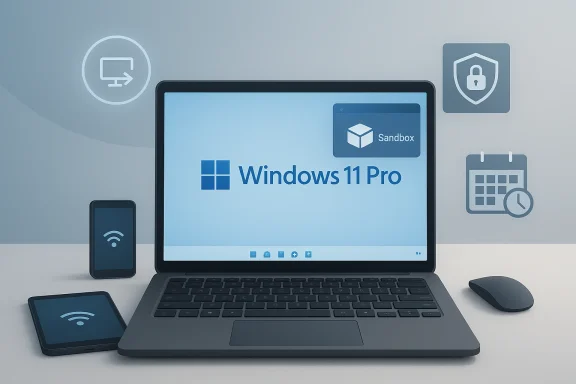
What makes Windows 11 Pro stand out is that several of its best tools are already built in and waiting to be used. Remote Desktop, BitLocker to Go, Windows Sandbox, and tighter control over updates are all familiar to IT professionals, yet many everyday users never take advantage of them. In practice, these features can make a machine feel less like a consumer PC and more like a dependable work instrument.
Windows 11 Pro sits at an interesting intersection between consumer simplicity and enterprise discipline. Microsoft positions the edition as a step up from Home, but the actual gap is bigger than a checklist of business-only capabilities. It is really about control: control over access, control over risk, and control over when your machine interrupts you.
That matters because modern work has become more fragmented. People switch between office, home, airport lounge, hotel room, client site, and coffee shop. In that environment, the most valuable Windows features are often the ones that preserve continuity, rather than the ones that look impressive in a demo.
Remote access, encryption, sandboxing, and update management are not glamorous. Yet they solve problems people run into every week. If your laptop is your office, your filing cabinet, and your travel companion, then any feature that reduces downtime or protects data has a direct productivity impact.
Microsoft has also spent years refining these tools rather than reinventing them. That is part of why they remain underrated. They are not new enough to trend, but they are mature enough to trust. As a result, Windows 11 Pro often rewards users who invest a little time in setup with a lot of time saved later.
The biggest misconception is that productivity comes only from apps. In reality, platform features can be just as important. A reliable remote session or a secure USB drive can be more useful than another note-taking app or browser extension.
That matters because built-in tools usually integrate better than third-party alternatives. They tend to be easier to trust, easier to support, and easier to standardize across a fleet of devices. For small organizations in particular, that can mean less software sprawl and fewer compatibility headaches.
That flexibility makes Remote Desktop unusually useful for hybrid work. You do not need to drag your main workstation everywhere, and you do not need to remember which files were synced to which machine. You simply reach your full desktop environment from another device and continue working.
This is especially helpful for users with demanding software setups. A creative professional, developer, accountant, or engineer may rely on heavy desktop applications that are awkward to recreate on a tablet or travel laptop. Remote Desktop makes the secondary device an access point rather than a second working environment.
The key benefit is not just access, but access without duplication. You no longer need to maintain two separate working setups. That reduces the chance of version mismatches, missing files, and forgotten utilities.
In practice, enterprises value standardization and policy control, while individuals value mobility. That dual appeal is part of why Remote Desktop remains one of the best arguments for Windows 11 Pro over Home. It is not merely a convenience feature; it is an operational backstop.
That makes the feature especially valuable for anyone moving sensitive files between devices. Instead of relying on password-protected ZIP files or unencrypted flash drives, you can encrypt the drive itself and require a password before contents are accessible.
A secure flash drive can be faster than waiting for sync, more portable than a shared folder, and safer than copying files around by hand. In that sense, encryption is not just a defensive measure. It is also a workflow enabler.
It also helps in organizations where physical file transfer is unavoidable. Some environments still rely on removable storage for offline movement of data or for media exchange in constrained networks. Secure removable drives are often the most practical compromise between compliance and convenience.
Still, the upside is substantial. Security and mobility usually fight each other; BitLocker to Go is one of the rare tools that improves both at once.
That makes it ideal for opening suspicious downloads, testing installers, or trying software you are not ready to trust on your primary system. For many users, it is the closest thing to a “try before you install” lab built directly into the operating system.
That matters because the best security tool is the one you will actually use. If testing an unknown file takes thirty minutes, users will skip the protection and double-click it on the host. If it takes seconds, they are far more likely to do the safer thing.
The most underrated aspect is psychological. Sandbox changes the user’s relationship with risk. Instead of asking “Is this safe enough to open?” the user can ask, “Why not open it somewhere isolated?” That is a far healthier default.
Those details matter because the feature’s convenience depends on understanding its boundaries. Sandbox is powerful precisely because it is disposable, but users should still treat it as a controlled environment, not a substitute for broader security hygiene.
Windows 11 Pro goes further for users who want more control. In practice, that means better timing, less disruption, and a more predictable machine. When a device is used for deadlines, meetings, or field work, predictability is a genuine productivity feature.
Windows 11 Pro’s added update controls are valuable because they let professionals align maintenance with real schedules. The machine stays current while becoming less likely to interrupt the moments that matter. Microsoft also documents more advanced compliance policies and deadlines for update behavior in managed environments, reinforcing that the platform is intended to support structured maintenance.
That said, the practical result is similar: fewer surprise restarts. A feature that prevents one bad interruption may be worth more than many visible “productivity” apps because it protects the continuity of work.
That is especially relevant in business settings where laptops and desktops must behave predictably. A machine that sleeps when it should, wakes when needed, and preserves performance settings across workloads is easier to support. It also reduces the kind of micro-frustration that eats into a workday.
This is one reason Pro feels more “serious” in use. It is not only about horsepower; it is about governability. That matters in offices, classrooms, and home offices alike.
Pro users are often the ones most sensitive to that stability. They are the ones who live in spreadsheets, remote sessions, and meetings. A machine that behaves consistently is itself a productivity tool.
That matters in a market where users increasingly split their time across cloud services, mobile devices, and remote work environments. The more distributed your work becomes, the more valuable it is to have the deepest controls on the device that still anchors your workflow.
That gap is not about status. It is about eliminating friction. If a feature helps you work faster or safer every day, it is no longer “underrated”; it is strategic.
That balance is one reason Windows 11 Pro keeps earning its keep. It is a toolkit edition, not just an upgrade badge.
Microsoft’s recent documentation also suggests that it continues to refine these capabilities rather than abandon them. Windows Sandbox, for example, remains a supported and actively maintained feature with ongoing improvements, while Remote Desktop and BitLocker continue to be core parts of the platform. That continuity is important, because productivity tools become more valuable the longer they remain dependable.
What to watch next:
Source: Windows Central Windows 11 Pro's most underrated features for getting more done
What makes Windows 11 Pro stand out is that several of its best tools are already built in and waiting to be used. Remote Desktop, BitLocker to Go, Windows Sandbox, and tighter control over updates are all familiar to IT professionals, yet many everyday users never take advantage of them. In practice, these features can make a machine feel less like a consumer PC and more like a dependable work instrument.
 Overview
Windows 11 Pro sits at an interesting intersection between consumer simplicity and enterprise discipline. Microsoft positions the edition as a step up from Home, but the actual gap is bigger than a checklist of business-only capabilities. It is really about control: control over access, control over risk, and control over when your machine interrupts you.That matters because modern work has become more fragmented. People switch between office, home, airport lounge, hotel room, client site, and coffee shop. In that environment, the most valuable Windows features are often the ones that preserve continuity, rather than the ones that look impressive in a demo.
Remote access, encryption, sandboxing, and update management are not glamorous. Yet they solve problems people run into every week. If your laptop is your office, your filing cabinet, and your travel companion, then any feature that reduces downtime or protects data has a direct productivity impact.
Microsoft has also spent years refining these tools rather than reinventing them. That is part of why they remain underrated. They are not new enough to trend, but they are mature enough to trust. As a result, Windows 11 Pro often rewards users who invest a little time in setup with a lot of time saved later.
Why “underrated” is the right word
The common critique of Windows Pro is that it feels unnecessary for home users. That can be true if you only compare headline features. But if you measure by workflow friction, the Pro edition frequently pays for itself through fewer restarts, fewer security compromises, and fewer moments spent hunting for a file you left on another device.The biggest misconception is that productivity comes only from apps. In reality, platform features can be just as important. A reliable remote session or a secure USB drive can be more useful than another note-taking app or browser extension.
- Control matters more than novelty.
- Continuity matters more than convenience.
- Security matters more when work data leaves the office.
- Less interruption often equals more output.
The hidden value of built-in tools
Windows 11 Pro does not require a subscription to unlock these core advantages. Once the edition is installed, the features are already present, though some may need activation or configuration. Microsoft’s own support materials make clear that several of them are exclusive to Pro, Enterprise, or Education, not Home. BitLocker Drive Encryption, for example, is only available on Pro, Enterprise, or Education editions, and removable drives are explicitly listed under BitLocker to Go.That matters because built-in tools usually integrate better than third-party alternatives. They tend to be easier to trust, easier to support, and easier to standardize across a fleet of devices. For small organizations in particular, that can mean less software sprawl and fewer compatibility headaches.
Remote Desktop: the most practical productivity booster
Remote Desktop is one of those features that sounds niche until you need it. Then it suddenly becomes indispensable. Microsoft confirms that the PC being connected to must run Windows Pro, while the client device can be Windows Home, macOS, iOS, Android, or another platform entirely.That flexibility makes Remote Desktop unusually useful for hybrid work. You do not need to drag your main workstation everywhere, and you do not need to remember which files were synced to which machine. You simply reach your full desktop environment from another device and continue working.
Why it matters more now
In the era of hybrid work, the biggest productivity tax is often context switching. Remote Desktop reduces that cost by preserving your full environment. Your documents, browser state, desktop apps, and specialized tools remain where they were, even if you are temporarily sitting in front of a different device.This is especially helpful for users with demanding software setups. A creative professional, developer, accountant, or engineer may rely on heavy desktop applications that are awkward to recreate on a tablet or travel laptop. Remote Desktop makes the secondary device an access point rather than a second working environment.
Setup is simple, but the payoff is large
The initial configuration takes only a few steps: enable Remote Desktop on the Pro machine, note the PC name, and connect from the device you are using. Microsoft’s guidance shows that the feature is intentionally broad in client support, which lowers the barrier to adoption.The key benefit is not just access, but access without duplication. You no longer need to maintain two separate working setups. That reduces the chance of version mismatches, missing files, and forgotten utilities.
- Use your main PC from anywhere
- Avoid reinstalling work software on every device
- Keep specialized apps centralized
- Reduce file-transfer mistakes
- Preserve your exact work environment
Enterprise and solo-worker benefits differ
For enterprise users, Remote Desktop supports continuity across managed endpoints and remote offices. For solo professionals, it can function as an emergency lifeline when a primary laptop is unavailable. The same feature can serve both audiences, but the workflows differ.In practice, enterprises value standardization and policy control, while individuals value mobility. That dual appeal is part of why Remote Desktop remains one of the best arguments for Windows 11 Pro over Home. It is not merely a convenience feature; it is an operational backstop.
BitLocker to Go: security that also makes sharing easier
BitLocker is usually discussed as a full-disk encryption tool, but Windows 11 Pro also includes support for removable media under BitLocker to Go. Microsoft’s support documentation explicitly lists removable drives like USB thumb drives under “Removable data drives - BitLocker To Go,” and notes that BitLocker Drive Encryption is available on Windows Pro, Enterprise, or Education, not Home.That makes the feature especially valuable for anyone moving sensitive files between devices. Instead of relying on password-protected ZIP files or unencrypted flash drives, you can encrypt the drive itself and require a password before contents are accessible.
The overlooked workflow advantage
People often think of encryption as a burden, but BitLocker to Go can actually simplify secure sharing. If you exchange data with colleagues, consultants, or clients, encrypting the drive gives you a cleaner process than juggling email attachments or cloud uploads for everything.A secure flash drive can be faster than waiting for sync, more portable than a shared folder, and safer than copying files around by hand. In that sense, encryption is not just a defensive measure. It is also a workflow enabler.
Why this matters for mobile professionals
Traveling workers, legal teams, healthcare staff, and anyone handling private business data face an obvious risk when they use removable media. Lost hardware is common. BitLocker to Go reduces the blast radius by making the drive unreadable without the password.It also helps in organizations where physical file transfer is unavoidable. Some environments still rely on removable storage for offline movement of data or for media exchange in constrained networks. Secure removable drives are often the most practical compromise between compliance and convenience.
Practical trade-offs to keep in mind
Encryption is not friction-free. Users need to manage passwords and recovery keys carefully, or the drive can become inaccessible. That is a real operational risk, especially in mixed environments where drives move between corporate and personal machines.Still, the upside is substantial. Security and mobility usually fight each other; BitLocker to Go is one of the rare tools that improves both at once.
- Encrypt USB drives before moving sensitive files
- Use passwords instead of trust-based access
- Reduce exposure if a drive is lost or stolen
- Support secure collaboration across devices
- Avoid ad hoc file-protection workarounds
Windows Sandbox: the safest place to be reckless
Windows Sandbox may be the most elegant underused feature in Windows 11 Pro. Microsoft describes it as a lightweight, isolated desktop environment for safely running applications, exploring unknown files, and experimenting with tools. It is disposable by design: close it, and everything inside disappears.That makes it ideal for opening suspicious downloads, testing installers, or trying software you are not ready to trust on your primary system. For many users, it is the closest thing to a “try before you install” lab built directly into the operating system.
Why Sandbox is more than just a toy VM
Traditional virtual machines are powerful, but they can feel heavy. They require planning, configuration, and often more disk space than casual users want to spare. Microsoft designed Windows Sandbox to be disposable and fast, with a lower memory footprint and quick launch times compared to full VMs.That matters because the best security tool is the one you will actually use. If testing an unknown file takes thirty minutes, users will skip the protection and double-click it on the host. If it takes seconds, they are far more likely to do the safer thing.
A smart fit for both technical and nontechnical users
Developers and IT pros can use Sandbox to reproduce issues or test applications in a clean state. But the feature is arguably even more useful for nontechnical people, because they are less likely to have another safe environment available. Microsoft explicitly describes scenarios like opening untrusted applications or files, secure browsing, and demoing software without harming the host machine.The most underrated aspect is psychological. Sandbox changes the user’s relationship with risk. Instead of asking “Is this safe enough to open?” the user can ask, “Why not open it somewhere isolated?” That is a far healthier default.
Known limitations are worth understanding
Windows Sandbox is not magic. Microsoft notes that networking is enabled by default, which can expose untrusted applications to the internal network unless users disable it through a custom configuration file. Starting with Windows 11, version 22H2, some data can persist through restarts initiated within the sandbox, which is useful for apps that need a reboot.Those details matter because the feature’s convenience depends on understanding its boundaries. Sandbox is powerful precisely because it is disposable, but users should still treat it as a controlled environment, not a substitute for broader security hygiene.
- Test downloads before trusting them
- Open risky files in isolation
- Try software without polluting your main install
- Reproduce bugs in a clean environment
- Keep experimentation away from production work
Update scheduling: productivity through fewer interruptions
Windows Update is necessary, but poorly timed restarts can wreck a workday. Windows 11 does provide active hours and restart scheduling even in general consumer usage, and Microsoft’s support documentation explains that active hours are designed to prevent inconvenient restarts when you are usually using the PC.Windows 11 Pro goes further for users who want more control. In practice, that means better timing, less disruption, and a more predictable machine. When a device is used for deadlines, meetings, or field work, predictability is a genuine productivity feature.
Why this is a Pro-grade advantage
Many people focus on security updates as a background maintenance task. That is understandable, but it misses the productivity angle. If a machine restarts at the wrong time, the cost is not just annoyance; it is lost flow, interrupted meetings, and sometimes unsaved work.Windows 11 Pro’s added update controls are valuable because they let professionals align maintenance with real schedules. The machine stays current while becoming less likely to interrupt the moments that matter. Microsoft also documents more advanced compliance policies and deadlines for update behavior in managed environments, reinforcing that the platform is intended to support structured maintenance.
A better fit for managed and self-managed systems
For organizations, update scheduling is about keeping endpoints secure without overwhelming employees. For independent professionals, it is about preserving availability. The same capability serves both use cases, but the motivation differs.That said, the practical result is similar: fewer surprise restarts. A feature that prevents one bad interruption may be worth more than many visible “productivity” apps because it protects the continuity of work.
The hidden economics of fewer disruptions
Downtime has a cost even when it is only fifteen minutes. Interruptions break concentration, and concentration is expensive to rebuild. In that light, update scheduling is not about deferring maintenance forever. It is about placing it where it hurts least.- Schedule restarts outside active work
- Keep security updates from becoming productivity events
- Reduce the risk of lost work
- Align maintenance with team operations
- Create a more reliable daily rhythm
Power and performance controls: more than battery tweaks
Windows 11 Pro is also stronger when it comes to system governance and tuning, even if the most visible changes are subtle. Power plans, sleep behavior, and background process management can matter a great deal for professionals who need consistency from their machines. The Pro edition’s broader management stance makes it easier to standardize those expectations.That is especially relevant in business settings where laptops and desktops must behave predictably. A machine that sleeps when it should, wakes when needed, and preserves performance settings across workloads is easier to support. It also reduces the kind of micro-frustration that eats into a workday.
Why control beats raw speed
Many users chase specs, but productivity often depends on control. A slightly slower machine with well-tuned behavior can outperform a faster one that interrupts, overheats, or changes power states at the wrong time. Windows 11 Pro’s value is that it helps users and administrators shape behavior more deliberately.This is one reason Pro feels more “serious” in use. It is not only about horsepower; it is about governability. That matters in offices, classrooms, and home offices alike.
Compatibility with modern work patterns
Hybrid work places unusual demands on laptops. They must travel well, last long, connect quickly, and recover from standby without drama. The more you depend on a single device, the more valuable it becomes to have tools that preserve stable operation.Pro users are often the ones most sensitive to that stability. They are the ones who live in spreadsheets, remote sessions, and meetings. A machine that behaves consistently is itself a productivity tool.
- Stable sleep and wake behavior
- Better fit for managed power profiles
- Reduced background surprises
- More predictable mobile use
- Less time spent troubleshooting odd behavior
The enterprise angle is stronger than the consumer angle
A lone consumer may never think about power policy. An IT department thinks about it constantly. That difference explains why Pro exists: it offers a more manageable baseline. Even for solo users, though, the benefits can show up as fewer oddities and fewer “why did my laptop do that?” moments.Why Windows 11 Pro still matters in 2026
Windows 11 Pro remains relevant because its best features are not trend-driven; they are durable. Microsoft’s current documentation continues to reinforce that Pro is the edition where many of these core tools live, from BitLocker to Windows Sandbox and Remote Desktop host support.That matters in a market where users increasingly split their time across cloud services, mobile devices, and remote work environments. The more distributed your work becomes, the more valuable it is to have the deepest controls on the device that still anchors your workflow.
The consumer-versus-pro divide has narrowed, but not disappeared
Windows Home has grown more capable over time. For casual use, it is often enough. But the small set of Pro-only features still creates a meaningful productivity gap for users who work across locations, handle sensitive files, or need to keep test environments separate from their main system.That gap is not about status. It is about eliminating friction. If a feature helps you work faster or safer every day, it is no longer “underrated”; it is strategic.
Small businesses are the biggest sweet spot
Small businesses often benefit the most because they need enterprise-style control without enterprise-scale complexity. Pro gives them a practical middle ground. It supports remote access, improves data protection, and provides enough management capability to keep endpoints reliable without building a full IT stack.That balance is one reason Windows 11 Pro keeps earning its keep. It is a toolkit edition, not just an upgrade badge.
- Home is simpler
- Pro is more controllable
- Enterprise is more centralized
- Small businesses often live in the middle
- That middle is where Pro shines
Strengths and Opportunities
Windows 11 Pro’s biggest strength is that it makes everyday work smoother without demanding constant attention. The best features are largely invisible once configured correctly, which is exactly what professionals want from infrastructure-like capabilities. They should disappear into the background until the moment they are needed, and that is where Pro excels.- Remote Desktop makes one PC accessible from many devices.
- BitLocker to Go protects removable storage without slowing collaboration.
- Windows Sandbox enables safe testing without a full VM setup.
- Update scheduling reduces workflow disruption.
- Broader manageability makes Pro a better fit for small teams.
- Consistency helps users preserve focus across sessions.
- Built-in security reduces reliance on third-party workarounds.
Risks and Concerns
The same features that make Windows 11 Pro attractive can also create problems if users misunderstand them. Encryption keys can be lost, Remote Desktop can be exposed if configured poorly, Sandbox networking can be riskier than expected, and update controls can be misused to delay essential maintenance. In other words, these are productivity features, but they are also responsibility features.- Remote Desktop exposure can create attack surface if not secured properly.
- BitLocker recovery key loss can lock users out of essential files.
- Sandbox networking defaults may surprise users who assume total isolation.
- Update deferral can leave systems behind on security patches.
- Feature complexity may overwhelm less technical users.
- Policy confusion can arise when Pro machines are mixed with Home devices.
- False confidence is a risk when users treat built-in tools as a complete security strategy.
Looking Ahead
Windows 11 Pro is likely to remain the edition that quietly powers serious personal and small-business computing. As work becomes more distributed, the value of built-in remote access, encryption, sandboxing, and update control will only grow. The features themselves may not change dramatically, but the number of people who need them probably will.Microsoft’s recent documentation also suggests that it continues to refine these capabilities rather than abandon them. Windows Sandbox, for example, remains a supported and actively maintained feature with ongoing improvements, while Remote Desktop and BitLocker continue to be core parts of the platform. That continuity is important, because productivity tools become more valuable the longer they remain dependable.
What to watch next:
- Further refinement of Windows Sandbox
- More flexible update control for professionals
- Better integration between security and manageability
- Ongoing pressure to simplify remote access
- Growing demand for secure portable storage
Source: Windows Central Windows 11 Pro's most underrated features for getting more done
Last edited:
