

Microsoft stopped quietly tucking playful, undocumented “Easter eggs” into Windows not because developers ran out of whimsy, but because the modern realities of security, enterprise trust, and large-scale software governance make hidden code an unacceptable risk.
Easter eggs — intentionally hidden messages, credits, animations or small games buried in shipped software — were once a ubiquitous part of software culture. From the early hidden credit rolls in classic Windows releases to the secret flight-simulator and pinball diversions tucked into late‑90s Office suites, product teams used these tiny surprises as a way to celebrate their work and reward inquisitive users.
That era began to change when security and trust became explicit, company‑wide priorities. In the early 2000s Microsoft launched a company‑level pivot toward “Trustworthy Computing,” which repositioned security, reliability, privacy and system integrity above adding features. As the company moved to treat Windows as an infrastructure platform used by governments and regulated industries, undocumented code — however harmless it might seem — started to look like a liability rather than a lark.
A few years later, senior engineers at Microsoft publicly explained and reinforced the stance: undocumented or hidden code undermines trust because it cannot be reliably audited, tested, or explained to customers and enterprise buyers. The upshot is a formal, long‑standing policy in the OS division: no Easter eggs.
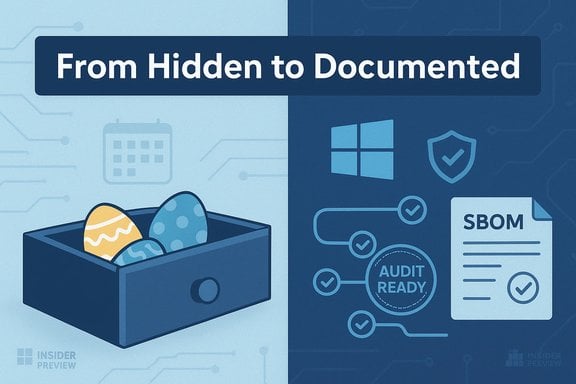
That said, the human impulse to delight and create remains valuable. The sensible path forward is to preserve those impulses inside mechanisms that respect the demands of modern software governance: documented opt‑ins, staged previews, signed experimental modules, and visible acknowledgements. In short, keep the charm, ditch the secrecy — and make sure whatever whimsy ships is something users can trust.
Source: Neowin https://www.neowin.net/news/here-is-why-microsoft-does-not-hide-easter-eggs-in-windows-anymore/]
 Background
Easter eggs — intentionally hidden messages, credits, animations or small games buried in shipped software — were once a ubiquitous part of software culture. From the early hidden credit rolls in classic Windows releases to the secret flight-simulator and pinball diversions tucked into late‑90s Office suites, product teams used these tiny surprises as a way to celebrate their work and reward inquisitive users.That era began to change when security and trust became explicit, company‑wide priorities. In the early 2000s Microsoft launched a company‑level pivot toward “Trustworthy Computing,” which repositioned security, reliability, privacy and system integrity above adding features. As the company moved to treat Windows as an infrastructure platform used by governments and regulated industries, undocumented code — however harmless it might seem — started to look like a liability rather than a lark.
A few years later, senior engineers at Microsoft publicly explained and reinforced the stance: undocumented or hidden code undermines trust because it cannot be reliably audited, tested, or explained to customers and enterprise buyers. The upshot is a formal, long‑standing policy in the OS division: no Easter eggs.
Why Microsoft stopped putting Easter eggs in Windows
1) Hidden code breaks the trust model that modern computing demands
When Windows is running on millions of business and government endpoints, every line of code becomes an element of the trusted computing base. Hidden behaviors — by definition undocumented and often not part of formal product specifications — create ambiguity about what the system should do. That ambiguity has three consequences:- Auditors, regulators and procurement teams cannot confidently certify a product that contains undocumented behaviors.
- Customers can’t easily determine whether a particular behavior is benign fun or a covert channel, bug, or backdoor.
- The company behind the product loses a defensible narrative when something unexpected occurs; even a harmless joke becomes a risk to reputation.
2) Undocumented code can (and has) introduced real bugs and vulnerabilities
Easter eggs are not immune to defects. There are documented examples where hidden features behaved unexpectedly or had unintended side effects. When a tiny easter‑egg routine lives outside the normal quality‑assurance and security review path, it may introduce:- Buffer overflows, protocol handling errors, or logic errors that can be triggered unintentionally.
- Behavior that interacts with network services or system protocols, creating exploitable vectors.
- Compatibility or maintenance headaches when later code changes rely on undocumented behavior.
3) Procurement, compliance and certification pressures
Large customers — governments, banks, healthcare providers and telecommunications carriers — demand attestations about what software running on their systems does and how it handles data. Undocumented features complicate:- Security audits (including static and dynamic analysis).
- Supply chain attestations and software bills of materials (SBOMs).
- Compliance with standards and certifications that require traceability of functionality and code provenance.
4) Modern security posture: minimized attack surface and standardized review
Software development lived through a security revolution: secure development lifecycles, mandatory code review, static analysis, dependency management, and threat modeling are now routine. Hidden code sits outside that controlled flow by design. The presence of rogue or undocumented paths undermines the benefits of these defenses and can foil a principle that organizations now rely on: you must be able to account for and analyze all behavior in shipped binaries.5) Legal and policy exposure
Undocumented features can create legal ambiguity. If a surprise feature touches user data, toggles a network behavior, or changes logging, the vendor can be exposed to legal risk. In regulated contexts, even a seemingly whimsical Easter egg could cause non‑compliance with rules governing data handling, logging, or export controls.What Microsoft’s policy looks like in practice
The difference between a “hidden” Easter egg and a controlled, audited delight
Microsoft’s position is not “creativity is dead.” Instead, the company enforces that any shipped behavior — even a playful one — is:- Documented in product specifications or release notes, or explicitly confined to a developer/insider channel; and
- Subject to the same security, accessibility and QA processes as any other feature.
Controlled channels: Insiders, previews and opt‑ins
When Microsoft wants to try something delightful, it typically uses staged preview channels rather than shipping undocumented routines to every user. In preview builds, behavior can be instrumented, telemetry captured, and opt‑in settings offered so engineers can evaluate the feature’s impact before it becomes general‑availability code.“Easter eggs” as marketing or cosmetic callbacks (when properly scoped)
Modern small delights are often cosmetic and harmless — toggles that change an avatar’s appearance or a themed wallpaper package — and always expire to documented, supported settings. The design difference is critical: delight without undocumented code paths.Strengths of the “no Easter eggs” policy
- Stronger security posture. Removing undocumented code reduces the unexpected attack surface and supports full code‑auditability.
- Better enterprise trust. Customers can be more confident that shipped binaries contain only agreed, tested behaviors.
- Regulatory clarity. Fewer surprises mean fewer compliance complications during audits or certification processes.
- Predictable maintenance. Product teams don’t have to support or re‑maintain whimsical code that staffers created for fun years earlier.
Costs and trade‑offs: what gets lost
- Culture and morale. Hidden credits and playful surprises have historically been a small but meaningful way for engineers to leave their mark. Removing that outlet can make engineering culture feel more constrained.
- User delight and organic marketing. Easter eggs create viral moments and inject human warmth into software. Those low‑cost PR wins vanish when every line must be justified.
- Historical continuity. For software archaeologists and enthusiasts, hidden artifacts are part of a platform’s living memory.
Modern practice: how to keep delight without sacrificing safety
Microsoft and other large platform vendors have adopted several pragmatic patterns that preserve the fun while addressing the risks:- Insider channels and feature flags. Try playful features behind an explicit preview toggle, gather telemetry, and only promote features that meet security and reliability thresholds.
- Documented opt‑in features. If an experience is intended to be whimsical, ship it as a documented setting or personalization option, not an undetectable code path.
- Signed and audited experimental modules. Use signed, optional modules that can be independently audited and removed from enterprise images during provisioning.
- Developer credits in About screens. Rather than hidden screens, provide visible acknowledgements in product About or credits pages that go through the same QA and localization processes as other UI content.
- Community‑facing artifacts (artful wallpapers, downloadable assets). Release delightful content as non‑executable assets rather than baked into runtime code.
Technical examples and lessons from history
- Hidden developer credits and animated screens were common in older Windows and Office releases. Some of those artifacts proved harmless and charming; others inadvertently introduced edge‑case behavior or bugs when triggered by unexpected inputs.
- There are well‑known incidents where hidden or undocumented behaviors behaved outside their intended scope; those examples were locally embarrassing and sharpened the business case for a tighter policy.
- The structural lesson is straightforward: any code that bypasses normal testing and review is not immune to real world conditions, and at scale, hidden surprises become a risk multiplier.
What this means for IT pros and administrators
- Patch and provision images with the expectation that commercial OS vendors will continue to restrict undocumented code.
- Treat preview builds and Insider channels as safe sandboxes for curiosity — but do not run them in production.
- Harden enterprise provisioning by:
- Creating golden images that exclude optional or preview components.
- Using application allow‑listing and binary signing enforcement.
- Demanding SBOMs and code provenance from critical software suppliers.
- When a playful feature appears in preview and you want to enable it in a controlled way:
- Validate the feature in isolated pilot groups first.
- Confirm data flows, retention policies, and connector behavior before enterprise rollout.
- Document the risk acceptance decision and communicate it to stakeholders.
For hobbyists and historians: how to safely explore legacy Easter eggs
If the cultural historian in you wants to chase down a long‑hidden Office or Windows Easter egg, follow a few practical rules:- Use clean, isolated virtual machines with no network access when running legacy binaries. Old software lacks modern security patches and can be a vector for malware.
- Prefer legally preserved installation media and archival images to avoid licensing or tampering issues.
- Document your environment (build numbers, language packs) — many Easter eggs are fragile and depend on exact builds or resource files.
- Avoid running ancient server software on production networks; some historical surprises touched network services and were never intended for the open Internet.
Critical analysis and risks that remain
Microsoft’s policy is prudent and aligned with the contemporary threat landscape, but it is not a cure‑all. A few risks and open questions remain:- The absence of Easter eggs does not eliminate closed, opaque code paths created for business reasons (proprietary telemetry, opaque model behavior, or third‑party modules). Transparency must cover those areas as well.
- Nostalgia callbacks must not be used to distract from important privacy or security controls. Cosmetic animations or avatars should never mask data collection or policy changes.
- The practice of experimenting in preview channels is sound if telemetry and feedback are managed ethically; however, if previews carry features that collect data without clear consent, the trust trade‑off will reappear in a different guise.
Conclusion
Microsoft’s decision to stop hiding Easter eggs inside Windows was not an aesthetic choice as much as a practical one: maintaining trust at planetary scale requires that every behavior be auditable, testable and explainable. The policy significantly reduces risk for enterprise users, simplifies compliance, and supports a hardened security posture — all essential when an operating system is treated as critical infrastructure.That said, the human impulse to delight and create remains valuable. The sensible path forward is to preserve those impulses inside mechanisms that respect the demands of modern software governance: documented opt‑ins, staged previews, signed experimental modules, and visible acknowledgements. In short, keep the charm, ditch the secrecy — and make sure whatever whimsy ships is something users can trust.
Source: Neowin https://www.neowin.net/news/here-is-why-microsoft-does-not-hide-easter-eggs-in-windows-anymore/]
