

Windows XP has become a kind of digital comfort food, but the warm glow of nostalgia hides how rough it could be in its early years. The operating system arrived at a moment when consumer PCs were rapidly going online, yet it still shipped with security defaults that were far too permissive for the internet era. Add Internet Explorer 6, shaky driver support, and networking that often felt held together with hope and prayer, and the “good old days” start looking a lot less idyllic.
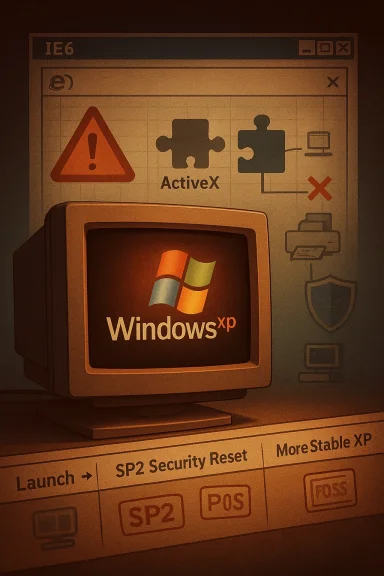
The latest wave of Windows nostalgia tends to flatten history into a simple story: XP was stable, familiar, and easy, while Windows 11 is full of friction, prompts, and unwanted changes. That comparison is emotionally understandable, but it leaves out the fact that Windows XP only became the beloved platform people remember after years of patches, service packs, ecosystem maturation, and a major security reset. Microsoft’s own timeline reflects that shift, with Service Pack 2 introducing stronger default security settings and Windows XP remaining on support until April 8, 2014, long after the operating system had already aged into its final, more reliable form.
The early XP experience was shaped by the transition from the consumer Windows 9x lineage to the NT architecture, a move that delivered a more modern core but also exposed years of compatibility turbulence. The operating system landed in a world where more homes were getting broadband, more malware authors were targeting ordinary users, and more peripherals demanded drivers that simply did not exist yet or were not robust enough to behave. That combination made the first impressions of XP far harsher than the sentimental version that survives today.
Security was the biggest pain point, and Microsoft knew it. In 2001, Windows XP could create an internet connection with Internet Connection Firewall, but Microsoft did not generally enable it by default in every scenario, and the company later made a much more dramatic turn with SP2 in 2004. That service pack delivered what Microsoft described as “advanced security technologies” and strong default security settings, a tacit admission that the original defaults were too soft for the threat landscape that had emerged around XP.
The browser story was no better. Internet Explorer 6 was deeply embedded in the Windows XP era, and Microsoft’s own security bulletins show how often it became the vector for serious fixes over the years. ActiveX controls, in particular, reflected an internet culture that prized convenience over restraint, and XP users often learned the hard way that a single bad browser add-on could turn a routine session into an infection event.
Then there were the practical, everyday failures that users actually remember: drivers that would not install correctly, printers that refused to share, and networks that worked one day and vanished the next. Those annoyances were not just technical footnotes; they were the lived reality of adopting a new platform before the software and hardware ecosystem had fully caught up. XP eventually became great, but it did not begin that way.
Microsoft also did not provide its own mainstream antivirus solution until Microsoft Security Essentials arrived in 2009, years after XP had already been in the wild for a long time. In practical terms, that meant ordinary users depended heavily on third-party antivirus products, which themselves varied widely in quality, resource usage, and update reliability. That gap made “safe out of the box” feel like a promise the platform simply could not keep.
This wasn’t only about one or two bad downloads. The broader problem was that IE6-era browsing normalized a level of machine trust that modern users would find shocking. Microsoft’s own later advisories and security materials show how much the company had to rework browser behavior and default protections over time, and how badly the old model fit the modern threat environment.
Microsoft’s own lifecycle documents tell us XP matured over time, but the early user experience depended heavily on whether vendors prioritized the platform quickly enough. If they didn’t, users were left to hunt for obscure downloads, dig through chipset names, or re-install the machine from scratch after a bad attempt. That is not what most people mean when they remember XP as “easy.”
The outcome was that users had to become accidental system integrators. A printer that should have taken ten minutes to set up could consume an afternoon, and a sound card that worked in one version of Windows might become a week-long scavenger hunt for the right installer. That is a terrible user experience, but it is also historically important because it explains why later versions of Windows invested so heavily in driver signing, Windows Update delivery, and standardized device categories.
The issue was not just technical complexity. It was that home networking was still a frontier behavior for many consumers, so the combination of firewall rules, user accounts, local permissions, and network discovery was far too much for average users to reason through confidently. Microsoft later had to clarify security behaviors around Simple File Sharing and ForceGuest, which is a reminder that the defaults and user expectations were not aligned.
That mattered because user trust is cumulative. Once people had enough bad experiences with malware, browser exploits, and network hassles, they stopped treating the operating system as a neutral utility and started treating it as something that had to prove itself. SP2 helped repair that trust, but only after the damage had already been done.
A few reasons SPs mattered so much:
It also helps explain why comparing Windows 11 to XP can be misleading. Windows 11 may certainly have its own annoyances, but it is operating in a world where baseline security, automatic update infrastructure, and driver support expectations are far higher than they were in 2001. The pain points are real, but the stakes and context are different.
For users, the takeaway is equally clear. A memory of XP as a flawless era is not just historically inaccurate; it can distort how we judge the trade-offs in current operating systems. Windows 11 may annoy people in new ways, but XP’s early years were a reminder that inconvenience is not the same thing as insecurity, and that some of the biggest platform improvements only happen after a system has already embarrassed itself in public.
Source: How-To Geek Think Windows 11 is annoying? These 4 Windows XP "nightmares" were way worse
 Overview
The latest wave of Windows nostalgia tends to flatten history into a simple story: XP was stable, familiar, and easy, while Windows 11 is full of friction, prompts, and unwanted changes. That comparison is emotionally understandable, but it leaves out the fact that Windows XP only became the beloved platform people remember after years of patches, service packs, ecosystem maturation, and a major security reset. Microsoft’s own timeline reflects that shift, with Service Pack 2 introducing stronger default security settings and Windows XP remaining on support until April 8, 2014, long after the operating system had already aged into its final, more reliable form.The early XP experience was shaped by the transition from the consumer Windows 9x lineage to the NT architecture, a move that delivered a more modern core but also exposed years of compatibility turbulence. The operating system landed in a world where more homes were getting broadband, more malware authors were targeting ordinary users, and more peripherals demanded drivers that simply did not exist yet or were not robust enough to behave. That combination made the first impressions of XP far harsher than the sentimental version that survives today.
Security was the biggest pain point, and Microsoft knew it. In 2001, Windows XP could create an internet connection with Internet Connection Firewall, but Microsoft did not generally enable it by default in every scenario, and the company later made a much more dramatic turn with SP2 in 2004. That service pack delivered what Microsoft described as “advanced security technologies” and strong default security settings, a tacit admission that the original defaults were too soft for the threat landscape that had emerged around XP.
The browser story was no better. Internet Explorer 6 was deeply embedded in the Windows XP era, and Microsoft’s own security bulletins show how often it became the vector for serious fixes over the years. ActiveX controls, in particular, reflected an internet culture that prized convenience over restraint, and XP users often learned the hard way that a single bad browser add-on could turn a routine session into an infection event.
Then there were the practical, everyday failures that users actually remember: drivers that would not install correctly, printers that refused to share, and networks that worked one day and vanished the next. Those annoyances were not just technical footnotes; they were the lived reality of adopting a new platform before the software and hardware ecosystem had fully caught up. XP eventually became great, but it did not begin that way.
The Security Disaster Nobody Should Forget
Windows XP entered the market at a time when consumer computing was becoming permanently connected, but its security model still looked like something designed for a more innocent era. Microsoft’s own documentation shows that the system’s firewall behavior varied by connection type and setup path, which meant many users could end up exposed unless they knew to configure protection manually. In a world where most users had neither the time nor the expertise to audit those settings, that was a recipe for trouble.Default protection was not strong enough
The most famous XP security criticism is that the firewall situation was a mess, and that criticism is fair. Microsoft later documented that Windows XP SP2’s firewall features were part of a larger hardening push, and the company explicitly framed SP2 as a response to “increasingly sophisticated attacks.” That wording matters because it shows the security community was no longer dealing with hypothetical risks; XP was already being forced into a more hostile internet environment than the OS had been designed to assume.Microsoft also did not provide its own mainstream antivirus solution until Microsoft Security Essentials arrived in 2009, years after XP had already been in the wild for a long time. In practical terms, that meant ordinary users depended heavily on third-party antivirus products, which themselves varied widely in quality, resource usage, and update reliability. That gap made “safe out of the box” feel like a promise the platform simply could not keep.
Why this mattered so much
The early 2000s were not just “the internet, but slower.” They were a period of rapid change in threat economics. Malware writers could reach huge numbers of home PCs, and XP’s massive install base made it a lucrative target almost immediately, especially once broadband and constant connectivity became normal. A weak default posture on a dominant desktop OS is not a minor issue; it scales into a public-risk problem.- Large installed base meant attackers could focus on one platform.
- Always-on connections shortened the time between compromise and spread.
- Weak defaults turned ordinary users into accidental security admins.
- Delayed vendor hardening left the ecosystem to self-organize defensively.
- Third-party tools filled the gap, but unevenly.
Internet Explorer 6 and the Browser Trap
If XP’s firewall gaps made the machine reachable, Internet Explorer 6 made it easy to exploit. Microsoft’s later security bulletins repeatedly show how much effort was spent patching browser-related vulnerabilities across XP-era systems, and that’s before you even get to the broader ecosystem of unsafe browser behaviors that were normal at the time. The browser was not just a window to the web; it was a security boundary that often behaved more like a sieve.ActiveX was convenience with a huge asterisk
The most notorious design choice was ActiveX. The idea was attractive: let websites trigger rich functionality directly inside the browser, bridging web content and desktop capability. In the real world, though, this created a dangerous trust model where users routinely installed components they did not understand, often from sites they barely knew, and then granted those components deep system access.This wasn’t only about one or two bad downloads. The broader problem was that IE6-era browsing normalized a level of machine trust that modern users would find shocking. Microsoft’s own later advisories and security materials show how much the company had to rework browser behavior and default protections over time, and how badly the old model fit the modern threat environment.
Browsing was a gamble
Today, people complain when a browser asks for permission too often. In the XP era, the problem was the opposite: browsers and plugins often trusted too much, too easily. That made the web feel fast and flexible, but it also made the average user one mistyped click away from trouble. It’s one of the reasons XP nostalgia can be misleading: the system felt simpler partly because it was less guarded.- ActiveX could provide powerful functionality.
- IE6 had too few guardrails for modern threats.
- Security prompts were far less protective than they are now.
- Malware authors exploited browser trust relentlessly.
- Users often had no clear way to judge what was safe.
Driver Support and the NT Transition
One of the most frustrating parts of the XP era was that the hardware you bought might not actually behave the way the box promised. Windows XP was built on the NT family rather than the consumer-friendly Windows 9x line, and that transition brought real architectural benefits but also a serious compatibility burden. The result, especially early on, was an environment where drivers were frequently incomplete, unstable, or simply unavailable.Hardware worked only if the ecosystem was ready
That mismatch mattered because XP was arriving in a period when consumer PCs were becoming much more varied. Graphics cards, sound chips, USB peripherals, and modems all had different levels of vendor support, and an installation could go sideways quickly if one piece of the chain was missing. The operating system itself might be fine; the driver model around it often wasn’t.Microsoft’s own lifecycle documents tell us XP matured over time, but the early user experience depended heavily on whether vendors prioritized the platform quickly enough. If they didn’t, users were left to hunt for obscure downloads, dig through chipset names, or re-install the machine from scratch after a bad attempt. That is not what most people mean when they remember XP as “easy.”
Compatibility was often the real problem
Even when the driver existed, the software might not cooperate. Utilities written for Windows 98 or Windows 95 could behave unpredictably on XP, especially in edge cases where they assumed looser security or older APIs. That made the migration feel less like an upgrade and more like a negotiation between old software habits and a new operating system personality.- New NT architecture improved long-term reliability.
- Driver availability lagged behind hardware innovation.
- Software compatibility was uneven during the transition.
- Users without forums or search archives had fewer troubleshooting options.
- Vendor support quality could make or break the experience.
The Myth of Plug-and-Play
Modern Windows users expect peripherals to be discovered automatically and handled politely. In the XP era, “plug-and-play” frequently meant “plug in and start troubleshooting.” That disconnect was one of the most annoying parts of daily computing because it turned simple tasks into long sessions of device manager archaeology.Why peripherals were such a headache
USB was still settling into its role as the universal connector, and a lot of devices behaved inconsistently across chipsets and OEM builds. Printers were especially unreliable because they combined driver dependencies, spooler behavior, and network sharing quirks into one deeply frustrating package. If the printer worked at all, it often worked only on the exact combination of software, service packs, and hardware on which it had been tested.The outcome was that users had to become accidental system integrators. A printer that should have taken ten minutes to set up could consume an afternoon, and a sound card that worked in one version of Windows might become a week-long scavenger hunt for the right installer. That is a terrible user experience, but it is also historically important because it explains why later versions of Windows invested so heavily in driver signing, Windows Update delivery, and standardized device categories.
What today’s users take for granted
The reason modern Windows feels more predictable is not magic. It is the accumulation of years of vendor discipline, platform policy, and better baseline support. XP helped force that evolution by being the system that exposed how bad the old assumptions had become. In that sense, its pain was productive, even if it was miserable at the time.- Peripherals were far less standardized.
- Driver packs often needed manual installation.
- Printers were especially prone to failure.
- USB devices were not always truly universal.
- Better automation in later Windows versions came from these early failures.
Networking That Promised Simplicity and Delivered Friction
Windows XP wanted to make home networking easier, and in many ways that ambition was ahead of its time. The problem is that the execution often fell apart in practice, especially for users trying to share files and printers between multiple PCs on a home network. Microsoft’s own support and advisory material from the XP era shows that sharing behavior, firewall settings, and guest access interactions were more complicated than most people expected.File sharing was never as magical as it looked
On paper, XP’s networking wizardry should have made local sharing straightforward. In reality, many users ran into invisible walls: machines that could sometimes see each other but could not reliably access shared folders, printers that refused to appear, and confusing errors that gave no meaningful clue what was broken. That kind of failure is uniquely demoralizing because it looks like the system almost works, which makes the remaining failure feel personal.The issue was not just technical complexity. It was that home networking was still a frontier behavior for many consumers, so the combination of firewall rules, user accounts, local permissions, and network discovery was far too much for average users to reason through confidently. Microsoft later had to clarify security behaviors around Simple File Sharing and ForceGuest, which is a reminder that the defaults and user expectations were not aligned.
Printers were the final boss
If file sharing was annoying, printer sharing was often worse. In theory, you could connect a printer to one XP PC and share it with the rest of the network. In practice, a single bad permission or driver issue could derail the whole setup, and the user would be left staring at a setup wizard that sounded helpful but solved nothing. That gap between promise and outcome is one of the defining memories of XP-era networking.- Network discovery was unreliable in many home setups.
- File shares could appear and then vanish.
- Printer sharing depended on too many moving parts.
- Firewall configuration could break assumed visibility.
- User permissions added confusion for nontechnical households.
Service Packs Changed Everything
If you want the shortest explanation for why XP became beloved, it is this: service packs saved it. Microsoft’s 2004 release of Windows XP Service Pack 2 was not just a patch rollup. It was a structural course correction, with stronger defaults, better security posture, and a clear acknowledgement that the original operating system needed a more defensive identity.SP2 was a security reset
Microsoft described SP2 as a delivery of “advanced security technologies,” and that wording was not marketing fluff. It represented a change in design philosophy, including a more assertive firewall posture and numerous proactive protection features. In practice, SP2 made XP feel less like an internet experiment and more like a platform that had finally adapted to the reality of being online all the time.That mattered because user trust is cumulative. Once people had enough bad experiences with malware, browser exploits, and network hassles, they stopped treating the operating system as a neutral utility and started treating it as something that had to prove itself. SP2 helped repair that trust, but only after the damage had already been done.
SP3 and the final form of XP
By the time Service Pack 3 arrived, XP had become the version most people now remember: stable, familiar, and broadly compatible. Microsoft eventually ended support in 2014, but by then the platform had long since crossed from “new operating system” into “legacy workhorse.” The irony is that the XP people love is largely the XP that was fixed.A few reasons SPs mattered so much:
- They hardened security defaults.
- They reduced setup friction.
- They improved compatibility maturity.
- They gave vendors a stable target.
- They turned a rough launch into a durable platform.
Why the Nostalgia Machine Gets It Wrong
Nostalgia usually compresses time. We remember the mature, polished version of a product and forget the long period when it was being corrected, patched, and redefined. Windows XP is a perfect example because the beloved version in people’s heads is not the same thing as the product that launched in 2001.We remember the stable era, not the struggle
This is especially true for users who adopted XP after the early roughness had already been sanded down. If you came to XP after SP2 or even after SP3, you encountered a much more competent operating system than the first-wave adopters did. That creates a false memory loop in which the “XP experience” feels universal even though it was heavily time-dependent.It also helps explain why comparing Windows 11 to XP can be misleading. Windows 11 may certainly have its own annoyances, but it is operating in a world where baseline security, automatic update infrastructure, and driver support expectations are far higher than they were in 2001. The pain points are real, but the stakes and context are different.
XP was great because it survived its own flaws
The deeper lesson is that XP’s greatness came from iteration, not birthright. Microsoft had to respond to malware, browser insecurity, hardware incompatibility, and networking complexity before the platform could earn its reputation. That’s not a reason to dismiss XP; it’s a reason to understand why modern Windows systems are shaped the way they are.- Memory favors polished outcomes over rough launches.
- Service packs changed the system’s identity.
- Later adoption produced a rosier impression.
- Modern security expectations were built on old failures.
- Nostalgia often erases the messy middle.
Strengths and Opportunities
Windows XP’s legacy still matters because it forced Microsoft and the broader PC ecosystem to confront the cost of weak defaults. The platform’s early failures created pressure that ultimately improved security, device support, and network usability across the Windows line. That makes XP a cautionary tale, but also a roadmap for how a flawed product can still leave behind durable lessons.- Security hardening became a first-class design priority.
- Firewall defaults improved dramatically after XP’s launch.
- Browser safety evolved away from the IE6 trust model.
- Driver signing and delivery became more predictable.
- Consumer networking grew easier as ecosystems matured.
- Enterprise standardization benefited from XP’s long lifecycle.
- Legacy compatibility lessons informed later Windows releases.
Risks and Concerns
The biggest risk in romanticizing XP is that it can obscure just how dangerous default insecurity was for ordinary users. The second risk is that nostalgia can make modern frustrations seem worse than they are by comparison, even though today’s systems generally operate with stronger safeguards and much better support ecosystems. Remembering XP accurately means remembering both its eventual maturity and its early mess.- Security nostalgia can normalize risky defaults.
- Browser power-user behavior can hide real exploitability.
- Driver nostalgia can understate how much manual labor was required.
- Networking nostalgia can erase the complexity of home sharing.
- Support memories often skip the pre-SP2 pain.
- Comparisons to Windows 11 can ignore different threat models.
- Legacy hardware dependence still traps some users in insecure systems.
Looking Ahead
The enduring value of the XP story is not that modern Windows should copy it, but that platform success is often built on a sequence of uncomfortable corrections. XP taught Microsoft that strong defaults matter, that browsers can become attack surfaces overnight, and that hardware ecosystems need to mature alongside the OS rather than lag years behind it. Those lessons are still visible in how Windows is designed today.For users, the takeaway is equally clear. A memory of XP as a flawless era is not just historically inaccurate; it can distort how we judge the trade-offs in current operating systems. Windows 11 may annoy people in new ways, but XP’s early years were a reminder that inconvenience is not the same thing as insecurity, and that some of the biggest platform improvements only happen after a system has already embarrassed itself in public.
- Watch how defaults are changing.
- Pay attention to browser and app isolation.
- Track how vendors handle driver support.
- Notice whether networking gets simpler or merely different.
- Keep an eye on how support lifecycles shape user behavior.
Source: How-To Geek Think Windows 11 is annoying? These 4 Windows XP "nightmares" were way worse
Last edited:
