Windows at 40: From Windows 1.0 to Copilot and Copilot+ PCs

  • Thread Author
Forty years ago a boxed copy of Microsoft Windows left a factory and quietly rewired how people work, play, and think about personal computers — a journey that runs from the tiled, mouse-driven experiments of Windows 1.0 to the AI‑steeped Windows 11 and Copilot era of today.

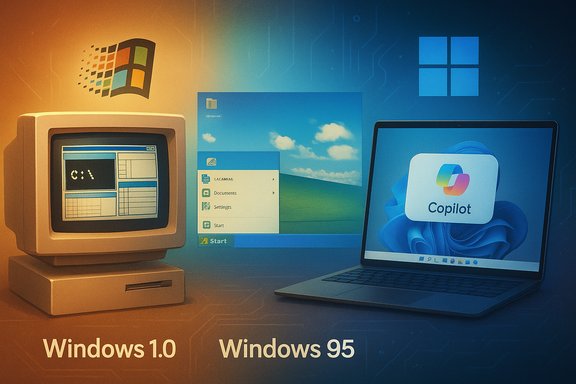
Retro computer collage showing Windows 1.0, Windows 95, and Copilot on a laptop.Background / Overview​

Microsoft shipped the first retail release of Windows — Windows 1.0 — in November 1985, introducing a GUI shell that ran on top of MS‑DOS and made the mouse a mainstream input device. Contemporary histories note November 20, 1985 as the landmark release date, and the launch is widely recorded in historical summaries of the Windows lineage. Nearly four decades later the platform has evolved from a resource‑constrained shell into an umbrella for multiple families (consumer, enterprise, embedded, gaming) and an operating-system-led services strategy centered on Windows 11, Copilot, and silicon‑aware AI features. Microsoft formally made Windows 11 broadly available in October 2021, beginning a multi‑year rollout that has since shifted the market toward a new hardware and feature baseline. This feature walks through the technical milestones, product design choices, commercial math, and the strategic pivot to agentic AI that define Windows’ 40‑year arc. It verifies key dates and technical claims against public records and documentation, examines strengths and risks, and offers practical guidance for users and IT leaders navigating the next chapter.

A concise history: how Windows changed over four decades​

1. The experiment: Windows 1.0 (1985)​

Windows 1.0 was not a full OS in modern terms but a graphical environment layered over MS‑DOS. It shipped with a set of small apps — Notepad, Calculator, Paint (early), MS‑DOS Executive — and used tiled windows rather than overlapping windows at first. Hardware demands were modest by today’s standards but expensive for the time (minimum ~256 KB RAM, floppy drives, CGA/EGA graphics), and early reviews criticized performance and limited software support. Still, Windows 1.0 established the metaphors (windows, menus, dialogs) that would persist for decades.

2. Maturation: Windows 2.x → 3.x (late 1980s–1990)​

Windows 2 introduced overlapping windows and tighter application integration; Windows 3.0 (1990) was the first mass‑market success, delivering multicolored graphics, improved memory models, and the developer ecosystem that made Windows a workplace standard. These releases cemented Windows as a platform for productivity and third‑party developer ecosystems.

3. Mainstream consumer shift: Windows 95 → XP​

Windows 95 (1995) reorganized the desktop — Start menu, taskbar, plug‑and‑play — and became the template for consumer desktop interaction. The NT family eventually merged consumer expectations with enterprise stability (Windows XP became the cultural and enterprise default for a long stretch).

4. The bumpy modern era: Vista → 7 → 8 → 10​

Windows Vista (2006) brought visual overhaul and security improvements but struggled with performance and driver readiness; Windows 7 (2009) restored confidence. Windows 8’s radical tile‑first interface (2012) provoked user backlash and a partial course correction in Windows 8.1 and then Windows 10 (2015), which introduced the idea of Windows as a service with frequent feature updates and broad device coverage.

5. The reimagining: Windows 11 and the AI era​

Announced in June 2021 and broadly available from October 5, 2021, Windows 11 rethought the shell (centered taskbar, refreshed Fluent visuals), emphasized security baselines (TPM 2.0, secure boot), and created the product canvas for later AI integration and Copilot experiences. Microsoft’s phased rollout strategy and hardware requirements produced debate but also a clear upgrade path for a modern hardware‑anchored platform.

The 40th anniversary in context: why the milestone matters​

Windows’ four‑decade span is a study in platform longevity, ecosystem lock‑in, and evolution under constraint. A few structural forces stand out:
  • Compatibility discipline: Windows’ insistence on backward compatibility reduced user churn and boosted developer confidence; that same discipline constrains radical reinvention but preserves billions of workflows.
  • Commercial cradle-to-cloud: Windows provided the substrate for Microsoft’s broader software and cloud ambitions (Office, Azure, device partnerships), turning an OS into an anchor for services revenue.
  • Hardware co‑design: From early graphics adapters to today’s NPUs and Secure Core PCs, Windows has evolved with silicon, and the recent Copilot+ initiative explicitly ties flagship features to on‑device neural compute.
The anniversary is therefore both nostalgic and strategic: Microsoft isn’t just celebrating a release date, it’s packaging decades of trust as the company repositions Windows as the interface for an AI‑centric personal computing future.

The modern inflection: Copilot, agentic features, and Copilot+ PCs​

What Microsoft means by “Copilot” and “agentic”​

Copilot represents integrated, system‑level AI assistance inside Windows: chat, contextual help, screen understanding (vision), and in some experiments, agentic behaviors — multi‑step actions that the system can execute on the user’s behalf. Microsoft has described a phased, opt‑in approach to agentic features that are disabled by default and routed through Insiders and enterprise previews for telemetry and governance. The public reaction to the “agentic OS” framing was swift and sometimes hostile: users worried about initiative, transparency, and control when an OS acts rather than advises.

Copilot+ PCs: the hardware baseline for on‑device AI​

Microsoft introduced the Copilot+ PC designation to denote devices with high‑performance Neural Processing Units (NPUs). Official guidance and product pages state that many advanced Windows AI experiences require NPUs capable of 40+ TOPS (trillions of operations per second). That 40+ TOPS floor is real engineering guidance — it shapes which features actually run locally and with acceptable latency and battery characteristics. The requirement and the device list appear in Microsoft’s developer documentation and Copilot+ PC FAQ. Why the NPU matters: modern multimodal models and real‑time vision/translation tasks are compute and memory intensive. Offloading these workloads to a purpose‑built NPU reduces round‑trip cloud latency, lowers bandwidth and privacy exposure, and can preserve battery life compared with CPU/GPU approaches. But it also fragments feature availability across the installed base.

Independent corroboration and industry reporting​

Major outlets and hardware press (Wired, Tom’s Hardware, Windows Central, etc. independently reported Microsoft’s 40+ TOPS guidance and explained the early device set (Qualcomm Snapdragon X Elite/Plus initially; later AMD Ryzen AI and Intel Core Ultra series that met the NPU floor). Those analyses emphasize that Copilot+ features are hardware‑gated and that Microsoft’s marketing and engineering statements align on thresholds.

Market adoption and the Windows 10 end‑of‑support inflection​

Windows 10 end of support​

Microsoft announced and repeated that mainstream support for Windows 10 ends on October 14, 2025. After that date Microsoft will cease providing security updates and technical assistance for the product family, although Extended Security Updates (ESU) programs and migration guidance remain available for customers needing time to transition. The end‑of‑support date is a material deadline for enterprises and consumers deciding when and how to move to Windows 11 or alternate arrangements.

How adoption moved in 2024–2025​

Market tracking services reported that Windows 11’s adoption accelerated into mid‑2025 as the Windows 10 EOS deadline approached. StatCounter’s public dashboards and aggregated reporting show Windows 11 crossing the 50% threshold in mid‑2025 on the global desktop metric, marking the first time Windows 11 exceeded Windows 10 worldwide. Industry outlets tracked the monthly movement closely and noted regional variations. The StatCounter dataset and multiple independent reports corroborate that Windows 11 became the dominant Windows version in mid‑2025. Caveat: different trackers and sample definitions (desktop vs. all‑device metrics, panel composition) produce slightly different numbers month‑to‑month; use StatCounter as a reliable industry snapshot but treat short‑term swings with caution.

Strengths: what Microsoft and Windows get right at 40​

  • Ecosystem scale and continuity. Windows still runs the most extensive desktop application ecosystem, including line‑of‑business apps, professional creative tools, and gaming libraries. That continuity is valuable to enterprises and creatives who prioritize application compatibility and a predictable upgrade path.
  • Security baseline improvements. Requiring TPM 2.0, enabling virtualization‑based security, and pushing secure‑boot and Pluton elements have raised the baseline for protection from firmware to OS. For many organizations, that security posture is the single most persuasive reason to migrate to modern hardware.
  • Silicon‑aware features. Copilot+ and NPU guidance create meaningful opportunities: local translation, real‑time vision, Recall and Cocreator experiences — features that are only feasible when local inference is performant. This creates a new axis of differentiation for OEMs and enterprise device programs.
  • Incrementalism and learnings. Microsoft’s decades of gradual UI evolution (Start menu, taskbar, Fluent Design) show an institution that prefers measured change and broad testing rather than frequent radical redesigns — a pragmatic strategy for a platform that must serve billions.

Risks and trade‑offs: fragmentation, privacy, and perception​

  • Feature fragmentation by hardware. Tying experiences to a 40+ TOPS NPU or other hardware floors means the Windows experience will not be uniform. Two identical‑looking laptops may behave very differently under Copilot features, potentially frustrating users and complicating IT policy. Microsoft documents and industry reporting confirm this hardware gating.
  • Perception and trust around "agentic" features. When an OS is described as “agentic” the mental model for users shifts: an agent appears to act. That makes transparency, explicit consent, explainability, and easy reversal paramount. Early demos that miss accuracy or clarity amplify distrust and social backlash; public discussion has already flagged ads and videos that harmed confidence.
  • Privacy and governance complexity. Local inference reduces cloud exposure, but agentic workflows (tool invocation, cross‑app automation, clipboard access) raise new governance and DLP (Data Loss Prevention) concerns for IT. Enterprises need policies and technical controls to manage what agents can do and what data they may access.
  • Upgrade friction and legacy inertia. Despite Windows 11’s rising market share, a significant installed base remained on Windows 10 well into 2025. Devices that are functionally fine but ineligible for Windows 11 pose upgrade/support decisions for consumers and organizations — including whether to buy new hardware, enroll in ESU, or accept increased security risk. Microsoft’s public lifecycle guidance makes the trade‑offs explicit.

Practical guidance: what users and IT leaders should do now​

For consumers​

  • Check compatibility before upgrading. Run the official PC Health Check or visit your OEM’s compatibility guidance. If your PC is eligible, back up data and consider a staged upgrade rather than immediate in‑place migration.
  • Understand which features matter. If Copilot+ features (local translation, Recall, Cocreator) matter, check the NPU and Copilot+ certification for the device. Otherwise a standard Windows 11 device may be sufficient and less expensive.
  • Mind the ESU option if necessary. For machines that can’t or shouldn’t upgrade immediately, Extended Security Updates buy time; read the terms and costs carefully.

For IT and product leaders​

  • Inventory and segment hardware. Identify devices that meet Windows 11 and Copilot+ baselines. Group endpoints into cohorts for targeted pilots (Copilot+ pilot fleet, Windows 11 standard upgrades, legacy ESU devices).
  • Pilot agentic features in controlled environments. Use small pilots to validate governance, reversibility, and telemetry. Capture logs and user feedback before broad rollouts.
  • Prepare governance: consent, audit, and reversal. Ensure agent actions are auditable, consented, and undoable. Integrate agent controls into DLP and EDR policies.
  • Communicate early and clearly. Expect user questions about privacy and autonomy. Produce short, actionable guidance: what the agents can do, how to stop them, and how to review their history.

Design and product lessons across 40 years​

  • Design for constraints. Early Windows thrived because designers optimized for scarce memory and slow CPUs; the modern parallel is designing for heterogeneous capability where devices differ widely in NPU, CPU, GPU, and battery.
  • Preserve mental models. Radical UI shifts (Windows 8) produced backlash; incrementalism combined with optional opt‑ins (for major changes) tends to retain trust.
  • Make automation predictable. If an OS will act, the action space must be constrained, visible, and reversible. This is as much product design as it is engineering.

Conclusion​

Windows at 40 is a story of relentless pragmatism and relentless adaptation. From a 256‑KB, tiled‑window novelty to a silicon‑aware platform that runs on cloud services and on‑device neural engines, Windows has continually rebalanced compatibility, security, and fresh capabilities. The arrival of Copilot, Copilot+ PCs, and agentic features marks the most consequential design inflection since the Start menu: it changes who — and what — can make decisions on a personal computer.
That inflection brings practical benefits (local AI, better latency, new productivity patterns) and real risks (fragmentation, privacy concerns, user distrust) that Microsoft and the ecosystem must manage through transparent design, clear governance, and careful rollout. For consumers and IT leaders the path forward is straightforward: inventory, pilot, and govern. The next decade will test whether the OS that learned to live with scarcity can also earn trust in an era when software not only suggests actions but sometimes performs them on our behalf.
Source: YouTube
 

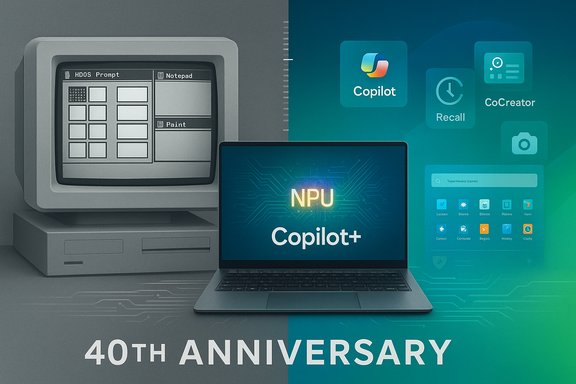
A retro computer beside a modern laptop showing NPU Copilot+ for the 40th anniversary.
Forty years after a boxed copy of Microsoft Windows first left the factory, the operating system that helped define personal computing marks a sharp, strategic pivot — from the tiled, mouse-driven experiments of Windows 1.0 to an AI-powered Windows 11 built around Copilot, agentic automations and a new Copilot+ hardware tier.

Background​

When Microsoft shipped Windows 1.0 to manufacturing on November 20, 1985, it introduced a graphical shell layered on top of MS‑DOS: tiled windows, early apps like Notepad and Paint, and a vision for mouse-driven interaction that would shape decades of desktop UX design. That release date and the early technical constraints are widely recorded and form the canonical starting point for Windows’ forty‑year history.
Over the next four decades Windows evolved through a series of milestone releases: Windows 2.x and 3.x in the late 1980s and 1990s, the mainstream consumer shift marked by Windows 95 (Start menu, taskbar), the long enterprise life of Windows XP, the security refocus around Windows Vista and the restoration of confidence in Windows 7, the controversial tile-first redesign of Windows 8, and the “Windows as a service” era of Windows 10. The most recent major reimagination arrived with Windows 11 — a design, security and platform refresh that also serves as Microsoft’s canvas for embedding AI as a first‑class OS capability.

The 40th‑anniversary moment: why it matters​

This anniversary is not merely historical nostalgia. It arrives at a strategic hinge point where Microsoft is tying Windows’ future to three interlocking axes:
  • System‑level AI integration via Copilot and agent frameworks that can act on users’ behalf.
  • A hardware co‑design strategy that elevates NPUs (Neural Processing Units) and defines a premium Copilot+ PC class.
  • Enterprise migration pressure created by the end of Windows 10 support and the push to modern security baselines.
Those axes change the calculus for users, IT managers, OEMs and developers. Windows is no longer just the runtime for apps; it is being positioned as an ambient, permissioned AI workspace where the OS participates in workflows rather than simply hosting them.

A concise, verifiable timeline​

Early experiments and the rise to dominance​

  • Windows 1.0 — shipped to manufacturing November 20, 1985.
  • Windows 3.0 — early 1990s success that catalyzed developer ecosystems and mass adoption.
  • Windows 95 — retail release August 24, 1995, normalized modern desktop metaphors (Start menu, taskbar).

Enterprise consolidation and the service era​

  • Windows XP — retail release October 25, 2001; merged consumer polish and enterprise stability.
  • Windows Vista, 7, 8, 10 — incremental, sometimes contentious transitions that emphasized security, compatibility, and a shift to continuous servicing.

The reimagining: Windows 11 and the AI era​

  • Windows 11 — announced June 24, 2021; broadly available October 5, 2021; rethought shell, pushed hardware security baseline and created room for Copilot and AI features.
These key dates and design turns are confirmed across multiple product histories and technical summaries; they show a pattern of incremental evolution rather than wholesale reinvention — until now, when Microsoft is deliberately weaving AI into the OS itself.

The modern inflection: Copilot, agentic features and Copilot+ PCs​

What Microsoft means by Copilot​

Copilot is Microsoft’s system‑level AI assistant concept inside Windows: a contextual chat surface, screen‑aware vision that can “see” selected windows, voice interfaces, and — crucially — an agentic layer that can take multi‑step actions across applications (Copilot Actions). Microsoft frames this shift as phased and opt‑in, with experimental agent features initially gated behind Insiders and enterprise previews.
Key Copilot capabilities being rolled out or previewed include:
  • Copilot Voice — wake‑word activation (“Hey, Copilot”) and hands‑free interactions.
  • Copilot Vision — screen‑aware assistance that can analyze a selected window, capture text and UI elements, summarize content and point users to relevant actions.
  • Copilot Actions (agentic automations) — permissioned workflows that can chain tasks across apps, operate on local files once granted access, and leave an auditable trace of actions.
These features shift Windows from “assistant that suggests” to “assistant that does,” a move Microsoft acknowledges will require new UI affordances, permission models and security primitives.

Copilot+ PCs and the hardware baseline​

Microsoft introduced the Copilot+ PC designation to identify devices with integrated NPUs capable of supporting advanced on‑device AI experiences. Public product guidance repeatedly mentions NPUs capable of 40+ TOPS (trillions of operations per second) as a target for richer local inference and low‑latency features like Recall and advanced Studio effects. OEM partners are shipping laptops and convertibles that tout NPUs in the 40–45 TOPS range.
Caveat: claims about TOPS figures, performance comparisons to other platforms, and battery life are frequently vendor‑provided and should be treated with scrutiny; actual in‑field performance depends on OS runtime optimization, thermal budgets, drivers, and model selection. Where possible, enterprises and buyers should validate vendor claims with independent benchmarks and real workloads.

Windows 11 24H2 and the feature set that pushes AI deeper​

The 2024/2025 update lineup — sometimes packaged as Windows 11 version 24H2 or the 2024 Update — introduced a set of features that underscore Microsoft’s intent to make AI useful across everyday workflows:
  • Recall (Preview) — system‑level memory of user context to help retrieve past tasks, files and actions.
  • Cocreator and CoWriter — AI‑assisted image and text generation integrated into apps like Paint, Photos and Notepad.
  • Live Captions and language features — on‑device real‑time captions and translations to aid accessibility and cross‑language collaboration.
  • File Explorer improvements — native support for additional archive formats, metadata editing for images, and speed improvements.
Microsoft uses a phased rollout strategy through Windows Update and the Windows Insider Program to surface these features first to preview audiences, then broader consumers and enterprise rings as telemetry stabilizes. That approach is deliberate: AI features that can act on files or systems require staged exposure and hardened permission models.

The enterprise inflection: Windows 10 end of support and migration choices​

The retirement of Windows 10 created a concrete migration deadline for many organizations. Microsoft designated October 14, 2025 as the end of standard support for most Windows 10 SKUs; extended, paid security updates (ESU) are available as a bridge for certain customers. That exit point accelerated enterprise adoption of Windows 11 and intensified attention on compatibility, security baselines and the potential need for hardware refreshes.
Practical steps for IT leaders navigating the migration:
  1. Inventory and compatibility testing: run app compatibility assessments and target high‑risk workloads first. Microsoft’s App Assure program reports high compatibility rates for mainstream enterprise apps, but edge cases remain.
  2. Security baseline assessment: evaluate firmware and hardware readiness for TPM 2.0, Secure Boot and virtualization‑based security features that Windows 11 expects.
  3. Decide on on‑premises versus cloud models: consider virtualization, VDI and cloud desktop options where legacy application compatibility or specialized hardware constraints exist.
  4. Pilot Copilot features with governance: enable Copilot and agent features in limited pilot groups, evaluate telemetry, and codify approval flows and auditing for agent actions.
  5. Plan hardware refresh thoughtfully: don’t buy into premium Copilot+ hardware as a marketing headline alone; run workload tests to measure whether NPUs materially improve your specific applications.

Security, privacy and regulatory risk — the stakes rise with agency​

Embedding agentic AI into an OS introduces new categories of risk. When Copilot can open apps, move files, draft messages and interact with web services on behalf of a user, traditional security and privacy models must be rethought. Key concerns include:
  • Scope creep and unintended actions: agents that chain steps across apps can produce side effects that are hard to reverse without strong visibility and undo affordances.
  • Telemetry depth and control: many convenience features rely on telemetry; users and administrators need granular, understandable controls and opt‑in flows that clearly reveal what is sent to the cloud.
  • Local versus cloud inference and data residency: Copilot’s on‑device features (enabled by NPUs) promise better privacy, but feature parity between local and cloud models will vary, raising governance questions for regulated industries.
  • Regulatory scrutiny: governments and privacy regulators are increasingly attentive to AI systems that process personal and customer data; enterprises must map Copilot data flows and integrate them into compliance programs.
Mitigation guidance for organizations:
  • Build explicit audit trails for agent actions, including human‑readable confirmations and accessible edit/rollback flows.
  • Enforce principle‑of‑least‑privilege for agents: restrict the types of files and apps agents can access until the organization is confident in controls.
  • Validate local inference claims by auditing which models run on device, their versioning, and whether any data is shared with cloud endpoints.

Hardware, OEMs and the Copilot+ economy​

The Copilot+ story is as much about silicon as it is about software. Microsoft and OEM partners are positioning the Copilot+ classification as the guarantee that certain low‑latency, privacy‑sensitive AI experiences will run locally thanks to NPUs and co‑optimized drivers. OEM messaging highlights benefits such as improved battery life, studio‑grade media processing and faster on‑device inference, while Microsoft emphasizes security features like Pluton and Secure Core.
A few practical realities:
  • NPUs come in different shapes across Intel, AMD, Qualcomm and Arm ecosystems; the developer and driver story is still maturing. Expect variance in performance and feature availability across OEM lines.
  • The 40+ TOPS metric is a moving target and a convenient marketing shorthand; it does not alone determine user experience. Efficient runtimes, thermal management and model size are equally important. Validate claims with real workloads.

Developer and ISV implications​

Windows’ historical strength is compatibility. Microsoft now faces the challenge of extending that promise into an AI era without fragmenting developer expectations. For ISVs and enterprise software vendors the questions are:
  • How to expose Copilot‑aware APIs safely, so that third‑party apps can surface contextual actions without leaking sensitive data.
  • How to test and certify features on a wide variety of hardware where NPUs and drivers differ.
  • Whether to build for on‑device inference (better latency/privacy) or cloud models (easier to update and scale).
Microsoft’s App Assure program reports high compatibility figures for enterprise apps when migrating to Windows 11, but those aggregated numbers mask edge cases such as specialized drivers, legacy device interfaces and anti‑cheat or DRM systems for games. Developers should invest in continuous CI testing across physical device classes and virtualized images.

User experience and adoption: the reality on the ground​

Adoption patterns show that major Windows transitions are rarely instantaneous. Windows 10 dominated for a decade because of inertia, compatibility and corporate conservatism. The retirement of Windows 10 and Microsoft’s bundling of Copilot features into Windows 11 have accelerated adoption, but the real determining factors will be perceived utility and trust. Features that demonstrably save time — smart search, helpful summarization, reliable Recall — will drive engagement faster than marketing claims about TOPS or a Copilot button on the taskbar.

Strengths and opportunities​

  • Reach and ecosystem scale: Windows’ ubiquity across consumer, enterprise, gaming and embedded markets remains a major competitive advantage. That reach makes Windows a powerful vector for delivering AI experiences at scale.
  • Hardware co‑design potential: pairing NPUs with OS‑level APIs unlocks new latency and privacy tradeoffs that cloud‑only models cannot match.
  • Incremental, staged rollout: Microsoft’s phased preview and Insider approach gives time to iterate permission models and security controls before broad exposure.

Risks and the things to watch​

  • Hardware fragmentation and a two‑tier Windows: if Copilot+ features require premium hardware, Windows could increasingly behave like two platforms: one rich and AI‑native, the other legacy and feature‑limited. That fragmentation would have implications for security, support and the developer ecosystem.
  • Privacy and regulatory exposure: aggressive telemetry or unclear data flows would invite regulatory scrutiny and erode user trust. Transparent, auditable controls are essential.
  • Vendor‑provided performance claims: marketing figures on TOPS and comparative benchmarks must be validated; real workloads — not synthetic numbers — should guide procurement.
Where claims or numbers could not be independently verified from public product documentation or bench tests available in the preview materials, those points are explicitly flagged above and should be treated as vendor‑provided until third‑party validation is available.

Practical recommendations for consumers and IT leaders​

  • For consumers: upgrade when your current hardware meets your needs and you value Copilot features; don’t rush into premium Copilot+ purchases without validating the real‑world benefits for your workflows.
  • For IT leaders: conduct targeted pilots, prioritize high‑value workloads for migration, enforce strict agent permissioning, and budget for either hardware refreshes or ESU bridging where needed.
  • For OEMs and ISVs: invest in consistent driver stacks, offer clear model/driver update paths, and collaborate on standard privacy controls and auditing APIs so customers can adopt agentic features confidently.

Conclusion​

Windows’ 40‑year arc is a study in durability: a platform that repeatedly balanced backward compatibility with incremental innovation. Today’s pivot toward an AI‑powered Windows 11 — with Copilot, agentic automations and Copilot+ hardware — is the most ambitious platform repositioning the company has attempted since Windows 95 reshaped consumer expectations. The payoff could be substantial: a PC that not only hosts apps but actively orchestrates work, media and creativity across cloud and device.
But the transition also raises real governance, compatibility and economic questions. Whether Windows’ next decade becomes a story of trusted, ubiquitous AI assistance or a split ecosystem where premium devices enjoy the newest capabilities depends on how Microsoft, OEMs and customers handle privacy, validation and migration. The 40th anniversary is not an endpoint but an inflection: Windows’ future will be decided by practical engineering, credible privacy guarantees and the measurable value Copilot delivers in daily workflows.

Source: YouTube
 

Forty years after the first boxed copies left the factory, Windows’ origin story — a modest, tiled, mouse-driven GUI that ran on top of MS‑DOS — still matters because it set a pattern of design tradeoffs, commercial grit and platform thinking that shape how Microsoft designs, ships and governs modern PCs today.

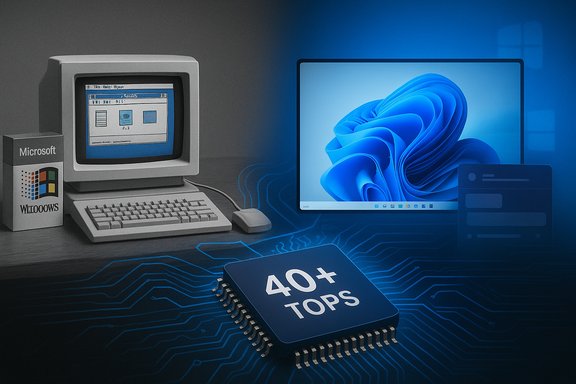
Vintage computer setup beside a modern AI accelerator labeled 40+ TOPS.Background​

Windows 1.0 arrived as a constrained experiment: a graphical environment layered over MS‑DOS that introduced a mouse, menu bars, dialog boxes and bundled utilities such as Paint, Notepad and the MS‑DOS Executive. It was first released to manufacturing in the United States on November 20, 1985 — a date that industry histories and archival accounts consistently record. That small launch — sold at a time when 256 KB of RAM was a real design constraint — was far from an instant triumph. Reviewers and users at the time criticized performance, limited third‑party support and the practical usefulness of a GUI layered on a command‑line OS. Yet the release planted the core metaphors — windows, menus, icons — that would become bedrock conventions for desktop computing. Over four decades those metaphors evolved, were reinterpreted and then re‑engineered into entire platform strategies that now tie interfaces to silicon and cloud services.

Overview: why the 40th anniversary is more than nostalgia​

This anniversary is a moment to measure history against direction. Windows’ first release is a milestone; the more consequential story is how the platform’s design posture — backward compatibility, ecosystem breadth and OEM partnerships — has been redeployed toward a new set of priorities in 2025: on‑device AI, hardware co‑design (NPUs), and a service posture that treats the OS as an active assistant rather than a passive runtime.
Key, verifiable anchors in that arc are:
  • Windows 1.0: shipped to manufacturing November 20, 1985.
  • Windows 11: the modern reimagining that shipped as broadly available on October 5, 2021.
  • Windows 10: ended mainstream support on October 14, 2025 — a lifecycle inflection that created real migration pressure for consumers and enterprises.
  • Copilot+ PCs and the NPU floor: Microsoft’s Copilot+ program sets a 40+ TOPS NPU baseline for a set of higher‑tier on‑device AI experiences.
Each of these claims is independently verifiable in contemporary product pages, corporate blog posts and archived product histories; where public statements are ambiguous or evolving (for example, the exact practical thresholds for local inference performance), this article flags the uncertainty and points to where administrators and buyers should verify device specs directly.

The original experiment: Windows 1.0 in technical context​

What Windows 1.0 was — and what it wasn’t​

Windows 1.0 was an operating environment layered on top of MS‑DOS, not a full preemptive multitasking OS by modern standards. It used tiled windows (overlapping windows were deliberately avoided early on), provided basic UI controls and shipped with small utilities that showcased the mouse and GUI metaphors: MS‑DOS Executive (file management), Notepad (text), Paint (bitmap drawing), Calculator and the game Reversi to introduce mouse interaction. Those bundled components created a recognizable desktop vocabulary that persisted.

System requirements and design tradeoffs​

Minimum hardware at launch was minimal by today’s measures but costly then: an IBM‑class PC with an 8088 CPU, two floppy drives or a hard disk, CGA/HGC/EGA display adapters and typically 256 KB of RAM for early builds (later releases raised the baseline to 320 KB). Developers intentionally optimized for scarcity: the UI favored deterministic, tiled layout to avoid the performance penalties of compositing and overlapping windows on slow CPUs and tight memory budgets. Those constraints shaped Windows’ early appetite for backward compatibility and minimal API churn — a theme that would repeat across decades.

Early reception and the commercial reality​

The initial reception was mixed: curiosity and interest for the GUI approach, but underwhelming adoption because the platform lacked a compelling, native app ecosystem and required hardware that many users did not yet own. The launch price and the perceived performance shortfalls left Windows 1.0 as an important technical experiment rather than an immediate market winner. Nevertheless, the release normalised the mouse and basic GUI conventions for the PC ecosystem.

From tiled windows to platform thinking: an evolution across four decades​

Incrementalism as the operating principle​

Microsoft’s strategy for Windows has often favoured incremental evolution rather than wholesale reinvention. That pattern — adding metaphors, stabilizing APIs and preserving compatibility — is visible from Windows 1.0, through Windows 2.x/3.x and the breakthrough mainstream consumerization moment of Windows 95 (Start menu, taskbar), through the enterprise consolidation of Windows XP and the “service” cadence of Windows 10. The result is a platform that prioritizes continuity for billions of users and countless enterprise applications.

The modern pivot: Windows as an AI‑aware platform​

The biggest strategic shift in the last few years has been to treat the OS as the locus for AI experiences. That includes:
  • System‑level assistants (Copilot) that are integrated into the shell rather than bolted on.
  • A hardware co‑design strategy (Copilot+ PCs) that defines an NPU performance floor for richer on‑device experiences.
  • An ecosystem approach that offers hybrid fallbacks — local inference when the device qualifies, cloud offload otherwise.
This is a materially different posture: it moves the OS away from being purely a compatibility substrate to being an active participant in user workflows, capable of “doing” on a user’s behalf (agentic automations). That capability introduces substantial opportunity — and significant new governance challenges.

The Copilot era: what “agentic” Windows means in practice​

Copilot and Copilot+ PCs: the public facts​

Microsoft’s Copilot integration began rolling into Windows as a staged set of features: contextual chat, vision/screen‑aware assistance, voice activation and — crucially — Copilot Actions that can chain multi‑step workflows across applications when granted permission. For a subset of on‑device, low‑latency features Microsoft introduced the Copilot+ PC program, which requires a 40+ TOPS NPU plus a minimum hardware baseline (for example, 16 GB RAM and larger SSDs in many models) to deliver features like Recall, live translation and Cocreator image generation locally. These product positions are documented on Microsoft’s official blog and the Windows/AI developer guidance pages.

Why NPUs and TOPS matter — and why the metric can mislead​

An NPU (Neural Processing Unit) is a dedicated inference accelerator optimized for the matrix math and quantized arithmetic common to modern models. Microsoft’s 40+ TOPS specification is a practical gating metric: it’s a throughput heuristic that correlates with the minimum compute needed to run useful local models for vision and short‑form text tasks without unacceptable latency or thermal penalty.
However, buyer caution is warranted. TOPS is only one axis of performance; real‑world results depend on memory bandwidth, model quantization, runtime efficiency (ONNX/DirectML/ONNX Runtime), thermal design and the integration of drivers and OS runtime. A chip that claims high TOPS but pairs it with an under‑tuned driver stack or poor thermals will still produce weak user experiences. Buyers and admins should verify vendor performance data and independent reviews for the exact features they value.

Practical implications for users and IT​

  • Consumers: Copilot features will provide perceptible convenience (on‑device image editing, live language overlays, faster content understanding). For many consumers the question is whether those features justify the premium on Copilot+ hardware or whether cloud fallbacks suffice.
  • IT teams: agentic features change risk models. Systems that can act autonomously on files, accounts and networks increase the surface area for policy misconfigurations and supply‑chain concerns. Deployments should begin with controlled pilots, non‑admin test accounts and strict least‑privilege consent models.

The lifecycle moment: Windows 10 end of support and upgrade math​

Windows 10 reached its end of support on October 14, 2025, a firm lifecycle milestone that Microsoft documented clearly in support materials and guidance to customers. This retirement forces real choices for organizations and consumers: upgrade to Windows 11 where possible, enroll in Extended Security Updates (ESU) for a limited bridge, or accept the risks of running unsupported software. Because Windows’ commercial and technical strengths have always relied on a large installed base and a broad OEM channel, this EOL created a synchronous commercial opportunity for Copilot+ PCs: device refreshes can pair Windows 11 security baselines with AI‑forward hardware. That opportunity is attractive to OEMs and Microsoft, but it also risks creating a fractured install base where capabilities differ by device class — something long‑term users of Windows already experience in other ways (driver gaps, OEM customization, regional availability).

Strengths and achievements​

  • Ubiquity and ecosystem scale. Windows’ greatest strategic advantage is its reach. For four decades that reach has given Microsoft leverage with OEMs, ISVs and enterprise IT to create consistent experiences at scale. That scale simplifies corporate standardization and ensures a large third‑party software base.
  • Backward compatibility discipline. The durability ethic that began as a necessity in the 1980s — support older APIs to keep legacy software running — remains a major enterprise advantage. It reduces migration friction for businesses that rely on specialized, legacy applications.
  • Hardware co‑design for AI. The Copilot+ program is a clear, pragmatic attempt to deliver measurable on‑device AI experiences by setting a hardware floor (40+ TOPS). This reduces variability in user experience for advanced scenarios where latency and privacy matter.

Risks, tradeoffs and governance concerns​

  • Agentic automation and the problem of initiative. When the OS can act (rather than only suggest), the risk profile changes. Misconfigurations, model hallucination, or overly permissive consent settings can lead to unwanted actions on files, accounts and external systems. Governance primitives (auditable logs, revocation, clear UI affordances) must keep pace with capability.
  • Hardware fragmentation and perceived unfairness. A hardware‑gated experience class creates clear winners and losers among users. Those with Copilot+ hardware will have richer local features; others will rely on cloud fallbacks that can be slower or more privacy invasive. Enterprises and governments must weigh equity, procurement and lifecycle costs.
  • Privacy and data flow complexity. On‑device inference reduces the need to send raw data to cloud services, but hybrid fallbacks and federated telemetry complicate privacy guarantees. Clear policy defaults and user consent UX are essential.
  • Migration pain from Windows 10 EOL. While lifecycle discipline is necessary, the hard EOL date on Windows 10 created an aggressive timetable for many organizations. Combined with an aggressive hardware spec for the premium Copilot+ tier, that timeline raises real operational and budgetary issues.

Practical guidance: what users, IT and OEM partners should do now​

For consumers and small businesses​

  • Check eligibility for Windows 11 upgrades and weigh whether the Copilot+ features are worth a hardware refresh. If you need the specific Copilot+ capabilities (Recall, Cocreator, very low‑latency camera effects), verify a device’s NPU TOPS and independent performance reviews.
  • If a device is not eligible for Windows 11, consider ESU options as a one‑year bridge but plan for replacement; ESU is a temporary mitigation, not a long‑term strategy.

For IT and security teams​

  • Pilot agentic features in a controlled environment first, using non‑admin accounts and strict consent gates.
  • Update incident response playbooks to include agent compromise scenarios (revoke agent credentials, rotate keys, isolate endpoints).
  • Inventory devices against Microsoft’s Copilot+ guidance if you plan to enable Copilot+ feature sets and verify vendor driver stacks and runtime libraries (ONNX, DirectML).

For OEMs and hardware reviewers​

  • Publish clear, reproducible NPU benchmarks (not just peak TOPS). Include thermal and sustained performance under real workloads.
  • Document software fallbacks for Copilot+ experiences when devices don’t meet the NPU floor — users should know which features have degraded behavior or cloud dependencies.

What to watch next​

  • NPU progress on mainstream Intel/AMD silicon. Historically, Microsoft’s Copilot+ spec elevated initially niche ARM solutions; the extension of 40+ TOPS capability to mainstream Intel and AMD silicon will materially broaden availability and lower cost. Watch vendor roadmaps and independent benchmark suites for verification.
  • The evolution and governance of Copilot Actions. The degree to which Microsoft and OS vendors bake in auditing, revocation and consent UX will determine the public and enterprise willingness to adopt agentic workflows at scale.
  • Enterprise uptake patterns post‑Windows 10 EOL. Adoption will depend on procurement cycles, budget calendars and compatibility testing; the migration wave is an opportunity for modernization but a risk if rushed.

Conclusion​

Windows’ 40th anniversary is both a celebration and a strategic checkpoint. The original experiment — a limited, tiled, mouse‑centric environment shipped on November 20, 1985 — seeded a platform that has repeatedly survived and adapted by leaning into compatibility, OEM partnerships and a willingness to absorb new interface metaphors. Today’s pivot toward agentic capabilities and hardware‑gated AI experiences is consistent with that pattern: Microsoft is again aligning software, hardware and services to deliver new user experiences at scale. The difference now is urgency and risk: when the OS is empowered to act, governance, auditability and careful rollout plans are no longer optional.
For users and IT leaders, the practical path is measured adoption. Validate claims, insist on reproducible performance data (not advertising metrics alone), and design governance controls before enabling agentic automations in production. Forty years after a boxed copy of Windows first left the factory, the platform once again asks its users to balance ambition with prudence — and to decide, deliberately, what they want their operating system to do for them.
Source: VideoCardz.com Windows 1 was released 40 years ago - VideoCardz.com
 

Forty years ago Microsoft shipped a boxed, mouse-driven graphical environment called Windows 1.0, an experimental GUI shell layered over MS‑DOS that planted the core metaphors—windows, menus, icons—that would shape the personal-computing era and eventually grow into the Windows platform that billions of people use today.

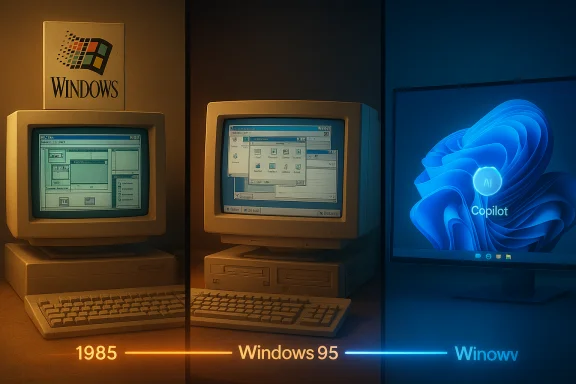
Three-panel timeline showing Windows history: 1985, Windows 95, and Winowy Copilot.Background / Overview​

In the mid‑1980s the PC landscape was changing fast. The Apple Macintosh had already shown the potential of a graphical user interface in 1984, and the Commodore Amiga and Atari ST families amplified that momentum in 1985. Microsoft’s entry arrived as a modest, hardware‑constrained experiment: Windows 1.0 shipped to manufacturing on November 20, 1985, and was deliberately designed as a DOS‑layered environment to introduce mouse-driven interaction and simple graphical utilities without discarding the massive MS‑DOS software base.
That early release was far from the modern Windows experience. It used tiled windows instead of overlapping ones, bundled tiny utilities such as Notepad, Paint, Calculator and the MS‑DOS Executive, and ran on machines with as little as 256 KB of RAM and CGA/EGA graphics. Despite its limitations, Windows 1.0 established visual and interaction metaphors that would survive through decades of redesigns and business pivots.

The early years: experiment to mainstream​

Windows 1.0 and the constraints that shaped it​

Windows 1.0 was a pragmatic product of its time: memory and CPU scarcity shaped a conservative UI, and Microsoft intentionally prioritized compatibility with existing DOS applications and hardware. The package introduced the mouse as a mainstream input device to many PC users and provided an accessible desktop vocabulary. That conservative approach—optimize for scarce resources and preserve backward compatibility—became a recurring theme in Windows’ product DNA.

From tiled windows to a platform: 2.x → 3.x​

Windows 2.x introduced overlapping windows and richer application integration. Windows 3.0 (1990) proved to be the platform’s first broad commercial breakthrough, delivering improved graphics, memory handling and an emerging third‑party developer ecosystem that made Windows a workplace staple. Those releases turned Windows from a curiosity into a platform viable for productivity, business applications and games.

The consumer inflection: Windows 95 and beyond​

Windows 95 (retail availability August 24, 1995) reorganized the desktop around discoverability and everyday use with the introduction of the Start menu and taskbar, design choices that would anchor the Windows experience for decades. The release was accompanied by massive marketing and strong early sales, and it normalized a consumer-friendly PC model that accelerated home and office adoption. Subsequent milestones—Windows 98, Windows XP (October 25, 2001) and the convergence of consumer polish with enterprise reliability—cemented Windows’ role in both homes and corporate IT.

The Windows release timeline: the big milestones​

Below is a concise timeline of major Windows releases that marks the platform’s technical and cultural evolution. The dates listed here match canonical product histories and contemporary reporting, and are corroborated by multiple retrospective records.
  • Windows 1.0 — November 20, 1985.
  • Windows 2.0 — December 9, 1987.
  • Windows 3.0 — May 22, 1990.
  • Windows 3.1 — April 6, 1992.
  • Windows 95 — August 24, 1995.
  • Windows 98 — June 25, 1998.
  • Windows ME — September 14, 2000.
  • Windows 2000 — February 17, 2000.
  • Windows XP — October 25, 2001.
  • Windows Vista — January 30, 2007.
  • Windows 7 — October 22, 2009.
  • Windows 8 — October 26, 2012.
  • Windows 8.1 — October 17, 2013.
  • Windows 10 — July 29, 2015.
  • Windows 11 — October 5, 2021 (broad availability).
These release milestones trace not just product iterations but shifting priorities: from basic UI metaphors to hardware integration, then to security, continuous servicing and now AI‑enabled features that tie the OS to modern silicon.

Why the GUI wave mattered: Apple, Amiga, Atari and Microsoft​

The GUI shift of the mid‑1980s was a multi‑vendor phenomenon. Apple’s Macintosh (1984) popularized a consumer-friendly GUI that emphasized ease of use. The Commodore Amiga and Atari ST families (popularized in 1985) delivered advanced multimedia and graphics capabilities that excited hobbyists and developers. Microsoft’s Windows arrived as a tactical, compatibility‑first response to this wave, offering a GUI that could run on the broad spectrum of existing IBM‑compatible PCs rather than on tightly controlled hardware ecosystems. That strategy—favoring universality and OEM distribution over closed hardware—proved decisive for scale.

The long arc: design tradeoffs and platform consequences​

Strengths that carried Windows forward​

  • Ubiquity and scale. Windows’ reach across OEM channels, enterprise fleets and consumer machines created an economic moat: software vendors and enterprises standardized on Windows because the ecosystem and tools ran on it.
  • Backward compatibility. A defining commitment to run legacy applications and drivers reduced migration costs and protected businesses’ investments over decades. This continuity is a core reason Windows has been durable.
  • Ecosystem breadth. Drivers, productivity suites, enterprise management tools, and a massive indie and game developer base make Windows the platform of choice for many workloads.

The risks baked into incrementalism​

  • Legacy complexity. Supporting decades of APIs and drivers creates technical debt that constrains radical innovation and complicates security hardening.
  • User pushback on radical UI shifts. The Windows 8 tile‑first approach provoked strong negative reactions, illustrating how abrupt changes can fracture trust and adoption. Gradual, opt‑in transitions work better for a mass platform.
  • Platform governance and privacy. As Windows moves from a passive runtime to an ambient assistant (Copilot) that can act on behalf of users, transparency and control become central governance challenges. Without clear mechanisms for visibility and reversibility, trust can erode quickly.

The present and near future: Windows, Copilot and the hardware pivot​

Windows 11 as the canvas for AI​

Windows 11 (GA October 5, 2021) was marketed as a visual and security refresh—centered taskbar, Fluent visuals, and stricter hardware security baselines (TPM 2.0, Secure Boot). In the years since, Microsoft has layered AI into the platform, integrating Copilot as a system‑level assistant and promoting a new class of Copilot+ PCs with on‑device neural acceleration. These moves mark a shift from OS as runtime toward OS as an active agent in productivity workflows.

The hardware co‑design story: NPUs and the 40+ TOPS claim​

Microsoft has signaled that many premium AI features will expect hardware with local neural inference capability. Public product messaging has identified a 40+ TOPS (trillions of operations per second) NPU floor as part of the Copilot+ device baseline, enabling richer on‑device experiences with lower latency and (in principle) better privacy. This hardware gating creates both opportunity and risk: enhanced local AI, but also potential fragmentation where premium AI features are limited to a subset of newer hardware. That claim is documented in product narratives but remains an evolving area where implementation details and real‑world thresholds need continued verification. Treat the 40+ TOPS floor as a vendor‑specified guideline that administrators and buyers should validate per device.

Practical implications for consumers, gamers and IT leaders​

For consumers and prosumers​

  • Inventory your devices and check hardware baselines (TPM, Secure Boot, NPU capability) before committing to upgrades that promise on‑device AI features. Windows 11’s new capabilities may require more than a CPU/GPU upgrade.
  • Understand where features run: cloud vs local. On‑device AI reduces latency and can improve privacy, but not all Copilot features will be available on all devices. Verify per‑feature hardware requirements.

For gamers and power users​

  • Compatibility remains a major advantage for Windows, but the increasing interest in Linux gaming compatibility (Proton/Steam Deck) combined with Windows’ shifting priorities creates a small but notable window for alternative platforms. If gaming is the primary use case, maintain backup strategies and investigate cross‑platform compatibility options.

For enterprise IT​

  • Catalog application compatibility and test against Windows 11/feature update rings.
  • Pilot Copilot and agentic workflows in controlled environments to assess data flows, telemetry, and DLP integration.
  • Prepare migration calendars around Windows 10’s end of support (consumer lifecycle deadlines have framed real-world migration pressure), and budget hardware lifecycle replacements where necessary.

Strengths, vulnerabilities and the regulatory horizon​

Windows’ ubiquity is its power and its vulnerability. A single platform at planetary scale invites regulatory scrutiny, competitive pressure and high expectations for security and privacy. The integration of AI agents into the OS raises several concrete concerns:
  • Privacy and data handling. Agentic features that process documents or interact with cloud models require robust consent, visibility and audit trails. Without clear defaults and enterprise controls, risk is high.
  • Fragmentation. Hardware gating of advanced AI experiences risks creating tiers of Windows where premium capabilities are unavailable to many users. This could fragment the platform’s promise of universality.
  • Model governance and liability. When the OS acts on a user’s behalf, the question of accountability—who is responsible for automated actions—becomes urgent. Enterprises will need clear policies and technical controls to limit undesired agent actions.
Regulators will likely scrutinize how system‑level agents handle personal data and whether device makers or OS vendors embed defaults that unduly privilege their services. These are nascent but serious policy battlegrounds.

What the last forty years teach product teams and platform designers​

  • Design for constraints and diversity. The original Windows team optimized for limited RAM and diverse hardware. Today’s equivalent is designing across a heterogeneous landscape of CPUs, GPUs and NPUs while keeping experiences predictable for users.
  • Preserve mental models. Sudden, sweeping UI changes risk alienating users. Successful platform redesigns tend to respect core mental models while offering gradual opt‑ins for new paradigms. Windows 8’s backlash remains a cautionary tale.
  • Make automation reversible and visible. If an OS performs actions, users must be able to inspect, revoke and understand those actions. Predictability and auditability are design requirements, not afterthoughts.

Notable anniversaries, legal tangents and cultural impact​

Windows’ evolution is not purely technical; it shaped legal and cultural narratives. The famous 1993 settlement with Apple over GUI claims was an important episode in defining what software interfaces can be copyrighted and how vendors may borrow metaphors across platforms. Over time, Windows’ cultural artifacts—Solitaire, Minesweeper, the Start menu and even the infamously earnest Clippy—have contributed to a shared user memory that influences acceptance of subsequent UI changes. These legal and cultural threads underscore that platform design sits at the intersection of law, habit and engineering.

A clear, verifiable summary of key facts (for quick reference)​

  • Windows 1.0 shipped to manufacturing on November 20, 1985; it was a GUI shell over MS‑DOS introducing mouse-driven interaction.
  • The GUI wave included Apple’s Macintosh (1984), and mass‑market multimedia PCs like the Commodore Amiga and Atari ST (1985 era). Microsoft’s strategy favored compatibility and OEM distribution.
  • Windows 95 (August 24, 1995) introduced the Start menu and taskbar—defining features of the modern desktop.
  • Windows 11 became broadly available on October 5, 2021 and serves as Microsoft’s canvas for adding Copilot and silicon‑aware features; some Copilot+ capabilities have a published hardware guidance (40+ TOPS NPU), though implementation details merit per‑device verification.
  • Windows 10’s lifecycle and Microsoft’s support deadlines have created migration pressure that affected enterprise and consumer planning. Exact EOL dates and ESU options should be confirmed against Microsoft’s lifecycle documentation for a given SKU.

Critical verdict: what this anniversary really means​

The 40th‑anniversary of Windows is both a celebration of engineering endurance and a strategic checkpoint. The platform’s defining strengths—scale, backward compatibility and an outsized ecosystem—remain potent competitive advantages. At the same time, Windows faces a new set of constraints and tradeoffs: integrating agentic AI safely, avoiding hardware‑driven fragmentation, and maintaining the trust of users and enterprises as the OS takes a more active role in everyday tasks.
If Microsoft and its partners can deliver transparent defaults, enterprise controls, and clear hardware/feature signaling, the next decade could produce genuinely useful, low‑latency on‑device AI experiences that respect privacy and enterprise needs. If not, the platform risks fragmenting into tiers, inviting regulatory scrutiny and driving portions of the power‑user base toward alternatives.

Practical checklist for the next 12 months​

  • Check device hardware baselines before planning Windows 11 Copilot upgrades. Verify TPM, Secure Boot and any NPU specifications claimed by OEMs.
  • Pilot agentic features in controlled groups; tie pilot outcomes to DLP, EDR and audit logs. Make agent controls first‑class items in security policies.
  • Maintain compatibility test rings for legacy applications; leverage virtualization and app‑compat tools where full migrations are risky.
  • For consumers: back up data and research return/rollback policies before major OS upgrades; treat Copilot features as optional until device and privacy characteristics are fully understood.

Conclusion​

Windows began as a modest GUI shell on November 20, 1985 and has spent four decades balancing conservatism and change, compatibility and innovation. The platform that introduced millions of users to the mouse is now being retrofitted to host AI assistants and to co‑design experiences with new silicon. That arc—from 256 KB constraints to on‑device neural processing—encapsulates the broader evolution of personal computing.
This anniversary is not merely about nostalgia for Minesweeper or the Start button; it is a moment to interrogate the platform’s next chapter. The choices Microsoft and the Windows ecosystem make around transparency, hardware gating and governance will determine whether the next 40 years extend Windows’ reach or reshape it into a more fragmented set of experiences. For users, enterprises and OEMs, the path forward is pragmatic: inventory, pilot, govern, and insist that automation be predictable, visible and reversible. The desktop that began with simple tiled windows has always been defined by pragmatism—its survival through the next era will depend on whether that pragmatism can steward trust as effectively as it once stewarded compatibility.

Source: The FPS Review It Was Forty Years Ago When Microsoft Introduced Windows, Joining a New Wave of Graphical User Interface-Based Operating Systems
 

Back
Top