

Microsoft’s official Media Creation Tool—long the easiest way for home users and small IT teams to produce a Windows installer USB or ISO—began closing without warning on many Windows 10 hosts right at the worst possible moment, and Microsoft has confirmed the regression while pointing users to manual ISO downloads and alternative upgrade paths.
The Media Creation Tool (MCT) is a single-file Microsoft utility used to download a published Windows image and create bootable installation media or an ISO for later use. For many people it reduces a multi-step process (find the ISO, verify, write to USB) to a single, supported workflow. The tool is typically updated independently of the OS and is redistributed from Microsoft’s Windows download pages.
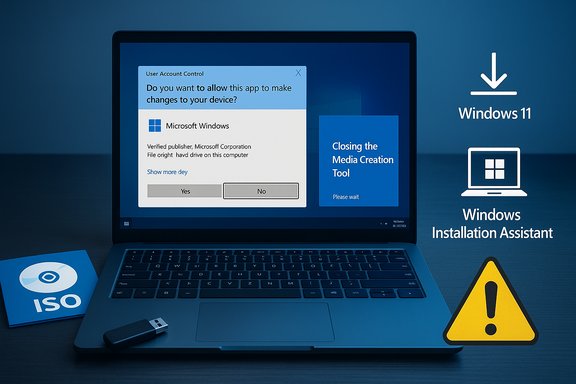
In late September Microsoft shipped a new MCT binary identified in community reporting as version 26100.6584. Within days of circulation, users running that specific MCT build from some Windows 10 (version 22H2) machines reported a consistent failure mode: the executable would launch, the UAC dialog and a brief Windows splash would appear, and then the process would exit silently—no error dialog, no created ISO, and no obvious log visible to casual users. Microsoft added a known‑issues note acknowledging this behavior on October 10, 2025. Community discussion and forum threads picked the issue up fast: users who expected the “one-click” route to upgrade were suddenly forced to use manual ISO downloads, the Windows 11 Installation Assistant, or other workarounds. The timing was particularly sensitive because Windows 10’s mainstream support cutoff (a fixed lifecycle milestone) concentrated last‑minute migration activity into a short window.
From a product‑quality perspective, the problem is an example of why consumer utilities need rigorous cross‑OS validation. A convenient tool that “just works” is a customer expectation; when that expectation is broken for a high‑volume, time‑sensitive scenario, the reputational cost and practical disruption are magnified. Independent outlets and community threads framed the issue as a Microsoft‑confirmed regression arriving at an unfortunate moment.
Readers should treat the confirmed facts—build metadata, symptom set, Microsoft’s advisory, and the safer workarounds—as reliable and cross‑checked. Any claim about exact affected counts or a detailed internal root cause remains unverifiable without Microsoft telemetry or an engineering post‑mortem; those claims are explicitly flagged here as provisional.
Microsoft’s Media Creation Tool failure was inconvenient, visible, and fixable. It underscores a practical lesson for users and vendors alike: keep verified install media on hand, prefer supported upgrade flows for critical timelines, and treat single‑file convenience tools as helpful but not the only path forward.
Source: PCWorld [Update: Fixed] Windows 11's Media Creation Tool is busted at the worst possible time
 Background
The Media Creation Tool (MCT) is a single-file Microsoft utility used to download a published Windows image and create bootable installation media or an ISO for later use. For many people it reduces a multi-step process (find the ISO, verify, write to USB) to a single, supported workflow. The tool is typically updated independently of the OS and is redistributed from Microsoft’s Windows download pages.In late September Microsoft shipped a new MCT binary identified in community reporting as version 26100.6584. Within days of circulation, users running that specific MCT build from some Windows 10 (version 22H2) machines reported a consistent failure mode: the executable would launch, the UAC dialog and a brief Windows splash would appear, and then the process would exit silently—no error dialog, no created ISO, and no obvious log visible to casual users. Microsoft added a known‑issues note acknowledging this behavior on October 10, 2025. Community discussion and forum threads picked the issue up fast: users who expected the “one-click” route to upgrade were suddenly forced to use manual ISO downloads, the Windows 11 Installation Assistant, or other workarounds. The timing was particularly sensitive because Windows 10’s mainstream support cutoff (a fixed lifecycle milestone) concentrated last‑minute migration activity into a short window.
What happened — concise timeline
- September 29, 2025: An updated Windows 11 Media Creation Tool (reported as build 26100.6584) appears in distribution.
- Early October 2025: Multiple reproductions show the MCT closing immediately on some Windows 10 22H2 hosts. Independent outlets verify the symptom.
- October 10, 2025: Microsoft posts a confirmed known‑issues entry acknowledging the MCT “might not work as expected” and that it “might close unexpectedly, displaying no error message,” and offers the Windows 11 ISO download as a workaround.
- October 28, 2025: Microsoft refreshes the MCT and bundles remediation into an optional preview cumulative update (packaged as KB5067036 for certain Windows builds), then stages the fix through preview channels before wider Patch Tuesday rollout. Microsoft’s timeline shows they distributed an updated MCT and a related preview update to address host compatibility problems.
Scope — who was affected and how badly
The visible impact was concentrated on these groups:- Windows 10 hosts running 22H2: Microsoft’s release‑health advisory explicitly lists Windows 10 devices as affected by the MCT binary in question. The same binary often worked when executed on Windows 11 hosts, making a pragmatic workaround possible for those with a second PC already on Windows 11.
- Arm64 Windows devices: Microsoft also called out Arm64 hosts as a special case—historically the MCT has limited or no support for creating Arm64 images when run directly on Arm64 Windows 10 devices, and the regression amplified that instability. For device builders and testers using Arm64 tablets or laptops, the break was particularly disruptive.
- Home users, refurbishers, and small IT teams: These users most often rely on the convenience of the MCT; enterprise channels (WSUS, Intune, managed images) and those with canonical ISOs are less exposed.
Technical symptoms and community reproductions
The observed failure sequence was simple and consistent:- User downloads MediaCreationTool.exe from Microsoft’s Windows 11 download portal (or clicks an updated MCT previously saved).
- The User Account Control dialog appears and is accepted.
- A brief Windows logo/splash appears.
- The MCT process exits immediately with no visible error, no UI dialog, and no produced ISO/USB.
Microsoft’s response and recommended mitigations
Microsoft followed the standard “acknowledge and advise” pattern:- Added a Known Issues / Release Health entry explaining the symptom, referencing the MCT build number, and listing a short‑term workaround (download the Windows 11 ISO directly).
- Recommended alternative supported upgrade paths:
- Use Windows Update if the Windows 11 offer is available for the device.
- Use the Windows 11 Installation Assistant for eligible devices to perform an in‑place upgrade.
- Download the Windows 11 Disk Image (ISO) for x64 devices from Microsoft’s download portal and write a bootable USB using a trusted utility.
- Later, Microsoft refreshed the MCT distribution (October 28 preview update) and included a compatibility fix in a preview cumulative update, planning to roll the fix into the regular monthly update cadence once validated. That restored normal operation for users who fetched the updated tool or installed the preview KB.
Practical workarounds — step‑by‑step options
If you encounter the silent exit behavior, here are the recommended paths ranked by safety and support:- Official ISO route (recommended)
- Visit Microsoft’s Windows 11 download page and choose “Download Windows 11 Disk Image (ISO) for x64 devices.”
- Verify the ISO’s SHA‑256 hash if possible to ensure integrity.
- Use a trusted tool (Rufus, Ventoy, or Windows’ built‑in mounting + Diskpart) to write a bootable USB.
- Boot target machine and run setup.exe from the USB or perform a clean install if desired.
- Windows 11 Installation Assistant
- Use the Installation Assistant for an in‑place upgrade if your PC is eligible. It preserves apps and settings and is officially supported.
- Use MCT on a Windows 11 host
- If you have access to a Windows 11 machine, download/run the MCT there to create install media for other devices.
- Third‑party tools and caution
- Tools such as Rufus can write the official ISO and (optionally) modify checks related to TPM/Secure Boot. Any bypass that alters hardware checks should be considered unsupported by Microsoft and carries increased risk; document the tradeoffs and confirm licensing and activation behavior before use.
Why the timing amplified the damage
The bug landed against a real-world deadline: Windows 10’s end of mainstream support is a fixed calendar milestone that concentrates user activity. Many users planned last‑minute migrations, creation of recovery media, or clean installations in the window immediately preceding the cutoff. Removing or degrading the “one-click” MCT path during that period created acute operational friction for non-technical users and smaller IT shops.From a product‑quality perspective, the problem is an example of why consumer utilities need rigorous cross‑OS validation. A convenient tool that “just works” is a customer expectation; when that expectation is broken for a high‑volume, time‑sensitive scenario, the reputational cost and practical disruption are magnified. Independent outlets and community threads framed the issue as a Microsoft‑confirmed regression arriving at an unfortunate moment.
Risks, consequences, and what to watch for
- Security risk for delayed upgrades: Devices that miss the migration window and remain on an unsupported OS without Extended Security Updates (ESU) can become exposure points for attackers. The MCT regression can increase the likelihood of delays for users who depend on the Microsoft‑branded convenience path.
- User error under time pressure: Forced to use manual steps or third‑party tools, less‑technical users may make mistakes—create installers without verifying images, fail to back up data, or adopt unsupported bypasses that have downstream compatibility issues.
- Enterprise fragmentation: Small organizations that expected to use the MCT ad‑hoc will find operational overhead rising; while enterprise channels exist, the incident highlights differences in reliability between consumer and enterprise‑grade tooling.
- Unverified telemetry: Microsoft did not publish public telemetry counts for affected devices, so claims about the absolute scope should be treated as estimates unless vendor telemetry is released. Any numerical scope estimate is provisional.
Root cause — what we can and can’t say
Public evidence (Microsoft’s Known Issues entry and community crash samples) points to an early initialization or host‑compatibility fault. Crash traces shared by users implicate early host processes in some reproductions, but Microsoft has not released an internal post‑mortem. That means:- It is fair to say the issue appears to be a host‑compatibility regression in the MCT binary that affects certain Windows 10 22H2 and Arm64 hosts.
- It is not verifiable from public materials whether the fault was caused by a specific DLL mismatch, certificate/signing regression, a packaging error, or a deliberate change in a host‑API expectation. Until Microsoft publishes a technical breakdown, any precise root‑cause claim should be labeled speculative.
How Microsoft fixed it (and distribution cadence to watch)
Microsoft moved in two stages:- Tool refresh: The company updated the distributed MCT binary to address host compatibility checks that were causing the early exit symptom. Users downloading the updated MCT after Microsoft’s refresh should receive a corrected executable.
- Preview cumulative update: Microsoft bundled a compatibility correction into an optional preview cumulative update (KB5067036) and staged subsequent inclusion into the regular monthly cumulative update cadence (Patch Tuesday). That allows the fix to reach systems via both direct MCT refresh and OS servicing channels.
Recommendations for home users and small teams
- If you can, use the official ISO route: Download the Windows 11 Disk Image (ISO) and write it to USB. Verify hashes when possible. This is the most reliable fallback and avoids dependency on a single convenience executable.
- Prefer official upgrade paths: Use the Windows 11 Installation Assistant for in‑place upgrades where available. For managed fleets, use WSUS/Intune and canonical images rather than ad‑hoc MCT runs.
- Don’t rush to unsupported bypasses: Tools that disable TPM/Secure Boot checks or remove hardware restrictions exist, but these are unsupported by Microsoft and may affect updates, features, licensing, and security. If you choose those routes, document the tradeoffs and maintain a rollback plan.
- Back up first: Regardless of path, ensure full backups before proceeding. The easiest tool failing should never be the reason to risk user data.
Lessons for Microsoft and the ecosystem
This incident is a practical reminder of a few durable truths in software delivery:- Convenience tools must be validated across supported host OS versions, especially when they intentionally run from older platforms to create newer‑OS media.
- Communication matters: Microsoft published a Known Issues entry, but customers also value clear recovery guidance and visible fixed‑status updates. Timely updates and transparent root‑cause write‑ups build trust after regressions.
- Redundancy in user workflows reduces risk: Home users benefit from keeping canonical ISOs or using cloud‑backed recovery options, and small teams benefit from an image library rather than ad‑hoc media creation on individual hosts.
Final analysis and verdict
The Media Creation Tool regression was a clear operational failure at an inopportune moment. It removed a favored Microsoft‑branded convenience channel for many users and increased the friction of migration immediately before a significant support deadline. The vendor response—public acknowledgement, recommended workarounds, a refreshed tool binary, and a preview update—followed an accepted mitigation path and ultimately restored functionality for users willing to fetch the corrected tool or apply preview fixes. Strengths of Microsoft’s approach included a documented Known Issues entry, practical workarounds (ISO/Installation Assistant), and a staged fix distribution that aimed to avoid broad regressions while reaching users. The main risks were reputational (broken convenience at a critical time) and the potential for delayed upgrades by users who relied on the MCT Friday‑night “it’ll just work” workflow.Readers should treat the confirmed facts—build metadata, symptom set, Microsoft’s advisory, and the safer workarounds—as reliable and cross‑checked. Any claim about exact affected counts or a detailed internal root cause remains unverifiable without Microsoft telemetry or an engineering post‑mortem; those claims are explicitly flagged here as provisional.
Quick checklist — What to do if the MCT fails on your PC
- Stop and back up your data.
- Try the Windows 11 Installation Assistant (if eligible).
- Download the Windows 11 ISO from Microsoft and write it to USB with Rufus or built‑in tools.
- If you have a Windows 11 PC available, run the MCT there to create media for other devices.
- Watch Microsoft’s Release Health page for a fixed MCT binary or cumulative update notification before retrying the MCT on affected Windows 10 hosts.
Microsoft’s Media Creation Tool failure was inconvenient, visible, and fixable. It underscores a practical lesson for users and vendors alike: keep verified install media on hand, prefer supported upgrade flows for critical timelines, and treat single‑file convenience tools as helpful but not the only path forward.
Source: PCWorld [Update: Fixed] Windows 11's Media Creation Tool is busted at the worst possible time
