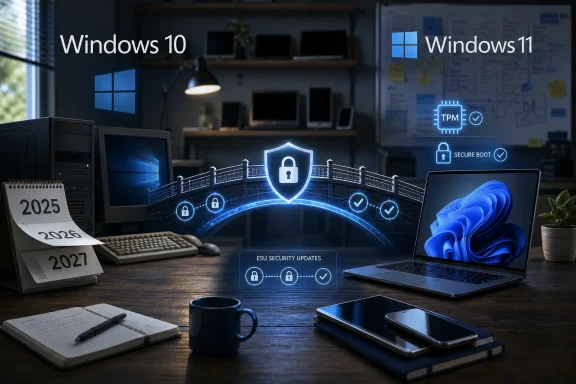
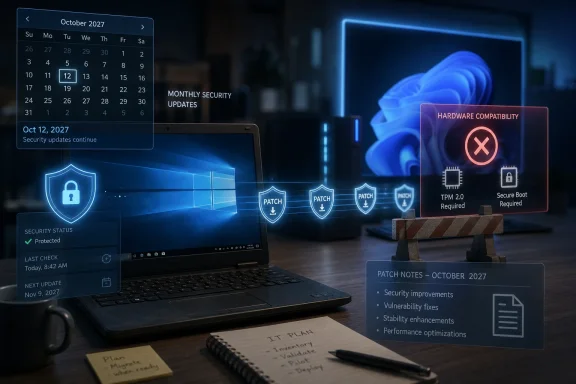
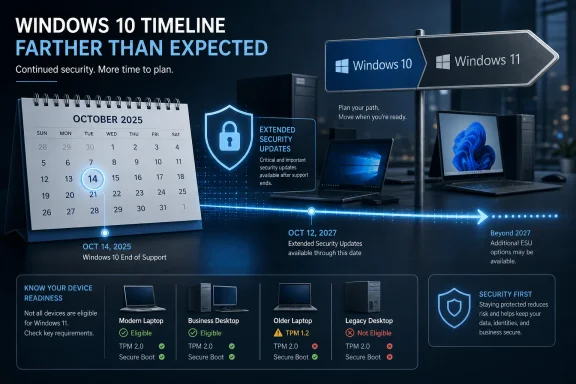
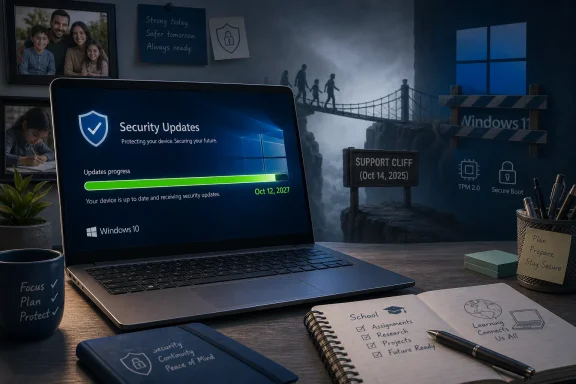
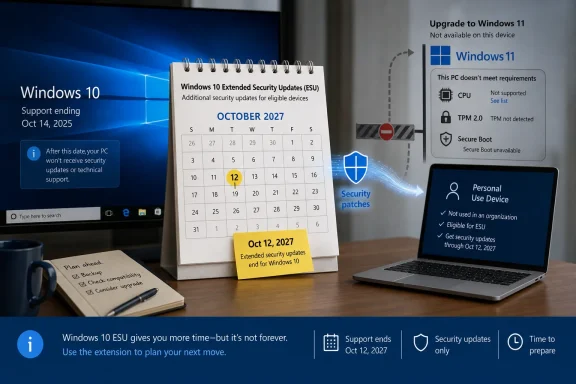
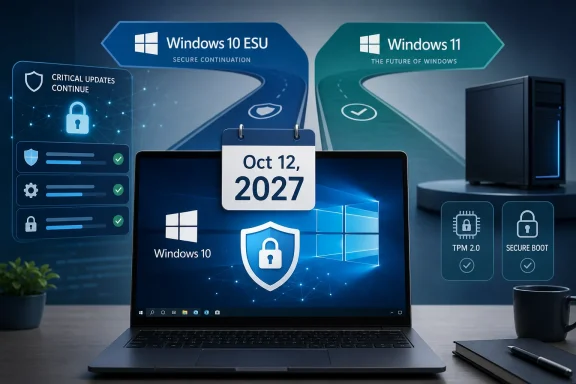
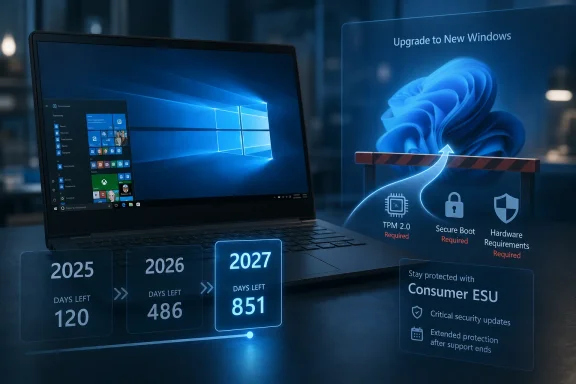
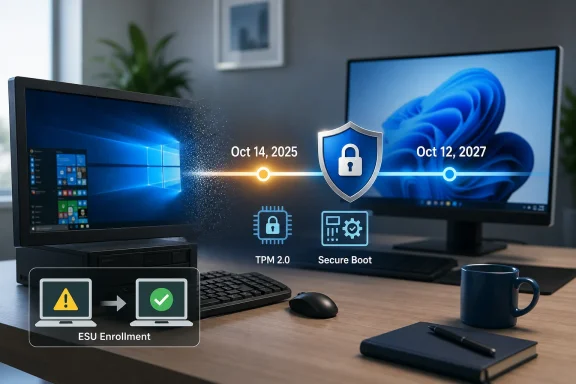
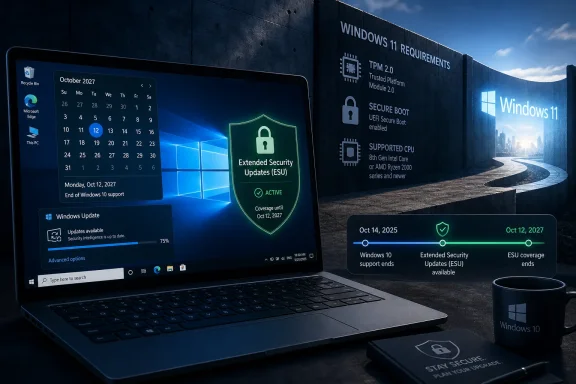
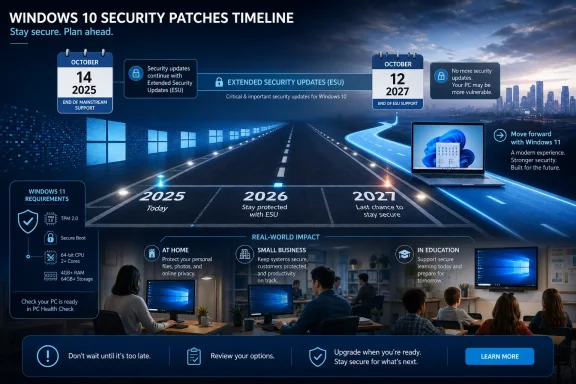
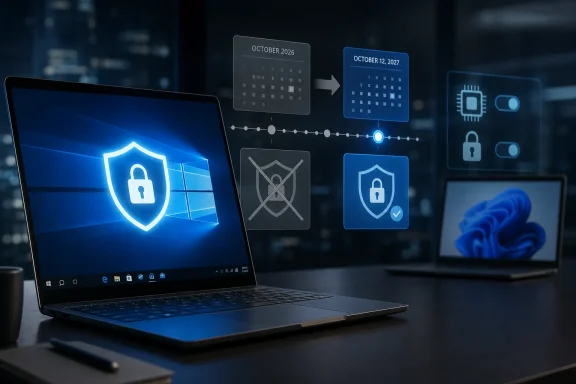
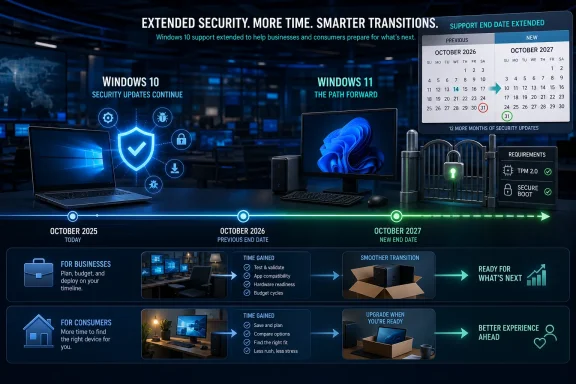
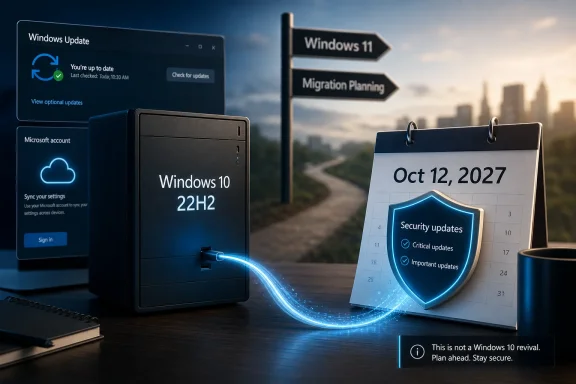
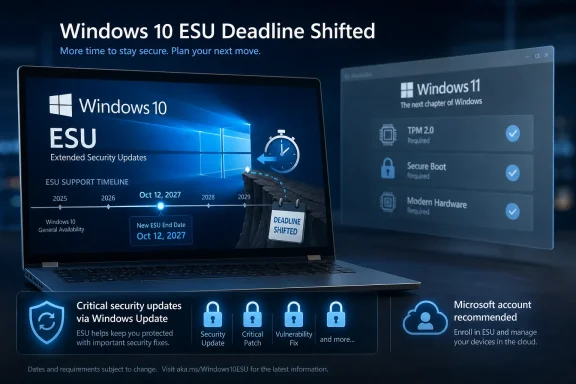
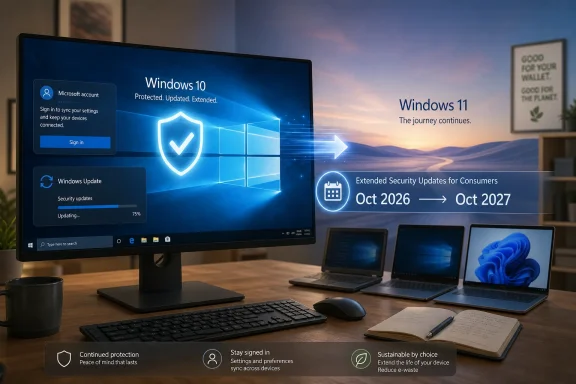
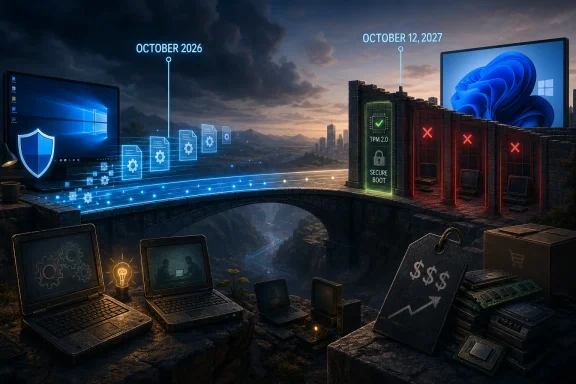
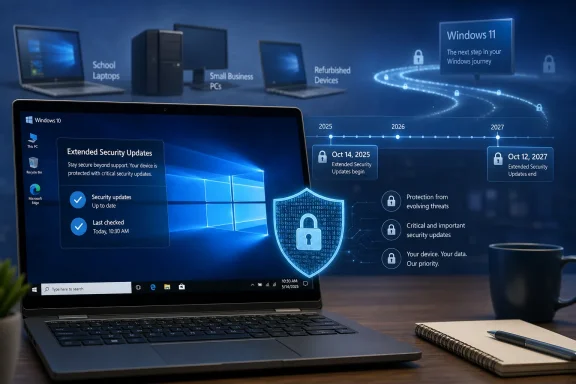
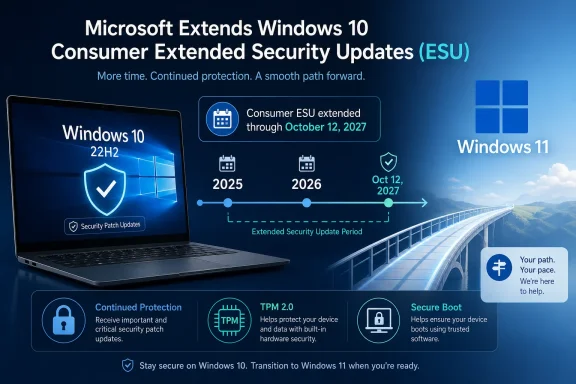
Microsoft has updated its Windows 10 consumer Extended Security Updates language to say enrolled PCs can keep receiving security-only updates until October 12, 2027, effectively giving holdout users a second post-retirement year after the operating system’s formal end of support on October 14, 2025. The change is quiet, but not small. It turns what looked like a one-year consumer safety valve into a longer managed retreat from one of Microsoft’s most successful Windows releases.
The interesting part is not that Microsoft found another way to keep Windows 10 alive. The company has done this before for business customers, servers, embedded devices, and products too expensive or operationally awkward to replace on schedule. The interesting part is that consumer Windows now looks more like enterprise Windows: not a clean cutoff, but a negotiated drawdown shaped by hardware realities, security risk, and Microsoft’s own inability to make every Windows 10 PC a Windows 11 PC.
Windows 10 was supposed to be done in October 2025. That date was not a surprise; Microsoft had spent years saying Windows 10 version 22H2 would be the final release and that users should move to Windows 11, preferably on newer hardware. The Extended Security Updates program was framed as a bridge, not a destination.
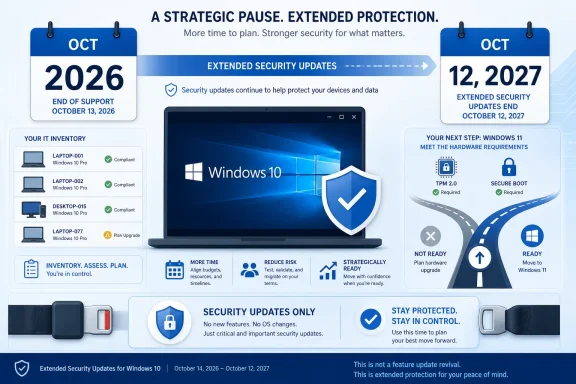
Now that bridge appears to be longer for consumers than originally advertised. Microsoft’s support wording says users can enroll in ESU until the program ends on October 12, 2027, and that already enrolled PCs will continue automatically through that date. For a Windows 10 user who joined the program expecting a reprieve through October 2026, that is a meaningful extension.
This does not mean Windows 10 is back in mainstream support. It does not mean new features, design changes, normal quality-of-life fixes, or full technical support are returning. ESU is deliberately narrow: critical and important security updates, delivered to eligible enrolled devices, for users who are still not ready or able to move.
But narrow is not the same as trivial. In practical terms, Microsoft is acknowledging that the Windows 10 installed base remains too large, too economically mixed, and too security-relevant to abandon after a single extra year.
That mismatch is now the central tension in the Windows ecosystem. A decade-old Windows 10 PC may be slow by enthusiast standards, but it can still browse the web, run Office, print labels, connect to a VPN, drive a point-of-sale system, or serve as a family machine. Forcing that device into the e-waste stream is a tough sell when replacement laptops, mini PCs, and business desktops have not become cheaper in the way many households and small organizations hoped.
Microsoft can market Copilot+ PCs, Neural Processing Units, Windows Hello, and the security advantages of modern silicon. Those arguments have weight, particularly for managed fleets and regulated environments. But they do not erase the reality that millions of Windows 10 systems are old enough to be unsupported by Windows 11 and still useful enough that their owners will not replace them merely because a calendar says so.
The ESU extension is therefore less an act of generosity than an act of risk management. If Microsoft holds the line too aggressively, it does not magically create a Windows 11 migration. It creates a population of unpatched Windows 10 machines connected to the same internet as everyone else.
Still, the distinction can feel academic to ordinary users. If the most important thing they need from Microsoft is protection against newly discovered vulnerabilities, then ESU is the piece of support that matters most. A home user running Chrome, Office, Steam, Zoom, and a printer driver may not care whether Windows 10 receives a new Settings page or a refreshed Notepad icon. They care whether the monthly patch cycle continues to close holes attackers can exploit.
For administrators, the distinction is sharper. ESU does not remove migration work from the roadmap. It buys time to finish hardware refreshes, application testing, driver validation, procurement, budgeting, and user training. The extension turns a cliff into a slope, but it does not make the slope disappear.
That is why this change should not be read as permission to forget Windows 11. It should be read as permission to migrate sanely. Microsoft is giving itself and its customers a bigger buffer because the alternative would be a messy security problem at consumer scale.
Windows 10 changed that formula. Microsoft offered ordinary users a path to receive post-EOL security updates, including low-friction options tied to a Microsoft account or other consumer enrollment methods depending on region and configuration. That was never just a customer-friendly gesture. It was a recognition that Windows 10 was not another aging product with a small residual base.
The original one-year consumer extension looked like a compromise between Microsoft’s security obligations and its Windows 11 ambitions. A second year changes the psychology. It tells users that Microsoft’s public deadline was real, but also that reality can renegotiate the terms.
This is the part that will irritate some Windows 11 adopters and delight Windows 10 holdouts. Microsoft spent years insisting that the transition was necessary, yet here it is keeping Windows 10 patched longer. Both things can be true. Windows 11 can be the right long-term platform, and Windows 10 can still be too important to cut loose abruptly.
There is a strategic reason for the quiet approach. A loud announcement saying “Windows 10 gets another year” would undercut Microsoft’s ongoing push toward Windows 11 and new hardware. It would give hesitant users an easy excuse to defer. It would also complicate messaging around Copilot+ PCs, modern security baselines, and the broader AI PC refresh cycle Microsoft and its partners want to accelerate.
But the quietness also reveals the awkwardness. Microsoft cannot plausibly celebrate keeping Windows 10 alive without admitting that the Windows 11 migration has not reached the finish line it wanted. It cannot declare victory while extending the safety net.
That tension has defined the Windows 10 retirement from the beginning. Microsoft wants urgency without panic, migration without resentment, and security without seeming to reward delay. ESU is the instrument that lets it balance those goals.
That matters because many small businesses live in the space between consumer and enterprise. They may run Windows 10 Pro machines bought retail, manage devices informally, and lack the staffing or tooling of a larger IT department. For them, a longer consumer ESU runway can be the difference between a planned migration and a weekend scramble.
Even larger organizations benefit indirectly. Users bring home habits to work, executives ask why their personal laptops still get updates, and small vendors often lag behind corporate standards. The more Windows 10 machines remain patched in the broader ecosystem, the less exposed everyone is to commodity attacks that thrive on abandoned platforms.
This is not Microsoft abandoning discipline. It is Microsoft admitting that discipline without adoption becomes theater. Deadlines work only when customers can realistically meet them.
That ecosystem drift is how old operating systems really die. Not all at once, and not always on Microsoft’s schedule. First a peripheral stops getting tested. Then a management agent requires a newer OS. Then a vendor’s support desk starts every troubleshooting session by asking why the machine is still on Windows 10. Eventually, the device may still boot and patch, but it becomes harder to trust in production.
The ESU extension slows the security decay, but it does not freeze the platform in a healthy state. Users who treat October 2027 as a new deadline rather than a grace period will repeat the same problem later, probably with fewer good options.
For IT pros, that means the right response is not “we can wait.” It is “we can sequence.” Replace the riskiest systems first. Identify unsupported hardware. Separate machines that merely need more time from machines that should not remain in service. Use the extra year to reduce chaos, not to preserve indecision.
Consumers, however, buy PCs for less glamorous reasons. A laptop is replaced when the hinge breaks, the battery dies, the screen cracks, the keyboard fails, or the performance becomes intolerable. A desktop may be upgraded one component at a time until some requirement finally blocks it. Many households do not replace a functioning computer just because Microsoft has a new strategic category to promote.
This is where the Windows 11 hardware requirements remain a political problem inside the Windows user base. Microsoft can argue that unsupported CPUs and missing TPMs represent real security boundaries. Users can point to otherwise serviceable machines and see artificial obsolescence. The ESU extension does not resolve that disagreement, but it reduces its immediate consequences.
It also gives OEMs more time to make replacement hardware more compelling. If the next year brings better entry-level devices, more affordable AI PCs, or clearer benefits from Windows 11-only features, Microsoft may win migrations through attraction rather than deadline pressure. If not, Windows 10 will remain the operating system many users leave only when the machine itself gives up.
Microsoft knows this better than anyone. The company has spent years building Windows Defender, SmartScreen, virtualization-based security, memory protections, and cloud-delivered threat intelligence because the health of the Windows ecosystem affects the health of the wider digital economy. Leaving a huge population of Windows 10 PCs without security updates would run against that entire investment.
This is why the extension makes sense even if Microsoft would prefer every user to buy a Windows 11 device tomorrow. Security policy cannot be based solely on what customers ought to do. It has to account for what they will do.
And what many users will do is keep using Windows 10. They will do it because their PC works, because their software works, because money is tight, because Windows 11 rejected their hardware, or because they simply dislike change. Microsoft can either patch that reality or pretend it does not exist.
That is a crucial distinction for families and small offices. A Windows 10 PC that is turned on occasionally, missing recent cumulative updates, signed into a local account, or blocked by regional rollout quirks may not be protected just because Microsoft extended the program. The support date is a ceiling, not a guarantee.
The same is true for organizations. Commercial ESU is a licensing and deployment exercise, not a magic switch. Admins need to verify activation, update compliance, reporting, and patch installation. They also need to remember that Long-Term Servicing editions follow their own lifecycle rules, which can differ sharply from the general Windows 10 channel.
The headline is simple: more time. The implementation is not always simple. As with most Windows lifecycle stories, the practical answer lives in Settings, licensing portals, management consoles, and the occasional stubborn machine that refuses to behave like the documentation says it should.
That should be familiar to anyone who has watched Windows over the last three decades. Microsoft’s platform power has always come with a constraint: it cannot move faster than its customers forever. Windows is not an app with a quick update cycle and a tidy user base. It is infrastructure, habit, sunk cost, and millions of mismatched hardware configurations pretending to be a single platform.
The extension also restores a bit of trust. Users dislike hard deadlines that feel disconnected from reality. IT departments dislike lifecycle policies that ignore procurement cycles. Security teams dislike unsupported machines they cannot eliminate quickly. A longer ESU runway does not satisfy everyone, but it acknowledges all three constituencies.
Still, Microsoft will need to be careful. Every extension trains users to expect another. If October 2027 becomes just the next date to renegotiate, the company risks weakening the very lifecycle discipline it needs to keep Windows maintainable.
Microsoft’s quiet Windows 10 reprieve is not a reversal of the Windows 11 era; it is an admission that operating systems do not retire cleanly when they still sit under hundreds of millions of workflows, budgets, and habits. The company has bought itself, its customers, and the wider Windows ecosystem another year of security breathing room. What happens next depends on whether Microsoft can make the move to Windows 11 feel less like forced obsolescence and more like a future worth choosing.
The interesting part is not that Microsoft found another way to keep Windows 10 alive. The company has done this before for business customers, servers, embedded devices, and products too expensive or operationally awkward to replace on schedule. The interesting part is that consumer Windows now looks more like enterprise Windows: not a clean cutoff, but a negotiated drawdown shaped by hardware realities, security risk, and Microsoft’s own inability to make every Windows 10 PC a Windows 11 PC.
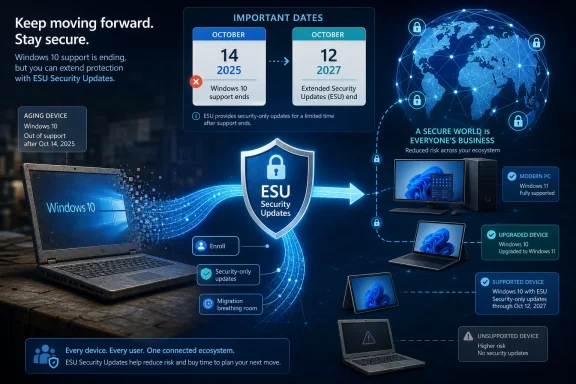 Microsoft Extends the Afterlife It Said Would Be Temporary
Windows 10 was supposed to be done in October 2025. That date was not a surprise; Microsoft had spent years saying Windows 10 version 22H2 would be the final release and that users should move to Windows 11, preferably on newer hardware. The Extended Security Updates program was framed as a bridge, not a destination.Now that bridge appears to be longer for consumers than originally advertised. Microsoft’s support wording says users can enroll in ESU until the program ends on October 12, 2027, and that already enrolled PCs will continue automatically through that date. For a Windows 10 user who joined the program expecting a reprieve through October 2026, that is a meaningful extension.
This does not mean Windows 10 is back in mainstream support. It does not mean new features, design changes, normal quality-of-life fixes, or full technical support are returning. ESU is deliberately narrow: critical and important security updates, delivered to eligible enrolled devices, for users who are still not ready or able to move.
But narrow is not the same as trivial. In practical terms, Microsoft is acknowledging that the Windows 10 installed base remains too large, too economically mixed, and too security-relevant to abandon after a single extra year.
The Windows 11 Hardware Wall Finally Becomes Microsoft’s Problem Too
The Windows 10 end-of-support story has always had a hardware subplot. Windows 11 raised the floor with TPM 2.0, Secure Boot, newer CPU requirements, and a security-first posture that made sense on paper but stranded plenty of perfectly usable PCs. Microsoft’s argument was that modern Windows needed a more trustworthy hardware foundation. Users’ counterargument was simpler: their computers still worked.That mismatch is now the central tension in the Windows ecosystem. A decade-old Windows 10 PC may be slow by enthusiast standards, but it can still browse the web, run Office, print labels, connect to a VPN, drive a point-of-sale system, or serve as a family machine. Forcing that device into the e-waste stream is a tough sell when replacement laptops, mini PCs, and business desktops have not become cheaper in the way many households and small organizations hoped.
Microsoft can market Copilot+ PCs, Neural Processing Units, Windows Hello, and the security advantages of modern silicon. Those arguments have weight, particularly for managed fleets and regulated environments. But they do not erase the reality that millions of Windows 10 systems are old enough to be unsupported by Windows 11 and still useful enough that their owners will not replace them merely because a calendar says so.
The ESU extension is therefore less an act of generosity than an act of risk management. If Microsoft holds the line too aggressively, it does not magically create a Windows 11 migration. It creates a population of unpatched Windows 10 machines connected to the same internet as everyone else.
Security Updates Are Not Support, But They Are the Support That Matters Most
Microsoft will be careful to define what users are getting. ESU is not a second life for Windows 10 in the normal sense. It is a controlled patch channel for serious vulnerabilities, and the company has every reason to keep saying that Windows 11 is the supported future.Still, the distinction can feel academic to ordinary users. If the most important thing they need from Microsoft is protection against newly discovered vulnerabilities, then ESU is the piece of support that matters most. A home user running Chrome, Office, Steam, Zoom, and a printer driver may not care whether Windows 10 receives a new Settings page or a refreshed Notepad icon. They care whether the monthly patch cycle continues to close holes attackers can exploit.
For administrators, the distinction is sharper. ESU does not remove migration work from the roadmap. It buys time to finish hardware refreshes, application testing, driver validation, procurement, budgeting, and user training. The extension turns a cliff into a slope, but it does not make the slope disappear.
That is why this change should not be read as permission to forget Windows 11. It should be read as permission to migrate sanely. Microsoft is giving itself and its customers a bigger buffer because the alternative would be a messy security problem at consumer scale.
The Consumer ESU Program Was Already an Admission
The mere existence of consumer ESU for Windows 10 marked a break from tradition. Extended Security Updates have long been familiar to enterprises, schools, and government customers that pay to keep old Microsoft products alive after support ends. Consumers usually got a simpler message: upgrade, replace, or accept the risk.Windows 10 changed that formula. Microsoft offered ordinary users a path to receive post-EOL security updates, including low-friction options tied to a Microsoft account or other consumer enrollment methods depending on region and configuration. That was never just a customer-friendly gesture. It was a recognition that Windows 10 was not another aging product with a small residual base.
The original one-year consumer extension looked like a compromise between Microsoft’s security obligations and its Windows 11 ambitions. A second year changes the psychology. It tells users that Microsoft’s public deadline was real, but also that reality can renegotiate the terms.
This is the part that will irritate some Windows 11 adopters and delight Windows 10 holdouts. Microsoft spent years insisting that the transition was necessary, yet here it is keeping Windows 10 patched longer. Both things can be true. Windows 11 can be the right long-term platform, and Windows 10 can still be too important to cut loose abruptly.
Quiet Updates Speak Louder Than Marketing Campaigns
The way this change surfaced matters. It was not introduced with a grand Windows blog post or a launch video. Users noticed updated language in Microsoft’s support material. That is a very Microsoft way to make a consequential lifecycle adjustment: change the documentation, let the ecosystem discover it, and avoid turning the decision into a referendum on Windows 11.There is a strategic reason for the quiet approach. A loud announcement saying “Windows 10 gets another year” would undercut Microsoft’s ongoing push toward Windows 11 and new hardware. It would give hesitant users an easy excuse to defer. It would also complicate messaging around Copilot+ PCs, modern security baselines, and the broader AI PC refresh cycle Microsoft and its partners want to accelerate.
But the quietness also reveals the awkwardness. Microsoft cannot plausibly celebrate keeping Windows 10 alive without admitting that the Windows 11 migration has not reached the finish line it wanted. It cannot declare victory while extending the safety net.
That tension has defined the Windows 10 retirement from the beginning. Microsoft wants urgency without panic, migration without resentment, and security without seeming to reward delay. ESU is the instrument that lets it balance those goals.
The Calendar Now Favors Cautious IT Departments
For enterprise and education customers, Windows 10 ESU already followed a more familiar multi-year structure, with annual paid coverage stretching beyond the consumer timeline. The new consumer wording narrows the psychological gap between home users and organizations, even if licensing and management details remain different.That matters because many small businesses live in the space between consumer and enterprise. They may run Windows 10 Pro machines bought retail, manage devices informally, and lack the staffing or tooling of a larger IT department. For them, a longer consumer ESU runway can be the difference between a planned migration and a weekend scramble.
Even larger organizations benefit indirectly. Users bring home habits to work, executives ask why their personal laptops still get updates, and small vendors often lag behind corporate standards. The more Windows 10 machines remain patched in the broader ecosystem, the less exposed everyone is to commodity attacks that thrive on abandoned platforms.
This is not Microsoft abandoning discipline. It is Microsoft admitting that discipline without adoption becomes theater. Deadlines work only when customers can realistically meet them.
The Cost of Old Windows Is Still Rising
There is a danger in reading the extension as a free pass. Windows 10 may continue receiving security updates through ESU, but the surrounding software world will keep moving. Browsers, security tools, VPN clients, backup agents, cloud sync utilities, creative applications, games, and drivers will make their own support decisions.That ecosystem drift is how old operating systems really die. Not all at once, and not always on Microsoft’s schedule. First a peripheral stops getting tested. Then a management agent requires a newer OS. Then a vendor’s support desk starts every troubleshooting session by asking why the machine is still on Windows 10. Eventually, the device may still boot and patch, but it becomes harder to trust in production.
The ESU extension slows the security decay, but it does not freeze the platform in a healthy state. Users who treat October 2027 as a new deadline rather than a grace period will repeat the same problem later, probably with fewer good options.
For IT pros, that means the right response is not “we can wait.” It is “we can sequence.” Replace the riskiest systems first. Identify unsupported hardware. Separate machines that merely need more time from machines that should not remain in service. Use the extra year to reduce chaos, not to preserve indecision.
Microsoft’s AI PC Push Meets the Reality of Household Budgets
The Windows 10 extension also lands in the middle of Microsoft’s biggest client-PC repositioning in years. Windows 11 is no longer just the successor to Windows 10; it is the operating system Microsoft wants to pair with Copilot, cloud services, and a new class of AI-capable hardware. The company’s partners want a refresh cycle. Microsoft wants a platform aligned with its security and AI roadmap.Consumers, however, buy PCs for less glamorous reasons. A laptop is replaced when the hinge breaks, the battery dies, the screen cracks, the keyboard fails, or the performance becomes intolerable. A desktop may be upgraded one component at a time until some requirement finally blocks it. Many households do not replace a functioning computer just because Microsoft has a new strategic category to promote.
This is where the Windows 11 hardware requirements remain a political problem inside the Windows user base. Microsoft can argue that unsupported CPUs and missing TPMs represent real security boundaries. Users can point to otherwise serviceable machines and see artificial obsolescence. The ESU extension does not resolve that disagreement, but it reduces its immediate consequences.
It also gives OEMs more time to make replacement hardware more compelling. If the next year brings better entry-level devices, more affordable AI PCs, or clearer benefits from Windows 11-only features, Microsoft may win migrations through attraction rather than deadline pressure. If not, Windows 10 will remain the operating system many users leave only when the machine itself gives up.
The Windows 10 Installed Base Is a Security Commons
The case for extending Windows 10 security updates is not merely sentimental. Unpatched consumer PCs are not isolated private risks. They become part of the background noise of the internet: botnets, credential theft, spam infrastructure, lateral movement, and opportunistic exploitation.Microsoft knows this better than anyone. The company has spent years building Windows Defender, SmartScreen, virtualization-based security, memory protections, and cloud-delivered threat intelligence because the health of the Windows ecosystem affects the health of the wider digital economy. Leaving a huge population of Windows 10 PCs without security updates would run against that entire investment.
This is why the extension makes sense even if Microsoft would prefer every user to buy a Windows 11 device tomorrow. Security policy cannot be based solely on what customers ought to do. It has to account for what they will do.
And what many users will do is keep using Windows 10. They will do it because their PC works, because their software works, because money is tight, because Windows 11 rejected their hardware, or because they simply dislike change. Microsoft can either patch that reality or pretend it does not exist.
The Fine Print Still Decides Who Is Actually Protected
The extension is good news, but users should not assume every Windows 10 machine is automatically covered. ESU enrollment still matters. Eligibility still matters. Version matters. A device generally needs to be on Windows 10 version 22H2 and enrolled through the appropriate consumer or organizational path to receive the post-support updates.That is a crucial distinction for families and small offices. A Windows 10 PC that is turned on occasionally, missing recent cumulative updates, signed into a local account, or blocked by regional rollout quirks may not be protected just because Microsoft extended the program. The support date is a ceiling, not a guarantee.
The same is true for organizations. Commercial ESU is a licensing and deployment exercise, not a magic switch. Admins need to verify activation, update compliance, reporting, and patch installation. They also need to remember that Long-Term Servicing editions follow their own lifecycle rules, which can differ sharply from the general Windows 10 channel.
The headline is simple: more time. The implementation is not always simple. As with most Windows lifecycle stories, the practical answer lives in Settings, licensing portals, management consoles, and the occasional stubborn machine that refuses to behave like the documentation says it should.
Redmond Buys Time, Not Forgiveness
The Windows 10 ESU extension is ultimately a pragmatic retreat. Microsoft is not saying the critics were right about everything. It is not abandoning Windows 11’s security model. It is not promising that old PCs deserve indefinite support. It is buying time because the installed base forced the issue.That should be familiar to anyone who has watched Windows over the last three decades. Microsoft’s platform power has always come with a constraint: it cannot move faster than its customers forever. Windows is not an app with a quick update cycle and a tidy user base. It is infrastructure, habit, sunk cost, and millions of mismatched hardware configurations pretending to be a single platform.
The extension also restores a bit of trust. Users dislike hard deadlines that feel disconnected from reality. IT departments dislike lifecycle policies that ignore procurement cycles. Security teams dislike unsupported machines they cannot eliminate quickly. A longer ESU runway does not satisfy everyone, but it acknowledges all three constituencies.
Still, Microsoft will need to be careful. Every extension trains users to expect another. If October 2027 becomes just the next date to renegotiate, the company risks weakening the very lifecycle discipline it needs to keep Windows maintainable.
The Extra Year Changes the Plan, Not the Destination
This is the moment for Windows 10 users to be practical rather than triumphant. The operating system has more runway, but the runway still ends. The best use of the extension is to turn panic buying and rushed upgrades into deliberate decisions.- Users already enrolled in consumer ESU should expect coverage to continue through October 12, 2027, based on Microsoft’s updated support language.
- Windows 10 PCs still need to be eligible and enrolled; the date change does not automatically protect every machine.
- ESU security updates do not bring back new Windows 10 features, normal support, or broad nonsecurity fixes.
- Unsupported Windows 11 hardware remains the core reason many otherwise usable PCs are stuck on Windows 10.
- Businesses should treat the extension as migration breathing room, not as a reason to pause hardware and application planning.
- The broader Windows ecosystem is safer when holdout Windows 10 machines receive security patches instead of falling off the update map.
Microsoft’s quiet Windows 10 reprieve is not a reversal of the Windows 11 era; it is an admission that operating systems do not retire cleanly when they still sit under hundreds of millions of workflows, budgets, and habits. The company has bought itself, its customers, and the wider Windows ecosystem another year of security breathing room. What happens next depends on whether Microsoft can make the move to Windows 11 feel less like forced obsolescence and more like a future worth choosing.
References
- Primary source: Neowin
Published: Thu, 25 Jun 2026 15:59:44 GMT
Windows 10 quietly gets one more year of support and updates - Neowin
If you do not want to switch from Windows 10, Microsoft has some good news: the operating system is getting one more year of support. www.neowin.net
- Official source: learn.microsoft.com
Extended Security Updates (ESU) program for Windows 10 | Microsoft Learn
Learn about the Extended Security Updates (ESU) program for Windows 10. The ESU program gives customers the option to receive security updates for Windows 10.learn.microsoft.com - Official source: support.microsoft.com
Windows 10 Extended Security Updates (ESU) program | Microsoft Support
Windows 10 Extended Security Updates (ESU) programsupport.microsoft.com - Official source: microsoft.com
Windows 10 Extended Security Updates | Microsoft Windows
Use Windows 10 securely with the Extended Security Updates program. See how it helps protect your PC and find out how to get it.www.microsoft.com - Related coverage: windowscentral.com
How to join Windows 10 ESU for extended security updates | Windows Central
Windows 10 Extended Security Updates (ESU) lets PCs get security patches until October 13, 2026, since main support ends October 14. Here's how to enroll.www.windowscentral.com - Related coverage: tomshardware.com
Microsoft patches Windows 10 issue that accidentally blocked extended security updates from installing — latest update should finally fix all the issues for ESU-eligible devices | Tom's Hardware
Install this update if you want ESU to work properly on your aging Windows 10 computerwww.tomshardware.com
- Related coverage: techradar.com
Can't get extended updates for Windows 10 due to a frustrating error message? Microsoft has rolled out a fix | TechRadar
Emergency patch fixes bug causing enrollment wizard to failwww.techradar.com - Official source: news.microsoft.com
Bleiben Sie sicher: mit Windows 11, Copilot+ PCs und Windows 365, bevor der Support für Windows 10 endet | News Center Microsoft
Der Support für Windows 10 endet am 14. Oktober 2025. Microsoft hat im Windows-Blog Aktualisierungen zum Extended Security Updates (ESU)-Programm für Windows 10 veröffentlicht, das im Oktober 2024 angekündigt wurde. Die Aktualisierungen sind: Für Privatnutzer*innen...news.microsoft.com - Related coverage: tomsguide.com
Windows 10 support officially ends — are you upgrading to Windows 11? | Tom's Guide
Windows 10 has reached its end of life, but millions of PCs are still using Microsoft's older OS. Tell us if you're upgrading to Windows 11 or keeping your Windows 10 PC!www.tomsguide.com - Related coverage: aha.org
</rdf:Alt> </dc:title> <dc:description> <rdf:Alt> <rdf:li xml:lang="x-default"/> </rdf:Alt> </dc:description> <dc:creator> <rdf:Seq> <rdf:li>Katheri
</rdf:Alt> </dc:description> <dc:creator> <rdf:Seq> <rdf:li>Katherine Higgins (SLALOM INC)www.aha.org
- Related coverage: causeofamerica.org
- Official source: download.microsoft.com
- Related coverage: atomicdata.com