When a mainstream OS vendor starts to pivot around always‑on AI, subscription features, and hardware‑gated experiences at the same time millions of users face an end‑of‑life deadline, the question stops being hypothetical: will some of those users walk away? Recent rumor cycles and product moves around Copilot, Copilot+ PCs, and the roll‑out dynamics for the post‑Windows‑10 era have crystallized an answer for many: yes—some users will switch, and a nontrivial slice of them will seriously consider desktop Linux as the alternative. The forces pushing them toward Linux are practical, not ideological: privacy concerns, monetization fatigue, and hardware longevity intersect with Linux’s improved usability, better gaming compatibility, and broad device support in ways that make migration less painful than it would have been five years ago. .com]
Microsoft’s public posture for the Windows client line has shifted clearly toward AI integration. Copilot is now a cross‑platform offering woven into Windows 11, Microsoft 365, and Edge, and Microsoft has previewed segmented hardware tiers called Copilot+ PCs that promise local, accelerated AI experiences. At the same time, Windows 10 reached its official end of support in October 2025 and Microsoft offered a paid Extended Security Updates (ESU) path for holdouts—effectively creating an inflection point for large populations of desktop users. Those realities—AI as a platform hook, paid ESU as a stopgap, and the emergence of hardwpremium features—are the key ingredients in the current migration thesis.
These trends are being watched against a backdrop of rising Linux desktop usage: web‑traffic tracking firms showed Linux desktop share nudging above the 4% mark in recent reports, the highest measured level in many years. Whether you treat those numbignal or a headline, the takeaway is the same—Linux is more visible and more capable on the desktop than it was a few years ago, and that matters when a sizeable cohort begins to look for alternatives.
Linux distributions generally present an opion: no ads by default, no mandatory subscription, and a grant‑and‑audit model for enterprise support that can be far more predictable. For cost‑sensitive households, schools, and nonprofits, that predictability matters. The calculus—avoid subscriptions and promotional noise by switching to a modern, user‑friendly distribution—is straightforward in many contexts.
For users who want to keep older machines in service, Linux is the obvious win: its kernel, drivers, and desktop choices allow for much longer usable lifespans, and lironments can revive decade‑old laptops. That matters for organizations where stretching refresh cycles by two or three years isn’t a choice but a budget necessity. Lansweeper’s Windows 11 compatibility audits and other enterprise surveys documented how hardware checks became a real cost driver during prior upgrade cycles.
The EOL moment does not automatically cause a migration tsunami; most mainstream, enterprise, and home users will still upgrade to a supported Windows or replace hardware. But it does create a fork in the road for a meaningful minority: pay for ESU, accept a Windows upgrade path (and its potential AI/monetization tradeoffs), or look for an alternative. When alternatives are viable, the presence of an EOL deadline accelerates adoption curves—something evident in historic platform shifts.
Expect a steady migration that looks like cautious pilots, dual‑boots, and gradual repurposing of older devices—rather than a mass exodus overnight. For journalists, IT managers, and everyday users the important takeaway is simple: this moment is the first time in years where choosing Linux is neither a pure hobbyist decision nor a costly gamble. It is a pragmatic alternative that deserves honest evaluation when your Windows upgrade choices carry privacy implications, recurring costs, or hardware replacement bills.
End of article.
Source: findarticles.com Windows 12 Rumors Spark Shift Toward Linux
 Background / Overview
Microsoft’s public posture for the Windows client line has shifted clearly toward AI integration. Copilot is now a cross‑platform offering woven into Windows 11, Microsoft 365, and Edge, and Microsoft has previewed segmented hardware tiers called Copilot+ PCs that promise local, accelerated AI experiences. At the same time, Windows 10 reached its official end of support in October 2025 and Microsoft offered a paid Extended Security Updates (ESU) path for holdouts—effectively creating an inflection point for large populations of desktop users. Those realities—AI as a platform hook, paid ESU as a stopgap, and the emergence of hardwpremium features—are the key ingredients in the current migration thesis.These trends are being watched against a backdrop of rising Linux desktop usage: web‑traffic tracking firms showed Linux desktop share nudging above the 4% mark in recent reports, the highest measured level in many years. Whether you treat those numbignal or a headline, the takeaway is the same—Linux is more visible and more capable on the desktop than it was a few years ago, and that matters when a sizeable cohort begins to look for alternatives.
Why this moment feels different: three structural pressures
1) AI integration is becoming a platform lever, not just a feature
Microsoft’s AI strategy has moved beyond optional add‑ons. Copilot shows up inside the OS shell, file managers, and the browser; Copilot+ PCs promise on‑device summarization, context awareness, and memory‑style features designed to speed workflows. For many users that’s a clear win: AI that reduces friction and automates routine work is compelling. For others, the model of an always‑present assistant with deep system hooks raises two problems.- Privacy and telemetry: deeper integration increases the surface area for data collection, and for a subset of users, the tradeoff of convenience versus data visibility is unacceptable.
- Control and opt‑in design: when an OS nudges or makes AI features central to its UX, the default becomes the de facto product. Users who prefer a quieter, less opinionated desktop can feel boxed out.
2) Monetization and the desktop as a service channel
Windows has increasingly been used as a surface for services—subscriptions, upsells, and promotional UI experiments in Insider builds have tested “recommendations” and promotional placements in the Start menu and elsewhere. For many mainstream and enterprise users, that shift is not just cosmetic: it changes the expected cost profile and the perceived relationship between vendor and user. When a platform nudges repeatedly to buy cloud storage, a premium AI assistant subscription, or tighter Microsoft account entanglement, it reshapes the total cost of ownership.Linux distributions generally present an opion: no ads by default, no mandatory subscription, and a grant‑and‑audit model for enterprise support that can be far more predictable. For cost‑sensitive households, schools, and nonprofits, that predictability matters. The calculus—avoid subscriptions and promotional noise by switching to a modern, user‑friendly distribution—is straightforward in many contexts.
3) Hardware gating and lifecycle pressures
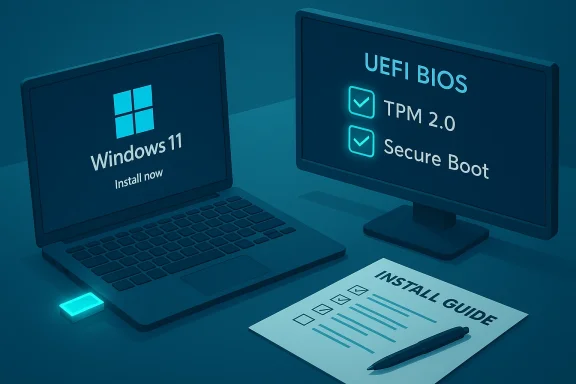
Windows 11’s move to require TPM 2.0 and newer CPU features already forced a large number of machines into a “replace or patch” decision tree. Enterprise audits found many devices failing compatibility checks, complicating refresh cycles and budgets. If Microsoft ties headline Windows features—particularly local AI acceleration—to NPUs (neural processing units) or other dedicated silicon, the practical effect is a new tiering of experiences: older hardware continues to run, but the most visible, marketed features become hardware gated.For users who want to keep older machines in service, Linux is the obvious win: its kernel, drivers, and desktop choices allow for much longer usable lifespans, and lironments can revive decade‑old laptops. That matters for organizations where stretching refresh cycles by two or three years isn’t a choice but a budget necessity. Lansweeper’s Windows 11 compatibility audits and other enterprise surveys documented how hardware checks became a real cost driver during prior upgrade cycles.
The Windows 10 exit: a catalyst, not the only cause
Microsoft’s official lifecycle calendar made the moment unavoidable: Windows 10 reached end of support on October 14, 2025. Microsoft also offered consumer and enterprise Extended Security Updates (ESU) to buy time; for consumers, ESU options were presented with caveats—some enrollment paths required a Microsoft account and a short‑term subscription or one‑year extension—making the decision about whether to pay, upgrade, or migrate more pointed. That decision window pushed many hobbyists, administrators, and IT teams to evaluate alternatives with realistic timeframes.The EOL moment does not automatically cause a migration tsunami; most mainstream, enterprise, and home users will still upgrade to a supported Windows or replace hardware. But it does create a fork in the road for a meaningful minority: pay for ESU, accept a Windows upgrade path (and its potential AI/monetization tradeoffs), or look for an alternative. When alternatives are viable, the presence of an EOL deadline accelerates adoption curves—something evident in historic platform shifts.
Linux today: real improvements that matter
The old objections to Linux on the desktop are weaker now, thanks to three concurrent advances.- Application distribution and sandboxing: Flatpak and Snap made cross‑distro packaging feasible and reduced the dependency headaches that once prevented mainstream app support. These systems also make it easier for upstream vendors to ship desktop apps to many distributions without bespoke packages.
- Gaming compatibility: Proton—Valve’s WINE‑based compatibility layer—has dramatically expanded the quantity and quality of Windows games that run well on Linux, and Valve’s Steam Deck gave those efforts a consumer anchor. Proton releases and Steam Deck verification campaigns have turned previously difficult gaming transitions into routine compatibility checks, and many high‑profile titles a Proton with minimal tinkering. For gamers weighing a switch, the “can I play X?” question is far less decisive than it used to be.
- Polished desktop environments and UX maturity: KDE Plasma, GNOME, and several distribution spins (Ubuntu LTS, Zorin OS, Pop!_OS, Linux Mint) have invested heavily in onboarding, settings simplicity, and defaults that look familiar to users migrating from Windows. The availability of long‑term support releases (for example, Ubuntu LTS with five years of maintenance) reduces the perceived risk of switching.
Practical migration paths: what most people will do
Switching an OS is rarely an all‑or‑nothing project. The realistic, low‑risk progression that savvy users take looks like this:- Boot from a live USB and test hardware: Wi‑Fi, printers, webcam, and any specialized devices.
- Try a dual‑boot setup or repurpose an older machine as a Linux test device.
- Identify cross‑platform tools and workflows: browser‑based apps, IMAP or Exchans, LibreOffice for office files, VS Code or JetBrains IDEs for developers.
- For gamers, consult community databases (ProtonDB/Steam Deck verification) and test specific titles on a live USB or spare drive.
- For enterprise or regulated environments, consider LTS distributions with commercial support contracts where needed.
Strengths and weaknesses: a balanced assessment
Strengths of the migration case toward Linux
- Control and privacy: Linux distros overwhelmingly default to privacy‑first configurations—limited telemetry, transparent code, and easy auditing for organizations.
- Lower total cost of ownership: no forced subscriptions, no promoted upsells, and the ability to extend device life are compelling for budget‑sensitive buyers.
- Better hardware lifecycles: lightweight desktops and broad driver support revive old machines and delay refresh budgets.
- Gaming and app compatibility are no longer theoretical: Proton, combined with native porting, has closed a large part of the gap for many mainstream games and apps.
Risks and gaps in the migration case
- Specialized professional software: Adobe Creative Cloud, some industry‑specific CAD/CAM applications, and a handful of enterprise VPN or security agents still lack first‑class support on Linux. For professionals who rely on these tools, the costs of migration can still be prohibitive.
- Anti‑cheat and DRM challenges in gaming: some multiplayer titles with kernel‑level anti‑cheat integrations remain incompatible or require workarounds, limiting a complete migration for competitive gamers.
- Enterprise inertia and management tooling: Active Directory, SCCM/Intune integrations, and centralized management require different approaches on Linux; while MDM solutions exist, migrating entire fleets is nontrivial.
- Perception and training: end‑user training and support models still lag Windows in many organizations; community support is strong, but structured internal helpdesks must adjust.
What vendors and IT teams should watch for
- Hardware tiers and feature gating: monitor whether Microsoft increasingly reserves feature sets (e.g., local large‑model inference, Recall‑style features) to NPUs or Copilot+ certified devices. If vendor messaging moves from “optional AI” to “best experience on X hardware,” plan a compatibility audit. Lansweeper and similar tools can speed that analysis.
- ESU enrollment requirements and account entanglement: some ESU enrollment paths require Microsoft account linkage or specific enrollment steps. For organizations or individuals who want to avoid cloud identity ties, that could be a decisive factor.
- Application gaps: map mission‑critical apps against Linux compatibility matrices today—use ProtonDB for games and vendor pages or containerization strategies for niche applications.
- Support options: if considering a migration, budget for commercial support from Canonical, Red Hat, or other vendors for critical production systems. Their offerings close many enterprise gaps without forcing a return to Windows.
Migration playbook: recommended steps for users and admins
- For home users and enthusiasts:
- Start with a live USB. Test everything that matters: Wi‑Fi, media playback, printers, and the most used applications.
- Use distributions aimed at Windows switchers if you want the lowest friction: Zorin OS, Linux Mint, Ubuntu LTS, or Pop!_OS.
- If gaming matters, check ProtonDB and test your library; for Steam users the recent Proton and Steam client improvements significantly increase playability.
- For small businesses and schools:
- Pilot on repurposed hardware to validate management workflows, VPN support, and printing.
- Standardize on an LTS distro for predictable update cadence and easier remote management.
- Consider hybrid fleets: keep critical Windows‑only systems while rolling more disposable workstation classes to Linux to save refresh budget.
- For enterprise IT:
- Inventory your fleet for NPU, TPM, and CPU compatibility to understand upgrade costs and feature access.
- Run a compatibility matrix for bespoke apps and security controls; where gaps exiization or application delivery from secured VDI images.
- Model costs for ESU, hardware refresh, and potential Linux migration with total cost of ownership comparisons over a 3‑ to 5‑year window. Lansweeper audits and Microsoft lifecycle notices are essential inputs here.
What to watch next: the tipping points
There are three concrete tipping points that would materially accelerate Linux adoption:- Microsoft formally ties large swaths of the headline user experience—or clear performance differentials—to Copilot+ hardware NPUs and requires those NPUs for essential tasks rather than optional enhancements.
- The in‑OS promotional model gets more aggressive or more deeply embedded into core workflows, increasing subscription friction for mainstream users.
- Major application vendors either commit to Linux clients or make web‑first versions good enough that migration becomes trivial.
Conclusion: a new equilibrium, not a revolution—yet
Windows remains the dominant desktop platform, but the calculus holding users in place is shifting. The convergence of AI as a product lever, monetization through services, and hardware‑driven feature gating has created a credible migration pathway for a meaningful minority of users. Desktop Linux’s improvements in app distribution, gaming compatibility via Proton, and polished desktop distributions have reduced the friction for switching at precisely the moment when some Windows users are being nudged to make a decision.Expect a steady migration that looks like cautious pilots, dual‑boots, and gradual repurposing of older devices—rather than a mass exodus overnight. For journalists, IT managers, and everyday users the important takeaway is simple: this moment is the first time in years where choosing Linux is neither a pure hobbyist decision nor a costly gamble. It is a pragmatic alternative that deserves honest evaluation when your Windows upgrade choices carry privacy implications, recurring costs, or hardware replacement bills.
End of article.
Source: findarticles.com Windows 12 Rumors Spark Shift Toward Linux