Windows 10 KB5073724: ESU LTSC Security Patch Removes Legacy Modems and Renews Secure Boot

  • Thread Author
Microsoft’s first security update for Windows 10 in 2026, KB5073724, is a compact but consequential patch: it’s a security-only cumulative for Extended Security Update (ESU) and LTSC devices that removes legacy modem drivers, prepares devices for Microsoft’s replacement Secure Boot certificates, and updates a bundled SQLite component — and Windows 10 systems enrolled in ESU should install it now.

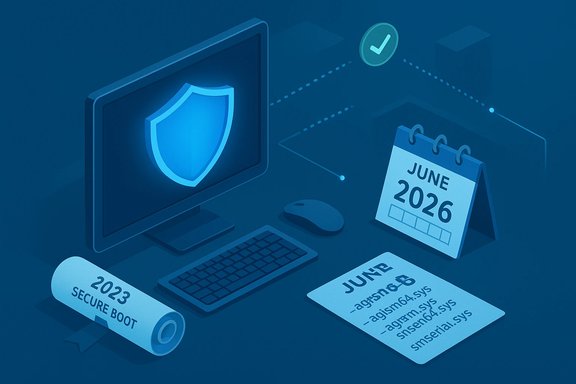
Isometric blue scene depicting computer security, with a shield on the monitor, calendar, and notes.Background​

Windows 10 left mainstream support in late 2025; Microsoft is now delivering only security updates to eligible machines through the Extended Security Update (ESU) program and via LTSC servicing. KB5073724 is the January 13, 2026 cumulative update for Windows 10 versions 22H2 and 21H2 under ESU/LTSC and advances systems to builds 19045.6809 (22H2) and 19044.6809 (21H2). This release is not a feature update — it is explicitly a security and quality rollup with three operationally important changes:
  • Removal of four legacy in-box modem drivers (affecting some hardware that still depends on those drivers).
  • Inclusion of device-targeting metadata and staged logic to safely deliver the new 2023 Secure Boot certificates to eligible devices.
  • An update to the Windows-packaged WinSqlite3.dll to reduce false-positives by third‑party security software.
Microsoft’s support entry for KB5073724 currently lists no known issues, but that status can change after broader deployment; treat the “no known issues” note as provisional rather than definitive.

Why KB5073724 matters now​

Secure Boot certificate renewal and the June 2026 deadline​

The single most time-sensitive element bundled with KB5073724 is Microsoft’s coordinated push to update Secure Boot certificates in device firmware (KEK/DB entries). The original Microsoft-supplied Secure Boot certificates from 2011 begin expiring starting in June 2026, and Microsoft has published replacement 2023 certificates and a deployment plan to avoid mass boot or update failures. Devices that do not receive new certificates before expiration risk losing the ability to trust and update pre‑boot components and, in some scenarios, may face boot failures or blocked updates. KB5073724 adds a subset of high-confidence device targeting data into Windows quality updates so Microsoft can automatically deliver the new certificates to devices that demonstrate successful, safe update behavior. The rollout is intentionally gated — certificates are delivered only after devices show sufficient successful update signals — to reduce the risk of applying a certificate change on hardware that cannot accept it. This reduces the chance of causing a large-scale boot disruption, but it does not remove the need for administrators and power users to plan and confirm firmware compatibility.

Attack-surface reduction: removal of legacy drivers​

KB5073724 removes these legacy modem drivers from the in-box Windows image:
  • agrsm64.sys (x64) and agrsm.sys (x86)
  • smserl64.sys (x64) and smserial.sys (x86)
Any modem or piece of hardware that depends exclusively on these specific drivers will stop functioning after the update unless an OEM-supplied, signed replacement driver is available and installed ahead of the change. Microsoft’s stated rationale is attack-surface reduction: unmaintained kernel drivers represent potential exploit vectors, and removing obsolete drivers is a pragmatic mitigation. However, the user impact can be immediate in environments that still rely on soft‑modems, fax modems, or other legacy serial/modem workflows.

Small but important quality fixes​

KB5073724 updates WinSqlite3.dll, the Windows-core packaging of SQLite that some security tools incorrectly flagged as vulnerable. This reduces false‑positive detections from endpoint protection products; note that application‑specific sqlite3.dll copies are outside Windows and must be updated by the app owner if they trigger alerts.

Immediate practical guidance (what to do first)​

Short, prioritized checklist for administrators and informed consumers:
  • Confirm eligibility and current build: open Winver or Settings → System → About and verify you are on Windows 10 version 22H2 or 21H2 as applicable for your SKU. ESU consumer enrollment requires 22H2 in many cases.
  • Ensure the latest Servicing Stack Update (SSU) is installed before applying KB5073724 (Microsoft combines the SSU and LCU; an up-to-date SSU avoids installation errors). KB5068780 is the SSU referenced for these builds.
  • Inventory devices for dependency on the removed modem drivers. Identify any endpoints using analog or serial modem hardware and plan remediation or isolation for those devices.
  • Coordinate with OEMs for BIOS/UEFI firmware updates that enable devices to accept Microsoft’s new Secure Boot certificates, especially for older systems. Firmware availability varies by vendor and model.
  • Pilot the update in a representative test ring that includes: different OEM families, BitLocker‑protected devices, devices with recovery workflows (WinRE), and endpoints with legacy peripherals. Validate BitLocker recovery, imaging and cloud reinstallation flows.

Step-by-step: Installing KB5073724 safely​

  • Check Windows version: Run winver and confirm build family (19044/19045).
  • Update the Servicing Stack (if needed): Install the latest SSU referenced by Microsoft for your build (the KB entry for KB5073724 references the combined SSU package KB5068780). Reboot.
  • From Settings → Windows Update, click Check for updates and install KB5073724 when offered. For systems that do not get the patch via Windows Update, download the stand‑alone package from the Microsoft Update Catalog and install the SSU first if required.
  • Reboot and verify: confirm the OS build increment (19045.6809 or 19044.6809) and check Update History for a successful LCU + SSU install.
  • Monitor for post-deployment issues: watch Windows Event logs for Secure Boot / certificate enrollment events and platform‑specific failure events. Microsoft documents event IDs and registry keys that are useful during rollout diagnostics; capture these centrally (SIEM, event forwarding) for fleet-wide visibility.

Deployment considerations for enterprises​

Inventory, pilot, stage​

Treat KB5073724 as an operations project, not a routine update. Start with an inventory of:
  • Devices with legacy modem/serial hardware.
  • Machines with custom boot flows or non‑standard UEFI firmware.
  • Platforms with constrained update windows (medical equipment, manufacturing controllers).
Then pilot across firmware vendors (Intel, AMD boards from Dell/HP/Lenovo/Asus) and across BIOS/UEFI revisions. The rollout plan should include:
  • A small Canary ring that includes BitLocker and WinRE scenarios.
  • A broader pilot that samples across OEM families and driver stacks.
  • A staged production rollout with monitoring windows and rollback plans.

Firmware coordination and OEM dependencies​

Microsoft’s certificate updates involve writing KEK/DB entries into firmware on supported platforms. Not all UEFI implementations accept OS-initiated updates in the same way, and some OEMs will require firmware-level updates to accept the new 2023 certificates. Coordinate early with OEM support channels to:
  • Obtain a list of minimum BIOS/UEFI revisions that accept the 2023 certificates.
  • Schedule firmware deployment before broad OS-side certificate delivery.
  • Validate on representative devices that KEK/DB changes succeed and do not trigger BitLocker recovery or other pre-boot failures.

Telemetry and staging logic​

Microsoft will attempt to update certificates automatically on many devices, but the update is gated by confidence signals and diagnostic telemetry; it is not an unconditional push. Administrators should not rely solely on Microsoft-managed delivery for devices that cannot share diagnostic telemetry or that are blocked by firewall policies. In such cases, manual certificate enrollment or OEM firmware updates will be necessary.

Risks, known unknowns, and mitigations​

Risk: Loss of legacy modem functionality​

Impact: Any hardware that depends on the four removed drivers will stop working. This affects fax machines, analog modems, certain vertical‑market devices, and bespoke serial/modem integrations. Mitigation: inventory and pre-deploy vendor-supplied drivers or isolate affected hosts behind controlled networks until replacement or remediation is available.

Risk: Firmware that rejects certificate updates​

Some older firmware will not accept KEK/DB writes initiated by the OS; such devices will not receive the new certificates via Microsoft’s automated path. They may require a vendor firmware update or manual certificate provisioning. Mitigation: work with OEMs, apply firmware updates first where required, and maintain compensating controls (network segmentation, endpoint detection) for devices that cannot be upgraded.

Risk: BitLocker recovery prompts and recovery workflow disruption​

Certificate and firmware changes touch pre‑boot areas and can cause BitLocker to request recovery keys if the platform’s secure state is perceived as altered. Mitigation: ensure recovery keys are backed up, test recovery scenarios during pilots, and include BitLocker key escrow verifications in your rollout plan.

Risk: Unclear or changing rollout status​

Microsoft’s KB currently reports no known issues, but post-deployment telemetry sometimes surfaces regressions. Treat the “no known issues” statement as a current snapshot, not a guarantee. Plan for a monitoring window after deployment and be prepared to pause rollouts if hardware incompatibilities or widespread failures appear.

Unverifiable or variable claims (flagged)​

  • Exact CVE counts and severity breakdowns for the broader January 2026 Patch Tuesday vary between trackers; use Microsoft’s Security Update Guide and vendor advisories for canonical counts. Different aggregators may report slightly different totals depending on whether they include third‑party components. This numeric variance is normal and should not distract from prioritizing high-impact fixes.

Operational checklists and recommended commands​

Quick device checks (administrators)​

  • Confirm OS build: winver
  • Check Secure Boot state (PowerShell): Confirm‑SecureBootUEFI / Get‑SecureBootUEFI
  • Query event logs for certificate enrollment and Secure Boot errors (Event Viewer / centralized SIEM).

Recommended rollout sequence (summary)​

  • Inventory devices and identify legacy modem dependency.
  • Obtain and stage OEM firmware updates where required.
  • Update Servicing Stack (SSU) on test machines.
  • Install KB5073724 in a test ring; validate boot/recovery/BitLocker scenarios.
  • Stage broader rollout with monitoring and fallback plan.
  • For unreachable or non-compliant firmware devices, apply compensating network/endpoint mitigations and schedule hardware refresh or vendor remediation.

The balance of benefits and operational pain​

KB5073724 shows a pragmatic approach to platform hardening after a product reaches the end of mainstream support: Microsoft is removing orphaned kernel code that is difficult to maintain while also taking responsibility for renewing the pre‑boot trust anchors that devices rely on to remain securable. The benefits are straightforward:
  • Reduced kernel attack surface by removing legacy drivers.
  • Continuity of Secure Boot protections through a managed certificate renewal process.
  • Reduced false positives for security tools by updating packaged WinSqlite3.dll.
Those benefits do come with operational complexity: certificate renewal touches firmware, driver removal can break legacy workflows, and SSU/LCU sequencing complicates rollbacks. For organizations and power users that plan ahead and test carefully, the overall security improvements outweigh the disruption. For those who postpone inventory and firmware coordination, the update could create operational headaches.

Final recommendations — practical, prioritized​

  • If you run a single ESU‑enrolled Windows 10 PC that is internet‑facing or used for sensitive tasks: install KB5073724 as soon as you confirm the SSU is installed and you have a backup and the BitLocker recovery key accessible. Use Settings → Windows Update or the Microsoft Update Catalog to apply the package.
  • If you manage a fleet: treat KB5073724 as an operations project — inventory, pilot, firmware coordination, staged rollout, and monitoring are mandatory. Do not push the update blindly; confirm vendor firmware readiness for certificate enrollment on devices that require it.
  • For sites that still rely on analog modems or fax devices: map affected hardware now and contact OEMs for signed replacement drivers or plan for hardware replacement. Do not assume legacy drivers will remain functional after KB5073724.

Conclusion​

KB5073724 is modest in size but significant in consequence. It’s both a security patch and an operational checkpoint for Windows 10’s post‑mainstream lifecycle: Microsoft is shrinking legacy kernel attack surface, preparing devices for a coordinated Secure Boot certificate renewal ahead of June 2026 expirations, and resolving a packaged component false‑positive. For ESU‑enrolled systems and LTSC installations, the correct response is immediate, measured action: verify prerequisites (SSU, firmware), inventory legacy dependencies, pilot carefully, and then deploy. Doing so will reduce exposure to active threats while avoiding the avoidable operational surprises that come from firmware and driver changes. Note: Microsoft’s advisories and KB entries are the authoritative references for dates, package names and supported builds; those pages currently document the June 2026 certificate expirations and the KB5073724 contents, but the operational status and “known issues” sections can change as real‑world telemetry arrives — plan for that eventuality.
Source: BetaNews Windows 10 users signed up for ESU should install the KB5073724 update right now
 

Microsoft has quietly shipped the first Windows 10 security rollup of 2026 — KB5073724 — and while it doesn’t add new features, it delivers several operationally important changes that every Windows 10 user (especially administrators and anyone running older hardware) needs to understand and plan for now.

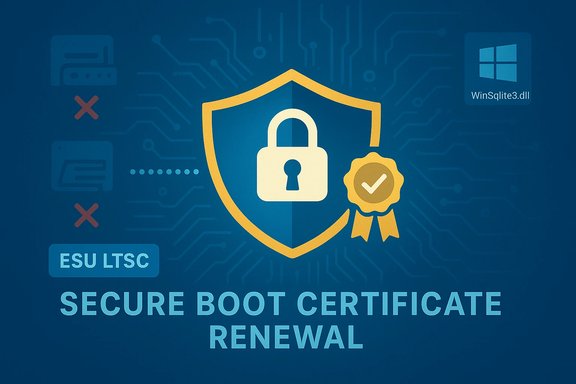
Graphic illustrating secure boot certificate renewal with a shield, padlock, and ribbon badge.Background / Overview​

Windows 10 is no longer receiving feature updates; Microsoft is maintaining select builds only through security servicing paths such as the Extended Security Updates (ESU) program and the Long-Term Servicing Channel (LTSC). KB5073724 is a January 13, 2026 cumulative update that targets Windows 10 builds 19045.6809 (22H2) and 19044.6809 (21H2 / Enterprise LTSC 2021) and is distributed to systems enrolled in ESU or covered by LTSC servicing. The Microsoft support entry for the package lays out the change list and the urgency around impending Secure Boot certificate expirations. This update is security-first: it includes important vulnerability fixes bundled with three operationally notable changes that can affect hardware compatibility and pre-boot trust anchors:
  • Removal of specific legacy in-box modem drivers that some hardware still uses.
  • Inclusion of device-targeting metadata and telemetry-gated logic to safely deliver the new Microsoft Secure Boot certificates to eligible devices ahead of certificate expirations in 2026.
  • An update to the Windows-packaged WinSqlite3.dll to address false-positive detections from some security products.
Independent reporting confirms the same facts and emphasizes that KB5073724 is focused on security and platform stability rather than functionality — BleepingComputer, PCWorld and several other outlets reported the package and matched Microsoft’s published details.

What KB5073724 actually changes​

Legacy modem driver removal​

Microsoft removed four in-box modem/serial drivers in this release:
  • agrsm64.sys (x64)
  • agrsm.sys (x86)
  • smserl64.sys (x64)
  • smserial.sys (x86)
These drivers historically supported soft-modems and certain serial/modem hardware. Microsoft’s rationale is clear: these drivers run in kernel mode, are legacy and unmaintained, and have been a recurring source of privilege-escalation and other kernel vulnerabilities. Removing them reduces attack surface for modern systems, but it also means that any device that depends on those specific drivers will stop working after the update. Why this matters:
  • Vertical markets (medical devices, legacy POS, fax/modem-dependent setups) can still rely on analog or serial modem hardware.
  • There is no guaranteed in-place rollback that fully restores functionality simply by uninstalling the cumulative update — the driver binaries are removed from the in-box image itself. Inventory and remediation are therefore essential before broad deployment.

Secure Boot certificate renewal (telemetry‑gated, phased rollout)​

A far-reaching part of KB5073724 is the groundwork for replacing expiring Secure Boot certificates that many systems still rely on. Microsoft warns that Secure Boot certificates issued in 2011 start expiring in June 2026; if devices do not receive updated CA entries in UEFI firmware, they risk losing the ability to validate pre-boot binaries or, in worst cases, fail to boot or receive updates. KB5073724 embeds a subset of device-targeting data and staged rollout logic so Windows can automatically deliver the new 2023-era certificates to devices that are ready and have shown successful update telemetry. Key operational points:
  • The rollout is telemetry-gated and staged: certificates are pushed only to devices that demonstrate successful update behavior to avoid mass failures.
  • Many OEMs must provide firmware that accepts OS-written KEK/DB updates; not all UEFI implementations accept such changes. Where firmware lacks support, vendor BIOS/UEFI updates will be required.
  • Administrators should treat this as a cross-domain project (OS + firmware + recovery workflows). BitLocker recovery prompts and custom pre-boot setups are the most common friction points to test.

WinSqlite3.dll update​

KB5073724 updates the Windows-packaged WinSqlite3.dll to address cases where third-party security software flagged it as vulnerable. Microsoft distinguishes this Windows core component from application-bundled sqlite3.dll files; if third-party apps continue to report vulnerable sqlite3.dll, those app vendors must update their own packaged DLLs. This change reduces unreliable alerts and false positives from endpoint protection suites where the Windows copy was being misidentified.

Security fixes and CVE counts​

Microsoft’s KB provides the structural summary and links to the Security Update Guide; independent trackers and security outlets reported that January’s Patch Tuesday fixed around 114 vulnerabilities, including several high‑impact entries and multiple zero-day fixes reported as actively exploited. While exact CVE counts vary slightly by tracker, the practical takeaway is that KB5073724 includes critical security hardening that ESU / LTSC systems should not skip. Cross-check Microsoft’s Security Update Guide and independent reporting when ranking priorities.

Who gets KB5073724 — eligibility and rollout path​

  • KB5073724 applies to Windows 10 versions 22H2 and 21H2 where the device is enrolled in the Extended Security Updates (ESU) program or running Windows 10 Enterprise LTSC 2021. Consumer devices not enrolled in ESU will not receive this ESU-specific package.
  • The package is distributed via the usual channels (Windows Update, Microsoft Update Catalog, WSUS). Microsoft bundles the Servicing Stack Update (SSU) with the cumulative update; you must have the latest SSU prerequisites to avoid installation errors. Microsoft documents the SSU requirements explicitly in the KB.
  • For many endpoints, Windows Update will install the package automatically. For managed fleets, administrators should deploy through Windows Update for Business, WSUS or Configuration Manager with staged rings and monitoring.

Risks, compatibility traps, and edge cases​

1) Legacy hardware and modem-dependent workflows​

Removing the in-box modem drivers is a deliberate attack‑surface reduction move, but the cost can be immediate disruption for hardware that still relies on those drivers. The driver removal can break faxing workflows, legacy modems used in remote telemetry, or vertical-market devices with hard dependencies. Alternatives include:
  • Installing vendor-supplied signed drivers if available.
  • Isolating affected hosts on segmented networks and scheduling hardware replacements.
  • Documenting exceptions and enforcing compensating controls for any device that cannot be remediated.

2) Firmware variability and Secure Boot enrollment failures​

Not all motherboards and UEFI firmware accept OS-initiated KEK/DB writes. Devices that cannot accept the new CA entries via Windows Update will need vendor BIOS/UEFI updates or manual certificate provisioning. In mixed-firmware fleets this can create significant sequencing complexity. Test for:
  • Whether your OEM has published minimum BIOS revisions required to accept the 2023 CA entries.
  • BitLocker interactions that could trigger recovery prompts if pre-boot variables appear to change. Always back up and verify recovery keys prior to broad rollout.

3) Imaging, recovery media and offline environments​

Custom recovery ISOs and WinRE images may contain binaries signed under the old CA. Restoring from such media on a machine that has already received the new certificates can reintroduce old signatures into the environment or break recovery flows. Teams that maintain offline images must update their media with the latest Safe OS dynamic updates or inject the new certificates before distribution.

4) Anti‑cheat, Linux shim, and multi‑boot users​

Some anti‑cheat systems check Secure Boot and kernel integrity; a mismatch in the signing chain may cause games or launchers to fail. Linux users who rely on the Microsoft-signed shim for Secure Boot may face boot issues if firmware lacks the updated CA, particularly if distributions ship new shims or GRUB binaries signed under the newer chain. Hypervisors exposing virtual UEFI may also require host updates.

How to prepare and deploy KB5073724 safely — practical checklist​

Priorities before installation (administrators & advanced users)​

  • Inventory: Confirm which devices are ESU-enrolled or LTSC and note BIOS/UEFI versions and OEM models. Use winver to confirm builds and existing patch levels.
  • Identify modem dependencies: Search for the specific driver filenames (agrsm64.sys, agrsm.sys, smserl64.sys, smserial.sys) on endpoints and confirm whether any hardware or software relies on them.
  • Servicing stack update (SSU): Ensure the latest SSU prerequisites in the KB are installed — Microsoft bundles SSU changes with the LCU and recommends installing the SSU first where required.
  • Coordinate OEM firmware updates: Check OEM advisories for minimum BIOS revisions that accept the new Secure Boot CA entries and stage firmware updates accordingly.
  • Back up BitLocker recovery keys and verify that recovery workflows work (WinRE, Cloud Reinstall, imaging). Test BitLocker recovery in a canary ring.

Recommended deployment sequence (numbered)​

  • Pilot: Select a small test ring representing hardware diversity and BitLocker-enabled devices. Validate boot, recovery, imaging, and application behavior.
  • SSU staging: Ensure the latest SSU is installed first on pilot devices. Reboot and confirm no SSU/LCU install errors.
  • Firmware updates: Apply documented OEM BIOS/UEFI updates on pilot devices that require them so the device can accept KEK/DB writes. Reboot and test.
  • Install KB5073724 on pilot devices; monitor Secure Boot enrollment events (Event IDs Microsoft documents) and BitLocker behavior.
  • Expand rollout in stages: widen to a representative pilot fleet, then broader production rings while maintaining monitoring and rollback/mitigation plans.

Monitoring and troubleshooting pointers​

  • Watch Event Viewer for Secure Boot / certificate enrollment events (Microsoft documents specific event IDs to watch). Centralize logs in SIEM or via Event Forwarding to spot fleet trends.
  • Track the registry keys the KB references (for diagnostic status) and capture UEFICA2023Status/UEFICA2023Error values if you encounter failures.
  • If devices are firmware-locked or air-gapped (no telemetry), plan for manual certificate enrollment or firmware updates from OEM channels.

Step-by-step: How home users and small businesses install KB5073724​

  • Confirm eligibility: open Settings → System → About or run winver and verify you are on Windows 10 22H2 or 21H2 and that your device is covered by ESU or LTSC.
  • Check for SSU prompts: install any servicing stack update the KB requires before the cumulative package. Reboot if prompted.
  • Windows Update: go to Settings → Update & Security → Windows Update and click “Check for updates.” Windows Update should offer KB5073724 if your device is eligible.
  • Manual install: if Windows Update doesn’t show it (for controlled or offline installs), download the stand‑alone package from the Microsoft Update Catalog and apply the SSU first if required.
  • Post-install checks: confirm the OS build is updated to 19045.6809 or 19044.6809 and review Update History for a successful install. If you rely on legacy modem hardware, verify peripheral functionality immediately.

Balancing the trade-offs — why you should still install, and when to hold​

  • Why install now: KB5073724 patches critical vulnerabilities, reduces long‑standing kernel attack surface, and prepares devices for the Secure Boot certificate replacement that begins impacting devices in June 2026. For exposed or internet-facing systems, the security benefits outweigh the short-term operational risks.
  • When to hold or stage: If you have confirmed dependencies on the removed modem drivers and no vendor-supplied signed replacements are available, postpone broad deployment until you can remediate or isolate affected endpoints. Similarly, for heavily constrained firmware fleets (medical, industrial, air-gapped) coordinate with OEMs before OS-driven certificate enrollment.
  • Operational reality: Microsoft’s staged, telemetry-based approach reduces blast radius, but it does not eliminate the need for active planning. Treat January’s update as both a security imperative and an operations project: inventory, test, firmware-align, and then patch.

Practical recommendations (quick checklist)​

  • For admins: inventory modem driver dependencies, confirm SSU prerequisites, coordinate OEM firmware updates, and stage pilot rings that include BitLocker and recovery scenarios.
  • For home users: check eligibility for ESU or LTSC, install the latest SSU and then KB5073724 via Windows Update or the Microsoft Update Catalog, and verify that your peripherals (especially old modems or fax devices) still work.
  • For imaging/provisioning teams: update recovery media and WinRE images to include the latest Safe OS bits and certificates to avoid restoring outdated signing chains.

Final analysis — strengths, risks, and what to watch next​

Strengths:
  • The update is proactive on two significant fronts: removing unmaintained kernel driver code and starting the proactive replacement of expiring Secure Boot certificates. Both moves reduce systemic risk in the medium term.
  • Bundling an updated WinSqlite3.dll addresses noisy false positives and improves endpoint scanning fidelity for many security stacks.
Risks:
  • Firmware and OEM variability remain the biggest unknown. Devices that cannot accept KEK/DB updates will lag in the certificate rollout and may need vendor intervention. Test coverage must therefore include representative OEM and firmware diversity.
  • Removing modem drivers creates immediate functional disruption for legacy hardware. Because the drivers are removed from the Windows image, recovering that functionality may require vendor drivers or hardware refreshes — not a simple uninstall/reinstall.
What to watch:
  • OEM advisories and BIOS/UEFI updates over the coming weeks for model-level guidance on certificate enrollment readiness.
  • Microsoft’s Release Health and Security Update Guide for any post-deployment known issues and exact CVE mappings. Cross-check vulnerability counts across multiple trackers before prioritizing.

KB5073724 is not a flashy feature pack — it’s an operational pivot. It closes urgent security holes, removes old kernel code, and begins a carefully staged process to replace expiring Secure Boot certificates that, if left unaddressed, could cause mass disruption later this year. For ESU and LTSC Windows 10 systems, the right approach is simple but deliberate: inventory, coordinate firmware updates, pilot KB5073724 in a targeted ring that reflects your environment’s hardware diversity, validate recovery and BitLocker flows, and then expand the rollout with active monitoring. Installations should be prioritized for externally exposed and high-value systems, but do not ignore the modem-driver and firmware compatibility risks: those will require hands-on remediation or vendor intervention.
Source: PCWorld Are you still on Windows 10? You should install the latest update
 

Back
Top