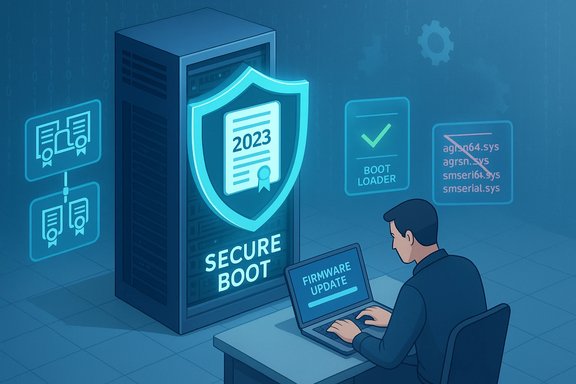
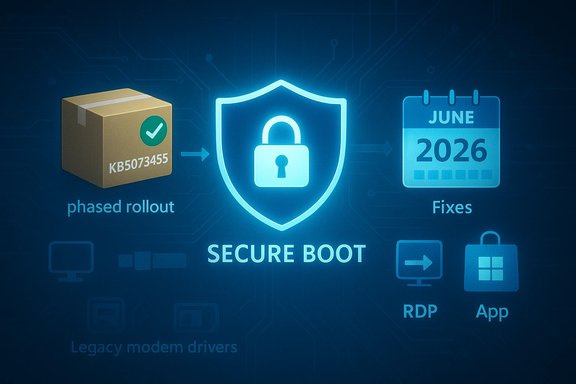
Microsoft's January 13, 2026 cumulative update for Windows 11 (KB5073455, OS Build 22631.6491) closes several security gaps, removes legacy modem drivers with known high-severity vulnerabilities, and introduces a controlled, phased mechanism to deliver replacement Secure Boot certificates ahead of a looming June 2026 expiration — a combination that changes immediate patch priorities for home users, IT administrators, and device manufacturers alike.
Windows cumulative updates continue to be the primary delivery vehicle for security fixes and quality improvements, and the January 13, 2026 release is no exception. This update consolidates fixes from previous monthly updates, carries forward servicing stack improvements, and adds device-targeting data for Secure Boot certificate updates that Microsoft says will enable a safe, phased rollout of the replacement certificates. The same release family also includes servicing stack updates (SSUs) designed to ensure reliable installation of future updates.
Highlights that demand attention:
Microsoft has prepared replacement certificates dated 2023 and onward. The January 2026 cumulative updates include a subset of device targeting metadata so eligible devices can receive the new certificates automatically — but only after they demonstrate successful update telemetry signals. In short: Microsoft is attempting an automated, confidence-based rollout, but the vendor places the final responsibility on administrators and device owners to ensure firmware and device settings will accept and apply the new certificates.
Practical advice: After applying the January update, re-run vulnerability scans to confirm whether winsqlite3.dll detections have cleared; escalate any remaining application-scoped sqlite3.dll detections to the app vendor.
For enterprise environments using on-premises management (WSUS, SCCM/Config Manager), ensure SSUs are approved and deployed in the correct order with cumulative updates, because combined packages often include both the SSU and the LCU (latest cumulative update). Removal of SSU after installation is not supported; treat SSUs as permanent maintenance artifacts and plan deployment windows accordingly.
Strengths of the release:
Conclusion: install, test, and act now. Secure Boot continuity, legacy-driver impacts, and component-level vulnerability fixes in KB5073455 elevate this January’s cumulative update from routine maintenance to an operationally significant change that must be managed deliberately to avoid service disruptions and security regressions.
Source: Microsoft Support January 13, 2026—KB5073455 (OS Build 22631.6491) - Microsoft Support
 Background / Overview
Windows cumulative updates continue to be the primary delivery vehicle for security fixes and quality improvements, and the January 13, 2026 release is no exception. This update consolidates fixes from previous monthly updates, carries forward servicing stack improvements, and adds device-targeting data for Secure Boot certificate updates that Microsoft says will enable a safe, phased rollout of the replacement certificates. The same release family also includes servicing stack updates (SSUs) designed to ensure reliable installation of future updates.Highlights that demand attention:
- Secure Boot certificate replacement and phased deployment to address certificates expiring starting June 2026.
- Removal of four legacy modem drivers (agrsm64.sys / agrsm.sys and smserl64.sys / smserial.sys), which will disable dependent hardware.
- Fixes for Remote Desktop (RDP) connection failures and for a class of input crashes affecting common apps when text is entered.
- Update to winsqlite3.dll, the Windows-packaged SQLite component, to address detections by security scanners.
- Inclusion of the latest servicing stack update (KB5071963) to improve the update installation chain.
Why January's update matters: Secure Boot certificates and the June 2026 deadline
What is expiring and why it matters
Secure Boot relies on a small set of Microsoft-provisioned certificate authorities (CAs) stored in firmware variables (KEK, DB, DBX). These Microsoft-supplied CAs — originally introduced around the Windows 8 / Windows Server 2012 era — are scheduled to begin expiring in June 2026 (with additional expirations through October 2026). Once the older 2011-era certificates expire, firmware and platform components signed with those keys can no longer be trusted for signing new boot components or Secure Boot updates. Practically, that means affected devices could stop accepting future Secure Boot patches, fail to trust new bootloader signatures, and potentially lose the ability to receive mitigations for boot-level attacks.Microsoft has prepared replacement certificates dated 2023 and onward. The January 2026 cumulative updates include a subset of device targeting metadata so eligible devices can receive the new certificates automatically — but only after they demonstrate successful update telemetry signals. In short: Microsoft is attempting an automated, confidence-based rollout, but the vendor places the final responsibility on administrators and device owners to ensure firmware and device settings will accept and apply the new certificates.
The practical impact for admins and users
- Devices that do not receive the replacement certificates before the 2011 keys expire will be unable to install future Secure Boot updates and may no longer trust certain signed boot components. This is a compliance and security risk for organizations.
- Virtual machines and physical devices with Secure Boot disabled will not receive the firmware-level certificate updates automatically and will remain exposed to boot-level threats unless corrected.
- Some non-Windows operating systems and distributions that rely on the Microsoft-signed shim/bootloader process may be affected until firmware is updated to include the new certificates.
The modem-driver removals: what was removed and why it matters
Which drivers were removed
This update removes four legacy modem driver files from supported Windows images:- agrsm64.sys (x64) and agrsm.sys (x86)
- smserl64.sys (x64) and smserial.sys (x86)
Why they were removed
These drivers have documented, high-severity vulnerabilities that allow local privilege escalation, arbitrary memory access, or other critical outcomes. Public vulnerability records and security analyses show multiple CVE entries tied to these legacy modem drivers with CVSS scores in the high-to-critical range. Removing the drivers from the OS image is a pragmatic risk-reduction step: leaving vulnerable, signed drivers in the platform allows attackers to leverage the signed driver as a trusted vector (including “bring-your-own-vulnerable-driver” — BYOVD — techniques) to escalate privileges or bypass kernel protections.Consequences for users and organizations
- Any legacy hardware dependent on these specific drivers (for example, internal dial-up modems on older industrial or niche equipment) will stop working.
- Organizations that still rely on such hardware must plan to either:
- Migrate away from the legacy modem hardware and replace it with supported networking paths, or
- Obtain and install vetted vendor-supplied drivers that are patched and supported outside the Windows image, if available.
- Security tooling and vulnerability management should flag systems that still expose those drivers in inventory and treat them as high-priority remediation items.
Fixes that improve reliability: RDP and input-related application crashes
January’s update addresses two reliability problems with immediate user impact:- RDP connection failures: Systems experiencing Remote Desktop Protocol connections that unexpectedly disconnect or fail to reconnect should see improved behavior after installing this update. For remote workers and administrators, RDP reliability remains critical; this patch removes an observed failure pattern that sometimes required device restarts.
- Input-related app crashes: Certain apps (including Outlook, Microsoft Teams, Microsoft Edge, Google Chrome, and Excel) could close unexpectedly when users entered text. The update includes a fix for this category of bug. The crash pattern was broadly disruptive because it impacted several high-use productivity and communication apps.
winsqlite3.dll: Windows’ bundled SQLite component updated
What changed
The Windows-packaged SQLite runtime — winsqlite3.dll — has been updated in this release. Microsoft indicates the change addresses instances where security scanning tools flagged the Windows-provided winsqlite3.dll as vulnerable.Important distinction you must understand
- winsqlite3.dll is the Windows-supplied SQLite component located in system folders and updated via Windows Update.
- sqlite3.dll is often an application-bundled copy that resides in application directories; it is not updated by Windows Update.
Practical advice: After applying the January update, re-run vulnerability scans to confirm whether winsqlite3.dll detections have cleared; escalate any remaining application-scoped sqlite3.dll detections to the app vendor.
Servicing stack update (KB5071963) and installation robustness
The accompanying servicing stack update (SSU) improves the component that installs Windows updates. SSUs are foundational: they make sure future cumulative updates install reliably. This update ensures the servicing stack is current and less likely to fail mid-installation — an important but often underappreciated part of update hygiene.For enterprise environments using on-premises management (WSUS, SCCM/Config Manager), ensure SSUs are approved and deployed in the correct order with cumulative updates, because combined packages often include both the SSU and the LCU (latest cumulative update). Removal of SSU after installation is not supported; treat SSUs as permanent maintenance artifacts and plan deployment windows accordingly.
Risk analysis: what could go wrong if you delay
- Secure Boot protections degrade: Devices without the 2023-dated certificates enrolled in firmware risk losing the ability to install Secure Boot and boot manager updates after June/October 2026 deadlines. That increases exposure to bootkits and persistence mechanisms that operate beneath the OS.
- Legacy hardware failure: Removing vulnerable modem drivers will break older devices immediately when the update is applied. For organizations with specialized hardware, a missed inventory could lead to operational outages.
- Scanning and remediation churn: Vulnerability scanners that detect winsqlite3.dll or bundled sqlite3.dll instances may continue to generate alerts. Without vendor action or updated application packages, these alerts will remain, consuming security team time.
- Rollout friction / firmware dependence: Firmware (UEFI) updates from OEMs are often required to actually commit new KEK/DB certificates into firmware nonvolatile storage. If hardware vendors do not provide firmware updates or users do not apply them, certificates may still not be enrolled automatically, even if Windows pushes metadata to the device.
- Incomplete automation: Microsoft’s rollout depends on devices demonstrating successful update signals. Organizational environments with restrictive network configurations, blocked telemetry, or air-gapped machines may not see automated enrollment and will need manual intervention.
Recommended actions: concrete steps for IT teams and advanced users
Below is a prioritized, practical checklist to manage risk while deploying KB5073455 and preparing for the Secure Boot certificate transition.- Inventory and prioritize (immediate)
- Scan your estate for firmware versions, Secure Boot status, and whether Secure Boot is enabled.
- Identify devices with the legacy modem drivers (agrsm/smserl filenames) and flag hardware that will be rendered inoperable by driver removal.
- Identify endpoints that use winsqlite3.dll (system) vs app-bundled sqlite3.dll copies (application folders).
- Test (within 48–72 hours)
- Apply KB5073455 to a pilot group representative of different hardware and OEM models.
- Verify RDP reliability improvements and test typical user workflows that previously triggered input-app crashes.
- Confirm that no critical legacy hardware in the pilot group is lost due to driver removals.
- Secure Boot certificate enrollment (priority)
- For managed fleets, enable diagnostic/telemetry signals required by the vendor-controlled phased enrollment mechanism, where allowed by policy.
- Request firmware updates from OEMs for affected models and test firmware-enrolled certificates in a lab environment.
- For systems not capable of firmware updates or those that must remain air-gapped, prepare a manual certificate enrollment process, following documented firmware KEK/DB update steps.
- Remediate legacy hardware (if needed)
- For devices relying on the removed modem drivers, source vendor-supplied updated drivers, or plan hardware replacement.
- If hardware is critical and vendor drivers do not exist, delay update on those specific devices until a mitigation plan is in place (document the risk and apply compensating controls).
- Vulnerability scanning and application updates
- After applying the update, re-scan for winsqlite3.dll and sqlite3.dll detections; differentiate system vs. app copies.
- Coordinate with application owners to ensure they ship updated sqlite3.dll copies where necessary.
- Deployment mechanics (recommended sequence)
- Approve and deploy the SSU (KB5071963) and the cumulative update in test rings first.
- Use update rings to progressively widen deployment and monitor telemetry and error reports.
- Maintain a rollback and incident response runbook for cases where legacy peripherals stop functioning in production.
- Communication and change control
- Notify helpdesk and end users that legacy modem hardware may stop working and provide guidance for alternative connectivity options.
- Communicate timelines to stakeholders: "Secure Boot certificates begin expiring June 2026; action required now."
Practical guidance for consumer users
- Run Windows Update and install January cumulative updates as soon as feasible.
- If you use old dial-up modems or peripherals that rely on legacy modem drivers, check whether those devices continue to operate after the update; plan for replacement if they do not.
- If your antivirus or vulnerability scanner flagged sqlite3.dll in application folders, update the offending application from its vendor (or reinstall from Microsoft Store if it’s a Microsoft app).
- Keep firmware (UEFI) updated via OEM update tools — many certificate enrollments require updated firmware to accept new KEK/DB values.
Special considerations for Linux users and other OSes
Many Linux distributions rely on a vendor-signed shim to maintain Secure Boot compatibility. The certificate replacements will affect any OS that depends on Microsoft-provisioned certificates enrolled in firmware. Distributions and vendors have published guidance: you may need updated shim packages or firmware updates from OEMs to continue booting under Secure Boot with new signatures. Organizations running mixed OS environments must coordinate with distribution vendors and hardware OEMs earlier rather than later.Flags, caveats, and unverifiable points
- Microsoft’s phased, confidence-based mechanism for delivering replacement Secure Boot certificates is described as automatic for eligible devices that demonstrate successful update signals. However, the exact telemetry thresholds and eligibility criteria used in confidence-based targeting are not publicly enumerated in exhaustive detail. Treat the automated rollout as an assist — not a guarantee — and plan for manual enrollment when necessary.
- Not every scenario is covered by automatic updates: air-gapped systems, firmware bugs, or OEM firmware that lacks support for the new certificates can block automated enrollment. These cases require manual intervention or OEM-provided firmware.
- If any security scan still reports vulnerable sqlite files after installing the update, that detection may legitimately point to application-level sqlite3.dll copies rather than the Windows system component. Contact application vendors for patched releases as the authoritative remediation.
What to watch for after deployment
- Helpdesk volume related to peripherals and older hardware suddenly disconnecting or becoming non-functional.
- RDP stability feedback from remote workers — the update targets a known failure mode but real-world environments can present edge cases.
- Ongoing vulnerability scanner alerts about sqlite-related components — verify whether detections are for system winsqlite3.dll (should be resolved by the update), or for app-bundled sqlite3.dll (requires vendor update).
- OEM firmware update availability: monitor hardware vendor announcements and push vendor firmware updates during controlled maintenance windows.
Final assessment and long-term implications
KB5073455 is more than a routine cumulative update; it is a transition point. The combination of removing dangerous legacy drivers, updating cryptographic trust roots used by Secure Boot, and patching components flagged by security scanners shows Microsoft shifting from reactive patching to proactive platform hardening focused on boot integrity and supply-chain risk.Strengths of the release:
- It addresses concrete security risks (legacy vulnerable drivers, detected component vulnerabilities) in a direct manner.
- The phased certificate-replacement mechanism reduces the blast radius risk of mass firmware updates while enabling continuity for Secure Boot.
- Inclusion of servicing stack updates improves the reliability of subsequent update operations.
- Legacy hardware breakage is immediate and irreversible for affected devices unless vendors provide updated drivers or replacements.
- Automated Secure Boot certificate enrollment depends on a combination of Windows updates, firmware capability, telemetry, and OEM cooperation — creating multiple potential failure points.
- Organizations with strict telemetry controls, air-gapped systems, or heavily customized firmware may require significant manual effort to maintain Secure Boot protections.
Conclusion: install, test, and act now. Secure Boot continuity, legacy-driver impacts, and component-level vulnerability fixes in KB5073455 elevate this January’s cumulative update from routine maintenance to an operationally significant change that must be managed deliberately to avoid service disruptions and security regressions.
Source: Microsoft Support January 13, 2026—KB5073455 (OS Build 22631.6491) - Microsoft Support