Windows 11 KB5073455: Secure Boot cert migration, legacy modem removal, and RDP fixes

  • Thread Author
Microsoft's January 13, 2026 cumulative update for Windows 11 (KB5073455, OS Build 22631.6491) closes several security gaps, removes legacy modem drivers with known high-severity vulnerabilities, and introduces a controlled, phased mechanism to deliver replacement Secure Boot certificates ahead of a looming June 2026 expiration — a combination that changes immediate patch priorities for home users, IT administrators, and device manufacturers alike.

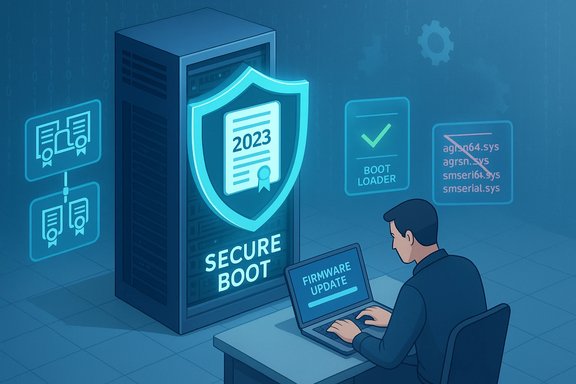
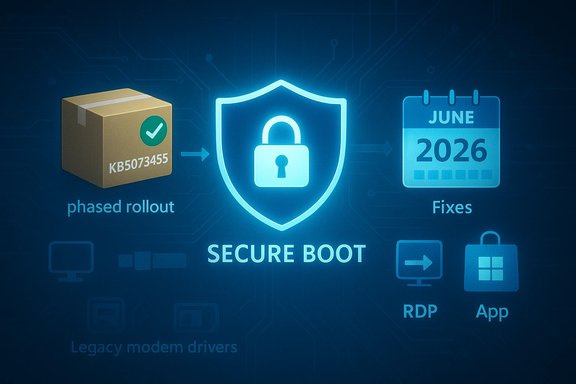
Secure Boot shield illustration with a phased rollout package and June 2026 fixes.Background / Overview​

Windows cumulative updates continue to be the primary delivery vehicle for security fixes and quality improvements, and the January 13, 2026 release is no exception. This update consolidates fixes from previous monthly updates, carries forward servicing stack improvements, and adds device-targeting data for Secure Boot certificate updates that Microsoft says will enable a safe, phased rollout of the replacement certificates. The same release family also includes servicing stack updates (SSUs) designed to ensure reliable installation of future updates.
Highlights that demand attention:
  • Secure Boot certificate replacement and phased deployment to address certificates expiring starting June 2026.
  • Removal of four legacy modem drivers (agrsm64.sys / agrsm.sys and smserl64.sys / smserial.sys), which will disable dependent hardware.
  • Fixes for Remote Desktop (RDP) connection failures and for a class of input crashes affecting common apps when text is entered.
  • Update to winsqlite3.dll, the Windows-packaged SQLite component, to address detections by security scanners.
  • Inclusion of the latest servicing stack update (KB5071963) to improve the update installation chain.
This article reviews what the update changes, why those changes matter, and — critically — how organizations and individual users should act now to avoid disruption, maintain Secure Boot protection, and manage risk from removed drivers and legacy components.

Why January's update matters: Secure Boot certificates and the June 2026 deadline​

What is expiring and why it matters​

Secure Boot relies on a small set of Microsoft-provisioned certificate authorities (CAs) stored in firmware variables (KEK, DB, DBX). These Microsoft-supplied CAs — originally introduced around the Windows 8 / Windows Server 2012 era — are scheduled to begin expiring in June 2026 (with additional expirations through October 2026). Once the older 2011-era certificates expire, firmware and platform components signed with those keys can no longer be trusted for signing new boot components or Secure Boot updates. Practically, that means affected devices could stop accepting future Secure Boot patches, fail to trust new bootloader signatures, and potentially lose the ability to receive mitigations for boot-level attacks.
Microsoft has prepared replacement certificates dated 2023 and onward. The January 2026 cumulative updates include a subset of device targeting metadata so eligible devices can receive the new certificates automatically — but only after they demonstrate successful update telemetry signals. In short: Microsoft is attempting an automated, confidence-based rollout, but the vendor places the final responsibility on administrators and device owners to ensure firmware and device settings will accept and apply the new certificates.

The practical impact for admins and users​

  • Devices that do not receive the replacement certificates before the 2011 keys expire will be unable to install future Secure Boot updates and may no longer trust certain signed boot components. This is a compliance and security risk for organizations.
  • Virtual machines and physical devices with Secure Boot disabled will not receive the firmware-level certificate updates automatically and will remain exposed to boot-level threats unless corrected.
  • Some non-Windows operating systems and distributions that rely on the Microsoft-signed shim/bootloader process may be affected until firmware is updated to include the new certificates.
Key takeaway: Treat Secure Boot certificate migration as a high-priority operational task with a strict timeline. June 2026 is not an abstract suggestion — it is the starting point for expirations; IT teams must act now.

The modem-driver removals: what was removed and why it matters​

Which drivers were removed​

This update removes four legacy modem driver files from supported Windows images:
  • agrsm64.sys (x64) and agrsm.sys (x86)
  • smserl64.sys (x64) and smserial.sys (x86)
Those drivers correspond to older softmodem / V.92-era modem stacks (Broadcom/LSI and Motorola SM56 family variants). Microsoft’s change note is explicit: hardware that depends on these specific drivers will no longer function in Windows after the removal.

Why they were removed​

These drivers have documented, high-severity vulnerabilities that allow local privilege escalation, arbitrary memory access, or other critical outcomes. Public vulnerability records and security analyses show multiple CVE entries tied to these legacy modem drivers with CVSS scores in the high-to-critical range. Removing the drivers from the OS image is a pragmatic risk-reduction step: leaving vulnerable, signed drivers in the platform allows attackers to leverage the signed driver as a trusted vector (including “bring-your-own-vulnerable-driver” — BYOVD — techniques) to escalate privileges or bypass kernel protections.

Consequences for users and organizations​

  • Any legacy hardware dependent on these specific drivers (for example, internal dial-up modems on older industrial or niche equipment) will stop working.
  • Organizations that still rely on such hardware must plan to either:
  • Migrate away from the legacy modem hardware and replace it with supported networking paths, or
  • Obtain and install vetted vendor-supplied drivers that are patched and supported outside the Windows image, if available.
  • Security tooling and vulnerability management should flag systems that still expose those drivers in inventory and treat them as high-priority remediation items.
Key action: Inventory endpoints now for presence of these driver binaries and associated hardware, then create a migration or mitigation plan; do not assume these devices will continue to function after the update.

Fixes that improve reliability: RDP and input-related application crashes​

January’s update addresses two reliability problems with immediate user impact:
  • RDP connection failures: Systems experiencing Remote Desktop Protocol connections that unexpectedly disconnect or fail to reconnect should see improved behavior after installing this update. For remote workers and administrators, RDP reliability remains critical; this patch removes an observed failure pattern that sometimes required device restarts.
  • Input-related app crashes: Certain apps (including Outlook, Microsoft Teams, Microsoft Edge, Google Chrome, and Excel) could close unexpectedly when users entered text. The update includes a fix for this category of bug. The crash pattern was broadly disruptive because it impacted several high-use productivity and communication apps.
These fixes are quality-focused (non-feature) but important for minimizing user friction and incident volume in helpdesks.

winsqlite3.dll: Windows’ bundled SQLite component updated​

What changed​

The Windows-packaged SQLite runtime — winsqlite3.dll — has been updated in this release. Microsoft indicates the change addresses instances where security scanning tools flagged the Windows-provided winsqlite3.dll as vulnerable.

Important distinction you must understand​

  • winsqlite3.dll is the Windows-supplied SQLite component located in system folders and updated via Windows Update.
  • sqlite3.dll is often an application-bundled copy that resides in application directories; it is not updated by Windows Update.
If vulnerability scanners continue to report issues for sqlite3.dll files found in application folders, the correct remediation is to contact the application developer or update the application from its vendor (or the Microsoft Store, where applicable). Administrators should not attempt to manually replace system winsqlite3.dll files outside official Windows Update channels.
Practical advice: After applying the January update, re-run vulnerability scans to confirm whether winsqlite3.dll detections have cleared; escalate any remaining application-scoped sqlite3.dll detections to the app vendor.

Servicing stack update (KB5071963) and installation robustness​

The accompanying servicing stack update (SSU) improves the component that installs Windows updates. SSUs are foundational: they make sure future cumulative updates install reliably. This update ensures the servicing stack is current and less likely to fail mid-installation — an important but often underappreciated part of update hygiene.
For enterprise environments using on-premises management (WSUS, SCCM/Config Manager), ensure SSUs are approved and deployed in the correct order with cumulative updates, because combined packages often include both the SSU and the LCU (latest cumulative update). Removal of SSU after installation is not supported; treat SSUs as permanent maintenance artifacts and plan deployment windows accordingly.

Risk analysis: what could go wrong if you delay​

  • Secure Boot protections degrade: Devices without the 2023-dated certificates enrolled in firmware risk losing the ability to install Secure Boot and boot manager updates after June/October 2026 deadlines. That increases exposure to bootkits and persistence mechanisms that operate beneath the OS.
  • Legacy hardware failure: Removing vulnerable modem drivers will break older devices immediately when the update is applied. For organizations with specialized hardware, a missed inventory could lead to operational outages.
  • Scanning and remediation churn: Vulnerability scanners that detect winsqlite3.dll or bundled sqlite3.dll instances may continue to generate alerts. Without vendor action or updated application packages, these alerts will remain, consuming security team time.
  • Rollout friction / firmware dependence: Firmware (UEFI) updates from OEMs are often required to actually commit new KEK/DB certificates into firmware nonvolatile storage. If hardware vendors do not provide firmware updates or users do not apply them, certificates may still not be enrolled automatically, even if Windows pushes metadata to the device.
  • Incomplete automation: Microsoft’s rollout depends on devices demonstrating successful update signals. Organizational environments with restrictive network configurations, blocked telemetry, or air-gapped machines may not see automated enrollment and will need manual intervention.
Bottom line: A passive approach will create risk across security, compliance, and availability. Plan now, test in controlled rings, and deploy with fallbacks.

Recommended actions: concrete steps for IT teams and advanced users​

Below is a prioritized, practical checklist to manage risk while deploying KB5073455 and preparing for the Secure Boot certificate transition.
  • Inventory and prioritize (immediate)
  • Scan your estate for firmware versions, Secure Boot status, and whether Secure Boot is enabled.
  • Identify devices with the legacy modem drivers (agrsm/smserl filenames) and flag hardware that will be rendered inoperable by driver removal.
  • Identify endpoints that use winsqlite3.dll (system) vs app-bundled sqlite3.dll copies (application folders).
  • Test (within 48–72 hours)
  • Apply KB5073455 to a pilot group representative of different hardware and OEM models.
  • Verify RDP reliability improvements and test typical user workflows that previously triggered input-app crashes.
  • Confirm that no critical legacy hardware in the pilot group is lost due to driver removals.
  • Secure Boot certificate enrollment (priority)
  • For managed fleets, enable diagnostic/telemetry signals required by the vendor-controlled phased enrollment mechanism, where allowed by policy.
  • Request firmware updates from OEMs for affected models and test firmware-enrolled certificates in a lab environment.
  • For systems not capable of firmware updates or those that must remain air-gapped, prepare a manual certificate enrollment process, following documented firmware KEK/DB update steps.
  • Remediate legacy hardware (if needed)
  • For devices relying on the removed modem drivers, source vendor-supplied updated drivers, or plan hardware replacement.
  • If hardware is critical and vendor drivers do not exist, delay update on those specific devices until a mitigation plan is in place (document the risk and apply compensating controls).
  • Vulnerability scanning and application updates
  • After applying the update, re-scan for winsqlite3.dll and sqlite3.dll detections; differentiate system vs. app copies.
  • Coordinate with application owners to ensure they ship updated sqlite3.dll copies where necessary.
  • Deployment mechanics (recommended sequence)
  • Approve and deploy the SSU (KB5071963) and the cumulative update in test rings first.
  • Use update rings to progressively widen deployment and monitor telemetry and error reports.
  • Maintain a rollback and incident response runbook for cases where legacy peripherals stop functioning in production.
  • Communication and change control
  • Notify helpdesk and end users that legacy modem hardware may stop working and provide guidance for alternative connectivity options.
  • Communicate timelines to stakeholders: "Secure Boot certificates begin expiring June 2026; action required now."

Practical guidance for consumer users​

  • Run Windows Update and install January cumulative updates as soon as feasible.
  • If you use old dial-up modems or peripherals that rely on legacy modem drivers, check whether those devices continue to operate after the update; plan for replacement if they do not.
  • If your antivirus or vulnerability scanner flagged sqlite3.dll in application folders, update the offending application from its vendor (or reinstall from Microsoft Store if it’s a Microsoft app).
  • Keep firmware (UEFI) updated via OEM update tools — many certificate enrollments require updated firmware to accept new KEK/DB values.

Special considerations for Linux users and other OSes​

Many Linux distributions rely on a vendor-signed shim to maintain Secure Boot compatibility. The certificate replacements will affect any OS that depends on Microsoft-provisioned certificates enrolled in firmware. Distributions and vendors have published guidance: you may need updated shim packages or firmware updates from OEMs to continue booting under Secure Boot with new signatures. Organizations running mixed OS environments must coordinate with distribution vendors and hardware OEMs earlier rather than later.

Flags, caveats, and unverifiable points​

  • Microsoft’s phased, confidence-based mechanism for delivering replacement Secure Boot certificates is described as automatic for eligible devices that demonstrate successful update signals. However, the exact telemetry thresholds and eligibility criteria used in confidence-based targeting are not publicly enumerated in exhaustive detail. Treat the automated rollout as an assist — not a guarantee — and plan for manual enrollment when necessary.
  • Not every scenario is covered by automatic updates: air-gapped systems, firmware bugs, or OEM firmware that lacks support for the new certificates can block automated enrollment. These cases require manual intervention or OEM-provided firmware.
  • If any security scan still reports vulnerable sqlite files after installing the update, that detection may legitimately point to application-level sqlite3.dll copies rather than the Windows system component. Contact application vendors for patched releases as the authoritative remediation.

What to watch for after deployment​

  • Helpdesk volume related to peripherals and older hardware suddenly disconnecting or becoming non-functional.
  • RDP stability feedback from remote workers — the update targets a known failure mode but real-world environments can present edge cases.
  • Ongoing vulnerability scanner alerts about sqlite-related components — verify whether detections are for system winsqlite3.dll (should be resolved by the update), or for app-bundled sqlite3.dll (requires vendor update).
  • OEM firmware update availability: monitor hardware vendor announcements and push vendor firmware updates during controlled maintenance windows.

Final assessment and long-term implications​

KB5073455 is more than a routine cumulative update; it is a transition point. The combination of removing dangerous legacy drivers, updating cryptographic trust roots used by Secure Boot, and patching components flagged by security scanners shows Microsoft shifting from reactive patching to proactive platform hardening focused on boot integrity and supply-chain risk.
Strengths of the release:
  • It addresses concrete security risks (legacy vulnerable drivers, detected component vulnerabilities) in a direct manner.
  • The phased certificate-replacement mechanism reduces the blast radius risk of mass firmware updates while enabling continuity for Secure Boot.
  • Inclusion of servicing stack updates improves the reliability of subsequent update operations.
Risks and trade-offs:
  • Legacy hardware breakage is immediate and irreversible for affected devices unless vendors provide updated drivers or replacements.
  • Automated Secure Boot certificate enrollment depends on a combination of Windows updates, firmware capability, telemetry, and OEM cooperation — creating multiple potential failure points.
  • Organizations with strict telemetry controls, air-gapped systems, or heavily customized firmware may require significant manual effort to maintain Secure Boot protections.
The prudent path forward is to treat the Secure Boot transition and the driver removals as scheduled, high-priority operational tasks. Inventory, test, and deploy with a phased approach; prioritize firmware updates from OEMs; and communicate with stakeholders proactively. This update emphasizes that platform security depends on coordinated action across the OS vendor, firmware vendors, and customer device fleets — there is no single-button fix for certificate expiration or legacy driver removal.
Conclusion: install, test, and act now. Secure Boot continuity, legacy-driver impacts, and component-level vulnerability fixes in KB5073455 elevate this January’s cumulative update from routine maintenance to an operationally significant change that must be managed deliberately to avoid service disruptions and security regressions.

Source: Microsoft Support January 13, 2026—KB5073455 (OS Build 22631.6491) - Microsoft Support
 

Microsoft rolled out the January 2026 Patch Tuesday updates today, delivering cumulative fixes for Windows 11 and Windows 10 alongside an early, targeted rollout of new Secure Boot certificates designed to prevent widespread boot- and update-breakage when long‑running firmware certificates expire later this year.

Blue-toned tech background featuring a calendar that says January 2026 Patch Tuesday.Background / Overview​

This month's updates hit on three fronts that matter to both consumers and IT teams: cumulative security fixes for Windows 11 and Windows 10 (including Extended Security Update recipients), the continued removal of legacy, high‑risk kernel modem drivers from the in‑box Windows image, and an automatic certificate replacement mechanism for Secure Boot trust anchors that are scheduled to expire starting in June 2026.
The Windows 11 updates publish as KB5074109 (for 25H2 and 24H2) and KB5073455 (for 23H2). Windows 10 recipients on the Extended Security Updates (ESU) track receive KB5073724. All of these packages are distributed through the normal Windows Update channels and, for most consumer and typical business setups, will be applied automatically unless update management policies prevent it.
These releases are part of the regular Patch Tuesday cadence (the second Tuesday of each month in the United States) and should be treated as priority items in patch planning: they include fixes for several high‑impact vulnerabilities and a safety mechanism to replace expiring Secure Boot certificates—an ecosystem‑wide change that requires coordination with OEM firmware releases.

What’s in the January 2026 updates​

The Windows cumulative packages: at a glance​

  • Windows 11 (25H2 / 24H2): KB5074109 — combined servicing stack + cumulative update to produce OS builds in the 26100–26200 series with security fixes and quality improvements.
  • Windows 11 (23H2): KB5073455 — cumulative security update for the 23H2 servicing line.
  • Windows 10 (22H2 / 21H2 on ESU): KB5073724 — delivered to devices enrolled in Extended Security Updates; includes security fixes and a small set of compatibility/driver removals.
The combined packages include the latest servicing stack update (SSU) and the latest cumulative update (LCU). They do not introduce major new features; the focus is security hardening and quality improvements. For devices managed by Windows Update for Business, WSUS, or Configuration Manager, the normal deployment controls apply.

Notable technical changes in this release​

  • Removal of legacy modem and serial drivers: Several old in‑box drivers have been removed from the Windows image. The most notable files reported removed include agrsm64.sys and agrsm.sys (Agere/LSI soft‑modem drivers) plus additional modem/serial drivers such as smserl64.sys and smserial.sys. Microsoft’s release notes explicitly warn that modem hardware relying on these drivers will no longer work after the update is applied.
  • Fixes across Windows components: The updates include patches for kernel, networking (SMB), display/graphics, input, and other subsystems—covering a mix of remote code execution, elevation of privilege, information disclosure, and denial‑of‑service vectors.
  • Office, SharePoint, SQL Server, and Azure patches: The monthly bundle also includes fixes for Microsoft productivity and server products in line with Microsoft’s monthly release practices.
  • Secure Boot certificate update included as part of quality/patch chain: A subset of quality updates now carries targeting data so Microsoft can safely deliver new 2023‑era Secure Boot certificates to eligible devices before the 2011 certificates begin expiring in June 2026.

Why the modem driver removals matter​

Security rationale​

The removed drivers run in kernel mode and expose IOCTL interfaces. Historical vulnerability records show that many legacy soft‑modem drivers (Agere/LSI/Broadcom families) are susceptible to local privilege escalation bugs—conditions that allow a user‑level process to obtain SYSTEM privileges if successfully triggered. When vendor support is absent or the codebase is fragile, Microsoft’s pragmatic remediation has increasingly been to remove the driver from the in‑box image rather than continue shipping unsupported, easily‑exploitable binaries.
This approach reduces the platform’s attack surface immediately across millions of installations.

Operational impact​

  • Immediate functional loss: Any physical modem, fax device, or specialized legacy equipment that relied specifically on the removed in‑box drivers will stop working after the update. Industries that still depend on analog fax/modem workflows (medical equipment, legacy point‑of‑sale devices, some industrial controllers) are the most likely to see disruption.
  • No in‑place rollback available: Because the drivers are removed from the Windows image, rolling the update back on a patched device does not always restore the original driver behavior. That makes pre‑deployment testing and inventory critical.
  • Vendor driver dependency: If alternative vendor‑supplied signed drivers exist for affected hardware, they must be installed. For hardware without vendor support, organizations will need to plan hardware replacement or architectural workarounds.

Secure Boot certificates: what’s changing and why it matters​

The technical problem​

Windows devices use a set of certificates (stored in UEFI firmware variables such as KEK, DB, and DBX) to verify the digital signatures of early boot components like bootloaders and option ROMs. The current Microsoft-issued certificates were originally created in 2011 and begin to expire in mid‑2026. If those certificates are not replaced prior to expiration, devices may:
  • Lose the ability to install Secure Boot-related updates for boot components.
  • Fail to trust new bootloaders or vendor-signed binaries signed with the new 2023 keys.
  • Become unable to receive security fixes for the Windows Boot Manager and related boot-time components—raising the risk of boot‑level compromise by toolkits such as UEFI bootkits.

Microsoft’s remediation approach​

Microsoft and OEM partners prepared new 2023‑era certificates intended to replace the expiring 2011 certificates. To avoid mass disruption, Microsoft is:
  • Rolling the new certificates to eligible Windows devices gradually via Windows Update.
  • Targeting delivery to devices that meet certain success/telemetry checks so the rollout remains safe and gradual.
  • Publishing guidance and a deployment playbook for IT teams that manage certificates via enterprise tools.
Key points about the rollout:
  • Devices will only receive the new certificates if they meet readiness criteria (firmware version, Secure Boot enabled, diagnostic/telemetry signals indicating a healthy update path).
  • OEM firmware updates are required for some platforms; administrators must confirm BIOS/UEFI updates are available and applied where needed before certificate enrollment.
  • Microsoft separates certain certificate functions: KEK signing keys, DB bootloader signing keys, and distinct option ROM/signing keys now exist to provide finer control over what the platform trusts.

Timeline and critical dates​

  • Certificate expirations begin: June 2026 (some certificates expire by October 2026).
  • Rollout window: Microsoft is pushing certificates gradually between now and June/October 2026; early distributions are included in the January cumulative updates for eligible systems.
  • Action requirement: Devices must be updated with 2023 certificates before the 2011 certificates expire to avoid potential loss of boot‑time update and signing trust.

Who is affected and how to prioritize​

Home users and small businesses​

  • If you get updates automatically from Microsoft (the default), most devices will receive the certificate update without user action, provided the firmware supports it and the device meets readiness checks.
  • Users with older desktops or custom motherboards (pre‑2012 or unsupported OEM firmware) should check OEM firmware pages for BIOS updates, then verify Secure Boot state and update if a firmware update is available.

Enterprise and managed environments​

  • Organizations should treat the Secure Boot certificate rollout as a cross‑functional project involving security, endpoint management, and firmware/PC vendor management teams.
  • Systems relying on legacy fax/modem devices must be inventoried and scheduled for remediation or isolation; delaying the January update to preserve modem functionality means accepting exposure to other critical vulnerabilities.
  • Windows 10 devices enrolled in ESU continue to receive security updates through the ESU program window (consumer ESU enrollment ends October 13, 2026). ESU‑enrolled devices that are also Secure Boot‑affected must be included in the certificate plan.

Virtualized environments and cloud images​

  • VMs using UEFI‑based firmware or images that rely on enrolled Secure Boot certificates may require particular attention. Hypervisor vendors may need to provide updated virtual firmware images to include the new keys or enable pass‑through of the updates.
  • Test VMs and cloud images early; some VMs can be impacted if the guest virtual firmware lacks the expected enrolled certificates.

Recommended immediate actions — a playbook for administrators​

  • Inventory and discovery
  • Scan for legacy drivers (e.g., agrsm64.sys, agrsm.sys, smserl64.sys, smserial.sys) in C:\Windows\System32\drivers and on devices’ driver stacks.
  • Identify devices that enumerate as modem/fax in Device Manager or that expose TAPI/legacy telephony endpoints.
  • Use endpoint management tools to identify Secure Boot status across the fleet.
  • Verify Secure Boot readiness
  • On a sample device, confirm Secure Boot is enabled:
  • Run PowerShell as Administrator and execute Confirm-SecureBootUEFI (returns True if enabled).
  • Use Get-SecureBootUEFI to inspect UEFI variables (KEK, DB, DBX) where necessary.
  • Confirm OEM‑recommended firmware levels are installed; coordinate with vendors to obtain necessary BIOS updates.
  • Test the January updates in a controlled ring
  • Deploy updates to a small pilot cohort representing your device families and critical workloads.
  • Validate boot and device functionality, especially for devices with uncommon peripherals (medical devices, specialized hardware).
  • Plan and communicate mitigation steps for modem-dependent workflows
  • Where vendor‑provided drivers exist, deploy them prior to applying the cumulative update.
  • Where no vendor driver exists, plan replacement hardware or host the service on a dedicated legacy device that remains isolated from the primary network until migrated.
  • Communicate deadlines and expected disruption windows to business owners.
  • Deploy across rings with monitoring
  • Use staged deployment rings (pilot → broad test → production) and track installation/boot health signals supplied by Windows Update and OEM tools.
  • Monitor Event Logs and update telemetry for errors tied to Secure Boot or driver removal.
  • Document exceptions and fallbacks
  • Maintain a list of devices that cannot be updated and the compensating controls used (segmentation, stricter EDR, administrative access limits).
  • Plan for long‑term replacement of devices running unsupported firmware that cannot receive certificate updates.

Troubleshooting and practical tips​

  • If a device fails to boot after a Secure Boot certificate change:
  • Check OEM firmware revision and apply any required BIOS/UEFI updates.
  • Verify Secure Boot is not in an inconsistent state (use UEFI firmware menus and Confirm-SecureBootUEFI).
  • If the device uses third‑party option ROMs or custom bootloaders, check whether those components require explicit enrollment of the new “option ROM” key and coordinate with the vendor.
  • If modem hardware stops working after the January update:
  • Confirm whether the OEM provides a modern, signed replacement driver.
  • If no replacement exists, isolate the hardware usage to a segregated environment or migrate workflows off the device.
  • For WSUS/SCCM admins:
  • Ensure that certificate‑carrying cumulative updates are approved for deployment after adequate testing.
  • If using offline updates or service images, update your images to include the new certificates and the latest SSU/LCU chain to avoid broken provisioning.

Risks, trade‑offs and the big picture​

Microsoft’s January 2026 updates reflect a pragmatic tension between compatibility and security hygiene. Removing unsupported kernel drivers and changing global trust anchors are blunt tools that improve the platform’s security posture but can cause real operational pain.
Strengths of the approach:
  • Immediate reduction in kernel attack surface across the Windows fleet.
  • Proactive handling of expiring boot‑time certificates to prevent long‑term trust and update interruptions.
  • Targeted rollout mechanics that minimize risk by delivering certificates only to devices Microsoft’s telemetry considers safe.
Risks and trade‑offs:
  • Short‑term operational disruption for organizations with legacy hardware and narrow vendor support.
  • The certificate change requires firmware coordination; failure to apply OEM updates in time could leave devices unable to receive critical boot‑component updates after the old certificates expire.
  • Some administrators may be tempted to delay security updates to preserve legacy functionality; doing so increases exposure to unrelated critical vulnerabilities included in the same monthly rollups.
Cautionary note: some third‑party reports have summarized counts of “Critical” and “Important” fixes in January’s release. Severity tallies and the classification of individual CVEs can vary across vendor advisories and the Microsoft Security Update Guide; organizations should consult their internal patch‑priority policy and current vendor guidance rather than rely on headline counts when scheduling deployments.

Practical timeline and what to expect next​

  • Apply the January 2026 patches to pilot systems immediately after validation. For general endpoints with no modem dependency, deploy sooner rather than later—this reduces the window of exposure to any vulnerabilities fixed by the update.
  • For devices that require OEM firmware changes for Secure Boot certificates, coordinate firmware updates first, then confirm certificate enrollment through Windows Update or management tools.
  • Keep an eye on the next monthly update (second Tuesday in February). Plan for ongoing monitoring of the Secure Boot rollout and for any OEM firmware advisories that appear over the coming weeks.
  • If you run Windows 10 and have not enrolled in ESU but need continued protection, enroll before the program deadline relevant to your SKU; consumer ESU enrollment remains available through October 13, 2026.

Final recommendations — checklist​

  • For end users:
  • Keep automatic updates enabled, restart when prompted, and confirm patch installation in Windows Update history.
  • Check with PC OEMs for firmware/bios updates if you use older hardware.
  • For IT teams:
  • Inventory legacy modem dependencies and Secure Boot state across the fleet.
  • Apply firmware updates from OEMs before enrolling devices for the Secure Boot certificate rollout.
  • Use staged deployment rings and preserve rollback or contingency plans for critical workflows.
  • Monitor update health, event logs, and vendor advisories for any post‑deployment issues.

January’s cumulative updates are not just another round of monthly patches: they mark a coordinated pivot in platform hardening—removing long‑unsupported kernel components and rolling new Secure Boot trust anchors ahead of a certificate expiration window that could otherwise cause widespread boot and update failures. Treat this release as both a security imperative and an operations project: plan, test, communicate, and act deliberately to keep endpoints secure without surprising the business.

Source: GIGAZINE Today is the monthly 'Windows Update' day, with patches for Windows 11 and Windows 10, and automatic updates for expired Secure Boot certificates.
 

Microsoft’s January cumulative for Windows 10 — KB5073724 — arrived as a focused security rollup that changes how some legacy hardware is supported and begins a careful, OS‑side rollout of replacement Secure Boot certificates ahead of 2026 expirations, while also packaging a batch of important vulnerability fixes for Extended Security Update (ESU) customers.

A technician updates firmware on a secure-boot server.Background​

Microsoft’s Patch Tuesday cadence remains the primary mechanism for delivering cumulative security updates and quality fixes across Windows platforms. For organizations still running Windows 10 under the Extended Security Update (ESU) program or using Windows 10 Enterprise LTSC, January’s release is not about new features: it’s about preserving boot‑time trust, removing legacy attack surface, and closing high‑risk vulnerabilities. The KB5073724 package updates Windows 10 to builds 19045.6809 (22H2) and 19044.6809 (21H2 / Enterprise LTSC 2021) and is targeted at ESU‑enrolled devices and LTSC installations. This article explains what KB5073724 does, why the Secure Boot certificate work matters, what hardware and operational impacts to expect, and how IT teams should plan and mitigate risk. Key claims and dates are verified against Microsoft’s KB and Secure Boot guidance, as well as OEM advisories and vendor analyses where appropriate. Where public reporting varies (for example, exact CVE counts in the January Patch Tuesday bundle), the differences are noted and explained.

What’s in KB5073724 — at a glance​

KB5073724 is a cumulative security update with three primary focus areas:
  • Secure Boot certificate readiness and automated delivery hooks — the update includes device‑targeting metadata and an OS flow that helps eligible systems receive Microsoft’s replacement 2023 Secure Boot certificates ahead of the original 2011 certificates’ expirations in 2026.
  • Removal of deprecated modem drivers — four legacy in‑box modem drivers are removed from the Windows image (agrsm64.sys, agrsm.sys, smserl64.sys, smserial.sys), which will disable dependent modems and fax hardware after installation unless vendor‑supplied alternative drivers are available.
  • Security and quality fixes — the cumulative maps to the broader January 2026 Patch Tuesday work that patched more than 100 CVEs across Microsoft products, including several zero‑day and publicly disclosed vulnerabilities. Reporting on the precise CVE count varies between 112 and 114 depending on how third‑party component fixes are counted; multiple vendor advisories and patch summaries corroborate a triple‑digit total.
These are purposeful, narrow changes: no user‑facing features were added. The build bump is primarily a maintenance and hardening release for supported ESU and LTSC lines.

Background: why Secure Boot certificates matter​

What is expiring, and why it’s urgent​

UEFI Secure Boot uses a small set of certificate authorities (CAs) stored in firmware (the KEK and DB/DBX variables) to validate the signatures of early boot code such as bootloaders and option ROMs. Microsoft’s original, ecosystem‑wide CA entries issued circa 2011 begin to expire in mid‑2026, with a final PCA tied to Windows boot manager signing expiring later in October 2026. If devices still rely on those 2011 trust anchors when they lapse, they will no longer be able to receive new Secure Boot updates or accept newly signed pre‑boot components — which has real security and serviceability consequences. Microsoft’s guidance is explicit: devices should be updated to the 2023 certificate set before the 2011 certs expire. Exact expiration windows cited by Microsoft and OEMs:
  • Microsoft Corporation KEK CA 2011 — expires June 2026 → replacement: Microsoft Corporation KEK 2K CA 2023 (stored in KEK).
  • Microsoft Corporation UEFI CA 2011 — expires June 2026 → replacements: Microsoft UEFI CA 2023 and Microsoft Option ROM UEFI CA 2023 (stored in DB).
  • Microsoft Windows Production PCA 2011 — expires October 2026 → replacement: Windows UEFI CA 2023 (stored in DB; used to sign the Windows boot loader).
OEM guidance from HP and Dell aligns with Microsoft’s timeline and emphasizes that firmware (BIOS/UEFI) readiness is the gating factor for many models: some platforms require a firmware update before the OS‑side certificate rotation can succeed. Plan for coordination with hardware vendors, not just OS patching.

How Microsoft plans to deliver the replacement certificates​

Microsoft’s approach is deliberately conservative and multi‑pronged:
  • An OS‑side servicing flow (packaged in monthly quality updates) contains the 2023 certificate payloads and per‑device targeting metadata. Devices that show “sufficient successful update signals” are eligible to receive and apply the new certs automatically. The flow is order‑sensitive: add DB entries, add KEK (OEM‑signed where required), then replace the Windows boot manager with a binary signed under the new 2023 boot‑signing CA — ensuring a device never has a new boot manager before it trusts the signer.
  • A Controlled Feature Rollout (CFR) path allows Microsoft to automatically assist “high‑confidence” devices (those that report diagnostic telemetry), while IT admins can opt in or out via registry, Group Policy, or Intune/MDM controls. Enterprise tooling like a Windows Configuration System (WinCS) CLI and event‑log instrumentation are provided for large fleets.
  • OEM firmware updates remain essential for platforms that disallow OS‑initiated variable writes or require a firmware component to enroll the new KEK/DB values. OEMs are publishing per‑platform advisories that list minimum BIOS versions and provide instructions.
Technical instrumentation is exposed so admins can monitor progress and triage failures: registry flags like UEFICA2023Status, event IDs (informational and error codes), and Group Policy/Intune settings let teams track per‑device states and error codes.

Modem driver removals — what’s changing and why it matters​

KB5073724 explicitly removes four legacy modem/serial drivers from the in‑box Windows image:
  • agrsm64.sys (x64)
  • agrsm.sys (x86)
  • smserl64.sys (x64)
  • smserial.sys (x86)
Microsoft’s rationale is security and attack‑surface reduction: these drivers run in kernel mode, expose IOCTL interfaces, and historically have been linked to local elevation‑of‑privilege vulnerabilities. When vendor support for such legacy soft‑modem drivers is absent or the codebase is fragile, Microsoft has opted to remove the drivers from the stock image rather than continue shipping unsupported binaries that widen the platform’s attack surface.
Operational impacts to consider:
  • Any physical modem, fax, or piece of specialized equipment that explicitly requires those in‑box drivers will stop functioning after the update unless a vendor‑supplied, signed alternative driver is installed beforehand.
  • There is no guaranteed in‑place rollback that will restore these drivers simply by uninstalling the LCU; because the drivers are removed from the OS image, rolling back may require image reapplication or driver reinstallation from vendor media. Plan image and recovery rollouts accordingly.
  • Industries that still rely on analog fax/modem workflows (certain medical devices, legacy PoS systems, industrial controllers) should be inventoried and remediated or isolated. Don’t defer the cumulative to preserve modem functionality without an accepted compensating control — that choice trades critical security fixes for legacy support.
Best practice checklist for admins:
  • Scan inventories for devices that expose TAPI/modem endpoints or list the removed drivers in C:\Windows\System32\drivers.
  • Where vendor drivers exist, stage them for deployment before applying KB5073724.
  • For hardware without vendor support, schedule hardware replacement or isolate function to a dedicated legacy host with strict segmentation.
  • Test rollbacks and recovery methods on a pilot ring because simple uninstall of the LCU may not restore removed in‑box drivers.

The larger security picture — January 2026 Patch Tuesday​

January’s Patch Tuesday was a heavy one: multiple security shops and vulnerability research teams report 112–114 CVEs addressed across Microsoft platforms, including several zero‑day and publicly disclosed vulnerabilities. The exact count varies depending on which allied product fixes (third‑party component updates, browser engine bumps, etc. are included in a particular tally, but independent summaries from CrowdStrike, ZDI, and a number of security vendors all confirm a triple‑digit total and multiple high‑impact patches. Headline security items in this window included:
  • Multiple elevation‑of‑privilege and remote code execution fixes that materially affect Windows kernel and system components.
  • At least one actively exploited zero‑day (reported in vendor advisories) included among the January mitigations; Microsoft enumerates exploited and publicly known vulnerabilities in its Security Update Guide.
  • Updates to third‑party components such as the Windows‑packaged WinSqlite3.dll to remove false‑positive vulnerability detections and harden the platform’s bundled libraries.
Actionable triage guidance:
  • Prioritize systems with internet exposure, Domain Controllers, admin workstations, and systems that handle untrusted documents or user files. Kernel elevation bugs are often the second stage in attack chains: pair them with a remote RCE or document‑based exploit and they become full host compromise vectors.
  • For ESU‑enrolled Windows 10 hosts, ensure KB5073724 and the required servicing stack updates (SSU) are installed; Microsoft notes SSUs are prerequisites for reliable future update installs. The combined SSU+LCU model in modern cumulative packages means you cannot separate the SSU easily once the combined package is installed.
Caveat on CVE counts: reporting outlets vary—some count only Microsoft‑assigned CVEs, others add Chromium/third‑party counts. Use Microsoft’s Security Update Guide and vendor advisories to determine the canonical list for your environment.

Deployment guidance — practical steps and risk controls​

Microsoft and OEMs supply a playbook for enterprises to manage this update safely. The basic sequence is inventory → pilot → staged rollout → verification → remediation.
Key steps to operationalize:
  • Inventory and discovery
  • Query endpoints for Secure Boot status and the presence of the 2023 certificates (UEFICA2023Status registry values and event IDs are surfaced for automation). Use Confirm‑SecureBootUEFI and Get‑SecureBootUEFI on representative machines.
  • Scan for the removed modem drivers in driver catalogs and mark affected endpoints for remediation.
  • Firmware coordination
  • Confirm OEM firmware updates are available for platforms that require BIOS/UEFI changes to accept new KEK/DB entries. Major vendors (HP, Dell, ASUS) publish platform lists and minimum BIOS revisions; treat those as prerequisites for mass certificate rollout.
  • Pilot and test
  • Deploy KB5073724 first to a small, representative pilot ring that includes device families with BitLocker, WinRE, imaging servers, and differing OEM firmware versions. Test recovery scenarios (BitLocker recovery, Reset/Cloud Reinstall, WinRE functions) to ensure end‑to‑end flows remain intact.
  • Use the management knobs
  • For Intune and MDM: configure the available CSP/Settings Catalog controls to opt devices in or out of Microsoft‑managed certificate delivery paths as needed. For AD‑managed fleets, Group Policy ADMX settings are available. For scripted or domain deployments, WinCS and the Feature_AllKeysAndBootMgrByWinCS flag provide domain‑scale controls.
  • Monitoring and troubleshooting
  • Track event logs (Event ID 1808 for success, Event ID 1801/1795 for errors) and the UEFICA2023Error registry value to triage failures. Centralize these logs in SIEM or Event Forwarding to capture fleet‑wide behavior.
  • Compensating controls for irremediable devices
  • For hardware that will not accept the new certs (unsupported firmware), maintain network segmentation, enhanced endpoint detection, and strict access controls until hardware can be replaced or a vendor firmware fix is applied. Leaving devices unpatched is an operational risk — document exceptions and the compensating security posture.

Risks, strengths, and what to watch for​

Strengths and positives​

  • Proactive OS‑side certificate management reduces the chance of a last‑minute mass outage. Microsoft’s staged rollout logic and instrumentation are designed to avoid replacing boot managers before the device trusts the signer.
  • Attack‑surface reduction (driver removals) addresses a class of long‑running kernel risk: removing unsupported kernel drivers is a pragmatic security improvement that prevents future exploitation of legacy code.
  • Comprehensive Patch Tuesday coverage for critical January CVEs reduces exposure to multiple classes of vulnerabilities at once, and the inclusion of the SSU minimizes installation reliability issues going forward.

Risks and operational caveats​

  • Firmware variability is the primary risk. Devices without firmware that accepts OS‑initiated KEK/DB writes or without OEM updates will need vendor intervention; failure to coordinate firmware and OS updates can block certificate enrollment.
  • Modem/legacy hardware breakage. Removing in‑box drivers can cause immediate functional loss for legacy peripheral workflows; this is especially impactful in verticals using analog modem hardware. Inventory and remediation are non‑optional.
  • Patch windows and rollback complexity. The combined SSU+LCU model makes full rollbacks nontrivial. If an environment needs to hold the update, the decision must be risk‑balanced — delaying exposes the device to actively exploited vulnerabilities while delaying can maintain legacy peripheral operation.
  • Reporting variance on CVE counts. Several respected vendors report between 112 and 114 CVEs for January’s release depending on counting methodology; treat the precise number as a secondary metric and focus on high‑impact CVEs for prioritization.

Conclusion — what to do now​

KB5073724 is a compact but consequential update for ESU and LTSC Windows 10 systems: it pairs urgent security hardening with an operationally sensitive certificate rotation that spans OS and firmware. The concrete next steps for administrators and power users are:
  • Confirm ESU enrollment or LTSC coverage and ensure the latest SSU prerequisites are present before applying KB5073724.
  • Inventory devices for the four removed modem drivers and remediate or isolate affected hardware prior to broad deployment.
  • Coordinate with OEMs to obtain and stage BIOS/UEFI updates where required, and validate which devices already include the 2023 certificates in firmware.
  • Pilot KB5073724 in a small ring that reflects your hardware diversity, validate BitLocker and recovery flows, and monitor UEFICA2023Status and event logs during rollout.
  • Prioritize patching of systems exposed to the internet or at high value (domain controllers, admin workstations), and treat the January Patch Tuesday critical fixes as high priority.
Microsoft currently reports no known issues with KB5073724, but the nature of the changes — especially Secure Boot certificate application and kernel driver removals — means thorough testing and staged deployment are prudent. Administrators who coordinate firmware, image, and policy change plans now will minimize service disruption and preserve Secure Boot continuity well before the 2011 certificates begin expiring in June and October 2026.
The release is a reminder that platform security sometimes requires hard choices: removing legacy, risky components and rotating trust anchors across firmware and OS layers is disruptive in the short term but strengthens the overall attack surface for years to come.

Source: Emegypt Microsoft Unveils Windows 10 KB5073724 for Enhanced Security
 

Back
Top