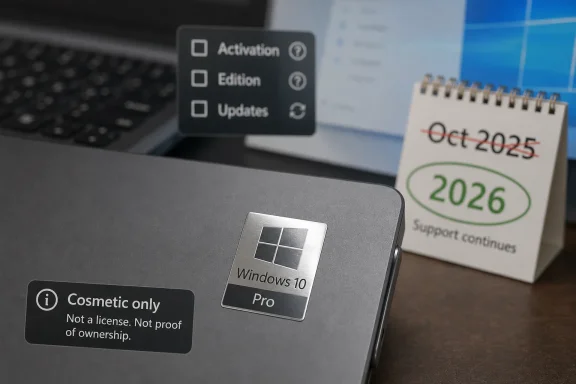
A third-party listing for a 16mm by 23mm silver chrome “Windows 10 Pro” badge sticker is being marketed as a peel-and-stick laptop or PC decal, not as a Microsoft license, activation proof, or OEM authenticity label. That distinction is the whole story. In 2026, a Windows 10 Pro sticker is no longer just harmless nostalgia; it sits at the awkward intersection of branding, software lifecycle, counterfeit confusion, and the long tail of perfectly usable PCs that Microsoft would rather move to Windows 11.
The product itself is almost comically small: a chrome-effect Windows 10 Pro badge, about 0.6 by 0.9 inches, intended for a laptop lid, desktop case, notebook, toolbox, or wherever else a user wants a little operating-system flair. The listing describes it as universal and unbranded, while also leaning heavily on the recognizability of the Windows 10 Pro identity.
That tension is why the item is interesting. A decorative badge is not unusual in PC culture; enthusiasts have been decorating cases with CPU, GPU, Linux distro, and operating-system stickers for decades. But Windows branding has always carried a second meaning, because a Windows sticker on a PC can look like evidence of authenticity even when it is merely decoration.
The important point for buyers is simple: this kind of decal does not make a PC licensed for Windows 10 Pro, does not activate Windows, and does not replace Microsoft’s genuine proof-of-license materials. It is a cosmetic accessory. The problem is that it is designed to resemble something more official than that.
That physical signal mattered more in the era of boxed software, recovery DVDs, product-key labels, and Certificate of Authenticity stickers. Microsoft’s own anti-counterfeit guidance still points users toward physical indicators such as COA labels, proof-of-license labels, and holographic features when evaluating older packaged or preinstalled software.
Modern Windows licensing has moved much of that trust into firmware, activation servers, Microsoft accounts, and digital entitlement. But the badge has not lost its psychological force. A shiny Windows logo on a laptop still says, to many buyers, “this machine is legitimate.”
That is why third-party replacement stickers are a gray-zone product even when they are sold as harmless decals. They can be used innocently by an enthusiast restoring a machine, but they can also make a refurbished or secondhand PC appear more official than its paperwork supports.
Silver chrome also matters. A plain paper novelty sticker would read as decoration. A metallic badge-style sticker reads more like OEM trim, particularly on the palm rest of a laptop or the front panel of a small-form-factor PC.
That is where buyers should be clear-eyed. If the goal is to personalize a device, this is the same category as a case badge, vinyl decal, or enthusiast logo. If the goal is to “restore” a missing Windows 10 Pro mark on a machine that genuinely shipped with Windows 10 Pro, the sticker may satisfy the eye but not the evidentiary chain.
In other words, it can replace a look. It cannot replace provenance.
That turns the badge into a marker of a platform in its afterlife. Windows 10 is not dead in the practical sense; millions of machines continue to run it, and many will do so for years. But the operating system has moved from mainstream default to managed exception.
For enthusiasts, that shift adds nostalgia. For administrators, it adds risk. A shiny “Windows 10 Pro” label on a device in 2026 should prompt the next question: is this machine enrolled for extended security updates, isolated for a specific use, or simply drifting past support because the hardware cannot move forward?
The sticker itself is harmless. The complacency it can encourage is not.
But “still works” is not the same as “still supported.” After end of support, Windows 10 systems outside an ESU path no longer receive the normal stream of free security fixes, feature updates, reliability fixes, or technical support. Extended Security Updates are designed as a bridge, not a new lease on mainstream life.
That matters most for Windows 10 Pro, because Pro is the edition most likely to appear on small-business desktops, refurbished laptops, lab machines, and enthusiast builds. These are exactly the machines most likely to be resold, repurposed, or visually “refreshed” with accessories like badge stickers.
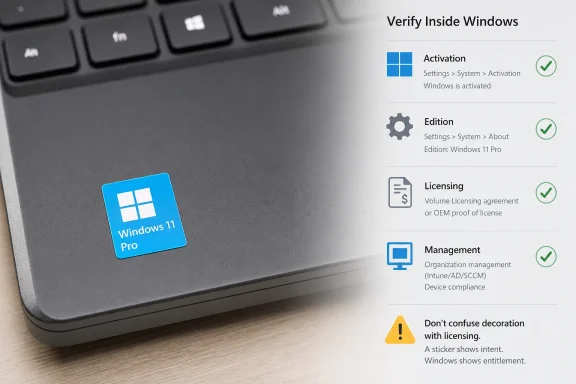
A buyer seeing a Windows 10 Pro badge on a used PC should not assume the license is valid, the installation is clean, or the device is patched. They should check activation status, edition, update state, hardware compatibility, and security posture directly inside Windows.
That is especially relevant in the refurbished market. A buyer may not distinguish among an OEM badge, a COA label, a decorative logo, and a third-party chrome decal. To experienced Windows users, those are distinct signals. To casual buyers, they can collapse into one impression: “this comes with Windows.”
Microsoft has spent decades fighting counterfeit Windows not because stickers are magic, but because physical branding influences buyer trust. A realistic badge can help sell a story. If the underlying license, activation, and install source are legitimate, there is little drama. If they are not, the badge becomes camouflage.
The safest editorial advice is conservative: treat any aftermarket Windows logo sticker as cosmetic unless the seller provides independent proof of licensing and the machine activates correctly through Microsoft’s normal mechanisms.
That is part of PC culture. Case badges have always been a minor form of identity: Intel Inside, AMD Ryzen, NVIDIA GeForce, Sound Blaster, Ubuntu, Windows XP, Windows 7, Windows 10. They are small declarations about what the machine is, what the owner likes, or what era of computing they feel attached to.
A Windows 10 Pro chrome sticker is therefore not absurd. It is a tiny artifact of a generation of PCs that many people still prefer. Windows 10 was, for a large slice of the user base, the last version of Windows that felt conventional enough to disappear into the background.
That emotional attachment is real. It is also not a patch-management strategy.
If it is part of an approved ESU plan, documented exception, lab environment, kiosk use case, or compatibility holdout, the badge is irrelevant. If it is an unmanaged endpoint that simply escaped migration, the badge is a warning sign in chrome.
Windows 10 Pro machines can easily become shadow IT. A spare laptop gets pulled from a drawer for a contractor. A lab PC keeps running an old driver stack. A front-desk machine avoids replacement because the application vendor has not certified Windows 11. These are normal operational realities, but they are also how unsupported systems persist.
The physical badge is not the problem. The lack of lifecycle discipline is.
Only the first question is answered by the decal. The second can be checked in Windows settings or system information. The third requires activation status, license provenance, and a realistic security plan.
That is especially important if the sticker is being bought for resale preparation. Cosmetic refurbishment is normal; misrepresenting software entitlement is not. A clean lid, fresh rubber feet, replacement keycaps, and a new case badge can make an old business laptop look respectable, but the listing should still be explicit about the OS license and support status.
A polished old PC is still an old PC. A chrome badge does not change its lifecycle.
Its weakest use case is as a substitute for authenticity. No buyer should rely on a badge sticker to verify Windows. No seller should use one to imply Microsoft approval, OEM origin, or licensing status. And no administrator should let physical branding override asset data.
That distinction may sound obvious to WindowsForum readers, but it is precisely the kind of obvious thing that breaks down in online marketplaces. Small, cheap, official-looking objects can travel farther than the context that explains them.
The sticker is not dangerous because it is powerful. It is risky because it is plausible.
 A Tiny Sticker Says More Than It Should
The product itself is almost comically small: a chrome-effect Windows 10 Pro badge, about 0.6 by 0.9 inches, intended for a laptop lid, desktop case, notebook, toolbox, or wherever else a user wants a little operating-system flair. The listing describes it as universal and unbranded, while also leaning heavily on the recognizability of the Windows 10 Pro identity.That tension is why the item is interesting. A decorative badge is not unusual in PC culture; enthusiasts have been decorating cases with CPU, GPU, Linux distro, and operating-system stickers for decades. But Windows branding has always carried a second meaning, because a Windows sticker on a PC can look like evidence of authenticity even when it is merely decoration.
The important point for buyers is simple: this kind of decal does not make a PC licensed for Windows 10 Pro, does not activate Windows, and does not replace Microsoft’s genuine proof-of-license materials. It is a cosmetic accessory. The problem is that it is designed to resemble something more official than that.
Windows Badges Were Never Just Decoration
For years, the little sticker on a Windows PC served as a trust signal. It told the buyer that the machine shipped with Windows, that the OEM had gone through Microsoft’s licensing channels, and that the operating system was not simply a random install image thrown onto a disk.That physical signal mattered more in the era of boxed software, recovery DVDs, product-key labels, and Certificate of Authenticity stickers. Microsoft’s own anti-counterfeit guidance still points users toward physical indicators such as COA labels, proof-of-license labels, and holographic features when evaluating older packaged or preinstalled software.
Modern Windows licensing has moved much of that trust into firmware, activation servers, Microsoft accounts, and digital entitlement. But the badge has not lost its psychological force. A shiny Windows logo on a laptop still says, to many buyers, “this machine is legitimate.”
That is why third-party replacement stickers are a gray-zone product even when they are sold as harmless decals. They can be used innocently by an enthusiast restoring a machine, but they can also make a refurbished or secondhand PC appear more official than its paperwork supports.
The Chrome Finish Is the Pitch
The appeal here is not functionality. A 16mm by 23mm sticker contributes nothing to performance, security, reliability, compatibility, or resale value in any formal sense. It is a visual cue.Silver chrome also matters. A plain paper novelty sticker would read as decoration. A metallic badge-style sticker reads more like OEM trim, particularly on the palm rest of a laptop or the front panel of a small-form-factor PC.
That is where buyers should be clear-eyed. If the goal is to personalize a device, this is the same category as a case badge, vinyl decal, or enthusiast logo. If the goal is to “restore” a missing Windows 10 Pro mark on a machine that genuinely shipped with Windows 10 Pro, the sticker may satisfy the eye but not the evidentiary chain.
In other words, it can replace a look. It cannot replace provenance.
The Timing Makes the Badge Feel Like a Relic
Windows 10 reached end of support on October 14, 2025 for mainstream Home, Pro, Enterprise, and Education editions, with version 22H2 being the final Windows 10 feature release. Microsoft’s position has been clear: users should move eligible devices to Windows 11, replace unsupported PCs, or enroll in Extended Security Updates where available.That turns the badge into a marker of a platform in its afterlife. Windows 10 is not dead in the practical sense; millions of machines continue to run it, and many will do so for years. But the operating system has moved from mainstream default to managed exception.
For enthusiasts, that shift adds nostalgia. For administrators, it adds risk. A shiny “Windows 10 Pro” label on a device in 2026 should prompt the next question: is this machine enrolled for extended security updates, isolated for a specific use, or simply drifting past support because the hardware cannot move forward?
The sticker itself is harmless. The complacency it can encourage is not.
Windows 10 Pro Still Has a Place, but It Is Narrower Now
Windows 10 Pro remains familiar, stable, and broadly compatible with older business software and peripherals. That is why it still has a stubborn following among power users and small businesses. Many devices blocked from Windows 11 by TPM, CPU, or firmware requirements are otherwise perfectly capable everyday machines.But “still works” is not the same as “still supported.” After end of support, Windows 10 systems outside an ESU path no longer receive the normal stream of free security fixes, feature updates, reliability fixes, or technical support. Extended Security Updates are designed as a bridge, not a new lease on mainstream life.
That matters most for Windows 10 Pro, because Pro is the edition most likely to appear on small-business desktops, refurbished laptops, lab machines, and enthusiast builds. These are exactly the machines most likely to be resold, repurposed, or visually “refreshed” with accessories like badge stickers.
A buyer seeing a Windows 10 Pro badge on a used PC should not assume the license is valid, the installation is clean, or the device is patched. They should check activation status, edition, update state, hardware compatibility, and security posture directly inside Windows.
The Counterfeit Risk Is Not the Sticker Alone
A small decal does not become counterfeit software by itself. The risk emerges when presentation blurs into representation. If a seller applies a Windows 10 Pro-style badge to imply that a PC includes a valid Windows 10 Pro license when it does not, the sticker becomes part of a misleading package.That is especially relevant in the refurbished market. A buyer may not distinguish among an OEM badge, a COA label, a decorative logo, and a third-party chrome decal. To experienced Windows users, those are distinct signals. To casual buyers, they can collapse into one impression: “this comes with Windows.”
Microsoft has spent decades fighting counterfeit Windows not because stickers are magic, but because physical branding influences buyer trust. A realistic badge can help sell a story. If the underlying license, activation, and install source are legitimate, there is little drama. If they are not, the badge becomes camouflage.
The safest editorial advice is conservative: treat any aftermarket Windows logo sticker as cosmetic unless the seller provides independent proof of licensing and the machine activates correctly through Microsoft’s normal mechanisms.
Enthusiasts Will Understand the Appeal
There is a benign version of this product’s story. Someone has an older ThinkPad, Dell Latitude, HP EliteDesk, or custom mini-ITX build that genuinely runs Windows 10 Pro and wants the case to look finished. Maybe the original palm-rest sticker peeled off years ago. Maybe the user is building a retro-modern workstation and wants the period-correct badge.That is part of PC culture. Case badges have always been a minor form of identity: Intel Inside, AMD Ryzen, NVIDIA GeForce, Sound Blaster, Ubuntu, Windows XP, Windows 7, Windows 10. They are small declarations about what the machine is, what the owner likes, or what era of computing they feel attached to.
A Windows 10 Pro chrome sticker is therefore not absurd. It is a tiny artifact of a generation of PCs that many people still prefer. Windows 10 was, for a large slice of the user base, the last version of Windows that felt conventional enough to disappear into the background.
That emotional attachment is real. It is also not a patch-management strategy.
Administrators Should Read It as an Inventory Smell
In a managed environment, a Windows 10 Pro badge in 2026 should be a prompt for inventory verification, not decoration critique. The question is not whether the sticker is authentic; the question is whether the device is still supposed to be on Windows 10 at all.If it is part of an approved ESU plan, documented exception, lab environment, kiosk use case, or compatibility holdout, the badge is irrelevant. If it is an unmanaged endpoint that simply escaped migration, the badge is a warning sign in chrome.
Windows 10 Pro machines can easily become shadow IT. A spare laptop gets pulled from a drawer for a contractor. A lab PC keeps running an old driver stack. A front-desk machine avoids replacement because the application vendor has not certified Windows 11. These are normal operational realities, but they are also how unsupported systems persist.
The physical badge is not the problem. The lack of lifecycle discipline is.
The Practical Buyer Test Is Boring but Necessary
Anyone tempted by this kind of sticker should separate three questions that sellers often let blur together. First, do you like the look? Second, does your machine actually run Windows 10 Pro? Third, is that installation licensed, activated, and supportable for your use case?Only the first question is answered by the decal. The second can be checked in Windows settings or system information. The third requires activation status, license provenance, and a realistic security plan.
That is especially important if the sticker is being bought for resale preparation. Cosmetic refurbishment is normal; misrepresenting software entitlement is not. A clean lid, fresh rubber feet, replacement keycaps, and a new case badge can make an old business laptop look respectable, but the listing should still be explicit about the OS license and support status.
A polished old PC is still an old PC. A chrome badge does not change its lifecycle.
The Real Value Is Sentimental, Not Official
The product’s best use case is modest: personalizing a device you already own and understand. If you are building a Windows 10-era display machine, restoring a daily driver, or labeling a toolbox with tech-culture ephemera, the sticker is exactly what it appears to be.Its weakest use case is as a substitute for authenticity. No buyer should rely on a badge sticker to verify Windows. No seller should use one to imply Microsoft approval, OEM origin, or licensing status. And no administrator should let physical branding override asset data.
That distinction may sound obvious to WindowsForum readers, but it is precisely the kind of obvious thing that breaks down in online marketplaces. Small, cheap, official-looking objects can travel farther than the context that explains them.
The sticker is not dangerous because it is powerful. It is risky because it is plausible.
The Chrome Badge Belongs in the Drawer Marked “Cosmetic”
There is a narrow, sensible way to think about this decal, and it is worth stating plainly before the marketplace does the usual work of over-selling meaning.- The sticker is a decorative aftermarket badge, not a Windows license, activation key, COA label, or proof of authenticity.
- The 16mm by 23mm size makes it plausible as a subtle laptop or case badge, which is part of both its appeal and its potential for confusion.
- Windows 10 Pro systems should be checked for activation, update status, ESU enrollment where applicable, and Windows 11 migration eligibility rather than judged by exterior branding.
- Refurbished-PC buyers should treat aftermarket operating-system stickers as cosmetic unless the seller provides separate licensing evidence.
- Enthusiasts restoring or personalizing their own machines can use the sticker harmlessly as long as they do not confuse visual nostalgia with support status.
References
- Primary source: Santo André BIZ
Published: 2026-06-28T01:43:08.916056
Santo André
Notícias sobre Santo André. Empregos, política, curiosidades, prestação de serviços e memória. santoandre.biz
- Related coverage: tomshardware.com
Microsoft extends free Windows 10 security updates for a second year — program now ends on October 12, 2027 | Tom's Hardware
Just as the memory shortage pushes PC prices even higher.www.tomshardware.com - Related coverage: windowscentral.com
Microsoft quietly extends Windows 10's extra security updates program for free: Users can now stay on Windows 10 until October 2027 securely | Windows Central
Windows 10's ESU program has been quietly extended by an extra year, now ending on October 12, 2027 instead of October 2026.www.windowscentral.com - Related coverage: techradar.com
Microsoft extends Windows 10 support out of the blue — consumers now get updates for another year to October 2027 | TechRadar
Windows 10 stays alive for another year with an extension for extended supportwww.techradar.com - Related coverage: tomsguide.com
Microsoft extends Windows 10 support for another year: what you need to know | Tom's Guide
Windows 10 support was supposed to end for good this year, but Microsoft quietly extended it for at least one more.www.tomsguide.com - Related coverage: pcgamer.com
Windows 10 gets yet another year of life as Microsoft extends security updates into 2027 | PC Gamer
Vive la Windows 10!www.pcgamer.com
- Official source: learn.microsoft.com
Windows 10 reaching end of support - Microsoft Lifecycle | Microsoft Learn
Announcing Windows 10 reaching end of support.learn.microsoft.com - Official source: microsoft.com
End of support for Windows 10, Windows 8.1, and Windows 7 | Microsoft Windows
Make a smooth transition to Windows 11 from your unsupported operating system with help from Microsoft. Enjoy the benefits of upgrading to a Windows 11 PC.www.microsoft.com - Official source: support.microsoft.com
Windows 10 support has ended on October 14, 2025 | Microsoft Support
Windows 10 support ends on October 14, 2025. Upgrade to Windows 11 now to ensure continued security and feature updates. Learn more about the transition.support.microsoft.com - Official source: techcommunity.microsoft.com
Windows 10 Extended Security Updates for Windows 365 - Windows IT Pro Blog
Learn more about Windows 10 ESUs for Windows 365.    techcommunity.microsoft.com
- Official source: cdn-dynmedia-1.microsoft.com
- Related coverage: atomicdata.com
- Related coverage: transparity.com