

Microsoft’s 2026 Windows 11 roadmap bristles with AI-driven features and new integrations, but a clear and recurring message from journalists and the Windows community is this: Microsoft’s ambition is outpacing the experience on everyday PCs, and five persistent problems demand urgent attention before novelty becomes a liability.
Windows 11 arrived as a design-forward, security-focused evolution of the platform, promising a modern shell, tighter cloud integration, and a path to more on-device intelligence. For many users, however, that promise has been tempered by practical friction: higher idle resource usage, default choices that favor Microsoft services, inconsistent legacy‑to‑modern UI behavior, and the creeping ubiquity of Copilot/AI surfaces that feel pushed rather than earned. Those themes have coalesced into a short, sharp list of five issues PCMag and community reporting repeatedly call out as the highest priority for fixes.
This piece synthesizes the community and journalistic critique, verifies the most load-bearing technical claims against available reporting, and lays out specific, prioritized recommendations for Microsoft — and clear mitigation steps for users and IT admins today. Where a claim depends on hardware or configuration, I flag it and suggest practical checks you can run immediately.
That said, a pragmatic road map — focusing first on fixes that restore user control, minimize regressions, and reduce support costs — would be both feasible and politically smart. Examples: introduce a Copilot master switch quickly; make OneDrive opt‑in in the next cumulative update; and commit to a two‑release schedule for shell memory optimizations.
Microsoft can — and should — make the fixes pragmatic and measurable: give users a single way to turn off AI surfaces, stop nudging choices by default, reduce idle memory, and finish the user‑experience work that restores expected behaviors. Those changes are less glamorous than marketing AI at every turn, but they matter far more to productivity, privacy, and the long‑term health of the Windows platform. If Microsoft listens and acts, Windows 11 will keep its promise. If it doesn’t, the platform risks trading short‑term upsell for long‑term erosion of trust — and that’s a trade no steward of a mass platform should accept.
Source: PCMag Hey Microsoft, You Need to Fix These 5 Things in Windows 11 ASAP
Source: PCMag Australia Hey Microsoft, You Need to Fix These 5 Things in Windows 11 ASAP
 Background
Windows 11 arrived as a design-forward, security-focused evolution of the platform, promising a modern shell, tighter cloud integration, and a path to more on-device intelligence. For many users, however, that promise has been tempered by practical friction: higher idle resource usage, default choices that favor Microsoft services, inconsistent legacy‑to‑modern UI behavior, and the creeping ubiquity of Copilot/AI surfaces that feel pushed rather than earned. Those themes have coalesced into a short, sharp list of five issues PCMag and community reporting repeatedly call out as the highest priority for fixes.This piece synthesizes the community and journalistic critique, verifies the most load-bearing technical claims against available reporting, and lays out specific, prioritized recommendations for Microsoft — and clear mitigation steps for users and IT admins today. Where a claim depends on hardware or configuration, I flag it and suggest practical checks you can run immediately.
Overview of the five persistent problems
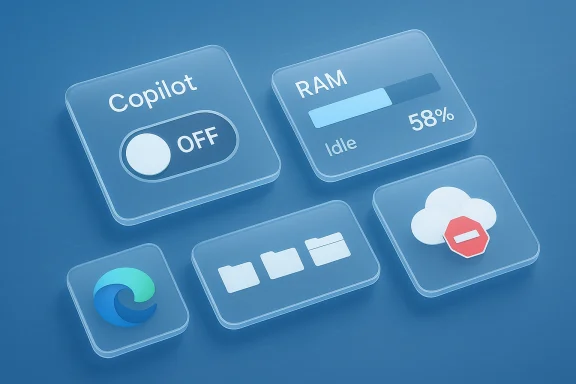
- AI-as-default (Copilot and “AI everywhere”) — users want AI to be optional, auditable, and transparent, not a default UI surface that interrupts workflows.
- Memory and performance regressions — Windows 11 often uses more idle RAM and exposes a higher baseline footprint that hurts 8–16 GB systems.
- Default‑app resets and browser promotion — repeated friction when changing defaults and the perception that Edge is being favored.
- Shell/usability regressions (Taskbar, Start, File Explorer tabs) — missing customization options and incomplete implementations that frustrate power users.
- Aggressive OneDrive/default promotions and UI fragmentation — persistent OOBE nudges, forced backups, and inconsistent dark-mode/legacy UI coverage.
1) Make AI optional, auditable, and trustworthy
What’s broken
Microsoft’s Copilot and related AI experiences are showing up across the OS — taskbar, search, context menus — and many users feel these are being pushed rather than offered as opt‑in enhancements. The complaints cluster around three issues: lack of clear opt‑out controls, opaque telemetry or data‑flow descriptions, and UI placements that encourage accidental activation.Why it matters
AI features that alter search results, modify settings, or surface recommendations change user expectations about predictability and privacy. For enterprises and privacy‑conscious customers, the absence of a clear, centralized “AI control” undermines deployment trust and increases support overhead.Evidence & verification
Community reporting from multiple threads and technical summaries repeatedly highlights user actions to disable or remove Copilot where possible — a clear signal that default placement is causing friction. The technical complaint is not theoretical: OS‑level UI affordances that trigger cloud inference can create telemetry and privacy considerations that enterprises need to audit.Practical fixes Microsoft should deliver
- A single, global Copilot master switch in Settings and Group Policy/MDM that disables all Copilot surfaces and inference by default until explicitly enabled.
- Clear telemetry disclosures and toggles that explain where inference runs (local vs cloud) and what data is transmitted. Make those settings accessible without digging through advanced privacy pages.
- Modular installation model for AI components so enterprises can opt into specific features (e.g., search summarization, code assist) without receiving unrelated UI changes.
Short-term user/admin mitigations
- Use Group Policy or MDM templates to hide or block Copilot surfaces where available.
- Audit “Diagnostics & Feedback” and disable optional tailored experiences for sensitive environments.
2) Reduce idle memory footprint and tame heavy app behavior
The claim
Multiple independent analyses and community benchmarks show Windows 11 often consumes roughly 1.0–1.5 GB more RAM at idle than Windows 10 on comparable hardware, driven by a richer shell, additional background services, and web‑powered components (WebView2/Electron). This higher baseline makes 8 GB systems feel constrained and raises the practical minimum for comfortable multitasking.Why this is important
Memory pressure translates directly to perceived sluggishness, heavier paging, and worse multitasking. For users on laptops or older PCs — the very segment Microsoft said Windows 11 should modernize — these regressions are real regressions in daily usability, not abstract metrics.Evidence & independent cross‑checks
The recurring forum and reporting patterns show consistent user reports of higher idle RAM plus single-app spikes from web‑wrapped apps. These are corroborated across multiple community threads that track memory use after updates.Technical causes
- The modern shell relies more on WebView2 and cloud-backed experiences that spawn long‑lived processes.
- Richer visuals and background sync services (OneDrive, telemetry, widgets) add per‑session overhead.
- Third‑party Electron or WebView‑based apps commonly allocate hundreds of MBs per process, compounding the issue.
What Microsoft should do
- Set a shell memory target and publish telemetry‑backed progress reports on idle RAM reduction across the next two feature updates.
- Optimize WebView2 usage by consolidating shared renderers for common UI components rather than per‑feature processes.
- Provide “lightweight shell” mode for low‑RAM devices that disables nonessential background services (widgets, web‑integrations) and prioritizes responsiveness.
Immediate steps for users
- Audit startup/background apps in Settings → Apps → Startup; disable nonessential items. Use Task Manager’s memory column to spot runaway processes.
- Prefer native apps over web‑wrapped equivalents when possible, and keep an eye on browser extensions and background utilities.
3) Stop resetting defaults and make browser choice stick
The problem
Users and IT administrators have reported cases where attempts to change the default browser or other defaults are resisted by the OS or followed by prompts nudging users back to Microsoft Edge and other services. These experiences carry both functional and trust costs.Why this damages trust
Defaults are a basic promise from an OS: the system will honor the user’s explicit choice. When that promise is undermined — particularly with promotional UI elements that reappear — users perceive the platform as prioritizing vendor economics over user control.Verification
Coverage and community logs repeatedly single out default‑app resets and promotional reappearance as high‑frequency gripes. This is not a niche complaint; it’s one of the top recurring usability issues flagged across sources.Recommended fixes
- Honor explicit default choices persistently and make any promotional reintroduction opt‑in, not automatic.
- Administrator controls to lock default apps via policy so managed environments do not suffer post‑update regressions.
- Transparent messaging when Microsoft services are suggested — explain value without overwriting settings or making opt‑outs difficult.
What admins can do now
- Use MDM/Group Policy to enforce default apps in enterprise images. Validate vendor guidance for update holds and compatibility holds before mass rollouts.
4) Restore lost taskbar/start customization and finish File Explorer tabs
The user pain
Windows 11 removed a number of small but meaningful customization options: moving the taskbar to the top or sides, reliable drag‑and‑drop behavior, and a Start menu that behaves the way some users expect. File Explorer tabs arrived as a welcome feature but are incomplete: opening a folder from certain contexts still spawns a new window rather than reusing an existing tab. These regressions cost time and fuel resentment among power users.Why they matter
Small interaction details are the glue of daily productivity. When familiar workflows no longer behave predictably, the friction compounds across hours of work and across large deployments.Evidence and technical nuance
Community threads show concrete examples: File Explorer tabs not absorbing external folder openings, the Start menu’s “Recommended” space feeling like wasted real estate, and taskbar immobility affecting multi‑monitor workflows. These are reproducible behavioral complaints that require UI/UX and compatibility engineering to resolve.What Microsoft should prioritize
- Finish the File Explorer tab model so external navigations can reuse existing tabs unless the user explicitly chooses otherwise.
- Reintroduce optional taskbar relocation and classic behaviors as advanced settings for users who depend on them.
- Allow Start menu layout templates (e.g., “classic,” “compact,” “apps-first”) that restore predictable layouts for different user segments.
Short-term workarounds
- For users who need legacy behaviors, vetted third‑party utilities remain an option — but Microsoft should recognize these solutions as a signal: the OS is missing functionality native users expect.
5) Stop the nagging: OneDrive defaults, OOBE prompts, and inconsistent dark mode
The complaint
Windows 11 repeatedly surfaces promotional prompts — OneDrive backups, Microsoft 365/Game Pass offers, and other “second-chance” recommended experiences — that continue to reappear after being dismissed. Separately, theme consistency remains incomplete: legacy dialogs and older admin surfaces often ignore dark mode.Why it’s a problem
These behaviors erode the notion of a clean, personal OS. Reappearing prompts and forced backups reduce user agency and can be particularly disruptive in enterprise or education deployments where privacy and predictable behavior are critical. Theme inconsistency is less urgent but chips away at the platform’s polish.Evidence
Multiple feature‑level audits in community feeds show repeated complaints about OneDrive’s aggressive defaults and the OOBE “helpful suggestions” that persist beyond initial setup. Reports also highlight dark‑mode gaps in legacy dialogs and some system apps.Recommendations
- Make OneDrive folder backup an opt‑in during OOBE rather than a default. When offered, present exact consequences and space implications clearly.
- Stop reintroducing promotional prompts after they’ve been declined; use respectful, infrequent reminders if a user explicitly chooses to see suggestions.
- Finish dark‑mode coverage across system dialogs and legacy components, or provide a “System-wide dark coherence” toggle that ensures consistent theme application.
Why Microsoft hesitates — and where compromise is possible
Microsoft’s choices are driven by legitimate engineering and business constraints. Restoring taskbar relocation or changing deep shell behavior affects thousands of third‑party integrations. Consolidating Copilot controls requires API and telemetry redesigns. And commercial incentives to promote OneDrive or Edge are not going away overnight. The problem is one of balance: short‑term product economics versus long‑term platform trust.That said, a pragmatic road map — focusing first on fixes that restore user control, minimize regressions, and reduce support costs — would be both feasible and politically smart. Examples: introduce a Copilot master switch quickly; make OneDrive opt‑in in the next cumulative update; and commit to a two‑release schedule for shell memory optimizations.
Practical playbook for admins and power users (do this today)
- Audit and tune startup/background apps: Settings → Apps → Startup; prioritize disabling widgets and nonessential store apps on 8–16 GB machines.
- Use Update Rings and feature‑update deferrals for critical machines; validate vendor driver compatibility before broad deployment.
- Leverage Group Policy/MDM to limit Copilot and OneDrive surfaces where templates exist; enforce default apps in enterprise images.
- Monitor memory and process behavior with Task Manager and Resource Monitor; prefer native apps for background utilities when possible.
- If you need classic behaviors immediately, use vetted community tools as a stopgap but treat them as temporary. Signal to Microsoft that these tools exist because the OS is missing important features.
Risks if Microsoft does nothing
- Eroding user trust — Defaults that feel coercive will make power users and enterprises more likely to delay upgrades or apply restrictive governance workarounds.
- Regulatory exposure — Aggressive telemetry and opaque AI data flows invite scrutiny in privacy‑sensitive jurisdictions and education deployments.
- Ecosystem churn — If Windows becomes perceived primarily as a promotion layer for Microsoft services rather than a neutral platform, developers and users may explore alternatives or enforce stricter controls.
A prioritized five‑point roadmap for Microsoft
- Immediate (30–90 days): Add a Copilot master switch and a OneDrive OOBE opt‑out; publish clear telemetry disclosures.
- Near term (2 feature updates): Commit to measurable idle memory reductions and provide a lightweight shell mode for low‑RAM devices.
- Medium term: Finish File Explorer tab behavior and reintroduce optional taskbar relocation for power users.
- Ongoing: Harden admin/MDM controls and publish regular status updates against a publicly visible product health dashboard.
- Cultural: Treat user agency as a measurable product metric alongside performance and reliability, and bake opt‑in defaults into all new consumer feature rollouts.
Conclusion
Windows 11’s vision — a modern, AI‑enabled, secure platform — is worth pursuing. But vision without stewardship risks alienating the very users who keep Windows dominant: professionals, enterprises, and enthusiasts who expect reliability, control, and predictable behavior. The five problems PCMag and the community keep returning to are not on the periphery; they are core product failures that compound every day a fix is delayed.Microsoft can — and should — make the fixes pragmatic and measurable: give users a single way to turn off AI surfaces, stop nudging choices by default, reduce idle memory, and finish the user‑experience work that restores expected behaviors. Those changes are less glamorous than marketing AI at every turn, but they matter far more to productivity, privacy, and the long‑term health of the Windows platform. If Microsoft listens and acts, Windows 11 will keep its promise. If it doesn’t, the platform risks trading short‑term upsell for long‑term erosion of trust — and that’s a trade no steward of a mass platform should accept.
Source: PCMag Hey Microsoft, You Need to Fix These 5 Things in Windows 11 ASAP
Source: PCMag Australia Hey Microsoft, You Need to Fix These 5 Things in Windows 11 ASAP
