

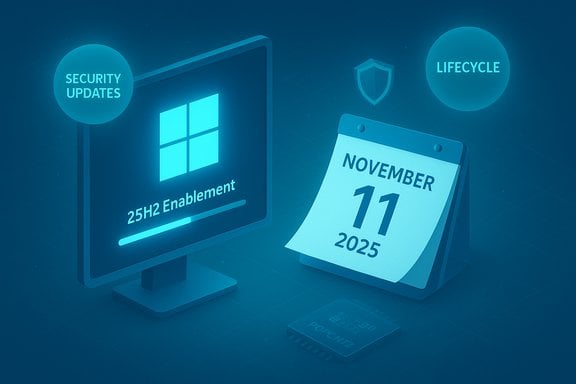
Microsoft has formally closed the servicing window for Windows 11, version 23H2 (Home and Pro), and is now moving consumer PCs forward—automatically in many cases—toward the 25H2 baseline to restore monthly security updates and reset the servicing clock. This is not a cosmetic deadline: November 11, 2025 is the last day Home and Pro devices on 23H2 will receive cumulative security and preview updates, and Microsoft’s release-health guidance makes clear that unmanaged Home/Pro systems will be offered the 25H2 feature update automatically (you can delay restarts briefly, but not indefinitely).
Windows 11 moved to an annual feature-update cadence years ago. Each annual release—21H2, 22H2, 23H2, 24H2, 25H2—carries its own servicing window, and those windows vary by edition. Consumer SKUs (Home and Pro) typically get 24 months of servicing per feature update, while Enterprise and Education SKUs commonly receive extended servicing (often 36 months). That means a single version label (for example, 23H2) can carry different end-of-servicing dates depending on the SKU: consumer devices on 23H2 stop getting monthly security updates on November 11, 2025, whereas Enterprise and Education editions tied to the same 23H2 branch continue to receive updates until November 10, 2026. Microsoft’s messaging across the Windows release-health pages and KB articles is explicit: devices on consumer 23H2 will be moved forward, and the company recommends moving to 25H2 to “try the latest Windows innovations.” 25H2 is largely an enablement package layered on 24H2—it flips on staged features that already exist in the same platform branch—so the user-facing differences between 24H2 and 25H2 are modest while the servicing and lifecycle benefits are meaningful.
Source: TechRadar https://www.techradar.com/computing...rce-you-to-upgrade-to-25h2-for-your-own-good/
 Background / Overview
Windows 11 moved to an annual feature-update cadence years ago. Each annual release—21H2, 22H2, 23H2, 24H2, 25H2—carries its own servicing window, and those windows vary by edition. Consumer SKUs (Home and Pro) typically get 24 months of servicing per feature update, while Enterprise and Education SKUs commonly receive extended servicing (often 36 months). That means a single version label (for example, 23H2) can carry different end-of-servicing dates depending on the SKU: consumer devices on 23H2 stop getting monthly security updates on November 11, 2025, whereas Enterprise and Education editions tied to the same 23H2 branch continue to receive updates until November 10, 2026. Microsoft’s messaging across the Windows release-health pages and KB articles is explicit: devices on consumer 23H2 will be moved forward, and the company recommends moving to 25H2 to “try the latest Windows innovations.” 25H2 is largely an enablement package layered on 24H2—it flips on staged features that already exist in the same platform branch—so the user-facing differences between 24H2 and 25H2 are modest while the servicing and lifecycle benefits are meaningful. What changed on November 11, 2025 (and why it matters)
The hard facts
- End of servicing (Home & Pro, 23H2): November 11, 2025. That date is the last monthly cumulative update for consumer 23H2 devices; after that point Microsoft will not provide new OS-level security fixes to those builds.
- Enterprise/Education carve-out: 23H2 editions for Enterprise and Education remain supported until November 10, 2026, giving IT teams a one-year buffer to validate and stage upgrades.
- Automatic upgrade behavior: Microsoft’s release-health guidance states that unmanaged Home and Pro devices on 23H2/24H2 will be offered 25H2 automatically; users can choose restart timing or postpone briefly, but unmanaged Home devices have limited deferment options.
Why Microsoft is enforcing this cycle
Microsoft has two pragmatic goals here:- Consolidate engineering and security investment on fewer actively maintained branches so fixes and mitigations are delivered more reliably.
- Reset the servicing clock for consumer devices to ensure a predictable lifecycle and to encourage uptake of modern security and platform features.
The upgrade targets: 24H2 vs 25H2 (what to expect)
24H2 (the “2024 Update”)
- A mature, widely distributed baseline that resets the 24‑month servicing clock for Home/Pro.
- Delivered as a full feature update in some scenarios; stable and suitable for cautious rollouts.
25H2 (the “2025 Update”)
- The newest annual release; on many devices it’s delivered as a small enablement package on top of 24H2, effectively enabling features that are already present in the platform. This makes the install fast—often only a short restart is required.
- Primary benefit: resets the servicing lifecycle and gives the maximum forward servicing window for consumer systems. Microsoft has begun a phased rollout and the enablement path is the common route for eligible systems.
Compatibility and the POPCNT nuance (who cannot upgrade)
A small—but real—subset of older CPUs lacks an instruction called POPCNT (population count) and related instruction-set features (commonly grouped with SSE4.2). Starting with the 24H2/25H2 branch Microsoft and the community observed that some system components and kernel paths depend on POPCNT; on impacted CPUs the OS may fail to boot or an upgrade may be blocked. In plain terms: very old processors (primarily pre‑2008/2009 architectures) may be incompatible with 24H2/25H2. Why this matters:- Virtually all CPUs shipped since the Intel Nehalem era (2008+) and corresponding AMD families support POPCNT/SSE4.2, so most modern laptops and desktops are unaffected.
- Systems that predate those instruction sets—older custom builds, ancient workstations, and some virtualized or emulated environments—may be unable to upgrade in place, and some compatibility workarounds are ineffective.
What Microsoft will and will not do automatically
- Microsoft will offer 25H2 automatically to eligible Home/Pro devices that are not managed by IT. Users will be able to pick a restart time or postpone the restart for a short period, but the company is clear that unmanaged consumer devices will be pushed forward—this is part of the release-health messaging and rollout mechanics.
- For devices blocked by compatibility holds (drivers, hardware, POPCNT absence), Microsoft places safeguard holds to prevent problematic upgrades until the underlying issue is fixed. Those holds are lifted when vendors publish compatible drivers or when the incompatibility is resolved. Attempting to bypass holds is risky and can cause instability.
Risks, trade-offs, and what to watch for
Strengths of Microsoft’s move
- Security-first: forcing consumer devices off an unsupported branch closes the window for unpatched OS-level vulnerabilities on actively used systems.
- Predictability: fixed dates let consumers and IT admins plan migrations, procurement, and testing cycles with hard deadlines.
- Enablement package model: for eligible systems, the 25H2 enablement package minimizes downtime and reduces the friction of feature updates.
Key risks and downside
- Hardware compatibility friction: some older but otherwise functional machines will be unable to upgrade and therefore will either need replacement, OS migration, or to run unsupported code—introducing cost and e‑waste concerns. The POPCNT/SSE4.2 dependency is niche but real.
- Automatic updates on home devices: unmanaged users may feel upgrades are being pushed on them with limited control over timing; while restarts can be deferred briefly, the update will arrive and will eventually require a restart. This can be disruptive if backups and checks aren’t performed first.
- Supply and timing pressure: with Windows 10 support already ended and 23H2 consumer servicing now ended, organizations and small businesses that delayed upgrades face a compressed migration window—this could overload support channels and patch-management practices at scale.
Unverifiable or evolving claims (flagged)
- Some community posts and independent reporters have linked the POPCNT requirement to larger AI or performance changes in the OS. Those causal claims (e.g., “Microsoft introduced POPCNT for AI workloads”) are plausible engineering explanations but are not explicitly confirmed in Microsoft’s public technical notes; treat them as informed speculation until Microsoft documents the design rationale. Community analysis and reverse engineering suggest the instruction is now used in core code paths, but the exact engineering motive is not fully documented in official KBs.
Actionable steps: how to prepare and migrate
For home users (unmanaged)
- Check your version now: press Win + R, type winver, press Enter—confirm whether you’re on 23H2, 24H2, or already on 25H2.
- Back up first: create a full image or a robust file backup (File History, OneDrive, third-party imaging tools).
- Run PC Health Check: verify hardware compatibility with Windows 11’s current requirements (TPM 2.0, Secure Boot, disk space, and CPU feature set such as POPCNT).
- Use Windows Update: go to Settings > Windows Update > Check for updates; if 25H2 is available you should see a “Download and install” option. You can enable “Get the latest updates as soon as they’re available” to speed availability.
- If blocked: investigate compatibility holds or driver updates from your OEM; do not attempt unsupported workarounds in production machines.
For small businesses / admins
- Inventory devices by version, edition (Home/Pro vs Enterprise/Education), and CPU family using Intune, SCCM, WSUS, or your RMM tools.
- Pilot upgrades on representative hardware groups and monitor logs for driver regressions and app compatibility.
- Use staged rollouts with Windows Update for Business, enabling safeguard holds where needed and coordinating driver/firmware releases with vendors.
If your hardware is incompatible
- Options include:
- Replace hardware with Windows 11–capable machines (recommended for long-term support).
- Enroll in Windows 10 Consumer ESU (if you are eligible) to receive critical and important security updates through October 13, 2026 as a temporary bridge—Microsoft’s ESU program details and enrollment window are explicit about that date. This is a short runway, not a long-term solution.
- Migrate to a supported Linux distribution or ChromeOS Flex to keep the device receiving security updates (viable for many home users and some work scenarios).
- Cloud options like Windows 365 / Azure Virtual Desktop to run a current Windows environment on legacy hardware.
Common questions and clarifications
Will Microsoft forcibly install 25H2 even if I don’t want it?
Microsoft will offer and push 25H2 to unmanaged Home/Pro devices; users can schedule restarts and postpone briefly, but the purpose of the rollout is to move consumer devices off an unsupported servicing baseline. Safeguard holds may delay the offering on incompatible machines, but the intent is not to leave consumer devices unpatched.Can I remain on 23H2 and still get security patches if I pay?
No. Consumer 23H2 (Home/Pro) servicing ended on November 11, 2025; the Windows 10 consumer ESU program was the paid bridge for Windows 10 through October 13, 2026. For Windows 11 consumer releases, Microsoft’s lifecycle policy ties servicing to version/edition and does not provide a paid ESU bridge for unsupported consumer 23H2—moving to a supported Windows 11 baseline is the advised path. For Enterprise customers, extended servicing dates differ and must be handled through commercial lifecycle programs.Is 25H2 functionally very different from 24H2?
No—24H2 and 25H2 share the same platform code base, and 25H2 is mostly an enablement-layer release that flips on features Microsoft staged in the 24H2 branch. The upgrade’s primary benefit is lifecycle reset and any small additional features Microsoft ships in the 25H2 enablement package. That design reduces compatibility risk while providing a consistent servicing baseline.Critical analysis: who wins and who loses
Winners
- Most modern PC owners benefit: their machines remain protected with minimal disruption thanks to the enablement package model.
- Security posture overall improves, because fewer consumer devices will be left running unpatched builds in the wild.
- Enterprise admins who use the commercial servicing extension (Enterprise/Education) get a one‑year buffer to plan and test upgrades.
Losers / friction points
- Owners of old but usable PCs that lack POPCNT/SSE4.2 support are effectively boxed out of the upgrade path and face replacement or platform migration costs. This is a small population but a loud one, and it raises legitimate concerns about planned obsolescence and e‑waste.
- Power users and tinkerers who ran patched but unsupported installs or custom configurations may find workarounds increasingly fragile as Microsoft removes legacy code paths and enforces instruction‑set assumptions.
- Small organizations that delayed migration may see operational and compliance risk—particularly if they relied on consumer SKUs for endpoints—because the upgrade window is compressed by the simultaneous end-of-support events in 2025.
Practical checklist for the next 30 days
- Confirm your current Windows version with winver.
- Verify backups and create an image before applying feature updates.
- Run PC Health Check and check for POPCNT/SSE4.2 compatibility if you have older hardware.
- If you’re on 23H2 Home/Pro, plan to accept the 25H2 update via Windows Update or use the official enablement/ISO paths if you prefer manual control.
- For incompatible devices, evaluate ESU (Windows 10), OS migration to Linux/ChromeOS Flex, or hardware refresh as appropriate.
Conclusion
Microsoft’s November 11, 2025 servicing cutoff for Windows 11 version 23H2 (Home & Pro) is a definitive lifecycle milestone that flips the switch on a predictable security reality: consumer devices running that release will no longer receive monthly security updates. Microsoft is explicitly nudging unmanaged Home/Pro devices to 25H2 (often via an enablement package layered on 24H2), which restores a secure servicing baseline while keeping feature churn minimal. For the vast majority of users this transition will be seamless and beneficial; for a small number of owners of legacy hardware the decision crystallizes hard choices—replace, migrate, or accept elevated risk. The appropriate response is immediate: verify your device’s version and hardware compatibility, back up, and plan the upgrade or migration path that best fits your environment before exposure widens.Source: TechRadar https://www.techradar.com/computing...rce-you-to-upgrade-to-25h2-for-your-own-good/
