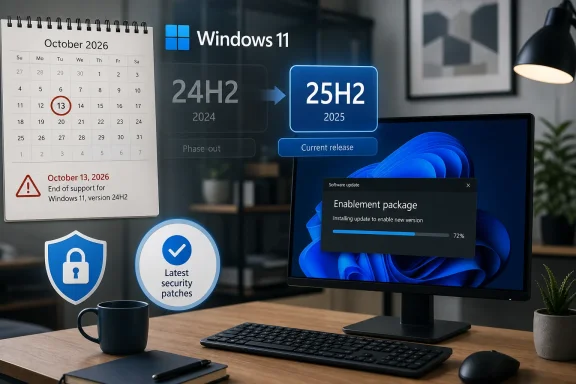
Microsoft is warning Windows 11 Home and Pro users still on version 24H2 that support for those editions ends on October 13, 2026, after which affected PCs stop receiving monthly security updates, fixes for known issues, time zone updates, and technical support. The warning matters less because 24H2 is suddenly obsolete than because Microsoft’s Windows servicing machine is now built around annual version markers with real security deadlines attached. For most consumers, the exit ramp is straightforward: move to Windows 11 version 25H2, or later 26H2 when it arrives. For administrators, the story is less about panic and more about inventory, policy, and timing.
The important date is October 13, 2026. That is when Windows 11 version 24H2 Home and Pro editions reach the end of updates, meaning Microsoft stops shipping the regular stream of fixes that keeps an actively used PC inside the supported ecosystem.
This does not mean a 24H2 machine will refuse to boot on October 14. Windows end-of-servicing deadlines are not kill switches. They are the point at which the operating system becomes a frozen target, increasingly exposed to vulnerabilities fixed elsewhere but not delivered to that version.
That distinction is easy to miss because Microsoft’s phrasing can sound bureaucratic. “End of updates” is not dramatic language, but it is the practical boundary between a PC Microsoft is still defending and one it has moved on from.
For Windows enthusiasts, this is familiar territory. Windows 10 and Windows 11 have trained users to think in version numbers, build numbers, feature update names, monthly cumulative updates, preview updates, and servicing channels. The difference now is that Windows 11’s annual cadence has matured enough that even relatively modern builds are aging out on schedule.
It also covers related Pro-flavored consumer and professional SKUs that follow the same 24-month support rhythm. The rule of thumb is simple: if the machine is on a Home or Pro lifecycle and still reports version 24H2, October 13, 2026 is the deadline that matters.
Commercial editions get more breathing room. Windows 11 Enterprise, Education, IoT Enterprise, and other business-oriented editions generally receive a 36-month support window for a given annual release, which pushes the 24H2 servicing deadline for those customers into October 2027.
That does not mean enterprises should ignore the date. It means their planning horizon is different. Consumer users need to move soon; managed fleets need to treat 24H2 as entering its final year of comfortable runway.
That matters because 24H2 and 25H2 share the same underlying servicing platform. Microsoft has used this approach before: ship the underlying components through cumulative updates, then use a small package to change the visible version and enable the new release path.
For users who remember multi-gigabyte feature updates, failed restarts, driver regressions, and compatibility holds, this deserves emphasis. Moving from 24H2 to 25H2 is not the same kind of event as moving from Windows 10 to Windows 11, or from a pre-24H2 Windows 11 release to the Germanium platform.
That does not make it risk-free. No Windows update is risk-free, particularly on PCs with old drivers, encrypted disks, niche peripherals, aggressive security software, or fragile line-of-business applications. But the engineering shape of this update is closer to a servicing transition than a platform migration.
That is the trade Microsoft made with Windows as a service. Instead of selling a boxed operating system and supporting it as a monolith for many years, Microsoft supports individual releases for defined windows. The operating system keeps moving; customers are expected to move with it.
In this case, the code gap between 24H2 and 25H2 is relatively small, which makes the deadline feel arbitrary to some users. If two versions share the same platform and largely the same servicing base, why should one fall off the security map while the other continues?
The answer is lifecycle discipline. Microsoft wants users and developers anchored to supported release IDs, not a sprawling mix of nearly identical but separately serviced versions. Even when the technical delta is modest, the support obligation is not.
That advice is not about fear. It is about avoiding the predictable pile-up that happens when deadlines meet real life. Machines run out of disk space, updates get deferred, laptops sit unused for weeks, VPNs interfere, and one broken driver can turn a quick update into an evening project.
The simplest way to check is through Settings, then System, then About, where Windows lists the edition and version under Windows specifications. If the version says 24H2 and the edition says Home or Pro, the deadline applies.
Users who prefer the command line can also run
These machines often run Windows 11 Pro without being managed like enterprise endpoints. They may not be joined to an organization, may not be covered by a modern device management policy, and may depend entirely on Windows Update behaving correctly.
That is where Microsoft’s increasingly automated update posture comes in. The company has been more willing in recent years to push supported Windows 11 machines forward when they approach end of servicing, especially consumer and unmanaged devices. From Microsoft’s perspective, the choice is between a forced-but-supported transition and leaving millions of machines exposed.
Users often dislike that trade. Understandably so: an operating system update can interrupt work, change behavior, or expose a pre-existing problem at the worst possible time. But Microsoft’s security model is now built on reducing the number of unsupported clients in the wild, and that means the update system will keep nudging users forward.
But the extra year should not become an excuse to drift. The lesson of modern Windows servicing is that the calendar compresses quickly. A release that feels current in June 2026 becomes a migration project in the next budget cycle and a compliance problem after that.
The 25H2 enablement path gives administrators an unusually clean intermediate step. If 24H2 and 25H2 share a servicing base, the test matrix should be less punishing than a full platform jump. That makes early pilot rings especially attractive.
Enterprises should still test as if the update matters. Version changes can affect feature exposure, policy behavior, reporting logic, update compliance dashboards, and third-party management tools. Even when the OS core is stable, the surrounding ecosystem can be surprisingly brittle.
The answer depends on timing and tolerance for uncertainty. Version 25H2 is already the supported landing zone for 24H2 users. Version 26H2, while expected in the second half of 2026, still has to move through availability, compatibility checks, staged rollout decisions, and whatever safeguards Microsoft applies.
Waiting until the final stretch creates a narrower window to recover if something goes wrong. If 26H2 lands late for a particular device, or if Microsoft blocks the upgrade because of a driver or application issue, the user may find themselves uncomfortably close to the 24H2 support cutoff.
For enthusiasts with good backups and time to troubleshoot, waiting may be reasonable. For ordinary users and small organizations, 25H2 is the conservative move precisely because it is the known bridge.
That matters for security compliance. Insurers, auditors, managed service providers, and internal IT teams increasingly care not just whether updates are installed, but whether the operating system version is still supported. A fully patched unsupported release is a contradiction once the final patch has shipped.
This is where Windows enthusiasts can help less technical users. The advice does not need to be dramatic. Check the version, confirm the edition, make a backup, install the supported release, and verify that monthly updates continue afterward.
The bigger lesson is that Windows version awareness is now basic maintenance. It sits alongside disk health, browser updates, password managers, and backup hygiene as part of keeping a PC defensible.
There is also an argument that this model is confusing. If 24H2 and 25H2 share so much underneath, users can reasonably wonder why the version change matters at all. Microsoft’s servicing logic may be internally coherent, but from the outside it can look like support policy masquerading as product evolution.
Both things can be true. The enablement package is a practical improvement over the old feature-update ritual. The lifecycle messaging still asks users to understand a distinction that Windows itself often hides until the deadline approaches.
This is the unresolved tension of modern Windows. Microsoft wants the operating system to feel continuous, but it still supports that continuous system through discrete annual releases. Users experience one Windows; Microsoft services many Windowses.
Once a Windows version leaves support, newly discovered vulnerabilities keep arriving, attackers keep reverse-engineering patches from supported versions, and defenders lose the simplest mitigation: installing the monthly update Microsoft already shipped. Unsupported Windows machines become more predictable targets over time.
That does not mean every unsupported PC is instantly compromised. Risk accumulates unevenly. A rarely used offline machine is not the same as a daily driver used for banking, email, gaming, remote work, and browser-based everything.
But for any internet-connected PC, the cost-benefit math is lopsided. If the supported upgrade is small, compatible, and available, remaining on 24H2 after support ends becomes harder to justify.
This is the rare Windows lifecycle story where the fix is less dramatic than the warning. The affected users are not being asked to buy new hardware if they are already running 24H2 successfully. They are being asked to move to a newer supported release on the same broad platform.
That should still prompt action. A support deadline several months away is exactly when users should handle it, not when they should bookmark it and forget. The closer the date gets, the more every minor snag becomes a larger problem.
That does not mean Microsoft has stopped changing Windows. Features still arrive through cumulative updates, controlled rollouts, app updates, Store-delivered components, and cloud-connected switches. The old idea that the annual feature update is the single moment when Windows changes has been obsolete for years.
Instead, the annual release is increasingly a servicing milestone. It marks a supported branch, resets a lifecycle clock, and provides Microsoft with a cleaner matrix for testing and support. For users, that can make the upgrade feel almost anticlimactic.
Anticlimax, in this case, is good. The best operating system upgrade is often the one that finishes after a restart and leaves the user wondering what all the fuss was about.
For them, the 24H2 deadline should be a prompt to create a lightweight servicing habit. Somebody needs to know which PCs exist, which Windows version they run, whether backups are working, and whether the 25H2 update has completed.
This does not require enterprise bureaucracy. Even a spreadsheet is better than guesswork. What matters is assigning ownership before a support date becomes a security incident or a lost afternoon during payroll week.
The irony is that Windows 11 Pro includes many capabilities aimed at serious users, but the edition name alone does not make a PC managed. Lifecycle discipline is a process, not a SKU.
But skepticism should not turn into reflexive stagnation. In this case, the technical facts point toward a relatively safe move for most 24H2 users. The 25H2 update path exists because Microsoft does not need to perform a deep platform replacement.
The smarter enthusiast posture is controlled adoption. Make a system image or verify File History and cloud backups, update drivers where appropriate, install 25H2, and watch the first few days for oddities. That is different from either blindly clicking every prompt or refusing every version change until support expires.
Update fatigue is real. So is the security cost of opting out indefinitely.
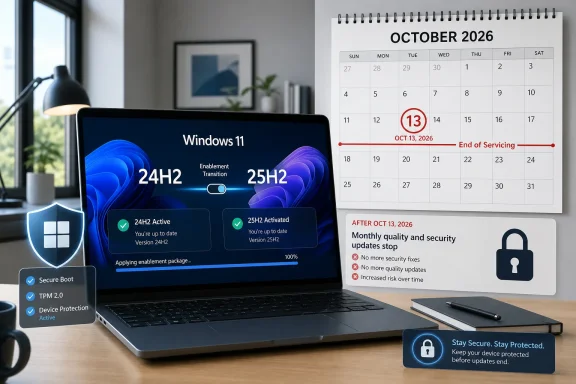 Microsoft’s Deadline Is a Security Line, Not a Marketing Line
The important date is October 13, 2026. That is when Windows 11 version 24H2 Home and Pro editions reach the end of updates, meaning Microsoft stops shipping the regular stream of fixes that keeps an actively used PC inside the supported ecosystem.This does not mean a 24H2 machine will refuse to boot on October 14. Windows end-of-servicing deadlines are not kill switches. They are the point at which the operating system becomes a frozen target, increasingly exposed to vulnerabilities fixed elsewhere but not delivered to that version.
That distinction is easy to miss because Microsoft’s phrasing can sound bureaucratic. “End of updates” is not dramatic language, but it is the practical boundary between a PC Microsoft is still defending and one it has moved on from.
For Windows enthusiasts, this is familiar territory. Windows 10 and Windows 11 have trained users to think in version numbers, build numbers, feature update names, monthly cumulative updates, preview updates, and servicing channels. The difference now is that Windows 11’s annual cadence has matured enough that even relatively modern builds are aging out on schedule.
The Affected Group Is Narrower Than the Alarm Suggests
The warning applies to Windows 11 version 24H2 Home and Pro editions. That includes the consumer-facing editions most likely to be found on personal laptops, gaming desktops, home office PCs, and unmanaged small-business machines.It also covers related Pro-flavored consumer and professional SKUs that follow the same 24-month support rhythm. The rule of thumb is simple: if the machine is on a Home or Pro lifecycle and still reports version 24H2, October 13, 2026 is the deadline that matters.
Commercial editions get more breathing room. Windows 11 Enterprise, Education, IoT Enterprise, and other business-oriented editions generally receive a 36-month support window for a given annual release, which pushes the 24H2 servicing deadline for those customers into October 2027.
That does not mean enterprises should ignore the date. It means their planning horizon is different. Consumer users need to move soon; managed fleets need to treat 24H2 as entering its final year of comfortable runway.
The 24H2-to-25H2 Jump Is Not the Upgrade Users Fear
The good news is that the most obvious fix is unusually painless by Windows standards. Windows 11 version 25H2 is delivered to 24H2 systems as an enablement package, a small update that turns on the new version state rather than replacing the operating system through a traditional full feature upgrade.That matters because 24H2 and 25H2 share the same underlying servicing platform. Microsoft has used this approach before: ship the underlying components through cumulative updates, then use a small package to change the visible version and enable the new release path.
For users who remember multi-gigabyte feature updates, failed restarts, driver regressions, and compatibility holds, this deserves emphasis. Moving from 24H2 to 25H2 is not the same kind of event as moving from Windows 10 to Windows 11, or from a pre-24H2 Windows 11 release to the Germanium platform.
That does not make it risk-free. No Windows update is risk-free, particularly on PCs with old drivers, encrypted disks, niche peripherals, aggressive security software, or fragile line-of-business applications. But the engineering shape of this update is closer to a servicing transition than a platform migration.
The Calendar Is Doing More Work Than the Code
The awkward truth is that Windows 11 24H2 is not becoming technologically ancient in October 2026. It is being retired because Microsoft’s support calendar says the Home and Pro lifecycle is over.That is the trade Microsoft made with Windows as a service. Instead of selling a boxed operating system and supporting it as a monolith for many years, Microsoft supports individual releases for defined windows. The operating system keeps moving; customers are expected to move with it.
In this case, the code gap between 24H2 and 25H2 is relatively small, which makes the deadline feel arbitrary to some users. If two versions share the same platform and largely the same servicing base, why should one fall off the security map while the other continues?
The answer is lifecycle discipline. Microsoft wants users and developers anchored to supported release IDs, not a sprawling mix of nearly identical but separately serviced versions. Even when the technical delta is modest, the support obligation is not.
Home Users Should Not Wait for the Last Patch Tuesday
For a typical Windows 11 Home or Pro user, the right move is boring: check the Windows version, install 25H2 when offered, and do not leave it until the final October 2026 Patch Tuesday.That advice is not about fear. It is about avoiding the predictable pile-up that happens when deadlines meet real life. Machines run out of disk space, updates get deferred, laptops sit unused for weeks, VPNs interfere, and one broken driver can turn a quick update into an evening project.
The simplest way to check is through Settings, then System, then About, where Windows lists the edition and version under Windows specifications. If the version says 24H2 and the edition says Home or Pro, the deadline applies.
Users who prefer the command line can also run
winver, which remains one of the fastest ways to confirm the installed Windows version. It is a tiny old-school tool that still earns its place because Microsoft’s modern Settings app can make basic facts feel strangely buried.The Real Risk Is the Unmanaged PC Nobody Owns
The machines most likely to miss this transition are not the PCs watched by careful enthusiasts. They are the unmanaged family laptop, the shop-floor desktop, the spare office machine, the small-business accounting PC, and the gaming rig whose owner pauses updates whenever a new driver looks suspicious.These machines often run Windows 11 Pro without being managed like enterprise endpoints. They may not be joined to an organization, may not be covered by a modern device management policy, and may depend entirely on Windows Update behaving correctly.
That is where Microsoft’s increasingly automated update posture comes in. The company has been more willing in recent years to push supported Windows 11 machines forward when they approach end of servicing, especially consumer and unmanaged devices. From Microsoft’s perspective, the choice is between a forced-but-supported transition and leaving millions of machines exposed.
Users often dislike that trade. Understandably so: an operating system update can interrupt work, change behavior, or expose a pre-existing problem at the worst possible time. But Microsoft’s security model is now built on reducing the number of unsupported clients in the wild, and that means the update system will keep nudging users forward.
Enterprise IT Gets a Longer Fuse, Not a Free Pass
For IT departments, Windows 11 24H2 is not an immediate emergency if the fleet is on Enterprise or Education editions. The additional year of support exists precisely because organizations need time to validate hardware, applications, security agents, VPN clients, accessibility tools, and compliance workflows.But the extra year should not become an excuse to drift. The lesson of modern Windows servicing is that the calendar compresses quickly. A release that feels current in June 2026 becomes a migration project in the next budget cycle and a compliance problem after that.
The 25H2 enablement path gives administrators an unusually clean intermediate step. If 24H2 and 25H2 share a servicing base, the test matrix should be less punishing than a full platform jump. That makes early pilot rings especially attractive.
Enterprises should still test as if the update matters. Version changes can affect feature exposure, policy behavior, reporting logic, update compliance dashboards, and third-party management tools. Even when the OS core is stable, the surrounding ecosystem can be surprisingly brittle.
The 26H2 Temptation Comes With a Timing Problem
Some users may wonder whether they should skip 25H2 and wait for Windows 11 version 26H2. On paper, that is tempting. If a newer annual release arrives in the fall, why spend time moving to 25H2 first?The answer depends on timing and tolerance for uncertainty. Version 25H2 is already the supported landing zone for 24H2 users. Version 26H2, while expected in the second half of 2026, still has to move through availability, compatibility checks, staged rollout decisions, and whatever safeguards Microsoft applies.
Waiting until the final stretch creates a narrower window to recover if something goes wrong. If 26H2 lands late for a particular device, or if Microsoft blocks the upgrade because of a driver or application issue, the user may find themselves uncomfortably close to the 24H2 support cutoff.
For enthusiasts with good backups and time to troubleshoot, waiting may be reasonable. For ordinary users and small organizations, 25H2 is the conservative move precisely because it is the known bridge.
Version Numbers Now Carry Compliance Weight
One of the stranger outcomes of Windows as a service is that the visible version number has become more important than many users realize. A PC can feel modern, run recent cumulative updates, and still be on a release whose lifecycle clock is running out.That matters for security compliance. Insurers, auditors, managed service providers, and internal IT teams increasingly care not just whether updates are installed, but whether the operating system version is still supported. A fully patched unsupported release is a contradiction once the final patch has shipped.
This is where Windows enthusiasts can help less technical users. The advice does not need to be dramatic. Check the version, confirm the edition, make a backup, install the supported release, and verify that monthly updates continue afterward.
The bigger lesson is that Windows version awareness is now basic maintenance. It sits alongside disk health, browser updates, password managers, and backup hygiene as part of keeping a PC defensible.
Microsoft’s Servicing Model Is Cleaner, But Not Simpler
There is an argument that Microsoft has improved Windows servicing by making some annual releases little more than enablement switches. Smaller upgrades mean less downtime, fewer compatibility shocks, and a better chance that ordinary users stay current.There is also an argument that this model is confusing. If 24H2 and 25H2 share so much underneath, users can reasonably wonder why the version change matters at all. Microsoft’s servicing logic may be internally coherent, but from the outside it can look like support policy masquerading as product evolution.
Both things can be true. The enablement package is a practical improvement over the old feature-update ritual. The lifecycle messaging still asks users to understand a distinction that Windows itself often hides until the deadline approaches.
This is the unresolved tension of modern Windows. Microsoft wants the operating system to feel continuous, but it still supports that continuous system through discrete annual releases. Users experience one Windows; Microsoft services many Windowses.
Security Is the Argument Microsoft Can Still Win
The strongest case for moving off 24H2 is not access to new features. It is security.Once a Windows version leaves support, newly discovered vulnerabilities keep arriving, attackers keep reverse-engineering patches from supported versions, and defenders lose the simplest mitigation: installing the monthly update Microsoft already shipped. Unsupported Windows machines become more predictable targets over time.
That does not mean every unsupported PC is instantly compromised. Risk accumulates unevenly. A rarely used offline machine is not the same as a daily driver used for banking, email, gaming, remote work, and browser-based everything.
But for any internet-connected PC, the cost-benefit math is lopsided. If the supported upgrade is small, compatible, and available, remaining on 24H2 after support ends becomes harder to justify.
The Practical Reading of Microsoft’s Warning
The headline version is simple enough: Windows 11 24H2 support is ending for Home and Pro users on October 13, 2026. The more useful version is that Microsoft is giving users a relatively low-friction path before the deadline bites.This is the rare Windows lifecycle story where the fix is less dramatic than the warning. The affected users are not being asked to buy new hardware if they are already running 24H2 successfully. They are being asked to move to a newer supported release on the same broad platform.
That should still prompt action. A support deadline several months away is exactly when users should handle it, not when they should bookmark it and forget. The closer the date gets, the more every minor snag becomes a larger problem.
The Germanium Era Makes the Upgrade Less Scary
The shared platform behind 24H2, 25H2, and the expected 26H2 path is the quiet technical fact that makes this story less alarming than earlier Windows transitions. The operating system foundation is not being ripped out from under users with every annual label.That does not mean Microsoft has stopped changing Windows. Features still arrive through cumulative updates, controlled rollouts, app updates, Store-delivered components, and cloud-connected switches. The old idea that the annual feature update is the single moment when Windows changes has been obsolete for years.
Instead, the annual release is increasingly a servicing milestone. It marks a supported branch, resets a lifecycle clock, and provides Microsoft with a cleaner matrix for testing and support. For users, that can make the upgrade feel almost anticlimactic.
Anticlimax, in this case, is good. The best operating system upgrade is often the one that finishes after a restart and leaves the user wondering what all the fuss was about.
Small Businesses Need to Treat Pro Like a Managed Platform
The most exposed group may be small businesses running Windows 11 Pro as if it were a consumer appliance. These organizations often lack enterprise licensing, endpoint management, formal patch windows, and test rings, but they depend on their PCs as heavily as larger firms do.For them, the 24H2 deadline should be a prompt to create a lightweight servicing habit. Somebody needs to know which PCs exist, which Windows version they run, whether backups are working, and whether the 25H2 update has completed.
This does not require enterprise bureaucracy. Even a spreadsheet is better than guesswork. What matters is assigning ownership before a support date becomes a security incident or a lost afternoon during payroll week.
The irony is that Windows 11 Pro includes many capabilities aimed at serious users, but the edition name alone does not make a PC managed. Lifecycle discipline is a process, not a SKU.
Enthusiasts Should Separate Real Risk From Update Fatigue
Windows enthusiasts have good reasons to be skeptical of cheerful upgrade messaging. Microsoft has shipped rough updates, pulled compatibility blocks late, changed defaults, and used servicing channels to push experiences users did not ask for.But skepticism should not turn into reflexive stagnation. In this case, the technical facts point toward a relatively safe move for most 24H2 users. The 25H2 update path exists because Microsoft does not need to perform a deep platform replacement.
The smarter enthusiast posture is controlled adoption. Make a system image or verify File History and cloud backups, update drivers where appropriate, install 25H2, and watch the first few days for oddities. That is different from either blindly clicking every prompt or refusing every version change until support expires.
Update fatigue is real. So is the security cost of opting out indefinitely.
This Is the Short Checklist Before October
The Windows 11 24H2 deadline is not a crisis if users act while the calendar is still on their side. The practical work is small, but it needs to happen before the final servicing date turns into a scramble.- Check the installed Windows edition and version now, rather than assuming a PC is already on the newest release.
- Treat October 13, 2026 as the end of the safe window for Windows 11 24H2 Home and Pro machines.
- Move eligible 24H2 Home and Pro devices to Windows 11 25H2 unless there is a specific, tested reason to wait.
- Confirm that backups are working before starting the version update, even if the upgrade is expected to be small.
- For business PCs, record which systems remain on 24H2 and assign someone responsibility for moving them before the deadline.
- Do not assume Enterprise timelines apply to Home or Pro machines just because a PC is used for work.
References
- Primary source: Windows Central
Published: Tue, 30 Jun 2026 11:15:23 GMT
Microsoft warns Windows 11 version 24H2 support is coming to an end for some devices soon: Here's what that means and how you can stay secure | Windows Central
If you're running Windows 11 Home or Pro on version 24H2 in 2026, you'll soon need to upgrade to remain supported.www.windowscentral.com - Official source: learn.microsoft.com
Windows 11 Home and Pro - Microsoft Lifecycle | Microsoft Learn
Windows 11 Home and Pro follows the Modern Lifecycle Policy.learn.microsoft.com - Official source: support.microsoft.com
- Related coverage: windowslatest.com
Microsoft is force-installing Windows 11 25H2 on every PC before 26H2, but it's actually painless
Microsoft is force installing Windows 11 25H2 on all eligible Home and Pro PCs, as it clears the decks ahead of the 26H2 release this fall. www.windowslatest.com
- Related coverage: allthings.how
Windows 11 support end dates — Home, Pro, Enterprise, and more
There’s no single cutoff; support depends on your edition and the specific Windows 11 version you’re running.allthings.how - Related coverage: pcworld.com
These Windows and Office versions will be discontinued in 2026 | PCWorld
Microsoft will discontinue support for the following Windows and Office versions in 2026.www.pcworld.com

- Related coverage: pureinfotech.com
Windows 11 lifecycle for Home and Pro - Pureinfotech
Windows 11 Home and Pro lifecycle for version 25H2 ends on 10/13/27, and the 24H2 lifecycle ends on 10/13/26. Enterprise and Education have longer support. pureinfotech.com
- Related coverage: notebookcheck.net
Microsoft says unmanaged Windows 11 24H2 PCs will get 25H2 automatically - Notebookcheck News
Microsoft says unmanaged Windows 11 24H2 Home and Pro PCs will receive 25H2 automatically through Windows Update, though its release health page still shows a conflicting status date. www.notebookcheck.net
- Related coverage: tomshardware.com
Microsoft to force updates to Windows 11 25H2 for PCs with older Windows 11 OS versions — 'intelligent' update system uses machine learning to determine when a device is ready | Tom's Hardware
Microsoft forces 25H2 rollout ahead of 24H2 end-of-supportwww.tomshardware.com - Related coverage: lansweeper.com
Windows 11 End of Life - Lansweeper
On October 14, version 22H2 of Windows 11 Enterprise, Education, and IoT Enterprise will go end of life. Audit affected devices with our free audit.www.lansweeper.com - Related coverage: techradar.com
New Windows 11 25H2 update is about to land on your PC - but where's the excitement? | TechRadar
It's an odd and minor upgrade that's difficult to work up any enthusiasm forwww.techradar.com - Official source: techcommunity.microsoft.com